All these integration tools keep work items matched across Jira, ServiceNow, Salesforce, Azure DevOps, and a long list of other systems, so two teams stop copying tickets by hand.
Even though they serve a common purpose, that’s where the similarity ends. Each one was built for a different problem, and you can see that from the feature lists.
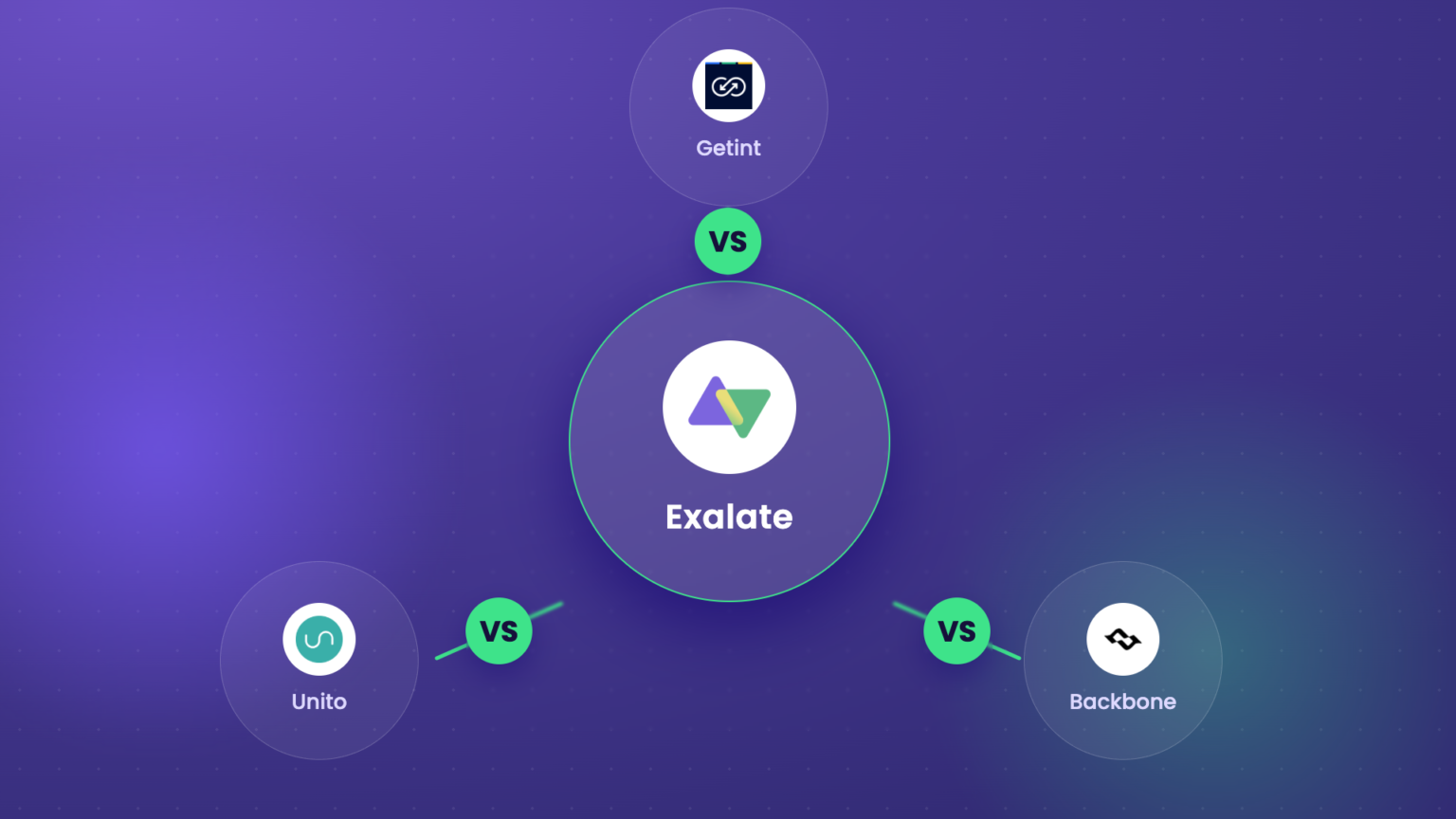
Backbone is Jira-to-Jira first, Unito is no-code and flow-based, Getint leads with templates and is UI-based, while Exalate is completely scriptable (AI-assisted) and best suited for cross-company escalations.
If you go by the feature checklist, you’ll end up with a tool that has all the technical bells and whistles but fails for the specific use case you actually need.
So, we’ll use this comparison guide to compare the features of these tools and address the specific use cases they’re good for.

The Key Deciding Factors
- Per-side control. When one org owns both systems, any of these tools works. The picture changes when two organizations are involved, like a vendor and customer, an MSP and its clients, or a company and an external dev firm. Now you have two admins and two security policies, and neither side wants to expose its config to the other. Centralized tools run one config across both sides, so one party sets the rules. Exalate gives each side its own node and its own config, so each side decides independently what it sends and what it accepts.
- Flexibility and customization. Template tools cover standard field mappings well. The challenge comes with conditional logic, data transformations, dynamic lookups against another system’s API, and multi-level hierarchies. According to available public information, Getint runs JavaScript snippets inside a narrower API surface, Unito holds off on data transformation at lower tiers, and Backbone stays inside Jira’s own fields. Exalate’s Groovy engine handles the awkward cases, down to fetching values from a target system at runtime instead of pre-mapping everything.
- AI-assisted setup. Exalate’s Aida AI drafts, explains, and troubleshoots sync logic, and customer feedback puts it roughly 80% of the way on a script before a human finishes it.
- Security and compliance. Look at certifications, the tenancy model, and how granular the data controls are. Exalate has an ISO 27001 certification, runs a single-tenant model, authenticates between instances, and lets you filter fields so sensitive data never leaves your organization.
- Deployment options. Backbone covers Cloud, Server, and Data Center within Jira. Exalate comes with data residency controls, which is what lets on-prem and cloud sides sync without either exposing more than it wants to.
- Reliability. A sync you can’t trust creates more work than manual copying. All four tools run real-time two-way sync. Worth knowing that in high-volume production setups, some customers have seen that replication of changes, like comments, takes a couple of minutes.
- Conflict resolution. When both sides edit the same field at once, something has to give. Unito has loop detection and automatic conflict resolution built in. Backbone settles conflicts inside Jira’s own fields. Exalate surfaces the error and lets you troubleshoot and script the rule you want, so the last write wins in order to avoid infinite loops.
So a tool can support 70 platforms and still be the wrong solution if it forces a single trust boundary, can’t handle your field logic, or can’t deploy where your security team needs it.
Quick-Reference Comparison
The categories don’t line up one-to-one, so treat them as rough scope, not exact specs.
| Getint | Unito | Exalate | Backbone Work Sync | |
| Primary use case | Template-based two-way sync, one org owns both sides | Fast setup, no-code sync across SaaS tools | Intra & Cross-company fully customizable sync with per-side control | Jira-to-Jira and JSM sync |
| Architecture | Centralized | Centralized | Distributed: Full operational control per side. | Install on each instance (remote licensing available) |
| Setup model | Templates + visual mapping | No-code sync rules | AI-assisted Groovy scripting | No-code blends into Jira UI |
| Connector count | 20+ | 60+ | 9+ named, custom connectors on Enterprise | Only Jira-centric |
| Intra-company sync (one org, both sides) | Yes | Yes | Yes | Yes |
| Cross-company sync (each side independent) | One config spans both sides | One config spans both sides | Built for it; each side controls its own sync independently | Between Jira instances, each side licensed |
| Local connection (same instance / single project) | Supported | Supported | Supported | Supported within Jira |
| Customization depth | Template-based field mapping, limited scripting (JavaScript snippets, narrow API surface) | Template-based field mapping, no data transformation on lower tiers | Unlimited via Groovy: conditional logic, transformations, hierarchies | Field, comment, attachment, workflow mapping |
| Pricing entry point | TEAM $1,800/yr | Quote-based, self-serve tiers in-app | Based on active items under sync, from $85/mo (Starter, annual) | From $5/mo, up to 10 users |
| Security / Compliance | ISO 27001/27018, SOC 2 Type II | SOC 2 Type 2, GDPR, CCPA | ISO 27001, data residency, behind-firewall deployment | ISO 27001:2022, data residency |
| Best for | Template-speed setup | Connecting many SaaS tools fast | MSPs, regulated industries, intricate mappings, end-to-end workflow integration | Internal or partner Jira sync |
| Not for | Cross-company sync where each side needs its own sync config | Deep per-side control or heavy custom logic | Teams wanting zero-setup, no scripting at all | Anything outside the Jira ecosystem |
| Real-time sync | Yes (not on all plans) | Yes (not on all plans) | Yes (on all plans) | Yes |
| Managed services | Not offered | Fully managed or co-managed services | Fully managed services on Enterprise (setup, config, monitoring under SLA) | Not offered (partner-led) |
| Support | Slack support on Enterprise | Chat and email; consultant on Enterprise | Community and Aida on lower tiers, SLA-backed on Pro and higher | Standard vendor support (K15t) |
| Jira integrations | Sold per app on the Atlassian Marketplace | Jira Cloud, Server, Data Center, and JSM | Jira Cloud, Jira Service Management, Jira Data Center, Jira Product Discovery, & more | Full Jira Software and JSM across Cloud, Server, and Data Center |
| Tools supported | Jira, Azure DevOps, ServiceNow, Salesforce, and more | Jira, Asana, Salesforce, HubSpot, and more | Jira, Azure DevOps, ServiceNow, Salesforce, Zendesk, and more | Jira Software and Jira Service Management only |
| Sync panel | Basic status view | In-app flow status | Chrome extension for showing (and controlling) sync status and errors | Sync status inside the Jira issue |
| Script versioning | Not available | Not applicable (no-code) | Yes: draft, roll back, and trace config changes | Not applicable (no-code) |
| Scalability | Grows within one central config | Grows within one central config | Starts as one point-to-point sync, grows into a network (hub-and-spoke, mesh) across many nodes | Connects unlimited Jira spaces, one central install option |
A Comprehensive Tool-by-Tool Breakdown
Backbone Work Sync (K15t)
Backbone supports only Jira integrations. It allows users to sync work items between Jira instances, including Jira Software and Jira Service Management, across Cloud, Server, and Data Center. You can install it on each instance, with a remote-licensing option so that you can run it from one side. The interface sits inside Jira’s own UI, so there’s not much new to learn.
Strongest: It’s the cheapest entry here, from $5/mo for up to 10 users, and it scales to a lot of spaces. It’s mature, too, running since 2012, so the reliability track record is real.
Bites: It’s bound to the Jira ecosystem. If your sync needs to reach Salesforce, ServiceNow, monday, or Zendesk, Backbone isn’t the tool. The pricing is user-based, so sometimes you end up paying for many users based on tiers.
Best for: Teams living inside Jira and Jira Service Management that need dependable internal or partner Jira sync without much config overhead. Phased Cloud migrations are a common reason people reach for it.
Not for: Any support team that runs Jira Service Management and whose external vendor runs ServiceNow or any other platform.
Security: Cloud Fortified, ISO 27001, with data residency options across the US, the EU, and DE.
Scalability & Flexibility: Handles enterprise volume, with support for 50k+ work items per space. You control which items, fields, comments, and workflows sync, all inside Jira’s own fields.
Support & Resources: Standard vendor support through K15t. There is also a docs page, blog, and Trust Center.
Unito
Unito is a no-code two-way integration solution across a broad SaaS range, including Google and Microsoft tools, CRMs, Airtable, Notion, and the standard work trackers. Instead of building triggers and actions, you set up sync flows, where one rule replaces a stack of automation steps and pulls in historical data.
Strongest: Speed and breadth. You get 60+ connectors covering Google and Microsoft tools, CRMs, Airtable, Notion, and the usual work trackers, plus self-healing for loop detection and conflict resolution. Unito leans hard on ROI in its case studies, with claimed annual savings in the hundreds of thousands for some customers.
Bites: Custom fields need the Pro plan or higher, and lower tiers stick to native fields. You can’t transform data during sync on those tiers, so a “High” priority stays “High” and can’t be remapped. And the model is centralized, so one config controls both sides. The trial runs for 14 days with a limited item count.
Best for: Internal teams connecting many SaaS tools quickly, where deep per-side control isn’t the priority. Ops team connecting Jira, Asana, HubSpot, and Notion inside one org.
Not for: Enterprise customers that run a regulated environment and want their own config, not a shared one.
Security: SOC 2 Type 2, GDPR, CCPA, and Québec’s Loi 25, with a no-data-storage model.
Scalability & Flexibility: Auto-scaling and auto-throttling to manage API rate limits at volume. Strong on field mapping, thinner on data transformation below Pro.
Support & Resources: Chat and email, with a dedicated integration consultant on Enterprise.
Getint
Getint is a template-based and UI-led bidirectional integration tool with a broad connector list. Its Jira integrations are sold per app on the Atlassian Marketplace, and the rest are sold directly. The Getint setup runs through pre-built templates and visual field mapping, so standard integrations are easier to configure.
Strongest: One major draw is the connector coverage that spans tools like Monday, ClickUp, Wrike, Notion, Airtable, and HubSpot, and quick template-based deployment.
Bites: Getint’s scripting works inside a narrower set of event hooks and a smaller API surface than a full engine. You can write JavaScript snippets that modify request data before API calls go out, which isn’t the same as a scripting engine that controls the sync at a granular level. Bulk and historical sync also take more steps than Exalate’s.
Best for: Teams that want wide connector coverage and template-speed setup, where one org controls both sides.
Not for: System admins who need to transform a status that exists on one side but not the other, or are syncing across two companies with different security configurations.
Security: ISO 27001 and 27018, SOC 2 Type II, Cloud Fortified, with AES-256 at rest and TLS 1.2+ in transit.
Scalability & Flexibility: SaaS, on-premises, and private cloud options with 99.99% uptime claimed. Template-first, with limited scripting for edge cases.
Support & Resources: Tiered, with premium Slack support on Enterprise. There is also a Docs page, a video academy, case studies, and a Trust Center, though the public community and partner network are thinner than the others.
Exalate
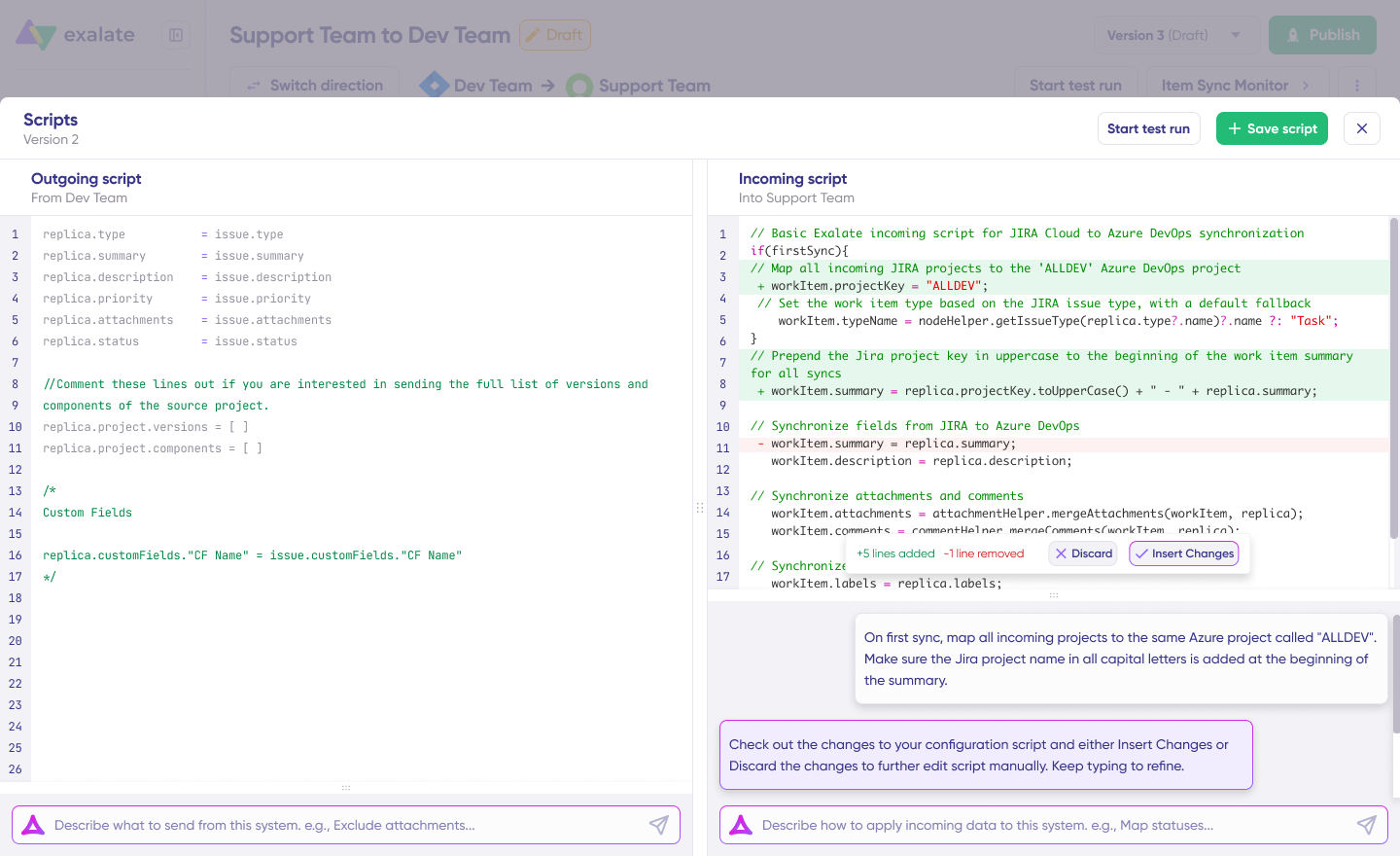
Exalate is a bidirectional integration tool that supports unified, scriptable syncs. Each side runs its own node with its own config, and a Groovy scripting engine handles the sync logic. It also comes with an AI assistant, Aida, that drafts and troubleshoots scripts. Based on customer feedback, Aida gets people as close to the final script as possible, with a quick review to finish.
Strongest:
- Each side using Exalate decides independently what it sends and accepts, which is what makes cross-company sync work without either party exposing its config.
- The Groovy engine covers conditional logic, custom data transformations, and granular comment and mention control.
- Script versioning lets you draft, roll back, and trace every config change, so a bad edit is a one-click revert rather than a scramble.
- Test Run checks a script against a draft before it touches live data.
- The Chrome extension Sync Panel shows the statuses and any errors of syncs right from your browser, so you see what’s happening without digging through logs.
- Exalate’s scalability allows your connection to start as a single point-to-point sync and grow into a network as you add nodes: hub-and-spoke with one central system feeding many, or a full mesh across multiple orgs, all managed from one console.
Bites: The Groovy engine comes with a learning curve, though Aida AI handles most of the scripting load. Since each side processes its own queue, you have to account for sync timing and error handling during setup, which is normal for a unified model and where the managed services option earns its keep. Even with Aida making the scripting part simple, you still need someone comfortable with scripts on your team.
Best for: Cross-company sync, MSPs managing many clients, regulated industries, and complex field mappings where template tools hit their limits.
Not for: Teams connecting two internal SaaS tools with standard fields and need it live immediately.
Security: ISO 27001:2022, single-tenant, with data residency controls and behind-firewall deployment, which matters for financial services, healthcare, and government buyers.
Scalability & Flexibility: Starts as a single point-to-point sync and grows into a network as you add nodes, whether that’s hub-and-spoke with one central system feeding many, or a full mesh, all managed from one console.
Support & Resources: Community and Aida on lower tiers, SLA-backed on Pro and up, with full managed services on Enterprise. You can also access a dedicated Docs page, community, academy, case studies, and the Trust Center.
The Use Case That Separates Them: Cross-Company Sync
The stand-out use case involves two companies, each running their own Jira. One is an external dev partner to whom you want to sync escalated bugs without giving them read access to your full instance and without paying a user license for every developer on their side.
Backbone handles the Jira-to-Jira part where each side keeps its own instance. But the config is per-instance, not per-side with independent logic. So, it doesn’t work for cross-company syncs between enterprises.
Exalate handles the same setup, but each side writes its own config. Your side decides what leaves your instance, while your partner decides what happens on their own side. You agree on what to exchange, and each side handles their configurations internally.
With the cross-company sync scenario, you can do the following:
- Share only tagged tickets and keep everything else private.
- Push a JSM request to the partner’s Jira as a bug, then pull the resolution status back for your customer’s visibility.
- Run a triangle sync, where your Jira syncs to company B and company C separately.
- Implement comment-level filtering so your internal escalation notes don’t reach the partner’s team.
For a straightforward internal Jira-to-Jira sync where one team owns both instances, Backbone is the simpler and cheaper pick. The moment a second company owns the other instance, or you need per-ticket control over what syncs, that’s where Exalate fits.
What Happens When These Tools Hit Their Limits
- Backbone: Once you need to sync a non-Jira tool, then you’d need to ditch Backbone for something with broader connector coverage.
- Unito struggles with data transformation, especially below the Pro plan. So a team that starts with simple field mapping eventually needs to remap a priority value or conditionally block a comment.
- Getint customers who need deeper scripting have to layer workarounds on top of JavaScript snippets to approximate logic beyond the engine’s scope. This works in direct contradiction to the template speed that made the tool a pick.
- Exalate users sometimes struggle during setup, but rarely in production. The combination of Groovy scripting and queue-based architecture has a steeper onboarding curve than a no-code tool. Although simple syncs take a couple of hours with Aida, cross-company setups with conditional logic and comment filtering can take longer if you’re building in compliance requirements.
Getting Started: How to Install Each Tool
Backbone Issue Sync
You can install Backbone from the Atlassian Marketplace on your Jira instance. For a cross-instance sync, each side has to install the tool, though remote licensing lets you run it from one side.
After installation, you then connect the two spaces and pick which items, fields, comments, and attachments sync. Backbone sync lives inside Jira, so an admin who knows Jira can get the sync up and running within an hour.
Unito
With Unito, you don’t need to install anything on your systems. All you have to do is sign up and authorize each tool through OAuth. Then, build a flow by picking two tools, setting the direction, and mapping fields.
Getint
You can install Getint from the Marketplace for Jira, and then set up the other tools through Getint directly. The setup runs off a pre-built template for the pair you’re connecting, then visual field mapping. Standard pairings come together fast because the template does most of the heavy lifting.
Exalate
Exalate has a unified web console to manage all your configurations from a single place. You can sign up for Exalate directly through the console or start from the integrations page. After signing up, you need to connect both systems and authenticate them using access credentials (OAuth, API Key, Client Secret, etc).
After that, you can configure the sync using a Groovy script, with Aida service as your AI-powered scripting assistant. The Test Run feature checks the logic before it touches live data.
How Do They Handle Jira Integrations?
All four tools are anchored on Jira, so it’s worth looking at just the Jira side on its own. This is also where the field is most crowded, since Backbone is Jira-centric, while the other three treat Jira as a first-class connector.
- Backbone covers the full Jira surface: Jira Software and Jira Service Management, across Cloud, Server, and Data Center.
- Getint sells its Jira integrations per app on the Atlassian Marketplace, then connects to non-Jira tools directly.
- Unito treats Jira as one connector among many, covering Cloud, Server, Data Center, and Jira Service Management.
- Exalate covers Jira Cloud and Data Center, plus Jira-to-Jira across instances, and local connections to connect multiple projects in a single Jira instance. It also covers Jira Service Management, Software, Product Discovery, and more.
The Jira-to-Jira case is the difference maker here. Say two companies each run their own Jira, and one is an external dev partner. The usual pain is licensing: to collaborate today, you invite every external developer to your instance and pay a user license for each one, even though they already have their own Jira.
Backbone and Exalate both handle this without cross-licensing users, since each side keeps its own instance. Backbone syncs between the two Jira instances with each side licensed, while Exalate gives each side its own node and config, so you decide what leaves your instance, and the partner decides what leaves theirs.
That control matters if:
- You want advanced comment-level filtering.
- You want to share only tagged tickets and keep the rest private
- You want to sync a JSM request to a partner’s Jira as a bug and push the status back for customer visibility
- You run a triangle, where your Jira syncs to company B and company C separately, without either seeing the other.
Exalate’s per-side scripting handles these because the logic sits on each node rather than in one shared config.
For a straightforward internal Jira-to-Jira or Jira-to-JSM sync where one team owns both instances, Backbone is the simpler and cheaper pick. The moment a second company owns the other instance, or you need per-ticket control over what syncs, that’s where Exalate fits.
How Their Pricing Compares
The four pricing models don’t compare like for like.
Backbone uses the standard Atlassian per-max-user model, from $5/mo for up to 10 users, with Data Center priced separately.
Getint splits its pricing. Jira integrations are per app on the Marketplace, and direct tiers run TEAM, PROFESSIONAL, and ENTERPRISE at custom pricing.
Unito calculates pricing from the connectors you use, the items in sync (each item synced between two tools counts as two), and the features you turn on. Enterprise is quote-based, and self-serve pricing is shown in-app.
Exalate tiers are Starter, Scale, Pro, and Enterprise, with custom pricing, unlimited items, data residency, and managed services.
Use Exalate’s pricing calculator to know which plan is the best option for your use case.
Which Tool is The Best for Your Organization?
Start by figuring out which systems are in scope, who owns each side, how custom the field mapping needs to be, and what compliance you’re held to.
Then, shortlist and start a trial for the favorable ones, comparing the field values on both sides of a few real tickets that cross systems.
- If you’re syncing Jira to Jira internally and want something cheap and simple, choose Backbone.
- If you need many SaaS tools connected fast with no coding, and one org owns it all, Unito is the answer.
- If you want a template-based setup, with one org controlling both sides, then go for Getint.
- If you’re syncing across company boundaries, need each side to keep control, or need deep custom logic and strict compliance, Exalate is the no-brainer.
Sign up for the Exalate trial to see how it fits your use case. You can also request a demo to interact with our engineers.
FAQ
Do I need to install the tool on both sides?
It depends on the architecture. Unito is cloud-based, so you install nothing and connect each tool through OAuth. Getint installs on Jira from the Marketplace and connects out to other tools directly. Backbone installs on each instance, though the remote licensing lets you run it from one side. The Exalate app is available without the need for any installation.
Can I sync only specific tickets instead of everything?
Yes, you can sync only specific tickets in all four, though the control varies. Backbone and Unito filter by fields, labels, or JQL. Getint filters through its template rules. Exalate uses platform native triggers (JQL, WIQL, SOQL) and advanced search queries to sync only tickets that match a specific condition, and leave the rest private. That selective control is a common reason teams pick it for partner sync.
Can I control which comments go which direction?
Unito syncs comments with public and private options. Backbone syncs comments inside its Jira mapping. Exalate lets you script comment direction per side, so you can send all your comments to a partner’s Jira while keeping theirs from flowing back, or filter internal notes out entirely.
Can I migrate existing tickets, not just new ones?
Backbone, Unito, and Exalate all sync historical data, not only changes going forward. Exalate handles bulk operations for existing tickets, which is common in phased migrations. For large migrations of thousands of issues, plan for setup time and testing, since bulk complexity is real regardless of the tool.
How do these tools handle different workflows and statuses across systems?
Status mapping is a top concern when two systems don’t share the same workflow. Template tools map statuses through their UI, which covers standard cases. Exalate maps them in a script, so a status that exists on one side but not the other can be translated, defaulted, or driven by conditional logic.
Which tool is best for cross-company sync?
Exalate is the best option for cross-company sync because it is the only one of the four where each side runs its own node and config. Backbone handles Jira-to-Jira across companies with each side licensed, but without the per-side scripting control.
Can I use AI to write the sync scripts?
Exalate includes Aida, an AI assistant that drafts and helps in troubleshooting sync logic. Customer feedback puts it at roughly 80% of the way on a script before a human finishes it. The other three are no-code or template-based, so there’s no scripting layer for AI to assist with.
Recommended Reading
- Backbone Issue Sync vs. Exalate: In-Depth Comparison
- The Best ITSM Integration Tools For Connecting Disparate Systems
- ZigiOps vs. Exalate for Enterprise ITSM Integration: Which Tool Fits Your Workflow?
- Best iPaaS Solutions: All Top Platforms Ranked
- The Best Atlassian Marketplace Apps For Jira Integration: Template vs. Script-based Solutions