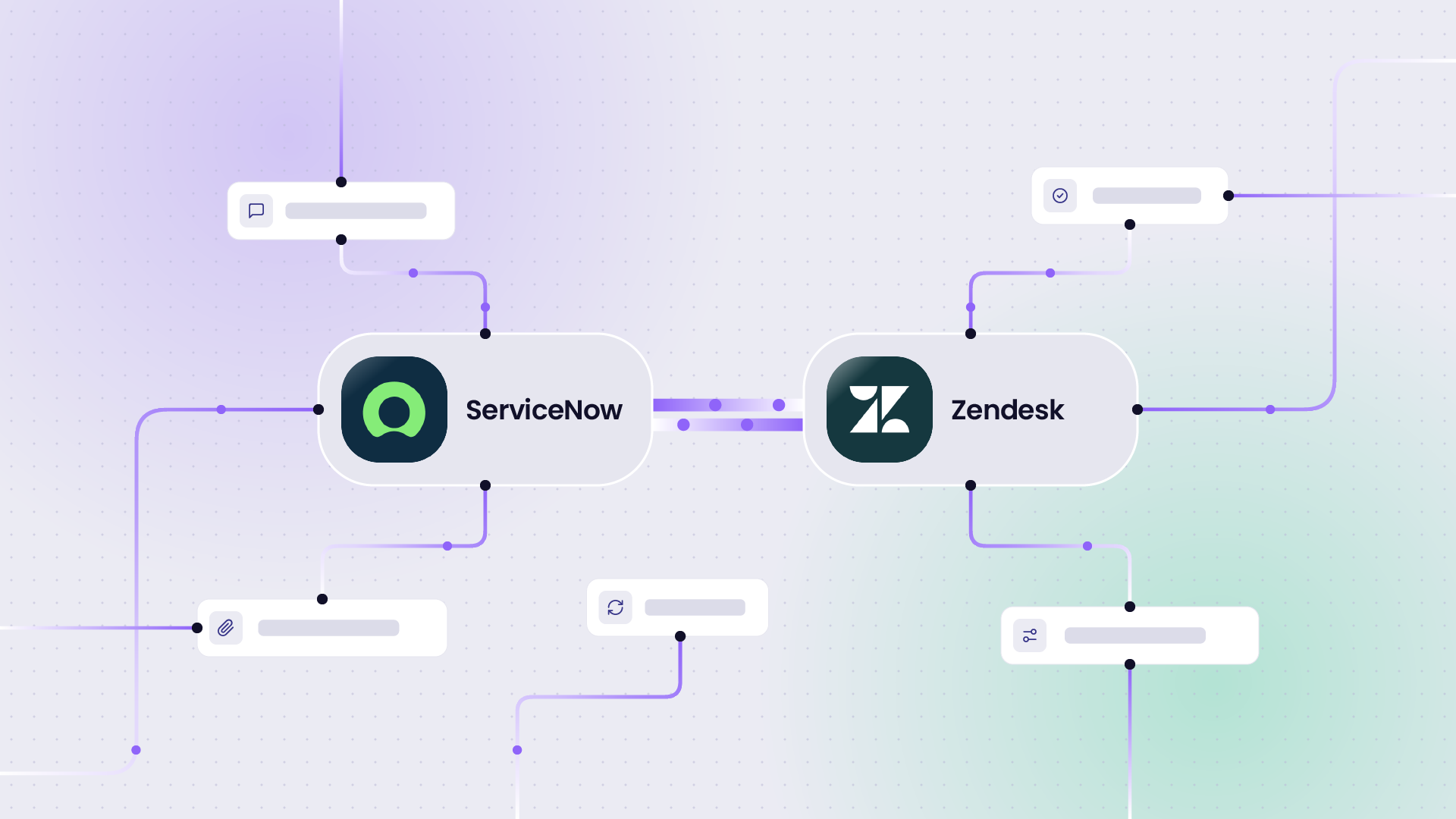
It’s common practice to handle your internal ITSM tasks in ServiceNow, manage engineering in Jira, and use a separate service desk like Zendesk to ensure escalations from your most important clients are processed with the urgency they deserve.
When teams want to send data across these systems, every ticket that crosses gets copied manually, and things can go missing over time: a priority, a custom field, or a status update.
Native connectors can help connect these systems to sync data between them, but they only cover the basics. They cannot handle custom fields, different workflows on each side, or a partner who refuses admin access to their system.
Building your own integration is a good option if you want full control, have a custom workflow, or an unusual use case, but it requires a dedicated person to maintain it when an API changes or the team adopts a new workflow.
The build vs. buy calculator shows how quickly that maintenance can add up and the costs you predicted initially can rise faster than expected.
So teams look at dedicated third-party integration vendors.
Exalate and ONEiO come up often in that search, because both connect ITSM, DevOps, and CRM systems in real time, and both can run the integration for you as a managed service.
However, they differ in architecture, how far you can customize the sync logic, how pricing works, and which systems each one connects.
You’ll find each of these compared below, so you can decide which one fits how your team works.
Exalate vs ONEiO at a Glance
| Exalate | ONEiO | |
|---|---|---|
| What it is | Integration solution for cross-team and cross-company integrations, available self-run, co-managed, or as a fully managed service | Managed integration service built on its own integration platform |
| Architecture | Decentralized: each side configures its own outgoing and incoming sync rules | Centralized: one hub routes and transforms data between all connected systems |
| Customization | Exalate’s scripting API, built on Groovy, with no limit on the logic you can write | Routing rules with conditions, field mappings, lookup tables, and a fixed set of formatters |
| Supported systems | Jira (Cloud, plus Data Center on Pro and above), Jira Service Management, ServiceNow, Zendesk, Salesforce, Azure DevOps (Cloud and Server), GitHub, Freshservice, Freshdesk, and Asana. Early access connectors on Enterprise. Request new connectors here. | ITSM and enterprise endpoints, including ServiceNow, Jira, TOPdesk, Ivanti, BMC Remedy, Cherwell, SAP Solution Manager, Micro Focus SMAX, and Omnitracker, & more |
| AI | Aida helps you get started, generates sync scripts, explains errors, and suggests fixes | ONEAi suggests field mappings and monitors integrations |
| Managed services | Self-managed, co-managed, or fully managed. With Exalate Managed Services, a dedicated team builds, monitors, and maintains your integrations | Self-managed, co-managed, or fully managed tiers |
| Data residency | You choose where your data resides, including the EU, the US, Australia, & more | Data stays in the EU, the UK, or the US |
| Deployment | Cloud by default. On-premises deployments available | Cloud service |
| Security | ISO 27001:2022, GDPR, single-tenant architecture, encryption in transit and at rest, SentinelOne monitoring, public Trust Center | ISO 27001:2022, GDPR |
| Testing and rollback | Test Run on real data, sync script versioning with rollback, Test environments on demand | QA environments, routing rule versions |
| Change history | Activities log of who changed what on each connection, visible to both sides and exportable | Routing rule version history |
| Pricing | Published: subscriptions based on active items in sync | Not published. Subscription with a message capacity |
| Free trial | Open 30 days, full product | Free trial to be requested from support center. Free sign-up |
| Best for | Cross-company integrations, MSPs and MSSPs, complex sync logic, regulated industries | ITSM estates with many legacy tools and standard routing needs |
Who Each Solution Is Best For
Exalate Is Best For
MSPs, MSSPs, and cross-company integrations. When you sync with clients, suppliers, or partners, each organization needs to decide what leaves its own system. Exalate gives each side its own sync rules, so your client controls their side, and you control yours. This is why security providers like Quorum Cyber and NVISO run their client integrations on Exalate.

Learn how Exalate works for MSPs and IT operations and for integration with clients.
It works well for advanced sync logic. Multi-level hierarchies between Jira and Azure DevOps, conditional status mapping, Salesforce custom objects, and ServiceNow SLA records all need real logic. Exalate’s scripting handles any of them, and Aida AI writes most of the script for you.
Data isolation at the infrastructure level and data residency in the region you pick make Exalate a fit for financial services and banking, government and the public sector, and healthcare.
If teams want it to run for them, Exalate Managed Services gives you a named team that runs everything. But you can also share the integration responsibility via co-managed services. Your sync logic stays in your own console, so you can take it back in-house whenever you want.
Discuss your integration setup with our experts
Get free, expert advice on your setup. We’ll reach out via email to discuss your use case.
ONEiO Is Best For
ONEiO lists long-tail ITSM estates and tools that Exalate doesn’t connect natively, such as BMC Remedy, Cherwell, SAP Solution Manager, Micro Focus SMAX, and Matrix42.
ONEiO connects each system once to its hub and routes messages between any combination of endpoints. If your routing logic fits into conditions and field mappings, the hub handles high endpoint counts well.
Who Each Solution Isn’t Ideal For
Exalate Isn’t Ideal For
Environments built on tools Exalate doesn’t connect natively to: if your core system is BMC Remedy or Cherwell.
Teams that want only drag-and-drop templates. If you never need custom logic and don’t want a managed service, Exalate gives you more control than you’ll use.
ONEiO Isn’t Ideal For
Complex or advanced use cases. ONEiO’s logic runs on routing rules: conditions from a fixed list of operators, field mappings, lookup tables, and a fixed set of formatters. When your sync needs loops, calculations across several fields, or logic that branches based on earlier sync history, you hit the edge of what rules can express. The customization section below compares this in detail.
Cross-company setups where each organization controls its own side. ONEiO’s hub holds the routing and transformation logic for every connected system. Your partner can’t independently decide what leaves their system without going through the shared configuration.
Buyers who need prices before shortlisting. ONEiO doesn’t publish prices.
Decentralized vs Centralized: Who Controls the Integration
This is the biggest architectural difference between Exalate and ONEiO, and it shapes everything else: security reviews, partner onboarding, and how you change the integration later.
Exalate’s Decentralized Model
Exalate runs each side of a connection independently. Every side has 2 scripts: an outgoing script that decides what data leaves your system, and an incoming script that decides how data from the other side lands in yours.
Your admin controls your scripts, and your partner’s admin controls theirs. Neither needs admin access to the other’s system, and neither can change the other’s rules. If your client changes how they map priorities, nothing on your side breaks or changes without your approval.
This is what makes cross-company integration work in practice. Each organization keeps its data under its own control at all times, so security teams on both sides can approve the integration based on their own rules.
This also makes it easier to onboard a new client or supplier, since they set up their side without you rebuilding yours.
The same applies to credentials. If you don’t have access to your partner’s system, you can delegate authentication to their admin, who connects that system themselves, so nobody emails passwords between companies.
Case Study: Vodafone runs its cross-company collaboration on Exalate and has synced over 20,000 entries.
You still manage everything from one place. The Exalate console shows all your connections, script rules, sync queues, and errors for both sides on one screen.
ONEiO’s Centralized Hub Model
ONEiO connects each system to a central hub. Inbound messages arrive at ONEiO, routing rules decide where each message goes and how fields get transformed, and ONEiO sends the result to the target system.
This works well when one party owns all the logic, which is common in enterprise IT that wants a single place for every integration. It also means teams don’t have to change their own system to join.
In a cross-company setup, the logic for both sides sits in one place. On ONEiO’s fully managed tier, ONEiO’s team operates that logic for everyone involved.
Which Model Fits You
If one organization should own all the rules, a centralized hub works. If each organization needs to control its own data and its own rules, which is almost always the case with clients, suppliers, and MSP relationships, Exalate’s decentralized model is the safer fit.
The guide to cross-company integrations for IT professionals goes deeper into how to set this up.
Customization: Exalate’s Scripting API vs ONEiO’s Routing Rules
Exalate: a Scripting API Built On Groovy
Exalate has its own scripting API, built on Groovy. You work with objects like replica (the data being sent or received) and the local entity (issue, workItem, entity, depending on the platform), plus documented helper methods for comments, attachments, users, hierarchies, and status transitions.
Since it’s a full programming language underneath, you can write any logic you need:
- Conditional mapping based on any combination of field values
- Calculations, string parsing, and data validation before a value is written
- Loops over comments, attachments, linked items, or child items
- Logic that depends on sync history, such as treating a reopened ticket differently from a new one
- Triggers written in each platform’s own query language: JQL for Jira, WIQL for Azure DevOps, SOQL for Salesforce, and ServiceNow filters
- Different logic per direction and per side
If you can describe it, you can sync it. That’s what lets Exalate handle things like area and iteration paths between Jira and Azure DevOps, or SLA and custom field sync in a Jira ServiceNow integration.
Exalate’s flexibility comes from its scripting engine, which uses Apache Groovy, an open-source language maintained by the Apache Software Foundation. It is the same language behind Gradle builds, Jenkins pipelines, and ScriptRunner for Jira, so most Atlassian and DevOps teams have written it before.
The Exalate integration API is documented publicly, and Aida AI generates scripts from plain-language descriptions, then explains existing scripts line by line.
The fair concern about any scripted integration is maintainability: what happens when the person who wrote it leaves.
That is a governance question, and it applies to managed services too, where the logic sits with the vendor instead of your team.
Exalate addresses it with versioned sync configurations, public documentation, and AI-generated explanations of any script in the console.
You Don’t Have To Write the Scripts Yourself
Aida, Exalate’s AI assistant, generates sync scripts from a plain-language description of what you want. It works with your integration context: your existing scripts, connected systems, and configuration. When something fails, Aida explains the error in plain language and suggests a fix.
Aida’s scripts hold up in practice. Users accept 90% of the scripts Aida generates. Teams using it cut implementation time by 50% and script errors by 85%.
Aida also reads an existing script and makes suggestions. This matters when the admin who built your integration leaves and the next person needs to pick it up. A common pattern: the original admin’s account gets deactivated, a script that used them as the default assignee starts failing, and the new admin needs to understand the script before fixing it. Aida explains it, script versioning shows what changed, and Test Run lets you validate the fix before it reaches production.
ONEiO: Routing Rules
ONEiO builds integrations from routing rules. Each rule matches inbound messages from a source system, checks conditions, and then routes, processes, or drops the message.
Here’s what you work with:
- Conditions use a fixed list of operators: equals, exists, starts with, in, contains, shorter than, and their negatives. Multiple conditions combine with AND only. OR logic is possible only through the IN operator on a single attribute.
- Mappings copy source attributes or fixed values to target fields, or use conditional lookup tables, such as “Impact 1 and Urgency 3 sets Priority to High.”
- Formatters transform values through a fixed set: regex extraction, truncate, case changes, HTML removal, find and replace, date format, trim, translation, Base64 decoding, and byte conversion.
- Variables store values between messages in the same conversation, such as the previous status of a ticket.
Some mapping types, such as counters and multi-value to single-value conversion, can’t be added in the rule editor at all. You have to export the rule as JSON, edit it in a code editor, and import it back.
Rule order is set by priority. Rules with the same priority run in an undetermined order, so when several rules match the same message, you need to manage priorities carefully.
What This Means In Practice
ONEiO’s Routing rules cover standard ticket sync: match a ticket, map the fields, translate a few values. When your logic goes past that, you’re limited to what the operators, formatters, and lookup tables support. So, the flexibility is very limited.
With Exalate, there’s no fixed list. If the logic exists in your process, you can write it in the script, and Aida helps you write it.
Plus, if you opt for a managed service instead of scripting yourself, the engineer working on your integration can develop the full scripting logic on a secure, stable framework. You get the flexibility of a custom-built integration without paying for custom development, and Exalate’s team takes over the maintenance and support.
The difference in practice is control. If you manage Exalate yourself, your team changes the sync rule when the business changes. With a managed service, you file a request and wait for resolution.
Managed Services: Exalate vs ONEiO
Some teams don’t want to own integrations at all. They want the sync to work, someone else to watch it, and one contact to call when a client changes their workflow.
Both Exalate and ONEiO offer that, but the two services work differently once they’re running.
Exalate Managed Services
Exalate gives you 3 operating models, so you can pick how hands-on you want to be and change your mind later.
Self-managed: you run Exalate yourself through the Exalate app, with Aida, documentation, and community support when you need them.
Co-managed: you and Exalate agree upfront on who owns which tasks, such as deployment, upkeep, troubleshooting, and responding to errors. Your team keeps the parts it wants to own, and Exalate takes the rest.
Fully managed: Exalate runs the integration end to end, which is how many MSPs and enterprise customers work with Exalate. Exalate’s team handles sync errors and issues under an SLA for both response and resolution, so the integration is hands-off for you.
Exalate Managed Services gives you a dedicated, named integration team that takes over the full lifecycle: discovery, scoping and mapping, build, monitoring, maintenance, and scaling. Simple integrations go live in days, and complex ones within 3-6 weeks.
The split of responsibilities is clear. You keep the business outcomes, system access, escalation decisions, and compliance requirements. Exalate takes the integration architecture, build and configuration, monitoring and alerting, and maintenance through system changes and version updates.
Managed Services includes Priority Support: a dedicated support engineer, 24/7 support for critical issues, and direct contact over Slack or Microsoft Teams. It’s part of the Enterprise plan, so you don’t hire a separate consultancy or pay day rates.
Service providers use it too. MSPs and MSSPs hand their client integrations to Exalate’s team while each client’s data stays isolated in its own connection. The MSP integration guide and cybersecurity integration guide cover how this works.
ONEiO’s Managed Service
ONEiO offers 3 tiers: self-managed, where your team runs integrations on ONEiO’s platform; co-managed, where your team gets help from ONEiO’s experts; and fully managed, where ONEiO runs everything.
On the fully managed tier, ONEiO’s team builds the routing rules, and ONEAi plus ONEiO’s operations team monitor the integrations 24/7.
ONEiO promises guaranteed outcomes and one subscription that covers implementation, maintenance, monitoring, and resolution. Simple integrations go live in days, and complex multi-endpoint workflows take a few weeks.
Where the two services differ
| Exalate Managed Services | ONEiO full managed | |
|---|---|---|
| Who runs it | A dedicated, named Exalate team | ONEiO’s team and ONEAi |
| Control over each side | Each side keeps its own sync rules, even while Exalate operates the connection | ONEiO’s hub holds the logic for every connected system |
| What the logic is built with | Exalate’s Groovy-based scripting, with no limit on the logic | Routing rules, mappings, lookup tables, and a fixed set of formatters |
| Taking it back in-house | Your scripts stay readable in your own Exalate console, so your team can take over anytime | Rules can be exported as JSON, but only run on ONEiO’s platform |
| Pricing | Part of the Enterprise plan; other plans are published | Not published; based on message capacity |
| Support access | Dedicated support engineer, 24/7 for critical issues, direct Slack or Teams contact | 24/7 monitoring by ONEiO’s operations team |
| First go-live | Days for simple integration. 3-6 weeks for complex ones | Days to a few weeks |
Discuss your integration setup with our experts
Get free, expert advice on your setup. We’ll reach out via email to discuss your use case.
The biggest difference is control. With Exalate, handing the integration to a managed team doesn’t hand over your data decisions. Your clients and partners still control what leaves their systems, and you can move between running it yourself and having Exalate run it without rebuilding anything.
With ONEiO’s full managed tier, the routing logic for every party lives in ONEiO’s hub and is operated by ONEiO. That suits an enterprise that wants one vendor to own everything. In cross-company setups, it means your partners route their data through logic they don’t control.
Complexity is the second difference. A managed team can only build what the underlying ONEiO IntegrationOps platform supports. Exalate’s team works with full scripting, so the service covers complex logic as easily as simple field mapping. ONEiO’s team works within routing rules, so complex cases hit the same limits as they would on the self-managed tier.
For more on when outsourcing your integration makes more sense than implementing it yourself, read how managed integrations help IT teams.
Setup and Onboarding
Exalate
Sign up at exalate.app, enter the URLs of the systems you want to connect, verify access, and start configuring from one console.
The 30-day free trial gives you the full product, including Aida AI, Test Run, and script versioning, so you can test your real use case before committing.
With Managed Services, Exalate’s team runs discovery and setup, and the first integration goes live within 3-6 weeks, depending on the complexity.
ONEiO
ONEiO has a free sign-up in its help center and a discovery call on its website. Simple integrations can go live in days, and complex multi-endpoint workflows typically take a few weeks.
Monitoring, Reliability, and Error Handling
Exalate
You see everything that’s syncing. The sync queue shows every pending incoming and outgoing message, filterable by connection and entity. The Dashboard tracks items in sync over time, the Troubleshooting tab shows what failed and why, and the side-by-side view shows rules, queues, and errors for both sides of a connection at once.
Platform changes are handled for you. Exalate handles API changes on connected platforms automatically. When Jira, ServiceNow, Salesforce, or Azure DevOps change their APIs, Exalate updates its connectors and your sync keeps running.
Outages recover automatically. If a connected system goes down, Exalate recovers the sync automatically once it’s back.
Errors come with explanations. Aida Troubleshoot explains errors in plain language and suggests a fix based on your script and system context.
Changes are tested before production. Test Run checks sync script changes against real data without creating items in the destination, and script versioning lets you roll back to the last working version.
Every change has a name on it. The Activities tab logs who published a script, edited a trigger, or added a collaborator on each connection, and both sides of a cross-company connection read the same entries. The log is read-only, kept for 90 days, and exportable.
Managed monitoring is available. On Managed Services, Exalate’s team monitors your integrations and resolves issues before they reach your team.
ONEiO
ONEiO monitors integrations 24/7 with ONEAi and its operations team. When a connected system goes down, messages are held and resent in order once it’s back. ONEiO states uptime of over 99.9% end to end. Routing rules have version history, and you can test in QA environments.
Comparison
Both give you monitoring and recovery. Exalate gives you more ways to verify reliability yourself: a public uptime record, published response times, Test Run on real data, and AI troubleshooting your own team can use.
Security, Compliance, and Data Residency
Data residency: You Choose Where Your Data Lives
Exalate stores your data where you need it. You choose from multiple locations, including the EU, the US, Australia, and more, and Exalate stores and processes your integration data there.
You can find all the details in the Data Security and Privacy Statement and its Trust Center.
ONEiO keeps data in the EU, the UK, or the US.
Exalate Security
- ISO 27001:2022 certified
- Distributed architecture through loosely coupled systems
- Data isolation and privacy: your integration runs in its own environment and doesn’t share infrastructure with other customers
- Encryption in transit and at rest
- 24/7 threat detection with SentinelOne
- JWT-based authentication and role-based access control
- Activities: a read-only, exportable log of configuration, user, and sync changes on every connection, kept for 90 days
- Security policies and compliance documentation in the Exalate Trust Center
Data isolation matters most for MSPs and MSSPs. Each client’s data stays isolated, which makes your clients’ security reviews easier to pass.
ONEiO Security
ONEiO holds ISO/IEC 27001:2022 certification and is GDPR compliant. Its platform runs across multiple locations in the EU, the UK, and the US. If you need a SOC 2 report, request it during your security review.
Security Comparison: Exalate Vs. ONEiO
Both hold ISO 27001:2022. Exalate adds data isolation, a wider choice of data locations including Australia, and the decentralized model means each organization keeps its data under its own control.
Connectors: Which Systems Each Solution Connects
Exalate Connectors
Exalate connects these systems in any combination, with or without Jira:
- Work Management systems like Jira, including Jira Data Center on Pro and above, Azure DevOps (Cloud and Server), GitHub, and Asana
- Ticketing and ITSM systems like Jira Service Management, ServiceNow, Zendesk, Freshservice, and Freshdesk
- CRMs like Salesforce
- TOPdesk, Xurrent, ServiceDesk Plus, Ivanti, SolarWinds, ConnectWise, and HaloITSM on Pro and above
- New connectors built for you on the Enterprise plan
Exalate also supports multi-node setups, such as one Salesforce org connected to several ServiceNow instances.
Most popular integrations among Exalate’s MSP customers
Popular Jira-free integrations
→ Browse all Exalate integrations.
ONEiO Connectors
ONEiO’s integrations page lists a range of ITSM and enterprise endpoints, including legacy tools like BMC Remedy, Cherwell, Micro Focus, SAP Solution Manager, Matrix42, Efecte, and Omnitracker.
The list also includes service provider names such as Accenture, Capgemini, Fujitsu, and Wipro. These are connections to those providers’ own ITSM instances. When you evaluate, ask which endpoints are connectors you can use directly.
Connectors Comparison: Exalate Vs. ONEiO
ONEiO lists more endpoints, especially legacy ITSM tools. Exalate covers the systems most teams run today, connects them in any combination, and lets you go deeper inside each one through scripting. If a tool you depend on isn’t on Exalate’s list, the Enterprise plan includes new connector development.
Pricing and Total Cost of Ownership
Exalate Pricing
Exalate prices per integration, such as Jira to ServiceNow, based on active items in sync. You can run as many connections as you need inside one integration.
It includes 4 subscription plans: Starter, Scale, Pro, and Enterprise, differentiated based on active items in sync, platforms, managed services, and more.
All plans include unlimited users, unlimited connections, real-time two-way sync, Aida, Test Run, script versioning, and more.
See the full breakdown on the pricing page, or get an instant quote with the pricing calculator.
Active items in sync means items currently linked and syncing, not cumulative transactions. A burst of updates on one ticket doesn’t add to your bill.
The total cost of ownership is the plan price. You don’t need a consultant to configure Exalate, and if you want someone to run it for you, Managed Services is part of the Enterprise plan.
Case Study: Netguru cut its license costs by 95% after moving to Exalate.
ONEiO Pricing
ONEiO doesn’t publish prices. ONEiO’s integrations FAQ describes a base subscription with a message capacity you can use across unlimited integrations, with large or business-critical integrations moved to a flat monthly rate.
Their pricing is also less predictable than they claim. It’s built on “message capacity,” which seems to be a volume metric. Before you sign, ask what counts as a message, what happens when you go over your capacity, and how the flat-rate threshold is set.
Pricing Comparison: Exalate Vs. ONEiO
With Exalate, you can calculate your cost before you talk to anyone, and the price depends on how many items you keep in sync. With ONEiO, you need a sales conversation to get a number, and the price depends on message volume. Ask both vendors for a written quote for the same scope.
Exalate’s baseline pricing is public. You can estimate your cost with the pricing calculator and the plans on the pricing page before you talk to anyone, which isn’t possible with ONEiO.
For pricing queries, you can always talk to the Exalate sales team. The final price depends on how many items you keep in sync, the complexity of your integration, and whether you want managed services.
Once you have that quote, it stays stable. New requirements are handled through scripting, so extending your integration later doesn’t mean paying for custom development.
With ONEiO, ask the same question before you sign: when your requirements go beyond what routing rules support, how is that work delivered and priced, and does it change your quote?
Real-World Scenarios
MSSP Syncing Security Incidents With Clients
An MSSP runs its SOC in Jira and has clients on ServiceNow, Jira, and Azure DevOps. Each client wants security incidents in their own service desk, and each client’s data must stay isolated.
Who’s the better fit?
Exalate is the better fit in this case. The MSSP sets up custom sync logic for each client connection and controls how its side of every integration runs. Each client only decides what data from their own system is shared. Data isolation keeps client data separate, and the MSSP manages everything from one console.
Case Study: Quorum Cyber uses Exalate to push security events into its customers’ ITSM systems and syncs more than 500 tickets a month. If the MSSP doesn’t want to staff integration engineers, Exalate Managed Services runs the connections.
Product Team Syncing Jira And Azure DevOps
A software company syncs epics, features, stories, and tasks between Jira and Azure DevOps, with custom status mapping and conditional field logic that changes every quarter.
Who’s the better fit?
Exalate fits this scenario better. The scripting handles multi-level hierarchies and conditional logic directly, Test Run validates each change, and the team can update scripts the same day.
See how this works for software and product development teams.
Support Escalations To Engineering
A support team in Zendesk escalates bugs to engineering in Jira, and each side needs different fields, synced side conversations, and comment visibility rules.
Exalate fits. Outgoing scripts decide which comments stay internal, and incoming scripts set the right fields on each side.
Gantner reached 45x faster ticket resolution with Exalate. Read more about customer ticket escalations.
Enterprise IT Connecting Legacy ITSM Tools
An enterprise runs ServiceNow centrally, but a few business units still use BMC Remedy and Cherwell, and the routing between them is standard.
ONEiO fits. Its catalog covers those legacy tools natively, and standard routing fits into its rule model.
Common Objections Addressed
“Groovy scripting is Exalate’s secret language.”
Exalate has always been openly script-based. Its documentation, how-exalate-works page, and marketplace listings all describe scripting, and you see the scripts on day 1 of your trial. Groovy is an open-source language maintained by the Apache Software Foundation; every Exalate helper method is documented, and Aida explains any script in plain language. There are no secrets around it!
“With Exalate, your team does all the work.”
Exalate Managed Services gives you a dedicated team that builds, monitors, and maintains your integrations end to end. If you prefer to run it yourself, Aida AI writes the scripts with you.
“Exalate needs a consultant at around €1,000 a day.”
Exalate doesn’t need a consultant. Teams configure it themselves, use Aida AI or the Exalate community, and Managed Services is part of the Enterprise plan, with no day rates.
“Exalate can’t guarantee where data is stored.”
Exalate guarantees it through its data residency option. You choose the location, such as the EU, the US, or Australia, and your integration data is stored and processed there, in an environment that doesn’t share infrastructure with other customers.
“Exalate only works with Jira.”
Exalate connects ServiceNow, Salesforce, Zendesk, Azure DevOps, GitHub, Freshservice, Freshdesk, and more directly with each other. Jira is one connector among many.
“When a platform updates, you have to fix the integration.”
Exalate handles API changes on connected platforms automatically. On Managed Services, Exalate’s team also handles your system changes and version updates.
“Exalate only guarantees tool availability.”
Exalate publishes its uptime history on a public status page and its support response times in its SLA. Managed Services adds monitoring, maintenance, and 24/7 support for critical issues from a named team.
Frequently Asked Questions
What is the difference between Exalate and ONEiO?
Exalate is an integration solution with a decentralized architecture, where each side of an integration controls its own sync rules through Groovy-based scripting. It’s available self-managed, co-managed, or fully managed. ONEiO is a managed integration service with a centralized hub that routes messages through routing rules, available in self-managed, co-managed, and fully managed tiers.
Does Exalate offer managed services?
Yes. Exalate Managed Services gives you a dedicated team that handles discovery, build, monitoring, maintenance, and scaling. Simple integrations go live in days, and complex ones within 3 to 6 weeks.
Where does Exalate store data?
Exalate offers data residency options to store your data. You can choose between multiple locations, including the EU, the US, Australia, and more. All details are available at the Trust Center.
How much does Exalate cost?
Exalate’s baseline pricing is on its pricing page, and the pricing calculator gives you an estimate in minutes. For an exact quote, talk to the Exalate sales team, since the price depends on your active items in sync, complexity, and whether you want managed services.
How much does ONEiO cost?
ONEiO doesn’t publish prices. Its pricing is a subscription with a message capacity across unlimited integrations, with flat rates for large integrations, and you’ll need a sales call for a quote.
Which is better for MSPs and MSSPs?
Exalate.The MSP sets up custom sync logic for each client connection, each client decides what leaves their own system, data isolation is handled at the infrastructure level, and MSPs can run every client connection from one console or hand them to Exalate Managed Services. See Exalate for MSPs and IT operations.
Can I try Exalate for free?
Yes. Exalate offers a 30-day free trial with its full functionality.
Making Your Decision
Choose Exalate if
- Each side of your integration needs to control its own data and rules
- You are an enterprise that syncs with clients, suppliers, or partners, or you’re an MSP or MSSP
- Your sync logic is complex, advanced, or changes often
- You need to choose your data residency location
- You want published pricing and a full trial before talking to sales
- You want the option to run integrations yourself, share the work with Exalate, hand them to Exalate Managed Services, or switch between them
Choose ONEiO if
- Your environment depends on legacy ITSM tools that ONEiO connects to natively
- Your routing needs fit into conditions, field mappings, and lookup tables
- One organization should own all the integration logic centrally
What’s Next
Run your hardest sync scenario through a real test before you sign with anyone: the one with the messiest status mapping, the deepest hierarchy, or the partner who won’t share admin access.
Start a 30-day Exalate trial and build it with Aida, or talk to the Exalate Managed Services team if you’d rather have it built and run for you.
You can also see how Exalate compares to other tools on the Exalate compare page.

Recommended Reads:
- Exalate vs Getint: Features, Pricing, Use Cases, and More
- OpsHub vs Exalate
- The Best MuleSoft Alternatives for Business Process Integration
- 10 Best Jira Integration Tools for Enterprise Teams
- Exploring Ways to Implement Managed Services Integration
- How MSSPs Use Cybersecurity Integration: The Quorum Cyber Story
- Cross-Platform Integration: How Modern Organizations Work