
flexible two-way sync
Freshservice Jira Integration
Break down communication barriers between the service teams and engineers.
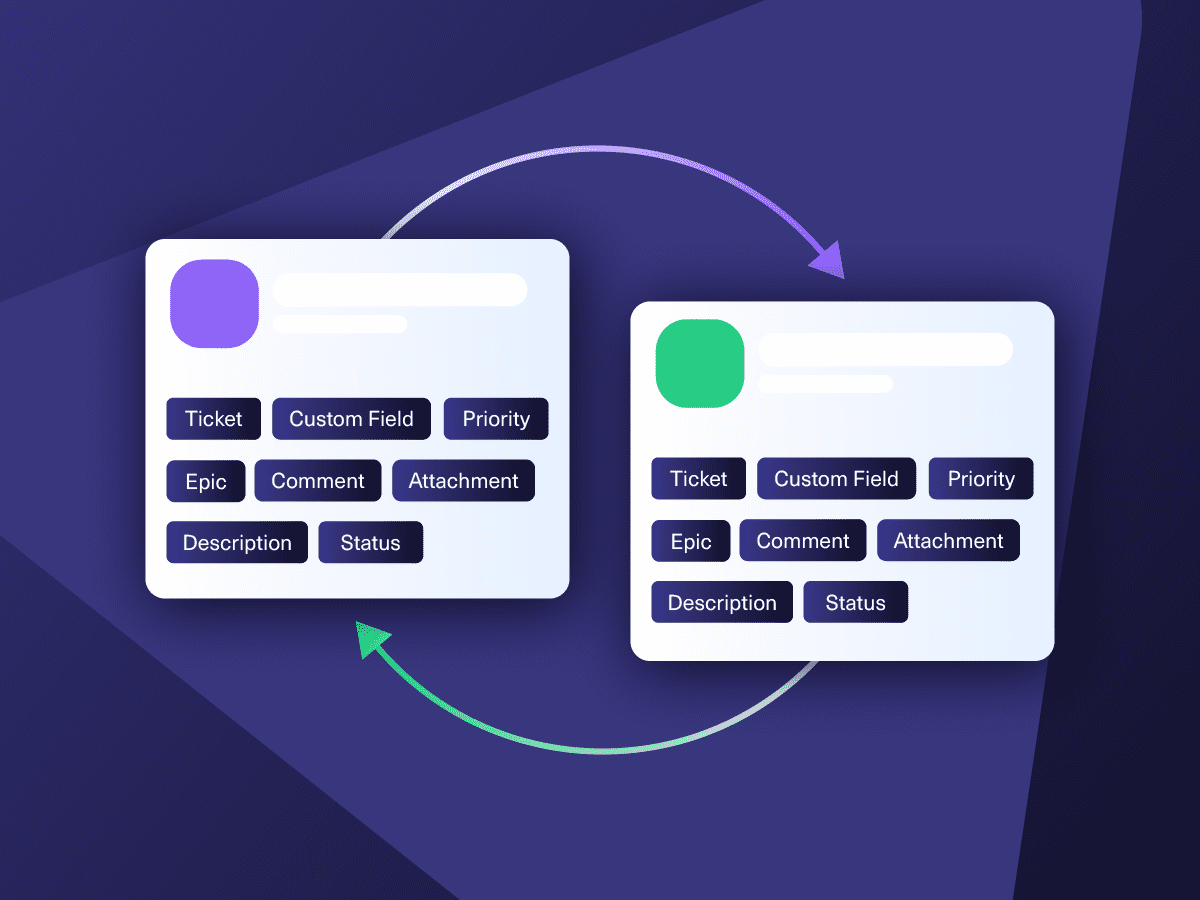
Automate connections between Freshservice and Jira to sync data bidirectionally and in real time.

Sync type, title, creator...
sync status, description, priority...
sync attachments, custom fields...
sync comments...
Sync summary, description, labels...
Sync status, priority, attachments,
Sync phone, notes, custom fields, custom keys...
- Reduce manual handoffs
- Speed up ticket resolution and escalation
- Handle increasing ticket volumes
- Unify disconnected workflows
4.3/5
Highest Rated Integration App on the Atlassian Marketplace







Freshservice Jira Sync: No More Repetitive Context Switching
Stay in your own lane while keeping both Freshservice and Jira users perfectly aligned. Automate your Jira to Freshservice integration to address customer concerns more efficiently and effectively.
Get real-time updates on your Jira instance as Freshservice tickets move across all support levels.
Stay in sync with your MSPs and partners by connecting their Freshservice to your centralized Jira.
Map and sync multiple Freshservice incidents or service requests to a single Jira work item.
Improve user experience metrics, from resolution speed to customer satisfaction score.
Transform customer ticket data into actionable insights on Jira.
Sync Anything, Play By Your Own Rules
Enjoy unlimited flexibility to sync any type of Freshservice ticket. Whether incidents or service requests, target specific fields for one-way or two-way mapping. You can decide what gets synced and what stays private.

Freshservice
Tickets
All fields are supported, including:
- Custom fields
- Custom keys
- Summary
- Description
- Status
- Attachment
- Label
- Priority
- Notes

Jira
Jira Software (Cloud and Data Center)
Jira Service Management
Jira Product Discovery
Work Items (Issues)
(Bugs, Tasks, Stories…)
+40 fields are supported, including:
- Custom fields
- Summary
- Status
- Description
- Key
- Comment
- Attachment
- Priority
- Third-party plugin fields (e.g Insights)
Sprints
All fields are supported, incuding:
- Name
- State
- Start date
- End date
- Complete goal
- Origin board ID
- Goal
Check the full list of supported fields for Freshservice and Jira
Get the Most Out of Your Integration
Sync in Real-Time
Two-way, real-time sync between platforms. Updates flow automatically. No manual exports, no delays.

Connect Any Number of Instances
Connect multiple projects, instances, and platforms. Use different rules for each connection.

Know What Failed and Why
Get AI-powered recommendations for resolving the issue, including possible fixes and next steps.

AI Assisted SetUp
Describe your integration goal. Aida reviews your sync rules and connector type, then suggests script changes

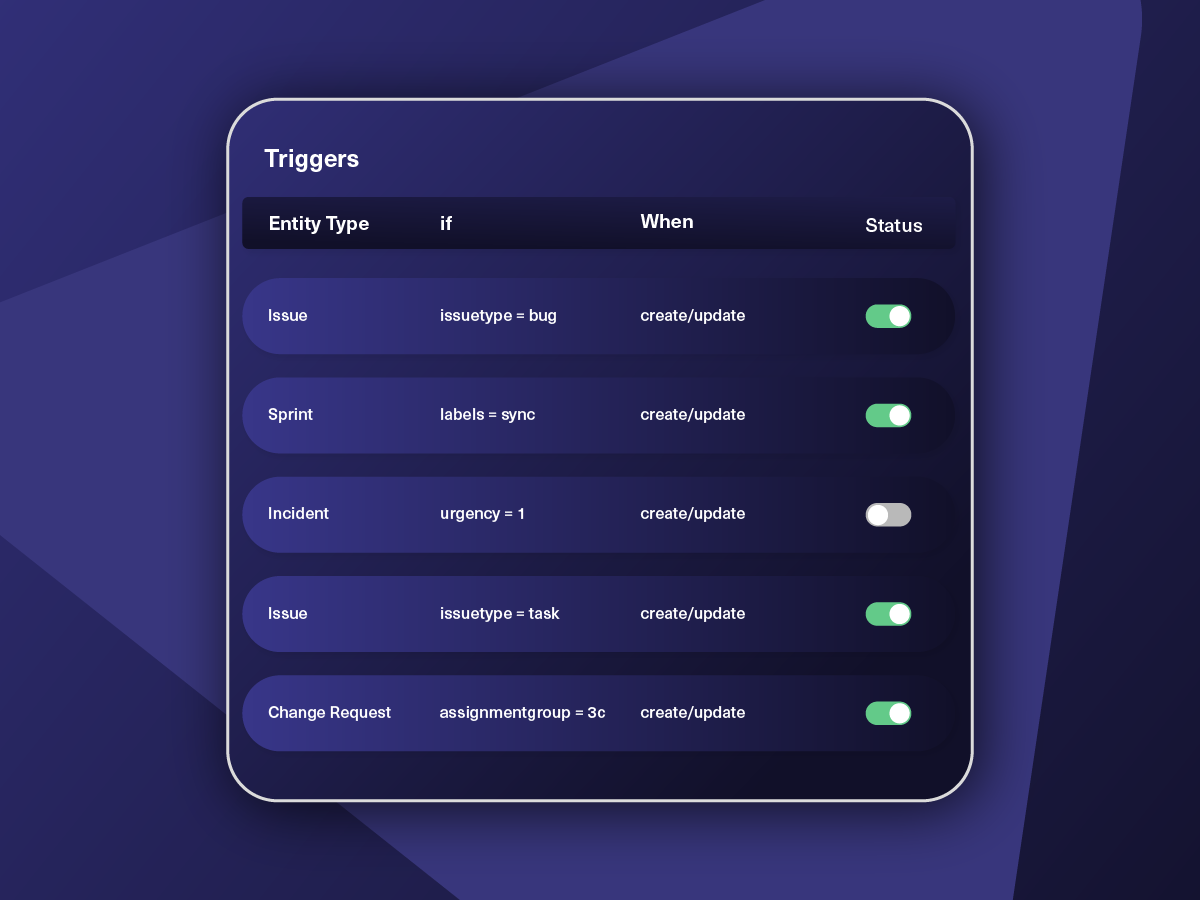
Only Sync What Matches
Set various conditions for automatic synchronization.


Sync Visibility, Right Where You Work
Check the real-time status of your active syncs, spot failures, and trigger a manual push. All from a browser extension, without opening the Exalate console.


Exalate is stable, flexible, customizable, and pretty easy to set up and use.
ALEXANDER SINNO
“
Exalate is stable, flexible, customizable, and pretty easy to set up and use.
ALEXANDER SINNO
How it Works
Connect
Easily connect multiple projects, instances, and platforms. With local, or external partners.
Customize
Set your sync rules to make sure the right data is shared.
Prompt Exalate’s AI to generate rules, or fine-tune with Groovy-based custom mappings and logic for complete control.
Automate
Set triggers to automate your sync based on specific conditions.
Synchronize
Now your connected instances will exchange information automatically. Happy syncing!



We can now handle around 500 customer incidents per week, thanks to Exalate, which is a very good result regarding the number of products we’re dealing with. It synchronizes 45x faster than our previous solution.
Christof Cuyper
“
We can now handle around 500 customer incidents per week, thanks to Exalate, which is a very good result regarding the number of products we’re dealing with. It synchronizes 45x faster than our previous solution.
Christof Cuyper |
Simple or Advanced, We Got you Covered
Work with simple integration templates. Or, completely customize your sync.
Escalate Incidents from Freshservice to Jira
Automatically escalate incoming Freshservice Incidents to Jira Software as a Bug, Task, or Incident. Provide agents and developers with real-time access to the data necessary to resolve incidents.
Improve Incident Resolution Time
Incidents being reported in Freshservice will be replicated as bugs instantly over in Jira. Updates will be available in real time based on the status of the ticket or work item. Sync any or all of the required custom fields.
ITSM Integration for MSPs
MSPs can set up an integration scenario where Freshservice tickets residing in multiple client systems come into a centralized Jira. This will provide added visibility for accurate reporting and improve ticket resolution time.
Delegate Tasks from ITSM to Development
Set up sync conditions to align ITSM with DevOps. Streamline cross-team and cross-company collaborations by assigning tasks across platforms based on ticket type, urgency, priority, tags, and other parameters.
Sync Service Request as a Task in Jira
An employee can initiate a service request for a new tool or feature in Freshservice, and this will appear as a task in Jira for the IT team.
Service teams can automate provisioning or fulfillment workflows between support and DevOps/product teams.
Automate Workflows Across Teams
Automatically convey the same level of urgency between Jira tickets and Freshservice incidents. Ensure that developers and agents on both ends of the connection understand the critical factor associated with every work item.
FAQ
Answers to the most frequent questions.
Didn't find what you were looking for? Ask Aida
You can sync multiple Freshservice ticket fields like summary, description, attachments, labels, priorities, statuses, custom fields, and custom keys. For Jira, you can sync any work item and sprint fields. The most common fields are summary, work type, description, attachments, inline attachments, labels, priorities, statuses, and custom fields.
Yes, Exalate allows you to sync custom fields between Jira and Freshservice. The data is fetched from the API to populate the assigned fields. Exalate’s Groovy-based scripting engine offers many possibilities and includes the Aida AI scripting and troubleshooting assistant. You can sync almost any field available via REST APIs.
Yes, you can create a Jira work item directly from Freshservice without manually moving the ticket. With Exalate, specific fields from Freshservice tickets will be mapped to the corresponding or custom fields in Jira.
Yes, you can use Exalate to map multiple related Freshservice tickets to a single Jira work item. This will be particularly helpful when customers submit multiple tickets for the same incident or bug. Instead of having multiple Jira work items for the same incident, you can avoid duplication and consolidate everything in one place.
Exalate allows you to explore one-way and two-way syncs, but you can decide to stick with one-way sync. For instance, the use case may require only the Freshservice “Source” information to be sent to a custom field in Jira. In this case, set up a one-way sync to ensure data flows only in one direction.
The Exalate pricing varies based on your systems and integration needs. Plans cover different features and sync capacities, from small team sync volumes to enterprise-scale integrations. To get a detailed quote, use the pricing calculator to estimate costs for your specific setup, or visit the pricing page for detailed plan comparisons.
Exalate offers both Standard and Priority Support options. With Priority Support, you are assigned a dedicated support engineer who will assist with configurations and other tasks. You also get the specialized Exalate for Service Providers package to help you connect with service providers and build a strong collaboration network.