Your support team lives in Zendesk, sales runs on Salesforce, engineering ships from Jira, and somewhere in the middle, someone is manually copying ticket details between systems, wondering why nothing ever stays in sync.
Enterprise teams run SaaS tools across every department: support, sales, engineering, finance, and beyond. Jira sits at the center of dev, ITSM, and project workflows, but it doesn’t connect to everything out of the box. That gap gets filled with manual work: ticket re-creation, constant context switching, and hours lost every week to copy-paste escalation.
This guide covers the best Jira integration tools for enterprise teams, with pros, cons, and a decision framework to help you find the right fit.

What Are Jira Integration Tools?
Jira integration tools are software solutions that connect Jira to external platforms or other Jira instances, syncing data, automating workflows, or both, without requiring a custom build. They keep Jira as your operational hub while bridging it to the rest of your stack.
The category spans a wide range of approaches: no-code visual builders, scripting engines, iPaaS platforms, and open-source orchestrators. Not all of them are built equally for enterprise-grade requirements like bidirectional sync, independent payload control, compliance, or cross-company collaboration.
For a deeper look at how Jira integrations work, see our Jira integrations guide.
What to Look for in a Jira Integration Tool for Enterprise Teams
Not every tool that calls itself a “Jira integration” is built for enterprise scale. Before evaluating options, these are the capabilities that actually matter at the enterprise level:
- Bidirectional sync: Can both systems write back to each other in real time, or is it one-way only?
- Independent payload control: In cross-company scenarios, can each party define what data it sends and receives, without exposing internal configuration to the other side?
- Custom field and schema mapping: Does it handle divergent field structures, custom fields, attachments, comments, and third-party app data?
- Deployment flexibility: Cloud, on-premise, Docker? Enterprises with data residency requirements often need more than cloud-only.
- Security and compliance: ISO 27001, GDPR, single-tenant architecture, RBAC, and audit logs. The checklist varies by industry.
- Scalability: Does pricing or performance degrade as sync volume increases?
- AI-assisted setup and maintenance: Increasingly, the best tools reduce implementation time through AI, whether that’s script generation, error explanation, or workflow suggestions.
With that baseline in mind, here are the best Jira integration tools for enterprise teams.
Quick Comparison: 10 Best Jira Integration Tools at a Glance
| Tool | Sync Type | Setup Approach | AI Assist | Deployment | Pricing Starts |
|---|---|---|---|---|---|
| Exalate | Bidirectional | Groovy scripting + AI | Yes | Cloud, On-prem, Docker | From $85/mo |
| Unito | Bidirectional | No-code visual | No | Cloud only | Custom |
| Zapier | One-way | No-code | No | Cloud only | From $19.99/mo |
| Getint | Bidirectional | UI-based | No | Cloud & On-prem | From $1,800/yr |
| Workato | Bidirectional | Low-code | Yes (AI agents) | Cloud | From $30K/yr |
| ScriptRunner Connect | Bidirectional | JavaScript scripting | Yes (GPT-4o) | Cloud (EU/US) | From $449/mo |
| Backbone Work Sync | Bidirectional | No-code (Jira only) | No | Cloud & DC | From $5/mo |
| Power Automate | Partial | Low-code | Yes (Copilot) | Cloud | From $15/user/mo |
| MuleSoft | Bidirectional | DataWeave/low-code | Yes (Agentforce) | Cloud & On-prem | From $100K/yr |
| n8n | Bidirectional | Visual + code | Yes (AI agents) | Cloud & Self-hosted | From €20/mo |
For teams that need cross-company sync, compliance controls, or complex field mapping, the tool at the top of this list sets the benchmark. Read the full reviews below.
Tool 1. Exalate
Exalate is a purpose-built Jira enterprise integration solution trusted by 2,500+ organizations, including Vodafone, Maersk, Atos, and EBU. As an Atlassian Platinum Marketplace Partner with approximately 30% market share in the Jira integration category, it’s the benchmark for complex enterprise sync.
Built around a core principle that no other tool matches: each side defines independently what data it sends and accepts, without visibility into the other party’s setup. That makes Exalate the only tool in this list genuinely built for cross-company, cross-boundary sync at enterprise scale.
Why Exalate leads the category:
Most Jira integration tools assume both systems are controlled by the same team. Exalate is designed for the opposite: two organizations, separate Jira instances, different schemas, and independent governance. Each side writes its own outbound and inbound rules. Neither party sees the other’s configuration. That’s not a feature. It’s an architecture decision that makes everything else possible.
Powerful Scripting Engine for Full Integration Control
Exalate is built on a Groovy-based scripting engine that gives enterprise teams complete control over their integration logic. Scripts are divided into incoming and outgoing for each system, so each side defines independently what data it sends and accepts.
This separation is what makes complex cross-company sync, conditional routing, and divergent schema mapping possible at enterprise scale. Aida, the built-in AI assistant, generates scripts from plain-language descriptions, explains errors in context, and suggests fixes, making the scripting engine accessible without deep Groovy expertise.
Key Enterprise Features
- Scripting engine: Groovy-based scripting for full customization of data mappings, granular workflow orchestration, and advanced integration scenarios.
- Unified Console: Manage all connections, sync rules, triggers, and error diagnostics from a single interface with a side-by-side configuration view of both systems.
- Integration Network Visualization: See all your connections and integrations in one place, with a visual map of how nodes interconnect, making architecture review and dependency identification straightforward.
- Independent payload control: Each side configures its own outbound and inbound rules without exposing internal configuration to the other party.
- Enterprise-grade security: ISO 27001:2022, GDPR-compliant, data residency options, RBAC, audit logs, single-tenancy, and more.
- Full sync depth: Custom fields, attachments, comments, sprints, epics, work logs, and third-party app fields, including Insight and Tempo.
- JQL-based triggers: Sync only work items that match your criteria by priority, category, label, or any Jira-native query.
- Script versioning, rollback, and Test Run: Validate scripts before they touch production data, track every configuration change, and revert if needed.
- Integration as a Service: For MSPs and MSSPs, Exalate’s managed services team handles implementation and ongoing maintenance, with each client operating under isolated sync rules from a single JSM or Jira instance.
- Flexible deployment: Available on cloud, on-premise, and via Docker for organizations with strict infrastructure or data residency requirements.
- Priority Support: Dedicated support plans with SLA commitments and direct access to technical experts.
- Sync Panel: A Chrome extension called Sync Panel that lets users check sync status, spot errors, trigger manual syncs, and unlink sync pairs straight from the browser, without opening the console.
- Dashboard: It lets you track the number of items under sync over time. You can monitor all the connections you have access to or focus on a specific integration or connection.
Platforms Supported
Supports Jira Software, Jira Service Management, Jira Product Discovery, and more. Connect your Jira Cloud or on-premise instance with ServiceNow, Salesforce, Azure DevOps, Asana, Freshservice, and more. Available via Docker for additional security requirements. Have a system that’s not listed? Request a custom connector. See all supported integrations.
AI and Automation
Aida, Exalate’s built-in AI assistant, generates Groovy scripts from plain-language descriptions, explains errors in context, and suggests fixes. Aida reduces implementation time by 50% and script errors by 85%, making Exalate scripting accessible without deep Groovy expertise. No external AI subscription required.
Security and Compliance
ISO 27001:2022, GDPR-compliant, single-tenant architecture. Your environment is never shared with other customers. TLS encryption in transit and at rest, JWT authentication, and role-based access controls. Data residency options available. Details at the Exalate Trust Center.
Pricing
Free trial available. Outcome-based pricing from as low as $85/month per integration. No user limits, no transaction caps. Pricing scales with active items in sync. Enterprise plans and managed services with custom pricing are available.

Get access to Exalate’s managed services to offload the integration to experts.
Pros
- No installation required on each side. Simply ramp up via the Exalate app.
- True independent operational control: each organization defines what it shares without exposing its configuration.
- Syncs everything: custom fields, attachments, comments, sprints, epics, work logs, and third-party app fields.
- Role-based access control to limit data exposure to only the essentials.
- Single-tenant infrastructure. Your data never shares an environment with other customers.
- Test run sync rules to avoid errors in the production environment.
- Scale integrations for real-time cross-company collaboration with external partners and vendors.
- No external AI subscription required.
Cons
- Scripting may pose a learning curve for non-technical teams, though AI-assisted setup with Aida significantly reduces this.
Best for
Enterprise teams syncing Jira across company boundaries, Jira integration for MSPs and MSSPs, ITSM teams connecting JSM to ServiceNow or Zendesk, and organizations with strict security, data governance, and compliance requirements.
Real-world use cases
Türkiye Sigorta, Turkey’s largest insurance company, uses Exalate to maintain real-time bidirectional sync with suppliers across separate Jira instances, with full control over what data each side shares.
NVISO, a cybersecurity MSP, manages bidirectional Jira sync across multiple client environments, each with isolated sync rules, from a single JSM instance.
Tool 2. Unito
Unito takes a different approach to Jira integration: no code, no IT involvement, and about 12 minutes to set up a flow. Its visual flow builder connects Jira to 60+ tools, including Asana, Monday.com, and Smartsheet. It’s a strong choice for business-led integration initiatives where the priority is speed over customization.
Key features
Visual no-code flow builder, two-way sync for custom fields and attachments, dedicated integration consultant on Enterprise.
Security
SOC 2 Type 2, GDPR-compliant.
Pricing
Custom. Free trial available.
Pros
- Fully no-code, with no developer involvement required.
- Broad connector library covering the most common PM and work management tools.
- Strong onboarding support and a dedicated consultant on Enterprise plans.
Cons
- Limited customization for complex field transformations.
- Pricing scales per active user regardless of actual activity.
- Initial setup has a learning curve for larger, multi-flow environments.
- No bulk update for flows. Changes must be applied individually per connection.
Best for
Business-led integration initiatives, teams bridging Jira and project management tools without IT involvement.
Tool 3. Zapier
Zapier connects Jira to 8,000+ apps through a no-code builder. It excels at routing and notifications, but wasn’t built for enterprise-grade bidirectional sync. There’s no shared sync state, no conflict resolution, and no independent payload control.
Key features
8,000+ connectors, multi-step Zaps, SSO and audit logs on Enterprise, AI Workflows.
Security
SOC 2, GDPR-compliant, SSO on Enterprise.
Pricing
Free (100 tasks/month), Professional from $19.99/month (annual), Team from $69/month (annual), Enterprise custom.
Pros
- Widest app ecosystem available across any tool in this list.
- Fast setup. Most Zaps can be live in under 30 minutes.
- Strong AI workflow tools for automating repetitive cross-app tasks.
Cons
- Task-based pricing scales poorly at enterprise volume.
- No true bidirectional sync, primarily one-way event triggers.
- Not suited for complex field mapping or cross-company governance.
Best for
Teams needing quick one-way automations connecting Jira to a broad SaaS stack.
Tool 4. Getint
Getint delivers straightforward bidirectional sync between Jira and ITSM or DevOps platforms with no scripting required. It’s designed for teams that need reliable sync without the overhead of a scripting-based tool.
Key features
Auto-Mapping, bidirectional sync of work items and SLAs, cloud and on-premise deployment, ISO 27001 and ISO 27018 certified.
Platforms
Jira, ServiceNow, Azure DevOps, Salesforce, GitLab, and more.
Security
ISO 27001, ISO 27018, GDPR-compliant.
Pricing
Jira integrations are billed via Atlassian Marketplace. Non-Jira from $1,800/year. Enterprise on request.
Pros
- Template-first UI-based approach, quick to configure without scripting.
- Multiple deployment options, including on-premise.
- Solid compliance credentials with ISO 27001 and ISO 27018.
Cons
- Less flexible than script-based tools for complex or conditional sync logic.
- No AI assistance for setup or troubleshooting.
Best for
Enterprise teams with standard sync requirements, organizations requiring on-premise deployment.
Tool 5. Workato
Workato is an enterprise iPaaS connecting 1,200+ apps across IT, HR, Finance, Sales, and Support, going well beyond Jira integration. If your challenge is Jira-to-ServiceNow specifically, Workato is significant overkill. If you need to automate Jira alongside ERP and HR systems at the same time, it becomes a more logical fit.
Key features
1,200+ connectors, low-code Recipe builder, Workato Genies AI agents.
Security
SOC 2 Type 2, GDPR-compliant, RBAC, audit logs.
Pricing
Custom only. Mid-market typically $30,000–$80,000/year. Enterprise commonly $150,000–$400,000/year.
Pros
- Strong cross-departmental scope across IT, HR, Finance, and more.
- Maturing AI agent capabilities through Workato Genies.
Cons
- The most expensive option in this list for teams whose primary need is Jira integration.
- Steep learning curve for Recipe configuration.
- Task-based pricing becomes unpredictable at scale.
Best for
Enterprises automating Jira alongside ERP, HR, and Finance systems, more of an iPaaS than a dedicated Jira integration tool.
Tool 6. ScriptRunner Connect
ScriptRunner Connect gives developer teams full JavaScript-based control over custom integrations in Atlassian-heavy environments. Built on AWS, with authentication and infrastructure handled for you, making it a strong fit for teams already running ScriptRunner for Jira.
Key features
JavaScript scripting, 30+ pre-built connectors, 50+ templates, GPT-4o AI Assistant, EU and US data residency.
Platforms
Jira Cloud & Data Center, Confluence, ServiceNow, Slack, and more.
Security
ISO 27001, SOC 2 Type 2, HIPAA-capable on US hosting.
Pricing
Free (4 connectors, 100 executions/month), Basic $449/month, Advanced $899/month, Enterprise custom.
Pros
- Full JavaScript flexibility for developers who prefer it over Groovy.
- Flat-fee pricing with predictable costs regardless of volume.
- Good security credentials, including HIPAA-capable hosting.
Cons
- Requires coding knowledge, not suitable for non-technical teams.
- Connector limits per plan may require upgrades as the integration footprint grows.
Best for
Developer teams in Atlassian-heavy organizations and teams extending ScriptRunner into cross-tool integration.
Tool 7. Backbone Work Sync
Backbone Work Sync is a purpose-built Jira-to-Jira sync tool by K15t, an Atlassian Platinum Partner, designed for reliable real-time bidirectional sync across multiple Jira instances. If your integration challenge is entirely within the Jira ecosystem, it’s one of the most straightforward options available. For cross-platform sync beyond Jira, a dedicated tool like Exalate is needed.
Key features
No-code Jira-to-Jira sync, remote licensing, data residency (US, EU, DE), sync of work items, fields, comments, and attachments.
Platforms
Jira Cloud, Server, Data Center, JSM, Jira Work Management. Jira-to-Jira only.
Security
ISO 27001:2022, encrypted channels, data residency, Cloud Fortified.
Pricing
From $5/month for up to 10 users, billed via Atlassian Marketplace.
Pros
- Simple no-code setup with a low barrier to entry.
- Reliable real-time sync within the Jira ecosystem.
- Remote licensing for partners who can’t install apps on their instance.
Cons
- Jira-only, with no cross-platform sync to ServiceNow, Salesforce, or other tools.
- No scripting for complex or conditional field transformations.
- User-based pricing scales with team size.
- Interface feels dated compared to newer tools.
Best for
Enterprise teams managing multiple Jira instances and cross-company Jira-to-Jira sync.
Tool 8. Microsoft Power Automate
Often already partially licensed through M365 agreements, Power Automate connects Jira to Teams, SharePoint, Outlook, and Dynamics 365 with Microsoft Copilot AI built in. Outside the Microsoft ecosystem, its depth falls behind purpose-built Jira integration tools.
Key features
Native M365 integration, Microsoft Copilot, desktop RPA, pre-built enterprise templates.
Platforms
Jira, Microsoft 365, SharePoint, Teams, Dynamics 365, and 1,000+ more.
Security
SOC 2, ISO 27001, GDPR-compliant, HIPAA-capable.
Pricing
Free 30-day trial. Premium $15/user/month (annual), Process $150/bot/month. Note: Jira requires the Premium plan, not included in standard M365 licenses.
Pros
- Near-perfect fit for Microsoft-first organizations already on the M365 stack.
- Often partially covered by existing M365 licensing.
- Built-in Copilot AI for workflow design and automation suggestions.
Cons
- Limited depth outside the Microsoft ecosystem.
- Limited support for bidirectional ITSM sync with non-Microsoft tools.
Best for
Microsoft-centric enterprises on Azure and M365, IT teams automating across Teams, SharePoint, and Dynamics 365.
Tool 9. MuleSoft
MuleSoft’s Anypoint Platform is an API management and integration platform designed for large enterprises managing complex, multi-system architectures. For teams whose primary need is Jira-to-ServiceNow sync, it’s significant overkill, with pricing and implementation complexity to match.
Key features
Anypoint Studio with DataWeave, API Manager, 1,500+ connectors, CloudHub deployment, Agentforce integration.
Security
SOC 2, ISO 27001, GDPR-compliant, HIPAA-capable, FedRAMP authorized.
Pricing
No public pricing. Mid-market typically $100,000–$300,000/year. First-year TCO is often 2–3x base subscription. 30-day free trial available.
Pros
- Industry-leading API governance for complex, multi-system architectures.
- Deep Salesforce integration via Agentforce.
- Can handle scenarios that simpler tools cannot.
Cons
- Most expensive platform in this list.
- Requires certified MuleSoft developers at $150–$250/hour.
- DataWeave creates significant vendor lock-in.
Best for
Organizations with complex API portfolios and enterprises deeply embedded in the Salesforce ecosystem.
Tool 10. n8n
n8n is an open-source workflow automation platform with a visual node-based builder and support for JavaScript and Python code execution. Its self-hosted option makes it uniquely positioned for engineering-led teams that want full data sovereignty without a SaaS dependency.
Key features
1,200+ integrations, JavaScript and Python code execution, AI agent nodes, Git version control, SSO on Business+, dedicated support with SLA on Enterprise only.
Security
SOC 2 (cloud), GDPR-compliant, full data sovereignty on self-hosted.
Pricing
Starter €20/month, Pro €50/month, Business €667/month, Enterprise custom.
Pros
- Free self-hosted option with full data sovereignty.
- Full code flexibility with JavaScript and Python execution.
- Strong AI agent support for complex multi-step automation.
Cons
- Self-hosting requires internal DevOps capacity to manage and maintain.
- More of a general orchestrator than a dedicated enterprise Jira integration tool.
Best for
Teams wanting a multi-system orchestrator. Engineering-led teams with DevOps capacity who prefer open-source.
How to Choose the Right Jira Integration Tool: Decision Framework
The right Jira integration tool depends on your specific integration challenge, not the longest feature list. Use this framework to narrow down your options quickly.
| If your primary need is… | Consider… |
|---|---|
| Cross-company Jira sync with external partners | Exalate |
| Multiple Jira instances, same org | Backbone Work Sync or Exalate |
| Jira + ServiceNow or Zendesk (ITSM) | Exalate or Getint |
| Jira + 8,000+ SaaS apps, simple routing | Zapier |
| Business-led, no IT involvement needed | Unito |
| Microsoft-heavy stack (Teams, SharePoint) | Power Automate |
| Developer-led, Atlassian-heavy org | ScriptRunner Connect |
| Full enterprise iPaaS across HR, Finance, IT | Workato or MuleSoft |
| MSP/MSSP managing multiple client envs | Exalate |
| Open-source, self-hosted orchestrator | n8n |
A few qualifying questions that cut through the noise quickly:
- Does the remote system need to write back to Jira? If yes, rule out one-way tools like Zapier for this use case.
- Do separate organizations own each side of the integration? If yes, independent payload control is non-negotiable. Exalate is the only tool in this list built specifically for that scenario.
- Is your stack primarily Microsoft? Power Automate becomes the natural first look.
- Is the integration purely Jira-to-Jira? Backbone Work Sync handles that with minimal setup.
- Do you need to automate beyond Jira across HR, Finance, or ERP in the same platform? That’s where Workato or MuleSoft enter the picture.
The best way to validate your approach is to run a pilot, start your free trial, or book a demo.
What Tools Does Jira Integrate With?
Quick answer
Jira integrates natively with Confluence, Bitbucket, and other Atlassian products out of the box. Through its Marketplace and integration tools, Jira connects to hundreds of platforms, including ServiceNow, Salesforce, Zendesk, Azure DevOps, Slack, Microsoft Teams, GitHub, GitLab, Asana, Monday.com, Freshservice, and more.
Jira’s native integration capabilities cover Atlassian’s own product suite well. The gaps appear when connecting to systems owned by other organizations, cross-company sync scenarios, or platforms that require real-time bidirectional data exchange with complex field mapping.
That’s where dedicated Jira integration tools, like the ones in this guide, step in to fill the gap. For a comprehensive list of what Jira connects to via integration tools, see our supported integrations page.
Common Enterprise Jira Integration Use Cases
Understanding which integration pattern applies to your situation helps narrow the tool choice considerably. These are the most common enterprise scenarios:
Jira to ServiceNow
IT and development teams often operate on separate platforms: ITSM on ServiceNow, engineering on Jira. Integration between the two ensures that incidents escalated from ServiceNow create corresponding Jira issues, and that status updates flow back without manual handoffs. Exalate and Getint both handle this well; Exalate is preferred when the two teams operate across company boundaries or have complex field mapping requirements.
Jira to Salesforce
Sales and customer success teams working in Salesforce frequently need visibility into the engineering work triggered by customer escalations or feature requests. A Jira-Salesforce integration keeps both teams aligned on status, priority, and resolution without requiring either team to work in the other’s system.
Jira to Zendesk
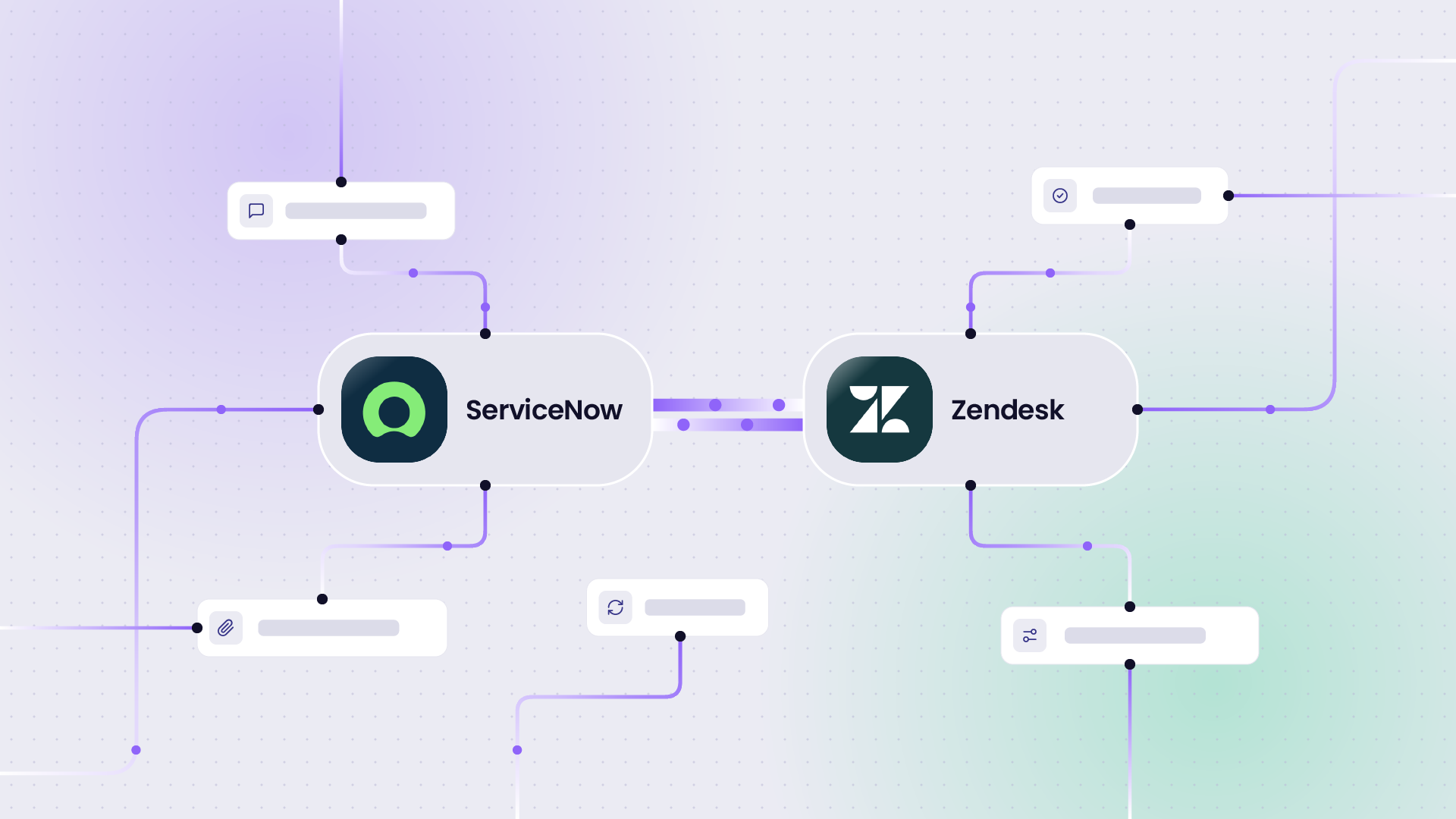
Support teams handling tickets in Zendesk need a reliable way to escalate technical issues to engineering in Jira and receive updates when issues are resolved. Bidirectional sync between the two systems removes the copy-paste cycle entirely.
Jira to Jira (Cross-Company)
When enterprises work with external vendors, partners, or clients who also run Jira, syncing across the two instances while maintaining data privacy on each side is a distinct challenge. This is the scenario Exalate was specifically designed for, as independent payload control means neither party sees the other’s internal configuration.
Jira to Azure DevOps
Organizations migrating between tools, or running hybrid environments with some teams on Azure DevOps and others on Jira, need a sync layer that keeps work items aligned across both platforms.
Frequently Asked Questions
Is there a Jira Microsoft Teams integration?
Yes. Jira has a native Microsoft Teams integration that allows teams to receive Jira notifications, create and view issues, and connect Jira projects directly within Teams channels. For deeper, bidirectional automation across Jira and the broader M365 stack, including SharePoint, Outlook, and Dynamics 365. Microsoft Power Automate is the recommended tool.
What tools does Jira integrate with?
Jira integrates natively with Atlassian products (Confluence, Bitbucket, Jira Service Management) and connects to hundreds of external platforms through its Marketplace and dedicated integration tools. The most common enterprise integrations include ServiceNow, Salesforce, Zendesk, Azure DevOps, Slack, Microsoft Teams, GitHub, GitLab, Asana, Monday.com, and Freshservice. The depth and direction of that sync depend on which integration tool you use.
What is the alternative to Jira for teams?
The most common alternatives to Jira for team-level project and issue tracking include Linear, Asana, Monday.com, Azure DevOps, ClickUp, and Notion. However, for enterprise teams where Jira is already embedded in engineering and ITSM workflows, replacing Jira is rarely the right answer. Integrating it better with the surrounding stack usually is. That’s the problem this guide addresses.
Is Jira being phased out?
No. Jira is not being phased out. Atlassian has invested significantly in the Jira product family, including Jira Software, Jira Service Management, and Jira Product Discovery. Atlassian ended support for Jira Server in 2024, migrating customers to Jira Cloud or Jira Data Center. If you’re on an older Server instance, migration planning is the relevant action, not replacement.
Which Jira integration platforms are best suited for large teams?
For large enterprise teams, the key differentiators are bidirectional sync depth, independent payload control for cross-company scenarios, compliance credentials, and deployment flexibility. Exalate leads the category for complex enterprise sync, particularly where separate organizations control each side of the integration. Workato and MuleSoft are strong options when Jira integration is one component of a broader enterprise automation program. For large teams staying within the Jira ecosystem, Backbone Work Sync is purpose-built for Jira-to-Jira scale.
What are the leading Jira integration solutions for large organizations?
The leading Jira integration solutions for large organizations in 2026 are Exalate (complex cross-company sync, ITSM, MSP/MSSP), Unito (no-code PM tool integration), Getint (Jira-to-ITSM with on-premise support), Workato (enterprise iPaaS), and ScriptRunner Connect (developer-led, Atlassian-heavy environments). The right choice depends on whether your integration crosses organizational boundaries, how complex your field mapping requirements are, and whether you need cross-platform or Jira-only sync.
Which tools offer the most robust Jira integration for complex projects?
For complex projects, particularly those involving cross-company sync, divergent field schemas, conditional routing, or strict data governance, Exalate is the most robust option. Its Groovy-based scripting engine, independent payload control, and single-tenant architecture are specifically designed for enterprise scenarios where other tools hit their ceiling. For developer teams in Atlassian-heavy environments, ScriptRunner Connect offers comparable scripting flexibility using JavaScript.
How do I compare Jira integration tools for enterprise use cases?
Start by identifying your integration pattern: Is it one-way or bidirectional? Do separate organizations own each side? Is it Jira-to-Jira or Jira-to-an-external-platform? What are your compliance requirements? From there, use the comparison table and decision framework in this guide to shortlist two or three tools, then validate with a pilot or free trial. Avoid evaluating tools on feature lists alone. The architecture decisions (sync type, payload control, deployment model) are what matter most at enterprise scale.
Conclusion
The best Jira integration tools for enterprise teams in 2026 span a wide range of approaches, from no-code visual builders to scripting engines, from purpose-built sync tools to full enterprise iPaaS platforms. The right choice comes down to your integration pattern, not the longest feature list.
If the remote system needs to write back to Jira, rule out one-way tools. If separate organizations own each side, independent payload control is non-negotiable. Exalate is the only tool in this list built specifically for that. If your stack is Microsoft-first, Power Automate becomes the natural starting point.
The best way to validate your approach is to run a pilot, start your free trial, or book a demo.
For a broader look at how Jira connects with other enterprise platforms, see our Integration Without Limits guide.
Recommended Reading
- Enterprise Integration Platforms: Making Your Business Systems Click
- Jira Salesforce Integration: Sync Teams Bidirectionally
- Jira Integrations: The Complete Guide to Integrating Jira & Other Systems
- Jira to Jira Integration: The Comprehensive Guide to Jira Sync
- Jira to Jira Sync: How to Synchronize Multiple Jira Instances