

Exalate vs Unito
Which Integration Platform Is Right for Your Team?
Both Exalate and Unito offer two-way synchronization for tools like Jira, Azure DevOps, Asana, and more. But they take fundamentally different approaches to customization, control, and pricing. Check which platform fits your specific use case.
Quick Comparison Table
| Feature | Exalate | Unito |
|---|---|---|
| Flexibility | Highly customizable via AI-assisted Groovy scripting | No-code visual flow builder |
| Architecture | Unified console with operational control per side | Centralized platform |
| AI capabilities | Aida AI for scripting and troubleshooting | None |
| Sync depth | Unlimited custom field mapping and transformations | Limited sync depth via templates |
| Real-time sync | Yes, all plans | Enterprise plans only (5-15 min on lower plans) |
| Pricing model | Per integration, based on active items in sync | Per items in sync + features |
| Free trial | 30 days, full functionality | 14 days, limited items |
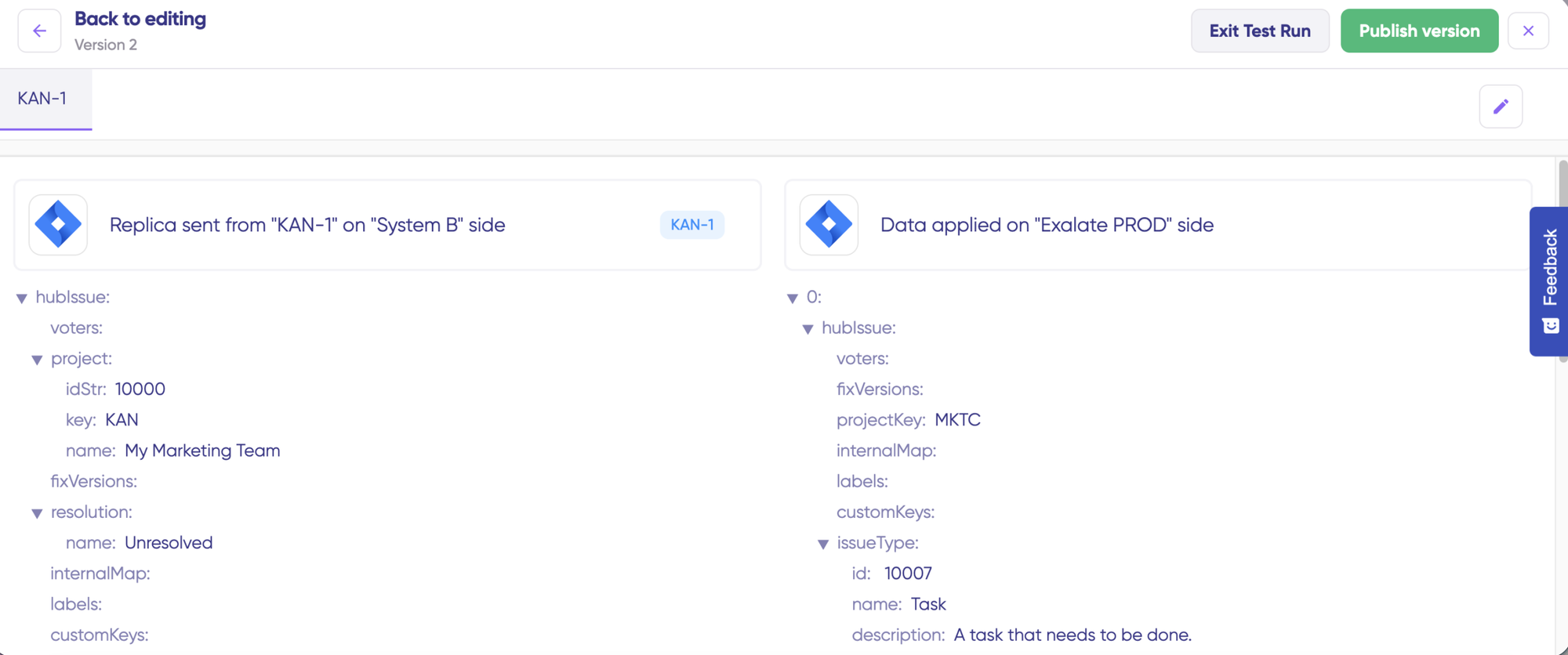
| Test before production | Test Run functionality | Not available |
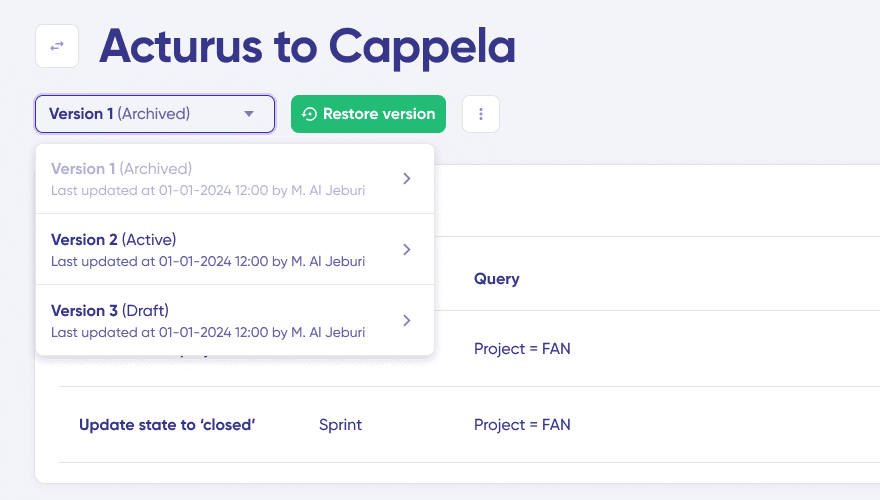
| Script versioning | Yes, with rollback | Not applicable |
| G2 Rating | 4.6/5 (66+ reviews) | 4.5/5 (90+ reviews) |
| Support resources | Documentation, Community, YouTube tutorials, Priority Support | Help Center, Email/Chat |
The Core Difference: Customization
Exalate: Script-First with AI Assistance
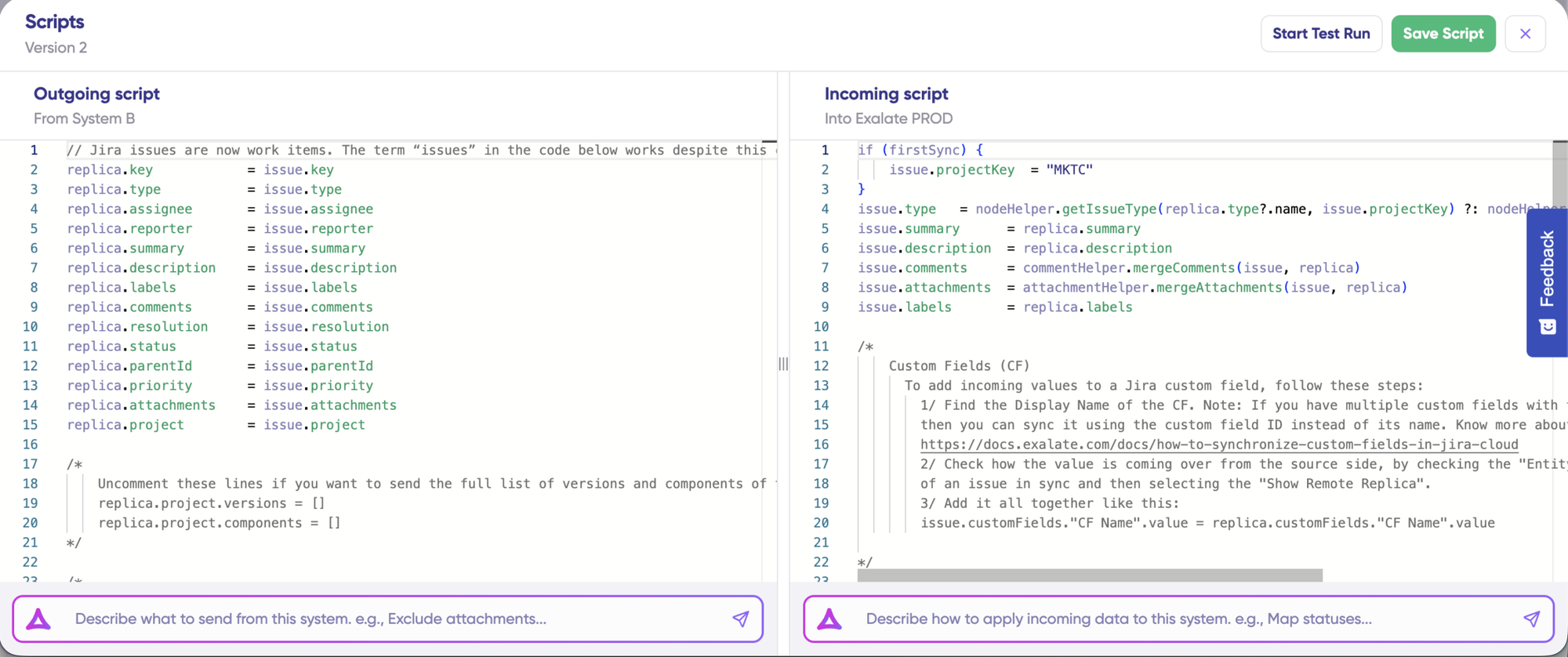
Exalate gives you unlimited customization through Groovy scripting. If you can write it in Groovy, Exalate can sync it.
When Exalate's approach wins:
- Conditional logic ("sync this field only if status = 'In Review'")
- Different transformation rules for each direction
- Advanced field mappings (title -> description + remote item link)
- Advanced conditional mapping and validation rules.
- AI-assisted sync script generation
Unito: No-Code Flow Builder
Unito focuses on pre-built templates and visual field mapping.
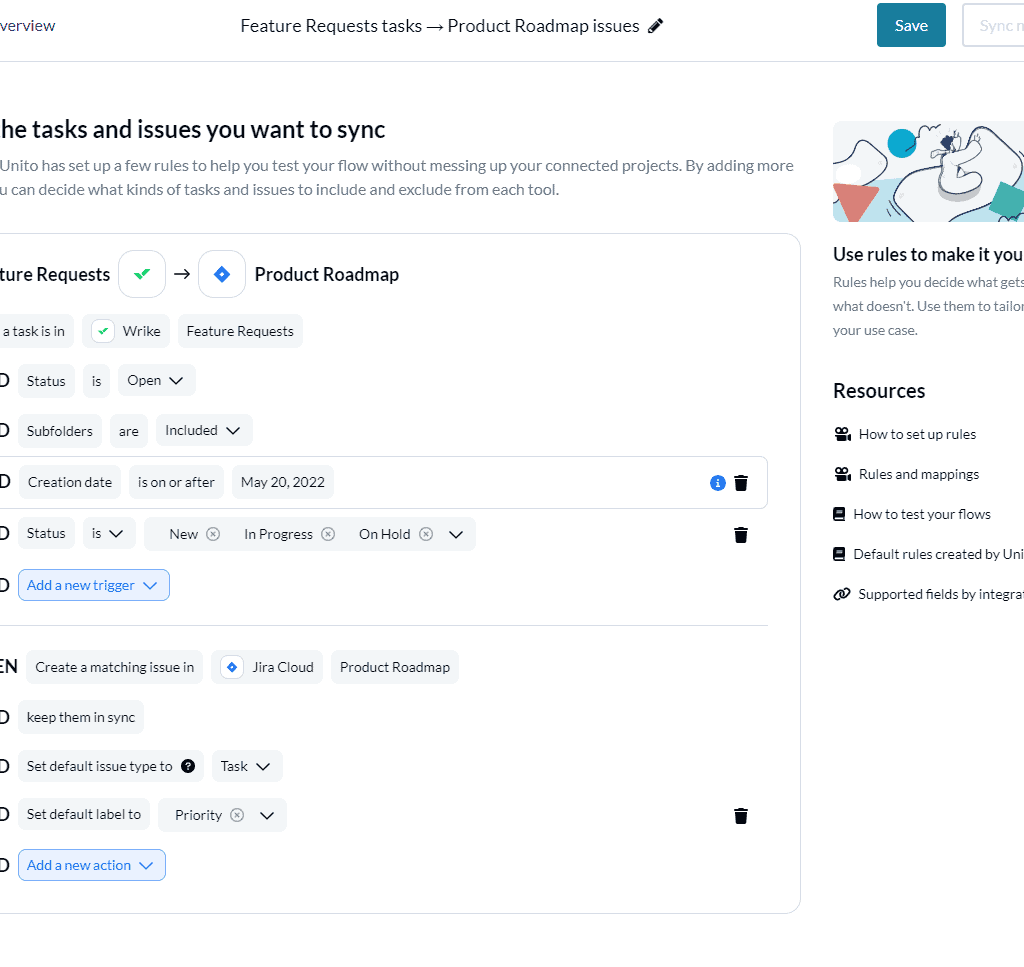
What you can do
- No-code setup for standard integrations through drag-and-drop
- Pre-built templates for common integrations
- Visual field mapping between tools
- Filter by project, assignee, label, status
Important limitation: Custom fields require Pro plan or higher. Complex conditional logic isn't supported. You can't transform data during sync (a "High" priority stays "High").
What You Can Actually Sync
Exalate: Handles Advanced Sync Scenarios
There’s a lot you can build using scripts, including advanced computing and mapping logic.
- Granular Comment Control: Configure user mentions differently between tools
- Complex Hierarchies: Define multi-level hierarchy sync between different platforms
- Advanced Conditional Logic: Unlimited computing and mapping logic
- Different transformation rules for each direction
- Any data available via REST APIs, hierarchical syncs, or third-party plugin data.
- Requirements that will evolve over time
“The fact that Exalate is a very extensible and flexible product is quite an impressive feature for us. We can even build our own integration on top of it” — Alexander Sinno, NVISO
Unito: Handles Simple Sync Scenarios
Unito’s UI looks extensive at the onset, but its functionality is very basic if compared with Exalate’s scripting engine.
Unito supports 60+ connectors vs Exalate’s 9+ (with custom connector capability).
Unitos’s additional platforms Include: Trello, Monday.com, ClickUp, Wrike, Google Sheets, Excel, Microsoft Teams. Premium connectors (ServiceNow, Salesforce, Jira On-Premise/Data Center) require Unito’s Enterprise plan.
Trade off: Unito's broader platform support comes with less deep customization. Once requirements get complex, it's template approach will hit limitations.
Trade off: Getint's broader platform support comes with less deep customization. Once requirements get complex, it's template approach will hit limitations.
Real-Time Sync and Performance
Exalate: Real-time Sync and Robust Monitoring
Exalate’s sync is in real-time for every plan, and handles failures automatically.
- Real-time sync in all pricing plans
- Queue-based architecture handles large data volumes without degradation
- Automatic retry with resume from point of failure
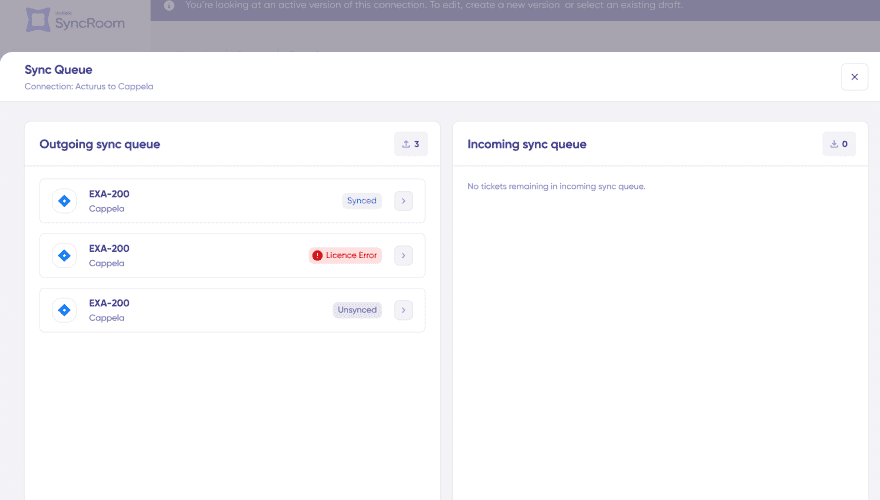
- Sync queue visibility with detailed status
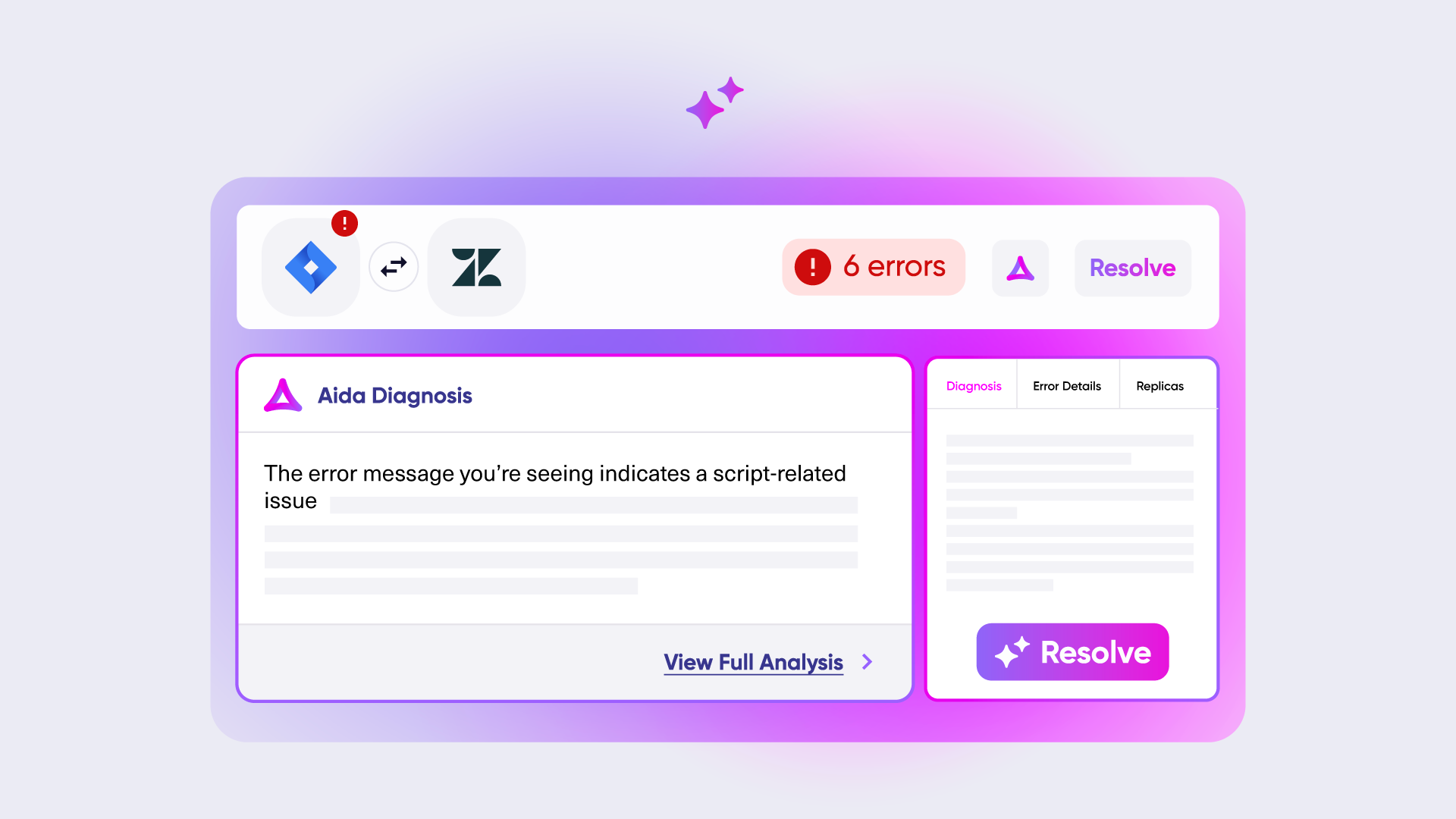
- Aida AI-powered error diagnosis: plain-language explanations with context-aware suggestions
Unito: Longer Sync Intervals with Simpler Monitoring
Unito does not offer real-time sync for all it’s users, and some manual work might be required for fixing transient errors.
- 5-15 minute intervals on Basic/Pro plans
- Real-time sync on Enterprise plans only
- Manual intervention sometimes required for sync errors
- Email notifications for flow issues
Operational Control: Who Controls What?
Exalate: Multi Admin Control
Each side controls their own sync rules. Ideal for multiple admin scenarios, MSPs, consulting firms or software vendors working with external clients.
Unito: Single Admin Control
One administrator configures sync rules for both sides from a single dashboard.
- Single organization controlling both platforms
- Basic internal integration scenarios
- Simpler management when autonomous control isn't needed
Security and Compliance
- ISO 27001 certified
- GDPR compliant
- Cloud Fortified by Atlassian
- Bug Bounty program participation
- Regular security assessments and penetration testing
- Encryption in transit (TLS 1.2+) and at rest (AES-256)
- Threat detection with SentinelOne monitoring
- Role-based access control
- Decoupled authentication: API keys, OAuth, and PAT support without exposing credentials
- Data residency options
- SOC 2 Type 2, PCI DSS
- GDPR compliant
- Hosted on AWS data centers (USA only)
- TLS 1.2 encryption
- AES 256 encryption at rest
AI Capabilities
Exalate: Aida AI Assistant
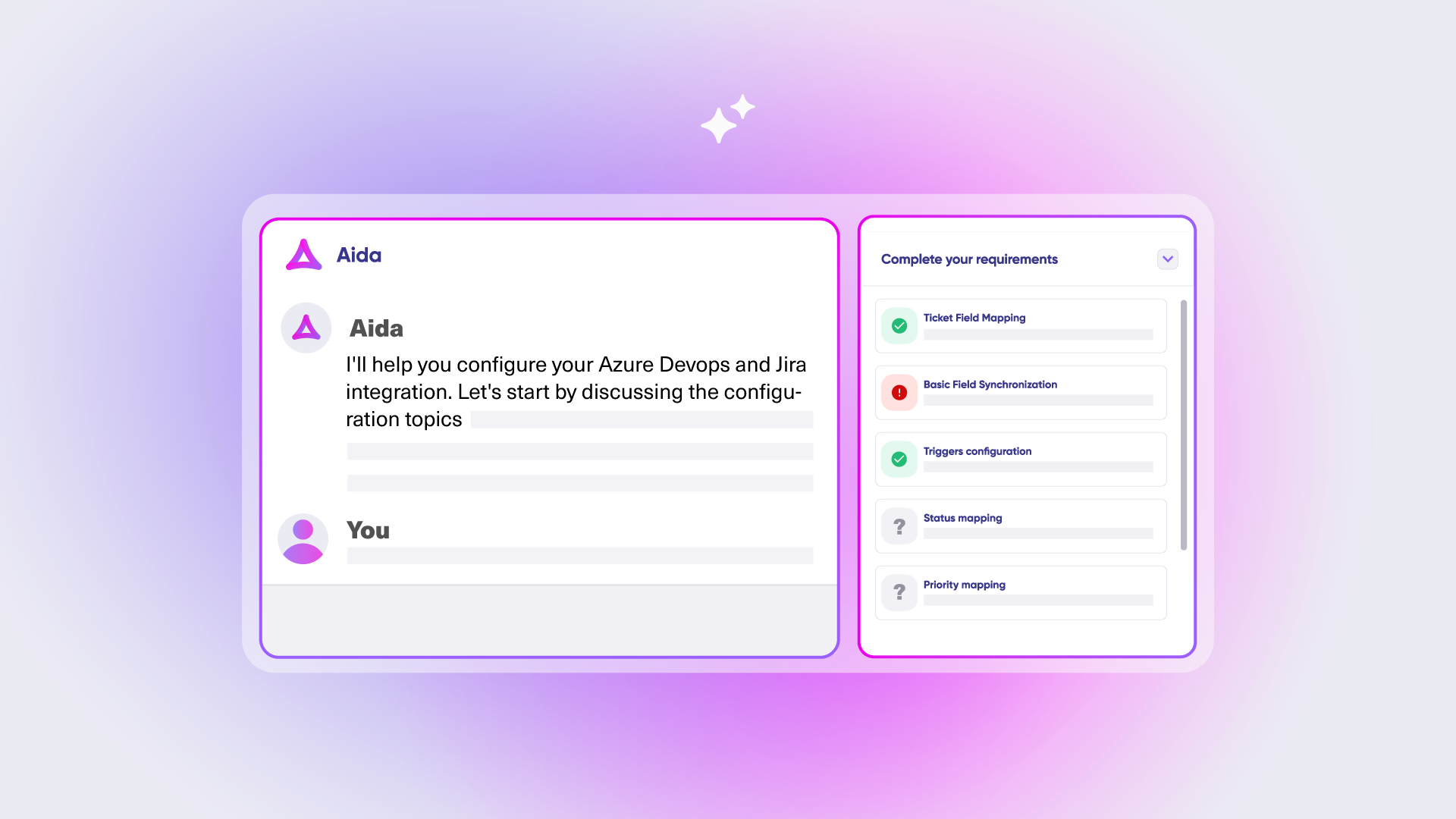
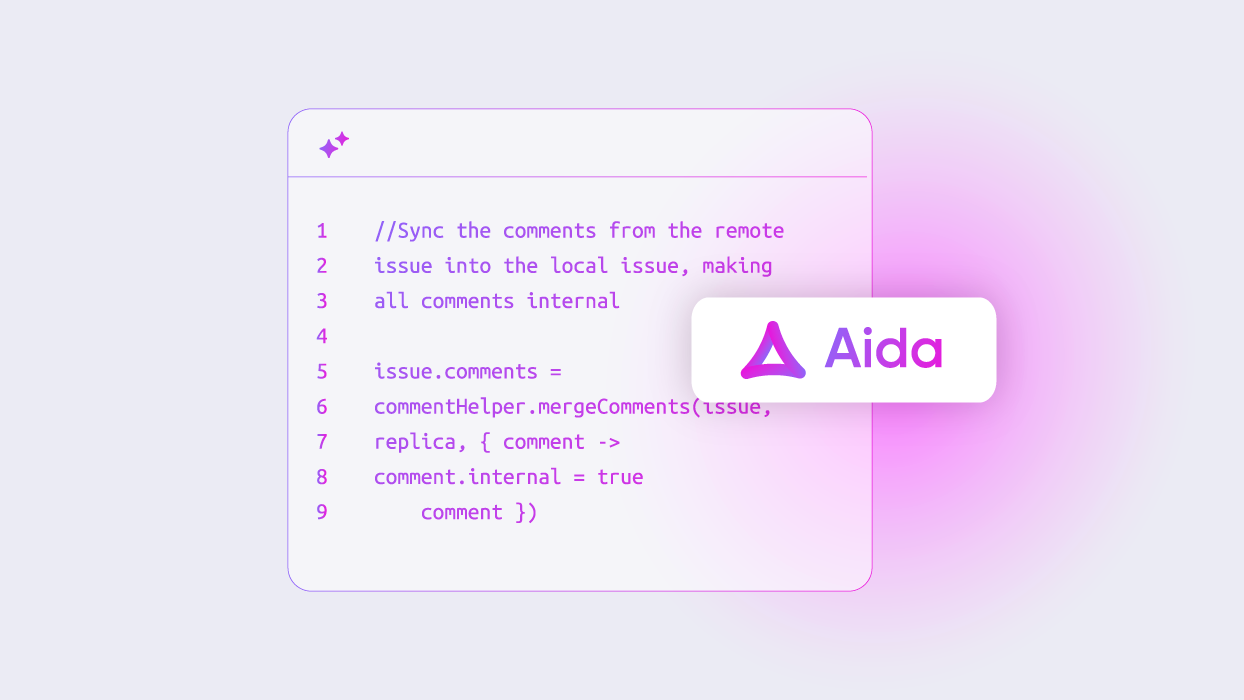
Aida helps you build sync scripts using prompts and troubleshoot issues by understanding your specific configuration context.
Unito: No AI Capabilities
As of March 2026, Unito has no AI assistance.
Pricing: How Much Will It Cost?
Exalate: Outcome-Based Pricing
Pay based on active items currently in sync, per integration. It doesn’t matter how many times items update, how many users work with them, or how many back-and-forth syncs happen.
- Predictable costs: No surprise bills from usage spikes
- Fair scaling: Costs grow with actual integration complexity, not headcount
- Value-aligned: You pay for sync relationships that are active and contributing to your workflow
“We managed to reduce Service Desk costs by around 95% using Exalate.” — Piotr Radtke, Netguru
Unito: Per items in sync + features
Unito pricing is based on items in sync plus feature tiers. Some important considerations:
- Lower-tier plans restrict you to one “hub tool” (all flows must include the same tool)
- Custom field mapping requires Pro or higher
- Each item synced between two tools counts as two items in sync
- Automatic plan upgrades occur if you exceed your limit
- Real-time sync is only available on Enterprise
Common Objections Addressed
"Exalate looks complex"
Unified console provides streamlined onboarding. Complexity is optional—use what you need. Aida AI makes scripting accessible.
"Unito is cheaper"
Unito’s lower-tier plans have significant limitations. Real-time sync, custom fields, and premium connectors require higher-tier plans. Compare total cost including features needed.
Customer: “We evaluated different products, and Exalate was the one. It was also the most cost-effective overall.
"Exalate requires scripting skills"
Aida AI-assisted script generator reduces learning curve. Managed services option available for teams without technical resources.
"Scripting is a maintenance nightmare"
Script versioning, rollback, Test Run, and Aida troubleshooting minimize maintenance burden. Version control prevents breaking changes.
"Building our own is more cost-effective."
Rarely true: 3-6 month build time, 20-30% maintenance annually, hidden costs (API changes, security updates).
Frequently Asked Questions
"What is the main difference between Exalate and Unito?"
Exalate offers AI-assisted Groovy scripting for deep customization with operational control on each side. Unito provides a no-code visual interface focused on ease of use, but limits customization to what the platform supports.
"Can I transform data during sync?"
Exalate: Yes, unlimited transformations with scripting. Unito: No, data stays as-is (a “High” priority stays “High”).
"How does pricing compare for small teams?"
Unito’s lower-tier plans may appear cheaper but have limitations (one hub tool, basic fields only, delayed sync). Exalate’s pricing includes real-time sync and all field types.
"Can I try before I buy?"
Exalate: 30-day free trial with full functionality. Unito: 14-day trial with limited items.
"Can I test my integration before going live?"
Exalate offers Test Run functionality to test scripts without creating actual entities. Unito does not offer comparable testing capability.
"Which handles complex conditional logic better?"
Exalate’s Groovy scripting offers unlimited flexibility. Getint’s JavaScript customization is limited to field-level modifications.
"Which is better for integrations with external parties?"
Exalate, as itgives autonomous control per side. Getint works for when one org controls both sides.
Making Your Decision
With Exalate
Simple to complex workflows, deep customization, internal and cross-company integrations, regulated industries, granular control.
With Unito
Simpler integrations with minimal customization, UI-first preference, internal project sync only, specific tool connections (Monday.com, ClickUp, Google Sheets)
This comparison is based on publicly available information as of February 2026. Read the full comparison article here. Verify current details with each platform.
See Exalate in Action
Let us show you how Exalate can fit your unique business needs.
trusted by clients worldwide