You might be looking for ITSM integration because you’re already tired of managing multiple ITSM tools and struggling to keep track of all the data these tools generate. Well, you’re in the right place. IT Service Management (ITSM) integration can help optimize your IT services and bring calm to the chaos. And I will cover everything about it in this article.
I’ll start with the basics, helping you understand ITSM. I’ll then dig further into the ITSM integration story, discussing some case studies and common mistakes we should keep an eye out for.
So let’s dive in!
Key Takeaways
ITSM integration connects your ITSM tool with another ITSM or third-party application to get them to interact and share data seamlessly
Integration removes information silos, reduces manual errors, and improves customer service delivery through cross-functional collaboration
Common use cases include incident management, workflow automation, cross-company collaboration, MSP vendor consolidation, and mergers/acquisitions
When choosing a solution, prioritize security (ISO 27001, encryption, RBAC), flexibility, real-time sync, scalability, and transparent pricing
Exalate offers script-based customization, AI-assisted configuration with Aida, Test Run functionality, script versioning, and outcome-based pricing
What is IT Service Management (ITSM)?
ITSM (Information Technology Service Management) is a concept that helps organizations create a framework for delivering IT services in a structured and consistent way.
From handling service requests to managing customer incidents or bugs, all the way to delivering self-service information to customers and employees, it covers every aspect of planning, designing, and improving services in an IT organization.
Think of it as an ongoing practice for managing IT services – providing the right services to the right people, at the right time, in the right way, when they need them.
These services can often include managing customer networks and data centers, developing and maintaining customer applications, or providing technical support and troubleshooting assistance.
Either way, these services need to be managed in a structured and automatic manner so the IT department in your organization can focus on more important tasks.
What is ITSM Integration?
ITSM integration is the process of connecting your ITSM tool with another ITSM or third-party application to get them to interact and share data seamlessly.
For instance, if your organization uses tools like ServiceNow, Freshservice, Freshdesk, Jira Service Management, Zendesk, etc, ITSM integration would involve connecting those tools for exchanging the required information.
You can connect your IT teams with other teams and processes and, at the same time, add other IT applications to the process. This helps create a flawless and smooth-flowing process management.
Or you can set up, for instance, a Jira ServiceNow connection, an Azure DevOps GitHub integration, or link Freshservice with Asana to connect your teams working in different ITSM tools.
Types of ITSM Integrations
Information flow can be unidirectional or bidirectional, real-time or near real-time, in batches or as a single unit, automatic or manual, synchronous or asynchronous.
Whatever your information flow requirement, ITSM integrations can typically occur through the following patterns:
System-to-System Integration: This type of integration involves connecting different ITSM systems or tools with other ITSM systems, external service providers, or third-party vendors. For example, integrating a service desk tool with a sales CRM to automate resource provisioning.
Data Integration: This type of integration involves integrating ITSM systems to enable data sharing and analytics across different tools. For instance, integrating a monitoring tool with a service desk tool enables real-time incident response.
Process Integration: This type of integration involves connecting ITSM processes across different tools to improve process management and reduce manual effort. For instance, integrating incident and project management processes to streamline root cause analysis and resolution.
UI Integration: This type of integration involves connecting ITSM systems with other user-facing tools, such as collaboration tools or self-service portals, to improve the user experience. For instance, integrating a service catalog with a self-service portal helps users request services more easily.
Read more about integration service management and why your team will benefit from doing it the proper way
The ITSM framework aims to deliver world-class services and create value for customers. In doing so, it has identified key processes or areas that help manage and maintain IT services.
We’ll discuss a few important ones here:
Incident and Problem Management: The key objective is to reduce the time it takes to detect an incident and resolve it, minimizing the impact on the customer. The goal of problem management in ITSM is to identify and eliminate the root cause of recurring incidents, thereby reducing the likelihood of similar incidents occurring in the future.
Service Request Management: Users can raise various kinds of requests, which could be as simple as requesting access to the printer service or resetting the passwords, or complex ones like configuring an application.
Configuration Management: This includes managing, changing, or updating the configuration of a software application.
Change Management: Changes must be handled carefully and in a timely manner. The reason for the change, the impact of the change on CMDB (Configuration management database), and people, etc., must be tracked and documented.
The IT service industry has been constantly evolving and striving to deliver IT services to create value for customers and focus on continuous improvement. ITIL is a result of this endeavor.
Let’s see how ITIL provides a strong foundation for ITSM.
ITSM and ITIL: How Are They Related?
ITIL (IT Infrastructure Library) is a framework that provides a proven set of guidelines and best practices for ITSM, helping organizations manage their IT services more efficiently.
By following the ITIL framework, organizations can improve service delivery, reduce costs, and increase customer satisfaction.
The perfect IT service management implementation would have several ITIL processes embedded within its core functionality, including incident and problem management, knowledge management, asset management, etc.
ITSM isn’t simply a concept on paper. ITSM tools help put it into practice.
What are ITSM Tools?
An ITSM tool is a software application that helps organizations deliver IT services and processes. It provides a central platform for IT teams to manage all aspects of service delivery.
They usually come with a range of features and modules, such as a service desk for handling customer inquiries, incidents, and requests, a knowledge management system for sharing information, and a reporting and analytics module for tracking performance and identifying areas for improvement.
Some popular ITSM tools include ServiceNow, Zendesk, Freshservice, and Jira Service Management. These tools help improve the quality of services with a technology-enabled IT process workflow, reduce IT costs, save time, and improve governance.
Why ITSM Integration?
Since ITSM integrations involve connecting a disjointed technology stack and otherwise complex IT services, they can help your organization:
Pave the way for a holistic digital transformation, broadening the scope for automation. Automating IT service processes can reduce costly human errors and enable employees to work on tasks that matter.
Improve the customer service delivery standards through cross-functional collaborations and minimize the time-to-resolution.
Remove information and IT service silos such that data is no longer locked in specific applications and is accessible to the required employees.
Make the data readily available and accessible to the right stakeholders.
So how do you see these benefits in action? Of course, through a few ITSM integration use cases.
ITSM Integration Use Cases and Examples
We have discussed ITSM tools and how they facilitate the implementation of IT services. With this context, let’s discuss a few ITSM integration use cases and examples.
Case 1: Speed Up Incident Management
An organization uses Jira for development and ServiceNow for IT service management. By integrating both tools, incidents reported in Jira can automatically create tickets in ServiceNow or vice versa.
This reduces manual data entry and ensures that all teams are on the same page when managing incidents. Your team will also improve resolution speeds and close out more tickets.
Case 2: Activate Self-Service and Knowledge Base Integration
Integrating ITSM systems with knowledge base platforms (like Confluence) allows customers and employees to find solutions to common problems via self-service portals. Some of these problems could be password reset, KYC, or data updates.
This reduces the workload on support teams and also improves end-user satisfaction by providing instant solutions without waiting in long queues for an agent to address their issues.
Case 3: Automate Workflow and Incident Escalation
When an incident or request is created, the ITSM tool can trigger automated escalation workflows to notify the right team members or stakeholders. For example, a ticket coming in from Freshdesk can be routed automatically to ServiceNow or Azure DevOps.
This helps in meeting SLAs (Service Level Agreements), minimizing downtime, and ensuring that critical issues are promptly addressed.
Case 4: Improve Cross-Departmental Collaboration
ITSM systems can be integrated with project management tools (like Jira or Asana), enabling IT teams to collaborate more effectively with other departments.
By enabling seamless information flow across departments, the integration ensures that the right people are involved at the right time, avoiding silos and improving overall productivity.
Case 5: Customer Service and ITSM Integration
Integrating ITSM systems with CRM systems like Salesforce can create a unified view of customer interactions. For example, a support request (Salesforce Case) from a customer can create an associated Freshdesk or Freshservice ticket.
This smoothens customer service delivery by enabling faster and more coordinated responses and enabling the service desk to have all necessary customer context readily available.
Case 6: Facilitate Cross-company Collaborations
Teams based within a single company or a completely different company (cross-company) often need to collaborate for cross-functional processes.
The requirements are stricter and more rigid for cross-company integrations since information flows outside the company borders.
In such a case, integrating IT operations tools with security tools, such as vulnerability scanners and intrusion detection systems, can help companies detect and respond to security incidents more quickly.
Case 7: Consolidate Service Providers or Vendors
Managed Services Providers (MSPs) need to connect with vendors, clients, and more as part of their ITSM integration framework. And these providers can have their own ITSM tools with their unique workflows.
Every ITSM tool will have different custom fields, SLA records, escalations, etc. It is imperative to map all these fields between the integrating platforms carefully. You can achieve multi-vendor ITSM integrations to consolidate vendor communications.
Case 8: Connect Service Management and Development Teams
Integrating ITSM tools like incident management with development tools such as code repositories or issue trackers can help bridge the gap between IT operations and development teams.
An incident created in ServiceNow can automatically create a work item in Azure DevOps (Cloud or Server) to track the necessary code changes required to fix the issue.
Case 9: Connect IT Operations and HR
Integrating IT operation tools with HR tools, such as employee directories or onboarding systems, can help organizations improve the employee experience and reduce the HR workload.
For example, the automatic provisioning of resources when a new employee is onboarded or assigning an incident to the appropriate IT team for resolution, while also updating the customer record in the CRM system to track the issue status.
Case 10: Manage Mergers and Acquisitions
Mergers and acquisitions can be challenging. It’s unlikely that the companies involved have a perfectly aligned system right away.
They should have a well-planned ITSM strategy that uses business rules to determine which data should be stored in which system(s) and automate the process.
Such intricate planning will ensure the success of the merger or acquisition and can make it easy for both companies to synchronize their ITSM data.
How to Implement and Maintain Your ITSM Integration
Gone are the days of slow and manual ITSM integrations. In the past, many integrations were hand-coded and not documented well, making them unsustainable and time-consuming. They were often left out of business plans, which made things worse.
But the scene has changed for the better. Modern ITSM integrations no longer rely on costly and laborious ways to achieve their goal.
Modern integration practices run on automated integration platforms that use pre-built integration patterns. These patterns are based on thorough customer research and integration needs and are used to create connections between different ITSM tools. They also provide built-in field mappings and intuitive interfaces to start automatic information flow.
So you can set up your integrations in just a few days without any of the headaches from the past.
What to Consider Before Choosing the Right ITSM Integration Solution?
With ITSM solutions, businesses can reduce the time and effort required to configure integrations manually. They also improve the accuracy and reliability of data transfer.
However, with so many integration solutions available in the market, choosing the right one for your organization can be overwhelming.
Let’s explore some key considerations that can help you make an informed decision.
Customization
The level of customization you require might depend on your specific needs. Some integration solutions may offer more customization options than others, so it’s important to assess what level of customization you require.
Scalability
Your integration needs may change over time, so it’s important to consider the scalability of the integration solution you choose. Make sure the solution can handle the volume of data you need to integrate and can support additional ITSM systems in your technology stack if such a requirement arises.
Security
Data security should be your top priority when selecting an ITSM integration solution. Ensure the solution complies with relevant data protection regulations and offers robust security features.
Look for:
ISO 27001 certification
Data encryption in transit (TLS 1.2/1.3) and at rest
Role-based access control (RBAC) that separates integration management from system access
Audit trails for configuration changes and data transfers
It also helps if the solution has a public Trust Center where you can review security documentation and compliance certificates.
Ease of Use
Look for integration solutions that are user-friendly and intuitive to use. They will help reduce the learning curve for your team and ensure the integration runs smoothly without requiring constant intervention.
Support and Maintenance
Consider the level of support and maintenance offered by the integration solution providers. Will they provide ongoing support and updates to ensure the integration runs smoothly over time?
Stable documentation and community support can be additional factors you can consider.
Compatibility
Ensure that the ITSM integration solution is compatible with your existing ITSM tools and systems. Say you already use ServiceNow to manage incidents and want to extend the integration to include the CRM (Salesforce) that your service provider uses. It’s important to make sure the ITSM integration solution is compatible with both ServiceNow and Salesforce.
Cost
ITSM integration solutions can vary in price. They can be pay-per-user, pay-as-you-go, pay-per-sync, or have a flat price rate. So, consider your budget when choosing one. Also factor in any ongoing costs such as maintenance and support fees, as well as potential savings from increased efficiency and productivity.
Outcome-based pricing is another model where you pay for active items currently in sync, not cumulative transactions or user seats. This aligns costs with actual business value.
Look for transparent pricing to quantify benefits against costs. If you’re evaluating building custom integrations versus buying a solution, a build vs. buy calculator helps compare the total cost of ownership.
At this point, I would like to introduce Exalate, an ITSM integration solution that could be a great fit for the considerations I just told you about.
Exalate as an ITSM Integration Solution
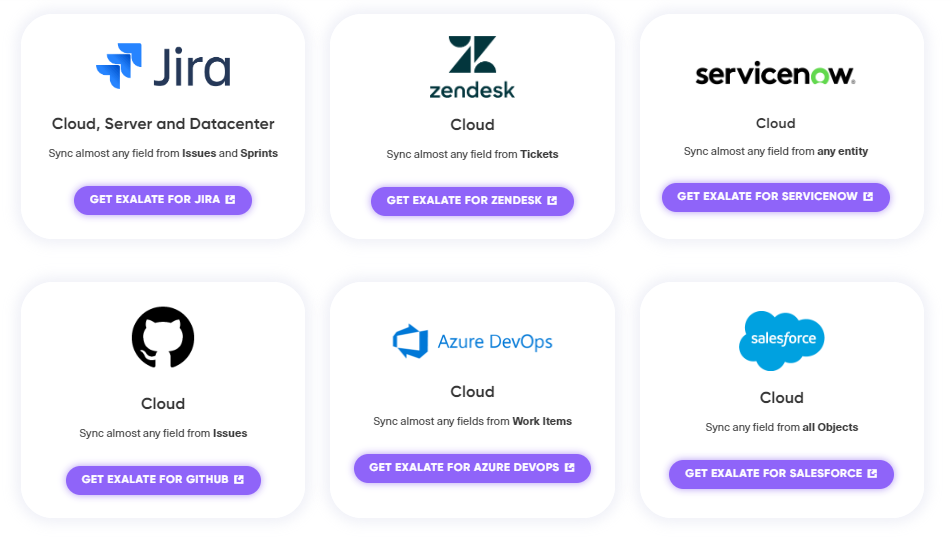
Exalate is an ITSM integration solution that offers a robust and highly customizable integration platform to connect multiple ITSM tools and synchronize data between them. It provides secure, reliable, and scalable connectivity for ITSM systems like Jira, Jira Service Management, Salesforce, ServiceNow, Zendesk, Freshservice, Freshdesk, Asana, Azure DevOps (Cloud and Server), and more.
The customization capabilities of Exalate are powered by its powerful scripting engine. Using Groovy-based scripts, you can implement deep or advanced ITSM integrations.
Unified Console: Manage all your integrations and connections from one place. The unified console provides a network visualization of your entire sync environment, making it easy to understand how your systems are interconnected. You can perform bulk operations across multiple connections.
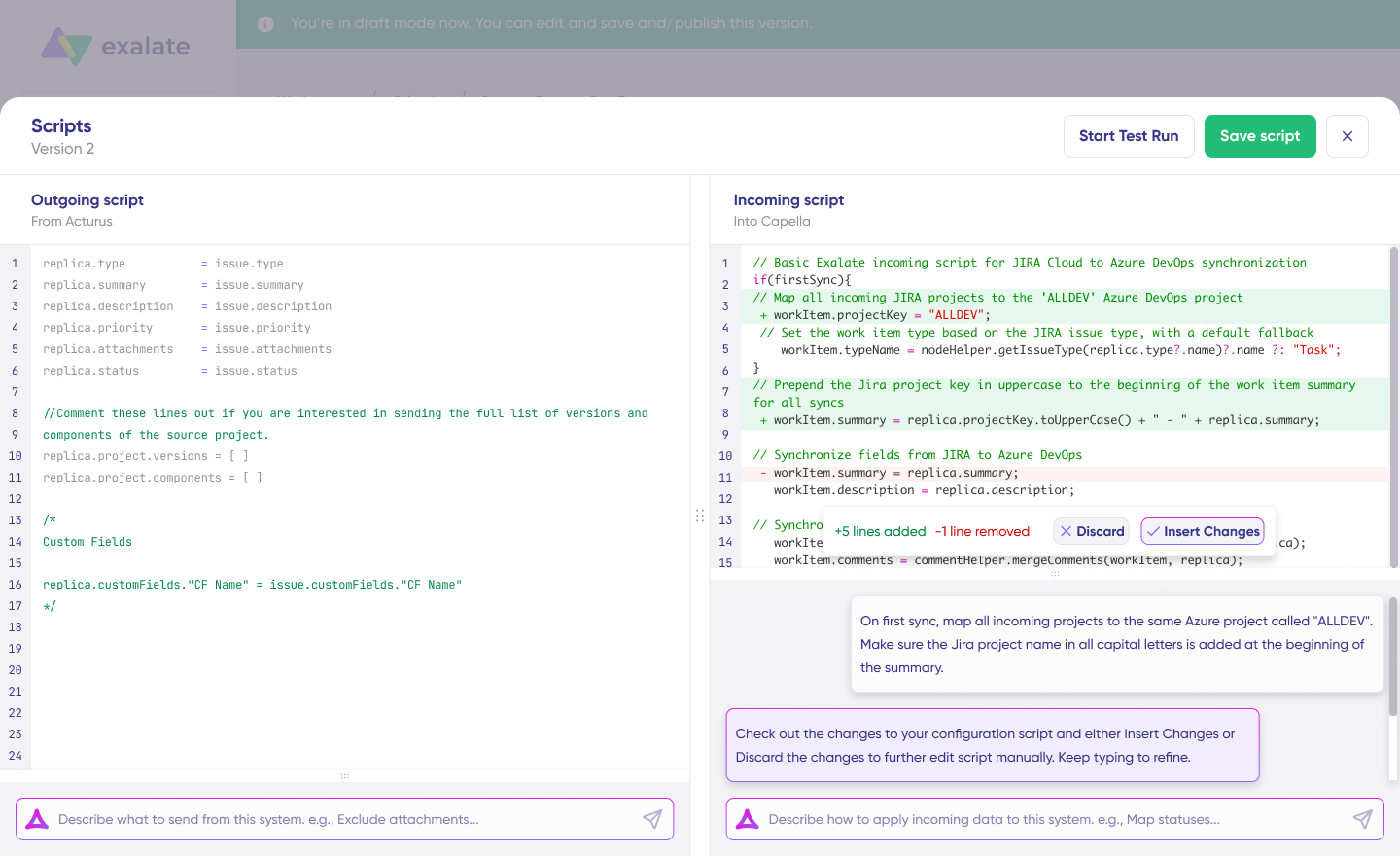
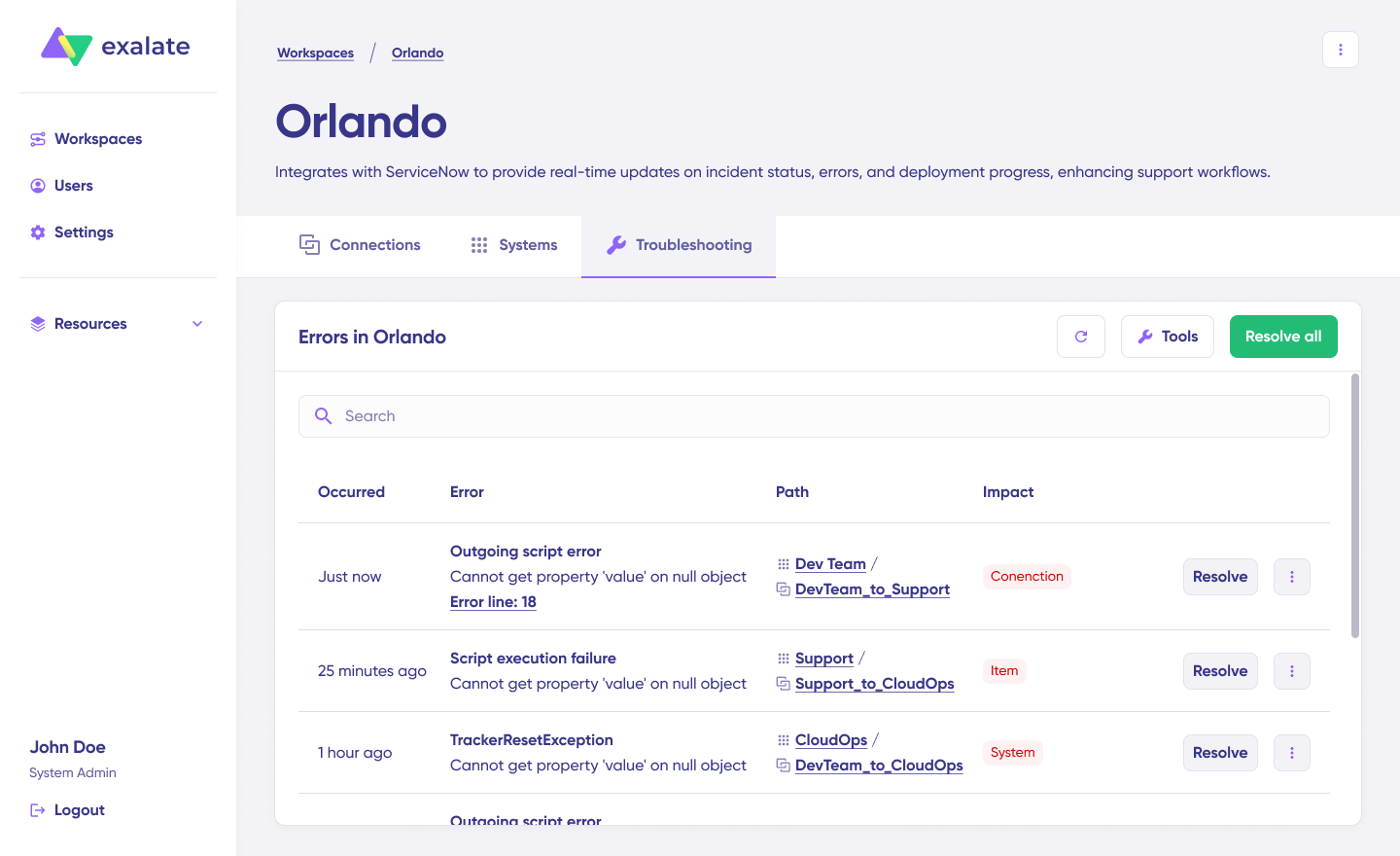
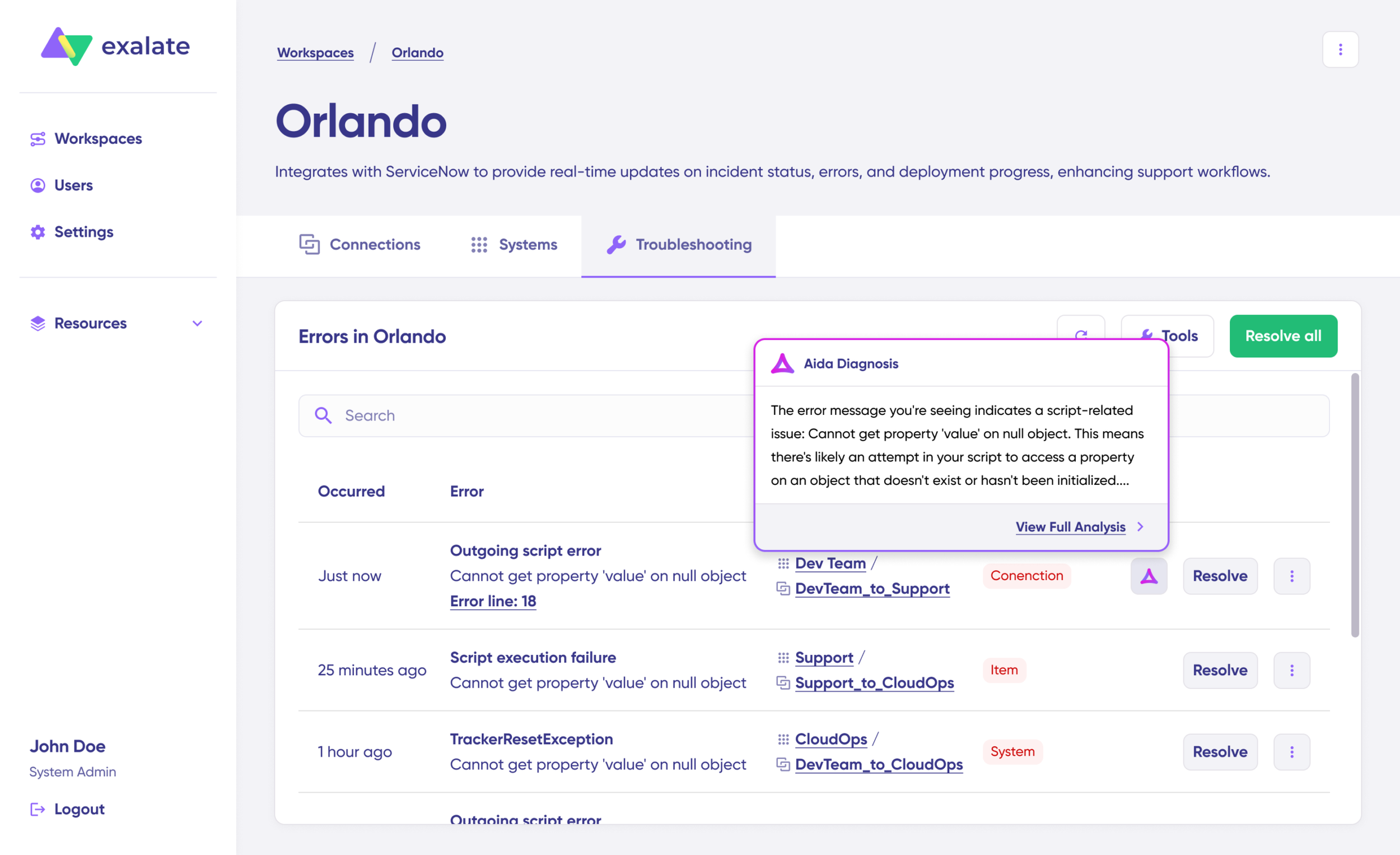
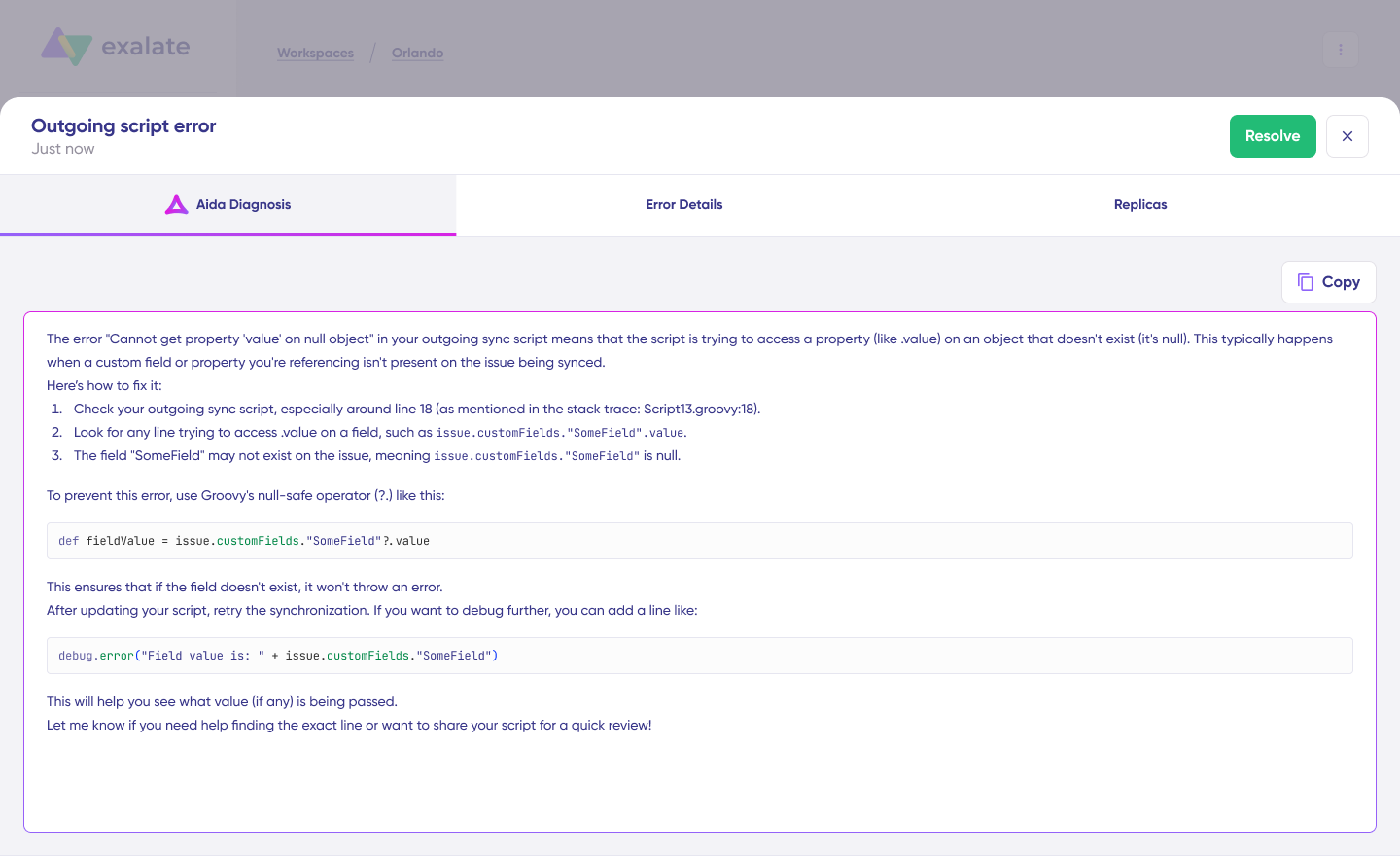
AI-Assisted Configuration (Aida): Aida helps you generate and troubleshoot sync scripts. Simply describe your sync requirements in plain language, and Aida generates the corresponding scripts for you. These scripts are generated by taking into account your input, existing configurations, and Exalate’s scripting API. When errors occur, Aida explains them in easy-to-digest language and suggests fixes.
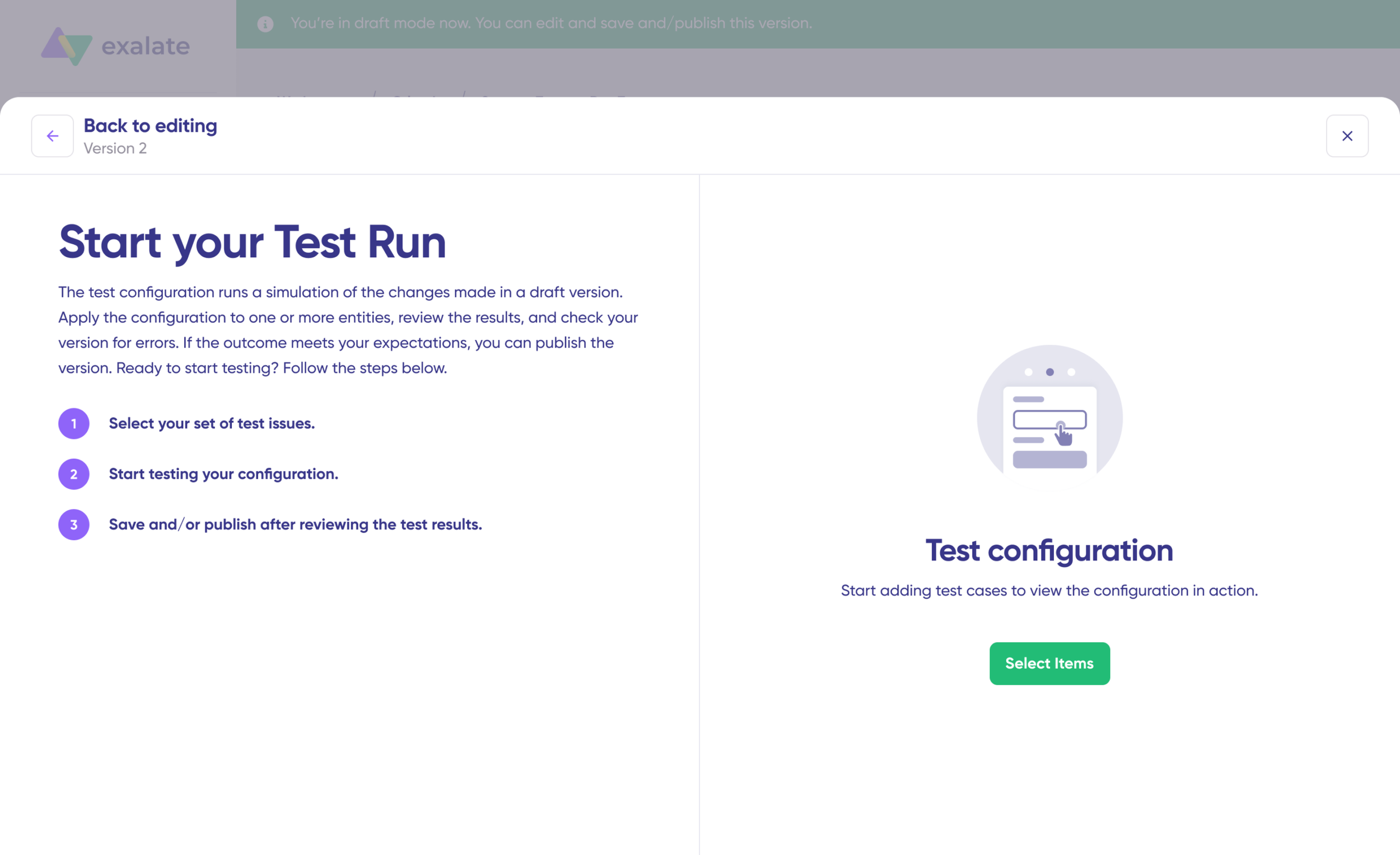
Test Run Functionality: Test your sync scripts before production deployment. Preview how changes will apply to real data without affecting live systems. This safety net prevents errors from affecting production data.
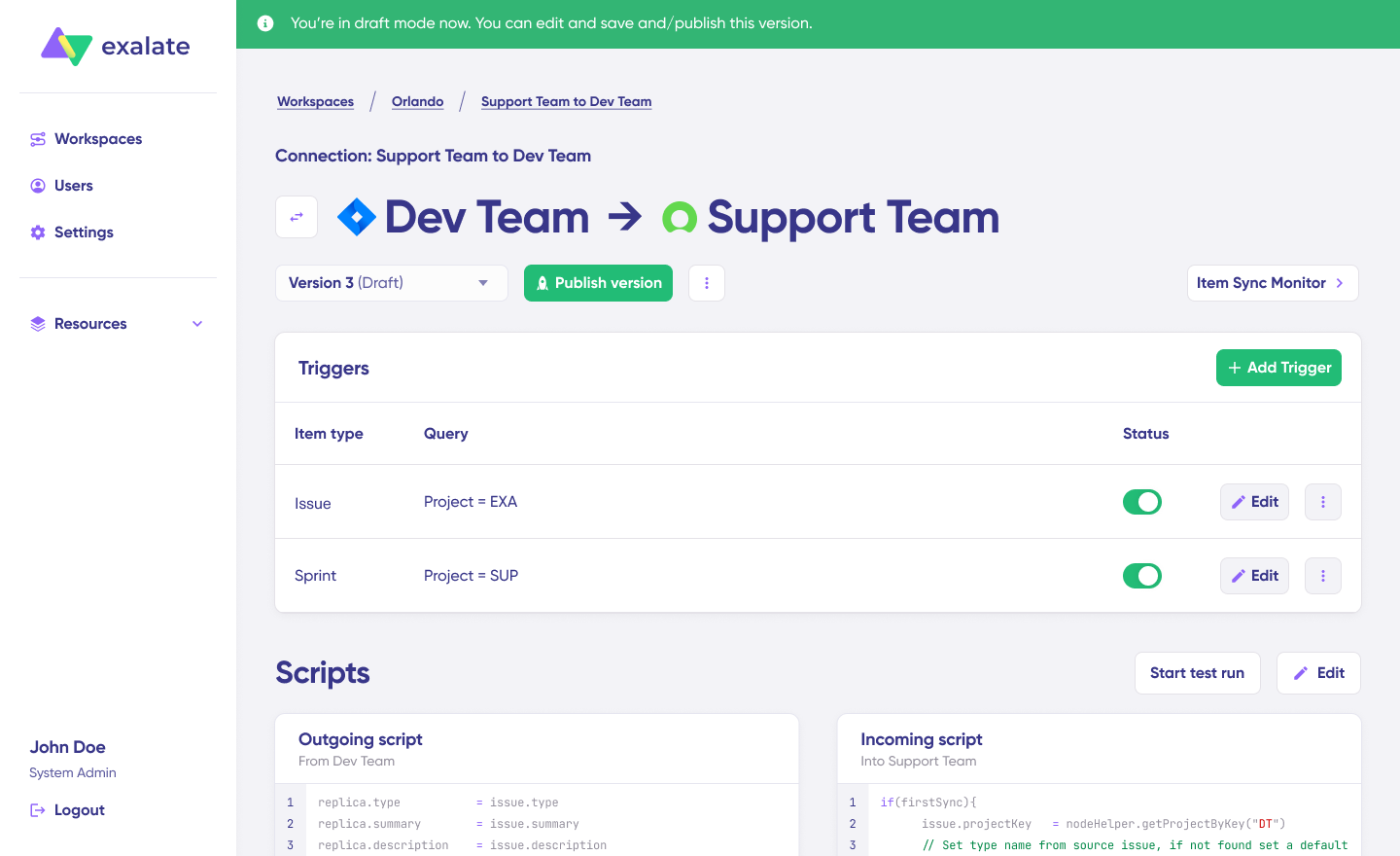
Script Versioning: Every time you make a change and publish it, a new version is created. You get a full audit trail of who changed what and when. Roll back to previous versions if needed. Work on drafts without affecting production data.
Real-Time Sync: Always up-to-date view with full item history. No delays, no data gaps.
Security: ISO 27001 certified. Role-based access control separates integration management from system access. Data encryption at rest and in transit. Visit Exalate Trust Center for security documentation and compliance certificates.
Outcome-Based Pricing Exalate uses outcome-based pricing, where you pay for active items in sync, not user seats. With every integration pair, you can create as many connections and users as you want. The cost per item decreases as items under sync increase.
View pricing details here, or estimate how much each plan will cost you with our pricing calculator.
Exalate for Service Providers
Exalate offers a special plan called Exalate for Service Providers: a full-service package to set up an Exalate network. The plan will help you set up and deploy the Exalate network and help consolidate your service providers and customers.
Doing so ensures that you wouldn’t have to worry about the complexities of the integration and its maintenance. The integration experts at Exalate will take care of these concerns.
If you need custom connectors for any system your partner, supplier, or customer is using, Exalate will handle it for you.
You can book a free session with an integration engineer to discuss your specific integration scenario.
Common Mistakes in Implementing Integration between ITSM Tools
There are a lot of reasons why an ITSM integration might fail.
When integrating such systems, it’s important to handle the mappings between these fields carefully before putting the solution into production. Proper planning and scoping of the ITSM integration project are also important.
Even the most experienced solution architects have a hard time convincing the top management of the benefits of ITSM integrations. Sometimes, the team involved in the integration process might lack clear focus, depth, and understanding of the project, leading to failed integrations.
Bringing all the required stakeholders together and making them work as a single unit can be an efficient way to ensure that integration doesn’t go downhill.
Selecting the wrong integration solution can be extremely dangerous for the project and can lead to monetary losses and frustration.
Implementing the ITSM integration isn’t enough. Your focus must not drift away from continually improving it with time. Governance measures are also needed to ensure everything runs smoothly and as expected.
Still not convinced?
Let me show you practically how 2 companies implemented an ITSM integration and had completely contrasting outcomes.
ITSM Integration Case Studies
Let me show you practically how two companies implemented an ITSM integration and had completely contrasting outcomes.
Case Study 1: A Successful ITSM Integration
Verilix is a large IT organization providing managed IT services to clients. The company decided to use an ITSM integration solution to unify its IT processes, data, and tools.
They wanted to integrate the company’s ITSM platform with various IT tools, like asset management and service desk.
So, they started the ITSM integration project with a comprehensive analysis of the company’s existing IT infrastructure and processes, and developed a plan for the integration.
Next, they thoroughly tested and validated the solution before rolling it out into production.
The ITSM integration project was a huge success. It helped Verilix to build a successful ITSM integration and:
Achieve greater efficiency and productivity,
Reduce errors and improve decision-making,
Automate many IT processes and reduce manual intervention,
Identify areas for improvement and optimize resource allocation,
Provide the company with a comprehensive view of its IT operations,
Improve the accuracy and consistency of data across the IT environment.
Case Study 2: An Unsuccessful ITSM Integration
Neptogin is a mid-sized IT organization that provides IT support services to a variety of clients.
They wanted to use an ITSM integration solution to integrate their ITSM platform with other IT tools and data sources.
They also wanted to automate the company’s IT processes and reduce manual errors.
The ITSM integration project started well. The project team thoroughly analyzed the company’s IT environment, processes, and tools. They developed a plan and began testing and validation, too.
However, soon things started going south.
First, there were some technical glitches with the ITSM integration solution, resulting in frequent system crashes and errors.
Second, there were organizational hurdles, as teams were resistant to change and did not collaborate effectively.
Finally, the team members were frustrated because there was no training on the new solution. And they also failed to fully grasp its benefits.
The project did not deliver the required benefits. It became increasingly more difficult to manage the IT environment than before. Productivity and efficiency dipped further. In addition, the employee morale suffered the most.
Neptogin even had to invest in additional resources to revert to the old IT processes and tools.
So what did we learn from all this? Follow a few best practices.
ITSM Integration Best Practices
It’s not so hard to get your ITSM integration right.
Follow a few simple best practices, and you’ll be in a much better place.
Plan ahead.
Choose the right ITSM integration solution.
Establish clear communication channels.
Monitor and measure the ITSM integration.
Develop a strategy for accommodating scalability.
Phew! I hope that was not too much information.
ITSM integration isn’t a one-off event but a journey. So embark on your journey and share your anecdotes with us. We are all ears!
Conclusion
I hope you’ve gained a better understanding of what an integrated ITSM ecosystem looks like. You also read some tips on how to choose the right ITSM integration solution for your business.
Remember, ITSM integration is an ongoing process, and you must continuously assess and adjust your approach to ensure you meet your business needs.
I encourage you to explore various ITSM integration solutions and take your first step toward creating a coherent IT environment.
Still have more questions about integrating your ITSM solution? Book a call with our engineers right away.
Frequently Asked Questions
What is the difference between ITSM and ITIL?
ITSM refers to the overall practice of managing IT services. ITIL is a specific framework that provides guidelines and best practices for implementing ITSM. Think of ITSM as what you do, and ITIL as how to do it well.
Which ITSM tools can be integrated?
Most major ITSM platforms support integration, including ServiceNow, Jira Service Management, Zendesk, Freshservice, Freshdesk, and others. The key is choosing an integration solution that supports your specific combination of tools.
Can I integrate ITSM tools with non-ITSM systems?
Yes. Common integrations connect ITSM platforms with CRMs (Salesforce), project management tools (Jira, Asana), development tools (Azure DevOps Cloud and Server, GitHub), HR systems, and monitoring tools.
How long does ITSM integration take to implement?
Implementation time varies based on complexity. Simple integrations can be up and running within days. Complex multi-system setups with custom field mappings and conditional logic may take weeks. AI-assisted configuration tools like Aida reduce implementation time significantly.
What security considerations apply to ITSM integration?
\Key considerations include data encryption (in transit and at rest), role-based access control (who can configure integrations vs. access synced data), audit logging, and compliance with regulations like GDPR. Look for solutions with ISO 27001 certification and a public Trust Center with security documentation.
How does outcome-based pricing work?
Outcome-based pricing charges based on active sync pairs—items currently synchronized between systems. Unlike per-user or per-transaction models, you pay for actual value delivered. The cost per item typically decreases as sync volume increases.
Can I control what data gets shared in cross-company integrations?
Yes. Script-based integration solutions like Exalate let you define exactly what data leaves your system, what gets filtered, and how incoming data maps to your fields. You maintain full operational control over your side of the integration.
What happens if an integration fails or has errors?
Quality integration solutions include automatic retry logic, error notifications, and troubleshooting tools. Exalate’s Aida provides AI-assisted error diagnosis that explains problems in plain language and suggests fixes.
Highly customizable via AI-assisted Groovy scripting
No-code visual flow builder
Architecture
Unified console with operational control per side
Centralized platform
AI capabilities
Aida AI for scripting and troubleshooting
No native AI. Acts as a data feed for third-party AI agents (Rovo, Copilot, AgentForce, NowAssist)
Sync depth
Unlimited custom field mapping and transformations
Limited sync depth via templates
Real-time sync
Yes, all plans
Enterprise plans only (5-15 min on lower plans)
Pricing model
Per integration, based on active items in sync
Per items in sync + features
Free trial
30 days, full functionality
14 days, limited items
Test before production
Test Run functionality
Not available
Script versioning
Yes, with rollback
Not applicable
G2 Rating
4.6/5 (66+ reviews)
4.5/5 (90+ reviews)
Support resources
Documentation, Community, YouTube tutorials, Priority Support
Help Center, Email/Chat
What Is Exalate?
Exalate is a bi-directional integration platform designed for teams that need deep customization and operational control over their synchronization workflows. Built on a Groovy-based scripting engine, Exalate connects work management and ITSM tools while letting each side of an integration maintain independent control over what data is shared.
The platform operates through a unified console where you manage all your integrations from a single interface. This eliminates the need to jump between different systems to configure or monitor your syncs.
Key differentiators:
Groovy scripting engine: Handle any custom workflow, no matter how complex. If you can write it in Groovy, Exalate can sync it.
Unified management console: Access all nodes and connections from one place with visual network representation of your entire sync environment.
Aida AI assistant: Get help implementing integrations, writing scripts, and troubleshooting errors with plain-language explanations.
Test Run functionality: Test your sync scripts before deploying to production, reducing the risk of errors affecting live data.
Script versioning: Create drafts without affecting production versions, roll back to previous versions, and trace all changes.
Operational control: Each side independently decides what information to share and receive, making it suitable for cross-company scenarios.
What Is Unito?
Unito is a no-code two-way sync platform designed for teams who want to connect tools quickly without writing code. The platform uses a flow-based approach where users configure syncs through a visual interface with drag-and-drop field mapping.
Key features:
No-code visual flow builder
Pre-built templates for common integrations
60+ connectors for popular tools
SOC 2 Type 2 certified
Unito positions itself as the simpler alternative for teams that don’t have technical resources or need complex customization. The trade-off is reduced flexibility for advanced use cases.
Feature Comparison: Deep Dive
Configuration and Customization
Exalate: AI-Assisted Groovy Scripting
Exalate uses Groovy scripts to define sync behavior. These scripts control:
Which fields sync and in which direction
How data transforms during sync (e.g., converting status values between systems)
Conditional logic (e.g., only sync high-priority issues)
Custom field handling and complex mappings
Entity creation rules and relationships
The scripting engine handles use cases that template-based tools cannot, such as:
Syncing a single Jira work item to two different ServiceNow incidents based on field values
Transforming Jira story points to Azure DevOps effort calculations
Routing tickets to different projects based on custom field values
Maintaining parent-child relationships across systems
Aida AI assistant helps with script generation:
Describe your sync requirements in plain language
Aida generates the Groovy scripts tailored to your configuration
Get context-aware suggestions for error resolution
Troubleshoot issues with plain-language error explanations
Unito: No-Code Flow Builder
Unito’s configuration happens through flows:
Select source and destination tools
Choose which items to sync using filters
Map fields between tools
Enable the flow
This approach works well for straightforward syncs but has limitations:
Custom fields require Pro plan or higher
Complex conditional logic isn’t supported
You can’t transform data during sync (a “High” priority stays “High”)
One “hub tool” restriction on lower plans (all flows must include the same tool)
When each approach wins:
Scenario
Best Tool
Simple task sync between project management tools
Unito
Complex field transformations
Exalate
Status mapping & transformations between different systems
Exalate
Quick internal team alignment
Unito
Cross-company data exchange with advanced security requirements
Exalate
Conditional routing based on field values
Exalate
Spreadsheet reporting
Unito
Supported Integrations and Connectors
Exalate Connectors:
Cloud Connectors:
Jira Cloud
Azure DevOps Cloud
ServiceNow
Salesforce
Zendesk
GitHub
Freshdesk
Freshservice
Asana
Server/On-Premise:
Azure DevOps Server (Pro and Enterprise plans)
Early Access Connectors:
TOPdesk
Xurrent (formerly 4me)
ManageEngine ServiceDesk Plus
Ivanti
ConnectWise
SolarWinds
HaloITSM
Custom Connectors:Enterprise customers can work with Exalate to build custom connectors for platforms not yet supported. This enables organizations to integrate legacy systems or niche tools into their sync network.
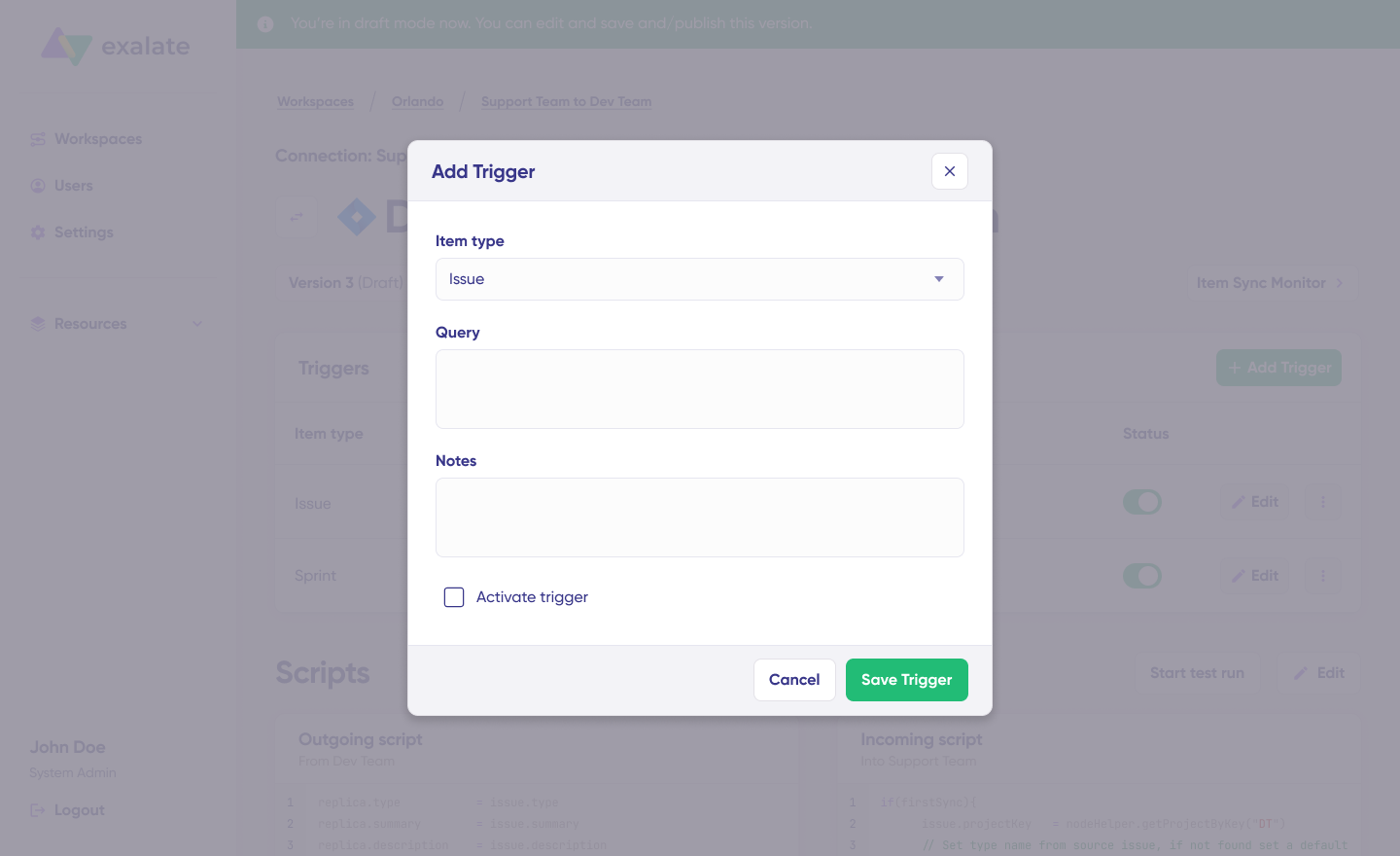
Exalate uses query-based triggers specific to each platform:
Jira: JQL queries (e.g., project = SUPPORT AND priority = High)
ServiceNow: Filter conditions using advanced search syntax
Salesforce: SOQL queries
Azure DevOps: WIQL queries, and more.
You can combine triggers with conditional logic in scripts:
groovy
<em>// Only sync if status is not "Done" and assignee exists</em>if (issue.status.name != "Done" && issue.assignee != null) {
replica.summary = issue.summary
replica.description = issue.description
}Code language:JavaScript(javascript)
Unito triggers:
Unito uses rule-based filters in the flow builder:
Filter by project, assignee, label, status
Conditions based on field values
Limited to what the interface supports
Key difference: With Exalate, you write a trigger using JQL and add conditional logic in your script. With Unito, you’re limited to the filter options available in the flow builder.
Sync Direction Options
Both platforms support:
One-way sync: Data flows from source to destination only
Two-way sync: Changes on either side propagate to the other
Exalate advantage: You can configure asymmetric sync where different fields sync in different directions. For example:
Summary and description sync both ways
Status syncs from Jira to ServiceNow only
Comments sync from ServiceNow to Jira only
This granular control is defined in the script for each direction (outgoing and incoming).
Attachment and Comment Handling
Exalate:
Full attachment sync with size limits configurable
Comment sync with author attribution
Private comment filtering (keep internal comments from syncing)
The unified console eliminates the need to install separate apps on each system. You manage all integrations from one interface, with a visual network representation showing how your nodes are interconnected.
Unito setup:
Sign up and connect tools via OAuth
Select source and destination projects
Set rules to filter items
Map fields between tools
Enable the flow
Unito’s onboarding is straightforward for standard use cases. The interface guides you through each step with minimal technical knowledge required.
Monitoring and Troubleshooting
Exalate provides:
Sync queue visibility: Monitor outgoing and incoming synchronization messages in progress
Side-by-side view: View script rules, active queues, and errors for both sides of your connection simultaneously
Script versioning: Create drafts, trace changes, and roll back to previous versions
Test Run functionality: Test your sync scripts without creating actual entities on the destination side
Aida-powered error diagnosis: Plain-language explanations of errors with context-aware suggestions for resolution
Automatic retry mechanism: Failed syncs retry automatically from the point of interruption
Unito provides:
Activity stream for tracking synced items
Flow status monitoring
Manual intervention is required for some sync errors
Email notifications for flow issues
Operational difference: Exalate’s sync queues handle failures automatically, retrying from the point of interruption. Unito may require manual page refresh or cache clearing for transient errors.
AI Capabilities
Exalate: Aida AI Assistant
Generates Groovy sync scripts from plain-language descriptions of your requirements
Provides context-aware error diagnosis with plain-language explanations
Helps users plan and scope integrations before building them
Suggests configuration improvements based on the specific connection setup
Reduces the scripting learning curve, making advanced integrations accessible to less technical users
Unito: Data Layer for Third-Party AI
No built-in AI assistant for integration setup, configuration, or troubleshooting
Positions itself as a real-time data infrastructure layer for other platforms’ AI tools
Offers connectors that feed business data into Atlassian Rovo (via the Teamwork Graph), Salesforce AgentForce, Microsoft Copilot, and ServiceNow NowAssist
The premise is that these third-party AI agents perform better with cross-tool context from Unito’s syncs
However, none of this assists users in building, debugging, or maintaining their Unito flows
Add the same comparison table from the landing page:
AI Feature
Exalate
Unito
AI-assisted sync script generation
Yes (Aida)
No
AI error diagnosis and troubleshooting
Yes, context-aware
No
Integration planning and scoping
Yes
No
Data feed for third-party AI agents
Not primary focus
Yes (Rovo, Copilot, AgentForce, NowAssist)
AI for ongoing maintenance
Yes
No
Exalate’s AI is inward-facing, helping you use the platform more effectively. Unito’s AI story is outward-facing, helping other AI tools access broader data. Teams choosing an integration platform should consider whether they need AI to help them set up and maintain integrations day-to-day, or whether their primary need is piping data into AI agents they already use elsewhere.
Security Comparison
Security Feature
Exalate
Unito
Encryption in transit& rest
HTTPS with TLS
TLS 1.2
Authentication
OAuth2, API tokens, PAT
OAuth2, email/password
Architecture
Operational control per side
Centralized
Certifications
ISO 27001, GDPR compliant
SOC 2 Type 2, PCI DSS, GDPR
Penetration testing
Regular
Annual
Bug bounty program
Yes
Not specified
Endpoint protection
SentinelOne
Not specified
Data residency options
Yes (Enterprise)
USA only
Exalate security features:
JWT-based tokens sign every message between instances
Data encryption in transit and at rest
Dedicated security team with regular vulnerability checks
Access to manage integrations is completely decoupled from access to the ticketing system
Role-based access control
Data residency options on Enterprise plans
State-of-the-art authentication and authorization frameworks
Hosted on Amazon Web Services (AWS) data centers in the USA
Transit Level Security (TLS) version 1.2
Data at rest is encrypted with AES 256
Dedicated team for cybersecurity events
Checksums at both ends for data integrity
Fixed IP address access for application APIs
Annual external penetration testing
Use Cases: Who Should Choose What
Choose Exalate for:
Cross-company integrations When two separate organizations need to sync data while maintaining independent control. Each side configures its own sync rules. Security-conscious enterprises prefer this approach because neither party has full visibility into the other’s system.
Complex field transformations When you need to transform data during sync. Example: Converting Jira priority values (1-5) to ServiceNow urgency labels (Critical, High, Medium, Low).
High-volume synchronization When syncing thousands of items with frequent updates. Exalate’s queue-based architecture handles large data volumes without performance degradation.
ITSM and DevOps alignment When connecting IT service management tools (ServiceNow, Zendesk, Freshservice, Freshdesk) with development tools (Jira, GitHub, Azure DevOps) for escalation workflows, incident management, or release coordination.
MSP and vendor collaboration When managed service providers need to integrate with client systems while maintaining separation of concerns. Exalate offers managed services where the team handles implementation, configuration, and maintenance end-to-end.
Enterprise-grade requirements When you need audit trails, script versioning, Test Run capability, and granular access control for compliance purposes.
Multi-system hub architectures When you’re building a network of connected systems that grow from point-to-point integrations. The unified console provides visibility across all connections.
Specific use case examples:
Support team using multiple Zendesk instances, escalating tickets to the development team using a single Jira. Syncing side conversations, private comments, etc., is possible.
Syncing SLA data between ServiceNow and Jira Service Management
Supply chain coordination between multiple vendors using different platforms
Cybersecurity MSP deep-ticket integration with client systems
Syncing multiple related Salesforce objects to Jira work with custom field mappings
Choose Unito for:
Simple team synchronization When internal teams use different project management tools and need basic task syncing without complex transformations.
Quick implementation When you need a working integration within minutes, and your use case fits standard templates.
Marketing and sales alignment When connecting CRM tools (HubSpot, Salesforce) with project management tools (Asana, Trello) for campaign coordination.
Spreadsheet integration When syncing data to Google Sheets or Excel for reporting purposes.
Non-technical teams When your team doesn’t have access to technical resources and needs a simpler self-service solution.
Specific use case examples:
Syncing Asana tasks to Trello boards for team visibility
Connecting HubSpot contacts to project management workflows
Basic Jira to Azure DevOps work item sync
Project portfolio reporting in Google Sheets
When Exalate is NOT ideal:
Teams with zero technical capacity and no budget for support
Simple one-off automations that don’t require ongoing sync
When Unito is NOT ideal:
Complex intra or cross-company integrations requiring independent control
Custom field transformations and conditional logic
Enterprise ITSM scenarios with ServiceNow (without Enterprise budget)
Pricing Comparison
Exalate Pricing
Exalate uses outcome-based pricing. You pay based on how many work items you actively sync between systems, per integration. It doesn’t matter how many times items update, how many users work with them, or how many back-and-forth syncs happen.
Key advantages of Exalate’s pricing:
Pay for active items currently in sync, not cumulative transactions
Choose different plans for different integrations based on complexity
Unlimited syncs, connections, and triggers included
Use the ROI calculator to compare Exalate costs against building custom integrations in-house.
Unito Pricing
Unito pricing is based on items in sync plus feature tiers. Self-serve plans are available for small teams, with Enterprise requiring a sales contact.
Plan
Price
Items in Sync
Key Features
Trial
Free 14 days
Limited
Limited features
Basic
Self-serve
Limited
Standard cloud connectors, 5-15 minute updates, Chat/email support
Pro
Self-serve
Limited
Custom fields, sub-items, 5-15 minute updates
Enterprise
Contact sales
Custom
Premium connectors (ServiceNow, Salesforce, Jira DC), Live data syncing, Dedicated integration consultant, SSO
Pricing considerations for Unito:
Lower-tier plans restrict you to one “hub tool” (all flows must include the same tool)
Custom field mapping requires Pro or higher
Premium connectors (ServiceNow, Salesforce, Jira Data Center) require Enterprise
Each item synced between two tools counts as two items in sync
Automatic plan upgrades occur if you exceed your limit
Real-time sync is only available on Enterprise
Support, Documentation, and Community
Exalate Support
Plan
Support Level
Starter& Scale
Community support + Standard support (no SLA)
Pro
Standard support with SLA + POC support
Enterprise
Priority support with 2x faster response time
Support resources:
Documentation: Comprehensive scripting examples, use case guides, and getting started tutorials at docs.exalate.com
Community: Active Exalate community forum for questions, configuration help, and peer support
YouTube tutorials:Video walkthroughs for common configurations and use cases
Managed services: End-to-end integration implementation, configuration, and maintenance for organizations (especially MSPs and service providers) that want Exalate’s team to handle everything
Unito Support
Plan
Support Level
Self-serve
Chat and email support
Company
60-minute onboarding session
Enterprise
Dedicated CSM, custom SLAs
Support resources:
Help Center at guide.unito.io
In-app chat
Email support
No dedicated community forum
Dashboard and Visibility
Exalate Dashboard
The unified console provides:
Network visualization: A visual representation showing all connected systems and how they interconnect
Connection status: Real-time status indicators for all integrations
Sync statistics: Metrics on items synced, sync frequency, and performance
Error logs: Centralized error tracking with Aida-powered diagnosis
Side-by-side script editing: Work with both sides of the connection on a single screen
Quick access: All integrations accessible from one interface
Unito Dashboard
Flow list with status indicators
Activity stream per flow
Basic monitoring metrics
Sync history
Managed Services
Exalate Managed Services:
For organizations that don’t want to manage integrations internally, Exalate offers end-to-end managed services:
Sync frequency: 5-15 minutes on Basic/Pro plans; real-time on Enterprise
Error handling: Manual intervention is sometimes required
Scalability: Depends on plan tier and items in sync
Performance consideration: For time-sensitive integrations (e.g., incident management), Exalate’s real-time sync on all plans provides faster response than Unito’s delayed sync on lower tiers.
Total Cost of Ownership Considerations
When evaluating integration tools, consider beyond subscription costs:
Factor
Exalate
Unito
Implementation time
Minutes to hours for advanced integrations with the unified console
Both platforms represent capable integration solutions with different strengths. The right choice depends on balancing your technical requirements, operational preferences, pricing models, and long-term integration strategy.
Frequently Asked Questions
What is the main difference between Exalate and Unito?
Exalate offers highly customizable AI-assisted Groovy scripting for deep customization and maintains operational control on each side of the integration. Unito provides a no-code visual interface focused on ease of use, but limits customization to what the platform supports.
Which tool is better for Jira and ServiceNow integration?
Exalate handles Jira-ServiceNow integrations with more depth, available in Pro and enterprise plans. You can sync any field, apply conditional logic, and maintain SLA data. ServiceNow access on Unito requires Enterprise plans and has limited field mapping options.
Can Exalate handle cross-company integrations?
Yes. Exalate allows each organization to independently manage its sync rules without exposing its configuration to the other party. This operational control makes it suitable for vendor, partner, and MSP integrations.
Does Unito support custom fields?
Custom field sync requires Unito’s Pro plan or higher. Basic plans only support native fields.
How does pricing compare for small teams?
Unito’s lower-tier plans may appear cheaper but come with significant limitations (one hub tool, basic fields only, delayed sync). Exalate’s Starter plan at $100/month per integration includes real-time sync and all field types with up to a specific number of active items in sync.
Which tool has better AI features?
Exalate includes Aida, an AI assistant that generates sync scripts from plain-language prompts, diagnoses errors with context-aware suggestions, and helps plan and scope integrations. Unito does not have built-in AI for integration management. It instead positions itself as a data feed for third-party AI agents like Atlassian Rovo, Salesforce AgentForce, and Microsoft Copilot, but this doesn’t help users build or maintain their Unito flows.
What happens if sync fails?
Exalate automatically retries failed syncs using its queue system, resuming from the point of failure. Unito may require manual intervention for some sync errors.
Can I try before I buy?
Exalate offers a 30-day free trial with full functionality across all connectors. Unito offers a 14-day trial with limited items.
Which tool works with Azure DevOps Server?
Exalate supports Azure DevOps Server on Pro and Enterprise plans. Unito supports Azure DevOps Cloud on standard plans; Server/on-premise requires Enterprise.
Does Exalate support Freshservice and Freshdesk?
Yes. Exalate supports both Freshservice and Freshdesk connectors on Starter plans and above, enabling bi-directional sync with Jira, ServiceNow, and other supported platforms.
Can I test my integration before going live?
Exalate offers Test Run functionality that lets you test your sync scripts without creating actual entities on the destination side. This reduces the risk of errors affecting live data. Unito does not offer comparable testing capability.
Which tool is better for MSPs?
Exalate is designed for MSP scenarios with its operational control model, managed services option, and ability to maintain separate configurations for each client. MSPs can sync with client systems without exposing their internal configuration.
How do I get started with Exalate?
Start a free trial to access all features for 30 days. Experience the unified console, Test Run functionality, Aida assistance, and script versioning capabilities firsthand. For complex use cases, book a demo with the integration team.
Organizations face mounting pressure to innovate faster while keeping costs manageable. Some companies handle everything in-house, while others turn to managed service providers (MSPs) and managed services integration to get the job done.
According to Research and Markets, the managed services market will reach $410 billion by 2027, a 2.6% CAGR from the $343 billion mark in 2022.
But here’s the thing: building and maintaining services internally works for giants like Google and Meta. Small and medium enterprises rarely have the headcount or budget to pull it off from scratch.
If you’re weighing managed services integration for your organization, this guide covers everything you need to know, from core concepts to implementation steps and the tools that make it all work.
Key Takeaways
Managed services integration connects multiple service providers through a unified ecosystem, enabling seamless data flow between your organization and MSPs.
SIAM and ITIL4 frameworks provide structured approaches to managing risk, reducing costs, and improving service delivery across integrated systems.
The right integration platform should offer bidirectional sync, AI-assisted configuration, flexible field mapping, and enterprise-grade security.
Integration reduces expenses, boosts productivity, and improves both customer and employee satisfaction but comes with challenges around third-party dependency and interoperability.
Practical use cases span support escalation, multi-vendor project coordination, and MSP client management across platforms like Jira, ServiceNow, Zendesk, Freshservice, Freshdesk, Salesforce, and Asana.
What Are Managed Services?
Managed services represent a cooperation model where a third-party company takes partial or complete control of specific operations within your organization.
This third party is your managed service provider (MSP). When security is the focus, they’re called a managed security service provider (MSSP). MSPs can function as an extension of your IT team or handle everything end-to-end as a fully-managed service.
Managed services work well for time-intensive, business-critical processes: cybersecurity, risk management, regulatory compliance, and IT infrastructure. Essentially, any function that demands specialized expertise without diluting your core business focus.
Examples of Managed Services
Cloud Computing: IBM and Oracle lead the cloud computing space, delivering managed cloud services to enterprises, SMBs, nonprofits, and government agencies. These services cover infrastructure management, platform services, and application hosting, eliminating the need for in-house data center expertise.
Marketing: Organizations outsource copywriting, campaign planning, content distribution, sales enablement, and advertising to managed marketing services. This approach gives companies access to specialized talent for SEO, paid media, and brand strategy without building full internal teams.
Supply Chain and Logistics: FedEx and Amazon operate as intermediaries for logistics services, resource sourcing, and distribution. Managed supply chain services handle inventory optimization, demand forecasting, and last-mile delivery.
Payroll and HR: Companies worldwide use HR management software like Ceridian for payroll, employee performance tracking, and tax management. Deloitte reports that 73% of organizations outsource some payroll responsibilities. Selecting the right payroll system is crucial, whether you manage it internally or through an MSP.
Communication: Managed communication service (MCS) vendors enable team and stakeholder collaboration. They handle instant messaging, VoIP, and AI chatbots as part of Unified Communications as a Service (UCaaS). Major MCS vendors include AT&T, Verizon, and Cisco.
Security: MSSPs like Cipher, Trustwave, NVISO, and Symantec manage cybersecurity audits, incident response, firewall administration, threat monitoring, and compliance reporting. These providers maintain 24/7 security operations centers that most organizations couldn’t staff internally.
Financial Services: Accenture and the Big Four (Deloitte, Ernst & Young, KPMG, and PwC) deliver finance service management through audits, forecasts, analysis, and consulting, along with HR and payroll services.
What Is Managed Services Integration?
Managed services integration connects multiple service providers to ensure frictionless cooperation between teams. It involves using an integrator to manage and unify all your managed services into a cohesive ecosystem.
In IT environments, the service integration and management (SIAM) approach helps companies manage risk effectively, reduce costs, build transparency, and boost end-user satisfaction.
SIAM isn’t the only IT service management (ITSM) model available. The IT Infrastructure Library (ITIL) offers another framework for delivering high-quality IT services. The latest version, ITIL4, enables businesses to manage risks, improve customer satisfaction, and create stable environments for growth.
The key difference: SIAM extends beyond customer satisfaction to cover business requirements, service delivery mechanics, and quality control reporting.
How Integration Connects the Pieces
When your organization works with multiple MSPs—say, one for cloud infrastructure, another for security, and a third for IT support—each provider operates in their own system. Without integration, your teams spend hours copying data between platforms, chasing updates via email, and reconciling conflicting information.
Managed services integration creates automated data flows between these systems. Work items created in Jira can automatically generate corresponding tickets in ServiceNow. Status updates in Freshservice can sync to Zendesk. Custom field values in Salesforce can populate related records in Asana.
The result: a unified view of operations without manual data entry or constant platform switching.
How To Implement Managed Services Integration
Successfully integrating managed services requires careful planning and execution. Here’s a systematic approach:
Identify Your Needs
Start with an in-depth analysis of your business requirements and current workflows. This assessment reveals which areas need service integration and management.
Let’s say you have five managed services you want to integrate. Consult your teams to determine priority. Which integrations would eliminate the most manual work? Which would reduce the most critical data gaps? Which touches the most people?
Common starting points include:
IT support ticketing between internal help desks and MSP systems
Security incident escalation from MSSP platforms to internal tracking
Development handoffs between engineering tools and external vendors
Customer feedback loops between support platforms and CRM systems
Create an Integration Plan
With your needs mapped, develop a detailed integration plan covering:
Delivery timeline: Realistic phases with milestones
Coverage scope: Which systems, which data fields, which directions
Scalability requirements: Expected growth in sync volume and connections
Success metrics: How you’ll measure integration effectiveness
In some cases, you’ll need to work directly with your MSP to develop this plan, especially when the integration touches their internal processes.
Select a Trusted Integration Vendor
Choosing the right integration platform determines whether your managed services integration succeeds or struggles. For organizations relying on multiple managed services, iPaaS solutions like Exalate enable bidirectional data synchronization across disparate systems.
Even when evaluating less prominent providers, verify their track record and industry expertise. Check customer references in your sector. Review their support model and response times. Examine their security certifications and compliance documentation.
Establish SLAs
Your cooperation with the integration vendor should be covered by service-level agreements outlining the scope of your collaboration. These SLAs ensure alignment between your organization and the vendor on expectations, responsibilities, and remedies.
SLAs also provide recourse if the provider fails to meet obligations. Suppose you’re integrating managed communication services with payroll systems. An SLA should specify compensation if the integration exposes your infrastructure to security incidents.
Key SLA components for integration vendors include:
Uptime guarantees (typically 99.5% or higher for enterprise platforms)
Support response times by severity level
Data security and privacy commitments
Change management procedures
Termination and data portability terms
Implement the Solution
With your team aligned and SLAs signed, implement the integration.
This phase involves preparing your team for the new data flows. Suppose a managed marketing services provider handles your outreach campaigns; your internal team needs clear communication channels for sharing feedback and reviewing synced data.
Here’s a practical example: You use Jira for internal development tracking, and your IT support MSP uses ServiceNow. To move away from manual data sharing and establish a seamless connection, you can integrate Jira and ServiceNow bidirectionally.
Create a customized connection, automate the sync, and set rules specific to your use case, such as syncing only critical work items or syncing comments while excluding internal notes.
Monitor Performance
Your MSP handles everything covered in the SLA, but you still need visibility into integration performance. Track key metrics:
Sync success rate: Percentage of successful data transfers
Latency: Time between source change and destination update
Error frequency: Failed syncs and their root causes
Data accuracy: Spot checks comparing source and destination records
Uptime: Integration platform availability
Performance monitoring tools like New Relic and AppDynamics can track your broader IT infrastructure, including integration endpoints.
Practical Use Cases for Managed Services Integration
Here’s how organizations apply managed services integration across different scenarios:
Support-to-Engineering Escalation
Case: A SaaS company’s customer support team uses Zendesk. When customers report bugs, support agents create Zendesk tickets. The development team uses Jira and rarely checks Zendesk, creating delays in bug fixes.
Solution: Integrate Zendesk and Jira bidirectionally. When a support agent marks a ticket as a bug, it automatically creates a corresponding work item in Jira with all relevant details: customer description, reproduction steps, priority, and attached screenshots. When developers update status or add comments in Jira, those changes sync back to Zendesk, so support agents can update customers.
ITSM-to-Development Handoffs
Case: An enterprise IT team uses ServiceNow for incident management. Infrastructure problems often require code fixes from the development team using Azure DevOps. The handoff process involves copying ticket details into emails and manually tracking status across both systems.
Solution: Integrate ServiceNow and Azure DevOps. Critical incidents automatically generate work items in Azure DevOps when they require development action. Resolution updates, deployment dates, and developer comments sync back to ServiceNow, so the IT operations team maintains visibility.
Multi-Vendor Project Coordination
Case: A manufacturing company works with three MSPs: one for ERP management (using Salesforce for project tracking), one for cybersecurity (using ServiceNow for incident management), and one for IT infrastructure (using Freshservice for change management). Coordinating projects that touch multiple vendors requires extensive manual communication.
Solution: Integrate Salesforce, ServiceNow, and Freshservice with your internal Jira instance. Create sync rules that share relevant project updates, milestone status, and dependencies across all connected systems. Each team works in their native platform while seeing related information from other vendors.
MSP Client Management
Case: An MSP provides IT support to 15 clients, each using different ticketing systems: some on Jira, others on ServiceNow, Freshservice, Freshdesk, or Zendesk. MSP technicians waste hours logging into multiple client systems to check ticket status and provide updates.
Solution: Integrate all client systems with the MSP’s central platform. Technicians work in one interface while data syncs bidirectionally to each client’s native system. Clients see updates in their familiar tool without knowing the MSP uses a different internal platform.
Freshservice-Freshdesk Coordination
Case: A company uses Freshdesk for customer support and Freshservice for internal IT operations. Customer-reported technical issues often require IT intervention, but the two teams work in separate systems with no visibility into each other’s queues.
Solution: Integrate Freshdesk and Freshservice so that customer tickets requiring IT support automatically create corresponding service requests. Status updates, resolution details, and internal notes sync between systems while respecting team-specific confidentiality rules.
Benefits of Managed Services Integration
Organizations implement managed services integration to achieve measurable improvements:
Reduced Expenses
MSPs use pricing models tied directly to services delivered. This transparency makes budget management straightforward.
More significantly, integration eliminates the time cost of building and maintaining individual connections. Your teams aren’t manually transferring data between systems. You’re not hiring people just to keep MSP relationships coordinated. The integration platform handles the heavy lifting while your team focuses on higher-value work.
Calculate time and money savings from automated bidirectional sync.
Integrating managed services ensures your teams channel resources into business-critical activities instead of administrative data management. Specialists at your MSPs handle their domains while integration keeps everyone informed.
The productivity gain compounds over time. Teams trust the integrated data, so they stop maintaining parallel tracking spreadsheets. Meetings shorten because status information is already visible. New employees ramp faster because they don’t need to learn multiple MSP systems.
Better Service Reliability and Customer Satisfaction
MSPs bring industry expertise and operational experience that improve service reliability. When they handle backups, your data stays safe even during infrastructure failures. When they manage security, threats get detected and neutralized by dedicated analysts.
Integration amplifies this reliability by minimizing communication gaps. MSP updates flow automatically to your systems, so nothing falls through the cracks. Customers experience consistent service because the entire delivery chain stays synchronized.
Broader Scalability
Managed services integration gives your organization flexibility when expanding or contracting operations.
Want to add a new MSP for a specific function? Update your integration plan and connect them to the ecosystem. Need to scale back during slower periods? Adjust the SLA scope without rebuilding integrations from scratch. The integration platform adapts to changing requirements without forcing architectural overhauls.
Higher Employee Satisfaction
When you integrate managed services, you relieve workload pressure on your teams. Employees spend less time on administrative tasks and more time on meaningful work.
This shift improves morale. People didn’t join your organization to copy data between systems; they came to contribute expertise. Integration lets them do exactly that while automated processes handle the coordination.
Stronger Security Posture
Integration doesn’t mean open access. Modern integration platforms enforce granular controls over what data flows between systems and who can configure those flows.
MSSPs integrate their security monitoring directly into your incident management workflow. Threats detected in their systems automatically trigger responses in yours. Security updates and compliance reports sync without manual file transfers that could introduce exposure.
Challenges of Implementing Managed Services Integration
Managed services integration delivers significant benefits, but plan for these hurdles:
Third-Party Dependency
Integrating managed services hands over operational control to external providers. If the MSP experiences outages, that portion of your business becomes inaccessible until they resolve the issue.
This dependency extends to your integration platform. If the integration goes down, data stops flowing between systems. Build redundancy into critical paths and establish clear escalation procedures for integration failures.
Cost Considerations
MSPs can help you maintain predictable budgets, but their services aren’t cheap. Large enterprises absorb these costs without issue, but SMEs and nonprofits often struggle when integrating multiple managed services.
Integration platforms add another cost layer. Factor in subscription fees, implementation costs, and ongoing maintenance when calculating the total cost of ownership.
Privacy and Security Risks
In January 2023, MailChimp reported a data breach that exposed user data. If you were using MailChimp for marketing, your customer data could have been caught in that breach.
Every integration point represents potential exposure. Evaluate MSP security practices carefully. Review their incident history, audit their compliance certifications, and ensure contracts include breach notification requirements.
Communication Gaps
Integration automates data flow, but it doesn’t automatically fix organizational communication problems. If you lack proper structure for handling information across teams, integration won’t solve the underlying dysfunction.
Establish clear ownership for integrated workflows. Define who monitors sync status, who handles errors, and who makes decisions when systems disagree. Without this governance, information silos can persist even with technical integration in place.
Interoperability Challenges
Not all systems play nicely together. When integrating new managed services with existing ones, compatibility issues surface: different data models, conflicting field definitions, incompatible authentication methods.
A flexible integration platform like Exalate handles many interoperability challenges through configurable mapping and transformation rules. But some scenarios require custom development or workarounds that add implementation time and complexity.
SLA Limitations
In 2020, Boardman Molded Products sued MSP Involta for $1.7 million in damages for negligence and culpability in a security breach.
SLAs document expectations, but they don’t prevent conflicts. When integration failures cause business impact, finger-pointing often follows, regardless of contractual language. Build relationships with your vendors beyond the legal agreements. Clear communication and mutual accountability matter more than ironclad contract terms when problems arise.
Conclusion
Managed services integration helps organizations combine multiple MSPs into a cohesive ecosystem, boosting performance, reducing costs, and optimizing team productivity. When working with numerous incompatible service providers, integration solutions maintain smooth communication and efficient operations.
Exalate is an integration platform that helps businesses integrate with MSPs and MSSPs across platforms, including Jira, ServiceNow, Zendesk, Salesforce, Azure DevOps, Freshservice, Freshdesk, Asana, and GitHub. It enables bidirectional data synchronization using custom configurations and event-specific triggers, withan AI-assisted setup that reduces implementation complexity.
FAQs
How does SIAM differ from ITIL4?
SIAM (Service Integration and Management) and ITIL4 both provide frameworks for IT service management. SIAM focuses specifically on managing multiple service providers, addressing business requirements, service delivery, and quality control across vendors. ITIL4 offers broader guidance on IT service delivery, customer satisfaction, and establishing stable growth environments. Organizations often use both frameworks together.
What platforms does Exalate support?
Exalate supports integration across major enterprise platforms, including Jira Cloud, ServiceNow, Zendesk, Salesforce, Azure DevOps (Cloud and Server), Freshservice, Freshdesk, Asana, and GitHub. The platform also offers REST API capabilities for custom integrations with specialized systems.
How does AI-assisted configuration work?
AI-assisted configuration lets users describe integration requirements in natural language rather than writing code manually. The AI generates sync rules, field mappings, and automation triggers based on your description. Exalate’s Aida assistant helps users plan integrations, generate configurations, and troubleshoot issues, reducing implementation time and lowering the technical expertise required.
What security features should I look for in an integration platform?
Prioritize platforms with encrypted connections (TLS 1.2/1.3), secure authentication (JWT, OAuth 2.0), and role-based access controls. Verify compliance certifications like ISO 27001:2022 for mature security practices. Check the vendor’s Trust Center for SOC 2 reports, penetration test documentation, and incident response procedures. Exalate maintains security documentation at trust.exalate.com.
How do I calculate ROI for managed services integration?
Compare your current manual effort against automated integration costs. Factor in time spent on data entry, status meetings, error correction, and cross-system coordination. Estimate productivity gains from eliminating context-switching and faster information access.
Can Exalate handle cross-company collaboration with external partners?
Yes, Exalate handles cross-company connections where you sync data with external partners, vendors, and MSPs while maintaining control over what information gets shared. You define sync rules that determine which fields flow between organizations and under what conditions, keeping sensitive internal data separate from partner-visible information.
What happens if my MSP uses a different system than my internal teams?
Integration platforms bridge different systems through connectors and field mapping. Your internal team might use Jira while your MSP uses ServiceNow; the integration translates data between both platforms automatically. Users work in their native system without knowing the technical details of how data reaches the other side.
By integrating Jira and ServiceNow, teams can fetch related SLA records within a ServiceNow incident and sync them to a custom Jira field. This enables tracking SLA information and ensures timely incident resolution.
In this post, you will learn how to implement this use case using Exalate, a bi-directional integration solution.
The Use Case
Here are the requirements for this integration scenario:
An incident created in ServiceNow syncs to Jira as a work item. The short description and description of the incident are reflected within the Jira work item.
Comments from Jira and work notes from ServiceNow sync bi-directionally between the two platforms.
SLA information related to the incident syncs to the correct Jira work item in a custom field. The following SLA information is included:
Name of the SLA
Breach time
State
State changes to the SLA record in ServiceNow update correctly in the SLA record on the Jira side.
Note:You can populate the SLA information in any Jira field. For this use case, we use a custom field called “SLA Info.”
The Challenge
Syncing an incident from ServiceNow to Jira is straightforward. However, syncing the SLA information requires careful handling.
An incident triggers (creates) an SLA record under two conditions:
An incident of high priority is created
An incident is assigned to a specific person or an assignment group
Once the SLA record is created, it must automatically sync to the Jira work item in the custom field. The challenge is finding the correct Jira work item to add the SLA information.
Additionally, state changes in the SLA record must update the SLA details on the Jira side.
Why Use Exalate for This Integration
Exalate is a bi-directional, fully customizable integration solution that connects applications like Jira, ServiceNow, Salesforce, Zendesk, Azure DevOps, Freshservice, Freshdesk, Asana, GitHub, and more.
Here is why Exalate works well for this use case:
Groovy-Based Scripting Engine: Simplifies the configuration of intricate logical mappings between entities that require synchronization. You can sync any field available via the REST API.
Platform-Native Triggers: Provides fine-grained triggers using JQL for Jira and filter queries for ServiceNow to enable automatic data sync.
Operational Control: Admins on both integrating sides have independent control of the information and can fine-tune the sync without consulting each other.
Real-Time Sync: Complete queue visibility ensures both teams always see the same data.
AI-Assisted Configuration: Aida helps generate and troubleshoot sync scripts from natural language prompts.
Test Run Functionality: Test your sync scripts against real data before production deployment.
Script Versioning: Every script published creates a new version with full audit trail, rollback capability, and draft mode.
Enterprise Security: ISO 27001 certified, role-based access control (RBAC), encryption in transit (TLS 1.2/1.3) and at rest. Visit the Exalate Trust Center for security documentation.
How to Sync SLA Information From ServiceNow to Jira
Access credentials for both Jira and ServiceNow instances
Step 1: Create a Connection Between Jira and ServiceNow
Go to the Exalate app at exalate.app. Log in if you already have an account, or create a new account using your email or Google sign-in.
Creating a Workspace
Workspaces help you organize and manage your integrations in a single place. To create your first workspace:
Click the “+ Create Workspace” button
Enter a name and description for your workspace
Click “Create workspace” to confirm
Creating Your Connection
Once you have a workspace, start creating your connection:
Click “+ Add connections” then “Create new connection”
Enter the name for your first system (System A). You can name either Jira or ServiceNow as System A.
Enter the URL for your system. A validation check occurs. For new systems, enter your authentication details. ServiceNow uses Basic authentication, and Jira uses OAuth.
Complete the same setup process for the other system
Give your connection a name and description
Click “Next”
Review the details, then click “Create connection.”
When complete, select “Continue to configuration” and choose a Jira project for synchronization.
Step 2: Configure the Sync Rules
After setting up the connection, configure the sync rules. These are Groovy-based scripts that determine which information to exchange between Jira and ServiceNow.
Access these rules by clicking the “Configure Sync” button after the connection is established or by editing the connection.
The “Rules” tab contains the scripts. They exist on both the Jira and ServiceNow sides.
The “Outgoing sync” determines what information is sent from the source to the destination. The “Incoming sync” specifies how to receive information from the source.
The Scripts
The scripts in the “Rules” section provide default behavior for syncing comments, descriptions, and more. Add your own scripting rules for the SLA functionality.
ServiceNow: Outgoing Sync Script
From ServiceNow, send the SLA information in the “Outgoing sync”:
classSlaRecord{
String name
String breach_time
String stage
String linkValue
}
if(entity.tableName == "incident") {
replica.key = entity.key
replica.summary = entity.short_description
replica.description = entity.description
replica.attachments = entity.attachments
replica.comments = entity.comments
replica.state = entity.state
def RelatedSlaRecords = []
def limitResult = 20// lookup all related SLA records
def response = httpClient.get("/api/now/table/task_sla?sysparm_query=task.number=${entity.key}&sysparm_limit=${limitResult}")
if (!response || !response.result) returnnull// For each SLA record, lookup corresponding value in contract_sla table// and collect all the data required within the RelatedSlaRecords array
response.result.each {
SlaRecord temp = new SlaRecord()
temp.breach_time = it.planned_end_time
temp.stage = it.stage
temp.linkValue = it.sla.value
def slaRecord = httpClient.get("/api/now/table/contract_sla/${it.sla.value}")
temp.name = slaRecord.result.sys_name
RelatedSlaRecords.add(temp)
}
replica.slaResults = RelatedSlaRecords
}Code language:JavaScript(javascript)
What this script does:
The code runs an API query on the “task_sla” table to fetch the related SLA records for that incident. From there, you can pick up the breach time, stage, and SLA value.
To get the actual SLA name, the script runs another API query to the “contract_sla” table.
All SLA data is packaged within an object called “RelatedSlaRecords” and sent to the Jira side. If you have more than one SLA, the array populates all SLA objects.
Note: You can pick up any SLA information via Exalate and sync it to the other end.
Jira: Incoming Sync Script
On the Jira side, run a loop to iterate over all the fields from the array of objects sent from ServiceNow. Then display them in the custom “SLA Info” field:
if(firstSync){
issue.projectKey = "UD"// Set type name from source, if not found set a default
issue.typeName = nodeHelper.getIssueType(replica.type?.name, issue.projectKey)?.name ?: "Task"
}
issue.summary = replica.summary
issue.description = replica.description
issue.comments = commentHelper.mergeComments(issue, replica)
issue.attachments = attachmentHelper.mergeAttachments(issue, replica)
issue.labels = replica.labels
issue.customFields."SLA Info".value = ""for(int i=0; i<replica.slaResults?.size; i++){
issue.customFields."SLA Info".value += "Name: ${replica.slaResults[i].name} \n Breach Time: ${replica.slaResults[i].breach_time} \n State: ${replica.slaResults[i].stage} \n\n"
}Code language:JavaScript(javascript)
You do not need modifications on the Jira outgoing and ServiceNow incoming sides for this use case.
Output
Begin by creating a simple incident.
Set it so that it triggers two SLA records. For example, make the incident priority high and assign it to a specific user.
Both SLA records sync to the Jira instance.
After syncing, the Jira work item displays the SLA information in the custom field.
If you change the state of the SLA (for instance, to “Cancelled”), the updated SLA state is reflected in the Jira “SLA Info” field.
Additional SLA Sync Scenarios
SLA Breach Alerts: Configure your sync to notify both teams automatically when an SLA is about to breach. Combine SLA state information with Jira notifications to keep developers informed of time constraints.
Multiple SLA Tracking: Incidents often have multiple SLAs (response time, resolution time, etc.). This script handles all related SLAs and displays them in a single custom field for complete visibility.
State Change Workflows: When a Jira work item is marked resolved, you can sync that resolution back to ServiceNow to update the incident status and stop the SLA clock automatically.
Exalate Pricing
Exalate uses outcome-based pricing: you pay for active sync pairs (work items currently in sync), not user seats or per-transaction fees. Each integration is billed independently.
Conclusion
By integrating Jira and ServiceNow with SLA synchronization, teams maintain complete visibility over critical incidents across both platforms. Development teams see the SLA constraints they must work within, while IT operations track progress in real-time without switching contexts.
This use case demonstrates how integration tools enable successful collaboration between teams working in different systems.
Ready to try Exalate?
Want to know if Exalate is the right solution for your business? Book a demo to discuss your requirements with an integration engineer.
Welcome to this comprehensive Groovy scripting guide! If you are curious to know what Groovy scripting has to offer and how it can be used in real-world scenarios, then you’re in the right place!
We’ll dive into the world of Groovy and explore its features and capabilities.
We’ll also focus on the role of Groovy scripts in integrations. And see how it supplements integration solutions like Exalate to perform advanced integrations.
With a lot of practical examples, you’ll better understand how Groovy scripting can streamline your coding workflows. So let’s get started!
Note: This is a complete handbook, so feel free to jump to the chapter of your choice by using the floating menu on the bottom left of this page.
Chapter 1: Get On with Groovy Scripting
I am always curious about expanding my knowledge, whether it’s related to the field I work in or not. And sometimes, I find myself wondering, “What could I learn today that’s completely different from what I already know?”.
It’s fun to explore new skills and interests, like maybe even taking up swimming! It’s just a thought that pops into my head every so often.
Then, I look around the world of programming. And I’m amazed by the endless opportunities to learn and grow. Programming languages are like fashion trends that come and go at lightning speed. Keeping up with these trends can be challenging, but staying on top of the game is quite important.
Learning the Groovy language has proven to be a wise decision for me. With my prior experience in Java and fondness for the language, it seemed like the perfect choice. Not only is it syntactically similar to Java, but it also reduces the amount of boilerplate code.
Apache defines Groovy as: A multi-faceted language for the Java platform. Apache Groovy is a powerful, optionally typed, and dynamic language, with static-typing and static compilation capabilities, for the Java platform aimed at improving developer productivity thanks to a concise, familiar, and easy-to-learn syntax. It integrates smoothly with any Java program, and immediately delivers to your application powerful features, including scripting capabilities, Domain-Specific Language authoring, runtime and compile-time meta-programming, and functional programming.
Groovy scripting simplifies Java coding, automates recurring tasks, and makes domain-specific language modeling easy. Plus, it supports ad-hoc scripting.
With Groovy, you get advanced language features like closures, dynamic methods, and the Meta Object Protocol (MOP) on the Java platform (we will learn all of this, be rest assured).
And your Java knowledge won’t become obsolete as Groovy builds on it seamlessly.
But it is wrong to say that Groovy is only a scripting language. While it certainly functions as one, there’s much more to it than meets the eye.
It can pre-compile into a Java bytecode, integrate into different applications (especially Java-based), be the basis of building a whole new application, and so much more.
As seen it can clearly do much more than just scripting. So labeling Groovy is like trying to fit a square peg into a round hole; it’s simply too versatile to be restricted to a single category.
It’s safe to say that when you write a program in Groovy, you are writing a special kind of Java program, with all the power of the Java platform at your disposal, including the massive set of available libraries.
The only hope is that you learn to write concise code as opposed to the verbose Java syntax.
Let’s take a closer look at why Groovy is such an interesting language.
Why Groovy Scripting Makes a Programmer’s Life Easy
It’s Friends with Java.
What I mean by being friends with Java:
Smooth integration with the JVM (Java Virtual Machine), i.e it works as a dynamic scripting language for JVM
Blends seamlessly with existing Java code and libraries
Implements operator overloading as Java methods, which can be called in Groovy as if they were operators
Uses Java features like abstract classes and interfaces seamlessly
Calling Java classes or functions from within Groovy code and also doing so in the opposite direction is easy.
For instance, you can still use Groovy Date to access all the methods from the java.util.Date class. And you can also easily call within a Java class a Groovy class called ‘MyGroovyClass’ by ensuring MyGroovyClass is on the classpath for your Java application.
A really cool thing about Groovy is that it plays well with Java syntax! So you don’t need to worry about learning a new syntax altogether.
The seamless interplay of Groovy and Java opens 2 dimensions: using Java to optimize code for runtime performance and using Groovy to optimize code for flexibility and readability.
It Supports Dynamic Typing (and Static Typing).
Dynamically typed languages, like Groovy, move type checks, from compile-time to run-time.
Type safety includes handling type (data type) mismatch errors in a programming language. Enforcing type safety can happen at compile time or run-time.
For instance, in languages like Java (that enforce static typing), you must give a data type to every variable you define. Then the code gets compiled, and a type mismatch error occurs if the type assigned to the variable and the value do not match.
So you cannot assign a String value to a variable you have defined as an integer (int), i.e String str = 123
Groovy allows you to defer specifying the data type of a variable until runtime, providing greater flexibility.
Of course, this can be disadvantageous since it can cause the entire system to crash, but it’s a fair price to pay for the features and flexibility it offers in return.
It Allows Optional Typing
An extension of the above feature is optional typing.
It means you can leave out mentioning the data types while writing your code. It’s done with the help of the keyword “def”. We will look at this in detail a little later.
//when a data type is not specified in Groovy it still belongs to the //type Object. It doesn't mean there is no type
def hello = "Hello World"
It’s Object-Oriented
In Groovy scripting, you can leverage all the object-oriented properties and features available in Java.
So you can create classes, call class methods, set properties, and instantiate class objects in Groovy.
It’s Loaded With Some Cool Features.
There are a lot of great features that Groovy scripts offer. Discussing all of them is beyond the scope of this blog post.
A few amazing ones are:
Consider a common example (I know what you are smiling at, my fellow programmers) ?:
println "Hello World."
In Groovy, you don’t need a semicolon or a parenthesis. Even System.out.println (in Java) is reduced to println.
It doesn’t need to import packages or make it mandatory to specify data types.
import java.util.*; // Java
Date today = new Date(); //Java

myday = new Date() //Groovy doesn't need a semicolon, nor does it //need to import the package.
It supports closures, a really awesome feature we will see in a while.
It generates setters and getters automatically at compile time. It’s called a POGO (Plain Old Groovy Object).
It’s super easy to work with Lists and Maps in Groovy.
It supports operator overloading, albeit making it easier than Java.
It’s exciting to witness an increasing number of developers adopting Groovy lately! It’s gaining a lot of attention and momentum in the industry. Plus, it’s equally corporate-backed and has robust community support.
Talking about the features of Groovy is like asking a chef how many ingredients they have in their pantry. Just like a skilled chef uses a variety of ingredients to create unique and flavorful dishes, programmers can use diverse Groovy features to craft something powerful and efficient. The features blend so well that coding in Groovy soon becomes second nature, not to forget pure fun.
Building on the flexibility that Groovy offers, there are different ways in which you can start your journey.
Groovy Environment: How to Run Groovy
To run Groovy 2.4, ensure you have a Java Runtime Environment (JRE) for Java versions 6,7, or 8 installed on your computer. It is available for free here.
After this, simply set the JAVA_HOME environment variable to point toward the location of your Java installation.
A detailed installation guide for Groovy is available on its official website. It will walk you through all the latest instructions.
As I haven’t stressed enough, you can start using Groovy in different ways. Just open a new tab in your browser and hit it with the Groovy web console
The web console is a handy way of getting hands-on with Groovy- whether it is for learning or for debugging small code segments. It’ll save you the trouble of installing a full-blown IDE or an interpreter on your machine. All the code snippets can be safely and correctly run within it.
All you have to do is type your required script in the white area and click “Execute Script” to view the output.
Once you have installed Groovy, you can run it directly as scripts. You can do so via “groovy”, “groovysh”, or “groovyConsole”.
You can even compile Groovy with “groovyc” or run a compiled Groovy script with Java.
If you feel adventurous, you can install a Groovy plug-in for your favorite IDE: IntelliJ IDEA plug-in, Netbeans IDE plug-in, Eclipse plug-in, and other editors.
By now, you might have an idea about how easy it is to work with Groovy. It can be a handy tool. But hey, we all need to be practical as well, right?
So in the next section, we’re going to check out how to use Groovy scripts in real-world situations.
Chapter 2: Infinite Possibilities with Groovy Scripting
Depending on your situation and domain, you might want to use the features of Groovy differently.
Groovy for the Plain Old Java Programmer
One of the most obvious ways to make use of Groovy is by pairing it up with Java programming.
As someone who has been a Java developer, I empathize with the challenges that arise when trying to introduce a new language to the team, only to face resistance from management who insist on sticking with Java. It’s often the case because Java is widely acclaimed and cherished.
Groovy can be your savior and trusted ally here, allowing you to introduce dynamic behavior on top of your existing Java code while making it concise. So with Groovy, you can open a plethora of use cases and get the ball rolling on new projects.
Let’s consider a simple example here.
I’m sure, as a developer, there must have been countless occasions where you needed to access a file and perform some operations before closing it (or sometimes forget to close it, resulting in some awkward stares from peers).
Here is how you would use Java to achieve this seemingly simple task.
public class FileProcessor { public static void main(String[] args) throws IOException { BufferedReader reader = new BufferedReader(new FileReader(args[0])); String line; while ((line = reader.readLine()) != null) { System.out.println(line); } reader.close(); } }
And with Groovy, bingo!
new File(args[0]).eachLine { line ->
    println line
}
See the difference?
It’s a win-win for everyone.
So the software application that you have been burning the midnight oil for, can be taken up a notch with the features that Groovy offers. And your managers remain happy you haven’t abandoned Java altogether.
Its support for features like functional programming and metaprogramming allows you to write concise and expressive code, at the same time providing seamless integration with Java libraries and frameworks.
Automate Your Way with Groovy Scripts
Groovy is a perfect language to automate daily, repetitive tasks like extracting data from a data source, processing a batch file, or generating your quarterly sales report.
With built-in scripting capabilities, you can automate your way forward with Groovy scripting and make your life easier.
If you are the DevOps or the Agile programmer kind and your daily work is managing a bunch of cards and statuses across different workflows, Groovy can be your genie.
It can build simple automation for everyday tasks or even pull up continuous integration (CI) and reporting capabilities.
Scriptrunner, an add-on app on the Atlassian marketplace, advocates Groovy and its vast capabilities by offering automation for everyday Jira tasks. It helps you create custom-scripted fields, design unique workflows, automate bulk actions, and much more.
Groovy can even help you with your testing needs, both unit and functional testing, so your testers feel right at home.
Integrations Made Easy with Groovy Scripting
You can’t think of standalone applications in a digitally evolving world.
As a developer, you might have already felt the need for different software applications and programming languages you use to be interoperable with each other.
Groovy originated from this motivation.
So it can play a huge role in a lot of different integrations.
You might have used APIs and the pain that goes along with making them talk to one another. To make this issue easier, you can use Groovy to integrate with RESTful APIs, SOAP services, and other web services. It is possible because of built-in support for HTTP, JSON, and XML, making it easy to handle and manipulate data.
Groovy features like support for JDBC and SQL make it easy to integrate it with your data sources like MySQL, Oracle, and PostgreSQL. And a cherry on top is that you can use this extracted data to generate reports with Groovy, as we saw a while ago.
We have all struggled with conflicting message formats and structures. Groovy’s dynamic typing gives the flexibility to work with these formats. So you can use it to integrate with middleware technologies like Apache Kafka, RabbitMQ, and Apache Camel.
Cloud services have taken the world by storm. You can use Groovy to integrate with various Cloud services and applications like AWS, Azure, and Google Cloud. You can also use it to integrate with other cloud applications like Jira, Azure DevOps, Salesforce, ServiceNow, Zendesk, GitHub, etc.
You can use Groovy scripting for enterprise integration tasks like ETL, data integration, and application integration. Its support for functional programming and collections, along with the Java libraries and frameworks within its reach, can be a powerful integration tool and resource.
Have these concrete examples opened your minds to the world of Groovy and the value it brings to the table?
You might have already started thinking of newer ways to implement your next project using Groovy scripting. Or you might ponder how to use the integration prowess it natively supports.
Let’s dig into this thought a little more.
Groovy Scripting in Exalate
Throughout this blog post, we will explore an interesting way in which Groovy adapts to diverse scenarios.
We’ll discuss a solution called Exalate that uses Groovy scripts to synchronize information between different applications.
Feel free to skip the Exalate-related sections if you only want to keep your mind occupied with Groovy and get a hands-on experience faster. However, it wouldn’t hurt to quickly scan through and acquire some extra knowledge along the way.
Before we discuss how Exalate uses Groovy, let’s briefly understand what Exalate is in the first place.
Exalate is an integration solution that aims to provide uni or bi-directional synchronizations between different software applications. It supports integrations for Jira, Salesforce, ServiceNow, Zendesk, GitHub, Azure DevOps, HP ALM, etc.
Now there are many integration solutions available in the market. Then why talk only about Exalate?
Exalate is the only integration solution in the market that uses Groovy scripting to set up advanced, tailor-made integrations with multiple dependencies and custom data mappings.
So it would be intriguing to study how you can use Groovy scripts for synchronizing information across our favorite platforms.
Exalate has its reasons for choosing Groovy as the preferred language. Regarding this, I had a conversation with the chief software engineer at Exalate, and this is what he had to say:
Basically, when the product was conceptualized, we started looking into options for selecting a language that the Jira admins would be comfortable with. Exalate started with Jira on-premise as its first connector.
And because Scriptrunner was the most popular add-on in the marketplace at that time, and it used Groovy, the choice was a no-brainer for us.
Another reason why we chose Groovy was that it provided seamless integration with the Jira API. You could call the Jira API without the need for any translation between Jira’s own language and Exalate scripts, as long as the scripting language was Java-based.
Finally, we wanted to be able to run within Jira without making the customer install anything on their systems and without relying on the internet (since some Jiras are only available within the company network), which means whatever language we use needs to be executable within Jira’s Java process.
Exalate uses Incoming and Outgoing sync processors on both sides that wish to exchange data. These processors allow independent and full control over information exchange.
How to Set Up Your Development Environment in Exalate
The Exalate admin console has Outgoing and Incoming sync processors in the form of “Incoming sync” and “Outgoing sync”, respectively.
You then need to configure the Outgoing sync script to determine what information to pass to the other side, and an Incoming sync script that interprets the information received from the other side. You can choose to add, delete, or edit these sync “Rules” according to your integration use case.
Create Connections Using Aida
Exalate allows you to generate and optimize scripts using Aida, which appears as a tab under both the incoming and outgoing sync rules.
How does it work?
Enter your sync requirements into the chat box, and Aida will generate scripts based on your input, existing configurations, and Exalate’s scripting API.
It is also important to note that AI is not perfect. So, you need precise and detailed prompts to ensure the best results.
Let’s say you want to sync statuses between Azure DevOps and Salesforce; the prompt could look something like this:
“I want to sync the status of my work item with the status of a Salesforce case.”
After a moment, the script will be generated, with suggested changes highlighted in green and red. The green scripts are suggested additions, while the red scripts are suggested deletions.
If the new snippet works for you, click on “Insert Changes”. Otherwise, you can discard the suggested code. If needed, you can refine your prompt and, once satisfied, publish the changes.
Proceed to create automatic synchronization triggers now.
You must “Publish” the changes and then test the sync upon configuring the scripts.
While using Exalate, you’ll come across something called “replica”. You can see it in the image above.
A copy of the original entity transferred to the other side is called a replica. It is a payload containing details of the information exchange.
You can learn more about Exalate through its Academy tutorials or get hands-on experience with a step-by-step Getting Started guide on its documentation.
Note: Hereon, I’ll include Exalate Groovy scripting examples wherever applicable.
Chapter 3: Understanding the Fundamentals Before You Start Coding in Groovy – aka Groovy Scripting Basics
Each programming language has its distinct look and feel, but the general structure remains the same. If you are familiar with a few such languages, following this blog will be easy for you. It’ll also help to have some background knowledge of Java.
Nevertheless, I will provide the necessary information for each concept we cover, enough for you to get started with the language. But you must be aware of general programming concepts: braces, indentation, operators, parentheses, comments, statement terminators, and the like.
If you are eager to learn these concepts, move on to the next chapter.
Of course, you can always revisit any section if you feel like you are struggling.
We’ll cover a few starters here so you are comfortably settled within the Groovy environment.
Commenting a Groovy Code
Like all programming languages, you can use single-line or multi-line comments in Groovy.
//this is a single line commentSome Groovy code here.
/*this is a multi
multi-multi-line comment */
Some Groovy code here.
Less is More in Groovy
As we have already discussed, you can write shorter, more concise, and more expressive code using Groovy scripts.
Parentheses, package prefixes, and semicolons are optional in Groovy. However, in certain situations, like in methods with no parameters or constructors, parentheses are a good practice.
Methods and attributes in Groovy are public by default.
You can omit mentioning the “throws” clause in the method signature if a checked expression is thrown.
With this under your belt, let’s study the principle tool we will be using throughout this blog: the println or print statement
Displaying the Output in Groovy
You can use the print or println statement to display the output in Groovy. Classically, these methods print the toString value of the object.
Ignore the other lines of code written in the example below. We will study them a little later. You might already know what a class is if you are familiar with Java.
class DemoClass {
static void main(String[] args) {
//use the print or the println statement to display the //output.
println 'car'
print 'car'
}
}
Groovy Scripts
Groovy scripts are files that hold the “.groovy” extension.
They can contain any non-specific statements, plain text, class, or method definitions.
They can be run from the command line or within a Groovy environment.
When a Groovy script is executed, the Groovy interpreter reads the script from top to bottom and executes each statement in turn. If the script contains method definitions or class declarations, these are compiled into bytecode and loaded into the JVM at runtime.
They can also import or use external libraries, such as Java libraries or other Groovy scripts to extend their functionality.
Import Statements in Groovy
You can use import statements in Groovy to implement some functionality provided by libraries.
By default, Groovy imports the following libraries, so you don’t need to worry about importing them.
The most common example of Groovy packages used in Exalate is for transformers. You can use these transformers to convert information from one specific format to another.
For instance, every application has a different format: Jira – Wiki, Azure DevOps, Salesforce, and ServiceNow – HTML and GitHub, and Zendesk – Markdown.
The following packages can be used to handle these formatting differences:
Note: You can also check for more information on the packages here.
Groovy Keywords
Keywords are special words that are reserved to perform a certain function. So you cannot use them as a variable or function name.
We will be learning about a few important keywords in the coming sections.
abstract
as
assert
boolean
break
byte
case
catch
char
class
const
continue
def
default
do
double
else
enum
extends
false
final
finally
float
for
goto
if
implements
import
in
instanceof
int
interface
long
native
new
null
package
private
protected
public
return
short
static
strictfp
super
switch
synchronized
this
threadsafe
throw
throws
transient
true
try
void
volatile
while
Phew! That was long. I hope you are all set to move further. If not, take a break and come back soon.
There is only one way to hit the road now: to start coding! So let your fingers groove with Groovy and follow on.
Chapter 4: Groovy Variables and Data Types
Consider the following statement:
String str = 'This is a string variable'
We have declared a variable called str. It belongs to the data type: String. Its value is: ‘This is a string variable’.
Variables are named memory locations that have a data type. You’ll want to use variables to store some information. You can then use these variables to perform some operations throughout the program.
Keep in mind:
Variables are case-sensitive. So, int x = 5 and int X = 5 are two different variables: x and X.
Variable names can include letters, numbers, or the underscore sign. It can start with either an alphabet or an underscore, not a number.
Variables need to be declared. That is, you must specify the data type of the variable either explicitly or using the “def” keyword (we will cover it soon).
Data types denote what kind of data that variable holds: a string, a character, a boolean, an integer, a decimal, etc.
Groovy has several built-in data types. We will quickly look at each of them.
Numbers
Numbers can be integers (whole numbers) or decimal (floating point) values.
The following table summarizes the data types and the range of values under each category.
Data type
Description
Range of values for the data types
Example (Use the above image for the reference code)
byte
Represents a byte value
-128 to 127
byte b = 2
short
Represents a short number
-32,768 to 32,767
short s = 2
int
Represents an integer
-2,147,483,648 to 2,147,483,647
int i = 3
long
Represents a long number
-9,223,372,036,854,775,808 to +9,223,372,036,854,775,807
long l = 455552
float
Represents a 32-bit floating point number
1.40129846432481707e-45 to 3.40282346638528860e+38
float f = 15.35
double
Represents a 64-bit floating point number
4.94065645841246544e-324d to 1.79769313486231570e+308d
double d = 6.78889
Note: You cannot assign a higher value like 45552 to a short data type since it will be out of its range. For instance, short s = 45552. Try it yourself and see the result!
Strings
Strings are used to give some text value to variables. It can be either a single character (char) or a block of text (String).
Strings can be enclosed in single, double, or triple quotes. Strings enclosed in triple quotes can span across multiple lines.
Strings are formed out of single characters placed in a sequence. So you can access individual characters one at a time. The index position of the first character is 0, and the last character is one less than the length of the string.
String Interpolation
String interpolation allows you to include variables or expressions (like 5+5) within a string. You can include variables or expressions with dynamic content without concatenating strings and variables manually.
Whenever an expression is given within ${expression} in a string literal (double quotes), it works as a placeholder. When the code is executed, the expression is evaluated and replaced by the actual value.
For instance, if the expression says hello ${age}, the aim is to replace age with the actual value. Likewise, if there is an expression like ${5+5}, it will be replaced with the actual answer 10 at run-time. String interpolation aims to achieve this.
Groovy supports string interpolation.
Note: String interpolation works only for strings in double quotes. Single and triple quotes aren’t valid candidates for it.
Using String Interpolation in Exalate Scripting
Suppose you want to synchronize comments from one system to another and have a specific requirement for this sync. You want to mention the original author of the comment from the source side and send it to the destination instance. You also want to sync the comment creation time.
The Groovy script used in Exalate for this use case would be
Boolean is a special data type. You can assign only 2 values to Boolean variables: true or false. It is mostly used in conditional statements to check whether a value is true or false. You can use it like a regular data type and assign it to variables, methods, or any other field.
Optional Typing with the def Keyword
I have been harping about how Groovy scripting is so versatile. Here’s a good one.
There are 2 ways to declare (or define) variables (or methods) in Groovy.
The first one is the traditional Java-based static approach, where it is mandatory to assign a data type to a variable name.
The second one, the Groovy way, says that assigning a data type is optional.
So, how do you do that? By using the “def” keyword.
Let’s understand it with the help of an example. We have defined 2 variables def X = 6 and def str = “Hello World”, and assigned a numeric value and a text value to both of them, respectively. Note here that we didn’t explicitly state the data type and simply used the keyword “def”.
Optional typing is the idea of deferring the knowledge of data type until you run the program. So in programming lingo, (data) type checking will happen at run-time instead of compile-time.
This is achieved using the keyword “def”.
The keyword “def” can also be used with methods, where it is not mandatory to mention the data types for parameters.
When a variable is declared using “def”, Groovy infers the type of the variable based on the value that is assigned to it.
Using the keyword def doesn’t imply that a data type doesn’t exist; it’s just a Groovy equivalent to an Object in Java.
Note: Groovy can blow your mind away by allowing static type-checking using the @TypeChecked annotation.
Note: You can use optional typing with Exalate scripting just like you would in Groovy.
Chapter 5: Groovy Operators
Operators in a programming language allow you to manipulate data. They help perform some kind of operation on integers, strings, or booleans.
Arithmetic Operators
In Groovy, you can perform normal math operations like:
Addition (+): Adds two numbers
Subtraction (-): Subtracts one number from the other
Multiplication (*): Multiplies two numbers
Division (/): Divides two numbers
Remainder (%): Returns the remainder of a division operation
And then there is a power operator “**”.
The power operator has two parts: the base and the exponent, like in math. The result will depend on the value of the operands (base and exponent) and the data type they belong to.
Plus, you can also use the usual postfix and prefix operators: ++ (increment) and – – (decrement) within expressions in Groovy.
For instance, x++ uses a postfix operator. It means that the value of ‘x’ is first used in the expression, and then incremented afterward.
A prefix operator, ++x, means that the value of ‘x’ is first incremented, and then used in the expression.
You can refer to the example shown below.
You can also use the Unary operator in Groovy. A unary operator operates on a single operand, i.e it takes a single input and produces a single output. They are used to modify the value of a variable or perform a specific operation on it.
Relational Operators
Relational operators are used for comparing two variables, values, or objects. So the two values can be equal, greater than, smaller than, or not equal to.
It returns a Boolean value (true or false) based on the comparison made.
Operator
Description
==
Checks if the two values are equal
!=
Checks if the two values are not equal
<
Checks if one value is less than the other
>
Checks if one value is greater than the other
<=
Checks if one value is less than or equal to the other
>=
Checks if one value is greater than or equal to the other
Here is an example to demonstrate some of the operators.
Logical Operators
Logical operators are used to evaluate Boolean values and return a Boolean result. Groovy supports 3 logical operators:
Logical AND (&&): returns true if both operands are true, false otherwise
Logical OR (||): returns true if at least one operand is true, false otherwise
Logical NOT (!): returns the opposite boolean value of that of the operand
Bitwise Operators
Bitwise operators are operators that perform operations on the binary representation of integer values.
Bitwise operators are used for int, byte, short, long, or BigInteger. If you use bitwise operators with an int and a long, then the result will be long; between a BigInteger and a long, then the result will be a BigInteger.
In short, the result will always be the largest numerical data type.
There are four bitwise operators that Groovy supports:
AND operator (&): returns a value where each bit is set to 1 only if both operands have a corresponding bit set to 1 (e.g, x&y)
OR operator (|): returns a value where each bit is set to 1 only if either operand has a corresponding bit set to 1 (e.g, x|y)
XOR (exclusive or) operator (^): returns a value where each bit is set to 1 only if exactly one of the operands has a corresponding bit set to 1 (e.g, x^y)
Negation operator (~): returns a value where each bit is flipped from 1 to 0 or from 0 to 1 (e.g, ~x)
Groovy also offers three bitwise shift operators:
Left shift operator (<<): shifts the bits of the first operand to the left by a number of positions specified by the second operand (e.g, x << 2)
Right shift operator (>>): shifts the bits of the first operand to the right by a number of positions specified by the second operand (e.g, x >> 2)
Right shift unsigned (>>>): shifts the bits of the first operand to the right by a number of positions specified by the second operand, filling the leftmost bits with 0’s instead of preserving the sign bit like the regular right shift operator (>>)
Bitwise operators are typically used while working with low-level binary data, such as when implementing networking protocols or device drivers. They can also be used in other contexts when optimizing certain algorithms or data structures.
Note: You can learn more about Bitwise operators here.
Range Operator
The range operator is used to create a sequence of values that have a starting and an ending point. It is represented by two dots (..) and can be used to create a range of integers, characters, and other data types.
Range operators can be used in conjunction with other Groovy scripting data structures like lists, arrays, or collections. It can be useful when working with large data sets or when generating sequences of values.
Safe Navigation Operator (?.)
Before we learn about the safe navigation operator, let’s see what a dot(.) operator is.
Like Java, Groovy also uses the dot (.) operator to access the class members and functions.
In the example shown below, we have declared a class called Company that has a name and an address. To access a class variable (or method), we create an object of the class. Then use the dot operator after the name of the object, followed by the variable (or method) name.
So if the object is def acme = new Company(), we access the name as acme.name.
Now, what happens when you execute the code below?
It throws a NullPointerException, a classic pain in the neck situation. Sometimes this exception can make your entire system crash.
The safe navigation operator was born out of the need to avoid the NullPointerException.
Instead of a single dot, it has a question mark followed by a dot(?.). If the first argument or operand is null the entire expression will be null. It won’t throw an exception but just return the value null, not breaking anything in the process.
Another reason the safe navigation operator is so popular is that it can simplify your code.
Consider the example shown below.
Note: We will learn more about the if loop in a while.
Using Safe Navigation Operator In Exalate Scripting
As we saw in this section, the Safe Navigation operator (?.) is used to avoid the NullPointerException.
Exalate uses this operator in a simple yet innovative way.
For instance, you want to access the email property of a user while syncing the reporter from a Jira instance.
The above line ensures that if the email address of the reporter isn’t found, then the Safe Navigation operator would return a null value instead of throwing an exception.
Elvis Operator (?:)
Many of us have grown up listening to Elvis. Let’s read about the Elvis operator in Groovy now.
Let’s start with the following example:
The Elvis operator (?:) is a shorthand operator that allows you to simplify null checks in your code. It’s often referred to as “ternary operator for null safety”.
As seen in the example above, if value1 is not null, then it simply picks it up and assigns it to the result. If value1 is null, then pick value2 and assign it to the result. So you can assign a sensible default value in case one of the values is null.
The Elvis operator can also be used in method calls or as a part of complex expressions. It is useful to write a more concise and readable code that handles null values elegantly.
Groovy allows you to overload the various operators you learned in this section. This concept is called operator overloading. Operator overloading allows you to redefine the behavior of built-in operators when applied to your custom objects.
Using Elvis Operator in Exalate Scripting
We saw how the Elvis operator allows you to simplify null checks in your code and assign sensible default values in case the code encounters a null value.
Say, you want to assign a default value when syncing some information from Jira to Zendesk. In Jira, the description for the ticket is optional, while in Zendesk, it’s mandatory.
So your Incoming sync script in the Zendesk instance would look like this.
entity.description = replica.description ?: "No description provided"
The above script ensures that if an issue doesn’t have a description in Jira, “No description provided” will be auto-filled as the fallback description in Zendesk.
Now that your mind is operated enough on Groovy, let’s take you for a loop ride.
Chapter 6: Groovy Control Flow Statements
Groovy supports all the control flow structures that Java offers. So you can use the if-else, for, while, do-while, and switch statements.
Control flow structures alter the flow of the program. So instead of statements executing sequentially, they run in an order specified by the control statement.
If, If/else or Nested If Statement
The ‘if’ statement evaluates a condition, and if the result is ‘true’, then statements preceding the truth (if statement) are executed; otherwise, the statements preceding the false (else statement) are executed.
You can skip the ‘else’ statement and only use the ‘if’ condition.
You can also use a short-hand way of writing a long if-else statement by using the ternary operator.
If the condition is true, then expression1 is executed; otherwise, expression2.
condition ? expression1 : expression2
Using the If Statement in Exalate Scripting
The use of the ‘If’ statement in Exalate can be varied because you can do a variety of things based on the values received from the other side, or modify the values you want to send to the other sid,e the way you want.
Suppose in Jira, you want to create an issue in a particular project. You also want to create an issue of a particular issue type based on the value of a field present in the replica.
You can use the following code:
//'x' is the value of the field in the replica you are testing against.
if (replica.x == "abc"){
issue.projectKey = ABC
issue.typeName = "Task"
}
else if (replica.x == "def){
issue.projectKey = DEF
issue.typeName = "Story"
}
Switch Statement
A switch statement allows a program to perform different actions based on the value of a variable or an expression.
It provides a way to test the value of an expression against multiple cases and execute different blocks of code depending on which case matches the value. The expression being evaluated is compared against each of the cases, and when a match is found, the code block associated with that case is executed.
The switch statement is often used as an alternative to a series of if-else statements, particularly when there are multiple conditions to check.
The variable or expression you need to evaluate must be given in the round brackets after the keyword switch. For the cases, use the keyword ‘case’ followed by the actual value you want to test, and finally, a colon (:). Use the break statement after every case. The entire switch block is enclosed within curly braces {}.
A variable day is defined, and you switch on the value of the day, i.e., Tuesday. The second case turns true when the value of the variable day matches “Tuesday”.
So the output of the second case is printe,d and then the “break” statement is executed.
We use the “break” statement to exit the case once the code block has been executed. When none of the case conditions are true, the “default” statement gets executed. It’s optional.
For Loop
Groovy supports ‘for’ loops where you can iterate over a sequence of values, such as a range of numbers or a list of items. You can use ‘for’ loops with arrays, collections, Maps, etc.
The actual condition for which you need to run the for loop is given in round brackets. For instance, in the second example shown below, print the value of ‘i’ 5 times. The condition to check whether the value of ‘i’ has reached 5 and incrementing (or decrementing) the value after each iteration of the ‘for’ loop is given within the round brackets. The actual statements that need to be executed within the ‘for’ loop are mentioned in curly brackets {}.
Using a For Loop in Exalate Scripting
You can use the “for” loop with Exalate.
If you want to store some information from a user-defined field in the description field of an issue in Jira, you can do so as follows:
def p = ""

for(int i=0; i<replica.customFields."10035".value[0].approvers.size(); i++)
{
p += replica.customFields."10035".value[0].approvers[i].approver.displayName.toString() + " : " + replica.customFields."10035".value[0].approvers[i].approverDecision.toString() + "\n"
}

issue.description = p
Note: For loops are not always the most elegant solution to use. There are other methods like .each(), .find(), and .collect(), that we’ll see in a while, which serve the same purpose and are a better option.
While Loop
The ‘while’ statement will execute a block of code repeatedly till a condition is true. The condition is evaluated at the beginning of each iteration of the loop. If it is true, the code inside the loop is executed. This repeats until the condition remains true.
The condition is given inside round brackets after the keyword ‘while’. The entire loop is then enclosed within curly brackets {}.
In the example shown below, the condition checks the value of “i”. It prints this value till “i” becomes equal to 5. For every iteration, the value of “i” is incremented.
Do While Loop
The ‘do-while’ statement is a variation of the while statement, where the condition is evaluated after the first iteration of the loop, ensuring the block is executed at least once.
Thereon, for every iteration, the code in the ‘do-while’ block is executed until the condition remains true.
Chapter 7: Object Orientation in Groovy Scripting
If you’re familiar with Java, you might already know most object-oriented programming concepts like classes, objects, interfaces, etc.
Groovy is a full-fledged object-oriented programming language; everything is an object.
You can create classes in Groovy like you can in Java.
A class is like a blueprint that defines the structure and behavior of objects. It has a set of properties (or attributes) and methods (or functions).
Properties hold the data within the class, and the methods are operations you perform on that data.
In the following example, we have defined a class called Student that has a few properties: name, age, and grade. It has a method called sayHello to print the students’ information. We create an instance (object) of the class called “student” (class names are case sensitive, so “student” is different from the class “Student”) and give values to its properties.
Then we call the sayHello method to print those values. As seen, you can access individual properties and methods of the class with the dot(.) operator.
You can control the visibility, that is, which methods and properties are accessible outside of the scope they are defined in, through the usual access modifiers: public, private, and protected.
By default, properties and methods are public, but you can use other access modifiers to change the visibility.
You can also create constructors for the classes you define. Constructors are methods used to initialize the objects of a class. A constructor has the same name as of the class.
Plain Old Groovy Object (POGO) is a simple class in Groovy where you don’t need to define setter and getter methods (constructors) since Groovy will automatically generate them for you.
Groovy supports inheritance, where the child class inherits properties and methods from the parent class. An inherited class is defined by the keyword: “extends”.
class Student extends Person {
    int grade

    void sayHello() {
    println("Hello, my name is ${name}, I am ${age} years old, and I am in grade ${grade}.")
    }
}
You can also create interfaces in Groovy. An interface acts like a contract that the class must adhere to. Interfaces only consist of a list of methods for which no implementation (method body) is provided. The class that “implements (a keyword)” an interface must provide the method body, i.e, the implementation. Interface methods can be public and abstract. The properties of the interface can be public, static, and final.
//define an interface Speaker with a single method speak
interface Speaker {
    void speak()
}
//a class called George implements the interface and defines
//a method body for the speak method
class George implements Speaker{
    void speak(){
        println "George is speaking"
    }
}
You can also create abstract classes or methods in Groovy scripting. It is similar to interfaces but can contain method implementation. You cannot create an object of an abstract class. They can be created by using the “abstract” keyword.
You must provide an implementation for the abstract methods if you create a class that inherits the abstract class.
/* We have defined an abstract class Animal with a single abstract method called speak() and a non-abstract method run(). Any class that extends the Animal class must provide an implementation for the speak() method, but it can also call the run() method provided by the Animal class. */
abstract class Animal {
    abstract void speak()

    void run() {
        println("The animal is running.")
    }
}
Object Orientation in Exalate Scripting
At the heart of Exalate is a replica that works as a payload to pass information between two applications. The replica itself is an object, and everything within it is also an object.
So, let’s consider the example of “status” in a Jira issue. When you say replica.status.name, you’re using the same object-oriented concepts we discussed earlier. We use the dot (.) operator to access the name property of the status object.
Chapter 8: Groovy Scripting Closures
Groovy closures are an interesting concept. Closures are anonymous blocks of code performing some function. They are defined within curly brackets: {}. A closure can contain multiple statements.
You can assign them to a variable and call it a function (or method) with a return value, or you can even use them as arguments to a function. The block of code gets passed around and executed at a later time, more like a “function-on-the-go”.
Groovy closures are a powerful way to write flexible or reusable code; they also save you a lot of time and make the code concise.
You can see a lot of use for closures in Groovy data structures.
That brings us to our next chapter: Groovy data structures.
Using Groovy Closures in Exalate Scripting
Perhaps the most common and popular way of using Groovy Closures in Exalate is when you want to manage the comment visibility between different applications.
In Jira Service Management, you can create comments as internal or public. And you want to filter and send only public comments from Jira to the destination instance.
You can do so using the following code snippet:
//the !it.internal enclosed within curly brackets (Groovy Closures) //ensures
only public comments are saved in replica to be send over //to the
destination side.

replica.comments = issue.comments.findAll { !it.internal }
Chapter 9: Groovy Scripts Data Structures
We have seen data types like int, long, short, etc. These are called primitive data types.
Data structures are collections of these primitive data types in a list, an array, or a map format. We’ll look at them one by one.
Lists
Groovy Lists allow you to store a collection of data. You can think of a List as a sequence of items, like your grocery or to-do list.
To create a List in Groovy scripts, enclose it within square brackets [] and separate the items within the list with a comma (,).
Lists are a one-dimensional data structure. The items in a List can be primitive data types or they can be object references.
Some List Methods
As we saw, Lists are sequences of items. So, to perform some operations on Lists, you can iterate over the list items one-by-one through indices.
The first item has an index of 0 and refers to the first item in the list.
There are a lot of other operations you can perform on Lists. They allow you to read, add, and remove items from the list, and do much more.
We’ll see a few of them.
each() Method
The each() method helps you iterate over all the items in the List and perform some operation on them. It’s a convenient way to apply the same operation to every item on the List.
find() Method
The .find() method allows you to search for a specific item in a list based on a condition you specify. It helps you find the first item within the list.
findAll() Method
The findAll() method works in the same way as the find() method. The only difference is that the findAll() method returns all the items that match the criteria instead of only the first item.
Continuing the above example.
collect() Method
The .collect() is used to manipulate the list and return the manipulated list. It transforms the list into something else.
In the example shown below, we create a new list by multiplying all items in the old list by 2.
Some More List Methods
A few more list methods are:
Method name
Description
Usage
add()
Adds a new item to the end of the list.
def myList = [1, 2, 3, 4, 5]
myList.add(6)
println(“List with added element: ${myList}”)
contains()
Allows you to check if a particular item is present in the list or not. It returns a Boolean value.
def myList = [1, 2, 3, 4, 5]
def result = myList.contains(3)
println(“Result: ${result}”)
get()
Allows you to retrieve a specific item from a list based on its index position.
def myList = [1, 2, 3, 4, 5]
def result = myList.get(2)
println(“Result: ${result}”)
isEmpty()
Allows you to check if a list is empty or not. It returns a Boolean value.
Allows you to remove a specific item from the list. It removes the first occurrence of the item.
def myList = [1, 2, 3, 4, 5]
myList.remove(3)
println(“Original List: ${myList}”)
reverse()
Allows you to reverse the order of the items in the list. It modifies the original list and returns the modified list.
def myList = [1, 2, 3, 4, 5]
myList.reverse()
println(“Reversed List: ${myList}”)
size()
Allows you to fetch the number of items in the list. It returns an integer denoting the size of the list.
def myList = [1, 2, 3, 4, 5]
def listSize = myList.size()
println(“List Size: ${listSize}”)
sort()
Allows you to sort the elements in the list. It modifies the original list and returns the sorted list.
def myList = [5, 2, 3, 1, 4]
myList.sort()
println(“Sorted List: ${myList}”)
Using Groovy Lists in Exalate Scripting
One of the most common examples of Lists in Exalate scripting could be when syncing sprints in Jira.
//Only the sprints belonging to the following Board IDs will be //synced.
def boardIds = ["50", "80", "130", "144"]

//Here, boardIDs is the list of board IDs we want to sync.
//We use the .find method of the List data structure

if(entityType == "sprint" && boardIds.find{it == sprint.originBoardId}){
replica.name = sprint.name
replica.goal = sprint.goal
replica.state = sprint.state
replica.startDate = sprint.startDate
replica.endDate = sprint.endDate
replica.originBoardId = sprint.originBoardId
}
Maps
Maps represent an unordered collection of items in the format of a key:value pair. The keys and values are separated using colons, and each key/value pair is separated by commas. The entire set of keys and values is enclosed in square brackets.
The key works like an index to search for the value. They are also called associative arrays or dictionaries in some programming languages.
Some Map Methods
Like Lists, there are methods you can use to manipulate the items in maps.
We’ll discuss a few examples.
each() Method
The .each() method is used to iterate over maps and perform a specific operation on each of its key-value pairs.
find() Method
This method can be used to search for a key-value pair in a map that matches a given value based on a condition. The find() method returns the first key-value pair in the map that matches the given condition, or null if a match isn’t found.
findAll() Method
The findAll() method is used to search for all the key-value pairs in a map that match a given value based on a condition. The findAll() method returns a new map that contains all the key-value pairs in the original map that match the given condition.
Some More Map Methods
A few more map methods are
Method name
Description
Usage
collect()
Iterates over each key-value pair in the map and executes a closure that transforms the key-value pair into a new value.
Iterates over each key-value pair in the map and accumulates a value by executing a closure on each pair.
//use inject to calculate the sum of //all values in a map def map = [a: 1, b: 2, c: 3] def sum = map.inject(0) { acc, key, value -> acc + value } println “Sum of values: ${sum}”
get()
Returns a value for the given key, or a default value if the key is not found.
def map = [a: 1, b: 2, c: 3] def value = map.get(“b”) println “Value of ‘b’ is: ${value}”
put()
Adds a new key-value pair to the map or updates an existing one.
def map = [a: 1, b: 2, c: 3] map.put(“d”, 4) map.put(“b”, 5) println “Map after using the put method: ${map}”
remove()
Removes a key-value pair from the map for a given key.
println “Map contains value 2: ${has2}” println “Map contains value 4: ${has4}”
Using Groovy Maps in Exalate Scripting
There are a lot of use cases for Maps in Exalate. You can map issue types, priorities, statuses, etc, between two systems and perform some sync operations on them.
/*We have mapped the different statuses in a map variable called statusMap.
Based on the value of the remote instance's status value, the
corresponding correct local status is fetched and assigned to the entity. */

def statusMap = [
"Done": "Resolved",
"In Progress": "In Action"
]
def remoteStatusName = replica.status.name
issue.setStatus(statusMap[remoteStatusName] ?: remoteStatusName)
Arrays
An array is a fixed-size collection of items of the same data type. So you can create an array of integers, long or strings.
You must use square brackets [] to create an array, just like with lists. The only difference is that the data type declaration is compulsory in arrays. You can also create arrays with the new keyword.
//an array of integers
int [] array = [1, 2, 3, 4, 5]
// use the new keyword to create arrays
def array1 = new int[5]
//accessing the first element of the array
//the indices start at 0
def array2 = [1, 2, 3, 4, 5]
def firstElement = array2[0]
//you can even use loops to manipulate arrays
def array3 = [1, 2, 3, 4, 5]
for (int i = 0; i < array.length; i++) {
println array[i]
}
You can use the functions we discussed, such as collect, findAll, each, inject, and more, with arrays as well.
Chapter 10: Groovy Scripting Regular Expressions
Groovy supports regular expressions through the use of the java.util.regex package. This package allows you to create, manipulate, and search for regular expressions through built-in classes and methods.
A regular expression is a pattern that defines a set or subset of strings. You can use regular expressions in a variety of ways for different purposes. For instance, find all instances of a particular word, phrase, or pattern in a large block of text, extract data from strings, and even replace a certain block of text with another block.
Regular expressions in Groovy can be denoted with a /…/, where the dots represent the pattern. For instance, the regular expression /world/ matches the string “world” wherever it occurs.
To search for a regular expression within a string, you can use the =~ operator.
You can also use the ==~ operator to match a regular expression against a string and return true or false.
You can use various special characters in regular expressions to create and match complex patterns. The most common ones are
Character
What it does
.
Matches any character except a newline
*
Matches the preceding character 0 or more times
+
Matches the preceding character 1 or more times
?
Matches the preceding character zero or one time
\d
Matches any digit (0-9)
\s
Matches any whitespace character (space, tab, newline, etc)
\w
Matches any word character (letter, digit, underscore)
You can use certain characters to match another set of characters. For instance, [aeiou] matches any vowel, whereas [a-z] matches any lowercase character.
You can also include grouping or alternation of characters. To group, use parentheses, and to alter, use the pipe (|) character. For instance, the regular expression /(hello | world)/ matches either “hello” or “world”.
Consider an example where you want to search for all the strings that match the pattern of an email address.
def text = "Please contact us at info@example.com or support@example.com"
def emailRegex = /\b[\w.%-]+@[\w.-]+\.[a-zA-Z]{2,4}\b/

def matcher = (text =~ emailRegex)

matcher.each { match ->
    println "Found email address: ${match[0]}"
}
Groovy supports a lot of built-in methods to work with regular expressions, such as find, findAll, replaceAll, split, etc.
Regular expressions can be complex and difficult to read, so it’s important to use them with caution. They can also be computationally expensive, so make sure you consider their performance in performance-intensive code or while dealing with large strings.
Phew! That’s a lot of coding we already learned.
But during this coding journey, have you yet encountered an error message that left you puzzled already?
The next step is to learn exception handling in Groovy scripting, so you don’t crash your program right away (hopefully never, fingers crossed).
Using Groovy Regular Expressions in Exalate Scripting
Regular expressions allow you fine-grained control over matching patterns within strings.
This can be particularly useful when you need to send information between two applications based on specific substrings or pattern matches.
One example of regular expressions (Regex) in Exalate is when you want to sync only selected comments that match a filter.
Let’s say you only want to send those comments that include the word ‘[SEND]’ in the comment text. Any other comments should not be sent.
Programs crash all the time, and the only way for it to recover is to handle exceptions gracefully.
Exceptions are errors or events that occur during the execution of a program, causing it to behave in unexpected ways. These exceptions can occur due to various reasons, such as file i/o errors, invalid input, wrong program logic, network errors, etc.
Groovy supports “try-catch” blocks to handle exceptions. The “try” block includes the code that might throw an exception, and the “catch” block contains the code to handle the exception.
When an exception occurs in the try block, the code execution stops in that block and the program jumps to execute the code in the “catch” block.
An example of a try-catch block:
As seen in the example, the try block attempts to divide a number by 0, resulting in an ArithmeticException. The catch block catches the exception and prints out the required message. The “finally” block is optional and is executed regardless of whether the exception occurs or not.
You can have multiple catch blocks to catch different types of exceptions.
In addition to the general try-and-catch block, you can also throw your own exceptions using the “throw” keyword. It allows you to create custom exceptions and handle them in a manner you deem fit.
Exception handling is important for any programming language to write more reliable and robust code.
Chapter 12: Groovy Testing Framework: the Assert Statement
The Groovy programming language is loaded with awesome features that are super handy for test-driven development. Yeah, it’s true!
An assertion (or an assert statement) is a nifty tool that lets you test your assumptions about your program. Let’s say you’re working on a method to calculate the ability of an individual to vote. With assertions, you can make sure the age of the person is always greater than 18.
Basically, you create an assertion with a statement that should be true when it is executed. If the statement turns out to be false, the system will throw an error your way. By double-checking that the statement is true, the assert keyword gives you that extra confidence that your program is error-free and behaving just as you expect it to.
Here’s the cool part: writing assertions while you’re coding is like a superpower for finding and fixing bugs.
So how do you use the assert keyword in Groovy?
There are two forms in which you can use the assert keyword.
The first form is:
assert Expression1
Where Expression1 is just a fancy term for a Boolean expression. When your program hits this assertion, it checks if Expression1 is true. If the expression is true, it continues executing the next statement in the program and doesn’t print anything. If it’s false, then an AssertionError is thrown.
And the second form of the assert statement is:
assert Expression1: Expression2
Where Expression1 is still our older Boolean expression, and Expression2 is something that actually has a value. It can’t be something like a void method call. Bummer! But here’s where it gets interesting. You can use this second form of the assert statement to display a super cool, detailed message for the AssertionError. To do this, the program will grab the value of Expression2 and use it as an error message. That way, you’ll get more details about what went wrong in your assertion. Pretty handy, right?
Consider the following code:
def age = 15
assert age >= 18: "Age should be 18 or above"
If the age isn’t above 18, you’d be thrown a pretty direct error message as to why your assertion failed.
The detailed message is all about capturing and sharing the details of the assertion failure. It can help you diagnose and fix the error that made the assertion go kaput. It isn’t catered toward regular users but is to be viewed alongside your stack trace and the source code. So you don’t have to worry about making it more understandable for the general public.
Chapter 13: JSON Handling in Groovy
JSON stands for JavaScript Object Notation and is a lightweight format for storing and transporting data.
It’s a popular way to represent data in a human-readable format. It consists of data in the form of key-value pairs, as we saw with Groovy Maps.
JSON formatting in Groovy is extremely useful. It simplifies the handling and manipulation of JSON data. It enhances the capabilities of Groovy when working with JSON-based technologies and facilitates data exchange, configuration management, testing, and more.
In Groovy, you can work with JSON easily because it has built-in support for handling JSON data.
JsonBuilder Class
If you have your data handy, Groovy can convert it into JSON using the JsonBuilder class. You can start using this class by creating its object and using its methods to build your JSON structure.
Note: toPrettyString() is optional here. It’s only used to add some indentation and line breaks to make the JSON more readable.
JsonSlurper Class
JsonSlurper is another fantastic class in Groovy that makes working with JSON data a breeze. It allows you to parse JSON strings and convert them into Groovy objects that you can easily manipulate and access.
In the example above, we create an object of the jsonSlurper class and call the parseText method of that class. We pass the JSON string to the method.
All you need to do now is to access individual elements of the JSON object using the dot (.) operator. So you can access the name via jsonObject.name.
And there you have it!
With JsonSlurper, you can parse JSON strings and work on the data as Groovy objects. The JsonSlurper class also has a lot of other helpful methods, like parse(File file) to parse the JSON data structure given within a file.
JSON Formatting Using Exalate
We saw earlier that a replica is the payload passed from one system to another. It contains the data and the metadata in the JSON format.
There are two replicas per platform: the local replica and the remote replica.
Let me explain how Exalate accesses and works with the replica with an example.
Let’s sync the priority field from ServiceNow to Jira. If you view the replica on the ServiceNow instance, the local replica is the one in ServiceNow, and the remote replica will be the one on the Jira side. Similarly, the replicas will be interchanged if you view them in the Jira instance.
The replica on the ServiceNow instance looks like this:
The image shows the hubIssue (aka the replica) with all the incident fields.
Now, our use case is to sync the priority from ServiceNow to Jira.
The first thing you must do is send the priority information in the “Outgoing sync” in ServiceNow.
ServiceNow Outgoing Sync
The following incident information is sent from ServiceNow to Jira. You can see the priority being sent too.
Now, if you check the replica details, you can get the priority information in priority.name tag.
Jira Incoming Sync
Accordingly, the “Incoming sync” will be used to get the priority details in Jira.
def priorityMapping = [
// Snow incident priority <-> Jira issue priority
"1 - Critical": "Highest",
"2 - High": "High",
"3 - Moderate": "Medium",
"4 - Low": "Low",
"5 - Planning": "Lowest"
]
// set default priority in case the proper priority could not be found

def defaultPriority = "Low"
def priorityName = priorityMapping[replica.priority?.name] ?: defaultPriority // set default priority in case the proper urgency //could not be found
issue.priority = nodeHelper.getPriority(priorityName)
Here, we have mapped the priorities in ServiceNow to the priorities in Jira. After that, the issue priority in Jira is assigned based on the mapping.
Chapter 14: Groovy Scripts Networking
You can create a host of networked applications using the powerful set of networking features that Groovy supports.
Networking in Groovy is built on top of Java’s networking APIs. So if you are familiar with Java’s networking concepts, this one should be easy for you.
Some of the key features of Groovy networking include:
Support for HTTP/ HTTPS client: Groovy provides an HTTP(s) client library, making it easy to request and receive responses. This library supports both HTTP and HTTPS and allows you to set cookies, headers, and other parameters.
Socket programming: You can create and manage sockets easily with Groovy. Sockets are endpoints for communication between two systems over a network. You can create both client and server-side sockets and use them to send and receive data.
URL processing: You can use a rich set of classes to work with URLs. You can create and manipulate URLs, parse query parameters, and extract information from the URL.
DNS lookup: Groovy provides classes for DNS lookups.
Email handling: You can use the JavaMail API to send email messages using SMTP, POP3, and IMAP protocols.
Groovy provides you with powerful networking features that make it easy to create and work with networked applications and get your job done.
Using Groovy Networking Concepts in Exalate
Since Exalate supports Groovy-based scripts to extract, transform, and exchange information between multiple platforms, it can use Groovy’s networking features in many ways.
Some common examples of HTTP client requests for information exchange are:
How to perform multiple consecutive operations in one synchronization with the store(issue) function in Exalate. The store(issue) function is handy for peculiar use cases. One example is, where the Jira workflow configuration does not let you make changes to an issue when it is closed. To make changes, you must open the issue first. The store(issue) function will check the issue status and, depending on the status, execute different sets of actions.
Making an HTTPS call to an external service For instance, you need to map the GitHub user ID to a Jira email address and vice versa. You need to keep the mapping in an external service that provides endpoints that you can call via an HTTPS link.
So are you ready to explore the infinite possibilities with Groovy scripting and be amazed at what you can achieve?
Whether you are a seasoned developer or just getting started, there’ll always be something Groovy has to offer.
Chapter 15: Best Practices and Tips for Groovy Scripting Development
Like we haven’t stressed enough, the flexibility that Groovy offers. Use some cool features it supports like closures, dynamic typing, a safe navigation operator, and other in-built methods like find(), each(), etc. Use them fully and wisely to get the best out of Groovy.
Groovy allows operator overloading, for +,-,*,/, and %. This can be used to create domain-specific languages (DSLs).
Groovy supports the @Delegateannotation that allows you to delegate method calls to another object. This can be useful to create adapters or for providing a simpler interface to complex objects.
Groovy allows you to modify the behavior of objects at run-time using metaprogramming. You can use it to create dynamic DSLs or to add some other behavior to objects at run-time.
We have been working with the Groovy console for quite some time now. It’s a fantastic tool to quickly test out code snippets and a perfect way to play around with Groovy and learn more about the language. You’ll love how easy it is to use. Give it a try and see for yourself.
Chapter 16: Most Popular Exalate Scripts
1. Transformers – Converting HTML to Wiki and Others
The most common example of Groovy scripts in Exalate can be for transformers. These transformers can convert information from one specific format to another, such that it is understood by the destination instance.
For instance, every application has a different format: Jira – Wiki, Azure DevOps, Salesforce, and ServiceNow – HTML and GitHub, and Zendesk – Markdown. Transformers help convert the HTML format to Wiki, the Markdown format to Wiki, or the Wiki format to HTML.
The following are the different transformers that can be implemented via Exalate scripting:
Azure DevOps Incoming Sync For Rich Text and Inline Images
if(firstSync){
   // Set type name from source entity, if not found set a default
   workItem.projectKey  =  "Demo"
   workItem.typeName = "Task"
}


workItem.summary      = replica.summary

workItem.attachments  = attachmentHelper.mergeAttachments(workItem, replica)
workItem.comments     = commentHelper.mergeComments(workItem, replica)
workItem.labels       = replica.labels

def await = { f -> scala.concurrent.Await$.MODULE$.result(f, scala.concurrent.duration.Duration.apply(1, java.util.concurrent.TimeUnit.MINUTES)) }
def creds = await(httpClient.azureClient.getCredentials())
def issueTrackerUrl = creds.issueTrackerUrl()

def processInlineImages = { str ->

    def processLtGtTags = {
        def counter = 0
        while (counter < 1000) {
              def matcher = (str =~ /<!-- inline image filename=#(([^#]+)|(([^#]+)#([^#]+)))# -->/)

            if (matcher.size() < 1) {
                break;
            }
            def match = matcher[0]

            if (match.size() < 2) {
                break;
            }
            def filename = match[1]
            def attId = workItem.attachments.find { it.filename?.equals(filename) }?.idStr

            if (!attId) {
                log.error("""Could not find attachment with name ${filename},
           known names: ${replica.attachments.filename},
           match: ${replica.attachments.find { it.filename?.equals(filename) }}
       """)
                str = str.replace(match[0], """""".toString())


            } else {
                def tmpStr = str.replace(match[0], """""".toString())

                if (tmpStr == str) {
                    break;
                }
                str = tmpStr

            }
            counter++
        }

        str

    }
    def processNoImage = {

        def counter = 0
        while (counter < 1000) {
            def matcher = (str =~ //)
            if (matcher.size() < 1) {
                break;
            }
            def match = matcher[0]
            if (match.size() < 2) {
                break;
            }
            def filename = match[2]
            def attId = workItem.attachments.find { it.filename?.equals(filename) }?.idStr
            if (!attId) {
                log.error("""Could not find attachment with name ${filename},
           known names: ${replica.attachments.filename},
           match: ${replica.attachments.find { it.filename?.equals(filename) }}
       """)
                str = str.replace(match[0], """""".toString())
            } else {


                def tmpStr = str.replaceAll(match[0], """""".toString())
                if (tmpStr == str) {
                    break;
                }
                str = tmpStr
            }
            counter++
        }
        str

    }
    if (str == null) {
        return null
    }
    str = processLtGtTags()
    str = processNoImage()

    log.error("#processimages $str")
    str
}

String value = processInlineImages(replica.description)
workItem.description=value
3. Syncing a Parent-Child Relationship
Agile and project management systems like Jira and Azure DevOps often have entities that have a parent-child relationship with one another. The relationship can also have multiple levels of hierarchy.
We’ll discuss two examples of how Exalate maintains a parent-child relationship.
The relationship in Azure DevOps is Epic → Feature → Task. The same needs to be mirrored as Story → Task → Bug in Jira on-premise.
Azure DevOps Outgoing Sync
replica.parentId = workItem.parentId

def res = httpClient.get("/_apis/wit/workitems/${workItem.key}?\$expand=relations&api-version=6.0",false)
if (res.relations != null){
    replica."relation" = res.relations[0].attributes.name
    replica."relationid" = (res.relations[0].url).tokenize('/')[7]
    }
Another use case is for Jira Cloud and Azure DevOps.
We can create issue links to other issues in Jira and define some kind of relationship between them. The use case revolves around picking up the issueLinks and their relationships from Jira Cloud and transferring them over to Azure DevOps with the help of mapping.
4. Syncing Multiple Tickets to a Single Issue Using httpClient
There is often a need to connect multiple customer tickets to a single development issue. There are different ways to achieve this using Exalate.
Here, we’ll use the httpClient method to sync multiple Zendesk tickets to a single Jira issue.
Zendesk Outgoing Sync
replica.customFields."Issue to connect to" = issue.customFields."Issue to connect to"
Jira incoming sync
def remoteIssueUrn =replica.customFields."Issue to connect to"?.value
if(remoteIssueUrn && firstSync){
  def localIssue = httpClient.get("/rest/api/2/issue/"+remoteIssueUrn)
  if(localIssue == null) throw new com.exalate.api.exception.IssueTrackerException("Issue with key "+remoteIssueUrn+" was not found")
  issue.id = localIssue?.id
  issue.key = localIssue?.key
  return;
}
5. Syncing Insights Custom Field
You can sync custom fields created in Insights using Exalate.
In the following example, we’ll sync an Assets custom Insight field in Jira on-premise. You can implement the same for Jira Cloud as well, but the code for that is a little different.
Jira On-premise Outgoing Sync
// SETTINGS
final def insightCustomFieldName = "Assets"
 // END SETTINGS

replica.customKeys.
"My Custom Field values as Strings" = issue.customFields[insightCustomFieldName]?.value?.collect{
 v ->
  def cfm = com.atlassian.jira.component.ComponentAccessor.getCustomFieldManager()
 def cf = cfm.getCustomFieldObject(issue.customFields[insightCustomFieldName].id)
 def cft = cf.getCustomFieldType()
 def vStr = cft.getStringFromSingularObject(v)
 vStr
}
Jira On-premise Incoming Sync
// SETTINGS
final def insightCustomFieldName = "Assets"
 // END SETTINGS

issue.customFields[insightCustomFieldName].value = replica.customKeys.
"My Custom Field values as Strings".collect {
 String vStr ->
  def cfm = com.atlassian.jira.component.ComponentAccessor.getCustomFieldManager()
 def cf = cfm.getCustomFieldObject(issue.customFields[insightCustomFieldName].id)
 def cft = cf.getCustomFieldType()
 def v = cft.getSingularObjectFromString(vStr)
 v
}
Note: Both the incoming and outgoing sync scripts work for Jira on-premise only. You can also sync multiple Insight custom fields with Exalate.
Conclusion
Finally, we are at the end!
I hope you’ve enjoyed this journey through the world of Groovy and discovered just how amazing this language can be. From its ‘beauty with brevity’ syntax to its versatile features, Groovy scripting is truly a language like no other.
Whether you’re building web applications, automating your daily tasks, or just tinkering around, Groovy scripting has something to offer for everyone. Amaze yourself and see what you can accomplish.
Till then, feel the groove and code your heart out!
Frequently Asked Questions
What Is Groovy Scripting in Exalate?
Groovy scripting is the engine behind Exalate's sync rules. It's a Java-based scripting language that lets you define exactly what data moves between connected platforms — and how it's transformed along the way. Every Exalate connection has two scripts: an outgoing script (what data leaves your platform) and an incoming script (how data from the other side gets mapped into your platform). For example, you could write a Groovy script that maps Jira work item priorities to ServiceNow incident urgency levels, or one that filters out internal comments so only public notes sync to your client's Zendesk instance.
Do I Need to Know Groovy to Use Exalate?
Not necessarily. Exalate provides AI-assisted configuration that generates Groovy sync scripts from natural language descriptions. You describe what you want — like "sync all high-priority bugs with attachments and comments from Jira to Azure DevOps" — and it produces a working script you can review and refine. That said, having a basic understanding of Groovy helps when you need to tweak scripts for edge cases or build more advanced logic. The syntax is approachable if you have any experience with Java, Python, or JavaScript.
What Platforms Support Groovy Scripting in Exalate?
Exalate's Groovy scripting engine works across all supported connectors: Jira, ServiceNow, Salesforce, Zendesk, Azure DevOps (Cloud and Server), GitHub, Freshdesk, Freshservice, Asana, and custom connectors built for systems with available REST APIs. The scripting logic is consistent across platforms, so once you learn how to write sync rules for one connection, the same principles apply to others.
What Can I Customize With Groovy Scripts in Exalate?
Pretty much anything the platform's API exposes. Common use cases include mapping fields between platforms (like syncing Salesforce case fields to Jira work item custom fields), filtering which records sync based on conditions (priority, status, label, project), transforming data formats between systems, controlling attachment and comment sync behavior, and setting up conditional logic that routes data differently depending on field values. For instance, you could write a script that only syncs Jira work items labeled "client-facing" to your partner's ServiceNow instance, while excluding internal development tasks entirely.
How Does Exalate's AI-Assisted Configuration Work With Groovy?
Exalate offers Aida, which works in two ways. On the Exalate docs site, Aida acts as a documentation assistant, helping you find scripting examples, troubleshoot sync issues, and scope integration requirements through conversational queries. In-product, Aida generates Groovy sync scripts based on natural language prompts. You type something like "sync comments and attachments for high-priority work items between Jira and GitHub," and Aida produces the script based on your existing configuration and Exalate's scripting API. You review, adjust if needed, and apply. It's especially useful for getting a working baseline fast, which you can then fine-tune manually.
Can I Use Groovy Scripts for Cross-Company Integrations?
Yes, and this is where Groovy scripting really shines. In cross-company setups — say, syncing between your internal Jira and an MSP's ServiceNow — each side maintains independent control over their own sync scripts. Your outgoing script determines what data leaves your system, and the other company's incoming script determines how that data maps into theirs. Neither side needs access to the other's platform or configuration. This decoupled approach means you can share exactly what's needed (like ticket status updates and resolution notes) without exposing internal fields, comments, or metadata.
How Does Exalate Handle Errors in Groovy Scripts?
When a Groovy script encounters an error — like referencing a field that doesn't exist or a type mismatch — Exalate logs the error and queues the affected sync item for retry. The sync engine uses a transactional queue, so one failed item doesn't block other syncs from processing. You can review error logs to identify what went wrong, fix the script, and reprocess the queued items. For testing scripts before they hit production, Exalate supports test runs that validate your configuration against real data without affecting live syncs.
Is Groovy Scripting Secure for Enterprise Use?
Exalate's scripting engine runs within a controlled environment, and scripts only interact with data through Exalate's API layer. They don't have direct access to your platform's database or infrastructure. On top of that, Exalate is ISO 27001:2022 certified, uses TLS 1.2/1.3 encryption for data in transit, and implements JWT tokens and role-based access controls. For organizations with strict data residency requirements, Exalate also supports on-premise and Docker deployment options alongside its cloud-native offering. Check our Trust Center for more security information.
What's the Difference Between Groovy Scripting in Exalate and Other Integration Platforms?
Most integration platforms use visual drag-and-drop builders or low-code interfaces that work well for simple mappings but hit a wall when you need complex conditional logic, data transformation, or cross-company setups. Exalate's Groovy scripting gives you the full flexibility of a programming language while keeping the integration framework structured. You're not building from scratch; you're working within Exalate's sync engine with access to helper methods, platform-specific objects, and built-in error handling. Platforms like Zapier or Workato are great for lightweight automations, but when you need to map 30 custom fields with conditional logic across company boundaries, scripting-level control is hard to replace.
Where Can I Learn Groovy Scripting for Exalate?
The Exalate Academy is the best starting point because it covers everything from basic sync rule setup to advanced scripting patterns. Exalate's documentation site also includes scripting references, platform-specific examples, and Aida as an AI assistant to answer questions in real time. If you're new to Groovy itself, the syntax is close enough to Java and Python that most developers pick it up quickly. For hands-on guidance, you can also book a demo with Exalate's integration experts.
Software isn’t just a tool anymore—it’s now the backbone of how teams operate. From task management to customer support, every department runs on its own stack. And that works fine until two teams on different platforms need to collaborate.
When the data lives in separate systems, someone has to copy it over manually. That’s slow, error-prone, and doesn’t scale. For teams that work with Cisco’s Technical Assistance Center (TAC), this exact problem led to Cisco Smart Bonding.
But what is it, exactly? And is it enough for what your organization needs?
Key Takeaways
Cisco Smart Bonding connects your ITSM platform to Cisco TAC, automating case data exchange and reducing manual work.
It supports platforms like Salesforce and ServiceNow, but requires significant developer effort to implement and maintain.
Organizations report 20–54% reductions in case ownership time after adopting Smart Bonding.
Smart Bonding is limited to Cisco’s ecosystem—it doesn’t solve broader cross-platform integration needs.
For multi-vendor environments or advanced sync logic, dedicated integration platforms like Exalate offer more flexibility without heavy API development.
What Is Cisco Smart Bonding?
Cisco Smart Bonding connects your IT service management (ITSM) platform directly to Cisco’s support systems. The goal is straightforward: sync case data between your environment and Cisco TAC so engineers on both sides see the same information without switching tools.
Through an encrypted API, Smart Bonding enables push/pull data exchange. That means you can share case notes, diagnostic files, and log data, and both sides stay updated in near real-time. Your engineering team configures which data flows in and out.
Smart Bonding is compatible with major ITSM platforms, including Salesforce and ServiceNow. Cisco provides documentation and test scripts to help teams through the setup process, and the service itself is free.
At its core, Smart Bonding is Cisco’s answer to the “swivel chair” problem—engineers manually re-entering case data between their own ITSM system and Cisco’s. It eliminates that duplication and keeps both systems aligned.
Why Do You Need Cisco Smart Bonding?
The main value is efficiency. Without Smart Bonding, engineers waste time copying data between platforms. That’s not just slow—it introduces errors that can cascade through your support workflow.
Here’s what changes when Smart Bonding is in place:
Reduced case ownership time. Organizations that adopt Smart Bonding report a 20–54% reduction in case ownership time. That’s a measurable improvement in how quickly cases move through the pipeline.
Fewer data errors. Manual data entry is inherently unreliable. A missing field or mistyped value can delay resolution or trigger the wrong escalation path. Automated syncing eliminates that risk.
Consistent data availability. Instead of waiting for someone to manually update a record, Smart Bonding keeps data synchronized on a regular schedule. Your teams always have current information when they need it.
Faster escalation workflows. When case data flows automatically between systems, escalations happen based on real-time information rather than stale snapshots. This matters most during critical incidents where every minute counts.
That said, Smart Bonding solves a specific problem: syncing with Cisco TAC. If your integration needs extend beyond Cisco’s ecosystem—say, connecting ServiceNow to Jira, or Freshservice to Azure DevOps—you’ll need a different approach.
Limitations of Cisco Smart Bonding
Smart Bonding works well within its scope, but it’s worth understanding where it falls short before committing resources.
Developer-heavy setup. Your team needs to configure your ITSM system to consume Cisco’s APIs. That means dedicated developer time for analysis, implementation, and testing. Cisco recommends assigning both a project manager and a case manager alongside developers—so the resource commitment isn’t trivial.
Cisco-only scope. Smart Bonding is designed for one integration path: your ITSM system to Cisco. If you’re working with multiple vendors (think ServiceNow to Salesforce, or Zendesk to Azure DevOps), Smart Bonding doesn’t cover those connections. You’d need a separate solution for each.
Limited sync flexibility. The API provides push/pull capabilities, but advanced sync logic—like conditional field mapping, data transformation, or cross-platform workflow triggers—requires custom development on your end.
Ongoing maintenance. API integrations break every time. When Cisco updates their API or your ITSM platform rolls out a new version, someone needs to update your integration. That’s an ongoing cost that grows with complexity.
For organizations that primarily interact with Cisco TAC and have developer resources available, these limitations may be acceptable. But for multi-vendor environments, the cost of maintaining separate point-to-point integrations adds up fast. That’s where purpose-built integration platforms become relevant.
What Makes a Good ITSM Integration?
Whether you’re evaluating Smart Bonding or looking at alternatives, these are the capabilities that matter most for ITSM integrations.
Granular Field-Level Control
You need to decide exactly which fields sync between platforms. Not everything should flow both ways. Your engineering team might need customer request details from a sales team, but not the customer’s billing information. The ability to control this at a field level—rather than an all-or-nothing sync—is essential.
Conditional Logic and Data Transformation
Real-world integrations aren’t simple mirrors. You might want to sync only high-priority cases, or map different status values between platforms (e.g., “In Progress” in ServiceNow becomes “Active” in Azure DevOps). A good integration lets you define these rules without custom code.
Independent Configuration Per Side
In cross-company integrations, each organization should control what data it sends and receives independently. This is especially important for MSP relationships, where sharing full system access isn’t appropriate. Each side should be able to modify its sync rules without affecting the other.
Platform Coverage
Your integration tool needs to support the platforms you actually use. Beyond the usual suspects like ServiceNow and Jira, look for support across Freshservice, Freshdesk, Zendesk, Azure DevOps (Cloud and Server), Salesforce, GitHub, Asana, and others. The broader the connector ecosystem, the fewer point-to-point integrations you need to maintain.
Security That Matches Enterprise Requirements
Any integration that moves data between platforms needs to meet your organization’s security standards. Look for encryption in transit (TLS 1.2/1.3), role-based access controls, and compliance certifications like ISO 27001:2022.
Using Exalate for Cisco and Cross-Platform Integration
Exalate is a purpose-built integration platform designed for connecting ITSM, development, and CRM platforms. Where Smart Bonding handles one integration path (your system to Cisco), Exalate handles many and does so without requiring your team to build and maintain custom API integrations.
How It Differs from Smart Bonding
With Smart Bonding, your developers configure API connections, write integration logic, and maintain the setup over time. Exalate replaces that process with a ready-made platform that connects systems through pre-built connectors and scripting capabilities.
Exalate supports connections between ServiceNow, Jira, Freshservice, Freshdesk, Zendesk, Azure DevOps (Cloud and Server), Salesforce, GitHub, Asana, and more. It also supports custom connectors for proprietary systems with available REST APIs, extending your integration reach beyond any single vendor’s ecosystem.
Practical Use Cases
Multi-Vendor Support Environment
Case: A managed services provider handles Cisco TAC cases in ServiceNow while their clients use Jira and Freshservice. Engineers waste time manually transferring case updates between platforms.
Solution: Exalate connects ServiceNow to both Jira and Freshservice, syncing case details, comments, and status updates automatically. Each connected system maintains its own sync rules, so the MSP controls what data they share without exposing internal workflows.
Real-world application: The MSP reduces case resolution time by eliminating manual data transfer, and clients see real-time status updates in their own platform without requesting access to the MSP’s ServiceNow instance.
Cross-Functional Escalation Between Support and Engineering
Case: A SaaS company’s support team uses Zendesk, but engineering works in Azure DevOps. When a support ticket requires a code fix, the handoff between teams is slow, and details get lost in translation.
Solution: Exalate syncs relevant Zendesk tickets to Azure DevOps work items automatically when escalation criteria are met. Status changes, comments, and attachments flow back and forth so both teams stay aligned.
Real-world application: Support agents see engineering progress without leaving Zendesk, anddevelopers get the full context of customer-reported problems without joining a support tool they don’t use daily.
Partner Collaboration with Independent Data Control
Case: Two companies co-develop a product using different project management tools (Jira and Asana). They need to share task progress without giving each other full system access.
Solution: Exalate enables each organization to independently control what data they send and receive. Company A shares task status and due dates from Jira, while Company B shares milestone completions from Asana, without either side accessing the other’s internal project data.
Real-world application: Both teams track shared deliverables in their own tool, reducing coordination meetings and eliminating the risk of exposing sensitive project information.
AI-Assisted Configuration
Exalate includes Aida, an AI documentation assistant that helps teams navigate setup and configuration. For more complex scenarios, AI-assisted scripting accelerates the creation of custom sync rules. This reduces the learning curve and gets integrations running faster, especially for teams without dedicated integration engineers.
Enterprise-Grade Security
Exalate maintains ISO 27001:2022 certification. Data in transit is encrypted with TLS 1.2/1.3, and role-based access controls let you manage who can configure and modify integrations. For a detailed view of Exalate’s security posture, visit the Trust Center.
Want to see how much time and cost your organization could save by replacing manual integrations?
Calculate time and money savings from automated bidirectional sync.
Cisco Smart Bonding solves a real problem: automating data exchange between your ITSM system and Cisco TAC. For organizations with developer resources and a primary need to integrate with Cisco, it’s a solid, free option that delivers measurable improvements in case handling efficiency.
But most organizations don’t just integrate with one vendor. When your environment spans ServiceNow, Jira, Freshservice, Zendesk, Azure DevOps, Salesforce, and others, maintaining separate point-to-point integrations becomes unsustainable.
That’s where a platform like Exalate fits, connecting multiple systems through a single integration layer, with the flexibility to handle everything from simple field syncs to complex, conditional cross-company workflows.
Cisco Smart Bonding automates data exchange between your ITSM platform and Cisco’s Technical Assistance Center (TAC). It syncs case notes, diagnostic files, and log data between systems so engineers don’t need to manually copy information. This reduces case ownership time by 20–54% and eliminates errors from manual data entry.
Is Cisco Smart Bonding free?
Yes. Cisco provides Smart Bonding at no cost, along with documentation and test scripts to help your team get started. However, the implementation requires developer resources on your end to configure your ITSM system to consume Cisco’s APIs, so there are internal labor costs to account for.
Which platforms does Cisco Smart Bonding support?
Smart Bonding supports major ITSM platforms, including Salesforce and ServiceNow. The integration works through Cisco’s encrypted API, which provides push/pull capabilities for data exchange. If you need integrations beyond Cisco’s ecosystem, platforms like Exalate support a wider range of connectors, including Jira, Freshservice, Freshdesk, Zendesk, Azure DevOps, GitHub, Asana, and more.
Can Exalate replace Cisco Smart Bonding?
Exalate can handle cross-platform integration needs that go beyond what Smart Bonding covers. While Smart Bonding focuses on syncing with Cisco TAC, Exalate connects multiple ITSM, development, and CRM platforms through pre-built connectors and scripting capabilities. For organizations that need both Cisco integration and broader cross-platform connectivity, Exalate complements Smart Bonding by covering the integrations Smart Bonding doesn’t address.
How long does it take to set up Cisco Smart Bonding?
The setup involves four phases: analysis (checking API compatibility), implementation (connecting systems), testing (using Cisco’s test plan), and deployment. Cisco recommends assigning a project manager and case manager alongside developers. The timeline depends on your ITSM system’s complexity, but expect weeks to months for full deployment, compared to integration platforms like Exalate that can have connections running much faster.
What’s the difference between Smart Bonding and an integration platform like Exalate?
Smart Bonding is a point-to-point API integration between your ITSM system and Cisco. You build and maintain it using developer resources. Exalate is a ready-made integration platform with pre-built connectors, AI-assisted configuration via Aida, and support for dozens of platforms. Smart Bonding handles one connection; Exalate handles many, with less ongoing maintenance.
Rapid technological change has created a challenge for organizations: their IT systems need to deliver outstanding customer value with fast, flexible service management.
Speed matters, but not at the cost of quality. Integrated Service Management (ISM) helps companies implement customer-focused services that actually deliver business value.
This article covers what ISM is, how it works, and practical ways to implement it across your IT operations.
Key Takeaways
ISM streamlines ITIL best practices into actionable implementation frameworks, focusing on customer outcomes rather than rigid processes.
Service Level Agreements (SLAs) form the backbone of ISM, defining measurable outcomes and accountability between providers and customers.
The five core ISM processes—incident, change, configuration, operations, and quality management—work together to maintain service continuity.
Successful ISM adoption requires cultural change first, then tools and processes.
Integration platforms connect ISM components across multiple systems, enabling organizations to maintain unified visibility without sacrificing flexibility.
What is Integrated Service Management (ISM)?
ISM builds on the IT Infrastructure Library (ITIL). To understand ISM, you need some context on ITIL since they share common frameworks and principles.
ITIL provides best practices for IT service management, a systematic approach to delivering IT services that meet business and customer needs.
Here’s the distinction: ITIL points to best practice guidelines. ISM is the streamlined, practical version that organizations actually implement. Think of ISM as the “how” to ITIL’s “what.”
ISM improves IT service management through better design, delivery, and controls. But service quality depends entirely on providers fulfilling their commitments, which is why Service Level Agreements (SLAs) are central to ISM success.
What is the Difference Between ISM, ITIL, and SIAM?
These three frameworks often get conflated. Here’s how they differ:
ITIL (IT Infrastructure Library) is a set of best practices and guidelines for IT service management. It’s a conceptual reference framework that describes what organizations should do.
ISM (Integrated Service Management) is the practical implementation of ITIL principles. It’s how organizations execute those concepts in real operational environments.
SIAM (Service Integration and Management) extends ISM to multi-supplier environments. When you need to coordinate and integrate services from multiple external providers, SIAM provides the governance model.
In practice, ITIL tells you the principles. ISM helps you apply them internally. SIAM helps you manage external suppliers using those same principles.
Services and Service Level Agreements (SLA) in ISM
A service in ISM represents a deliverable, ready-to-use benefit valued by the customer. Services need convenient delivery, the mechanism customers use to consume the service should be as frictionless as possible.
ISM emphasizes a durable service lifecycle. Services must change, adapt, and evolve to meet customer needs. SLAs facilitate this evolution.
What is a Service Level Agreement?
An SLA is an agreement between a service provider and customer specifying:
What services will be delivered
Response times and performance metrics
Measurable outcomes
Parties responsible for implementation
Escalation procedures
Service providers must understand client expectations clearly: what they’re expected to deliver and how success will be measured objectively.
SLAs can be hierarchical. A service provider might have SLAs with third parties that provide underlying products and services. When those dependencies fail, it affects the entire chain.
When properly implemented with robust SLAs, ISM enables service-oriented work management across organizations. It improves process interaction within supplier domains.
ISM handles service providers through SLAs, but SIAM takes this broader by managing and integrating multiple service suppliers simultaneously.
The Key Components of Integrated Service Management
ISM operates through five core processes. Each handles a specific aspect of service delivery:
Incident Management
An incident is an unplanned event—typically in IT operations—that disrupts service or reduces quality. Incident management ensures business operations continue with minimal downtime.
Effective incident management requires:
Fast incident response per SLA specifications
Efficient handling of user tickets and risk management
Clear escalation paths for complex situations
Post-incident analysis to prevent recurrence
Common incident types include:
User authentication or network access failures
Internet connectivity issues
Email delivery problems
Disaster recovery needs from power outages or natural disasters
Application performance degradation
Change Management
Changes often cause new incidents. Yet change is inevitable in IT environments. Organizations must accommodate the addition, modification, and removal of IT services while aligning with business goals.
Change brings risk. Change management measures that risk and control the change lifecycle through:
Standardized methods for handling infrastructure changes
Risk impact assessment before implementation
Appropriate risk tolerance thresholds
Documentation of change dependencies
Examples of change management include:
Deploying bug fixes to production environments
Implementing software security patches
Incorporating new data center infrastructure
Managing system changes during mergers and acquisitions
Configuration Management
IT infrastructure needs proper configuration to operate correctly. Configuration management guarantees that hardware and software components operate in their desired state.
This process also prevents misconfiguration vulnerabilities, security gaps that hackers exploit as access points.
Configuration management involves:
Implementing standardized configurations across environments
Executing routine configuration audits
Building configuration databases to maintain accurate, up-to-date information on IT assets
Tracking relationships between components
Operations Management
Operations management ensures service components and delivery operate smoothly according to SLA specifications. It focuses on resource optimization to balance cost and revenue.
This includes monitoring system health, managing capacity, and coordinating daily operational activities that keep services running.
Quality Management
Quality management maintains standards of excellence in tasks and service delivery. It mandates quality control, so suppliers provide customers with consistent, reliable service.
This involves defining quality metrics, measuring performance against those metrics, and implementing improvements when gaps appear.
Features to Consider When Implementing ISM
When selecting tools to support your ISM implementation, evaluate these capabilities:
Integration Flexibility
Your ISM tools need to connect with existing systems: CRMs, ERPs, other ITSM platforms, and development tools. Look for platforms that support bidirectional synchronization without requiring you to replace what already works.
Exalate connects ITSM platforms like ServiceNow, Jira Service Management, Freshservice, Freshdesk, and Zendesk with development tools and other enterprise systems. Each connection can have independent sync rules tailored to specific requirements.
Automation Capabilities
Manual processes create bottlenecks. Your tools should support workflow automation: automatic ticket routing, status synchronization, notification triggers, and escalation rules.
AI-assisted configuration has become increasingly valuable. Tools like Exalate include Aida (a scripting co-pilot) that reduces implementation time significantly. Aida can convert natural language prompts into sync scripts, making complex configurations accessible without deep technical expertise.
Customizable Field Mapping
Different systems use different data structures. You need granular control over how fields map between platforms, not just one-to-one matching, but conditional logic, transformations, and custom handling for complex scenarios.
Security and Compliance
Cross-system integration introduces security considerations. Look for platforms with:
Encryption in transit (TLS 1.3) and at rest
Role-based access controls
Authentication standards (JWT, OAuth)
Compliance certifications relevant to your industry
Exalate maintains ISO 27001:2022 certification and provides detailed security documentation through its Trust Center.
Scalability
Your integration needs will grow. Ensure your chosen platform handles increasing connection volumes and data throughput without performance degradation.
Integrated Service Management Implementation Use Cases
Multi-Platform Support Coordination
Case: A support team uses Freshservice while development operates in Jira Cloud. Engineering also has contractors using Azure DevOps. Critical incidents require coordination across all three platforms.
Solution: Implement bidirectional sync between Freshservice, Jira Cloud, and Azure DevOps with automated escalation rules. When support creates a critical incident, it automatically appears in the appropriate development backlog with full context.
Real-world application: Support agents no longer manually copy ticket details or chase developers for updates. Status changes flow back automatically. Resolution times improve because everyone works in their preferred platform while staying synchronized.
MSP Client Management
Case: An MSP manages clients using different ITSM platforms—some on ServiceNow, others on Zendesk or Freshdesk. The MSP’s internal team uses Jira Service Management.
Solution: Connect each client’s platform to the MSP’s Jira Service Management instance using independent sync rules. Each connection handles that client’s specific requirements without affecting others.
Real-world application: Client incidents appear in the MSP’s system with proper attribution and context. Updates flow back to clients without manual intervention. The MSP maintains a unified view of all client work while each client sees only their own data.
Change Management Across Environments
Case: Change requests originate in ServiceNow but implementation happens in Jira. Development teams need full context, and change managers need visibility into implementation status.
Solution: Sync change requests from ServiceNow to Jira development projects with bidirectional status updates. Include all relevant attachments, comments, and custom fields.
Real-world application: Change managers track implementation progress without switching systems. Developers get the complete change context without asking for clarification. Change records maintain an accurate history across both platforms.
Best Practices of Integrated Service Management
Prepare for Cultural Change
ISM requires a shift toward customer-centric thinking. Beyond training and new processes, employees need to understand why the paradigm shift matters. Without genuine buy-in, ISM implementations often fail despite solid technical foundations.
Focus on End Users
Prioritize the people ISM serves, not the processes themselves. The purpose of a service desk in ISM is to create value for customers. Process optimization should always serve that goal.
Apply Automation Strategically
Use automation to create self-service capabilities and eliminate repetitive work. But automate thoughtfully; poorly designed automation creates different problems. Start with high-volume, low-complexity tasks and expand gradually.
Establish Realistic KPIs
KPIs benchmark operational excellence, but they require continuous evaluation. Track metrics like:
Resolution times by category
Self-service adoption rates
Customer satisfaction scores
Cost per ticket
First-contact resolution rates
Review and refine your metrics regularly. Stale KPIs encourage gaming rather than genuine improvement.
Choose Tools That Integrate
The tools you select become foundational to your IT services. They need to work together, not create new silos. Consider bug tracking, ticket management, incident response, and workflow automation together.
Many capable options exist: platforms like Jira Service Management, ServiceNow, Freshservice, and Zendesk each have strengths. The key is ensuring they connect effectively with your broader technology ecosystem.
Calculating ISM ROI
Effective ISM implementation delivers measurable returns:
Direct cost savings:
Reduced manual ticket handling
Lower escalation rates
Faster incident resolution
Efficiency gains:
Decreased time spent switching between systems
Automated routine updates
Improved first-contact resolution
Quality improvements:
Better SLA compliance
Reduced errors from manual data entry
More accurate reporting
When evaluating integration tools to support ISM, consider both initial implementation costs and ongoing operational savings.
Calculate time and money savings from automated bidirectional sync.
Embracing ISM helps businesses build IT environments geared for scalability, flexibility, and change without sacrificing quality in products or delivery.
ISM builds on concepts from ITIL and SIAM. Effective implementation requires connecting customers, suppliers, and internal teams through tools that adopt these best practices.
A cross-platform integration tool like Exalate operates within these overlapping contexts, connecting ServiceNow, Jira, Freshservice, Freshdesk, Zendesk, Azure DevOps, Asana, and other platforms your ISM strategy requires.
Frequently Asked Questions
How does ISM differ from ITIL?
ITIL provides conceptual guidelines and best practices for IT service management. ISM is the practical implementation of those concepts. Think of ITIL as the “what” and ISM as the “how.”
What role do SLAs play in ISM?
Service Level Agreements define measurable expectations between service providers and customers. They specify response times, performance metrics, and accountability, forming the foundation for consistent service delivery in ISM implementations.
What tools support ISM implementation?
ISM tools typically include ITSM platforms (ServiceNow, Jira Service Management, Freshservice, Freshdesk, Zendesk), integration solutions that connect these platforms, and workflow automation capabilities. The key is ensuring your tools work together rather than creating isolated silos.
How do I integrate multiple ITSM platforms for ISM?
Integration platforms like Exalate enable bidirectional synchronization between ITSM tools. Each connection can have independent rules—syncing incidents, changes, and service requests while maintaining data integrity across systems. AI-assisted configuration simplifies setup for complex scenarios.
What are the core processes in ISM?
The five core ISM processes are: incident management (handling unplanned service disruptions), change management (controlling system modifications), configuration management (maintaining proper system states), operations management (ensuring smooth daily service delivery), and quality management (maintaining service standards).
What security considerations apply to ISM integrations?
Cross-system integrations should use encryption (TLS 1.3), role-based access controls, and standard authentication protocols (JWT, OAuth). Look for integration platforms with relevant compliance certifications and transparent security documentation.
If your organization uses both Jira Cloud and Jira on-premise, syncing user mentions in comments between these two systems can be tricky. The main reason? They handle mentions in completely different formats.
With Exalate, you can synchronize user mentions bi-directionally, so teams collaborate seamlessly across both Jira instances without worrying about broken @mentions or missing context.
In this post, we’ll walk through the use case, the challenges, and the exact scripts you need to make this work.
The Use Case
Here’s what we need to achieve:
Synchronize summary, description, attachments, and other fields between Jira Cloud and Jira on-premise.
Synchronize comments bi-directionally between both instances. This includes:
Simple text comments.
User mentions where the mentioned user exists in both systems.
User mentions where the user does not exist in one system. In that case, a custom fallback message with the user mention gets synced instead.
There are a few challenges to work through.
The Challenges
Jira Cloud and Jira on-premise handle comments differently. They also use different internal formats for user mentions:
Jira Cloud uses the format [~accountid:account-id-string] to represent mentions. More details in the Atlassian community.
Jira on-premise uses the format [~username] to represent mentions. More about this here.
Because these formats are fundamentally different, a direct sync would break the mention entirely. You need an integration solution that can transform mentions on the fly while keeping the bidirectional sync intact.
Why This Matters for Cross-Instance Teams
When teams split across Jira Cloud and on-premise, broken user mentions mean missed notifications, lost context, and slower response times. A developer tagged in a comment on Cloud needs that mention to carry over accurately to the on-premise side, and vice versa. Without proper handling, mentions either render as plain text or get dropped entirely.
Exalate: A Bi-Directional Integration Solution
Exalate is a fully customizable bi-directional synchronization solution. It supports integrations for popular platforms like Jira Cloud, Jira on-premise, Azure DevOps Cloud and Server, Zendesk, ServiceNow, Salesforce, GitHub, Freshservice, Freshdesk, Asana, and custom connectors.
The Groovy scripting engine makes it an ideal solution for advanced use cases like this one. You also get an intuitive visual interface with pre-built sync rules and mappings for simpler setups.
Key features that make this use case easier:
Unified console for managing all connections from one place
Aida (AI-assisted configuration) to help generate and troubleshoot sync scripts
Test Run to validate your sync scripts against real data before going live
Script versioning with full audit trail, rollback, and draft mode
How to Synchronize User Mentions Between Jira Cloud and Jira On-Premise
Prerequisites
To get started, go to the Exalate app. If you already have an account, log in directly. New users can create an account by entering their email and verifying it, or by signing up with Google.
Creating a Workspace
Workspaces help you organize and manage your integrations and connections in one place. You can find all your existing workspaces under the “Workspaces” tab.
Setting Up the Jira Cloud and Jira On-Premise Connection
Click “+ Add Connections” > “Create new connection”.
Enter the name for your first system (System A). You can name either Jira Cloud or Jira on-premise as System A. It doesn’t matter which one goes first.
Enter the URL of your system. A validation check runs automatically. If your system is already part of the existing workspace, authentication happens automatically. If the system belongs to a different workspace, it gets imported into your current one.
For new systems, you’ll need to enter your authentication details. Jira uses OAuth authentication.
Complete the same setup process for the Jira on-premise side.
Give your connection a name and description.
Click “Next”.
Review the details to confirm they’re correct, then click “Create connection”.
When the process is complete, select “Continue to configuration” and choose a Jira project for synchronization.
Then click “Build & continue”.
Configuration Options
After creating your connection, you have two configuration options: “Quick Sync” and “Edit & Test”.
Quick Sync applies a default configuration and starts syncing immediately.
Edit & Test lets you customize the sync scripts before going live. For the user mentions use case, you’ll want this option.
Implementation: The Sync Scripts
After setting up the connection, configure the sync rules to control what information gets sent and received at both ends. Then set up triggers to enable automatic exchange of information.
The sync rules (“Rules”) tab has two sections: the Incoming sync and the Outgoing sync.
In Jira Cloud:
The “Outgoing sync” controls what information leaves Jira Cloud heading to Jira on-premise.
The “Incoming sync” controls how to interpret information coming from Jira on-premise.
These syncs exist on the Jira on-premise side as well.
Scripts to Implement the Use Case
Let’s look at how to handle user mentions when information flows from Jira Cloud to on-premise.
A regular expression finds comments with user mentions in them. For each mention, we replace the account ID format with the email address of the corresponding user using the nodeHelper.getUser() method. So the replica sent to the on-premise instance contains the actual email address instead of the Cloud-specific mention format.
Note: A replica in Exalate is the data payload (in JSON format) used to transfer information between the two systems.
Once the information arrives at the on-premise instance, we run a reverse process. A regular expression checks whether an email address is present in the comment body. If a match is found, we use the nodeHelper.getUserByEmail() method to look up the corresponding user account. Then the email address is replaced with the on-premise username format [~username].
If the on-premise instance doesn’t find the user, it replaces the email with a custom message like [External user with email example@company.com mentioned].
Now let’s look at the other direction: from Jira on-premise to Jira Cloud.
The logic is the same. Only the mention format we search for changes.
A regular expression finds comments with user mentions in the on-premise format [~username]. For each mention, we replace it with the email address using the nodeHelper.getUserByUsername() method. The replica now contains the email address instead of the actual mention.
Once the replica arrives at Jira Cloud, we use a regular expression to check for email addresses in the comment body. If found, we use the nodeHelper.getUserByEmail() method to look up the corresponding Cloud user. The email address is then replaced with the Cloud format [~accountid:account-id-string].
If the Jira Cloud instance doesn’t find the user, it replaces the email with a custom fallback message.
Validating with Test Run
Before pushing your scripts to production, use the Test Run feature. Select the work items you want to test, click “Start Test Run”, and review the incoming and outgoing replicas for each item. Check that the field mappings look correct. If something’s off, go back, tweak the scripts, and test again.
Only publish when you’re confident everything works correctly. Click “Publish Version” to apply the updated configuration to your live sync.
All versions for a connection are available in the “Version” dropdown. Versions can be “Active”, in “Draft” (still editable), or “Archived”, so you always have a rollback option.
Conclusion
Exalate provides a powerful, script-based solution for synchronizing user mentions bi-directionally between Jira Cloud and Jira on-premise. The Groovy scripting engine lets you transform mention formats on the fly, handle missing users with fallback messages, and keep your sync clean and reliable.
If you want to explore more advanced sync scenarios beyond user mentions, book a demo with Exalate engineers and see it in action!
Automated integration has become non-negotiable in today’s digital landscape. Organizations face an explosion of data from purpose-built applications—CRMs, ERPs, proprietary systems, work management platforms, and cloud or mobile-based tools.
The problem isn’t the data itself. It’s these applications create software silos where critical information becomes inaccessible to the teams that need it.
Integrating these applications breaks down those silos. Automating that integration eliminates the manual effort, reduces errors, and keeps data flowing continuously without human intervention.
This guide explores what automated integration actually looks like in practice, the types that matter, the process of getting it right, the solutions available, and how to evaluate them for your organization.
Key Takeaways
Automated integration eliminates manual data transfer between applications, reducing errors and freeing teams to focus on higher-value work.
Modern integration has moved far beyond simple ETL pipelines; it now requires bidirectional sync, cross-company collaboration, and real-time data exchange.
The four main types of automated integration (API, application, business process, and data) each address different organizational challenges.
Cloud-based integration platforms (iPaaS/IaaS) offer the fastest path to production-ready integrations with the flexibility to scale.
AI-assisted configuration tools have dramatically reduced implementation timelines, making complex integrations accessible without deep technical expertise.
Security certifications, encryption standards, and compliance posture should be evaluated alongside functionality when choosing a solution.
What Is Automated Integration?
Automated integration is the practice of connecting software applications so they exchange data automatically, without manual intervention. Instead of someone copying records between systems, exporting spreadsheets, or writing one-off scripts, automated integration handles the movement, transformation, and synchronization of data on a continuous basis.
Businesses strive to accelerate service delivery and enhance customer experience. At the same time, project management software, marketing automation tools, ERPs, supply chain management platforms, and accounting solutions generate massive volumes of data at every level of the organization.
Integration and collaboration practices manage this data and prevent team silos.
But speed matters. Organizations don’t just want integration; they want faster integration, real-time collaboration, error-free operations, and automation of daily tasks. And they want it without hiring a development team to maintain it.
Automating the integration process meets that need. But how you automate matters just as much as whether you automate, because technology has evolved significantly since the days of hand-coded connectors and legacy middleware.
The Evolution of Automated Integration
The need for automation in integration isn’t new. In the past, businesses achieved integration within a limited scope, connecting a few departments like customer success, support, HR, or IT service management. The process was straightforward: extract information from the source system, modify its format and structure, and place it in the target system.
They either hand-coded the integration or used tools like ETL (Extract-Transform-Load) and ESB (Enterprise Service Bus).
The ETL approach was inefficient, complex, not scalable, and cumbersome to manage. It lacked standardization and couldn’t keep pace with the volume and velocity of modern data flows.
ESB handled enterprise messaging well, but wasn’t built for modern applications based on IoT, cloud, or mobile technologies. Both approaches demanded significant upfront investment in infrastructure, licensing, and specialized talent.
This gap between legacy tooling and modern requirements created the demand for a new generation of integration solutions.
What Modern Integration Demands
Modern automated integration goes well beyond moving data from point A to point B. Here’s what organizations now require:
Bidirectional, real-time synchronization. Not just one-way data dumps, but continuous two-way sync where changes in either system are reflected immediately in the other. For instance, orchestrating a complex workflow between two applications so each team member continues using their preferred platform without switching workflows.
Cross-company collaboration. Integration has expanded beyond departments. Organizations now need to establish globally connected networks where data flows securely between separate companies—partners, vendors, MSPs, and clients—without exposing internal systems. This requires independent control over what data each side sends and receives.
Rapid deployment. Integrations that once took months must now be deployable in days or weeks. AI-assisted configuration tools have compressed timelines dramatically, generating integration logic from natural language descriptions rather than requiring manual scripting from scratch.
Adaptive scalability. Integrations must handle changing data volumes, new platforms, and evolving business rules without requiring a rebuild. The ability to add new connectors—for platforms like Jira, ServiceNow, Freshservice, Freshdesk, Azure DevOps, Salesforce, Zendesk, GitHub, Asana, and others, without re-architecting the entire integration, is essential.
Security and compliance by design. Integrations must adhere to stringent security requirements, including GDPR, HIPAA alignment, and industry-specific regulations. Look for solutions with certifications like ISO 27001, TLS 1.2/1.3 encryption for data in transit, and transparent security documentation such as a publicly accessible Trust Center.
Business-driven integration. The business should drive the integration, not the other way around. This means non-technical stakeholders should be able to define what they need without depending entirely on engineering resources.
Automated Integration Use Cases
What does automated integration look like when it’s working? Here are practical scenarios broken down by challenge, solution, and real-world application.
Customer Data Synchronization
Case: A SaaS company captures leads through its website, marketing campaigns, and partner referrals, but sales teams spend hours manually entering this data into their CRM. Records fall out of sync, duplicates multiply, and follow-ups get delayed.
Solution: Automated integration between the web platform, marketing automation tools, and the CRM system. New leads flow directly into Salesforce or HubSpot with complete attribution data, deduplication logic runs automatically, and updates in either system propagate in real time.
Real-world application: A B2B software company integrates their website forms and event registration platform with Salesforce. Every new lead is created as a contact with source attribution, assigned to the correct sales rep based on territory rules, and synced back to the marketing platform for nurture campaigns, all without manual input.
Order-to-Fulfillment Automation
Case: An e-commerce business processes hundreds of orders daily across multiple storefronts, but passing orders to the fulfillment center involves manual exports and re-entry into the shipping platform. Errors cause delays, wrong shipments, and customer complaints.
Solution: Automated integration connects the e-commerce platform to the shipping and fulfillment system. Order details, inventory levels, and tracking information sync automatically. When stock runs low, the integration triggers purchase orders to suppliers.
Real-world application: A multi-channel retailer connects Shopify, their warehouse management system, and their accounting software. Orders placed on any channel appear instantly in the warehouse queue, shipping confirmations update the customer-facing portal, and revenue data posts to the accounting ledger, all in real time.
Cross-Platform Project Management
Case: A technology company’s engineering team uses Jira while their operations team uses ServiceNow. Work items created in Jira need to appear as incidents or tasks in ServiceNow, and status updates must flow both ways. Without integration, project managers spend hours reconciling information across platforms.
Solution: Bidirectional integration between Jira and ServiceNow that syncs work items, comments, attachments, custom fields, and status transitions. Each team continues working in their preferred platform with full visibility into the other team’s progress.
Real-world application: A fintech company syncs high-priority Jira work items with ServiceNow incidents. When engineering resolves a bug, the corresponding incident in ServiceNow updates automatically. When the support team adds context from a customer conversation, it appears as a comment on the Jira work item, keeping both teams aligned without duplicate data entry.
Cross-Company MSP Integration
Case: A managed service provider (MSP) supports multiple clients, each using different ITSM platforms. The MSP operates on ServiceNow internally, but their clients use Jira, Freshservice, Freshdesk, or Zendesk. Without integration, ticket information is relayed through emails and spreadsheets.
Solution: Automated integration between the MSP’s ServiceNow instance and each client’s platform. Tickets, status updates, comments, and SLA data sync bidirectionally, with each side controlling exactly what data they share and receive.
Real-world application: An MSP integrates their ServiceNow instance with five client platforms—two on Jira, one on Freshservice, one on Freshdesk, and one on Zendesk. Each client sees only their own tickets and SLA performance. The MSP manages all client work from a unified view in ServiceNow without logging into each client’s system individually.
Financial Reconciliation
Case: A financial services company operates multiple accounting systems across subsidiaries. Month-end reconciliation requires pulling transaction data from each system and manually matching records, a process that takes days and introduces errors.
Solution: Automated data integration consolidates transaction records from all financial systems into a single source of truth. Reconciliation rules run automatically, flagging discrepancies for human review rather than requiring manual comparison.
Real-world application: A multinational company integrates SAP, Oracle Financials, and their treasury management system. Daily transaction data flows into a unified reconciliation engine. Matching is automated for 95% of transactions, and exceptions are queued for the finance team’s review, reducing the month-end close from five days to one.
Types of Automated Integration
Classifying automated integrations can be challenging because of significant overlaps between the categories. Here’s the most practical breakdown.
Automated API Integration
Automated API integration uses Application Programming Interfaces to connect different software applications and automate data transfer between them. If a system has a REST or SOAP API, it can be connected, whether it’s a third-party SaaS product, an in-house application, or a legacy system with an API layer.
API integration is the backbone of most modern automated integrations. It enables real-time data exchange, supports complex data transformations, and works across different technology stacks. When evaluating integration solutions, check that they support the APIs exposed by your specific platforms, including custom fields, webhooks, and rate limit handling.
Automated Application Integration
Automated application-to-application (A2A) integration connects different applications within an organization and enables them to communicate and share data directly.
This type of integration consolidates software applications and their subsystems into an integrated business environment. Think of linking ERPs, finance and accounting, HR, inventory management, and customer service platforms into a cohesive ecosystem where data flows without manual bridging. The value increases as you add more applications; each new connection multiplies the data available to every other system in the network.
For instance, an e-commerce application, shipping software, and inventory management solution can exchange information automatically, triggering replenishment orders when stock drops below thresholds, updating shipping estimates based on carrier APIs, and posting revenue data to accounting systems.
The key distinction from A2A integration is the cross-organizational boundary. B2B process integration must handle different data formats, security protocols, and access controls between separate companies. Solutions that offer independent control over outgoing and incoming data on each side simplify this significantly.
Automated Data Integration
Automated data integration involves connecting databases, data warehouses, or data lakes to automate data transfer and synchronization across systems. It can also include transforming data from one format to another or providing access through a unified interface.
When your data becomes a single source of truth, decision-making improves across the organization. Automated data integration can also extend to connecting IoT devices and sensors for automated data collection and transfer, useful in manufacturing, logistics, and environmental monitoring.
The Process of Automating an Integration
Automating an integration requires careful planning. Skipping steps early in the process creates compounding problems later. Here’s a practical roadmap.
Start with an Integration Strategy
Define the data mappings, transformations, and trigger events that will initiate data exchange. Be specific: which fields need to sync, in which direction, how often, and what should happen when values conflict. Engage the right stakeholders from the outset—both technical and business-side—to prevent scope changes mid-project.
Choose the Right Integration Solution
You need a solution that’s robust enough to handle high-velocity data from diverse channels in varying volumes, flexible enough to adapt when requirements change, and secure enough to meet your compliance obligations. We’ll cover the solution categories in the next section, but prioritize platforms that offer both pre-built connectors for your specific applications and customization options for edge cases.
Implement Incrementally
Use a modular approach where data mapping and transformation rules are implemented one component at a time. Start with a proof of concept (PoC) to verify feasibility. This approach lets you catch problems early when they’re cheap to fix, rather than discovering them after a full deployment.
Test Against Real Scenarios
Test the automation against multiple integration scenarios, including edge cases like system downtime, network failures, data conflicts, and high-volume bursts. Verify that the integration handles these gracefully, queueing changes during outages and applying them in order once systems recover.
Deploy and Monitor
Deploy the integration in production, where it runs continuously and automatically. But deployment isn’t the finish line. Ongoing monitoring ensures you catch sync failures, performance degradation, or data quality issues before they impact business operations.
Maintain and Adapt
Automated integrations aren’t set-and-forget. APIs change, new fields get added, business rules evolve, and connected platforms release updates. Build a maintenance cadence that reviews integration performance and adapts to changes in the systems you’ve connected.
Automated Integration Solutions
The right tool enables your organization to deliver integration at the speed and scale the business demands. Here’s what’s available.
Middleware Platforms
Middleware platforms provide tools and services for data transformation, aggregation, mapping, syncing, and routing. They support multiple integration patterns—point-to-point, hub-and-spoke, publish-subscribe, and event-driven architectures—and handle the security, monitoring, and management of integration infrastructure.
Examples include MuleSoft, Apache Kafka, and IBM Integration Bus.
Middleware platforms offer significant control over data flows and are well-suited for organizations with dedicated integration teams.
However, they typically require upfront investment in hardware, licensing, and specialized talent. They also demand more hands-on maintenance compared to cloud-native alternatives. For organizations that need granular control over every aspect of their integration infrastructure and have the engineering resources to support it, middleware remains a viable option.
Integration Platform as a Service (iPaaS) and Integration as a Service (IaaS)
IaaS (Integration as a Service) and iPaaS (Integration Platform as a Service) are cloud-based offerings that provide pre-built connectors, templates, and workflows for integrating software applications and services regardless of their location or technology stack.
These platforms handle multiple integration scenarios—A2A, B2B, and data integration—and include capabilities like data mapping and transformation, API management, data routing, event-driven workflows, and data governance.
Their defining advantage is agility. Cloud-based delivery means no infrastructure to manage, faster deployment, and the ability to scale integrations up or down based on demand. AI-assisted configuration has further accelerated this.
Platforms like Exalate offer Aida, a scripting assistant that helps scope integration requirements and answer configuration questions, alongside AI-assisted scripting that generates integration logic from natural language descriptions.
Exalate connects ITSM platforms (ServiceNow, Freshservice, Freshdesk, Zendesk), development tools (Jira, Azure DevOps, Azure DevOps Server, GitHub, Asana), CRM systems (Salesforce, HubSpot), and additional platforms through custom connectors for any system with available REST APIs.
It supports bidirectional sync with independent control over incoming and outgoing data on each side, particularly valuable for cross-company integrations where each organization needs to maintain autonomy over what they share.
Other examples of popular iPaaS and IaaS solutions include Dell Boomi, Jitterbit, and Microsoft Azure Integration Services.
API Gateways
API gateways act as front-end interfaces for managing and securing access to APIs. They provide versioning, documentation, traffic management, authentication and authorization, analytics, and monitoring to track usage patterns and detect anomalies.
Examples include Amazon API Gateway, Google Cloud Endpoints, and Microsoft Azure API Management.
API gateways excel at managing API traffic and enforcing security policies, but they’re typically one component of a broader integration architecture rather than a complete integration solution. They work best alongside iPaaS or middleware platforms that handle the actual data transformation and business logic.
Low-Code and No-Code Integration Tools
A category worth noting: low-code and no-code platforms like Zapier, Make (formerly Integromat), and Workato enable non-technical users to build simple integrations through visual interfaces. These tools work well for straightforward, trigger-based automations—”when this happens in App A, do that in App B.”
However, they typically lack the depth needed for enterprise scenarios: complex field mappings, conditional logic, bidirectional sync, cross-company data exchange, and granular security controls. Organizations often start with low-code tools for simple workflows and graduate to iPaaS solutions as their integration needs mature.
How to Evaluate an Automated Integration Solution
Choosing the right integration platform is a decision with long-term consequences. Here are the criteria that matter most, spread across both technical and business considerations.
Connector coverage. Does the platform support native connectors for the applications you use today, and the ones you’re likely to adopt? Check for depth, not just breadth. A connector that only syncs basic fields isn’t useful if you need to map custom fields, attachments, and complex relationships. Platforms like Exalate support custom connectors for any system with available REST APIs, which future-proofs your integration as your technology stack evolves.
Sync direction and granularity. Can you configure bidirectional sync with field-level control over what’s shared? In cross-company scenarios, each organization must independently control their incoming and outgoing data. One-way sync or all-or-nothing data sharing creates security and governance risks.
Error handling and recovery. What happens when a connected system goes down or an API call fails? Look for transactional sync queues that track changes in order, automatic retry mechanisms, and clear visibility into pending and failed syncs. Integration failures shouldn’t mean data loss.
Deployment flexibility. Does the solution offer cloud, on-premise, and containerized (Docker) deployment options? Organizations with strict data residency requirements, air-gapped environments, or regulated industries need the flexibility to choose where their integration infrastructure runs.
AI-assisted configuration. Can the platform generate integration logic from natural language descriptions? AI-assisted configuration reduces implementation time significantly and makes complex integrations accessible to teams without deep scripting expertise. Exalate’s Aida and AI-assisted scripting features exemplify this approach.
Security posture. Review the vendor’s security certifications, encryption standards (TLS 1.2/1.3), access controls (JWT tokens, role-based permissions), and incident response procedures. Request access to their security documentation. Reputable vendors publish this through a Trust Center or equivalent transparency portal.
Total cost of ownership. Factor in not just licensing costs but implementation time, maintenance overhead, training requirements, and the cost of integration failures.
Benefits of Automated Integration Solutions
Here’s what automated integration delivers when it’s done right.
Organizational agility. A singular approach to integration is no longer viable. Automated integration tools handle various integration styles and target multiple stakeholders—from IT operations to business analysts to external partners. When new integration requirements emerge, you can deploy connections without starting from zero.
Faster time-to-value. Integration solutions are built by teams that have implemented thousands of connections across industries. Pre-built connectors, tested templates, and AI-assisted configuration compress deployment timelines from months to days.
Higher integration quality. Robust automated integration solutions provide built-in optimizations, error handling, and continuous monitoring. They catch sync failures before they cascade into data quality problems, and retry mechanisms ensure nothing gets lost during temporary outages.
Data security and compliance. Enterprise-grade integration platforms encrypt data in transit and at rest, implement role-based access controls, and maintain compliance certifications. They handle the complexity of GDPR and other regulatory requirements so your team doesn’t have to build compliance into every integration from scratch.
Reduced operational costs. Manual integration—whether through copy-paste, exports, or custom scripts—consumes engineering hours, introduces errors, and doesn’t scale. Automated integration eliminates these recurring costs and redirects those resources to higher-value work.
Conclusion
There’s more to automated integration than connecting two systems and hoping the data flows. It’s about building a foundation where information moves freely, securely, and accurately across your entire technology ecosystem, including across company boundaries.
Done well, automated integration optimizes your resources, expands the reach of information, and simplifies cooperation between teams. A deliberate strategy, the right solution, and ongoing attention to quality and security make the difference between integration that creates value and integration that creates headaches.
The market has matured significantly. Cloud-based platforms, AI-assisted configuration, and enterprise-grade security are now accessible to organizations of all sizes. If you’re evaluating your options, start by mapping your current integration landscape, identifying the gaps, and testing a solution against a real use case.
Frequently Asked Questions
What is the difference between automated integration and manual integration?
Manual integration relies on human effort to move data between systems, copying records, exporting spreadsheets, or triggering scripts on demand. Automated integration handles this continuously without human intervention. The practical difference is speed, accuracy, and scalability: automated integration processes data in real time, eliminates copy-paste errors, and scales to handle thousands of records without additional headcount. Platforms like Exalate automate bidirectional sync between ITSM, development, and CRM platforms so teams can focus on work that actually requires human judgment.
What types of applications can be connected through automated integration?
Virtually any application with an API can be connected. Common pairings include ITSM platforms (ServiceNow, Freshservice, Freshdesk, Zendesk), development tools (Jira, Azure DevOps, Azure DevOps Server, GitHub, Asana), CRM systems (Salesforce, HubSpot), ERP systems, e-commerce platforms, and accounting software. Exalate also supports custom connectors for proprietary or niche applications that expose REST APIs, extending your integration reach beyond standard off-the-shelf connectors.
How long does it take to implement an automated integration?
Implementation time depends on complexity. With Exalate, simple, pre-configured integrations using templates can be operational within an hour. More complex scenarios—custom field mappings, conditional sync logic, cross-company connections with independent data control—typically take hours to complete. AI-assisted configuration tools have compressed these timelines further, generating integration scripts from natural language descriptions and reducing configuration errors.
Is automated integration secure enough for enterprise use?
Exalate uses multiple layers of security: TLS 1.2/1.3 encryption for data in transit, JWT tokens for authentication, role-based access controls, and compliance with standards like ISO 27001. Go to the Trust Center and verify our certifications, incident response procedures, and data handling practices align with your organization’s requirements.
Can automated integration work across separate companies?
Yes. Cross-company integration is one of the most valuable applications of modern automated integration. MSPs, vendors, partners, and clients can exchange data securely without sharing full system access. The key requirement is independent control: each organization must be able to define exactly what data they send and receive. Exalate supports this through its integration architecture, where each side configures their own sync rules independently.
How does AI-assisted integration configuration work?
Platforms like Exalate use AI to simplify integration setup. Aida, Exalate’s documentation assistant, helps users understand platform capabilities, scope requirements, and troubleshoot issues through conversational queries. AI-assisted scripting generates integration logic from natural language descriptions—instead of writing code manually, you describe what you want (for example, “sync all high-priority work items with their attachments and comments to ServiceNow”) and the AI produces the configuration. Human review remains important to verify accuracy.
What is the difference between iPaaS and middleware for automated integration?
Middleware platforms (like MuleSoft or Apache Kafka) provide on-premise or hybrid infrastructure for managing complex data flows, giving you full control over every aspect of your integration architecture. iPaaS solutions (like Exalate, Dell Boomi, or Jitterbit) are cloud-native, offering pre-built connectors, managed infrastructure, and faster deployment without the overhead of maintaining your own integration servers. iPaaS is typically better suited for organizations that want rapid deployment and lower maintenance burden, while middleware fits organizations with dedicated integration teams and specific infrastructure requirements.
Can automated integration handle complex, conditional logic—not just simple data copying?
Yes. Modern integration platforms go far beyond basic field-to-field mapping. They support conditional sync (only sync work items that match specific criteria), data transformation (convert values, map statuses, restructure data formats), custom scripting for edge cases, and event-driven triggers that initiate syncs based on specific actions in the source system. Exalate’s scripting engine handles virtually any scenario you can define, and its AI-assisted configuration generates the logic for the most common patterns without requiring manual coding.
APIs (Application Programming Interfaces) are everywhere in today’s digital landscape. We tend to interact with them without even realizing it. Every time you check the weather, book a flight, or process a payment, APIs are working behind the scenes.
But here’s the real question: how do these APIs talk to each other?
That’s where API integration comes in. It’s the glue that connects software applications, automates data exchange, and eliminates the manual busywork that slows teams down.
A common challenge with API integration is connecting unique APIs that have different data formats, structures, and authentication methods. It gets trickier as businesses scale and need to connect with newer platforms. And with frequent API updates, maintaining compatibility and consistency across integrations becomes a project of its own.
This guide covers what API integration is, the different types, common use cases, how to evaluate the right integration solution, and what to watch out for along the way.
Key Takeaways
API integration connects software applications through their APIs to automate data exchange and eliminate manual data entry across platforms.
There are multiple types of API integration, whether internal, external, one-way, or bidirectional, each suited to different business scenarios.
Custom-coded integrations offer full control but demand significant development time, maintenance resources, and ongoing API expertise.
Native integrations work for simple, one-directional use cases but struggle with complex, bidirectional workflows and evolving requirements.
Third-party integration platforms like Exalate handle the heavy lifting, abstracting APIs, transforming data, and scaling with your business while reducing implementation effort.
Security, error handling, and scalability should be non-negotiable criteria when evaluating any API integration solution.
Practical use cases span payment processing, cross-platform development workflows, CRM synchronization, and multi-vendor service management.
An Introduction to API Integration
API integration is vital to businesses today. If you’ve ever used a third-party application or service, you’ve already experienced API integration in action.
But before we go further, let’s step back and understand what APIs are in the first place.
What Is an API?
During my decade-long career as a software developer, I’ve frequently had to explain the concept of APIs to people without a technical background. Here’s the analogy that works best:
When you drive a car, your primary concern is driving. You don’t need to understand every engine component or how the transmission works. Unnecessary complexity is hidden, and you only interact with what matters: the steering wheel, pedals, and dashboard.
APIs work the same way. They provide an abstraction layer for software applications, offering the subroutines, protocols, and tools necessary for development without exposing the underlying complexity.
They also set the rules for how applications and database servers interact through a request/response mechanism. But just like with any conversation, both sides need to speak the same language. If you send a request in a format the API doesn’t understand, it responds with an error message.
APIs are platform-independent. You can fetch information from an application without worrying about your technology stack. They expose endpoints, URLs that point to the data or functionality you want to access. And to maintain security, most APIs require authentication (typically through API keys, OAuth tokens, or similar mechanisms).
Note: REST (Representational State Transfer) APIs are the most popular architectural style for web-based applications. Others like SOAP (Simple Object Access Protocol) and RPC (Remote Procedure Call) exist but are less common today.
Many software vendors offer public (or open) APIs that developers can use to access software applications or web services.
But how do you connect APIs that have different formats, structures, and authentication schemes?
How do you ensure communication between proprietary applications reaches new levels of service delivery and flexibility?
API integration plays a crucial role here.
What Is API Integration?
Businesses rely on a growing stack of applications, from SaaS platforms, custom-built tools, legacy systems, ERPs, CRMs, and more. The teams using these applications benefit from working together, but the tools themselves don’t always cooperate.
The development team can benefit from input from support. Marketing might need real-time access to customer data managed by sales. An MSP might need to sync service tickets with a client’s internal platform.
API integration is the process of connecting multiple APIs to enable the transfer and synchronization of information between applications. It supports successful business operations and informed decision-making by ensuring data flows automatically where it needs to go.
It can also transform data between two application APIs while maintaining data integrity. Think about an e-commerce website that automatically integrates with a shipping carrier’s API, calculates shipping rates, and generates shipping labels. The integration streamlines order fulfillment and ensures accurate, timely delivery information.
When teams leverage APIs effectively, they can build integrations that are more scalable, flexible, and adaptable to evolving business needs.
Types of API Integration
Not every API integration works the same way. The type you choose depends on your use case, the direction of data flow, and the relationship between the systems you’re connecting.
Internal vs. External API Integration
Internal API integration connects applications within the same organization. For example, syncing your project management tool with your internal time-tracking system so logged hours automatically match completed tasks.
External API integration connects your systems with third-party applications or partner organizations. This is common in scenarios where an MSP needs to share ticket data with a client’s ServiceNow or Jira instance, or when your CRM needs to push deal data to an external ERP.
The distinction matters because external integrations introduce additional considerations around security, authentication, and data governance. When data crosses organizational boundaries, you need integration solutions that support granular access controls and compliance with frameworks like GDPR and ISO 27001.
Look for platforms that maintain transparent security documentation. Exalate, for instance, publishes its certifications and compliance posture through its Trust Center.
One-Way vs. Bidirectional API Integration
One-way (unidirectional) integration pushes data from one system to another. It works well for simple notification flows, reporting, or data archiving. For example, sending new support tickets from Freshdesk to a Slack channel.
Bidirectional integration syncs data in both directions. Changes made in either system are reflected in the other. This is essential for collaborative workflows: when a development team in Jira updates a work item’s status, the corresponding ServiceNow incident should update automatically, and vice versa.
Bidirectional integration is significantly more complex to implement and maintain. It requires conflict resolution logic, field mapping, and transformation rules that account for differences in data models between platforms. This is where purpose-built integration tools earn their value over generic automation platforms.
Real-Time vs. Batch Integration
Real-time integration syncs data as soon as a change occurs. It’s critical for time-sensitive workflows, an escalated support ticket that needs to reach the engineering team immediately, or a CRM update that triggers an automated follow-up sequence.
Batch integration collects changes over a defined period and syncs them at scheduled intervals. It works for reporting, analytics, or scenarios where immediate synchronization isn’t necessary, like nightly data warehouse updates.
Most enterprise integration scenarios require real-time capabilities, but batch processing can complement real-time sync for heavy data loads or non-critical workflows.
Common API Integration Use Cases
Here are practical examples of API integration in action, broken down by scenario.
Payment Gateway Integration
Case: An e-commerce platform needs to process credit and debit card transactions securely without building payment infrastructure from scratch.
Solution: Integrate with a payment gateway API (like Stripe, PayPal, or Adyen) that handles card verification, fraud detection, and payment processing. The API abstracts the complexity of PCI-DSS compliance and multi-currency support.
Real-world application: A SaaS company integrates Stripe’s API to handle subscription billing. When a customer upgrades their plan, the integration automatically adjusts the billing amount, prorates charges, and updates the CRM record, no manual intervention required.
Automating the Software Development Workflow
Case: A development team uses Jira to track work items while the QA team operates in Azure DevOps. Status updates, comments, and attachments need to flow between platforms automatically.
Solution: An API integration connects both platforms bidirectionally. When a developer transitions a work item in Jira, the corresponding item in Azure DevOps updates automatically. Comments and attachments sync in real time, keeping both teams aligned without switching tools.
Real-world application: A software company uses Exalate to sync Jira work items with Azure DevOps. When a QA engineer logs a defect in Azure DevOps, it appears in Jira with all relevant context, such as reproduction steps, screenshots, and severity. The development team resolves it, and the status update flows back to Azure DevOps automatically.
Note: Jira now refers to “issues” as “work items.” Throughout this guide, we use the updated terminology.
Connecting a CRM to Enhance Customer Experience
Case: A sales team manages customer interactions in Salesforce while fulfillment runs on an ERP system like NetSuite. When a deal closes, the operations team needs immediate visibility to begin onboarding.
Solution: Integrate Salesforce with the ERP using API integration. When an Opportunity stage turns “Won,” customer details, contract terms, and product configurations flow automatically into the ERP, triggering the onboarding workflow.
Real-world application: A B2B services company integrates Salesforce with other applications so that closed deals immediately generate work orders, assign account managers, and initiate provisioning steps, cutting onboarding time by days.
Multi-Vendor Service Management
Case: An MSP manages services for multiple clients, each running different ITSM platforms, one on ServiceNow, another on Freshservice, and a third on Zendesk. The MSP needs a unified view of all client tickets without logging into each platform individually.
Solution: API integration connects each client’s ITSM platform with the MSP’s internal system. Tickets, priorities, SLA data, and resolution updates sync bidirectionally so both the MSP and the client have real-time visibility.
Real-world application: An MSP uses Exalate to sync incidents from a client’s Freshservice instance with their internal Jira Service Management. When the client creates a high-priority incident, it immediately appears in the MSP’s queue with full context. Resolution notes sync back so the client sees updates without waiting for email.
Project Management and Cross-Team Collaboration
Case: A product team tracks features and tasks in Asana, while engineering manages technical work in Jira. Product managers need visibility into engineering progress without requiring engineers to update two systems.
Solution: Bidirectional API integration maps Asana tasks to Jira work items. Status changes, comments, and due dates sync automatically between platforms.
Real-world application: A fintech company integrates Asana with Jira through Exalate. Product managers create feature requests in Asana, which automatically generate corresponding work items in Jira. When engineering updates the status or adds implementation notes, those changes reflect in Asana, keeping the product team informed without context-switching.
The Benefits of API Integration
API integration eliminates manual, repetitive tasks and the errors that come with them.
When done right, it delivers measurable improvements across several dimensions:
Operational efficiency. Teams stop dedicating productive hours to copy-pasting data or toggling between applications. A report by McKinsey estimates that employees spend nearly 20% of their workweek searching for and gathering information, so integration eliminates a significant chunk of that waste.
Cross-team collaboration. Connecting diverse APIs enables teams to perform joint functions without switching platforms. Development, support, and operations can work from their preferred tools while sharing context automatically.
Better reporting and analysis. Extracting relevant data from the right applications becomes straightforward. You can aggregate information across platforms for unified dashboards and insights. For example, ZenRows’ scraping APIs can complement your integration stack for data extraction purposes.
Improved service delivery. Understanding customer needs and expectations requires data from multiple touchpoints. Integration surfaces this data where it’s needed, helping identify improvement areas like response times, communication bottlenecks, or product gaps.
Flexible information sharing. API integration lets you decide precisely what data to receive, how to transform it, and where to route it. You maintain control over your data flow rather than being constrained by rigid, predefined connectors.
API Integration Architecture: How It Works Under the Hood
Understanding how API integration works architecturally helps you make better decisions about which approach fits your needs.
At its core, API integration adds three layers on top of the APIs you’re connecting:
Abstraction hides the complexity of individual APIs. Instead of dealing with each platform’s unique data models, authentication schemes, and endpoint structures, the integration layer presents a simplified interface. You work with logical concepts (like “sync this ticket”) rather than raw API calls.
Automation handles when and how data moves. Instead of manually triggering transfers, the integration layer monitors for changes—a new work item created, a status updated, a comment added—and initiates the appropriate API calls automatically. Most integration platforms use event-driven triggers or polling mechanisms to detect changes in near real-time.
Transformation converts data between formats. A “Priority” field in Jira might use values like “Highest, High, Medium, Low, Lowest,” while ServiceNow uses “1-Critical, 2-High, 3-Moderate, 4-Low.” The transformation layer maps these values so both systems stay consistent without manual conversion.
These three layers work together so that data is exchanged based on conditions you specify (unidirectionally or bidirectionally), updated or created when something changes in either application, and transformed from one format to another while maintaining integrity.
The strength of your integration depends on how well these layers handle edge cases: what happens during API downtime, how conflicts are resolved when both systems update simultaneously, and whether the transformation logic can adapt as APIs evolve.
API Integration Challenges and How to Solve Them
API integration isn’t plug-and-play. Here are the most common challenges and how to address them.
Data Mapping and Transformation Complexity
Different platforms use different data models, field types, and naming conventions. A “customer” in your CRM might be an “account” in your ERP and a “contact” in your support platform. Mapping these relationships correctly is essential for maintaining data integrity.
How to solve it: Choose integration platforms that support flexible field mapping and custom transformation logic. Look for tools that handle multiple data types (JSON, XML, custom formats) and allow you to define conditional mappings. For instance, mapping Jira work item types to specific ServiceNow record categories based on priority or project.
API Rate Limits and Throttling
Most APIs enforce rate limits to prevent abuse. When you’re syncing high volumes of data or connecting multiple systems, hitting these limits can cause sync delays or failures.
How to solve it: Use integration platforms with built-in queue management that respect API rate limits automatically. Transactional sync queues that track changes in sequence and retry intelligently are essential here. Platforms like Exalate handle this with queuing mechanisms that process changes in order and resume automatically after temporary failures.
Error Handling and Recovery
APIs go down. Network connections drop. Authentication tokens expire. Without proper error handling, a single failure can break your entire integration workflow.
How to solve it: Look for integration solutions with automatic retry mechanisms, error logging, and alerting. The key question isn’t whether errors will happen; it’s whether your integration tool handles them gracefully without losing data. Transactional queues that preserve the order of changes ensure nothing gets lost during downtime.
Security and Compliance
API integrations often involve exchanging sensitive data like customer records, financial information, and support tickets with personal details. Without proper security controls, integrations become attack vectors.
How to solve it: Evaluate integration platforms based on their security posture, not just their features. Look for end-to-end encryption (in transit and at rest), role-based access controls, and compliance certifications like ISO 27001. Platforms that publish their security certifications transparently demonstrate accountability.
Scalability Bottlenecks
An integration that works for 50 tickets a day might break at 5,000. As your business grows, your integration needs to scale without degradation.
How to solve it: Choose solutions designed for enterprise volumes. Check whether the platform supports high-throughput sync, can handle concurrent connections across multiple platforms, and offers deployment flexibility (cloud, on-premise, or Docker) to match your infrastructure requirements.
How to Approach API Integration
There are multiple ways to integrate APIs. The right approach depends on your business requirements, technical resources, and the complexity of your use case.
Custom-Code Integrations
Building a custom integration from scratch gives you full control. But “full control” comes with “full responsibility.”
You need to build the entire integration layer, including features like authentication, data mapping, transformation logic, error handling, and monitoring. That means hand-written code for every API you connect, every data format you convert, and every edge case you encounter.
Each application has its own set of REST APIs with different data formats, pagination schemes, and rate limits. Developers must map, store, capture, and transform data from diverse sources, which can take weeks or months to complete.
Then there’s maintenance. APIs change. Endpoints get deprecated. New fields get added. You’re responsible for monitoring these changes and updating your code accordingly. For most teams, the ongoing maintenance cost exceeds the initial development effort within the first year.
Custom-coded integrations make sense in rare cases where you need absolute control over every aspect of the data flow and have dedicated integration engineers to maintain it. For most businesses, though, the effort is disproportionate to the outcome.
Native API Integration Capabilities
Software vendors increasingly recognize that integration matters, so many commercially popular platforms provide predefined native integrations.
These native tools handle API invocation, data access, aggregation, updating, transformation, and exchange behind the scenes. You get an interface to develop your integration flow and decide what data to exchange and how.
But native integrations come with limitations. They work well for one-directional data flows — pushing data from one system to another — but struggle with complex bidirectional workflow orchestrations. They’re also rigid when requirements change. Even a small modification can mean rebuilding the entire flow.
For simple, static use cases, native integrations are efficient. For anything that needs to evolve with your business, they create bottlenecks.
Third-Party API Integration Platforms
Third-party integration platforms eliminate the need to write code from scratch or constrain your options to what native connectors offer.
These platforms provide pre-built integration templates for various applications while still supporting custom configurations. They handle multiple data types (JSON, XML, etc.), simplify data mapping, and offer functions for transforming, consolidating, syncing, and updating data from APIs.
They support advanced conditional logic and complex mappings for flexible data exchange. And they offer a comprehensive integration management solution that ensures scalability, data integrity, and automation across your technology stack while handling security and compliance requirements.
Most integration platforms perform the same basic function, and there are many options available. The key is asking the right questions and selecting a solution that aligns with your specific needs.
Choosing the Right API Integration Solution
There isn’t a universally “right” choice. The best solution depends on your specific requirements, the platforms you use, and the complexity of your workflows.
Questions to Ask Before Choosing
When evaluating API integration solutions, consider the following:
What’s the primary function? Is the tool designed for automation, synchronization, transformation, or real-time data streaming? Some tools do one thing well; others try to do everything and compromise on depth.
How does the solution handle bidirectional sync? Many automation platforms like Zapier are excellent for one-directional workflows, such as triggering an action in one application based on an event in another. But they’re not built for ongoing bidirectional synchronization where changes in either system need to reflect in the other. After a certain point, flow-based tools become inflexible and time-consuming to maintain.
What platforms are supported? Check whether the tool supports the specific applications you need to connect, not just the popular ones, but platforms like Freshservice, Freshdesk, Asana, Azure DevOps Server, and custom or legacy systems.
How does it handle errors and downtime? Does the tool crash on failure or resume automatically? Are sync queues preserved during downtime? Does it provide monitoring and alerting so you know when something goes wrong before your users do?
Is it flexible enough for evolving requirements? Integration needs change. A solution that requires rebuilding from scratch every time you add a field or adjust a workflow creates more work than it saves.
What’s the pricing model? Is it a connector-based with adaptive pricing, or a flat rate for unlimited integrations? Does the cost scale predictably as your usage grows?
Calculate time and money savings from automated bidirectional sync.
Exalate is an API integration platform built for complex, bidirectional synchronization between enterprise applications.
It abstracts, automates, transforms, and manages the underlying APIs so users can implement complex integration use cases without constantly dealing with API structures and endpoint management.
Exalate supports a wide range of platforms, including Jira, ServiceNow, Salesforce, Zendesk, Azure DevOps (Cloud and Server), GitHub, Freshservice, Freshdesk, Asana, and custom integrations through its flexible connector framework.
For configuration, Exalate offers AI-assisted capabilities: Aida serves as a documentation assistant that helps you scope integration requirements and troubleshoot through conversational queries, while AI Assist acts as a scripting co-pilot that generates sync scripts from natural language descriptions, reducing configuration time and errors.
Exalate also offers an integration as a service option if you’d rather offload the entire integration effort to their team.
A scalable and adaptable integration solution handles diverse use cases while being flexible enough to adapt to changing business needs. That adaptability minimizes implementation effort and ongoing maintenance.
There isn’t a one-size-fits-all answer. Different solutions work best for different requirements. The questions above serve as a starting point, but the integration of an API is a project of its own, encompassing planning, requirement gathering, implementation, and ongoing maintenance.
Conclusion
As technology evolves, APIs will play a crucial role in shaping how businesses connect their tools, teams, and data.
Integrating APIs brings improved collaboration, reduced manual effort, and faster decision-making. But successful integration requires careful planning around API compatibility, security, scalability, and error handling.
Third-party integration platforms like Exalate leverage these APIs to set up advanced integrations in a flexible, maintainable way. They help you stay ahead of evolving requirements and build the connected workflows your business needs tomorrow.
Frequently Asked Questions
What is API integration?
API integration is the process of connecting software systems through their APIs so they can share data and functionality automatically. Instead of manually transferring information between platforms, API integration creates automated data flows that keep systems synchronized and workflows running without human intervention.
What is the difference between an API and API integration?
An API is the interface itself containing the set of endpoints, protocols, and rules that allow one system to communicate with another. API integration is the process of using those APIs to create an ongoing connection between two or more systems, including the automation, data transformation, and error handling that makes the connection reliable.
Why should I integrate APIs?
Integrating APIs eliminates manual data entry, reduces errors, and gives your team real-time visibility across platforms. It enables teams to work from their preferred tools while sharing context automatically, improves reporting accuracy by aggregating data from multiple sources, and accelerates workflows that would otherwise require switching between applications.
What are some common API integration examples?
Common examples include integrating payment gateways (like Stripe or PayPal) into e-commerce platforms, connecting CRM APIs with marketing automation tools for seamless data synchronization, syncing Jira work items with Azure DevOps or ServiceNow incidents for cross-team collaboration, integrating messaging APIs for real-time communication, and connecting ITSM platforms like Freshservice or Zendesk with project management tools like Asana for unified workflow management.
How do I choose the right API integration solution?
Start by identifying whether you need one-way or bidirectional integration, the platforms you need to connect, and the complexity of your data mapping requirements. Evaluate solutions based on error handling, security certifications, scalability, and flexibility to accommodate changing requirements. For complex bidirectional use cases, purpose-built integration platforms like Exalate are typically more effective than generic automation tools.
What platforms does Exalate support for API integration?
Exalate supports bidirectional integration across Jira (Cloud), ServiceNow, Salesforce, Zendesk, Azure DevOps (Cloud and Server), GitHub, Freshservice, Freshdesk, Asana, and custom connectors. Each connector supports field-level mapping and transformation, allowing granular control over what data syncs and how it’s transformed between platforms.
How does AI-assisted configuration help with API integration?
Exalate offers two AI-powered capabilities. Aida is a scripting co-pilot that helps you understand platform capabilities, scope integration requirements, and troubleshoot through conversational queries. It works within the sync rules editor, generating scripts from natural language descriptions. Instead of writing code manually, you describe what you want (“sync all high-priority work items with their attachments and comments”) and Aida produces the configuration.
What is the difference between API integration and iPaaS?
iPaaS (Integration Platform as a Service) is a cloud-based platform that provides tools for building, deploying, and managing integrations. API integration is a broader concept; it encompasses any method of connecting systems through their APIs, including custom code, native connectors, and iPaaS solutions. iPaaS platforms are one category of tools you can use for API integration, but not all API integration happens through an iPaaS.
A Jira Salesforce integration brings together business and technical teams in a powerful way. When sales work in Salesforce Cases while development tracks work in Jira, keeping comments in sync becomes essential.
This guide covers an advanced comment sync use case: syncing threaded replies and user mentions between Jira and Salesforce so both teams stay aligned without switching platforms.
The Use Case
This implementation connects Jira Cloud with a Salesforce instance. Here are the key requirements:
A work item created in Jira syncs to Salesforce as a Case (or any other Salesforce object). Basic fields like summary, description, and comments sync between Jira Cloud and Salesforce. Threaded replies to comments (Salesforce chatter feed capability) sync to Jira. Comments from Jira are reflected in Salesforce. User mentions in Jira tag the correct corresponding user in Salesforce (if the user exists on both systems). Comment formatting is maintained throughout the sync.
The Challenges
There are two main transformation challenges between these platforms.
First, Salesforce uses HTML internally to represent comments while Jira uses Wiki Markup. These formatting differences must be addressed correctly during sync.
Second, Salesforce has full “chatter feed” functionality that allows threaded replies to comments. Jira does not have similar functionality natively. The challenge is reflecting these threaded replies back in Jira in a readable format.
The Solution: Exalate
Exalate is a bidirectional synchronization solution that connects multiple platforms, including Jira, Salesforce, Azure DevOps, ServiceNow, GitHub, Zendesk, Freshservice, Freshdesk, Asana, and more.
Its Groovy-based scripting engine lets you implement advanced use cases like this one. Sync rules can be modified for deeper integrations, and you can set up triggers for advanced automatic synchronization.
Key capabilities for this use case include Aida (AI-assisted configuration) to help generate and troubleshoot sync scripts, Test Run functionality to validate scripts before production deployment, script versioning with full audit trail and rollback capability, and real-time sync with complete queue visibility.
How to Implement Advanced Comment Sync Using Exalate
Step 1: Access the Exalate Console
Go to exalate.app and log in. If you are a new user, create an account by entering your email or signing up with Google.
Step 2: Create a Workspace
Workspaces help you organize and manage your integrations and connections in a single place. Navigate to the “Workspaces” tab to find existing workspaces or create a new one.
Step 3: Authenticate Your Systems
Within your workspace, add your Jira and Salesforce instances. For Jira, use OAuth authentication. For Salesforce, use an API token. Once you enter the instance URL, a validation check occurs. If your system is already part of the existing workspace, authentication happens automatically.
Step 4: Create a Connection
Give your connection a name and description, then click “Create connection.” Exalate will register both systems and create the connection automatically.
Step 5: Configure Sync Rules
After creating your connection, select “Continue to configuration.” You have two options: “Quick Sync” for basic configurations or “Edit & Test” for custom scripting.
For this advanced comment sync use case, click “Create a new version” or “Open latest draft” to access the script editor. Click the “Edit” button to modify the sync rules.
The scripts are divided into incoming and outgoing scripts. The outgoing script holds values passed from one system to the other. The incoming script defines how those values are mapped in the destination system. The replica works as a message payload and holds the actual data passed between synced entities in JSON format.
The Implementation Using Exalate
Once the connection has been created, configure the sync rules. These rules are Groovy-based scripts that control what information to send and receive between the two platforms.
You can click the “Configure Sync” button after the connection has been set up, or edit the connection in the “Connections” tab in the Exalate Console.
Rules exist at both ends of the synchronization. The “Outgoing Sync” on the Jira side determines what information goes from Jira to Salesforce. The “Incoming Sync” determines what and how information is received from Salesforce. The same applies to the Salesforce instance.
The scripts generated by default when the connection is created include common fields like summary, description, and comments that can sync out-of-the-box. Now edit them to accommodate the comment sync requirements.
Jira: Outgoing Sync
replica.key = issue.key
replica.type = issue.type
replica.assignee = issue.assignee
replica.reporter = issue.reporter
replica.summary = issue.summary
replica.description = issue.description
replica.labels = issue.labels
replica.comments = issue.comments.collect {
comment ->
def matcher = comment.body =~ /\[~accountid:([\w:-]+)\]/
def newCommentBody = comment.body
matcher.each {
target = nodeHelper.getUser(it[1])?.email
newCommentBody = newCommentBody.replace(it[0],target)
}
comment.body = newCommentBody
comment
}
replica.resolution = issue.resolution
replica.status = issue.status
replica.parentId = issue.parentId
replica.priority = issue.priority
replica.attachments = issue.attachments
replica.project = issue.project
//Comment these lines out if you are interested in sending the full list of//versions and components of the source project.
replica.project.versions = []
replica.project.components = []Code language:JavaScript(javascript)
Here is what happens in this script:
The collect method iterates over the comments array of the Jira work item and transforms them before assigning them to the replica (to be sent to the other side).
The transformation extracts user mentions in the comment body and replaces them with the email address of that user instead. The replica now contains the comment, not with the Jira-specific mention, but with an email address corresponding to the mentioned user.
Salesforce: Outgoing Sync
if(entity.entityType == "Case") {
replica.key = entity.Id
replica.summary = entity.Subject
replica.description = entity.Description
replica.attachments = entity.attachments
replica.Status = entity.Status
replica.comments = entity.comments.inject([]) { result, comment ->
def res = httpClient.get("/services/data/v54.0/query/?q=SELECT+Name+from+User+where+id=%27${comment.author.key}%27")
comment.body = nodeHelper.stripHtml(res.records.Name[0] + " commented: " + comment.body)
result += comment
def feedResponse = httpClient.getResponse("/services/data/v54.0/chatter/feed-elements/${comment.idStr}")
def js = new groovy.json.JsonSlurper()
def feedJson = groovy.json.JsonOutput.toJson(feedResponse.body)
feedResponse.body.capabilities.comments.page.items.collect {
res = httpClient.get("/services/data/v54.0/query/?q=SELECT+Name+from+User+where+id=%27${it.user.id}%27")
def c = new com.exalate.basic.domain.hubobject.v1.BasicHubComment()
c.body = res.records.Name[0] + " commented: " + it.body.text
c.id = it.id
result += c
}
result
}
}Code language:JavaScript(javascript)
Here is what happens in this script:
The inject method iterates over all comments and performs several operations.
For each Salesforce comment, the script first fetches the username of the comment author and appends it to the comment body (so it reflects on Jira). The script uses the stripHtml() method to transform the HTML-formatted Salesforce comments into plain text for the Jira side. The main comment is added to the result variable.
For each Salesforce main comment, the script then fetches associated threaded replies and populates them in the feedResponse. Each threaded reply is sanitized by removing HTML and appending the author’s name to the comment body, then added to the result variable.
Once iterations are complete, the result contains the main comments and threads that have been transformed. It is then assigned to the replica to be sent to the Jira side.
Remember that when sending comments from the Jira side, user mentions were replaced with email addresses. In Salesforce, create a mapping called commentMap that maps email addresses to corresponding Salesforce User IDs.
The script iterates over comments in the replica. For each comment, it extracts the email address, maps it using commentMap, and replaces the email address in the comment with the Salesforce mention of the mapped user.
Jira: Incoming Sync
No modification is needed here since the default behavior is sufficient for this use case.
Step 6: Test Your Configuration with Test Run
Before deploying to production, use the Test Run feature to validate your sync scripts. Select the work items you want to test against, click “Start Test Run,” and view all incoming and outgoing replicas for each item. This lets you verify the comment transformation logic works correctly without affecting live data.
Step 7: Publish and Monitor
Once testing is complete, publish your configuration. Use the Activity Dashboard to monitor sync status across all connections and track synchronization progress in real time.
Output
Once the code is inserted into the respective outgoing and incoming syncs, comments and threaded replies automatically reflect in Jira.
When you insert a threaded comment in Salesforce, all of them get reflected in Jira as individual comments with the author’s name prepended.
User mentions in Jira tag the corresponding user in Salesforce, if they exist.
Mention a user in Jira and see the corresponding user tagged in Salesforce.
Conclusion
This article demonstrated an advanced comment sync between Jira and Salesforce. Many other advanced sync requirements can be implemented using Exalate because of its support for Groovy-based scripts.
Exalate provides unified visibility across all your integrations, AI-assisted configuration through Aida, safe deployment with Test Run and script versioning, real-time monitoring via the Activity Dashboard, and enterprise security with ISO 27001 certification.
ServiceNow has evolved from IT infrastructure services to supporting security, development, customer service, HR, and other teams. It sets a benchmark for detecting anomalies and automating digital workflows and processes.
ServiceNow integrations extend ServiceNow’s capabilities by breaking down functional silos to increase productivity and efficiency. Information flows from third-party systems or applications into ServiceNow, while data from within ServiceNow can be displayed in other apps or systems.
This guide explains the need for ServiceNow integrations, the benefits they bring to teams, and the technologies ServiceNow natively offers. We also explore third-party alternatives and discuss practical use cases across industries.
Key Takeaways
ServiceNow integrations connect disparate systems to automate workflows, eliminate data silos, and improve cross-team collaboration.
Native ServiceNow technologies like IntegrationHub and REST APIs work for basic use cases, but often lack flexibility for complex, cross-company scenarios.
Third-party integration solutions like Exalate offer deeper customization, AI-assisted configuration through Aida, and full scripting control over your sync side.
Common use cases include service desk-to-development workflows, IT-to-business team collaboration, MSP client management, and cross-company integrations.
When choosing an integration tool, evaluate flexibility, security certifications, multi-platform support, pricing transparency, and scripting capabilities.
The Need for ServiceNow Integrations
ServiceNow’s core strength is incident management and resolution. But it extends to HR, software development, operations, and other functional areas.
These teams need to interact with other teams using completely different applications like Jira, Salesforce, Azure DevOps, GitHub, Zendesk, Freshservice, Freshdesk, and Asana. They might also want to interact with other ServiceNow instances that their partners or suppliers use.
Consider this scenario: Your service desk agents using ServiceNow need to escalate incidents to the dev team using Jira after a root cause analysis. You want to resolve incidents faster.
Relying on manual transfers introduces errors and delays, impacting incident resolution times.
Jira and ServiceNow integrations automate business functions between both platforms. All information exchange is automatic, real-time, and visible to the correct stakeholders within their own application.
With the right technology and approach, ServiceNow certified integrations can enable a global network of B2B integrations that blur information boundaries.
ServiceNow Integrations: An Interconnected Ecosystem
The main aim of cloud integrations with ServiceNow isn’t to take teams away from their original source of information. It’s to streamline procedures and workflows to make day-to-day operations easier.
This means pulling data from external systems and displaying it within ServiceNow. It also includes displaying data from ServiceNow in external systems.
Types of ServiceNow Integrations
Process Integrations: Data moves across ServiceNow and different applications to automate processes end-to-end. For instance, sending ServiceNow incidents to Jira or Azure DevOps to facilitate development workflows.
Data Integrations: Simple data exchange between different applications and ServiceNow. Transfer can be one-way or two-way. This includes pulling data from a database and displaying it within ServiceNow.
UI Integrations: Display publicly available information within the ServiceNow platform. For instance, launching an iframe in ServiceNow into another portal or vice versa.
Batch vs. Event-Based Integrations
Batch-based integrations exchange information in batches or in bulk. This can include information stored in CSV, Excel, or other formats.
Event-based integrations exchange data when certain events occur. For instance, when an incident with urgency=1 and Priority=High from a specific Assignment group is encountered, the ServiceNow record passes to the development team using Azure DevOps or Jira.
When ServiceNow becomes the single source of truth for your organization, connecting different teams and increasing collaborations, you gain:
Automated Routing and Process Efficiency: Route or reroute incidents within platforms you use and automate processes across different departments or across different companies (cross-company integration). Eliminate tedious, manual, repetitive tasks and let go of Excel sheets and to-do lists.
Better Insights and Reporting: Data analytics tools help track customer requests, identify patterns, and deal with problems early. Measure key performance indicators like problem resolution times and agreed-on SLAs to develop a rich customer experience.
Enhanced Visibility: All team members have better visibility of every operation and process. This transparency enables more efficient work.
Scalable Customization: ServiceNow’s customization capabilities are well-known and scalable. When these advantages extend to other platforms through integrations, productivity increases, and performance is enhanced.
Unified Multi-Instance Environments: Connect multiple ServiceNow instances so pre-built applications like ITSM, HRSM, or CSM can integrate. This helps MSPs or MSSPs come together under a single workflow.
Common Use Cases for ServiceNow Integrations
Use Case 1: Service Desk and Development Teams
Challenge: Support teams using ServiceNow and development teams using Jira, Azure DevOps, or GitHub work in silos. Information passes manually between systems, causing delays and errors that impact customer satisfaction.
Solution: Integrate ServiceNow with your development tools to automatically sync incidents, work items, and status updates. Only the necessary information flows between systems, maintaining context without information overload.
Real-World Application: A SaaS company connects ServiceNow incidents with Jira work items. When a critical bug is reported, ServiceNow automatically creates a work item in Jira with all relevant details. The development team prioritizes and fixes the bug, and status updates flow back to ServiceNow in real-time. The support team sees the progress without leaving their workspace, and customers receive faster resolutions.
Use Case 2: IT and Business Teams
Challenge: Business teams receive valuable customer feedback (queries, problems, feature requests) in Salesforce. IT teams can’t access this information efficiently, leading to missed opportunities for product improvements.
Solution: Integrate ServiceNow with Salesforce to pass customer feedback to IT teams. Information flows between applications, so all teams work toward common business goals.
Real-World Application: A financial services company connects Salesforce cases to ServiceNow incidents. When a client reports a recurring issue through their account manager, the case automatically creates a ServiceNow ticket for the IT team. Product feedback aggregates across multiple cases, revealing patterns that inform the product roadmap.
Use Case 3: MSPs Managing Multiple Clients
Challenge: Managed service providers deal with multiple clients, often using different applications. Some clients use their own ServiceNow instances. Managing varied information requirements across clients is complex and time-consuming.
Solution: Integrate your ServiceNow instance with each client’s system, whether ServiceNow, Jira, Zendesk, Freshservice, or Freshdesk. Pass relevant (not all) data between systems based on each client’s specific requirements.
Real-World Application: An MSP supports 15 enterprise clients. Five use ServiceNow, three use Jira, two use Zendesk, and the rest use Freshservice. Using Exalate, the MSP creates standardized connections with each client. When clients log tickets in their own systems, the MSP sees them in their ServiceNow instance. Resolution updates flow back automatically, maintaining SLA compliance without manual data entry.
Use Case 4: Cross-Company Collaboration
Challenge: Enterprises working with external partners, vendors, or suppliers need to share incident data without exposing sensitive internal information. Traditional integrations create security risks and data governance challenges.
Solution: Use integration tools that support independent control over what data each party sends and receives. Each side manages their own sync configuration without impacting the other.
Real-World Application: An automotive manufacturer integrates their ServiceNow instance with a key supplier’s Azure DevOps system. When quality issues arise, relevant data syncs to the supplier’s system for investigation. The manufacturer controls what information leaves their instance, and the supplier controls what they receive. Both parties maintain data governance while accelerating issue resolution.
Use Case 5: Multi-Department Service Delivery
Challenge: HR, facilities, legal, and IT departments all handle internal service requests. Employees don’t know where to submit requests, and handoffs between departments create delays.
Solution: Integrate ServiceNow with department-specific tools to create seamless request routing and handoffs. Requests flow to the right team automatically, and status updates remain visible across departments.
Real-World Application: A healthcare organization connects ServiceNow with their HR system (Workday), facilities management tool, and legal case management system. When an employee submits a complex request—like setting up a new remote office—the request automatically creates tasks for IT (equipment), HR (contracts), facilities (furniture), and legal (compliance). Each department works in their preferred tool while ServiceNow provides a unified view of request status.
Use Case 6: DevOps and ITSM Alignment
Challenge: DevOps teams track work items and deployments in Azure DevOps Server, Azure DevOps Services, or Jira. ITSM teams manage changes in ServiceNow. Misalignment between these systems causes deployment conflicts and change management violations.
Solution: Integrate ServiceNow change management with your DevOps pipeline tools. Change requests sync with development work items, and deployment statuses update ServiceNow automatically.
Real-World Application: A retail company integrates ServiceNow with Azure DevOps. When developers complete a sprint, the associated change request in ServiceNow updates automatically. Change managers approve deployments with full visibility into what’s being released. Post-deployment, incident correlation links any issues back to the specific release, improving root cause analysis.
ServiceNow Integration Tools: Native and Third-Party Options
IntegrationHub: Integrates ServiceNow with any API-enabled systems. Uses third-party APIs as part of its Flow Designer. Available spokes include Jira, GitHub, GitLab, Salesforce, and 175+ more. The eBonding Spoke connects different ServiceNow instances with minimal code.
Custom Integrations: Use ServiceNow’s interfaces to build integrations from scratch. Beneficial for specific use cases but requires long-term customer maintenance.
Third-Party Integration Platforms
Exalate: Bi-directional sync solution with AI-assisted configuration (Aida) and full scripting control. Supports ServiceNow, Jira, Azure DevOps, Salesforce, Zendesk, GitHub, Freshservice, Freshdesk, and more. ISO 27001 certified with role-based access control and data encryption. Best for complex, cross-company integrations requiring deep customization.
MuleSoft: Enterprise integration platform for connecting multiple systems. Strong for organizations with diverse application landscapes requiring API management.
Boomi: Cloud-based integration platform with Workflow Data Fabric for ServiceNow. Good for organizations needing broad connectivity across many applications.
Workato: Enterprise automation platform combining integration and workflow automation. Includes AI capabilities and a recipe-based approach.
Zapier: No-code automation tool connecting ServiceNow with multiple platforms. Limited to simpler, “fire and forget” use cases. Not suitable for complex bidirectional syncs.
Unito: Two-way sync solution for keeping tools in sync. Good for teams needing simple, real-time updates between platforms.
Features to Consider When Choosing an Integration Tool
Security
Security is the most critical aspect of any integration. Data moves between applications, and you need to prevent unauthorized access or information leaks.
What to look for:
ISO 27001 certification
Encryption of data both in transit and at rest
Role-based access control (RBAC)
OAuth verification and multi-factor authentication
Your integration needs will grow. Today, it’s ServiceNow and Jira. Tomorrow it might include Salesforce, Azure DevOps, Zendesk, Freshservice, or custom applications.
Adding new integration points should be straightforward, not a major project.
What to look for:
Loosely coupled architecture (no single point of failure)
Easy addition of new connections
Performance that grows with your needs
Support for high-volume data exchange
Ease of Use
Complex integrations shouldn’t require months of development.
What to look for:
Intuitive user interface
AI-assisted setup options
Clear documentation and tutorials
Available support and training resources
Using Third-Party Apps for ServiceNow Integrations
Third-party vendors specialize in ServiceNow integrations and can deliver deeper integrations than native options.
Exalate: A Third-Party Integration Solution for ServiceNow
Exalate is a one or two-way integration solution providing bespoke integrations for ITSM, ITOM, CRM, and other work management systems.
It supports integrations for ServiceNow, Jira, GitHub, Azure DevOps, Azure DevOps Server, Salesforce, Zendesk, Freshservice, Freshdesk, Asana, and more. You can use its Integration as a Service to set up integrations between any two platforms, including legacy systems.
Why Exalate:
Deep Integration Capability: Built-in scripting engine allows customization of mappings and sync logic to advanced levels.
AI-Assisted Configuration (Aida): Describe your sync requirements in plain language, and Aida generates the necessary scripts.
Full Operational Control: Each side of the integration independently controls what information they send and receive.
Enterprise Security: ISO 27001 certified, with role-based access control and encryption of data both in transit and at rest.
How to Set Up ServiceNow Integrations with Other Apps Using Exalate
Navigate to the Exalate integrations page to begin. You can create a new account or sign in if you already have one. Registration options include manual email verification or Google sign-up.
Already have an account? Just log in to reach the dashboard.
Set up a workspace to handle your integrations and connections. You can find all your workspaces under the “Workspaces” tab.
To build your own workspace, hit the “+ Create Workspace” button. Give it a name and description, then click “Create workspace.“
To set up a connection, you’ll need an active Exalate account with at least one Workspace and login credentials for both systems you’re connecting (System A and System B).
Click “+ Add connections” > “Create new connection“. Name your first system and enter the URL of your ServiceNow instance.
The system will automatically run checks and handle authentication. Systems from other workspaces will be registered for your current workspace.
Provide your authentication details. For ServiceNow to ServiceNow connections, enter a Username and Password for your ServiceNow instance. Click “Check Authentication“. When everything’s good, you’ll see “Successfully Authenticated“.
Hit Next to set up System B (ServiceNow). Repeat the same steps as you did for your first ServiceNow instance.
Confirm the Connection Name and add a description if you want. Double-check the connection setup and click “Create Connection“. Give it a few minutes while everything gets configured behind the scenes.
When it’s ready, click “Continue to Configuration“. Done! Your first connection is live in your workspace.
Pick a table you want to sync on both sides from the dropdown menu. Click “Build and Continue“.
You’ve got 2 options here: “Quick sync” and “Edit & Test“. Let’s walk through both.
Quick Sync: This lets you sync a single item between ServiceNow instances. Within the “Item sync monitor,” enter a ServiceNow incident number (e.g., INC0010045) or a Jira work item key (e.g., PROJ-123) and click “Sync Now“.
To connect 2 existing items, click “Link with existing“. After the sync finishes, you can check out both synced items in a new window. You can also compare the changes if needed.
Open draft editor: This lets you make changes when you click “Create a new version” or pick “Open latest draft“. It prevents you from accidentally messing with the live configuration.
Once it’s active, hit the “Edit” button to open the editor and tweak the sync rules (Groovy-based scripts). These scripts let you add custom data logic and mapping for more complex workflows.
Switch the sync direction by clicking the two arrows beside the connection name.
The outgoing script handles values moving from ServiceNow A to ServiceNow B, and the incoming sync defines how values from ServiceNow B get mapped in ServiceNow A.
Defines which ServiceNow incident fields—such as short_description, description, state, priority, urgency, assignment_group, comments, and attachments—are packaged for transfer.
The Replica is a JSON file that holds the payload with data being shared across both ServiceNow instances. You can modify the sync scripts if you’re comfortable with Groovy. If not, use Aida, our built-in AI assistant.
Use Aida to build sync scripts. Aida appears in both incoming and outgoing script sections, so pick the right side.
For Outgoing scripts: Explain what data should exit your system. For example, “Only sync priority 1 incidents.“
For Incoming scripts: Explain how incoming data should be handled in your system. For example, “Match state values between instances“.
The scripts are created using Exalate’s scripting API and your current scripts.
Check the output to confirm the suggested changes. New lines show up in green, while removals appear in red. You can “Insert” or “Discard” the suggestions.
Note: Like any AI tool, make sure to review the generated code before using it.
Once your sync scripts are ready, you can “Save script” or test them with a dry-run before publishing.
Click “Start Test Run” and “Select items” to sync. You can pick multiple work items. Wait a moment, and you’ll see detailed results of the synced fields and the payload exchanged between both instances. If everything looks right, click “Publish Version“.
Check all versions from the “Version” dropdown. Versions can be “Active“, in “Draft” (editable), or “Archived“.
Configure triggers to automate your sync. These are conditions or filters applied to specific items. For example, sync all ServiceNow incidents where "priority = 1".
Click the “+ Add trigger” button to create platform-specific triggers.
Pick the entity type (incident, change request, etc.). For ServiceNow, you can use encoded queries to define conditions: “urgency=1” will only sync active incidents with the highest urgency level. Then save the trigger.
Debug your connection with Aida. If something goes wrong, navigate to the “Troubleshooting” tab in your workspace. Hover over the error you need to fix and click the Aida icon that shows up.
You’ll see all affected systems, connections, and items. Aida will give you a quick breakdown of the error message.
For more details, click Error Details. You’ll see the impact level, stack trace, error type, and when it happened. You can also “View Full Analysis” for additional context.
Fix the issue and click “Resolve“.
That’s all there is to it. Your first sync will kick off automatically based on the sync rules and triggers you’ve configured. Happy syncing.
Best Practices for ServiceNow Integrations
These practices apply to all kinds of integrations, not just ServiceNow.
Set Clear Goals and Requirements: Define what data needs to be exchanged, at what time, what workflows should be automated, how data maps to the destination instance, and what business value the integration brings.
Involve the Right Stakeholders: Include platform admins, implementation teams, data architects, solution architects, and information security consultants from inception through maintenance.
Explore Technologies and Options: Research thoroughly. Check how integrations handle your data and GDPR requirements.
Don’t Rush: Integration is time-consuming, especially the trial and POC phase. Complex integrations take time to set up. Rushing leads to high-maintenance results.
Match Solutions to Requirements: JDBC works well for one-way integration between a data source and ServiceNow. For two-way integrations between platforms, use web services, MID Server, or third-party tools like Exalate.
Consider System Location: Determine whether the connecting system is inside your network (requiring a MID server) or across company borders.
Understand Tool Strengths: Some tools, like IntegrationHub, focus on workflow automation. Other tools like Exalate focus on deeper integrations with advanced requirements.
ServiceNow integrations connect your enterprise systems, automate workflows, and eliminate data silos that slow teams down.
Native ServiceNow integration technologies work for basic use cases. But complex scenarios, especially cross-company integrations or those requiring deep customization, benefit from third-party solutions like Exalate.
Exalate delivers full scripting control, AI-assisted configuration through Aida, and enterprise-grade security. It keeps integrating systems loosely coupled while giving each side independent control over their data.
Frequently Asked Questions
What are ServiceNow integrations?
ServiceNow integrations connect ServiceNow, an ITSM platform, with other applications, databases, or services. These integrations automate workflows and tasks, provide a unified view of information, and improve organizational efficiency by connecting ServiceNow with other critical business systems.
What is REST API integration in ServiceNow?
REST API integration in ServiceNow refers to ServiceNow’s capability to interact with other systems using the REST architectural style. ServiceNow provides a RESTful API for HTTP requests to perform operations on ServiceNow data. However, this method requires significant development effort and is difficult to scale. External integration vendors like Exalate achieve the same results with minimal effort.
How do I integrate ServiceNow with ServiceNow?
You can integrate multiple ServiceNow instances using ServiceNow eBonding spoke for simple requirements. Use third-party integration apps for advanced ServiceNow integrations.
What applications integrate with ServiceNow?
ServiceNow integrates with CRM systems (Salesforce, Microsoft Dynamics), collaboration platforms (Microsoft Teams, Slack), project management platforms like Jira and Asana, development platforms like GitHub and Azure DevOps (including Azure DevOps Server), service desk tools like Zendesk, Freshservice, and Freshdesk, other ServiceNow instances, and many more.
Which tool is best for ServiceNow integrations?
The best tool depends on your requirements. For standard integrations within the ServiceNow ecosystem, IntegrationHub works well. For complex, bidirectional, cross-company integrations requiring deep customization, Exalate is the better choice. Exalate offers full scripting control, AI-assisted configuration with Aida, and enterprise security features including ISO 27001 certification.
What security features should I look for in a ServiceNow integration tool?
Look for ISO 27001 certification, encryption of data both in transit and at rest, role-based access control, OAuth verification, and multi-factor authentication support. The tool should give you full control over what data leaves your instance and how it’s handled.
What’s the difference between IntegrationHub and Exalate?
IntegrationHub is ServiceNow’s native integration platform with pre-built spokes for common applications. It’s tightly coupled to ServiceNow and requires a separate subscription. Exalate is a third-party solution offering deeper customization through scripting, AI-assisted configuration, and support for cross-company integrations where each side maintains independent control. See a detailed IntegrationHub vs. Exalate comparison.
How do ServiceNow integrations handle Jira work items?
When integrating ServiceNow with Jira, you sync ServiceNow entities (incidents, problems, change requests) with Jira work items. The integration maps fields between systems; for example, ServiceNow incident priority to Jira work item priority. Status updates, comments, and attachments can sync bidirectionally based on your configuration.
Can I control what data my integration shares?
With tools like Exalate, you have full scripting control over your sync side. You independently choose what information to send and receive. This is critical for cross-company integrations where you need to protect sensitive internal data while still enabling collaboration.
What is an AI-assisted integration configuration?
AI-assisted configuration, like Exalate’s Aida, lets you describe your sync requirements in plain language. The AI generates the necessary sync scripts based on your input, current configurations, and the scripting API. You can accept, reject, or refine the generated scripts before publishing.




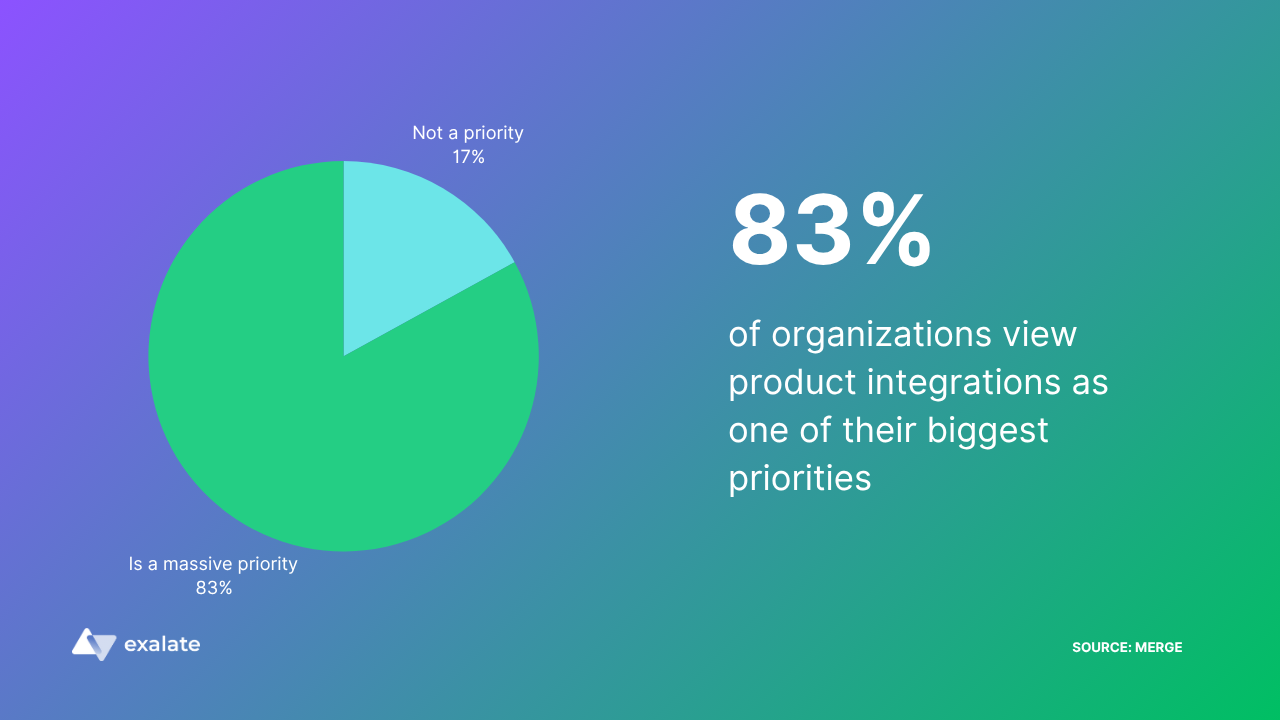





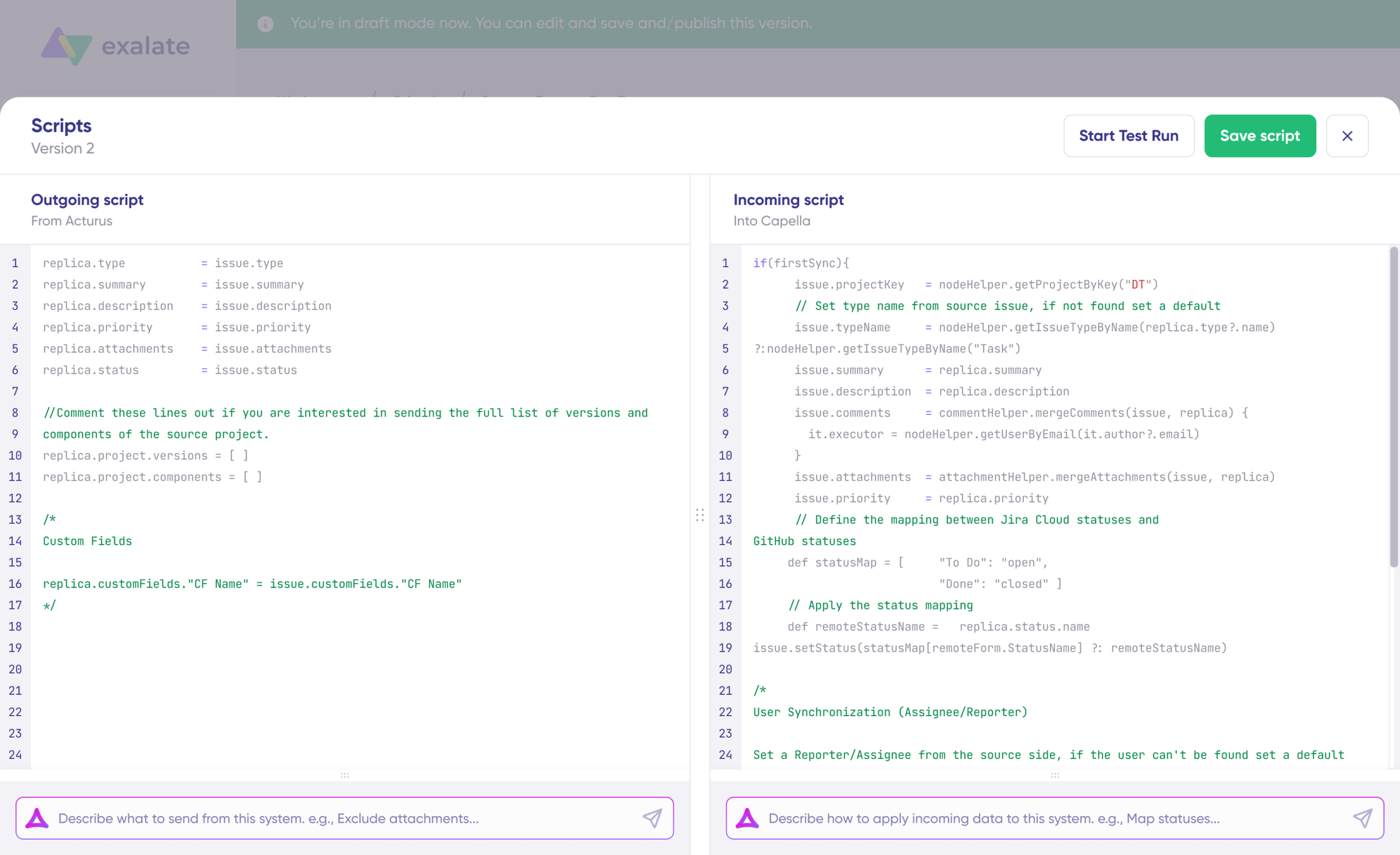
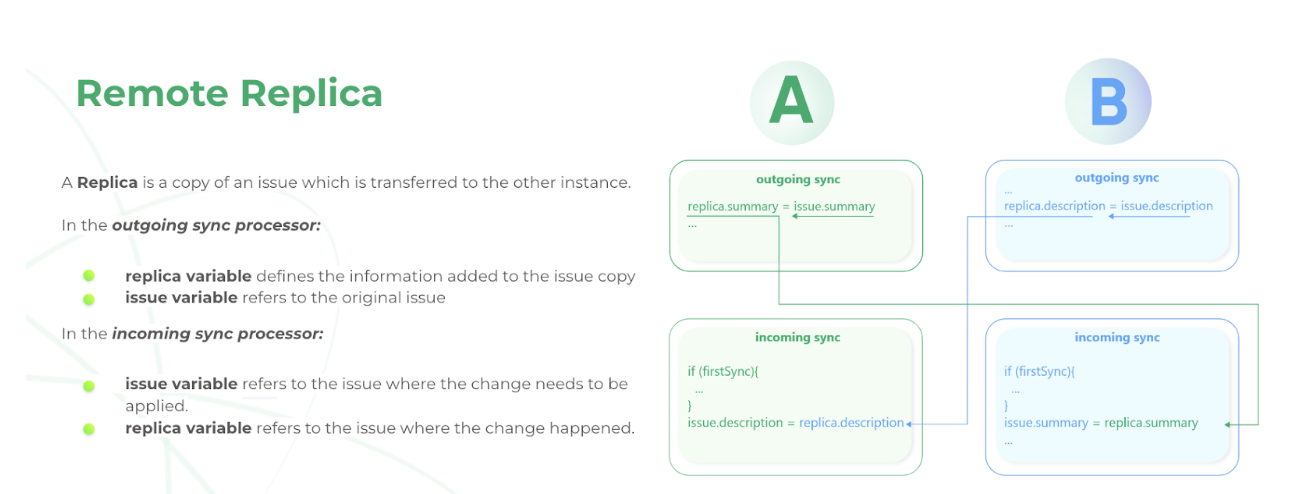
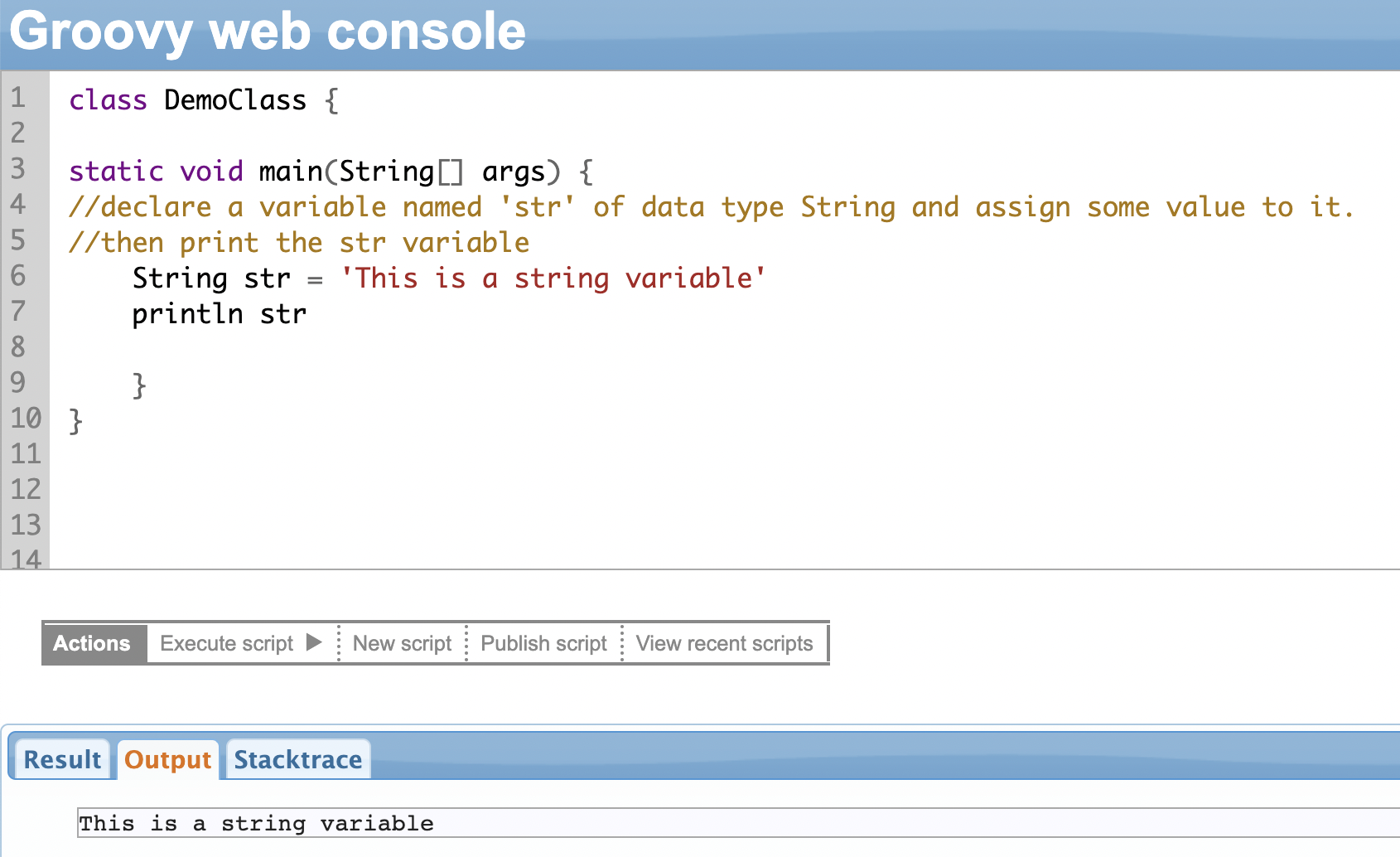
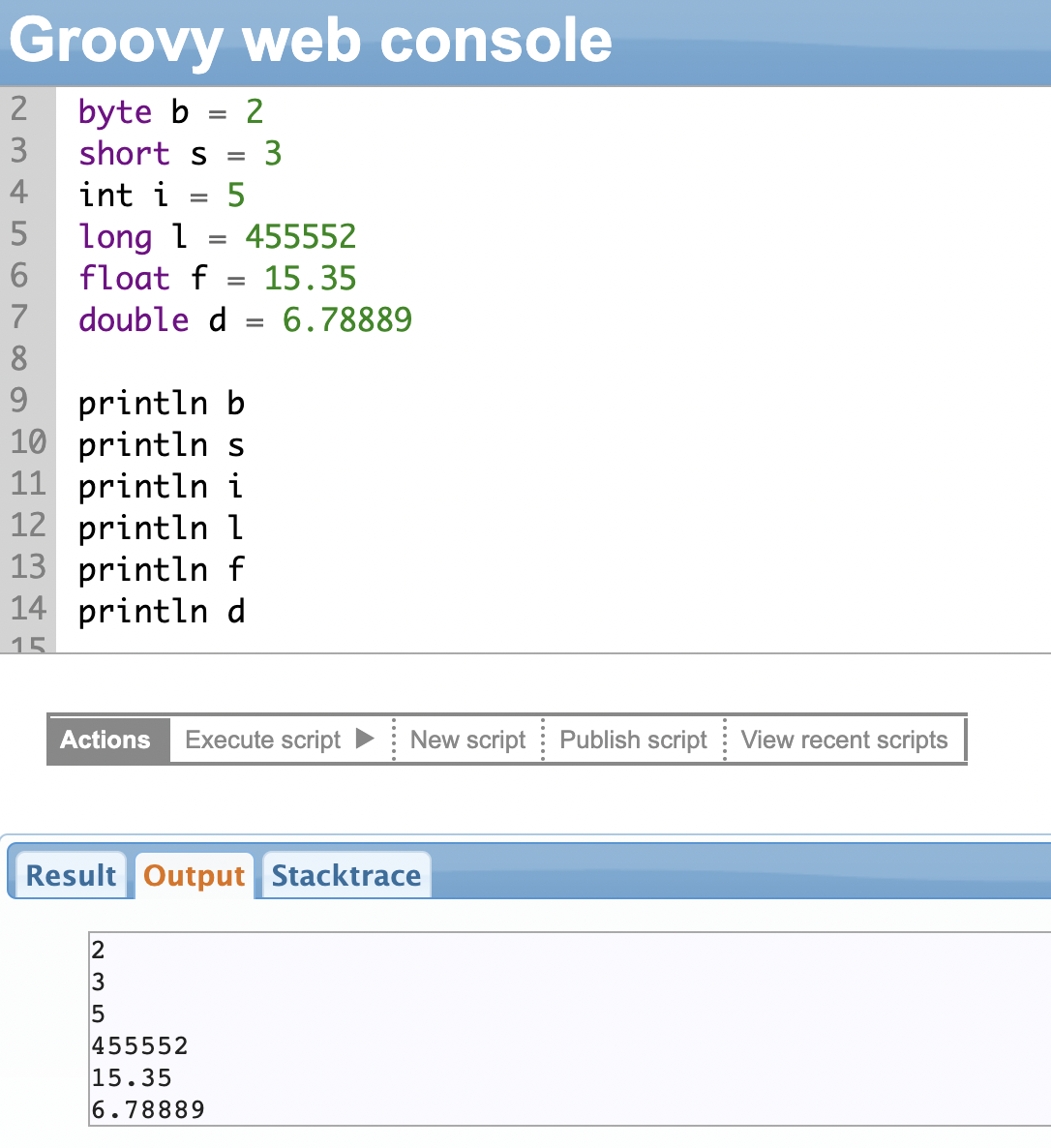




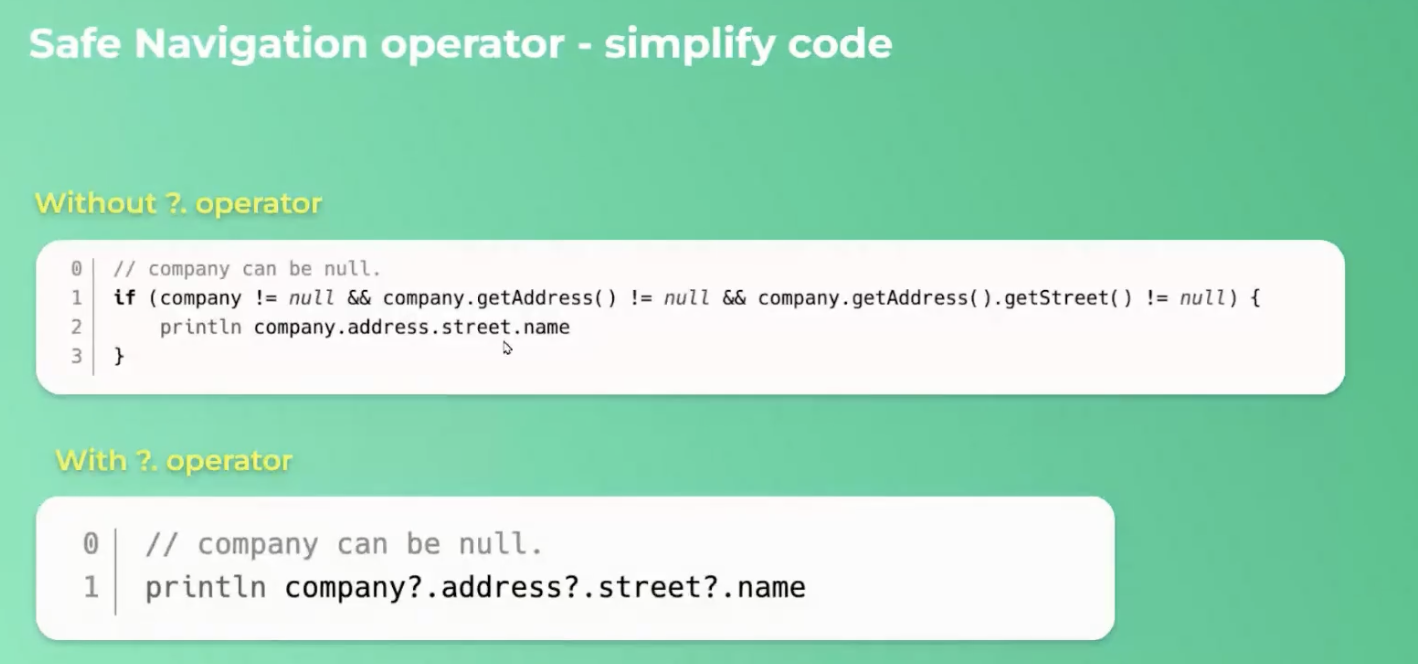

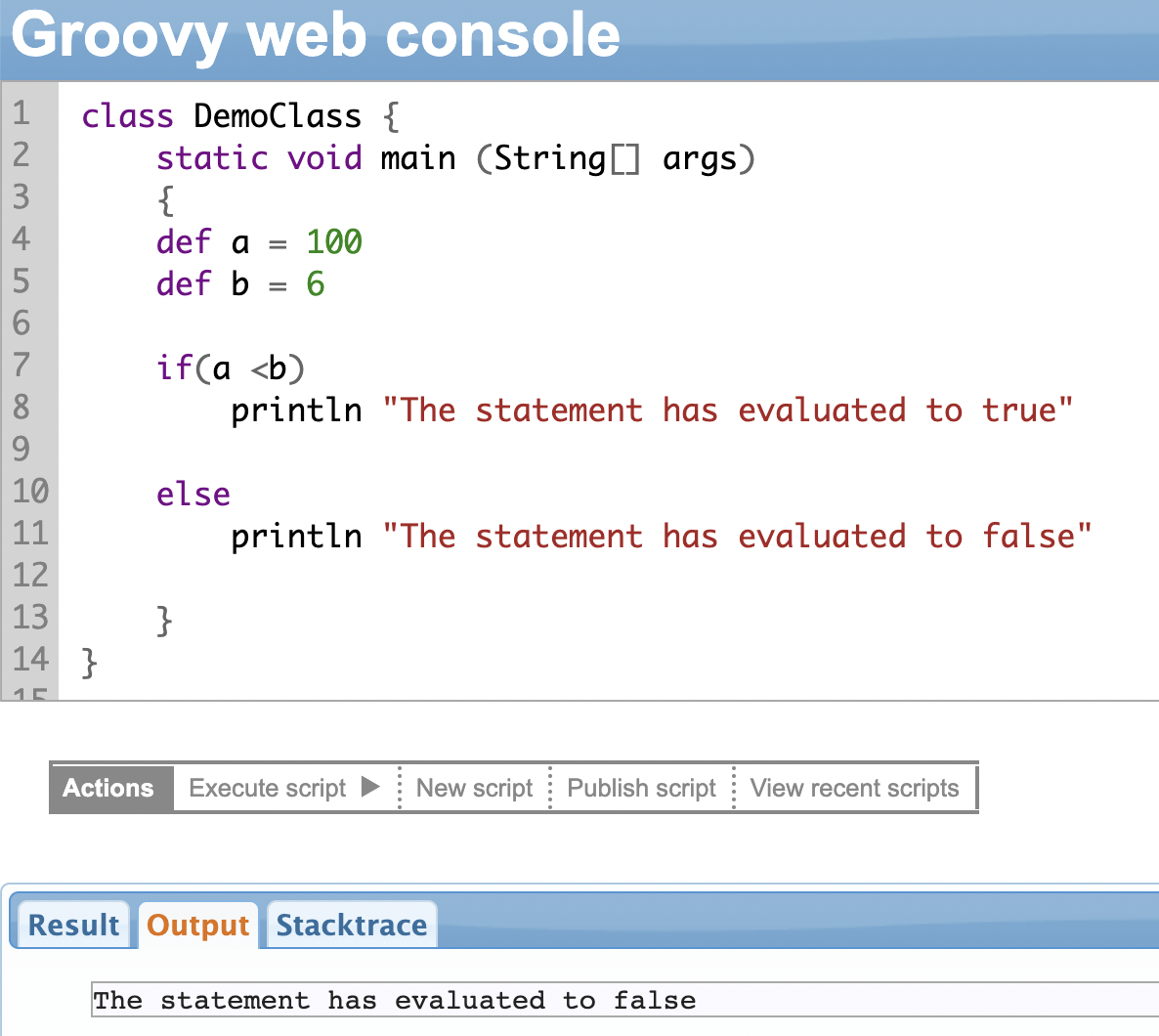
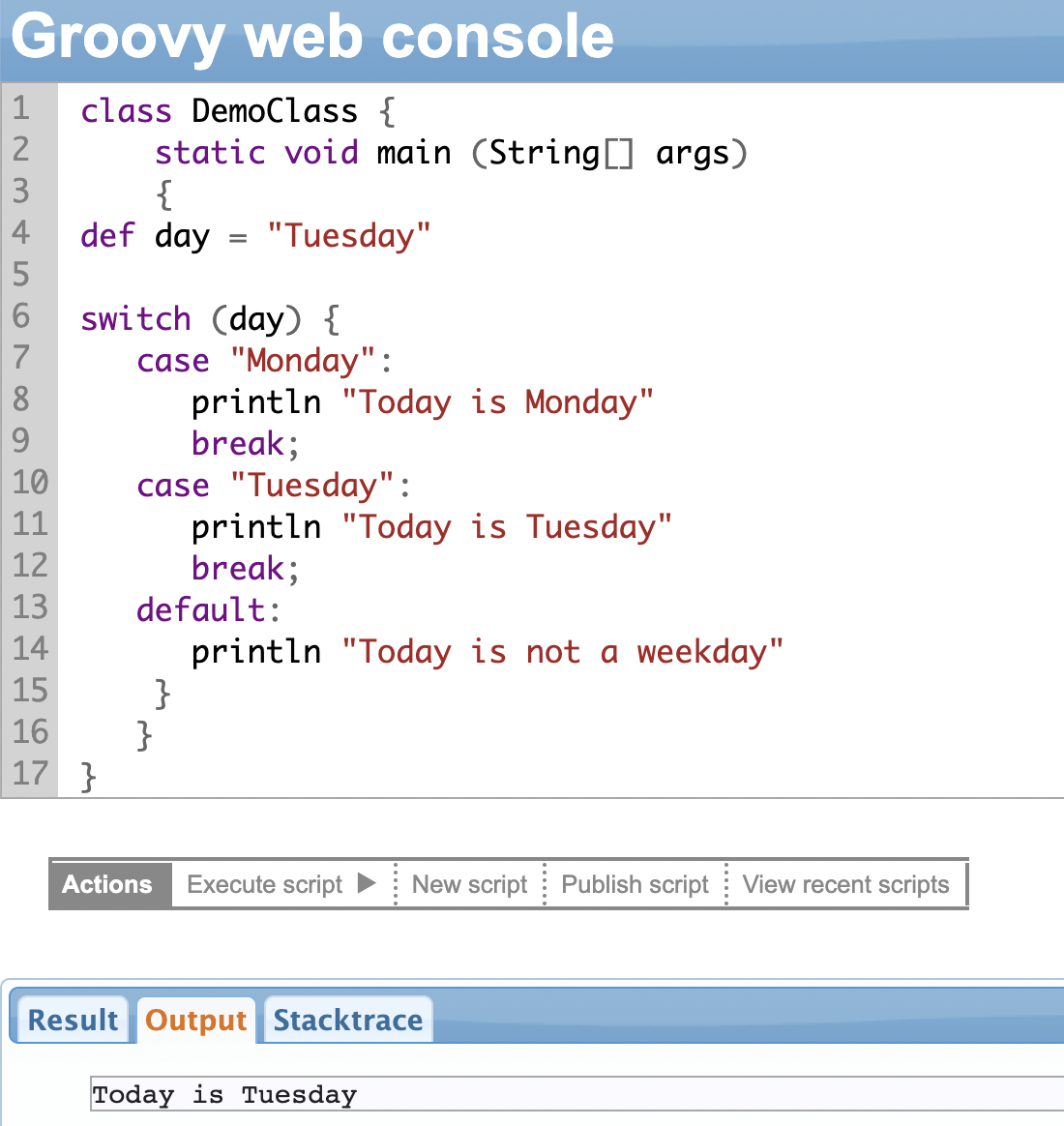
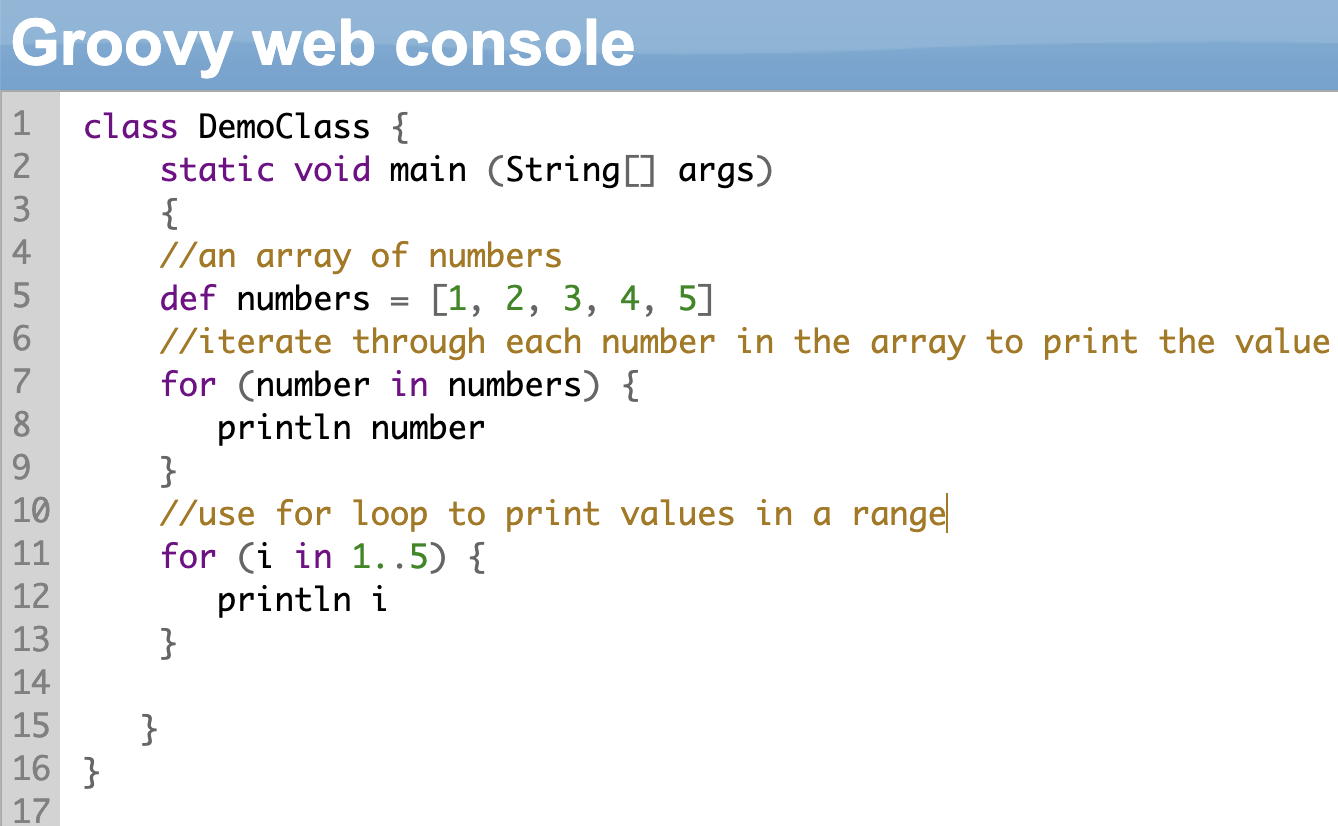



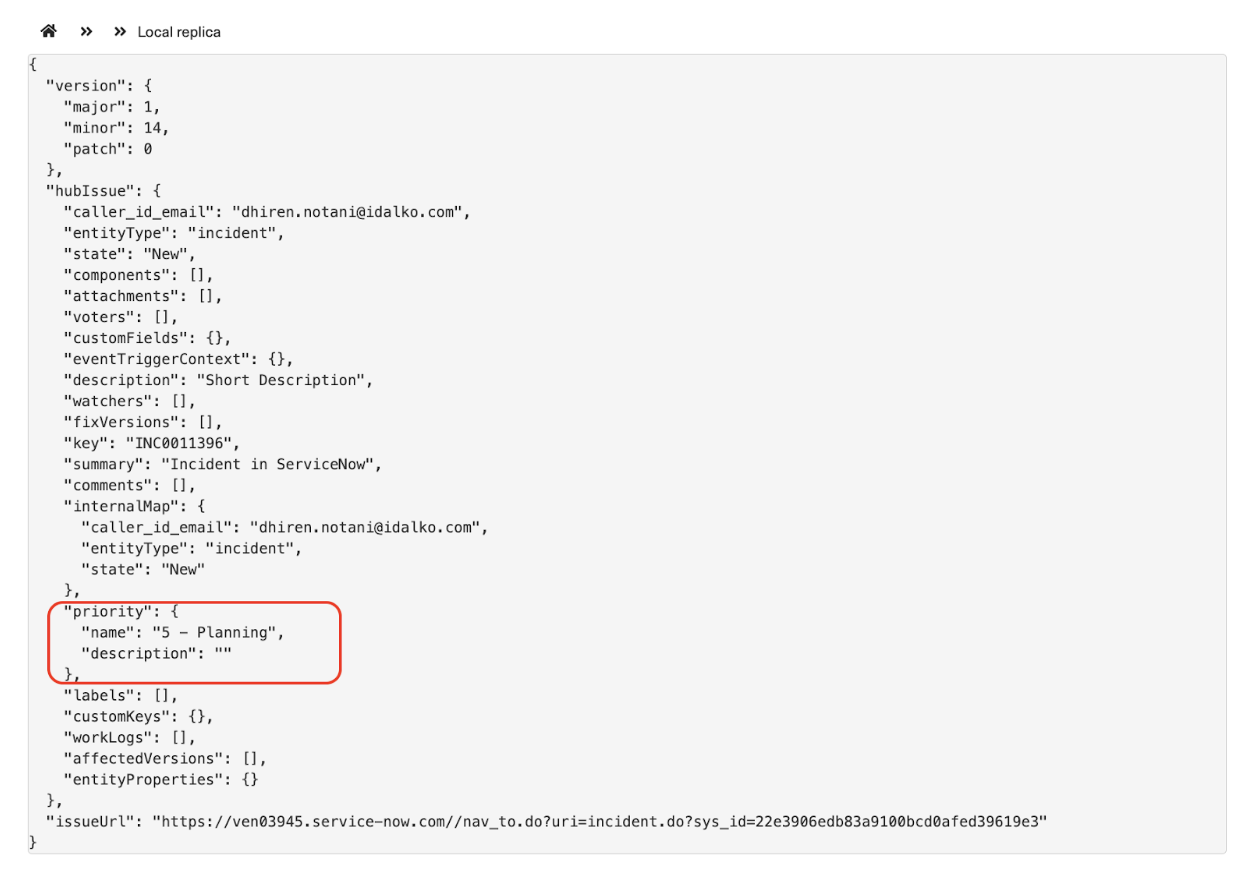
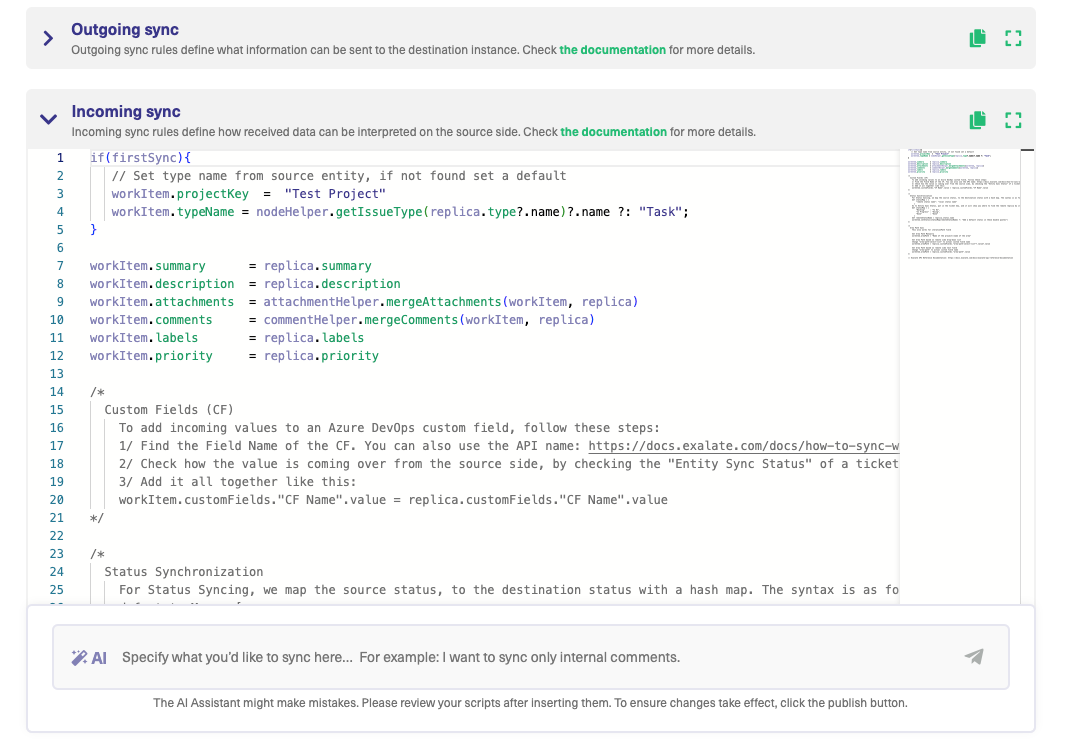
 /)
if (matcher.size() < 1) {
break;
}
def match = matcher[0]
if (match.size() < 2) {
break;
}
def filename = match[2]
def attId = workItem.attachments.find { it.filename?.equals(filename) }?.idStr
if (!attId) {
log.error("""Could not find attachment with name ${filename},
known names: ${replica.attachments.filename},
match: ${replica.attachments.find { it.filename?.equals(filename) }}
""")
str = str.replace(match[0], """
/)
if (matcher.size() < 1) {
break;
}
def match = matcher[0]
if (match.size() < 2) {
break;
}
def filename = match[2]
def attId = workItem.attachments.find { it.filename?.equals(filename) }?.idStr
if (!attId) {
log.error("""Could not find attachment with name ${filename},
known names: ${replica.attachments.filename},
match: ${replica.attachments.find { it.filename?.equals(filename) }}
""")
str = str.replace(match[0], """ """.toString())
} else {
def tmpStr = str.replaceAll(match[0], """
""".toString())
} else {
def tmpStr = str.replaceAll(match[0], """