Your partners, suppliers, vendors, and customers all run their own systems. B2B integration connects those systems so information moves between companies automatically, without emails, spreadsheets, or having to copy ticket updates from one tool into another.
This guide covers how B2B integration works, the key capabilities to look for, and real B2B integration examples by industry. It also compares leading B2B integration platforms and explains how Service Integration and Management (SIAM) fits into a multi-vendor setup.
Key Takeaways
- B2B integration connects business systems (ERP, CRM, ITSM, work management) across company lines so data moves automatically and in near real time.
- EDI laid the groundwork. Modern B2B integration software uses APIs, web services, and cloud platforms, which makes it faster and cheaper to set up.
- B2B integration services range from self-managed platforms to fully managed Integration as a Service, where a provider builds and runs the integration for you.
- Core capabilities include partner connectivity, data mapping and transformation, monitoring and error handling, encryption, and access control over what each side shares.
- Leading B2B integration platforms include MuleSoft, Boomi, Workato, IBM, Jitterbit, and Exalate.
- Concrete benefits include less manual data entry, real-time status visibility, fewer lost tickets, faster resolution, and lower licensing costs for partner seats.
- SIAM gives you a governance model for multi-vendor B2B integration.

What is B2B Integration?
B2B integration (business-to-business integration) is the process of connecting the systems of two or more businesses so they can exchange data and run shared processes automatically.
These organizations could be suppliers, partners, vendors, managed service providers (MSPs), or customers. Each one has its own set of applications and systems: ERP, CRM, SCM, ITSM platforms, and so on.
The problem is that these systems weren’t designed to work with each other because different formats, protocols, technologies, and deployment models get in the way of data sharing. So companies fall back on email threads, phone calls, shared portals, and manual re-entry.
B2B integration removes that manual layer by letting companies exchange business-critical information within and across organizational borders, automatically and in real time.
It also covers automating the business processes that sit on top of those relationships: purchase orders, invoices, shipment updates, incident escalations, and customer support handoffs.
Put simply, B2B integration is a cross-company or cross-platform integration strategy that lets organizations collaborate, communicate, and trade with third parties without manual handoffs.
Example: A software vendor tracks bugs in Jira. Its enterprise customer logs incidents in ServiceNow. With B2B integration, a P1 incident created in the customer’s ServiceNow shows up as a Jira work item on the vendor’s side within seconds, and every status change and comment syncs back.
The Evolution of B2B Technologies
The first B2B integration attempt traces back to EDI (electronic data interchange) in the 1960s.
EDI let businesses exchange files electronically. Instead of mailing paper documents, companies sent them through EDI software in standardized formats, which cut manual processing and human errors.
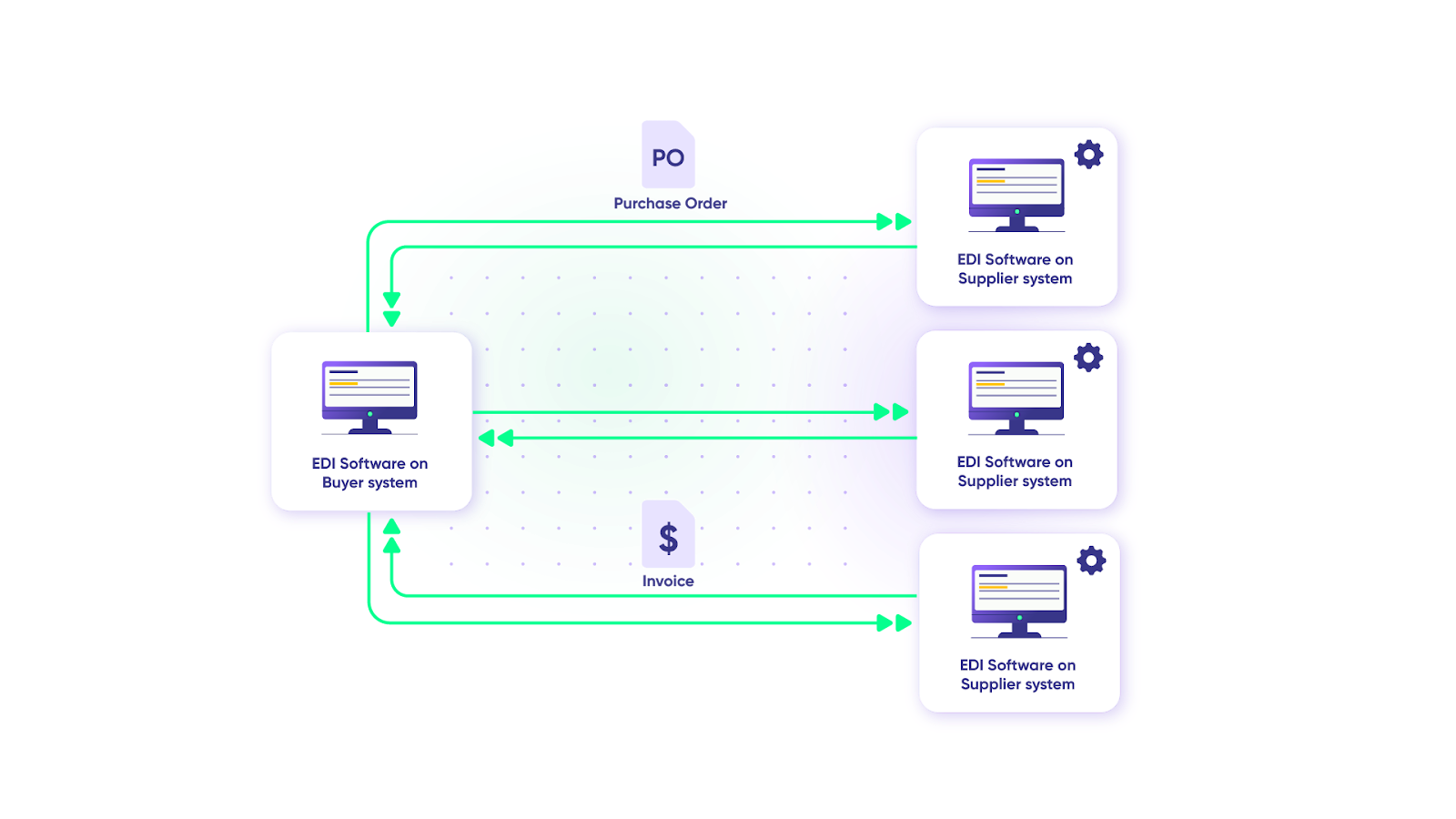
The catch here is that EDI was expensive to implement, and small and medium-sized businesses couldn’t afford it.
The internet’s rise in the 1990s changed that. E-marketplaces and e-hubs became low-cost alternatives, so businesses of all sizes could communicate electronically.
As the internet matured, protocols like HTTP, FTP, and SMTP opened new integration options. XML became the common standard for representing and exchanging structured data, independent of programming language, software platform, or hardware. It eventually became common in EDI exchanges too.
XML also led to web services: methods for integrating programs through standard XML technologies using open interfaces called application programming interfaces (APIs). Web services worked across company intranets, extranets, and the internet, which cut down integration problems between different systems.
Today, B2B integration platforms combine these technologies with AI-assisted configuration, cloud-native architectures, and pre-built connectors. This puts B2B integration within reach of mid-sized companies, too.
How Does B2B Integration Work?
B2B integration pulls information from source systems and transfers or transforms it into target systems. These systems can be internal (within your company) or external (belonging to trading partners, customers, or suppliers).
Most B2B integration runs on one of 3 methods:
- EDI: Structured documents in standard formats (X12, EDIFACT) exchanged over protocols like AS2 or SFTP. Common in retail, manufacturing, logistics, and healthcare.
- APIs: Systems talk directly through REST or SOAP endpoints. This supports real-time, bidirectional exchange and is the default for SaaS tools like Jira, ServiceNow, Zendesk, and Salesforce.
- Hybrid: EDI for document-heavy trading flows, APIs for operational data like tickets, cases, and status updates.
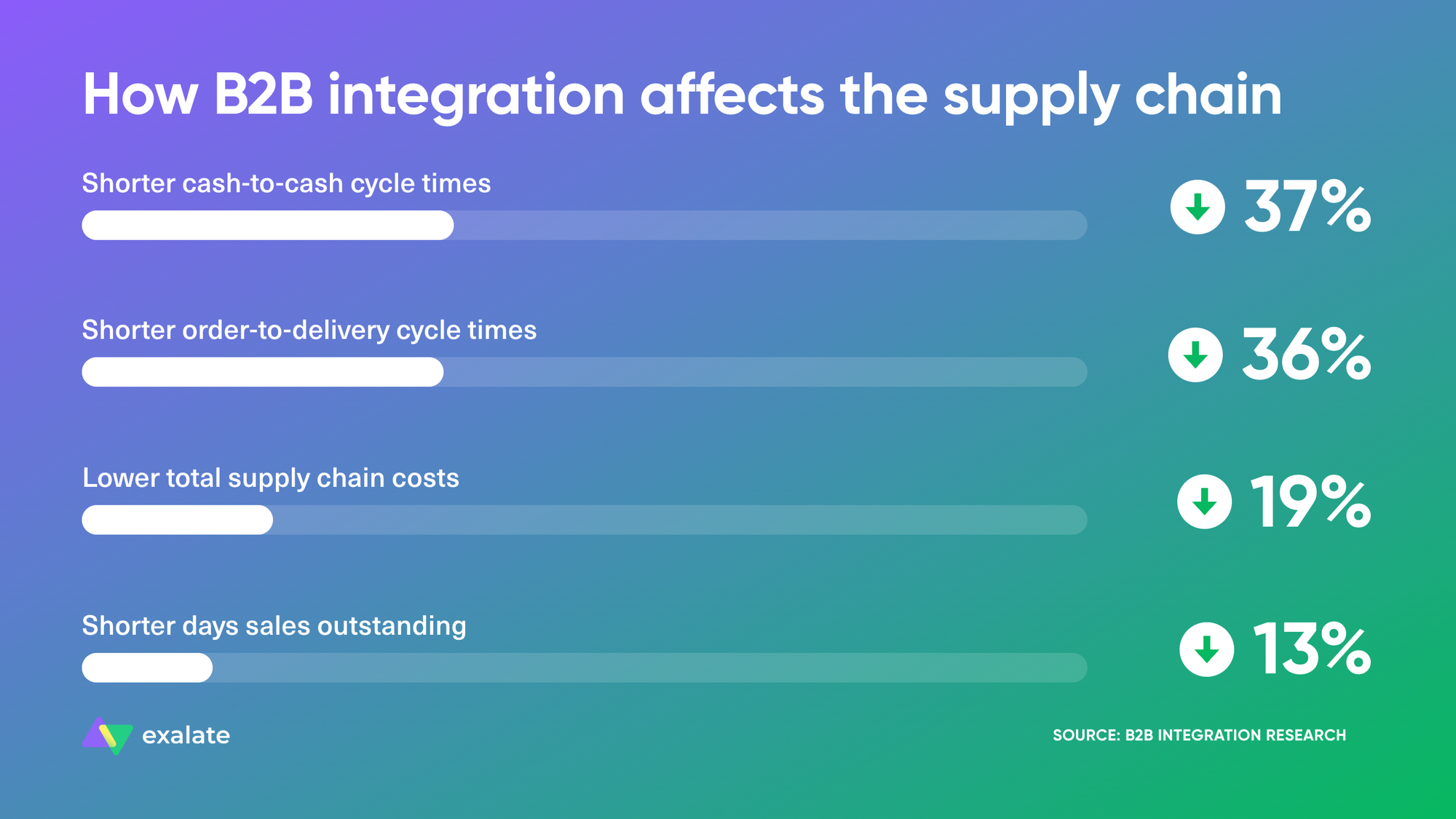
Here’s how the integration process works:
Step 1: Decide Who to Integrate With
Identify which trading partners, suppliers, vendors, or customers you need to integrate with.
This means:
- Identifying the systems or applications these companies use
- Understanding their network layouts and available APIs
- Deciding on communication types (synchronous vs. asynchronous)
- Agreeing on who owns the integration on each side
For synchronous communication (like payment gateways), the sender application waits for a response before proceeding, so communication timeouts become a real consideration.
For asynchronous communication, the sender proceeds without waiting for a response. This works well for simpler transactions like purchase order receipts, where there’s no dependency between systems.
Step 2: Pull Data From The Source System
Extract data from source applications using APIs or web services.
The extraction method depends on the deployment model of the systems you’re integrating. The data might be as simple as customer ticket information or as complex as monthly sales figures.
Step 3: Decide on The Data You Want to Exchange
Choose which documents or records to exchange and their formats, using B2B specifications like EDI, EDIFACT, or custom formats.
Companies often use proprietary formats (like iDoc or flat files), which need conversion to standard formats like CSV, JSON, or XML.
This is also where you decide what stays private. A healthcare provider might sync incident details with a vendor but block any field containing patient data. An MSP might share public comments with a customer while keeping internal notes on its own side.
Step 4: Agree on a Common Transport Protocol
Both parties must agree on the transport medium and messaging protocols (FTP, SFTP, AS2, HTTP, HTTPS, and so on).
Key considerations include:
- File sizes to be transferred
- Whether real-time synchronization is required
- Sensitivity of the business data
- Communication type (synchronous vs. asynchronous)
Security is also important, as you need proper encryption, HTTPS for transfers, and VPN encryption for any unencrypted traffic between systems.
Step 5: Make Sense of The Information in The Target System
Convert incoming data so the target system can read it and feed it into end-to-end business processes.
How the target system interprets the data decides whether the integration works. A “High” priority in Zendesk has to land as the right priority in Jira, and a “Resolved” status in ServiceNow has to trigger the right transition on the other side.
Good signs include better SLA performance, happier customers, faster trading partner onboarding, and quicker business approvals.
What Are B2B Integration Services?
B2B integration services are the tools, platforms, and managed offerings that connect your systems with external partners. They handle the setup, data mapping, transport, monitoring, and maintenance of those connections.
You’ll usually come across 4 delivery models:
- Self-managed B2B integration software. You license a platform, and your team builds and maintains the integrations. MuleSoft, Boomi, and Jitterbit fall in this group.
- Managed B2B integration services (Integration as a Service). A provider designs, builds, runs, and monitors the integration for you. You get the outcome without needing in-house integration engineers.
- EDI and B2B network services. Providers run trading networks that translate and route EDI documents (purchase orders, invoices, shipping notices) between trading partners.
- Consulting and implementation services. Partners and system integrators scope the integration, configure the platform, and hand it over to your team.
Which one fits depends on how many partners you connect with, how often the setup changes, and whether your team has time to maintain integrations.
For example, an MSP that onboards a new customer every month usually gets more value from a managed service than from building each connection itself. Quorum Cyber, a cybersecurity MSSP, chose Exalate’s managed integration-as-a-service offering because it lacked the resources to build its own.
Key Capabilities of B2B Integration
A B2B integration platform needs more than a connector. These are the capabilities that decide whether partner integrations hold up in production:
| Capability | What it does | How Exalate handles it |
| Partner connectivity and protocol support | Connects to partner systems over secure protocols (HTTPS, AS2, SFTP, REST APIs) and onboards new partners | Connects over HTTPS using each platform’s REST API; partners join through a connection invitation |
| Application connectors | Provides adapters for ERP, CRM, ITSM, and work management systems | Connectors for Jira, ServiceNow, Zendesk, Salesforce, Azure DevOps, Freshservice, Freshdesk, GitHub, Asana, and more |
| Data mapping and transformation | Maps fields, statuses, and formats between systems that structure data differently | Field, status, and priority mappings through Groovy scripts, with Aida AI generating scripts from plain-language prompts |
| Bidirectional sync and triggers | Keeps records updated on both sides and starts syncs on defined conditions | Two-way sync of fields, comments, attachments, and statuses; triggers based on queries like JQL |
| Access control and data filtering | Controls what each side sends and how it interprets incoming data | Each side runs its own outgoing and incoming sync rules, so neither company needs admin access to the other’s system |
| Monitoring, tracking, and error handling | Tracks message status, logs errors, and recovers from outages | Dashboard, sync queues, error reporting, and automatic retry once a system comes back online |
| Encryption and security | Protects data in transit and at rest | Encrypted traffic, ISO 27001 certification, documentation on the Trust Center |
| Data validation | Applies business rules to catch bad or sensitive data before it leaves | Script-level rules that block or transform specific fields (for example, removing PII before a sync) |
| Compliance and audit support | Keeps a record of what moved, when, and between whom | Sync history per entity and per connection |
If you’re comparing B2B integration tools, use this table as a checklist. Platforms built for EDI documents tend to excel at protocols and translation. Platforms built for operational sync are strong on bidirectional updates, comments, and per-side control.
Types of B2B Integration
B2B integration types often overlap because they share underlying components and features.
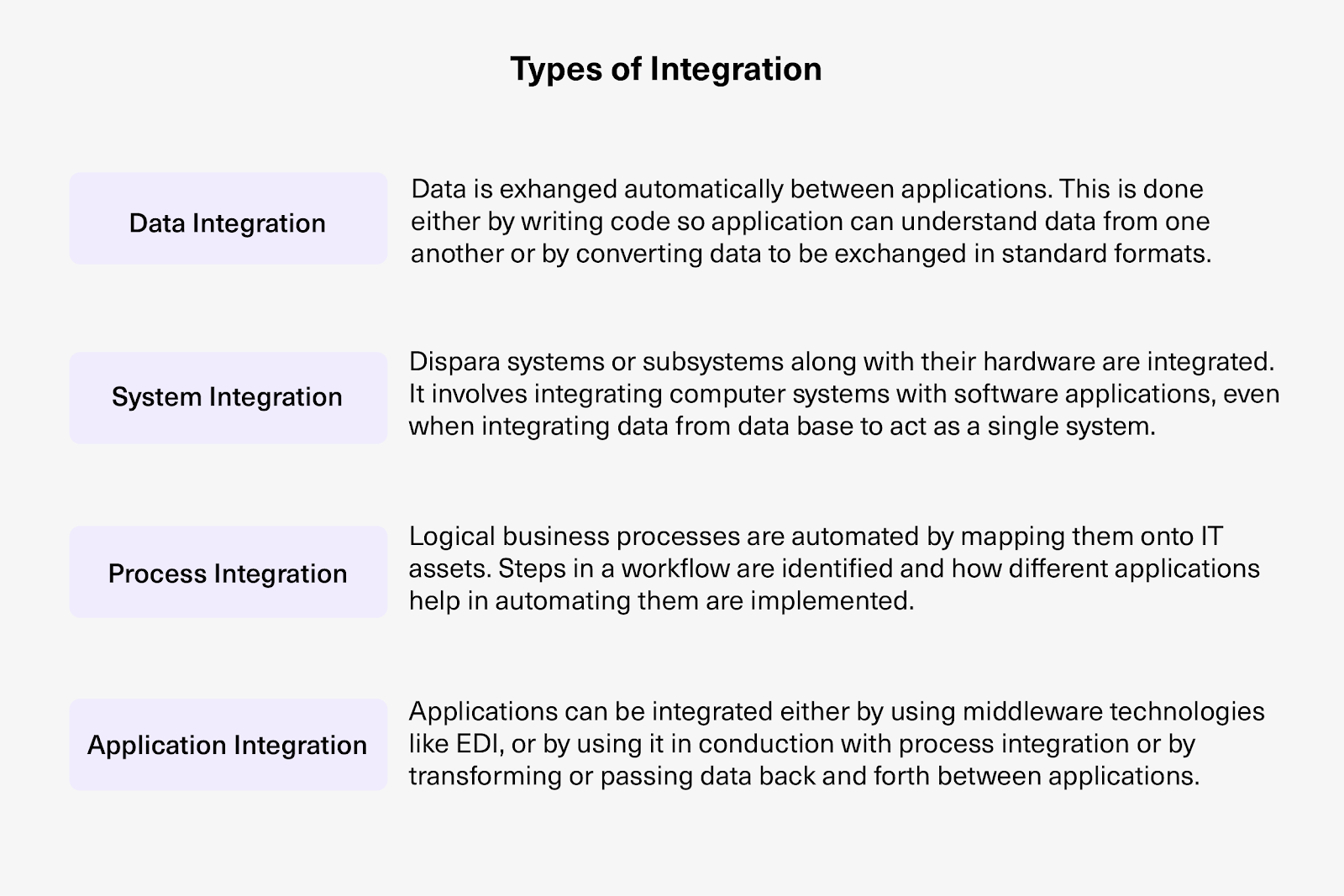
Data Integration
Different applications in a B2B setup can’t read each other’s data natively, so you need something as an intermediary.
Salesforce data integration tools, for instance, connect Salesforce with other applications for transactions like order-to-cash, quote generation, and status updates.
Two approaches exist:
- Custom code with transformers that interpret data between applications
- Standardized formats (like XML or JSON) that every application can read
System Integration
System integration connects computer systems with software applications and databases.
The goal is to make different components work as a single system. Organizations do this to run business tasks without handoffs between disconnected teams.
Process Integration
Process integration automates business processes by mapping them onto IT assets.
You identify the workflow steps, then configure applications to automate them. The result is faster delivery of goods or services with fewer manual errors.
Application Integration (Enterprise Application Integration)
Companies and their trading partners use CRM, ERP, and ITSM systems (on-premise or cloud) that weren’t designed to communicate with each other.
Enterprise application integration (EAI) presents different applications as a single application with a common UI.
Implementation approaches include:
- Middleware for collecting data from web pages or UIs
- Point-to-point integrations
- APIs and web services
Integrating applications gives you a unified view of business-critical processes and data, which helps with use cases like dispute resolution and trading partner onboarding.
Cross-Company Integration
Cross-company integration is a form of application integration focused on connecting different applications (work management systems, CRM, ITSM tools) across company lines to exchange business-critical information.
This exchange is bidirectional, real-time, and automatic.
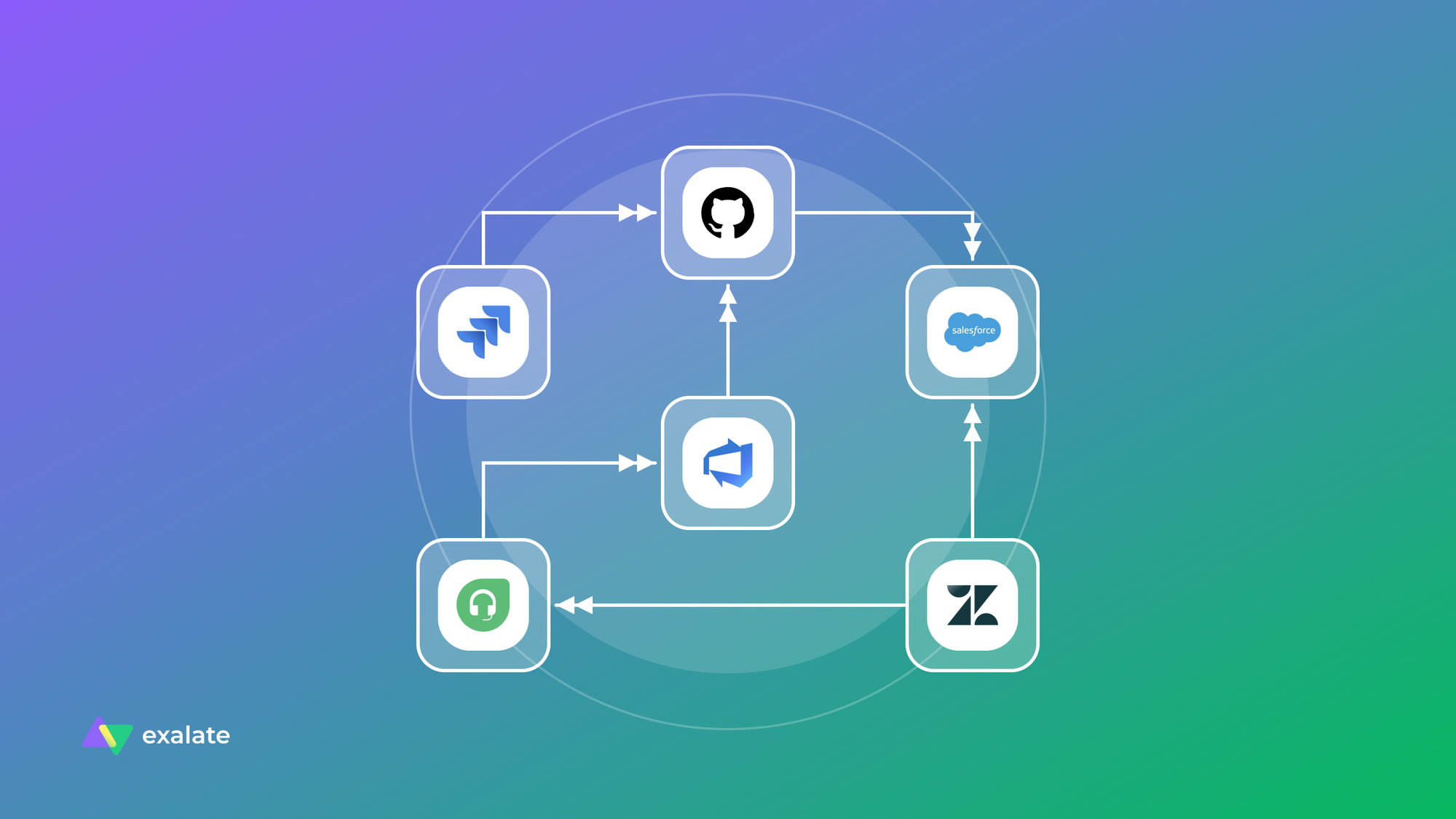
Exalate, for example, is a cross-company integration solution that syncs data bidirectionally between Jira, ServiceNow, Azure DevOps (Cloud and Server), Zendesk, Salesforce, Freshservice, Freshdesk, Asana, GitHub, and more.
The right integration type depends on your use case. Different businesses have different demands and processes, so choosing one type or a combination requires input from industry experts based on your specific needs.
What are the Connection Models for B2B Integration?
Systems can connect using different connection models depending on complexity and scale requirements.
Point-to-Point Connection
Point-to-point is a direct, individual connection between 2 systems. It fits companies without complex business logic.
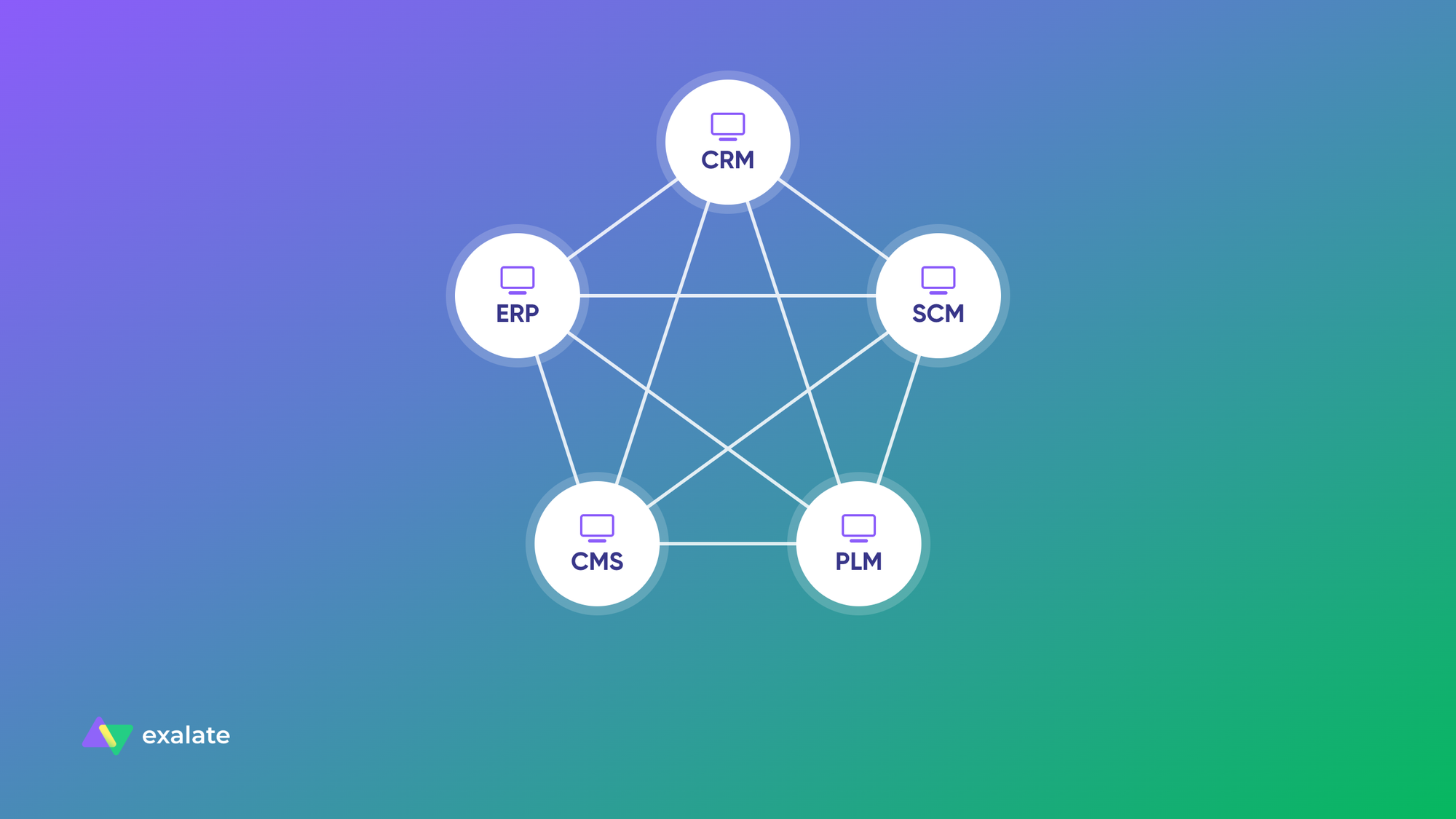
Point-to-point integration is traditionally EDI-based: data is extracted from one system, converted into another format, and sent to the target system.
It’s simple to adopt. But the systems are tightly coupled, so scaling gets hard, and too many point-to-point connections turn into a tangle that nobody wants to maintain.
One-to-Many Connection
This multi-platform integration format uses a central entity (often an ESB, or Enterprise Service Bus) as a common interface layer connecting subsystems.
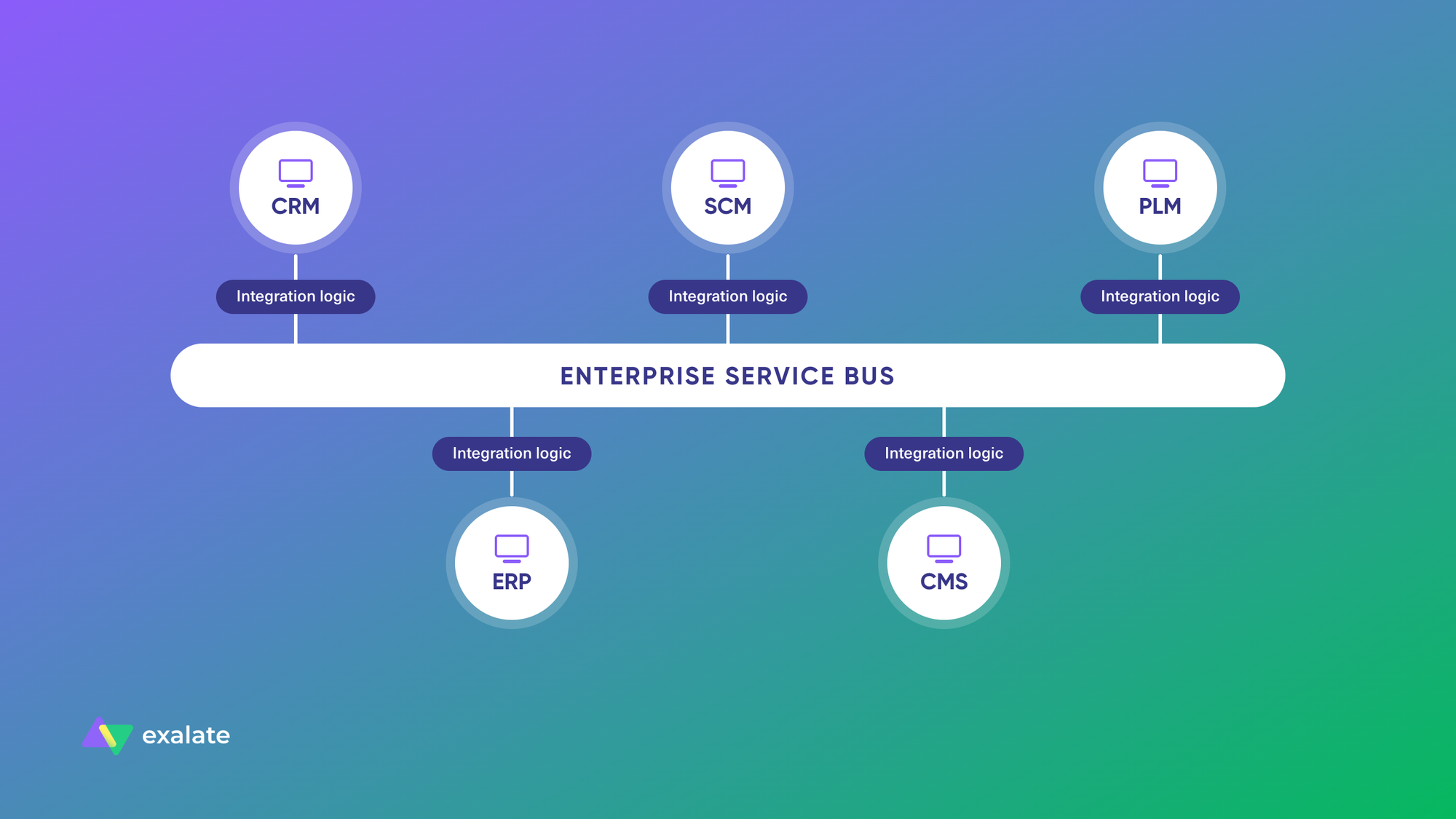
The ESB is middleware that routes messages between multiple subsystems. This model handles complex internal systems for large companies and works well in cloud environments.
The main advantage is that you can replace the ESB or middleware without affecting the other subsystems.
Ideagen, a GRC (governance, risk, and compliance) company, used Exalate to connect with multiple businesses and partners, increasing efficiency by automating the handover process between support and development.
Hub and Spoke Connection
A central hub is the message broker that every request passes through. The hub’s integration engine translates messages for its spokes (subsystems) so they can communicate.
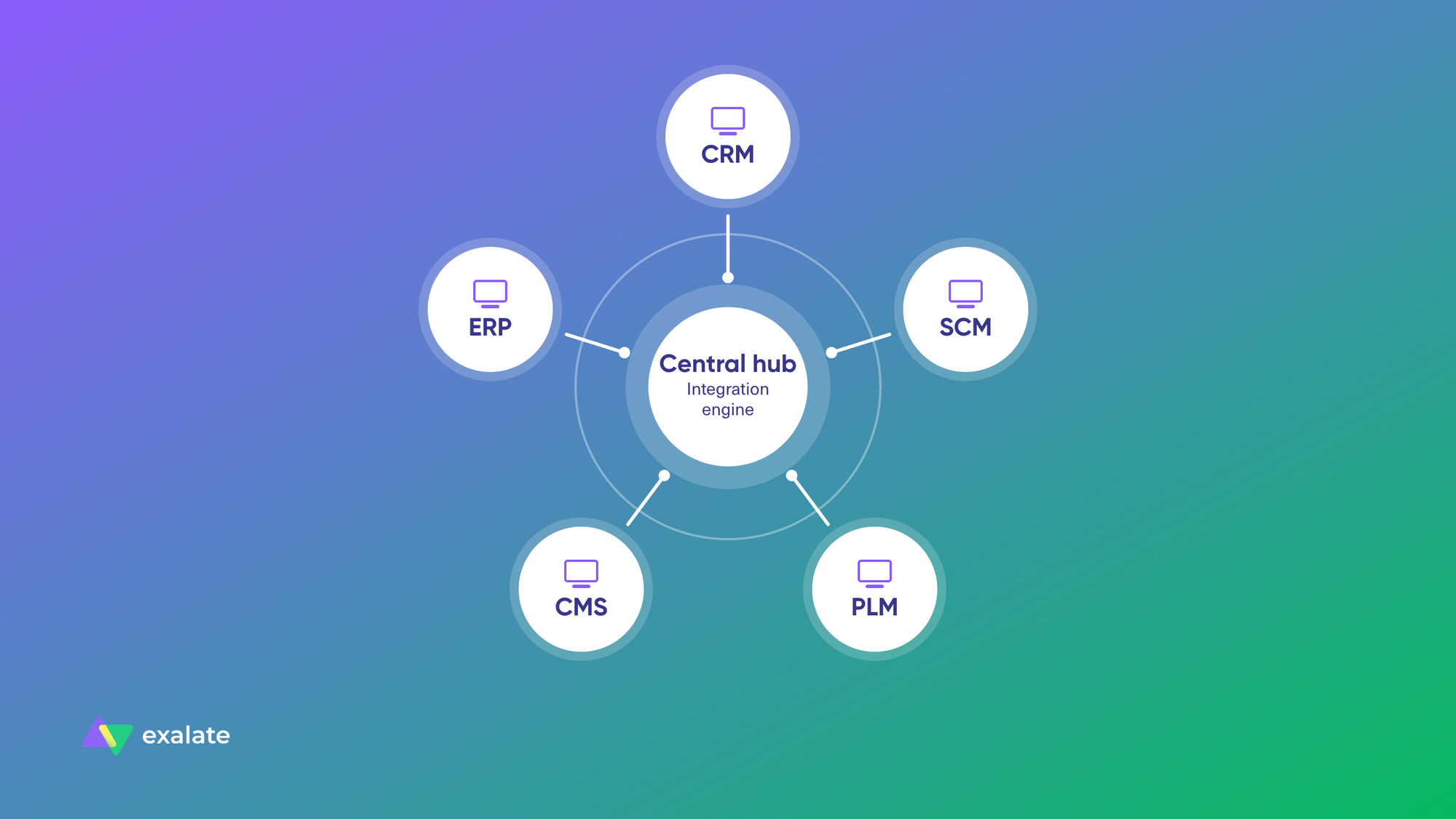
You can add spokes without disturbing the architecture. The downside is an extra hop, which adds latency. This model is common in e-commerce and financial services.
iPaaS (Integration Platform as a Service)
iPaaS, or integration-as-a-service, is a set of cloud-based integration solutions for building and deploying integrations. You can integrate systems, data, and processes as an all-inclusive package accessible through common interfaces.
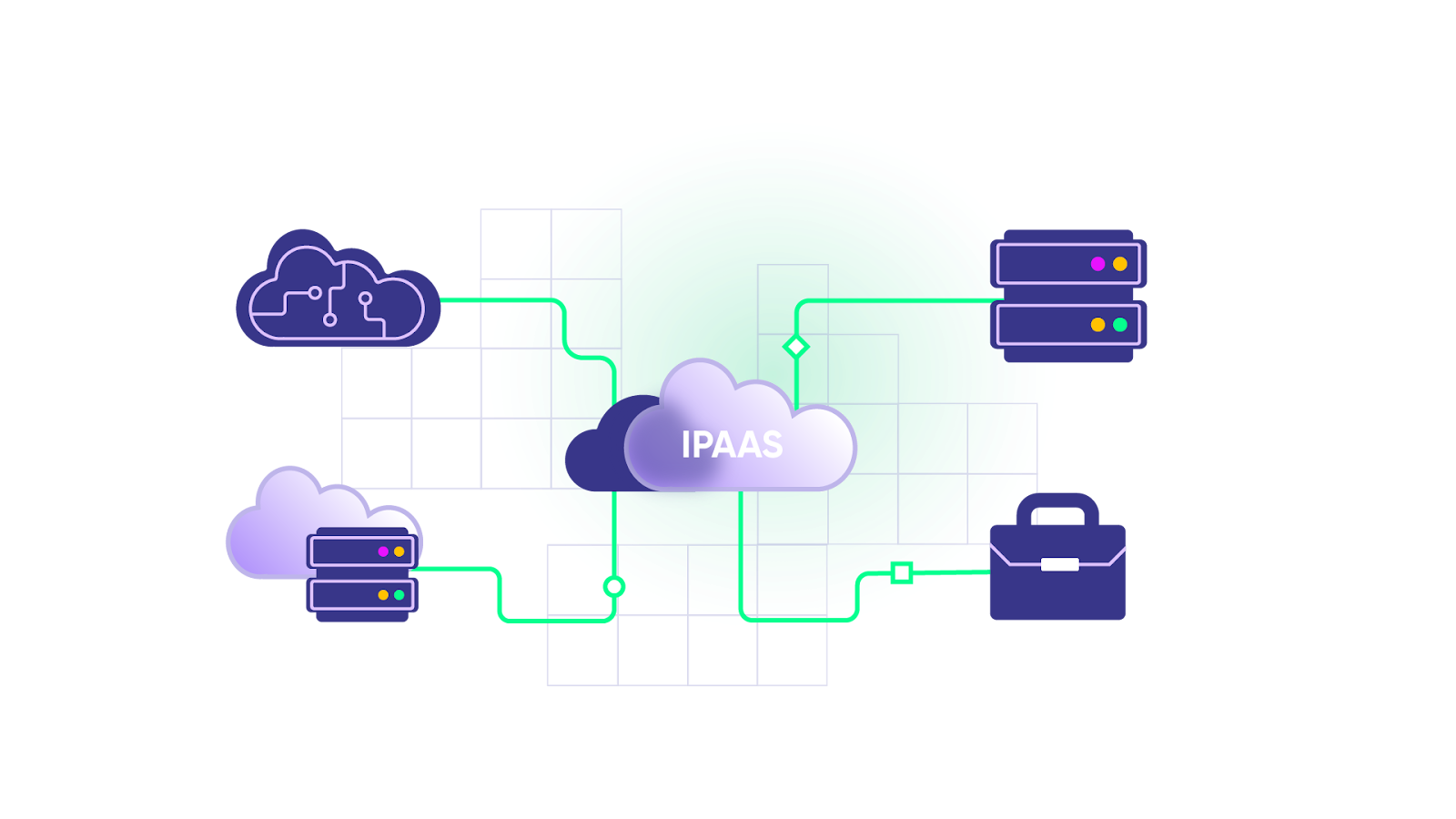
iPaaS gives you pre-built connectors that let applications communicate regardless of where they’re hosted (on-premise or cloud).
Hybrid Integration Platform (HIP)
HIP is a broader version of iPaaS. It lets cloud (public or private) and on-premise systems integrate and work as a single unit.
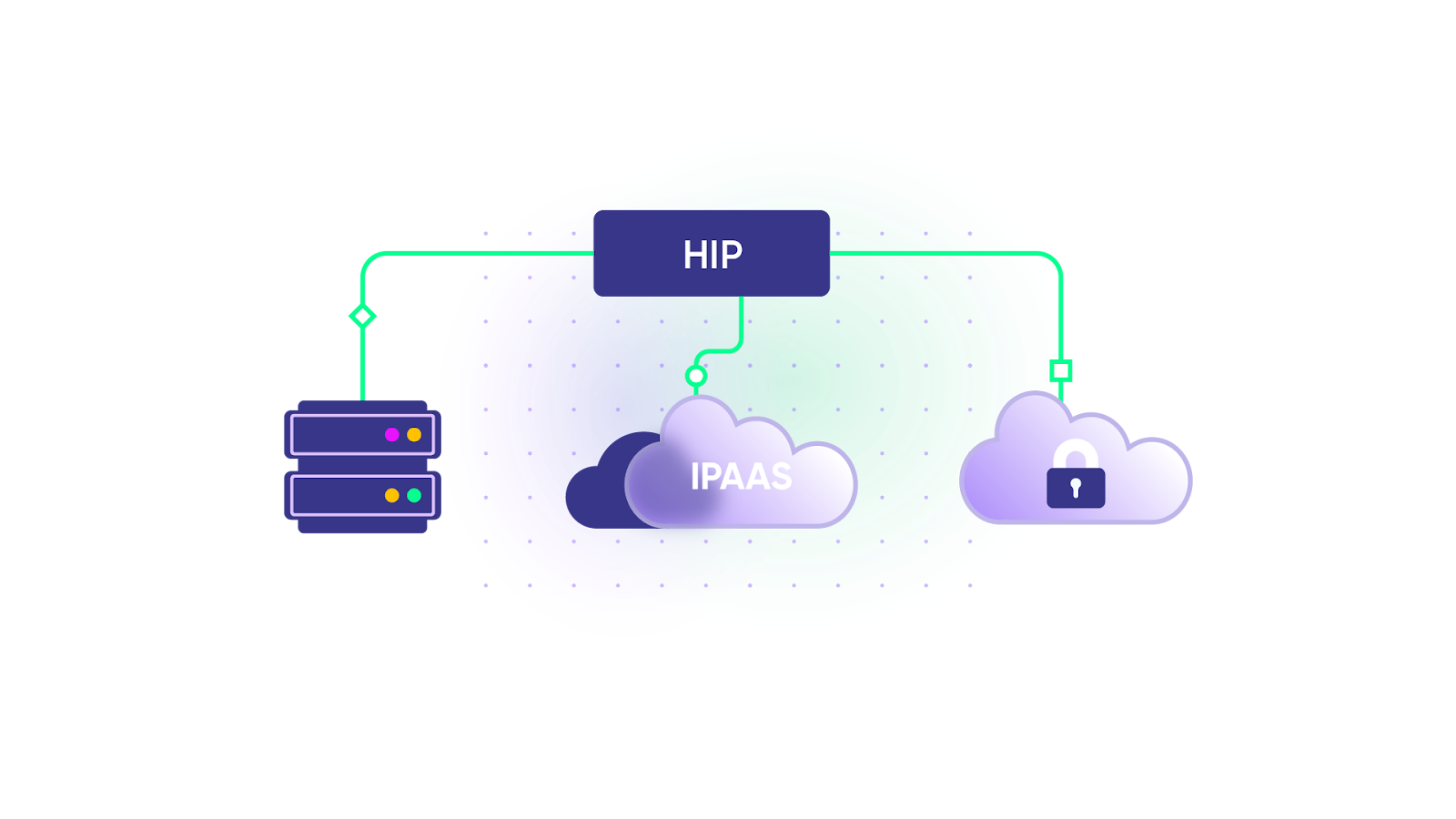
HIPs have 2 basic components:
- Protocol connectors for handling protocols (HTTP, TCP, and so on)
- Data transformers for handling data formats (XML, JSON, and so on)
Exalate overlaps with both HIP and iPaaS. It integrates work management systems so information flows bidirectionally, whether the systems sit in the cloud or on-premise.
Benefits of B2B Integration
Here’s what B2B integration delivers in practice:
- Less manual data entry. Before introducing Exalate, Nevaris copied almost 30 tickets a day manually between Jira and Azure DevOps. After setting up their integration with Exalate, nobody copies ticket details, order numbers, or status updates between systems.
- Real-time visibility across companies. Both sides see the same status, comments, and attachments as soon as they change. Your customer doesn’t have to email for an update, and your team doesn’t have to log into the customer’s portal to check.
- Fewer errors and missed tickets. Automated sync removes the copy-paste mistakes and dropped emails that come with manual handoffs. SPK and Associates eliminated missed tickets with its client, and each engineer saved 5 hours a week on that account.
- Faster resolution and better SLA performance. Escalations reach the right team without waiting in an inbox. SPK reports a 25–40% reduction in time to resolution and a 20–30% improvement in SLA compliance across its client integrations.
- Lower licensing costs. Partners keep working in their own tools, so you don’t buy seats in your system for external developers or vendor agents. LF Logistics reduced its ServiceNow licenses by syncing with Jira instead of moving users across.
- Faster partner and customer onboarding. Reusable sync templates let you connect a new partner without starting from scratch. NVISO creates customer tickets from a platform-specific template it reuses for each new customer, resulting in 20–50% faster client onboarding.
- More control over shared data. Each company decides what leaves its system and how it handles incoming data. Turkiye Sigorta now decides which tickets stay internal and which go to its software supplier.
- Compliance and governance support. Modern B2B integration tools keep data encrypted, filter out sensitive fields, and keep a record of what moved. Managers and stakeholders can track, report, and monitor information flow across partners.
- Less engineering maintenance. A dedicated platform handles API changes, retries, and error queues. Your engineers don’t spend their time maintaining a homegrown connector after every vendor update.
- More partner connections without more overhead. Once the first connection works, adding the next partner is mostly configuration. Quorum Cyber went from a couple of external syncs to around 100 per month, and 60% more of its customers now want service desk integration.

Calculate time and money savings from automated bidirectional sync.
How Companies Handle B2B Integrations
Companies take different approaches to B2B integration. The choice usually comes down to where your team stands on building or buying the integration.
Build it In-House
This is the obvious route, but building integration solutions takes deep technical expertise, resources, time, and budget.
Custom builds work for simple one-way flows. Bidirectional sync with conflict handling, error queues, and custom field mapping takes months to build and years to maintain, and that maintenance pulls engineers away from core product work.
Peer-to-Peer Connections
A simpler approach is to set up point-to-point connections with specific suppliers or trading partners.
It’s simple and cheap upfront. But as partners and applications multiply, maintenance gets painful.
Using Native App Integrations
Many apps ship with native integrations. Marketing automation tools usually connect directly with Salesforce, and ServiceNow integrations include IntegrationHub spokes.
But native integrations tend to be static, with little room for customization, and they’re usually built to connect tools inside one company’s instance, so syncing with an external partner’s system takes extra work.
Integration Solution Providers
The other route is to use integration solution providers that deliver purpose-built B2B integration software. These platforms digitize information and route it through your partner network.
B2B integration platforms connect critical business workflows across partner, supplier, and vendor systems through a single gateway. They extract information from source applications, convert it into the right format, and send it to destination applications using the right transport protocols.
You can also outsource the whole integration to these providers if you’d rather not manage it yourself.
What is a B2B Integration Platform?
A B2B integration platform is software that connects your systems to those of external partners, suppliers, and customers through one central layer. It handles connectivity, data mapping, transport, security, and monitoring, so you don’t have to build and maintain each partner connection manually.
Most B2B integration platforms fall into these groups:
- Enterprise iPaaS with B2B/EDI modules. Built for large IT teams that run API programs and EDI trading networks. MuleSoft (Anypoint Partner Manager), Boomi (B2B/EDI Management), and IBM fall here.
- Automation-first platforms. Built for business and IT teams automating workflows across SaaS apps, with EDI added through add-on tools or partners. Workato fits here.
- Cross-company sync platforms. Built for keeping operational records (tickets, incidents, work items, cases) in sync between companies that each keep their own tools. Exalate fits here.
The right group depends on what you exchange. If you trade purchase orders and invoices with hundreds of suppliers, you need EDI translation. If you escalate incidents between your service desk and a vendor’s dev team, you need bidirectional ticket sync with per-side control.
B2B Integration Platforms Compared
Here’s a breakdown of the B2B integration platforms, followed by a side-by-side comparison table.
Exalate
Exalate is a cross-company integration platform that keeps tickets, incidents, work items, and cases in bidirectional sync between companies that use different tools. Each company runs its own side of the connection and controls what it shares, so neither side needs access to the other’s system.
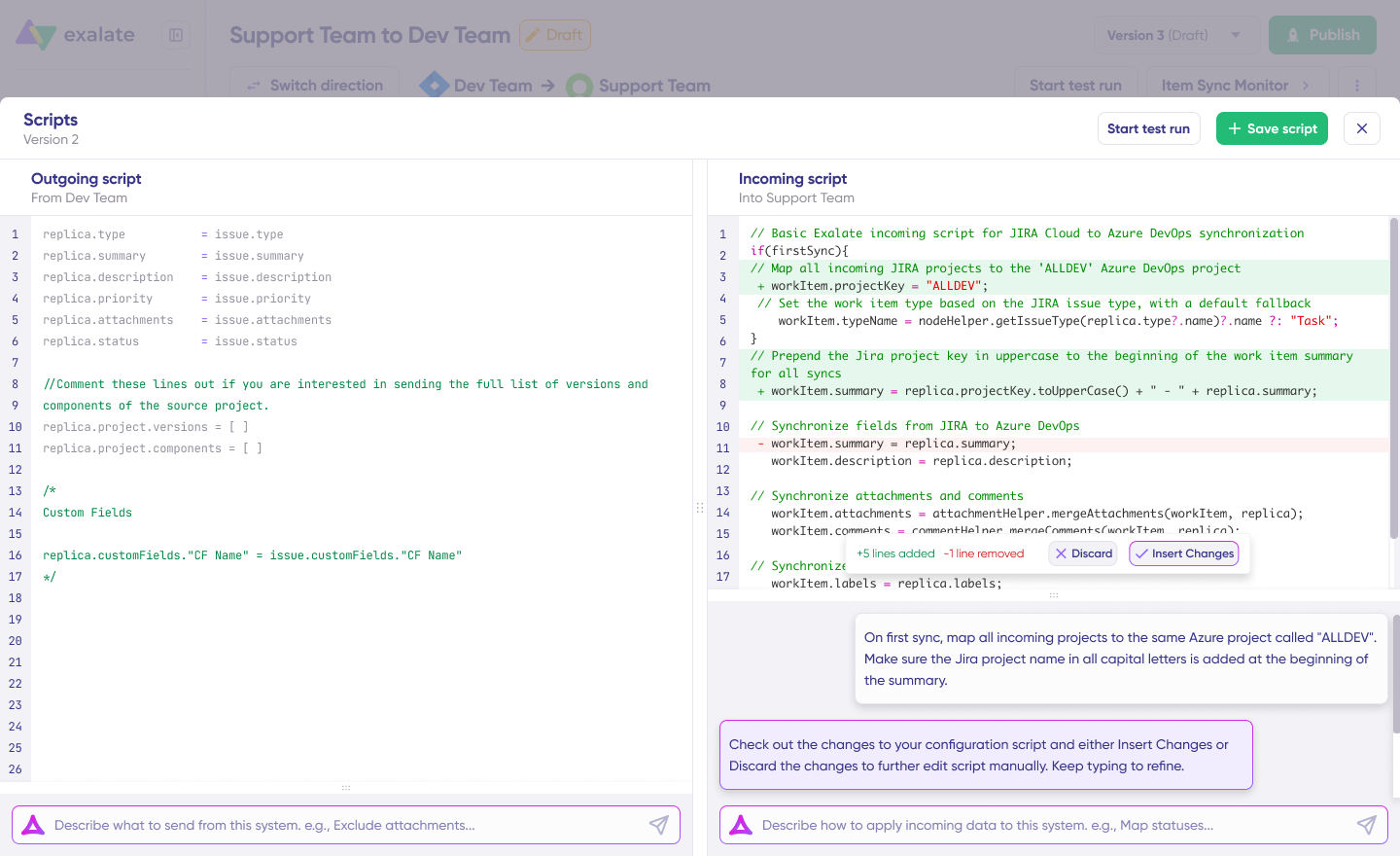
Best for: MSPs, MSSPs, software vendors, and enterprises that collaborate with partners, vendors, or customers across ITSM, development, and CRM tools.
Features:
- Real-time, bidirectional sync of fields, comments, attachments, statuses, and custom fields
- Connectors for Jira, ServiceNow, Zendesk, Salesforce, Azure DevOps (Cloud and Server), Freshservice, Freshdesk, GitHub, Asana, and more
- Groovy-based scripting for complex mappings, such as status transitions, priority matrices, and custom field logic
- Aida, Exalate’s AI-assisted configuration, which generates sync scripts from plain-language prompts
- Script versioning, so you keep a history of sync script changes and can roll back to an earlier version
- Test Run, which lets you test script changes on sample entities before they go live
- Bulk Sync for syncing existing tickets or work items in one go, instead of one by one
- Dashboard with an overview of your connections, sync activity, and errors
- Sync panel inside the ticket or work item view that shows the sync status of that entity
- Aida AI error handling with an error queue, error details, and retries, plus sync queues that apply changes in order after an outage
- Separate outgoing and incoming sync rules on each side, so you can filter out PII or internal notes
MuleSoft
MuleSoft’s Anypoint Platform, owned by Salesforce, is an API-led integration platform for designing, building, and governing APIs and integrations. B2B partner connections run through Anypoint Partner Manager.
Best for: Large enterprises with dedicated integration teams and an API-first strategy.
Features:
- API design, publishing, and lifecycle management in one platform
- Anypoint Partner Manager for trading partner onboarding and B2B message tracking
- DataWeave language for data transformation
- Large library of pre-built connectors and templates through Anypoint Exchange
- Deployment in the cloud, on-premise, or hybrid
Boomi
Boomi is a low-code iPaaS known for connecting cloud apps with on-premise and legacy systems. Its B2B/EDI Management module handles trading partner connections.
Best for: Companies with hybrid environments that have engineers available to build and maintain integrations.
Features:
- Drag-and-drop integration builder
- Hybrid runtimes that run integrations in the cloud or on your own servers
- B2B/EDI Management for trading partner setup and document exchange
- API management and master data management modules
- AI agent tooling for building and running automations
Workato
Workato is an automation platform that connects SaaS apps through “recipes,” which are trigger-and-action workflows. It handles B2B data exchange through its EDI tools and partner add-ons.
Best for: Business and IT teams automating cross-app workflows, like lead routing, employee onboarding, or order processing.
Features:
- Recipe-based workflow builder with a large connector library
- EDI tools for partner document exchange
- Workflow apps and chat-based bots for Slack and Microsoft Teams
- AI agents for automating multi-step tasks
- Governance controls for IT teams
IBM (Sterling B2B Integrator and webMethods)
IBM covers B2B integration through Sterling B2B Integrator, which runs high-volume trading partner networks, and webMethods, which adds API management and application integration.
Best for: Large enterprises in retail, manufacturing, logistics, and financial services that exchange high document volumes with many trading partners.
Features:
- B2B gateway that supports secure protocols like AS2, SFTP, and HTTP
- Translation engine that converts documents between formats
- Managed file transfer for large files
- Message tracking, auditing, and partner-facing dashboards
- Encryption and certificate management
Jitterbit
Jitterbit’s Harmony platform is a low-code iPaaS that combines application integration, API management, and EDI.
Best for: Mid-market companies modernizing partner integrations without a large integration team.
Features:
- Low-code integration builder with pre-built templates
- EDI for trading partner document exchange
- API manager for publishing and securing APIs
- App builder for creating simple business apps
- Cloud and hybrid deployment
ONEiO
ONEiO is a managed integration service focused on ITSM. Its team designs, runs, and monitors integrations for you, so you don’t manage the platform yourself.
Best for: MSPs and IT service providers that want integration handled as a service, with no hands-on platform work.
Features:
- Pre-built endpoints for ITSM and service management tools
- Many-to-many connections, so new integrations don’t require rework
- Monitoring and operations run by ONEiO’s team
- Fixed subscription pricing
- Cloud-only deployment
Comparison Table
| Platform | Best for | Integration approach | Who runs the integration |
| Exalate | Cross-company sync of tickets, incidents, work items, and cases between ITSM, dev, and CRM tools | Bidirectional, real-time sync; each side controls its own sync rules through Groovy scripts and Aida (AI-assisted configuration) | Your team, or Exalate through the enterprise managed services offering |
| MuleSoft | Large IT teams with an API-led strategy | API design, management, and governance; B2B through Anypoint Partner Manager | Your team (certified developers recommended) |
| Boomi | Hybrid estates with legacy systems | Low-code iPaaS with hybrid runtimes and B2B/EDI Management | Your team |
| Workato | Business process automation across SaaS apps | Recipe-based automation with EDI tools and partner add-ons | Your team (business and IT) |
| IBM (Sterling B2B Integrator / webMethods) | High-volume trading partner networks | B2B gateway with translation engine, managed file transfer, and API management | Your team |
| Jitterbit | Mid-market partner integration modernization | Low-code iPaaS with application integration, APIs, and EDI | Your team |
| ONEiO | MSPs that want integrations fully managed | Managed integration service with many-to-many connections | ONEiO (managed service) |
MuleSoft, Boomi, IBM, and Jitterbit win when EDI documents and API programs are the core of your B2B integration strategy. Exalate fits when your partners work in Jira, ServiceNow, Zendesk, Salesforce, or Azure DevOps, and you need your records and theirs to stay in sync without either side giving up control.
B2B Integration Examples and Use Cases
Here are B2B integration examples from real companies, grouped by industry.
Telecom: Vendor Collaboration at Scale
Systems: Jira ↔ Jira (internal teams and external vendors)
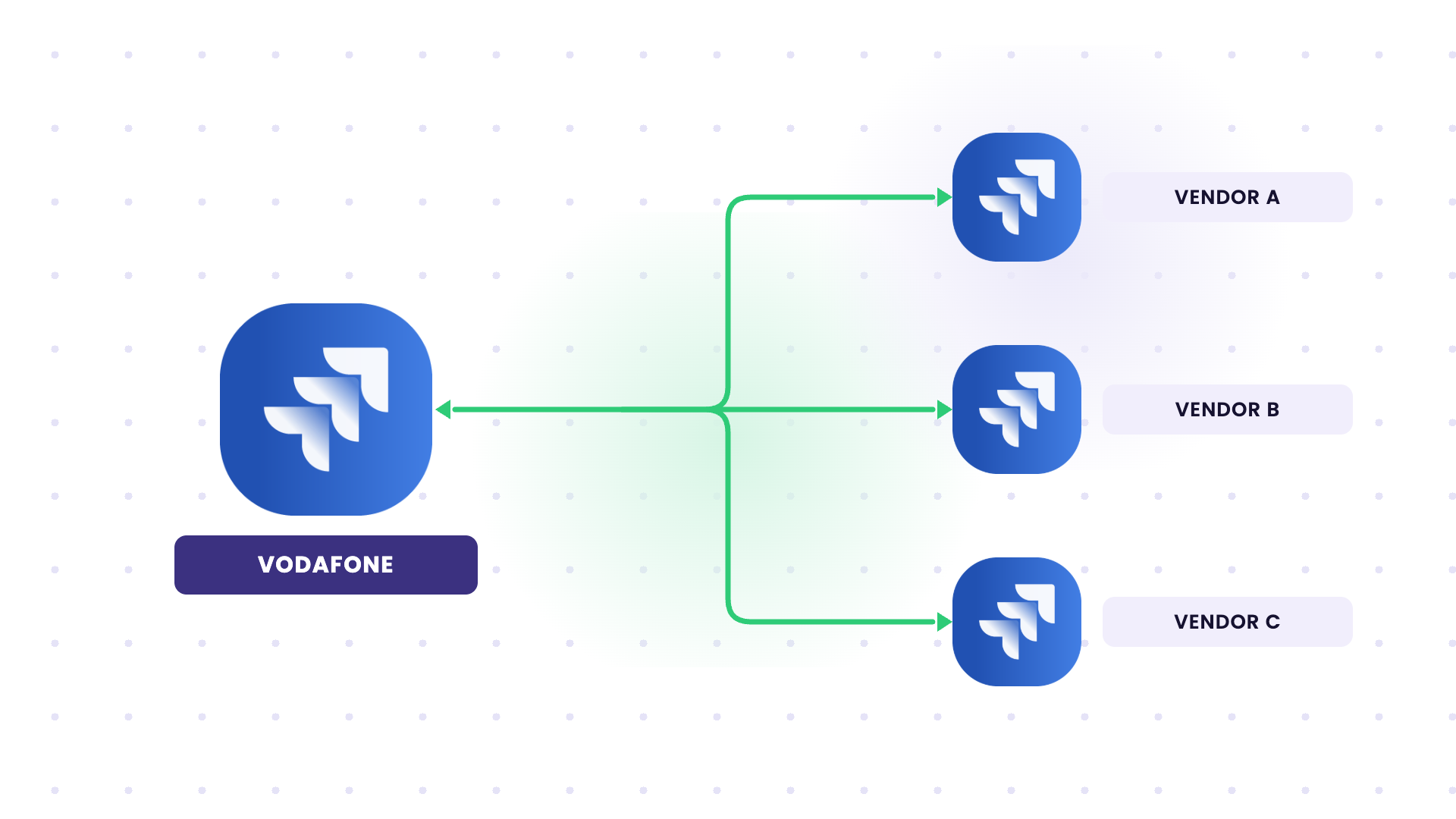
Vodafone needed to sync whole work items with external vendors while controlling what each vendor could see. Its previous tool didn’t sync at the level it needed.
With Exalate, syncs trigger automatically on predefined criteria, and each vendor receives only the data relevant to it. Vodafone has synced over 20,000 entries and nearly 10,000 comments.
Cybersecurity: MSSP-to-Customer Incident Sync
Systems: Jira ↔ customers’ service desks (through Exalate’s Integration as a Service)
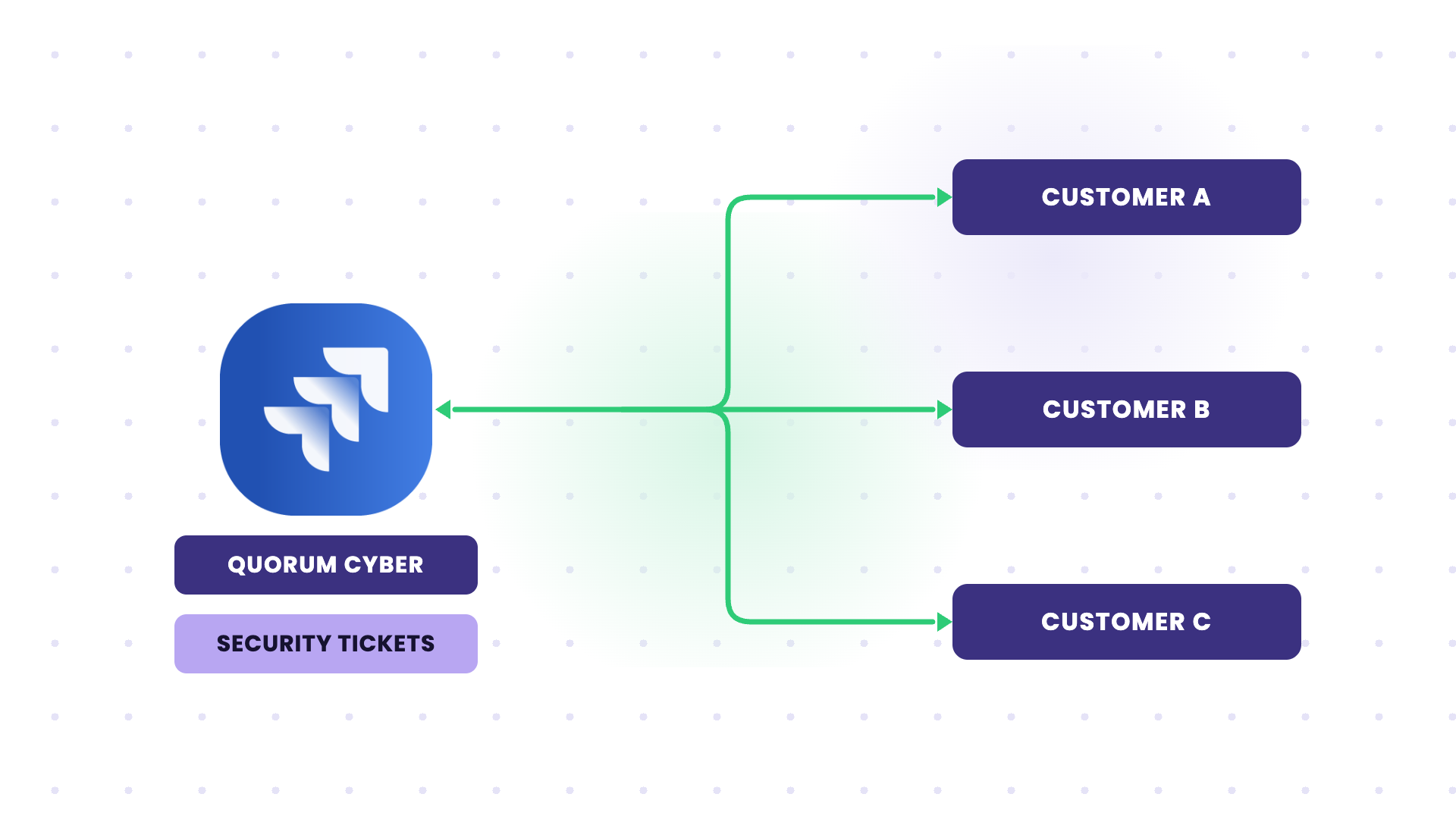
Quorum Cyber’s customers wanted to work security tickets in their own service desk, not in the MSSP’s portal. They also didn’t want to give the MSSP access to their systems.
Incidents, monitoring reports, vulnerabilities, and custom requests now sync automatically. Internal sync volume rose to over 500 tickets per month, and customers can close low-priority tickets from their side.
IT Services and MSPs: Multi-Client Service Delivery
Systems: Jira ↔ Jira, with Jira Service Management for help desk work
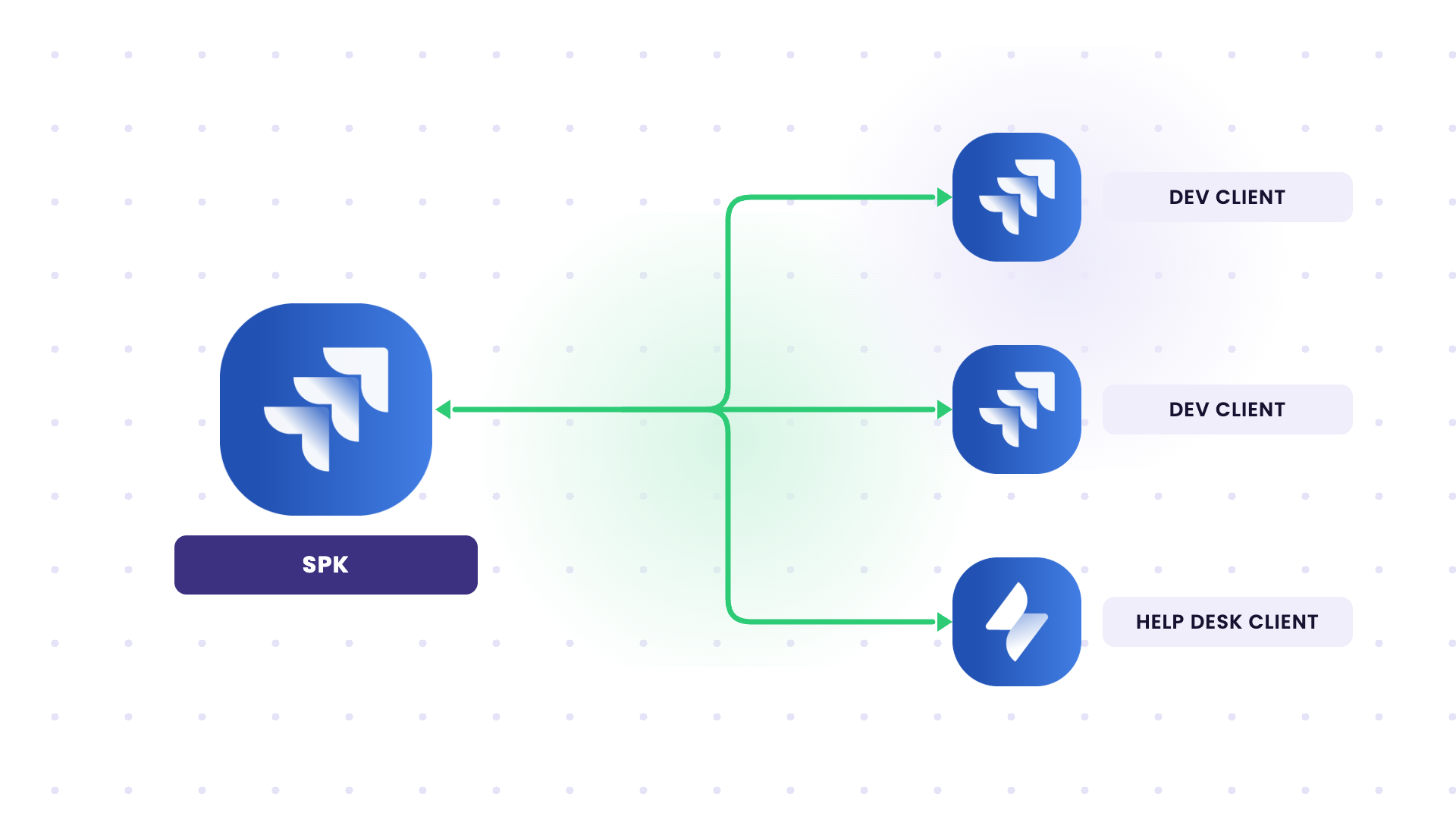
SPK checked tickets manually across separate client Jira instances, and tickets got missed. With Exalate, it syncs backlog, sprint, epic, and estimate data for development clients, plus due dates, priorities, and SLAs for help desk clients.
SPK reports a 70–90% reduction in manual handoffs across its client integrations.
Automotive: Customer Escalations Without Email
Systems: Jira (WirelessCar) ↔ ServiceNow (automotive customer)
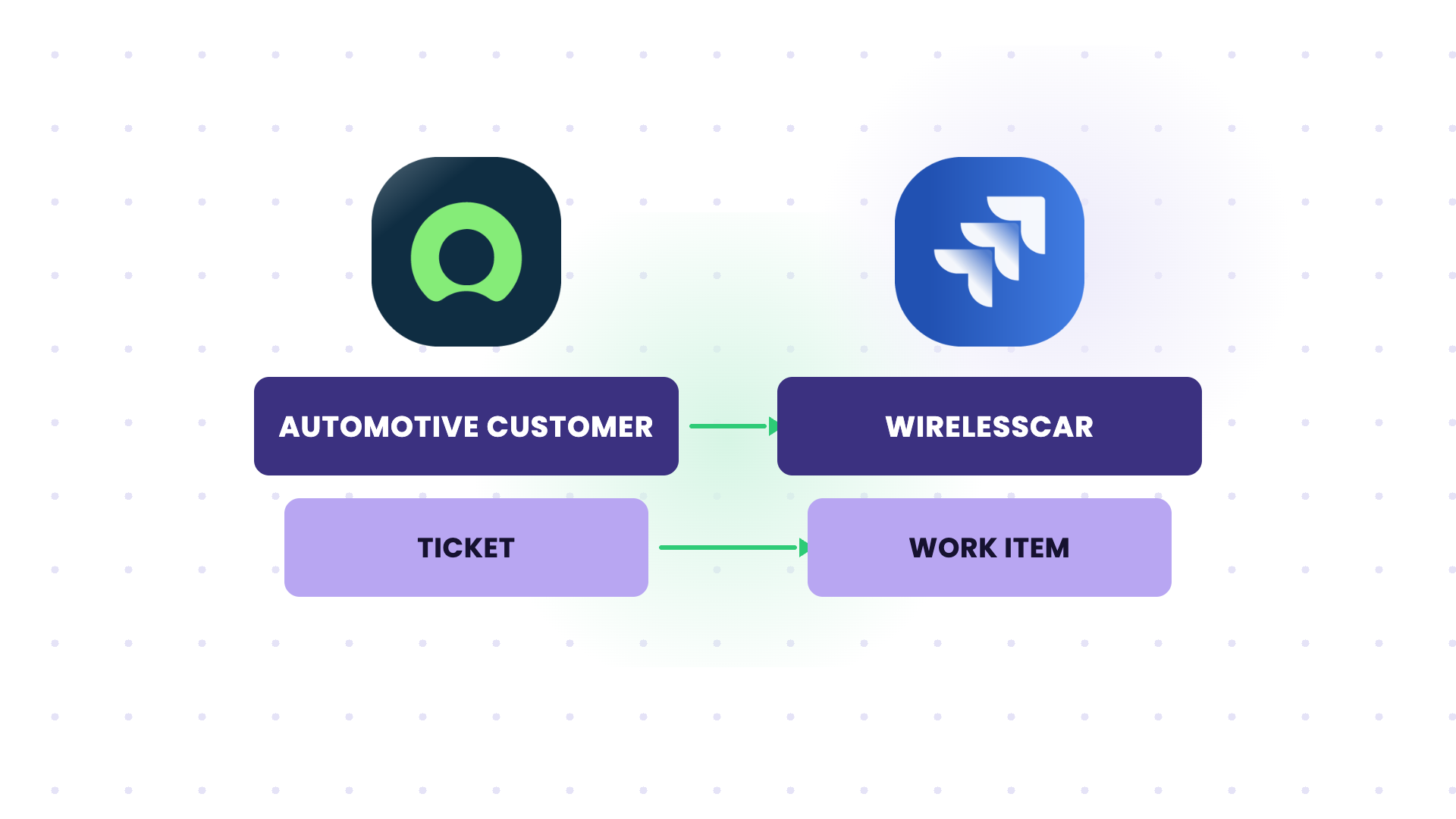
In one automotive use case, ticket communication with the customer ran over email and a portal. The customer’s ServiceNow also had strict security controls, so a direct database connection wasn’t allowed.
Exalate synced customer tickets from ServiceNow into WirelessCar’s Jira based on team assignment, and the customer dropped its email process. WirelessCar later extended the setup to other customers.
Insurance: Supplier Independence
Systems: Jira (insurer) ↔ Jira (software supplier)
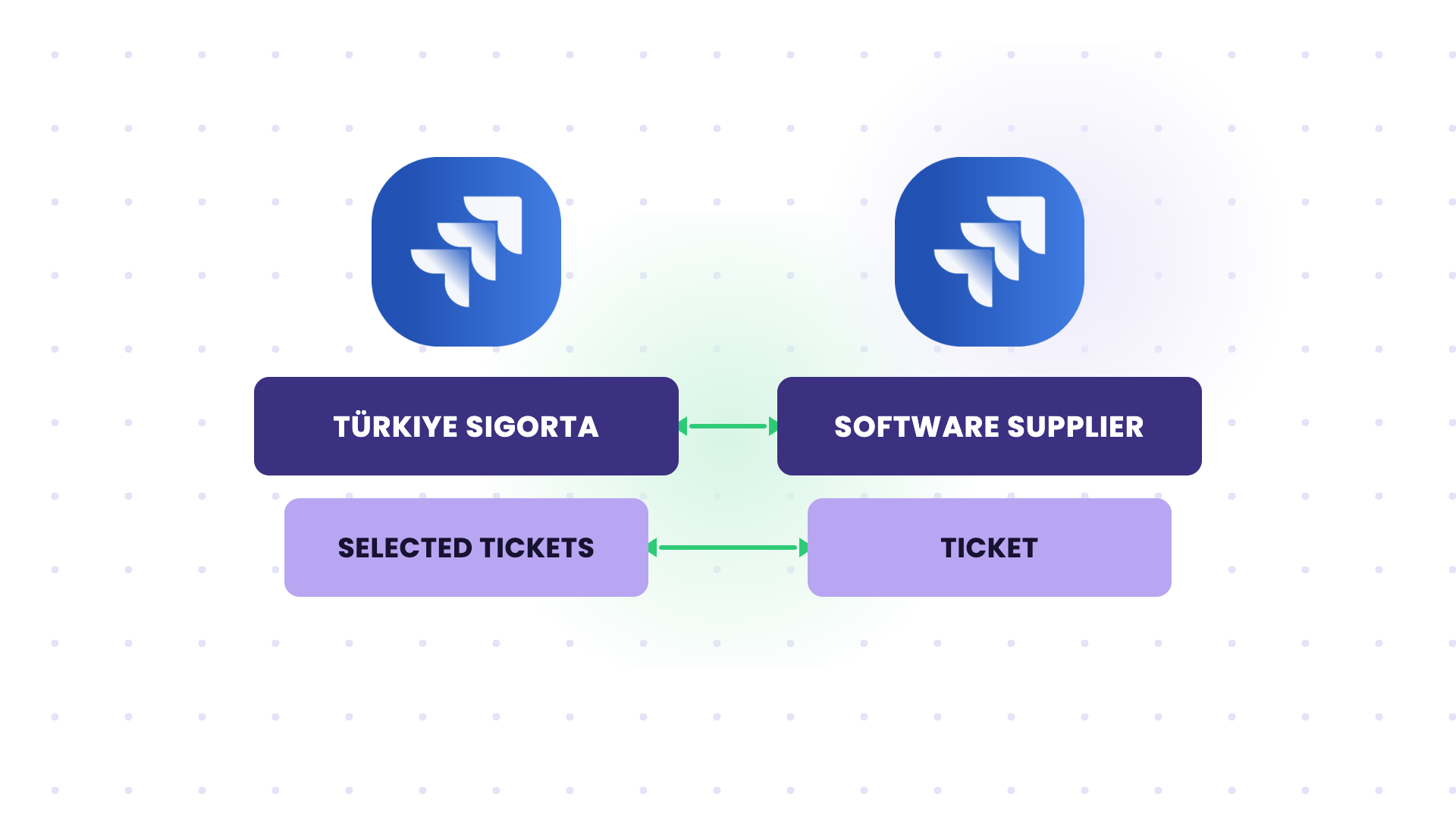
Türkiye Sigorta depended fully on the supplier that built its core system. It had no self-service access to ticket history and no flexibility to change its own Jira setup.
After connecting the 2 Jira instances, the insurer decides which tickets stay internal and which go to the supplier.
Software: Customer-Facing Project Visibility
Systems: Internal Jira projects ↔ customer-facing Jira project
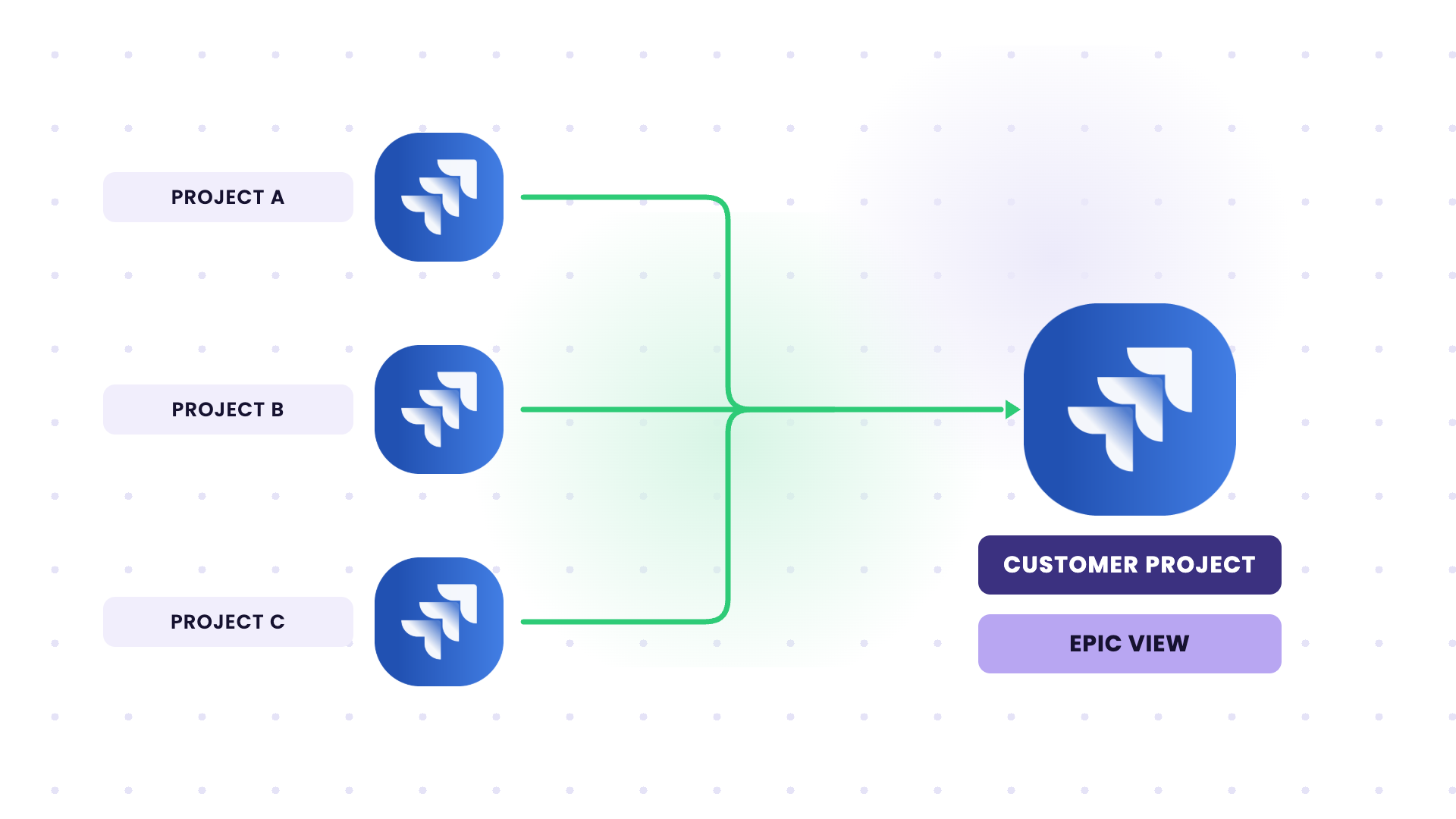
A customer wanted one epic-level view of deliverables spread across several of Wind River’s internal Jira projects, but Wind River had to keep strict access control.
Exalate syncs selected initiatives, epics, stories, and bugs into a mirrored project with parent-child links intact. Status, progress, and comments update in real time.
Hardware and Access Control: Support-to-Development and Customer Sync
Systems: Jira Service Management ↔ Jira (internal), Jira Service Management ↔ Zendesk (customer Digipolis)
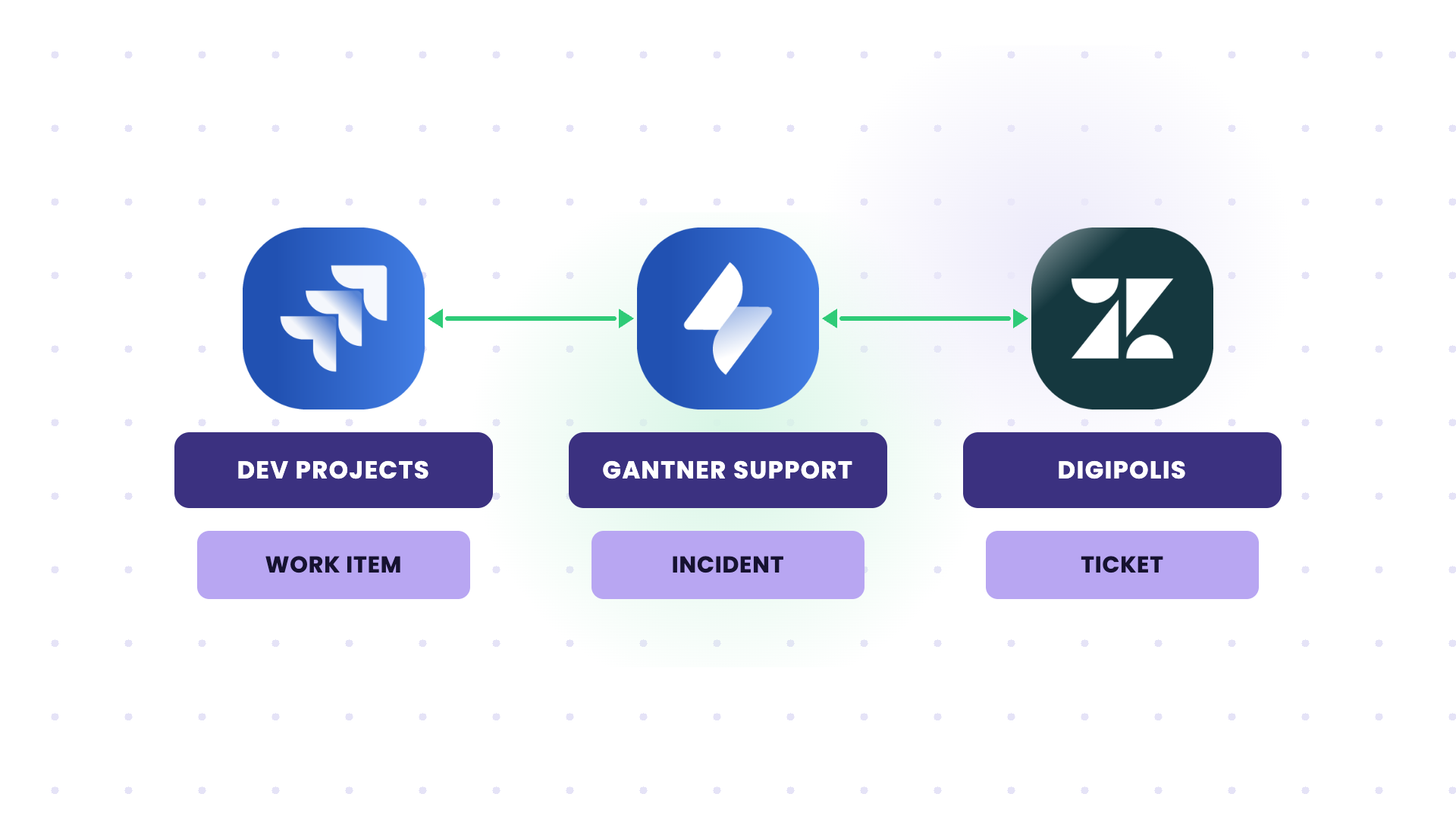
Gantner’s previous add-on couldn’t handle around 50 product projects. With Exalate, customer incidents move from JSM into dev projects, and a cross-company pilot syncs tickets with a customer on Zendesk.
Manufacturing: Supplier Procurement
An automobile manufacturer needs to buy raw materials from multiple suppliers. Without integration, the cycle takes months of manual work:
- Request pricing and availability (QPA, or Query for Pricing and Availability)
- Get quotations
- Compare quotes and choose a supplier
- Send the purchase order (PO)
- Make payment and receive a purchase receipt (PR)
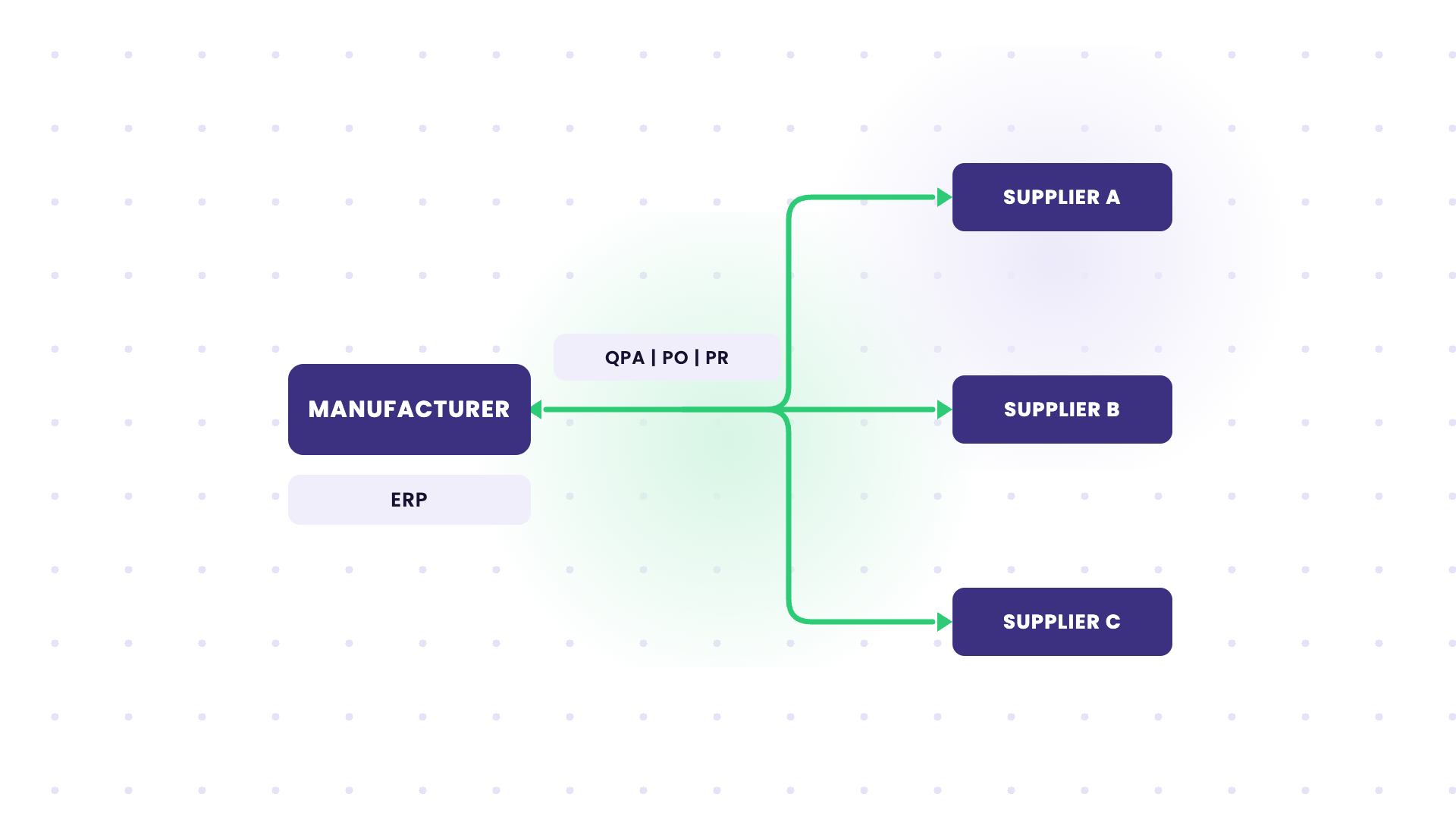
With B2B integration:
- The manufacturer sends a QPA to suppliers through its B2B gateway, which creates an entry in its backend ERP
- Suppliers check inventory and respond with pricing and availability through their own B2B gateways
- The gateways translate information between the different company systems
- After shortlisting, the manufacturer sends a PO to the selected supplier
- The supplier confirms and requests payment (a synchronous message)
- After payment, the buyer receives a PR acknowledgment
B2B gateways are applications that handle secure, real-time data exchange between trading partners’ internal and external systems.
E-Commerce: Outsourced Development
An e-commerce company (Company A) outsources website development to Company B. Company A uses Jira; Company B uses Azure DevOps.
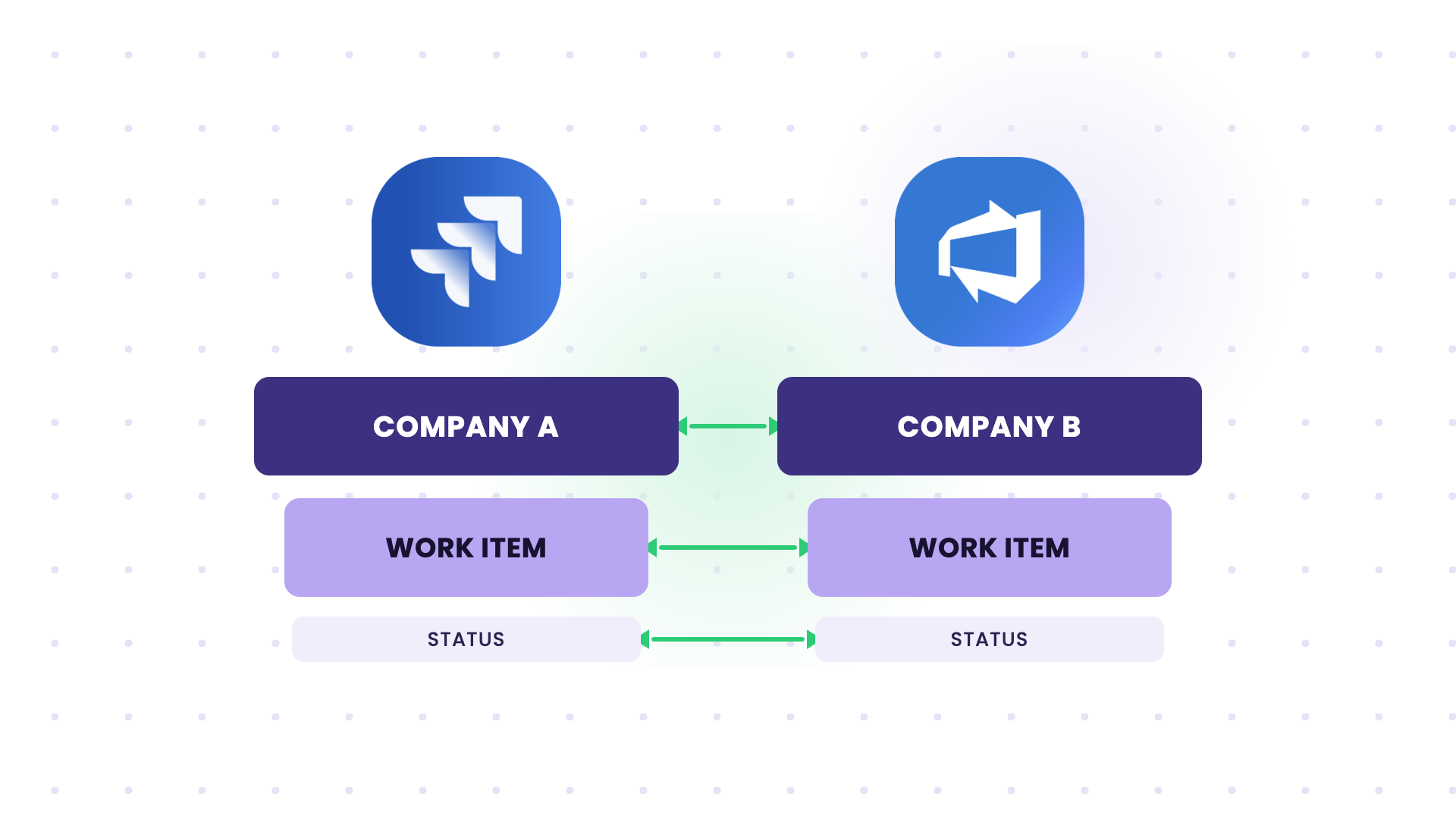
Work item updates were shared through phone calls and emails, so both teams updated their trackers manually. This caused data loss and errors, slowed customer complaint resolution, and hurt Company A’s SLA.
With a bidirectional integration:
- Jira work items map to Azure DevOps work items through predefined mappings
- Company A gets a unified view across both trackers
- Status updates sync automatically in both directions
- Each company controls what it sends and how it handles incoming data
- Data moves over encrypted connections, with automatic recovery after outages
Company A’s SLA performance improved, and manual entry errors dropped.
Cross-Industry: Support-to-Development Escalation
Support teams in Freshservice receive complex technical requests that need developers. The developers work in Jira and don’t have access to the service management platform.
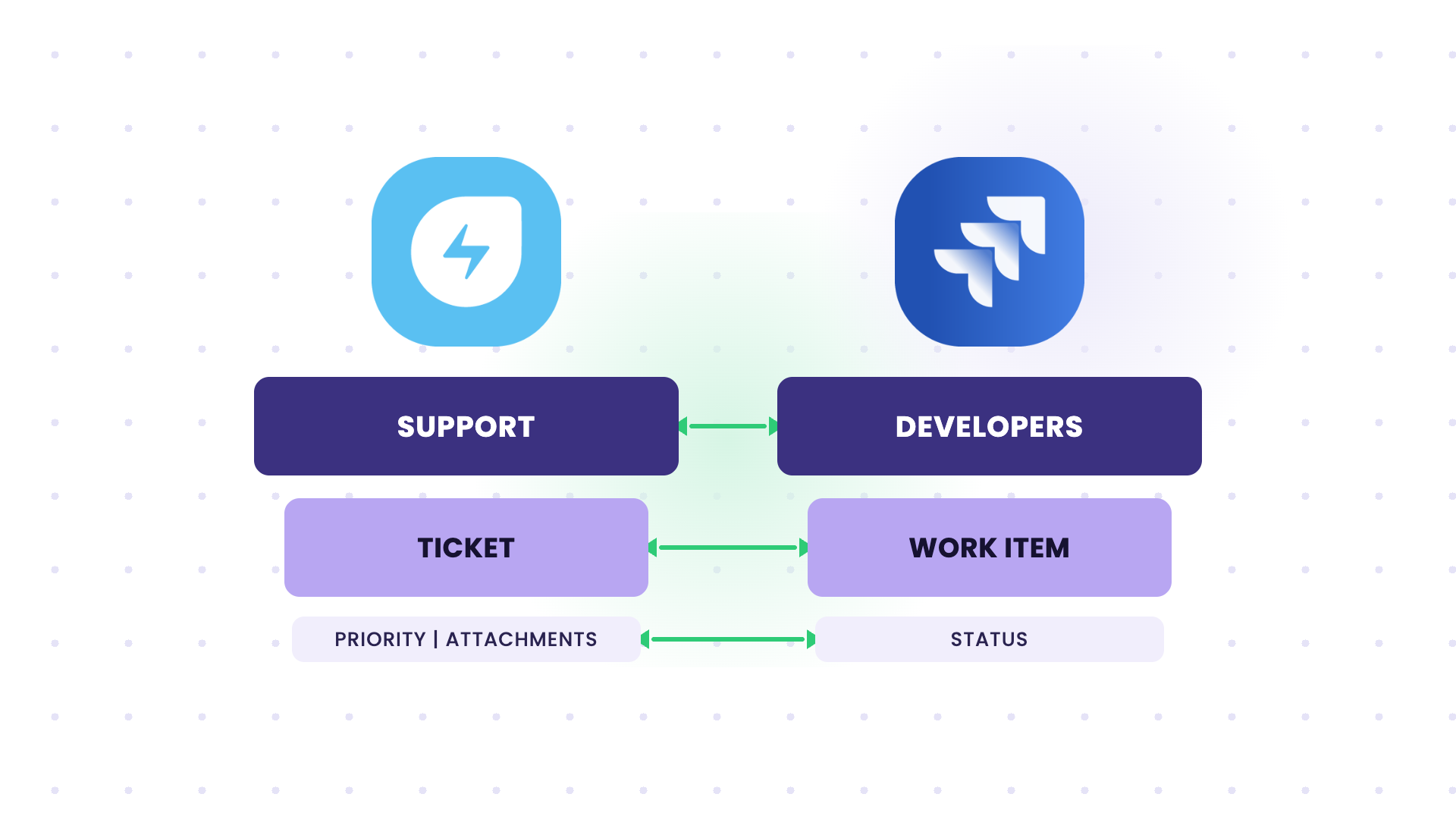
Exalate syncs escalated Freshservice tickets to Jira as work items, with customer context, priority, and attachments. When developers resolve the work item, the Freshservice ticket updates automatically, so customers stay informed without anyone chasing updates.
Cross-Industry: Multi-Vendor Project Coordination
A large enterprise manages multiple vendors, each on a different tool (Asana, Azure DevOps, Jira). Coordinating deliverables and status updates across vendors creates a lot of communication overhead.
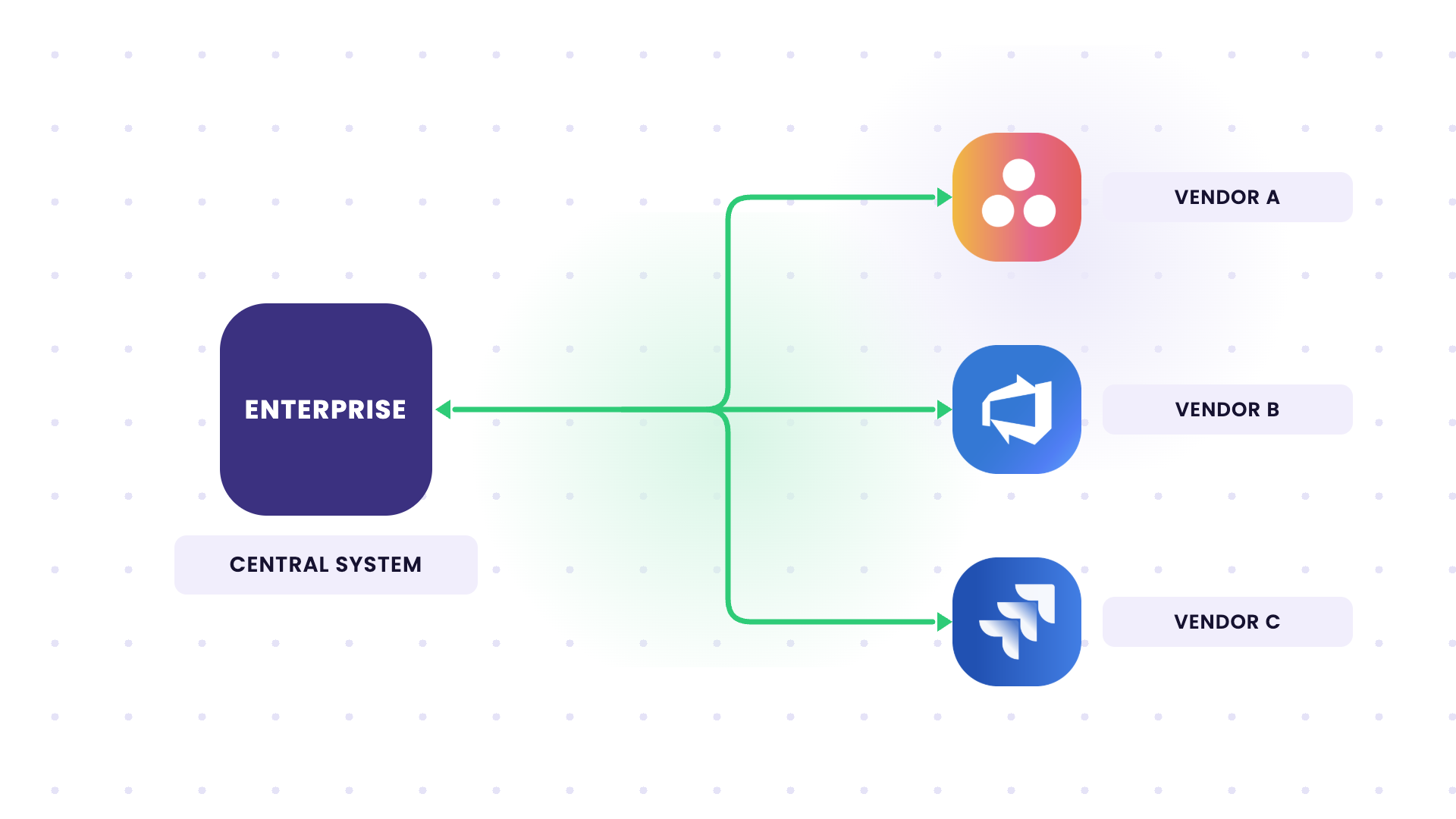
Exalate runs a hub-and-spoke integration where the enterprise’s central system syncs relevant project data with each vendor’s platform. Project managers see status updates in one place, and each vendor keeps its preferred tool.
Common B2B Integration Challenges
Whether you build in-house or use a cloud-hosted B2B integration service, expect these challenges:
- Partners on different tools. Your vendor runs Jira, your customer runs ServiceNow, and your other partner runs Zendesk. Every combination needs its own mapping for fields, statuses, and priorities.
- Access and data control. Neither side wants to give the other admin access to its system. Many security teams also require that sensitive fields (PII, patient data, internal notes) never leave their side.
- Paying for partner seats. The workaround for missing integration is often inviting external users into your system, which means paying for licenses those users already have in their own tools.
- Getting the other side on board. A B2B integration needs a partner willing to approve the connection, share requirements, and join setup calls. This is often slower than the technical work.
- Technology evolution. Protocols, APIs, and standards keep changing, and vendors deprecate older endpoints.
- Regulatory compliance and data residency. GDPR, ISO, and industry rules affect where data can be processed and what can be shared.
- Scripting and configuration complexity. Advanced mappings need technical skills. Without AI-assisted configuration or a managed service, new integrations can stall for months.
- Data volume. High ticket or document volumes at the start of an integration put pressure on rate limits and sync queues.
- Downtime risk. When a cross-company integration breaks, missed escalations can hit SLAs and contractual penalties.
- Resource constraints. Smaller companies often lack the budget and people for end-to-end B2B integration projects.
How to Pick The Right B2B Integration Solution
Key considerations when choosing an integration solution:
Deployment Model
Options include on-premise, cloud, or hybrid. On-premise means you deploy and manage the integration on your servers. Cloud delivers it “as a service.” Hybrid combines both.
Cloud models usually go live faster than on-premise solutions, but organizations that need tighter security control often prefer on-premise deployments.
Cost of the Integration Solution
Cost is a major driver for adoption decisions. Consider:
- Maintenance costs
- Upgrades and IT support costs
- Upfront costs
- Training costs for staff
- Licensing model (per user, per connection, per integration, or usage-based)
Factor in the hours your team spends building and maintaining integrations, along with the subscription fee.
To estimate potential returns, use Exalate’s plan calculator to see how the investment translates into time and cost savings.
Security Features
Look for solutions with:
- Private VPNs
- HTTPS and encryption in transit and at rest
- Advanced authentication (OAuth2, token-based access)
- Secure file transfers
- Role-based access mechanisms
- ISO 27001 certification
Account for compliance, regulatory, and GDPR requirements too.
System Flexibility
Look for:
- Flexible customization
- Control over what information leaves your system
- Control over how incoming information is interpreted
- Support for unique business cases and specialized integration scenarios
The B2B integration platform you choose should let you build complex integrations with help from AI-assisted configuration, copilots, and similar tools.
Operating Model
Decide who runs the integration after go-live. If your team has integration engineers, a self-managed platform gives you full control. If not, a managed B2B integration service takes setup, monitoring, and change requests off your plate.
B2B Integration Best Practices
Choose newer technologies and solutions for integrating business data, applications, or systems. Vendors that supported legacy systems like older EDIs sometimes stop maintaining them.
Applications don’t have built-in ways to talk to each other, so you need integration technology in between. APIs change fast, so your integration approach has to keep up with modern application designs.
- Understand your business needs. Involve stakeholders and agree on what B2B integration should change for your company.
- Evaluate your business processes. Pick a solution that fits them, to avoid integration tools that force you to rebuild your workflows.
- Plan for growth. Check how the solution handles more partners, more instances, and higher volumes.
- Choose a solution your team can run. It should be easy to use and quick to set up, with AI-assisted configuration or a managed option for complex cases.
- Start with one partner and one flow. Prove it works, then add the next partner and keep improving the setup as requirements change.
- Give partners a requirements template. Agree on fields, statuses, triggers, and data restrictions in writing before the first setup call.
The Future of B2B Integration
Businesses are handing more of their B2B integration work to specialists, so partner communication depends less on in-house integration skills.
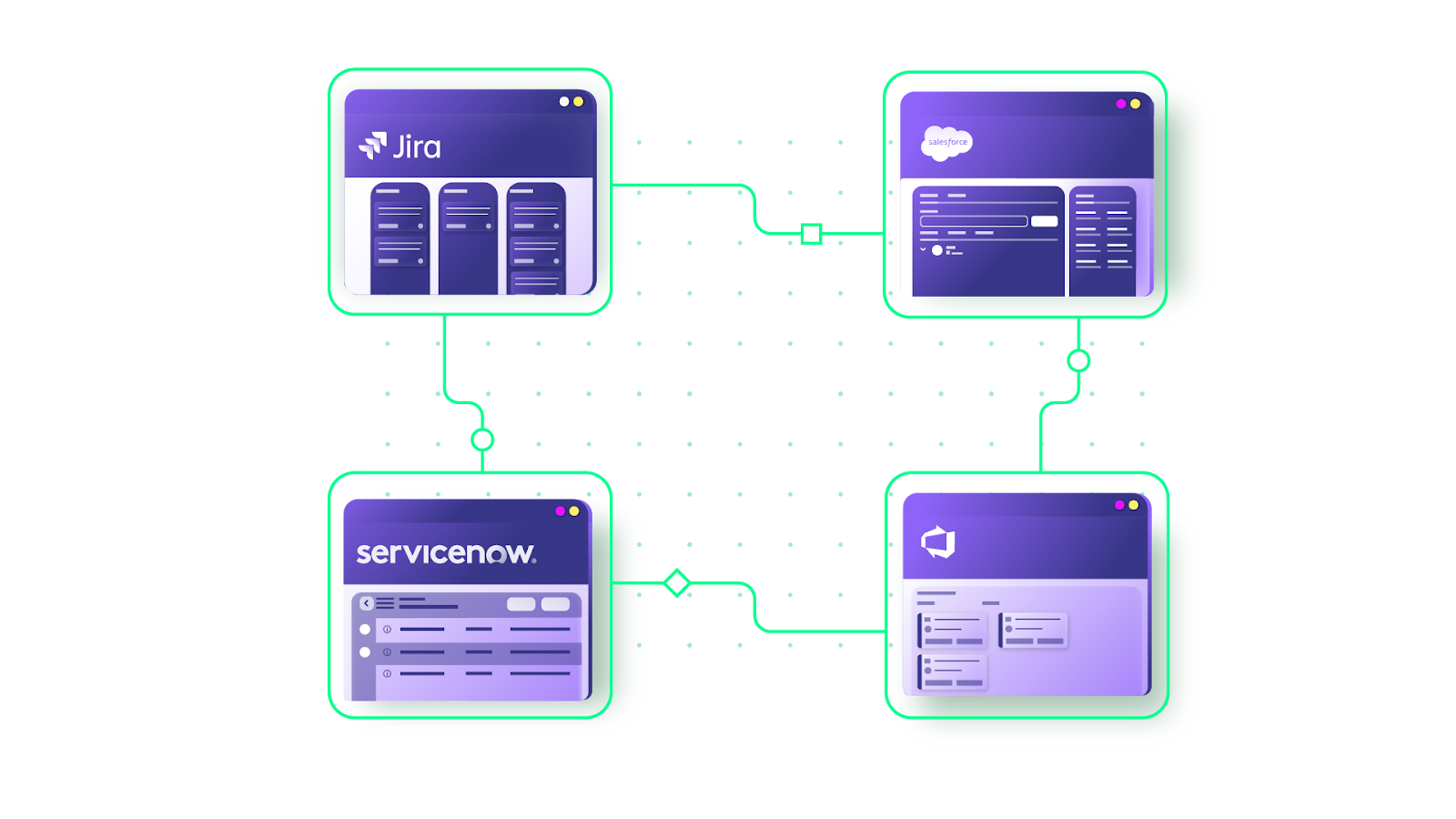
B2B integration services are evolving in response to business needs:
- Expanded scope: Integration platforms now support entire supplier networks, including IoT devices connected to them, on top of data exchange and transformation.
- Outsourcing trend: More organizations outsource B2B integration services to third-party providers with specialized expertise.
- Deployment flexibility: Services run in the cloud, on-premise, or in hybrid models. The growth of cloud services has blurred the lines between integration disciplines (B2B, A2A, ETL), so a single integration platform can now cover most integration needs.
- AI-assisted configuration: Plain-language prompts now generate mapping scripts that used to take a developer days to write.
SIAM in The Context of B2B Integration
SIAM (Service Integration and Management) provides management and governance of services in multi-sourced environments.
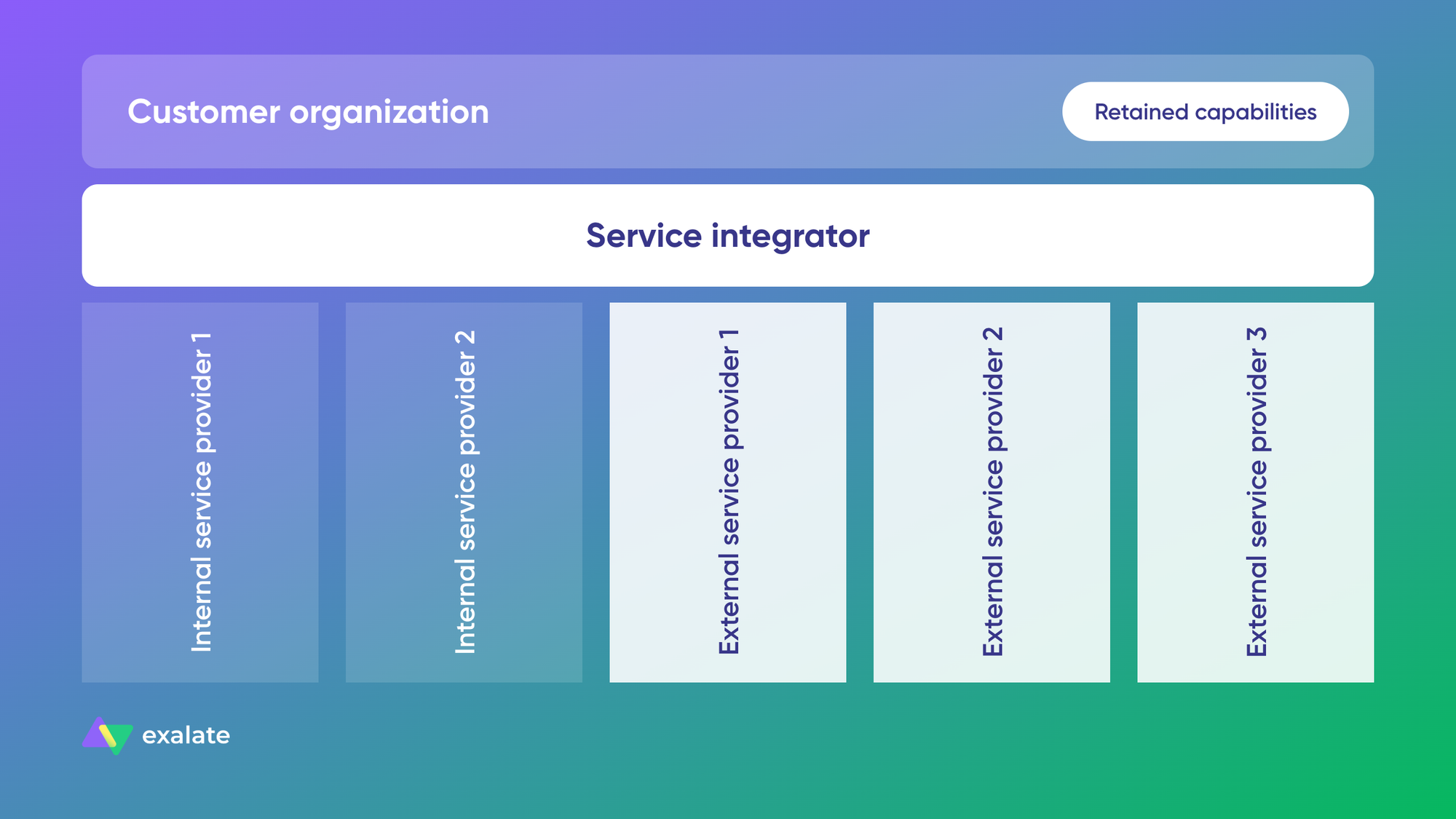
It introduces the “service integrator” role, which aggregates services from multiple providers to deliver value to customers. The service integrator is a single logical entity responsible for end-to-end service delivery.
Many companies have adopted SIAM because of the value it brings to multi-sourced environments.
Applying SIAM to B2B integration means holding your integrations to the same standards SIAM sets for service delivery. A common SIAM pain is getting different suppliers to follow the same process when each one runs its own issue tracker. B2B integration solves the tooling half of that problem: each supplier keeps its tracker, and the service integrator sees every ticket in one place.
Growing awareness of ITIL 4 (Information Technology Infrastructure Library), with its focus on end-to-end IT service delivery and value co-creation, has pushed SIAM adoption and, with it, B2B integration adoption. SIAM brings the same value as ITIL to multi-sourced environments.
Exalate as a B2B Integration Solution
Exalate is a B2B integration platform for companies that need to sync operational data (tickets, incidents, work items, cases) with partners, vendors, MSPs, and customers, while each side keeps its own tools.
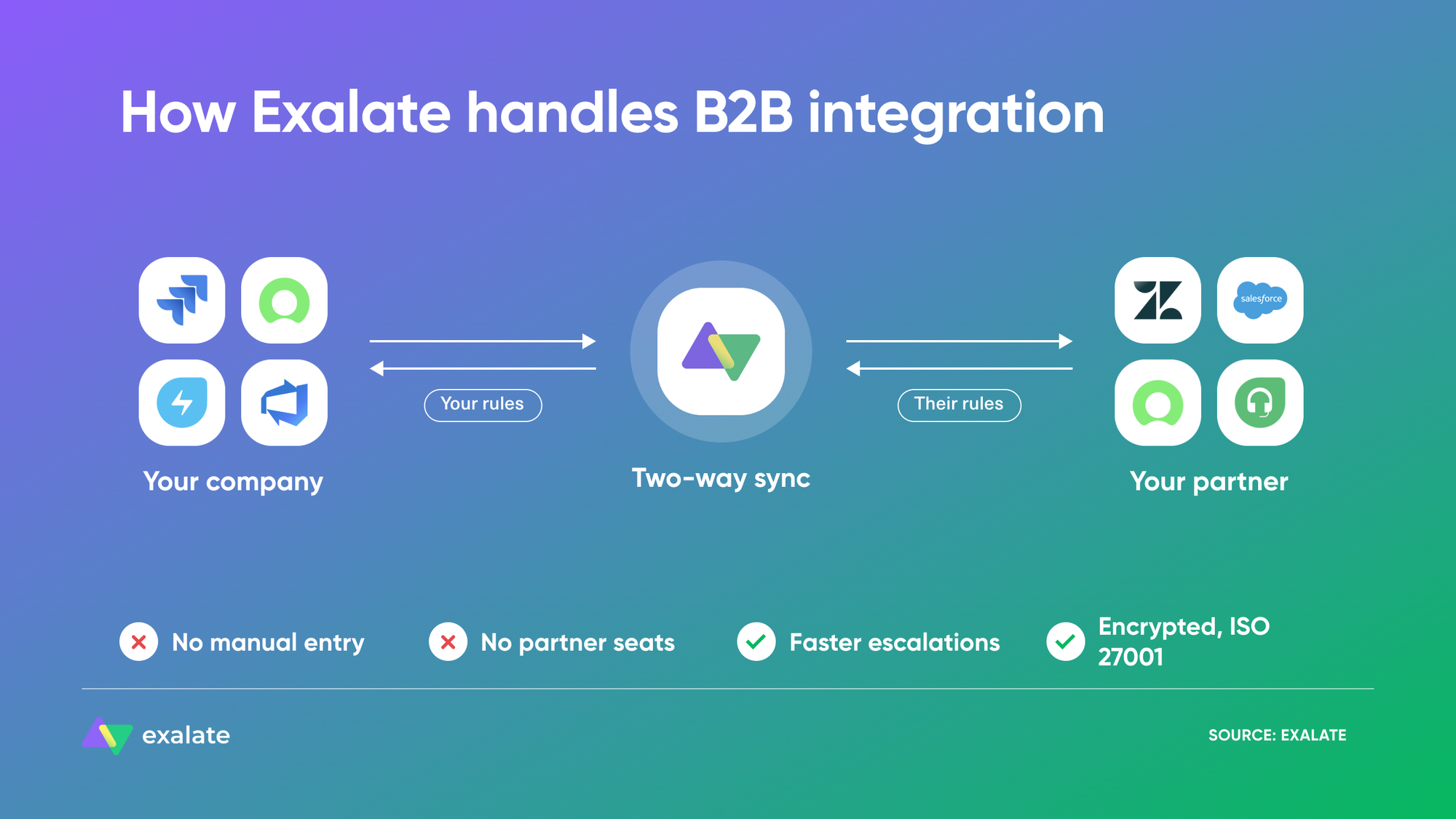
Here’s what that means in practice:
- Each company controls its own side. Exalate runs independently on both ends of the connection. You decide what leaves your system and how incoming data lands, and your partner does the same.
- Bidirectional, real-time sync. Exalate supports unidirectional and bidirectional sync of fields, comments, attachments, statuses, and custom fields between Jira, ServiceNow, Salesforce, Zendesk, Freshdesk, Freshservice, GitHub, Azure DevOps (Cloud and Server), Asana, and more.
- Scripting for complex mappings, with AI to write it. The Groovy-based scripting engine handles any mapping you need, such as status transitions, priority matrices, or filtering PII before it leaves your system. Aida AI, Exalate’s scripting and troubleshooting assistant, generates sync scripts from plain-language prompts.
- Partners keep their licenses. External teams work in their own tools, so you don’t pay for extra seats in yours.
- Integration as a Service. If you’d rather not build or maintain integrations, Exalate’s team sets up, runs, and monitors them for you. This is how Quorum Cyber connects with its customers’ service desks.
- Recovery after outages. Sync queues hold changes when a system is down and apply them in order once it’s back.
- Security. Exalate is ISO 27001 certified, and you’ll find its security documentation on the Trust Center.
With Exalate, you can build a network of partners by connecting applications and systems to share the information each side needs, while keeping control of your own systems.
Ready to connect your business tools with partners? Book a short call with our team to discuss your requirements, and we’ll take it from there.
Frequently Asked Questions
What’s the difference between B2B integration and API integration?
API integration is a subset of B2B integration. APIs are the technical mechanism for connecting systems, while B2B integration encompasses the entire strategy, including business processes, data formats, protocols, and governance, for exchanging information between organizations.
What’s the difference between A2A and B2B integration?
A2A (application-to-application) integration connects applications within one organization, for example, your Jira and your ServiceNow. B2B integration connects your systems with systems that belong to another company, such as a vendor’s Jira or a customer’s ServiceNow.
The technology often overlaps. The difference is ownership: in B2B integration, each company controls its own system, security rules, and data policies, so the integration has to respect both sides. Exalate handles both A2A and B2B scenarios.
What systems does Exalate support for B2B integration?
Exalate supports Jira (Cloud), ServiceNow, Azure DevOps (Cloud and Server), Zendesk, Salesforce, Freshservice, Freshdesk, GitHub, Asana, Service Desk Plus, and custom integrations through REST API support.
Is the data exchanged through B2B integration secure?
It is when the platform is built for it. Look for encryption in transit and at rest, HTTPS or secure file transfer protocols, OAuth2 or token-based authentication, role-based access, and ISO 27001 certification.
Field-level control matters too. With Exalate, each company decides which fields leave its system, so you can block PII, patient data, or internal comments before anything syncs. Exalate is ISO 27001 certified, and you can find full details in the Trust Center.
What security certifications should I look for in a B2B integration solution?
Look for ISO 27001 certification, GDPR compliance, TLS 1.3 encryption, and OAuth2 authentication. These certifications indicate the provider maintains rigorous security practices for protecting business-critical data.
Can B2B integration work with legacy systems?
Yes, but with considerations. Modern integration platforms can connect to legacy systems using appropriate adapters and protocols. However, vendors may no longer support older systems, so evaluate whether legacy connectivity fits your long-term strategy.
What’s the difference between iPaaS and HIP for B2B integration?
iPaaS (Integration Platform as a Service) focuses on cloud-based integration solutions with pre-built connectors. HIP (Hybrid Integration Platform) is broader, enabling both cloud-based and on-premise systems to integrate seamlessly. Many modern solutions overlap both categories.
What types of businesses can benefit from B2B integration?
Any business that exchanges data with external partners. The most common are:
- MSPs and MSSPs connecting their service desk with each client’s ITSM tool
- Software vendors syncing customer escalations into their dev backlog
- Manufacturers and suppliers sharing orders, quality issues, and support tickets
- Telecom companies coordinating work with multiple vendors
- Financial services and insurance companies working with outsourced software suppliers
- Healthcare organizations syncing incidents with vendors while keeping patient data private
- Companies after an acquisition connecting teams that still run separate tools
Recommended Reads:
- Service Integration and Management (SIAM)
- eBonding Integration: The Ultimate Guide to Flexible Data Sync
- How to Build an Effective SIAM Operating Model
- ITIL 4 and Service Management: The Right Choice for Your Service Management Approach
- ServiceNow eBonding: The Complete Guide
- The Complete Blueprint for Aligning Your Service Desk and Development Teams