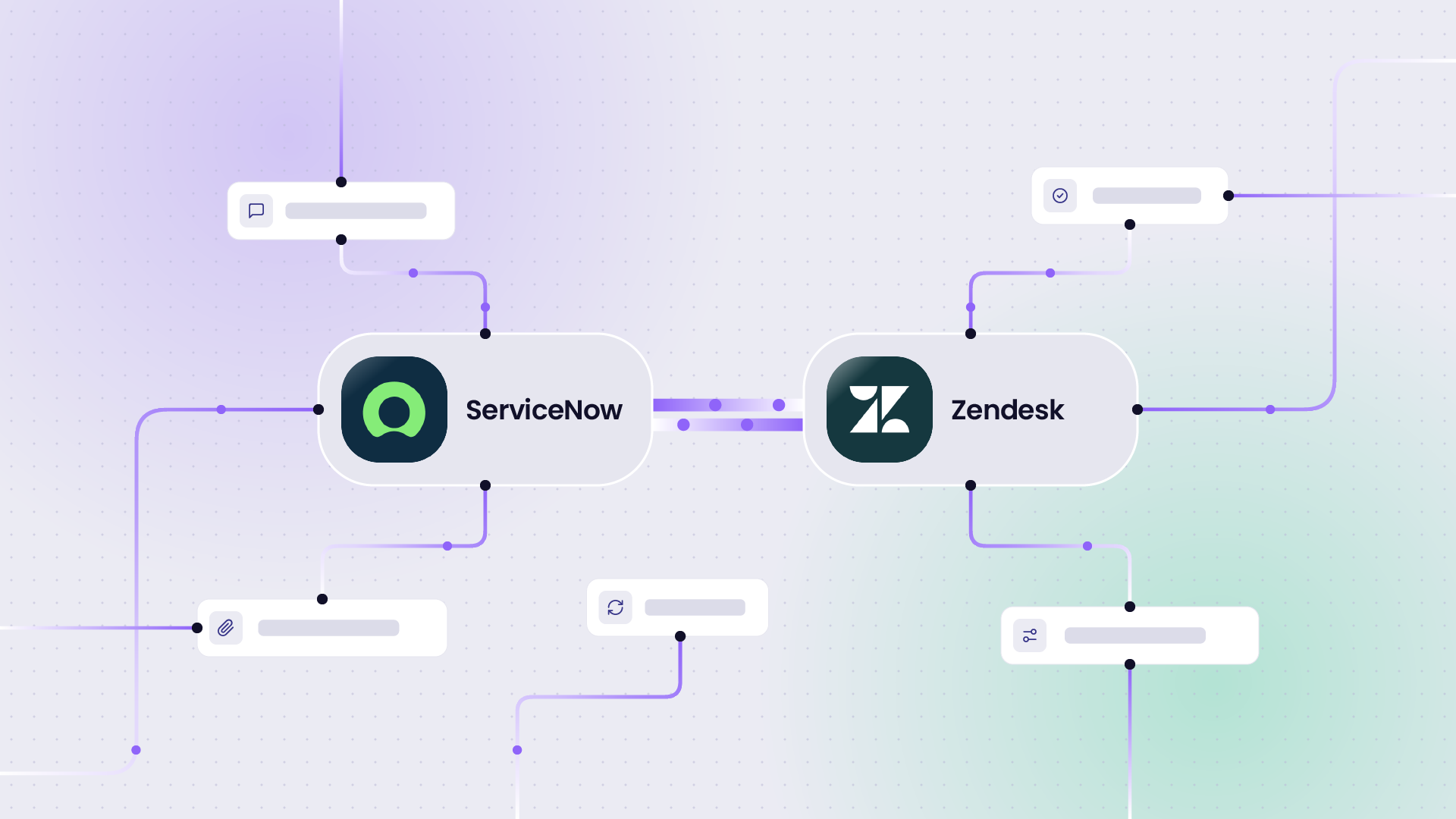
After working through plenty of Jira Zendesk integrations with customers, we’ve noticed that the way these two systems need to connect is different for every team.
Some teams want a Zendesk ticket to open a Jira task so the dev team picks it up, with comments and status updates syncing back to the agent. Others run level-1 support in Zendesk and escalate only the hard tickets into Jira.
But the main concern here is that Zendesk is where customer support happens, while the engineering work happens in Jira. If there’s no integration to link the two, teams would have to recreate tickets manually, and data will get lost in the process.
We’ve gathered the recurring use cases from people running everything, from a single Zendesk feeding one Jira project to three separate Jira instances after a merger.
But first, let’s discuss the difference between native tools and third-party tools like Exalate for this use case.
Key Takeaways
- Zendesk holds customer support, and Jira holds the engineering work, so most of the pain comes from copying tickets between the two teams manually.
- A two-way sync escalates Zendesk tickets into Jira and pushes comments and status back, so support updates the customer without chasing engineering.
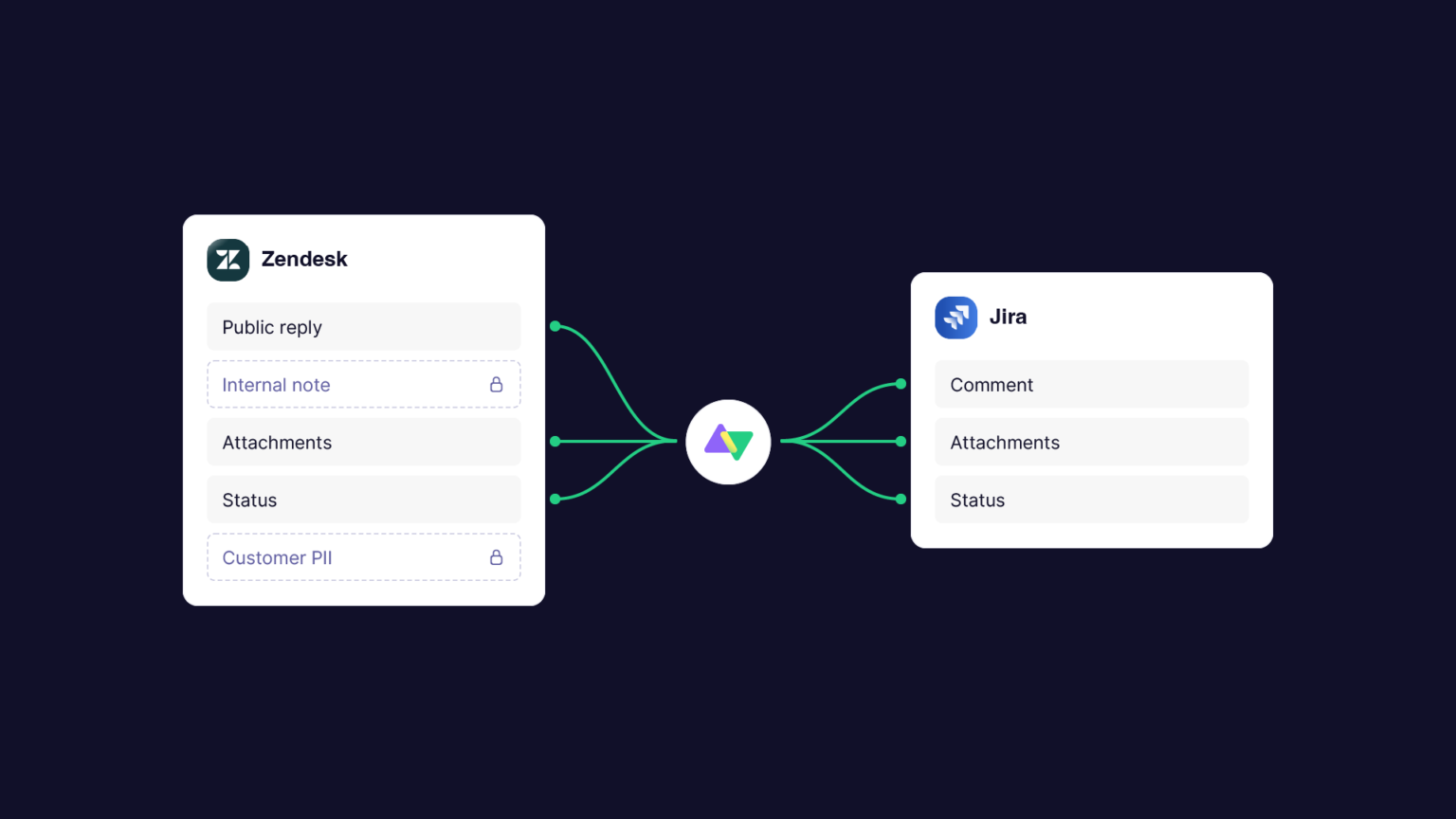
- You control what crosses: public replies, internal notes, and PII each move or stay put on your terms.
- The native Jira app for Zendesk allows one connection, so multi-instance and cross-company setups need a dedicated tool.
- Each side runs its own node with no shared admin access, which is what makes cross-company and regulated PII or PHI syncs work.
- Building the sync in-house costs a lot in developer time, and it breaks when that one developer is away.

Native Tools vs Third-Party: What Actually Fits Your Setup
Zendesk has a native Jira app that creates and links Jira tasks from a ticket, and Jira makes its REST API available for custom builds. Both marketplaces also carry apps that move tickets between the two.
Where native integrations work:
- You can install them in minutes.
- You don’t need to script.
- Agents can create and link a Jira issue from inside the Zendesk ticket, so nobody switches tools to log a bug.
- Native integrations can sync standard fields, comments, and status at a basic level.
They work when the integration is simple, the field mapping is straightforward, and you’ve got developers on hand to maintain it.
Where native integrations fail:
- You can only set up one connection because the native integration links one Zendesk to one Jira, so three Jira instances or two Zendesk tenants after a merger are out of scope.
- You have only limited field mapping. Custom fields, value transformation, and status mapping between two different schemas aren’t really there, so anything past the standard fields needs a workaround.
- You have no control over which comments cross. There is no way to reliably keep internal notes on one side and send only public replies.
- The Jira reporter is the service account the app runs on, not the person who opened the Zendesk ticket, so attribution is lost.
- Native integrations assume both systems are yours, so syncing with a client’s Jira without shared admin access doesn’t work.
- PII and sensitive fields ride along with everything else, which rules it out for healthcare and other regulated teams.
If you decide to build it yourself, here is a quick cost breakdown. A two-way comment sync that runs a full page of custom code would cost around 10K a month in developer time, which is roughly a year of Exalate.
In one cost model for a 20-person team, the time saved on manual data entry came to about 4,160 hours a year. The bigger risk is what happens when the one developer who built the sync is unavailable and it breaks.

Calculate time and money savings from automated bidirectional sync.
But we’re more concerned with the complex cases. The native Jira app for Zendesk lets you set up one connection, so the moment you have three Jira instances or two Zendesk tenants, you’ll start running into limitations.
Cross-company connections add another layer of complexity, because each side has its own field names, its own statuses, and sensitive data. Keeping internal notes and customer PII on the correct side of the sync is a requirement native tools are unable to handle.
So in summary, for single-team, clean mappings, native tools are fine. For cross-company work, multi-instance setups, or selective field and comment control, you need a tool like Exalate.
Now here are the use cases for Jira Zendesk integration.
Use Case 1: Send Zendesk Tickets to Jira and Sync Updates Back
Current Setup: When a support agent in Zendesk can’t resolve a ticket, they need to reach the engineering team in Jira and come back with an answer. This is the classic L1-to-L2 escalation, sometimes with a small L1 desk feeding a larger Jira team.
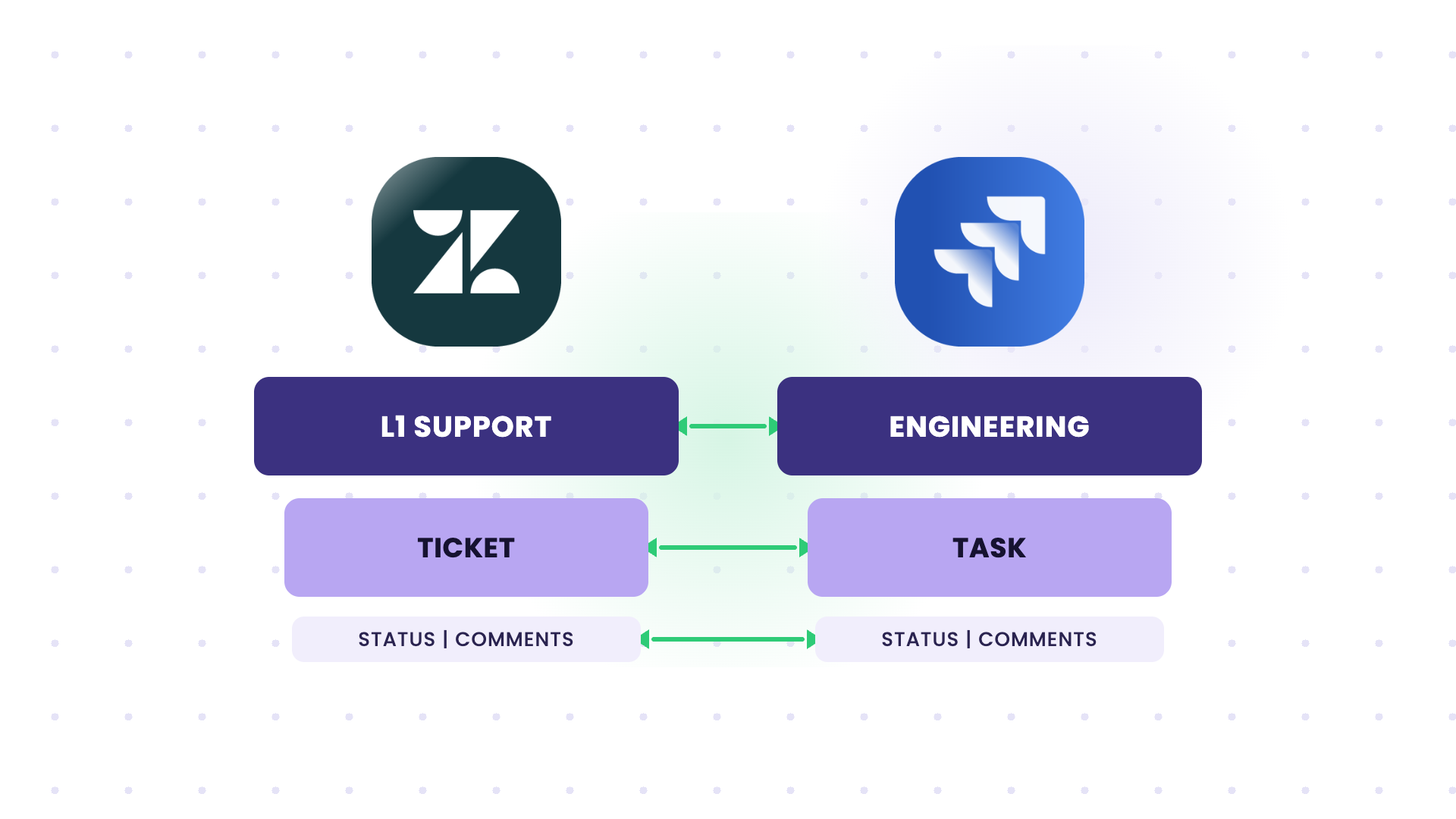
Problem: The agent recreates the ticket in Jira by hand. From that point, the two records are separate. Engineering comments in Jira, support keeps answering in Zendesk, and neither side sees the other’s updates or knows when the ticket is closed.
Solution: A trigger-based sync where an escalated Zendesk ticket with a tag “todev” creates a Jira task automatically, carrying the details and attachments across. Comments sync both ways, and when the Jira task is resolved, the status change flows back so the agent can close the loop with the customer.
Real-time data sync: How Qoria Eliminates 15-20 Minutes of Manual Work Per Escalation with Automated Jira Zendesk Integration
Use Case 2: Transition Internal Cases to Jira While Zendesk Stays Client-Facing
Current Setup: As the service delivery manager, you run all case management in Zendesk today, but you want to move internal workflow cases into Jira and keep Zendesk purely for client inbound.
Problem: Splitting the two manually means agents copy internal cases into Jira and then manage two systems that drift apart. Client-facing tickets and internal work get tangled in the same tool.
Solution: Zendesk creates a Jira task for cases that belong to the internal team, and the data stays in sync between the two records. Client inbound stays in Zendesk, internal work moves to Jira, and updates flow back so the agent always has the current status.
Use Case 3: Keep Internal Notes Off the Customer’s View
Current Setup: Support and engineering share tickets, but the chat between your customer-facing and technical agents should never reach the customer. Also, side conversations need to sync between the two systems.
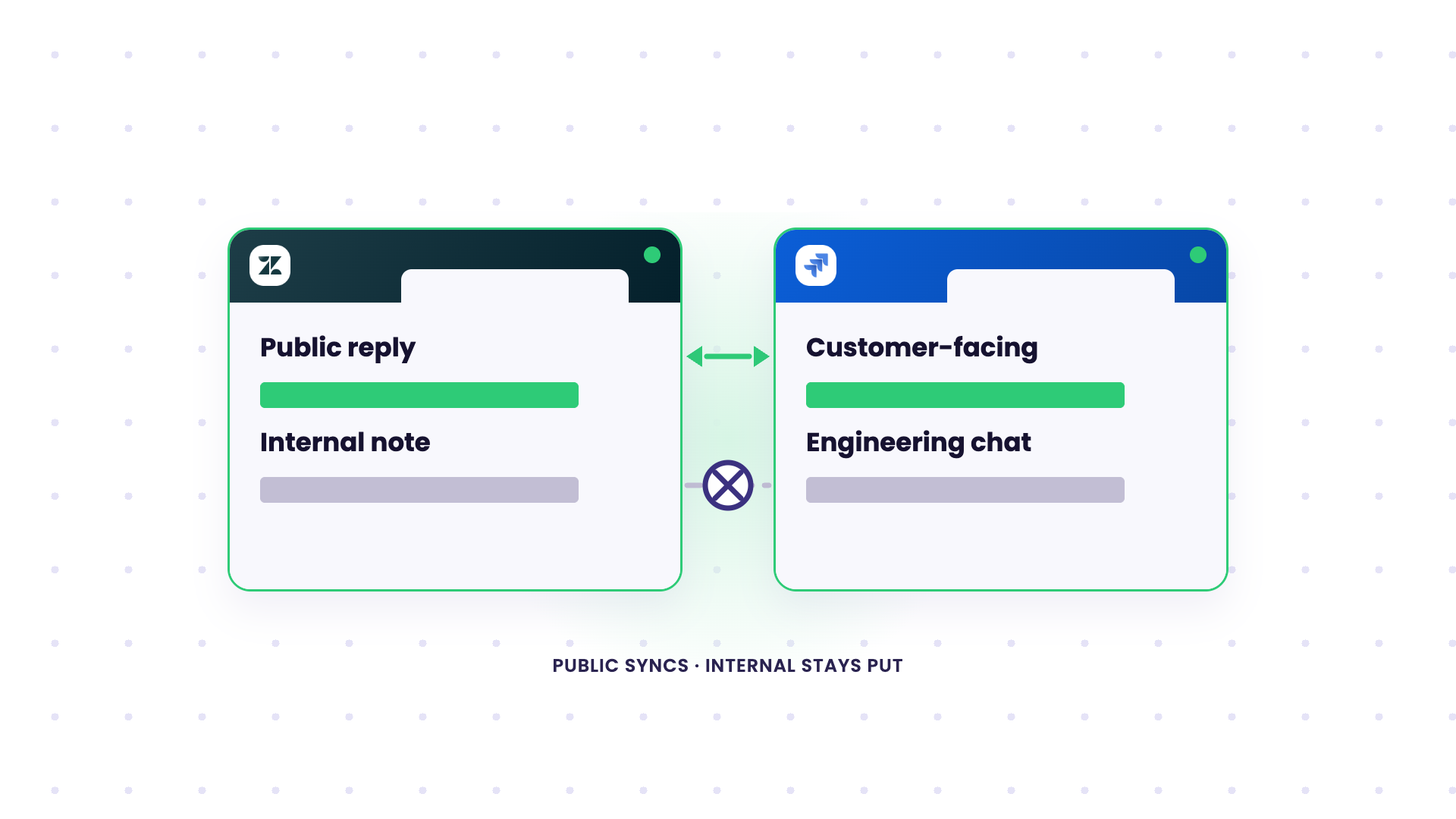
Problem: Most native tools can only sync comments without differentiation. There’s no clean way to filter public replies from internal notes. One customer success manager needed internal notes to move from Zendesk into Jira, but only public replies to come back the other way, so the investigation stayed with the team and never reached L1.
Solution: Outgoing and incoming scripts control which comment types are shared. Public Zendesk replies sync to Jira, internal notes are held back, and Jira comments meant for the customer sync to Zendesk while private engineering discussion stays on the Jira side. Side conversations can be controlled granularly between both systems.
Use Case 4: Keep Customer PII Out of Jira
Current Setup: You hold customer data in Zendesk that, for compliance reasons, must never land in Jira.
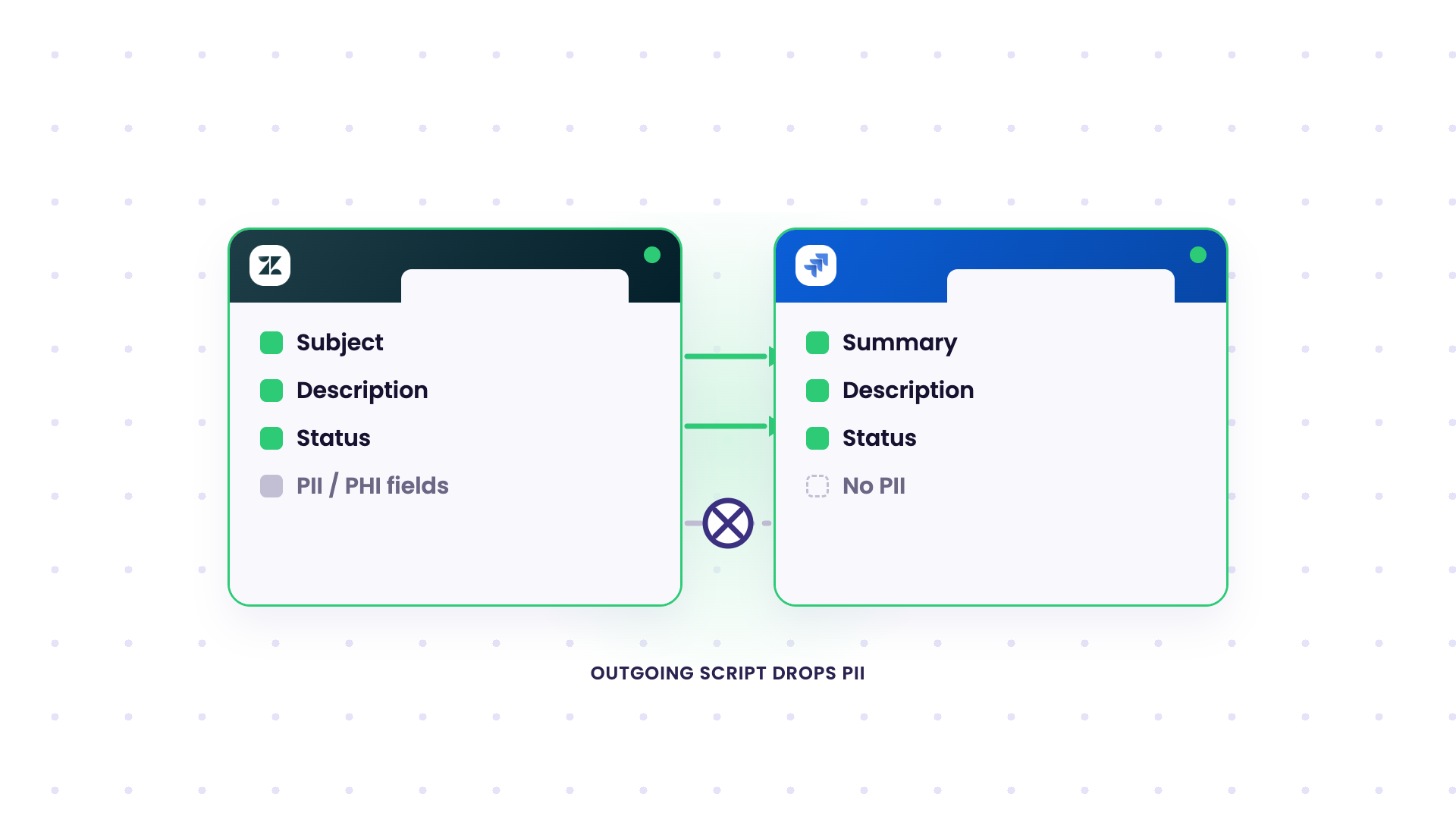
Problem: The standard Zendesk integration syncs the ticket wholesale, so sensitive fields cross over with everything else. For a healthcare team, this rules out the native integration completely, because their PII in Zendesk can’t reach Jira under any condition.
Solution: Exalate runs each side as its own node with no central broker in the middle, so customer data never passes through a shared service, and you block PHI fields in the outgoing script. The outgoing script drops sensitive fields before anything leaves Zendesk, so PII never reaches Jira while the rest of the ticket syncs normally. Each side decides field by field what it sends and what it accepts.
Use Case 5: Escalate a Filtered Subset From Multiple Zendesk Instances, With Full Field Fidelity
Current Setup: Several Zendesk instances handle L1 and L2 customer support, and only a filtered subset of tickets should reach the engineering team in Jira.
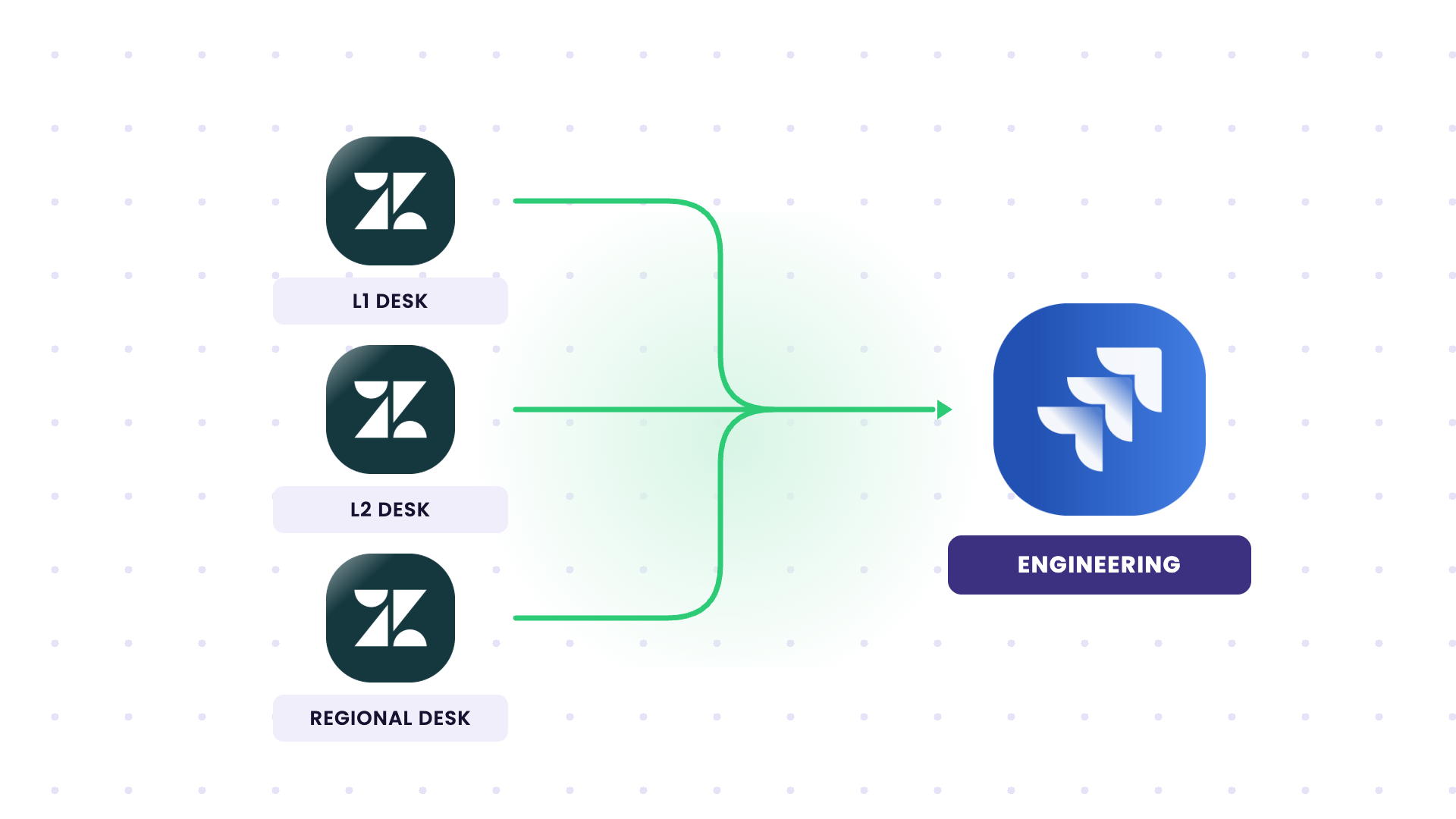
Problem: Escalating everything floods the Jira board with tickets that engineering shouldn’t be handling. On top of that, custom fields, SLA data, attachments, and rich text often arrive broken, so the developer is missing context.
Solution: Set up a trigger to escalate only tickets that meet specified conditions, so the Jira board stays clean. Custom fields, SLA data, attachments, and rich text carry across with mappings, and statuses and comments stay in sync both ways.
Use Case 6: Connect Multiple Jira Instances to One Zendesk
Current Setup: A merger leaves you with one shared Zendesk that everyone is on, but the dev teams work in three separate Jira instances.
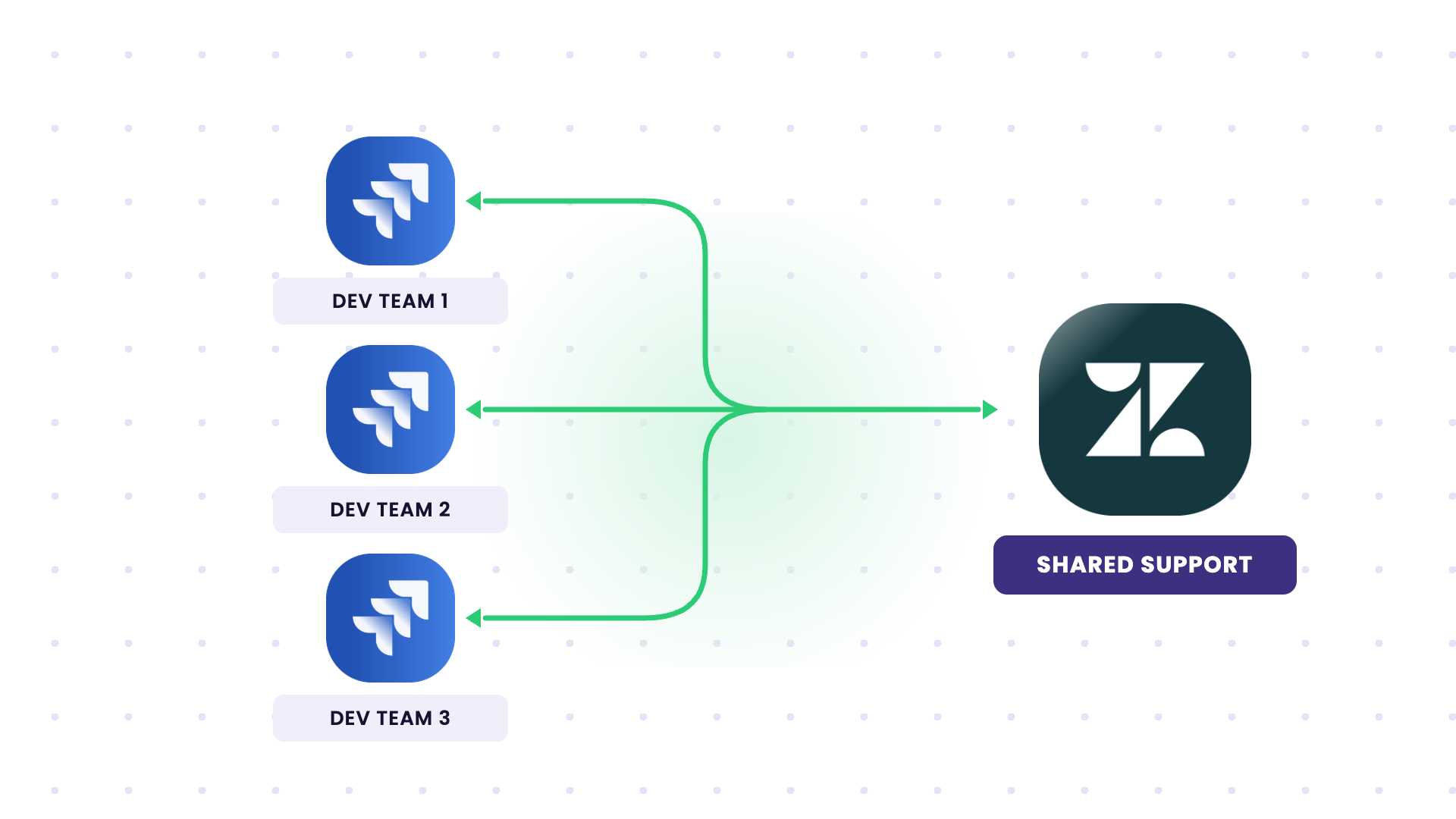
Problem: Out of the box, the Jira app for Zendesk only allows one integration. There’s no native way to hook all three Jira instances into the single Zendesk, so two of the three teams stay disconnected.
Solution: The Zendesk Platform Lead opted to use Exalate for this multi-platform integration. Each Jira instance gets its own connection to the shared Zendesk. Tickets route to the right instance based on a tag, group, or field, and updates from any instance sync back to the matching Zendesk ticket. You add more instances as the org keeps changing, without rebuilding the existing setup.
Read More: How Ideagen Scaled Up Operations By Integrating Multiple Jira Instances with a Zendesk Instance
Use Case 7: MSP Defect Management at Scale With Control Over What Reaches the Customer
Current Setup: Your team pulls customer defects from customer systems in Zendesk into your Jira and works them there. Manual transfer might work for a handful, but not for hundreds or thousands of work items across many customers.
Problem: At that volume, manual review and re-entry can’t keep up, and internal commentary risks reaching the customer. You need control over exactly what flows out to each customer.
Solution: Automated integration syncs defects between the customer’s system and your Jira, with the outgoing script deciding what crosses. Only customer-facing updates reach the customer, internal commentary stays in your instance, and each connection is independent.
Use Case 8: Cross-Company Sync Between Your Zendesk and a Client’s Jira
Current Setup: A client creates tasks in their internal Jira, and those need to land in your external Zendesk, so your team can work them. Neither side wants to give the other admin access.
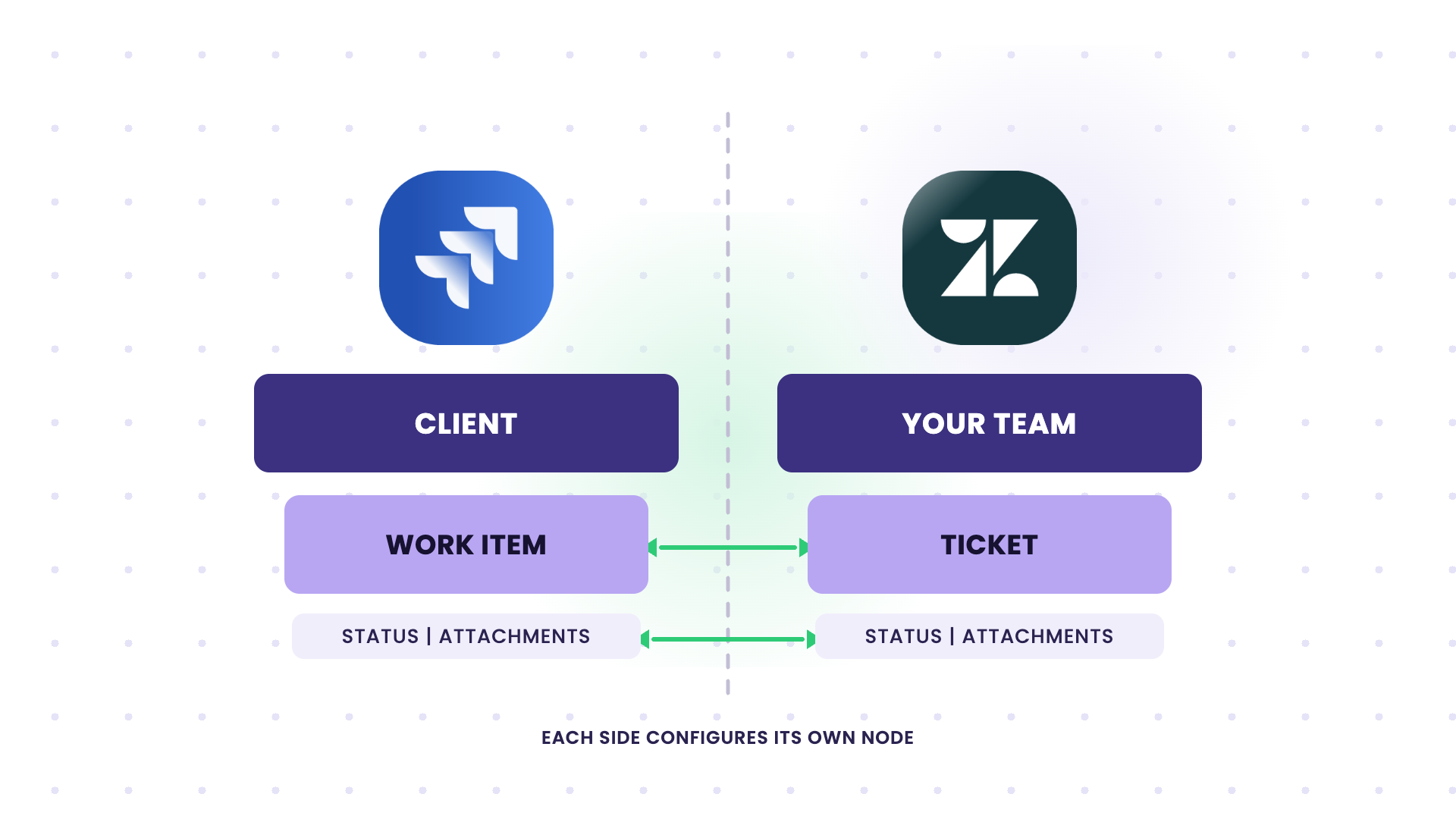
Problem: The fallback is a Jira-to-email workflow, where work items get retyped between systems and internal notes risk leaking to the client. Teams also have to consider whether each side needs its own license, how to map status so a solved Zendesk ticket updates the client’s Jira, and how to keep our internal notes private.
Solution: The Lead Engineer set up an integration where a client’s Jira work item, filtered by creation or a label (eg., “to dev”), creates a Zendesk ticket. Comments and attachments sync both ways, status maps across so a solved ticket updates the client’s Jira, and your internal notes stay out of the client’s instance. Each side sets up independently, and a straightforward bidirectional connection can be configured in under an hour.
Use Case 9: Push Engineering Status Back Into Zendesk
Current Setup: Support keeps chasing engineering for updates, and not everyone has a Jira seat, so the status is stuck where support can’t see it.
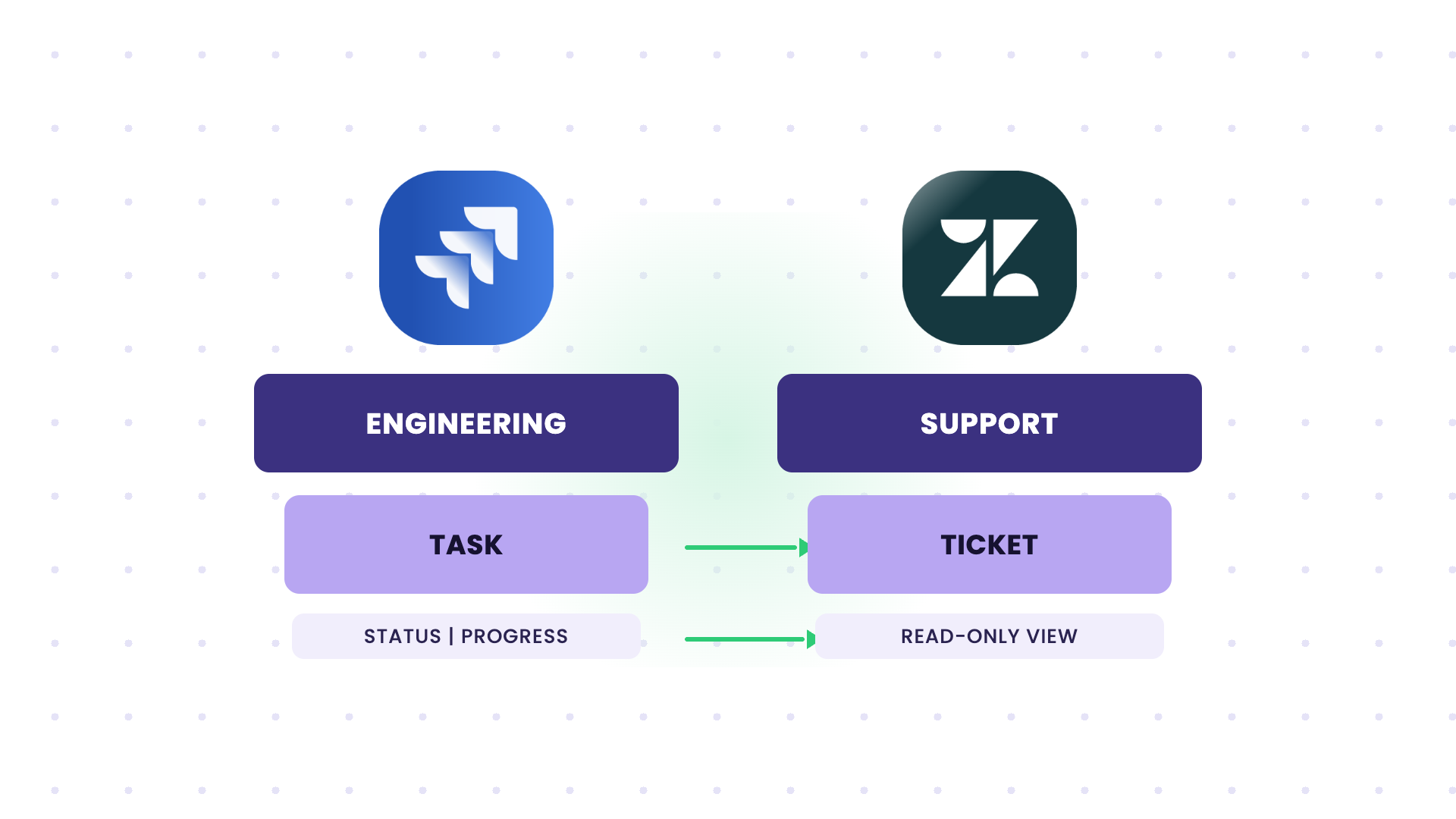
Problem: An agent pings engineering to ask if a ticket is in review, in testing, or waiting on a patch, and the answer arrives late. One team wanted Jira updates to show up in Zendesk but didn’t want any Zendesk messages flowing into Jira, so they needed a one-way flow on purpose.
Solution: Jira status and progress comments sync into the linked Zendesk ticket, so support reads the engineering context without opening Jira or holding a license. Scrum masters can run this in one direction only, and when the Jira work item closes, the agent gets the signal to update the customer.
Use Case 10: Raise Jira Tasks in Zendesk for Production Incidents
Current Setup: Your engineers log a production issue in Jira and want it raised in a company Zendesk, so support and stakeholders can track it.
Problem: Some teams build a Jira automation for this, but it fires once without sharing attachments. One team was weighing whether to write a webhook and a Lambda function just to get screenshots across, before checking whether a full sync could handle it.
Solution: A Jira task triggers a matching Zendesk ticket, including attachments and inline images. Comments and status stay in sync as engineering works the issue, so the Custom Success Managers can follow the incident in Zendesk while the fix happens in Jira.
Read Case Study: How DPG Media Used Exalate To Consolidate Workflows and Teams While Navigating Hypergrowth
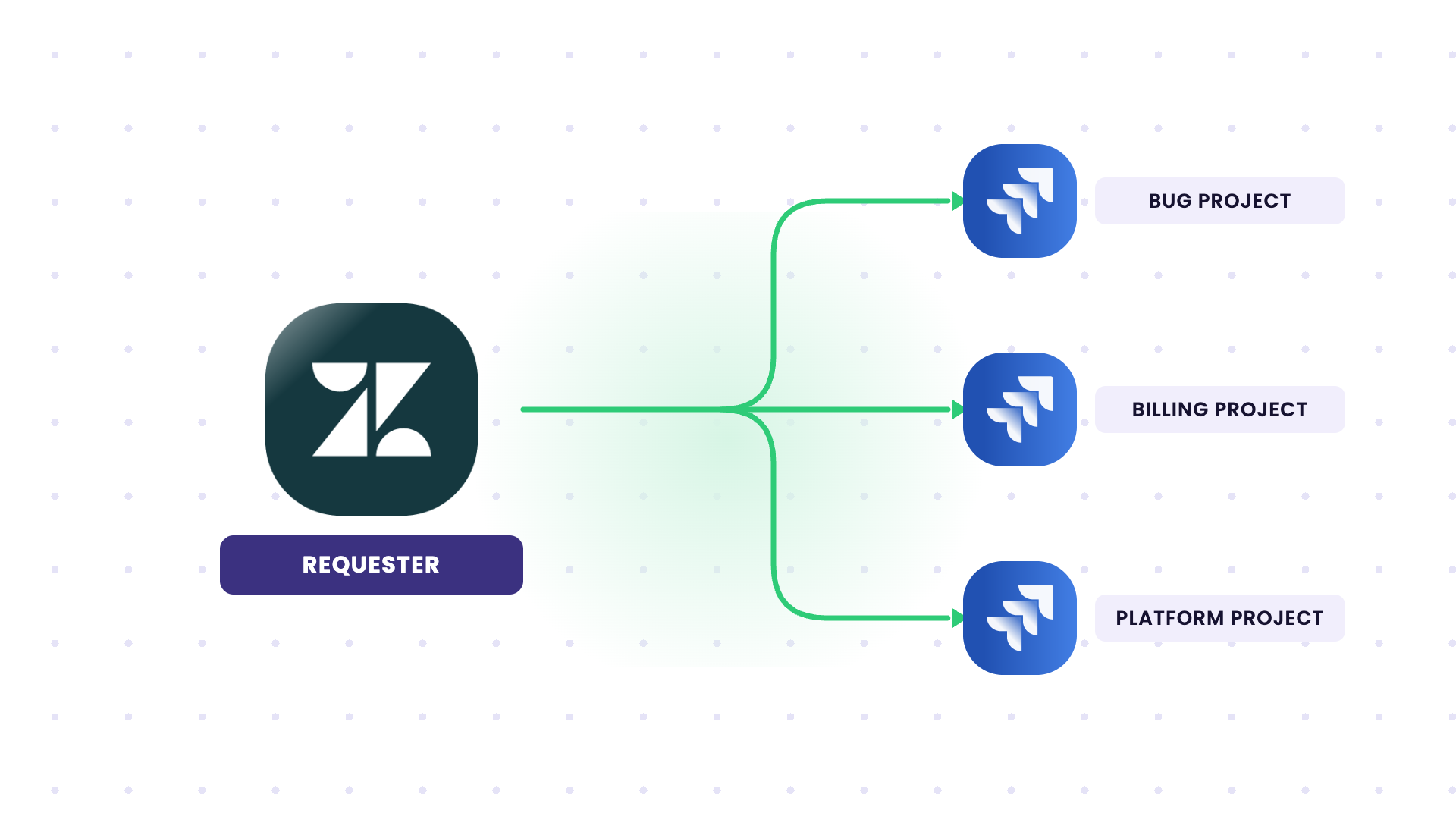
Use Case 11: Route Tickets to the Right Jira Project (Space) and Keep the Real Reporter
Current Setup: Escalated tickets need to land in a specific Jira project based on their type, the Jira task should show who actually reported it, and agents want to create or link the task from inside Zendesk.
Problem: Everything lands in one project and gets sorted individually. A common complaint about existing apps is that the reporter on every synced Jira task is the service account the app runs on, not the person who opened the Zendesk ticket. Agents also have to switch tools to create the Jira task.
Solution: Ticket type or a custom field decides which Jira space the work is created in, and the Zendesk requester maps to the Jira reporter so attribution is correct. Agents create or link the Jira work item from inside Zendesk, and custom fields map both ways so the routing logic holds as ticket types grow.
Use Case 12: Auto-Create Jira Service Management Tickets From Zendesk and Send Replies Back
Current Setup: A requester sends an email, a ticket is created in Zendesk, and a support specialist manually creates a Jira Service Management (JSM) ticket to resolve it. The team runs a JSM portal and a matching Zendesk brand for email intake.
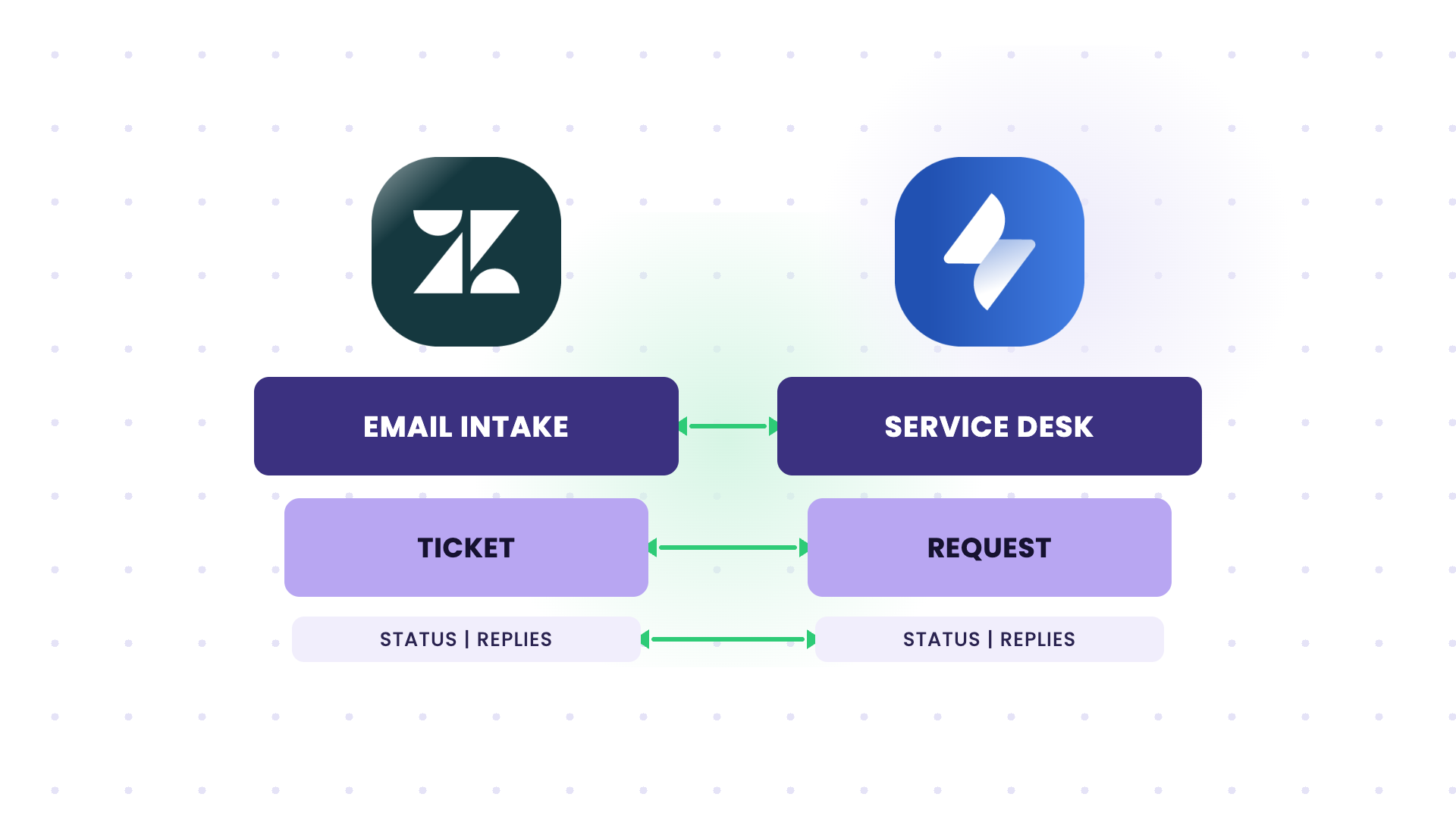
Problem: Creating the JSM ticket manually for every Zendesk ticket is slow and repetitive, and the specialist has to copy replies from JSM back to the requester in Zendesk manually.
Solution: A new Zendesk ticket creates a Jira Service Management ticket automatically, and replies on the JSM side sync back to the Zendesk ticket so the requester gets the answer without anyone copying it over. The two records stay linked, and comments and status keep in step both ways.
All Jira Zendesk Integration Use Cases
| Use Case | Entities | Sync Direction | Best Fit For |
| Escalate tickets with updates back | Zendesk Ticket + Jira task | Bidirectional | Support + Dev teams |
| Internal cases to Jira | Zendesk Ticket + Jira task | Bidirectional | Teams splitting internal vs client work |
| Internal notes kept private | Zendesk Comments + Jira Comments | Bidirectional, filtered | Support desks with customer-visible chat |
| PII kept out of Jira | Zendesk Fields + Jira Fields | Bidirectional, filtered | Healthcare and regulated teams |
| Filtered subset, full field fidelity | Multiple Zendesk + Jira | Bidirectional | Multi-instance L1/L2 support |
| Multiple Jira to one Zendesk | 3 Jira + 1 Zendesk | One-way or bidirectional | Post-merger dev teams |
| Separate tenants after a merger | Jira + multiple Zendesk tenants | One-way or Bidirectional | Mergers and acquisitions |
| Cross-company client sync | Client Jira + your Zendesk | Bidirectional | Vendors and their clients |
| Engineering status into Zendesk | Jira task + Zendesk Ticket | One-way or bidirectional | Support without Jira seats |
| Jira tasks raised in Zendesk | Jira task + Zendesk Ticket | Bidirectional | Production incident tracking |
| Routing and reporter mapping | Zendesk Ticket + Jira Project | Bidirectional | Teams with typed ticket routing |
| MSP defect management | Customer system + your Jira | Bidirectional, filtered | MSPs at scale |
Specific Entities and Fields That Sync Between Jira and Zendesk
Here are the capabilities that make these use cases actually work, across any Jira and Zendesk setup:
- Attachment sync: Bugs and incidents depend on screenshots, logs, and files. An integration that syncs the ticket text but skips attachments sends developers back to email. Make sure attachments and inline images flow both ways, with size limits and filtering if you don’t want every file leaving one side.
- Custom field mappings: Out-of-the-box mappings only get you so far. A real Jira Zendesk integration maps your custom fields, like a Zendesk ticket type or SLA field, to the matching Jira field, and transforms values so the two sides line up.
- Status mappings: Zendesk statuses and Jira statuses don’t share the same values, so a raw pass-through comes up mismatched. Map them explicitly, and decide which side is authoritative when a status changes after creation.
- Comment control: Internal notes and public replies need to move independently. Decide per direction which comment types are shared, so customer-visible chat and internal investigation stay on the correct side.
- Selective sync: Filter by tag, status, ticket type, or a JQL query on the Jira side. The fewer records crossing, the easier the integration is to govern, and the lower the risk of leaking data across companies.
For internal, single-team workflows with simple field-to-field mapping, the native tools are often the right call. For anything advanced, cross-company, multi-instance, or where internal notes and PII have to stay put, a dedicated layer like Exalate fits the bill way better.
If you want to talk through which approach fits your setup, get in touch with our team. In the meantime, you can start your free Exalate trial.
Frequently Asked Questions
What is a Jira Zendesk integration?
A Jira Zendesk integration is a connection between Jira and Zendesk that moves data automatically and cuts out manual handoffs. Your support team works in Zendesk, your developers work in Jira, and nothing falls through the gap between them.
What are the most common Jira Zendesk integration use cases?
The most common use cases involve escalating Zendesk tickets into Jira as tasks so engineering picks them up, and syncing comments and status back so support can update the customer. Multi-instance setups after a merger, cross-company sync with a client’s Jira, and keeping internal notes and PII off the other system come up a lot too.
Is the sync between Jira and Zendesk bidirectional?
Yes, the sync is bidirectional and happens in real time. A Zendesk ticket can create and update a Jira task, and Jira comments and status changes push back to Zendesk. You control which fields sync in which direction, and you can run it one-way if you only want Jira updates flowing into Zendesk.
Can a Zendesk ticket create a task in Jira?
Yes, an escalated Zendesk ticket can create a Jira task automatically, with the details and attachments carried across and the link stored on both records. You trigger it by tag, status, or ticket type, and route it to a specific Jira project.
Can I keep internal notes and customer PII out of Jira?
Yes, outgoing and incoming scripts decide what crosses, so you can send public replies while holding internal notes on the Zendesk side, and drop PII fields entirely so they never reach Jira. This is why regulated teams use a dedicated layer instead of the native app.
Can I connect multiple Jira instances to one Zendesk?
Yes, each Jira instance gets its own connection to the shared Zendesk, and you route tickets to the right instance with a tag, group, or field. The native Jira app only allows one connection, so this is the setup teams reach for after a merger.
Can the Jira reporter show the person who opened the Zendesk ticket?
Yes, the Zendesk requester maps to the Jira reporter, so the task doesn’t show a generic service account as the reporter.
How long does it take to set up a Jira Zendesk integration?
A straightforward bidirectional connection can be running in under an hour, and one team configured theirs in about 50 minutes during a workshop. Mappings with custom fields and scripts take longer, but you start from a working sync and build on it.
Is a dedicated integration cheaper than building my own?
A two-way sync built in-house runs around 10K a month in developer time, and it leaves you exposed when that developer is unavailable. Exalate’s pricing is instance-based rather than per-user, so at scale it tends to work out cheaper than per-seat tools or other connectors.
When should I use native tools vs a third-party solution?
Native tools work for internal, single-team workflows with straightforward mappings. A third-party tool fits better when the integration crosses company lines, you have more than one Jira or Zendesk instance, or internal notes, PII, and field values need controlling and transforming between the two sides. I Also,
Recommended Reading