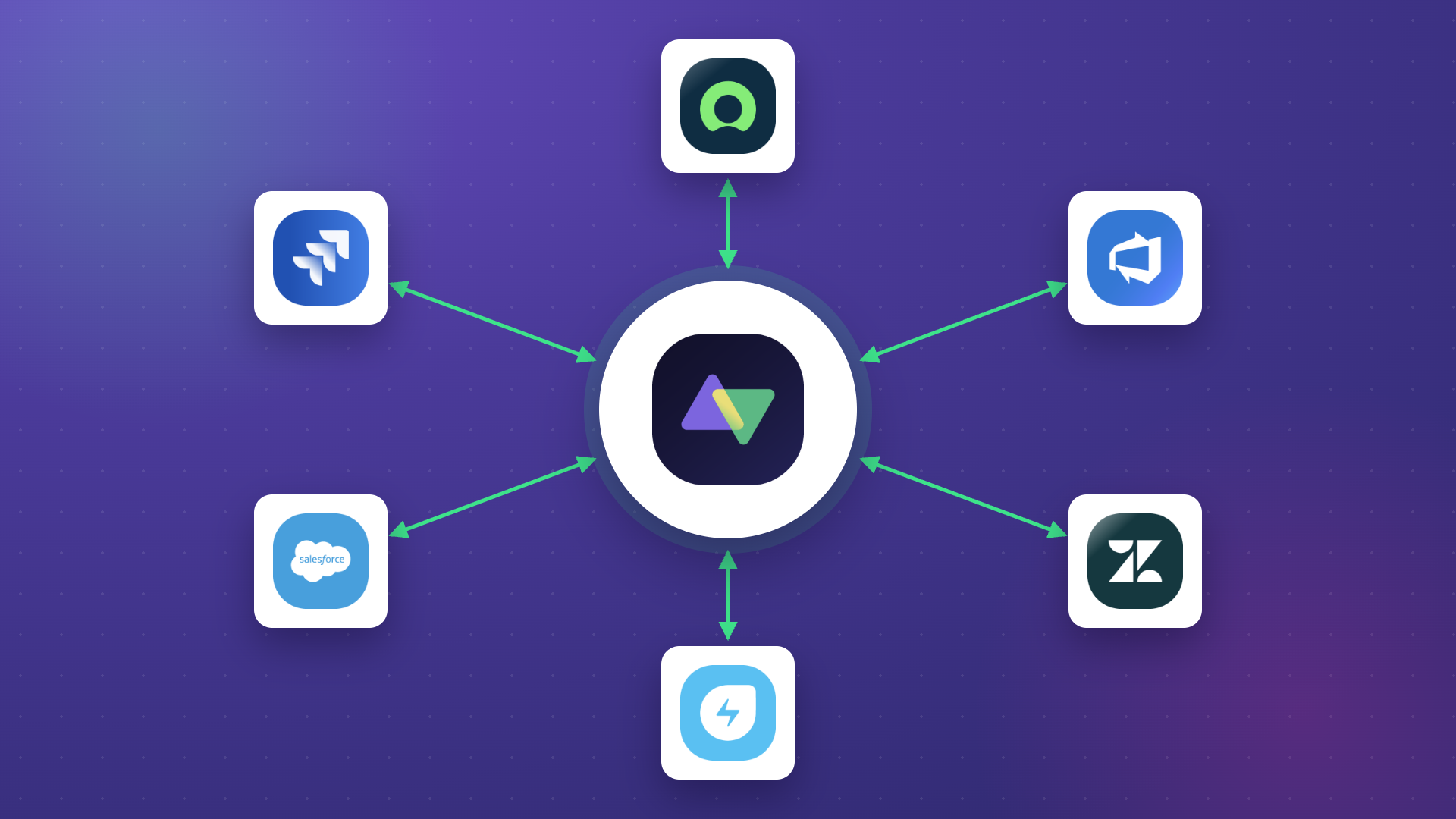
Exalate and OpsHub Integration Manager solve different problems. Exalate connects two independent organizations in real time, each side keeping full control of its own configuration. It’s also suitable for intra-company use cases.
OpsHub centralizes integration across a single enterprise’s ALM, PLM, DevOps, and ITSM stack, run by one admin from one deployment. Both call themselves integration tools. They’re built for different buyers.
If you’re comparing the two, you’re probably in one of two situations: syncing Jira with Azure DevOps or ServiceNow across teams or companies, or looking for a different stack (DOORS, Jama, Codebeamer, PTC Integrity) inside a single large enterprise. The right answer depends on which one you’re actually solving.
Exalate vs OpsHub Integration Manager at a Glance
| Exalate | OpsHub Integration Manager | |
|---|---|---|
| Architecture | Independent, each side runs and controls its own instance | Centralized, one admin, one standalone VM deployment |
| Setup | Groovy scripting by default; Aida AI generates scripts from plain English | GUI field mapping for common cases, XML or Java-based scripts for advanced ones |
| Sync frequency | Continuous, real-time across all plans | Community: 5 min or slower. Professional and Ultimate: marketed as continuous |
| Conflict handling | Script-configurable resolution rules, set precedence based on your needs | UI selector: pick which system wins, or generate an error |
| Error visibility | Persistent event queue, failed syncs stay for retry, Aida-assisted troubleshooting | Central sync health dashboard with one-click retry |
| AI assistance | Aida, named assistant: generates scripts, explains scripts, troubleshoots | Unbranded AI feature: validates mappings, flags issues |
| Cross-company sync | Each party sees only its own configuration, no shared admin access needed | One admin needs access to both connected systems |
| Connector breadth | Jira, ServiceNow, Salesforce, GitHub, Zendesk, and others ( ITSM-focused) | 70+ tools, including PLM/ALM systems |
| Scalability | Hundreds of thousands of entities, connecting multiple enterprises and systems, no single point of failure. Hub-and-spoke, mesh, & more topologies supported. | Grows by consolidating point-to-point integrations into one centralized hub |
| Compliance | ISO 27001:2022 | SOC 2 Type II |
| Data residency | Configurable data residency options | Logs and config stored in a customer-specified location, on-prem or hosted |
| Migration | Live, in-flight migration (or transformation) via the same sync engine, zero downtime | Separate Migration Manager (OMM) product, GUI-based, zero downtime, full history-based migration including agile history |
| Pricing | Published tiers, 30-day free trial | Community edition free with real limits; Professional and Ultimate are “Contact Us” |
| Independent reviews | Active, independent presence in the Atlassian Community | Thin, a couple of G2 reviews, community activity is mostly self-promotional |
| Best for | Intra & Cross-company sync, Jira/ServiceNow/Azure DevOps collaboration, teams that want each side to control its own config | Full product lifecycle traceability across ALM/PLM/ITSM, regulated industries, central IT that wants one admin owning everything |
This table is the short version. The reasoning behind each row, including where OpsHub genuinely wins, is below.
What Is OpsHub Integration Manager?
OpsHub Integration Manager (OIM) connects ALM, PLM, DevOps, and ITSM systems, things like IBM DOORS NG, Jama Connect, Codebeamer, PTC Integrity, Jira, Azure DevOps, ServiceNow, and Salesforce, across more than 70 supported tools. One admin configures both sides from a standalone deployment (Windows or Linux VM), and that single deployment becomes the hub everything routes through.
OpsHub added Siemens Polarion ALM support and launched a new Archive Manager product this year, alongside its existing lineup: OIM for live sync, Migration Manager for historical data migration, an Azure DevOps Migrator, and Data Bridge for AI and data lake use cases.
Its target customer is an enterprise in a regulated industry (healthcare, defense, aerospace, manufacturing) doing ALM or PLM consolidation, a cloud migration, or an M&A tool consolidation, usually with central IT owning the tooling decision rather than individual teams choosing their own.
What Is Exalate?
Exalate syncs work management tools, CRMs, ITSM platforms like Jira, ServiceNow, Salesforce, GitHub, Zendesk, and a more focused list of systems, bidirectionally, in real time.
Each organization runs its own side of the connection and configures its own sync rules independently. Nobody needs admin access to the other party’s system. It runs in the cloud or in a customer’s on-premises deployment.
Exalate’s recent additions include a unified web-based setup with advanced features like script versioning and test runs, side-by-side connection configuration options, & much more.
It also includes Aida, the AI assistant for generating and troubleshooting Groovy scripts, and Bulk Exalate, a granular-triggered mass transfer feature built for large migration and onboarding jobs.
The dashboard lets you track the number of items under sync over time. You can monitor all the connections you have access to or focus on a specific integration or connection.
Its target customer ranges from enterprise teams syncing across internal departments to organizations that need to collaborate with an outside vendor, customer, or partner, having advanced sync requirements, without handing over admin access, plus MSPs (Managed Service Provider), MSSPs (Managed Security Service Provider), and system integrators that resell integration capability as part of a broader service.
Connector Breadth: Where the Overlap Actually Is
OpsHub’s 70+ connectors split into two groups. One overlaps with Exalate directly: Jira, Jira Service Management, Azure DevOps, GitHub, ServiceNow, Salesforce.
The other is a large PLM, ALM, and requirements-management set Exalate doesn’t touch at all: IBM DOORS NG, OpenText ALM, PTC Integrity, Aras Innovator, plus legacy connectors like Bugzilla, Perforce ALM, and testing tools like Tricentis Tosca and Zephyr.
OpsHub’s breadth is real, and it’s mostly because it covers a market Exalate doesn’t target.
That’s not a gap for Exalate to explain away. It’s a different market. According to our research, the two products overlap in an estimated 20% or less of real customer decisions, specifically around Jira and ServiceNow or Azure DevOps, not full product lifecycle traceability.
The Real Difference: Centralized vs Independent
This is the structural difference, and it matters more than any single feature. OpsHub runs on one admin, one VM, with credentials for both connected systems sitting in one place.
Exalate runs each side independently. Your organization sees only your own configuration. The other party sees only theirs.
This difference matters where a vendor and a large enterprise customer need to sync tickets without either one getting into the other’s system.
A telecom company needing a bridge to a discontinued vendor’s ticketing tool. Two organizations mid-M&A needing to keep separate Jira instances talking without merging admin access. A supplier network where the automotive OEM and its suppliers each want visibility into the other’s tickets, but neither wants to hand over the keys to their own instance.
In every one of these, “who has admin access to whose system” isn’t a technical footnote; it’s the actual blocker that decides which tool gets picked.
We’ve seen this exact tension play out when users compare these tools.
One enterprise evaluating Exalate for a cross-company Jira Data Center to Jira Cloud connection flagged that most of the other tools they’d used before had “one tool, one person managing it.”
Exalate’s model does mean both sides need someone managing the connection on their end. That’s a fair trade to acknowledge: a centralized model is simpler to hand to a single admin, especially early on.
An independent model means nobody outside your own organization ever needs access to your system, which is the whole point if the other party is a vendor, a client, or a company you don’t fully trust with admin rights.
If your integration needs to evolve team by team, project by project, a centralized hub becomes the constraint. Each side owning its own logic means teams can move independently while still sharing exactly what they agree to share.
Setup: No-Code Claims vs What Actually Happens Via Scripting
OpsHub is a no-code, AI-assisted setup through a visual interface. In practice, every field has an option to write an advanced mapping in XML, and complex use cases, like transforming a wiki-formatted description field into HTML, rely on that XML layer, not the drag-and-drop UI. The visual interface handles the common cases well. The moment a mapping gets specific, you’re back to writing configuration by hand, just in XML instead of a general-purpose language.
Exalate’s approach is Groovy scripting, and it’s available by default rather than a fallback for when the visual templates run out of road. That’s a real difference in philosophy: OpsHub’s script layer exists mostly for edge cases. Exalate’s scripting is the primary interface, with a newer, more guided AI-assisted setup layered on top of it.
That said, scripting isn’t free of friction either. One user actively comparing Exalate, OpsHub, and Unito for a ServiceNow to Azure DevOps sync pushed back on exactly this: why would a no-code, no-configuration setup fail in a way that scripting didn’t, and why should an enterprise be better off maintaining scripts instead of clicking through a UI?
It’s a fair question, and the honest answer is that template-based mapping has guardrails that make it predictable for simple mappings and unworkable the moment you want to add conditional logic or custom field transformations on top of it. Scripting has more room to handle those cases cleanly, at the cost of needing someone comfortable reading and writing it, but with AI, even that barrier is closing fast.
Sync reliability doesn’t depend on how comfortable your team is with scripting, though. Exalate uses persistent event queues: if a sync fails, it stays in the error queue for retry. Scripts define the sync logic. They don’t determine whether an event gets delivered.
Setup Complexity, Side by Side
Based on both vendors’ own public documentation:
Who configures it. Exalate: each side independently through a unified console. OpsHub: one admin configures both sides centrally.
How. Exalate: Aida AI helps generate Groovy scripts from plain English (configurable without AI as well), versions them for a full audit trail, with a test run before going live. OpsHub: no-code GUI field mapping, with a test run before enabling.
Infrastructure needed. Exalate: Web-based unified interface. Can be deployed on-prem or via Docker. OpsHub: a standalone VM deployment, Windows or Linux, that then connects out to both systems.
AI-assisted setup. Exalate: yes, Aida helps you to write and validate scripts. Also, helpful for troubleshooting. OpsHub: yes too, scoped to validating mappings and flagging issues.
Cross-company suitability. Exalate: each party sees only their own configuration. OpsHub: one admin needs access to both systems.
What Gets Synced
Out of the box, Exalate syncs work type, IDs, fields, comments, attachments, links, sub-tasks & more. OpsHub’s list is: fields, comments, attachments, links, audit history, IDs, hierarchy, worklogs, & more.
The out-of-the-box list is really just the starting point on both sides, though the mechanism for going beyond it is different, and this is where Exalate’s strongest advantage actually sits.
A sync script isn’t limited to fields the connector already knows about. Because scripts run as Groovy code with full HTTP client access, they can call the REST API of either connected system, or a third system entirely, at the moment of sync: pull a field that isn’t natively mapped, compute a value from multiple API calls, or reach into a custom field, plugin, or app that lives outside the standard schema. If a piece of data is reachable over REST, it can generally be synced, not just the fields that ship pre-mapped.
That’s a big part of why one customer described building their own integration on top of Exalate, calling it “very extensible and flexible” in a way a template-based or field-mapping-only tool can’t match once requirements get specific.

The fact that Exalate is a very extensible and flexible product is quite an impressive feature for us. We can even build our own integration on top of it, and it actually shows that the developers and the engineers behind the product do really know what they are doing.
OpsHub works differently: it’s template-based. Fields sync through pre-built mappings inside each of its connectors, configured through the GUI, with XML mapping or Java-based workflow scripts available for more complex transformations within that connector.
Sync Behavior: Frequency, Conflict Handling, Error Visibility
OpsHub’s Community edition syncs at five-minute intervals or slower. Its Professional and Ultimate paid tiers are both marketed as “continuous sync” on OpsHub’s own Plans page. Exalate syncs continuously in real time across its plans, with no tier distinction.
Conflict handling on OpsHub’s side is a UI-level choice: pick which system wins, or generate an error. Exalate’s conflict resolution is configurable through scripting, giving more granular control.
For error visibility, OpsHub has a central sync health dashboard with one-click retry. Exalate has a persistent event queue and Aida-assisted troubleshooting.
Scalability and Architecture
Exalate handles hundreds of thousands of synchronized entities at enterprise scale, including deployments at large financial, government, and public sector companies. OpsHub claims millions of records; it applies to migration volume, not to how much OIM itself moves in ongoing, real-time sync.
Scalability here isn’t about a raw entity count. It’s about how the integration footprint grows as more teams, systems, and partners get added over time, and the two products grow in opposite directions.
Most Exalate deployments start small: one point-to-point connection between two systems, a single Jira project talking to a single ServiceNow instance, say. As more teams or departments need the same kind of sync, that pattern typically grows into something closer to hub-and-spoke or mesh: multiple independent connections layered on top of each other, each one configured and owned by whichever two sides are actually exchanging data. Because each connection is independent, adding a new one doesn’t require redesigning the ones already in place, and no single connection failing takes the rest down with it.
OpsHub scales in the other direction, toward consolidation. Its deployment model seems to rest on separate point-to-point integrations getting replaced by one centralized hub, with one admin managing all of it from a single deployment. That’s a real advantage if the goal is fewer moving parts to administer. It also means every connected system funnels through that one hub, so the hub becomes the thing everything depends on.
Neither model is “more enterprise” than the other. They fit different governance requirements. A company that wants one admin owning the whole integration will find OpsHub’s model comfortable. A company that wants no single point of failure, and no single admin with access to every connected system, will find Exalate’s model comfortable.
AI-Assisted Configuration
OpsHub has AI assistance for building and maintaining integrations, specifically validating mappings and flagging issues, and lists audit trails for AI operations as a security feature.
Some of what OIM points to as validation already exists as a standard, non-AI configuration feature: its mapping setup lets an admin define a list of possible values for a field, and the sync fails if an incoming value isn’t on that list, catching a mismatch before it corrupts data on the other side. That’s useful, but it’s closer to a validation rule than an AI capability.
What isn’t clear from OpsHub’s public materials is how much of its AI messaging sits on top of that existing rule-based check versus doing something genuinely new, like suggesting a mapping between two systems it hasn’t seen paired before, or explaining a specific failure in plain language the way Exalate’s Aida AI does.
Exalate’s equivalent, Aida, is an assistant with a broader, more clearly documented scope: generating Groovy scripts from natural language, explaining existing scripts line by line, and troubleshooting sync errors with context-aware suggestions.
The honest comparison is about scope and maturity, not presence versus absence.
Compliance and Security
OpsHub is SOC 2 Type II compliant (since June 2024), and also offers HTTPS deployment, an on-prem option, and is built around DoDI 5000 compliance for defense customers.
Exalate holds ISO 27001:2022 certification, is GDPR compliant, and carries Atlassian’s Cloud Fortified status. On top of the certifications, the security program includes an active bug bounty, regular third-party security assessments and penetration testing, threat detection through SentinelOne monitoring, role-based access control, and encryption both in transit (TLS 1.2+) and at rest (AES-256). Authentication is decoupled by design: API keys, OAuth, and personal access tokens connect a system without ever exposing raw credentials to the other side.
Data residency is built into the same model that defines the rest of the product. Each side stores and processes its own data; there’s no central data warehouse holding both parties’ information, and customers can choose where their own data lives.
For regulated deals, Exalate also runs a metadata-only, PII-filtering architecture where no personal or health data needs to leave the source system at all; only linked metadata crosses over. That architecture is already doing real work in regulated industries: healthcare and government (data segregation between public-facing and internal systems), insurance (compliance-sensitive claims workflows), and manufacturing and automotive supply chains, where the requirement isn’t just certification on paper; it’s proof that sensitive data never has to leave the system that owns it.
OpsHub’s depth is real for full product lifecycle traceability inside a single enterprise, especially in defense and aerospace, where DoDI 5000 and similar frameworks are named requirements.
For the broader set of Jira, ServiceNow, and Azure DevOps collaboration this comparison focuses on, and for any scenario involving two separate organizations rather than one, Exalate’s certification stack, security controls, and data model cover more ground. It does that without a customer ever needing to hand over access to a system they don’t own.
There’s also a maintenance cost to OpsHub’s centralized model worth naming: logs and configuration are stored in a customer-specified location, where there’s a possibility that the disk space can fill up over time and needs manual cleanup, or the system stops running efficiently. That’s a real operational cost of running one VM with one set of logs, a cost a non-centralized architecture doesn’t carry in the same way.
Security and compliance review is also a named, recurring blocker for users, independent of which tool is being evaluated, often taking two to three weeks depending on agreement complexity. That’s worth planning for regardless of which product you’re evaluating.
Pricing: Transparent vs Contact Sales
Exalate has tiered pricing, with a 30-day free trial and a price calculator anyone can run before ever talking to sales. The model itself is outcome-based: you pay for the integration and for active items currently in sync, not per seat or per user.
That has a direct effect on how the bill behaves. Costs scale with how much you’re actually syncing rather than with headcount, and a usage spike doesn’t turn into a surprise invoice the way seat-based pricing sometimes does.
OpsHub’s Community edition is free, but capped in ways that matter: a handful of supported systems, a 10-project limit, sync no faster than every five minutes, and no SSO.
Professional steps up to 3 to 4 tool integrations with standard or advanced sync cases, GUI-based setup with optional custom scripting. Ultimate adds configuration auditing, custom connector builds, and admin APIs for automating sync configuration, aimed at multi-tool integration in regulated sectors. Both Professional and Ultimate are “Contact Us,” with no public numbers anywhere on OpsHub’s own Plans page.
That gap shows up in real conversations too. Buyers regularly ask for pricing before they’ll engage further, and price sensitivity is one of the more common reasons a deal stalls or narrows in scope.
A published price and a self-serve calculator don’t remove that friction entirely, but it does mean a technical evaluator can get a same-day ballpark instead of waiting on a multi-step sales process to find out if a tool is even in their budget range.
Migration: Live Cutover vs Batch Move
Migration is a different problem from ongoing sync, and both vendors treat it that way rather than folding it into the same feature.
OpsHub claims millions of records moved through a separate Migration Manager product, plus a dedicated Azure DevOps Migrator for that specific path, built for a one-time, structured move of historical data.
Exalate’s approach leans on the same live-sync engine instead of a separate batch tool. Bulk Exalate handles platform-native triggers to set filters to migrate specific entities.
Case Study: ACA helped their customer move 150,000 issues at 99,9% success rate with no downtime window
Exalate can also be complementary to Atlassian’s own Jira Cloud Migration Assistant on Data Center to Cloud moves: JCMA handles the structural migration, Exalate maintains live external connections to partners and vendors through the transition, so a company doesn’t have to choose one over the other.
OpsHub’s dedicated migration product is OpsHub Migration Manager (OMM), positioned around GUI-based setup with no custom scripts, moving full data history and context. OpsHub cites more than 500 enterprise migrations, and support for 70+ tools. Its process runs in four steps: assess data volume and entity types, decide what moves versus what gets transformed or archived, validate the target with a small pilot migration, then cut over with ongoing sync support.
Both vendors have zero downtime and no data loss. The real difference is in how the transformation happens. Rather than a distinct “decide what transforms” step ahead of the move, Exalate remaps fields, merges data, and cleans up messy source data as part of the live sync itself, continuously, right up to cutover.
Sync order is handled automatically to preserve parent-child relationships (epics before non-subtasks, non-subtasks before subtasks, older and closed data before active and open data), and going live is simply a permission switch: writes get disabled on the old system and enabled on the new one, not a separate cutover event.
Exalate is also explicit about where migration isn’t the right fit, a boundary worth naming since it’s not something OMM’s own materials spell out an equivalent for.
The practical difference: OpsHub’s migration path is a bounded, one-time move handled by a separate product, strong on breadth into legacy ALM and requirements tools.
Exalate’s migration path stays live and reversible for as long as the cutover takes, transforms data in-flight rather than in a separate step, and is upfront about the handful of things, like permission schemes and project configurations, that don’t come along for the ride.
Third-Party Validation: Reviews and Community Presence
Independent review coverage for OpsHub is thin: only a couple of reviews on G2, and no substantive presence on Capterra, PeerSpot, or Gartner Peer Insights as of this writing.
Both companies publish vendor-authored guides in the Atlassian Community’s App Central section, but the character of that presence differs.
Exalate has a real independent footprint: users post configuration questions, the team responds publicly to support issues, and community members reference Exalate unprompted in sync discussions.
OpsHub’s community activity is close to entirely self-promotional; its team answers open questions about other tools by recommending OIM, but there are no independent threads asking how to configure OpsHub or reporting real issues with it.
This is a factual observation about visible activity, not a claim about product quality on its own. But a thin third-party validation is a useful signal for anyone doing due diligence before a purchase.
When OpsHub Is the Better Fit
- Full product lifecycle traceability across ALM, PLM, and ITSM.
- Regulated industries where DOORS, Jama, Codebeamer, or PTC Integrity connectors matter.
- Central IT that wants one admin controlling the entire integration.
- Tool consolidations, M&A, or legacy system retirement at enterprise scale.
The two products overlap in an estimated 20% or less of real decisions. A comparison that pretends OpsHub is the wrong choice across the board isn’t credible, and it isn’t useful to the person reading it.
When Exalate Is the Better Fit
- Cross-company or cross-team sync: vendors, customers, or partners, each keeping their own configuration and never needing admin access to the other side.
- Building integration networks in the form of hub-and-spoke, point-to-point, or mesh topologies.
- Intricate ITSM workflow orchestrations, advanced data sync rules, conditional logic, & more.
- Offload the entire integration hassle to Exalate via managed services.
- Jira to ServiceNow, Jira to Azure DevOps, or Jira to Jira collaboration. Check all the integrations Exalate supports here.
- Teams that want AI-assisted configuration setup and are comfortable with scripting for the cases that need it.
- Teams that want to see pricing before booking a call.
- Fast time to value: zero-downtime live migration, or post-migration sync is the most consistently praised part of Exalate.
Myth vs Reality: Common Objections Addressed
“Exalate is small-scale and not suited for enterprise.” Exalate runs in enterprise environments with hundreds of thousands of synchronized entities, including large companies like Vodafone, SPK, and UberFreight. The two products target different enterprise use cases, not different company sizes.
“Sync reliability depends on Groovy scripts.” Exalate uses persistent event queues. A failed sync stays in the error queue instead of getting skipped. Reliability doesn’t depend on scripting; scripts define the sync logic, not whether an event gets delivered.
“Basic comment and attachment sync requires extensive scripting.” Comment and attachment sync ships in the default rules. No scripting is needed for standard use cases. Scripting exists for advanced transformations; that’s additional capability, not a requirement to get basic sync working.

Making Your Decision
Go with Exalate if: you’re syncing Jira, ServiceNow, Salesforce, or Azure DevOps across teams or companies, have advanced sync requirements that don’t fit a template-based tool, you need each side to control its own configuration without handing over admin access, or you want AI-assisted scripting and published pricing you can check before booking a call.
Go with OpsHub if: you need full product lifecycle traceability across ALM, PLM, and ITSM systems like DOORS, Jama, or Codebeamer; you’re in a regulated industry where OpsHub’s compliance positioning and audit trail depth matter most, or central IT wants one admin owning the entire integration from a single deployment.
FAQ
Is OpsHub or Exalate better for Jira and Azure DevOps sync?
Both support it. OpsHub centralizes the setup under one admin. Exalate lets each side, or each team, control its own configuration independently, and is the best option if you have intricate sync needs, which matters more once you’re syncing across multiple teams or organizations rather than one internal project.
Does OpsHub Integration Manager support real-time sync?
Its Professional and Ultimate tiers have continuous sync. Its free Community edition syncs at five-minute intervals or slower.
Is Exalate SOC 2 or ISO certified?
Exalate holds ISO 27001 certification. OpsHub holds SOC 2 Type II.
Can OpsHub connect systems Exalate doesn’t support, like DOORS, Jama, or Codebeamer?
Yes. That’s a genuine strength of OpsHub’s connector list, and it’s a different market (ITSM, CRM, etc.) than the Jira, ServiceNow, and Azure DevOps space Exalate focuses on.
Does OpsHub publish pricing?
No. Its Community edition is free with real limits, but Professional and Ultimate both require contacting sales, with no public numbers on its own Plans page.
Recommended Reads
- Exalate vs Getint: Features, Pricing, Use Cases, And More
- Backbone Issue Sync vs. Exalate: In-Depth Comparison
- TFS4JIRA vs Exalate: Jira Azure DevOps Comparison
- Jira Migration Guide: Step-by-Step Process (Zero Downtime)
- How Stellantis Migrated 150,000 Jira Issues With Zero Downtime
- 10 Best Tools for Jira to ServiceNow Integration