A printer goes down, and an employee raises an incident. The incident links to the printer through an Assets field, and the ticket syncs to the team that repairs it.
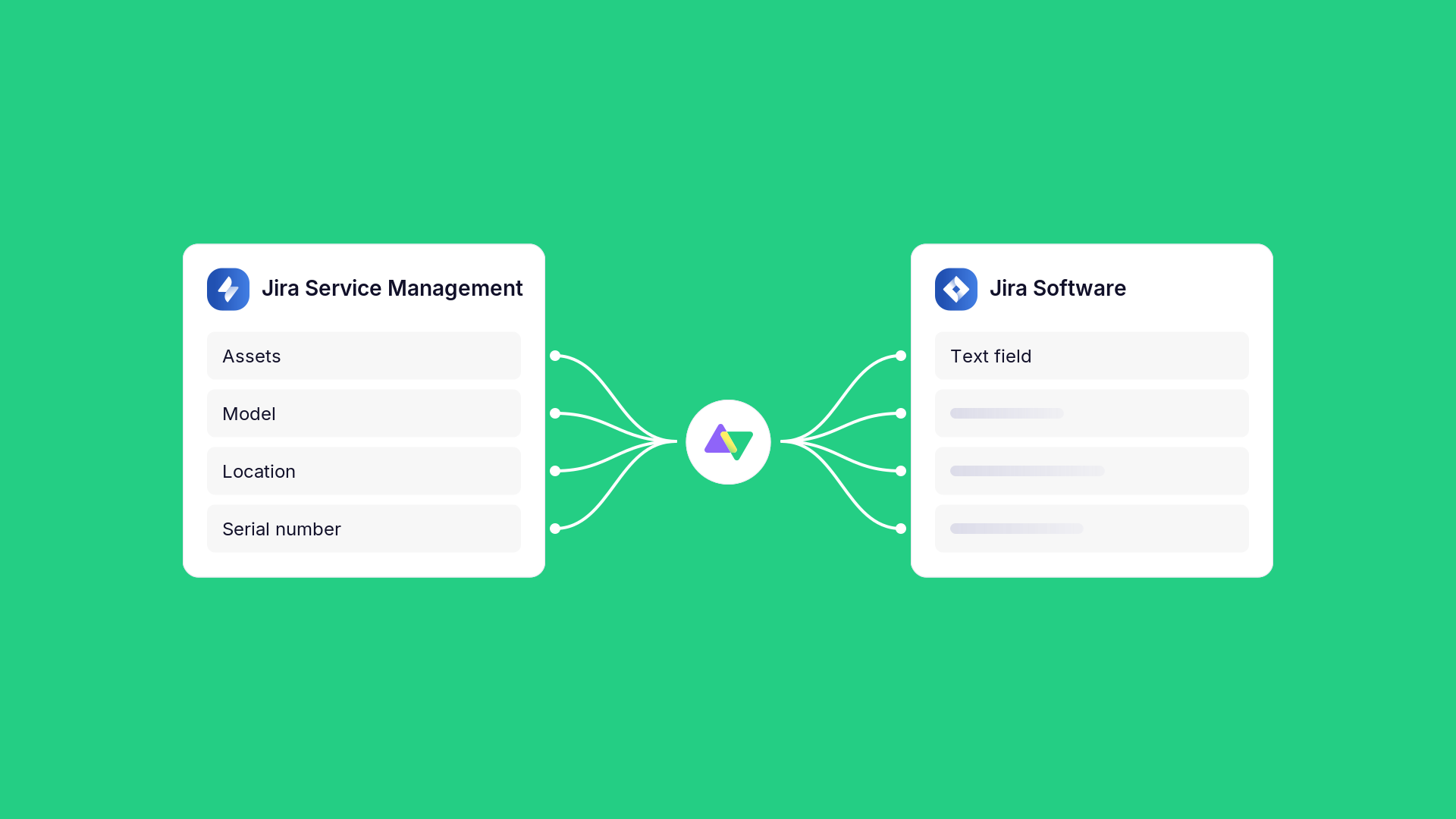
On the other side, the Assets field arrives empty. The engineer gets a ticket about a printer with no model, no location, and no serial number.
Most Assets requests come down to one need: a single asset’s details travel with the ticket.
Below, you’ll find why teams need asset data on both sides, how to send an asset’s details with the ticket using an Exalate script, and a second route that needs no token.
Key Takeaways
- An Assets field stores a workspace ID and an object ID, so it arrives empty on another site unless a script sends the asset’s details.
- An outgoing Exalate script calls the Assets REST API and sends the asset’s details to the other side as text.
- The receiving side stores the details in an ordinary text field or comment in Jira, ServiceNow, or another connected system.
- A Jira Automation rule that copies the asset name into a text field is a second route that needs no token.
Discuss your integration setup with our experts
Get free, expert advice on your setup. We’ll reach out via email to discuss your use case.
Why Teams Need Asset Data on Both Sides
Service teams track their equipment in an asset database. In Jira Service Management, that’s Assets: objects such as laptops, printers, and servers, each with attributes like model, owner, and location. ServiceNow keeps the equivalent records as configuration items in its CMDB.
Work often crosses tools. A broken printer is reported as an incident in one system, and a team working in another platform, such as a second Jira site or ServiceNow, handles the repair. That team needs the printer’s details, and those live in the system where the incident started.
An Assets field on a Jira issue (or work item) stores a reference to the asset: a workspace ID and an object ID. They point to a record in the Assets database of the site where the issue lives. Without a mechanism to pass the asset’s details to the other system, the field arrives empty or null on the destination. A copied ID doesn’t help, because object IDs differ between sites. Copying them manually might introduce errors.
How Exalate Handles Jira Assets
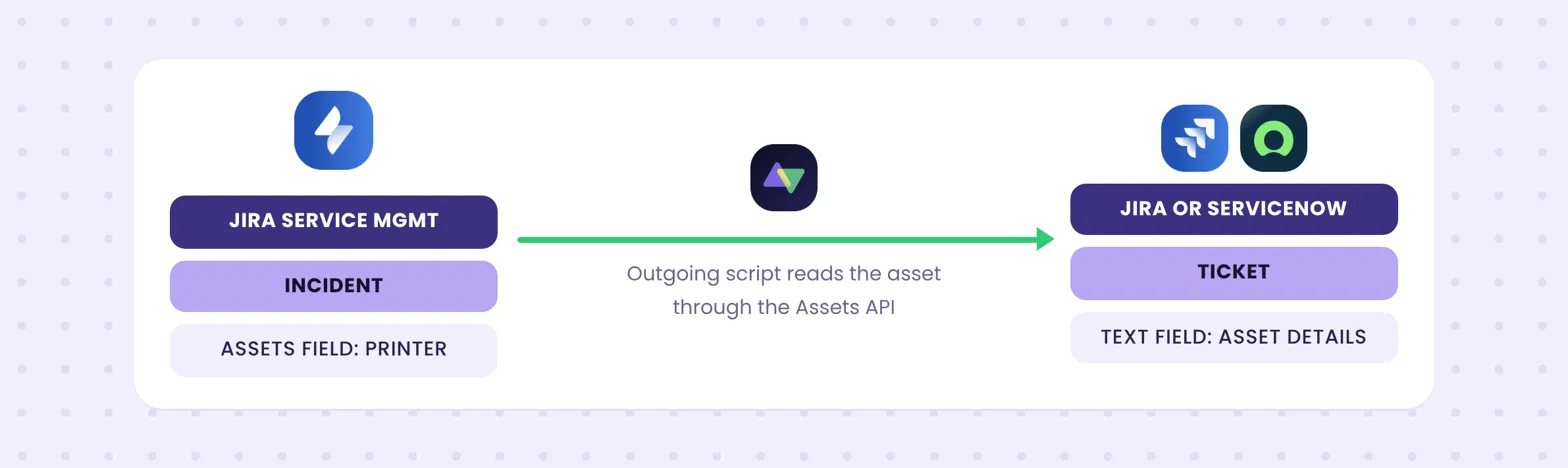
Exalate carries an asset’s details across through its Groovy-based scripting engine. It uses HttpClient to make an API call to the Asset Endpoint provided by Atlassian to get the value of the Asset field based on the custom field ID.
In the printer example, the script reads the asset linked to the incident and sends its details to the other side as text. The receiving side stores them in an ordinary field or comment.
Two things sit outside it: syncing the Assets database itself, including object hierarchies, and setting an Assets field on the receiving issue.
Send the Asset’s Details with the Ticket
The setup lives in the outgoing sync of the side that holds the Assets field. It has three parts.
Add the HTTP Client Class
Add the GroovyHttpClient class to your outgoing script. Exalate support attached it to this community thread. It makes an authenticated call to the Assets API, which the built-in httpClient failed to do in one reported case, with an authentication error.
Read the IDs, Then Fetch the Object
The script loads the issue through the Jira REST API and pulls the workspace ID and object ID from the Assets custom field. It then calls the Assets API with those two values and stores the result in the replica.
// Get workspaceId and objectId from the Jira issue
String key = issue.key
def result = httpClient.get("/rest/api/latest/issue/" + "$key")

def workspaceId = ("${result.fields."customfield_10062".workspaceId}".replace("[","").replace("]",""))
def objectId = ("${result.fields."customfield_10062".objectId}".replace("[","").replace("]",""))

def USER = "<<jira_username>>"
def token = "<<jira_token>>"

// Fetch the asset object
def res = new GroovyHttpClient(nodeHelper)
.http(
    "GET",
    "https://api.atlassian.com/jsm/assets/workspace/${workspaceId}/v1/object/${objectId}",
    null,
    [
        "Content-type": ["application/json"],
        "Authorization": ["Basic ${(USER + ":" + token).bytes.encodeBase64().toString()}"]
    ]
)

def js = new groovy.json.JsonSlurper()
def jsonRes = js.parseText(res)

// Send the asset label to the other side
replica."Asset information" = jsonRes.labelCode language: JavaScript (javascript)
Replace customfield_10062 with the ID of your own Assets field. Then add the username and an API token from a user who can read the Assets workspace.
Note
To discuss the code snippets for your use case configuration, visit our community to find the answers you seek.
Keep the token out of the script body where you can. The community version includes a commented line that reads it from an environment variable.
The response holds more than the label. It also carries the object’s other attributes, whatever your object type defines, so you can build a short text summary and send that instead. Check the response structure in Atlassian’s Assets REST API guide before you map them.
Store It on the Receiving Side
The value arrives in the replica as a plain string. Store it in a text field on the receiving issue:
issue.customFields."Affected asset".value = replica."Asset information"Code language: JavaScript (javascript)Use the name of your own text field. ServiceNow and other systems receive it the same way, in a text field or as a comment.
Discuss your integration setup with our experts
Get free, expert advice on your setup. We’ll reach out via email to discuss your use case.
The Token Question
The script above reads the asset with an API token that has read access to the Assets workspace. If you’d rather not manage a token, a second route works with no credentials at all.
A Jira Automation rule can copy the linked asset’s name into a text field on the issue, and Exalate syncs that field as usual. There’s no token to maintain.
This works when you need the name or a few values and don’t want credentials in the sync script. Each additional value means another field to maintain.

Getting Started with Asset Syncs
Start with what the receiving team needs to see. If it’s a name and a location, the outgoing script or a Jira Automation rule covers it.
Then decide who owns the API token. A script that calls the Assets API depends on a token tied to one user’s account, so name an owner before the first sync runs.
If you need the receiving issue linked to an Assets object, test it on a small set of objects first. The destination lookup is the part with open questions.
Have an Assets use case that goes past this? Describe it in the Exalate community, or get in a call with our engineers. You can always start a free Exalate trial to test the waters.
FAQs
Does Exalate Support Jira Assets?
Yes, through scripting. Scripts can read an asset’s details through the Assets REST API and send them to the other side as text.
Can Exalate Sync Assets Objects Between Two Jira Instances?
It can send an asset’s details as text. The objects themselves and their hierarchy aren’t synced, and the Atlassian Marketplace has apps for migrating or syncing Assets data.
Why Is My Assets Field Empty on the Other Side?
The field holds a workspace ID and an object ID. These mean nothing on another site, so the value arrives empty unless a script sends the details.
Do I Need an API Token to Read an Asset?
The community script uses a Jira API token with read access to the Assets workspace. A Jira Automation rule that copies the asset name into a text field avoids the token.
Can I Send Asset Details from Jira to ServiceNow?
The script runs on the Jira side and sends text. On the ServiceNow side, map the value to a text field or a comment.
Recommended Reads