The cloud landscape is crowded with “as a service” acronyms, and for good reason.
Organizations today use dozens (sometimes hundreds) of applications that don’t naturally talk to each other. Add the explosion of data from IoT devices, mobile apps, and SaaS platforms, and you’ve got a recipe for silos, duplication, and operational chaos.
Integration platform as a service (iPaaS) addresses this directly. It gives you a unified framework for connecting applications, automating workflows, and keeping data consistent across systems, without the overhead of building and maintaining your own integration infrastructure.
Key Takeaways
- iPaaS is a cloud-based framework that connects on-premise and cloud applications, automates data flows, and manages integrations without requiring dedicated infrastructure.
- Before iPaaS, enterprises relied on custom coding, ESB, and EAI solutions that created data silos, required heavy maintenance, and couldn’t scale with cloud adoption.
- iPaaS addresses enterprise needs: building integrations for incompatible systems, connecting applications for data sharing, syncing internal workflows, enabling B2B collaboration, and supporting M&A transitions.
- When evaluating iPaaS solutions, prioritize bidirectional sync capabilities, AI-assisted configuration, robust connector libraries, granular field mapping, and enterprise-grade security certifications.

What is iPaaS?
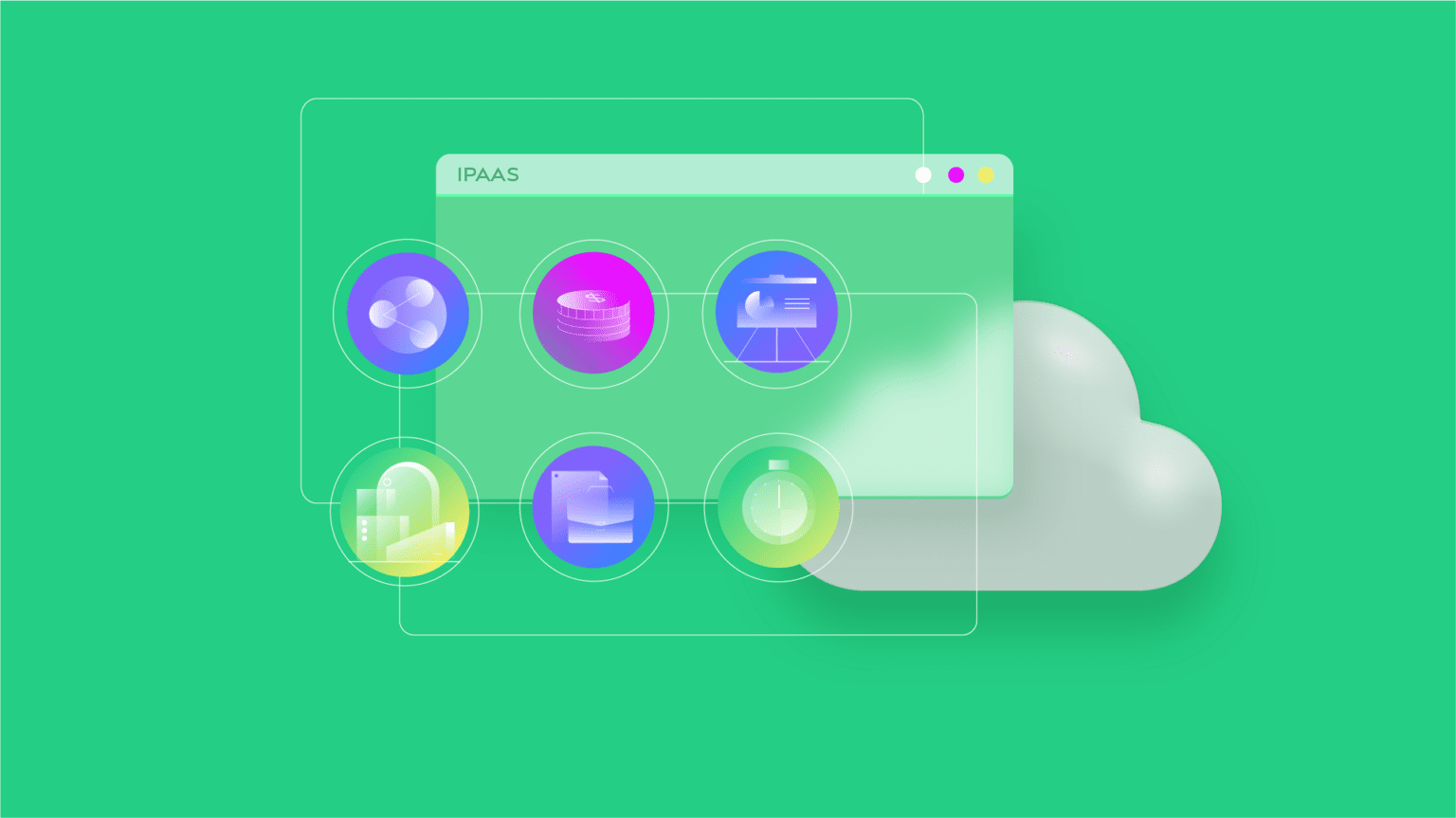
iPaaS (integration platform as a service) provides a framework for building, managing, and governing integrations and API connectors, all delivered as a cloud service.
Gartner defines iPaaS as “a suite of cloud services enabling development, execution, and governance of integration flows connecting any combination of on-premises and cloud-based processes, services, applications, and data within individual or across multiple organizations.”
In practical terms, iPaaS standardizes how applications connect across on-premise and cloud environments. Instead of building custom integrations from scratch or managing middleware, your team gets a full IT infrastructure for connecting systems.
The provider handles maintenance, security, scalability, and updates. You configure what data flows where and how your business processes should work.
How Does iPaaS Work?
iPaaS unifies application integration, data preparation, workflow automation, API management, and master data management into a scalable, cloud-based solution.
Your team creates, uses, monitors, and manages data streams without operating your own integration platform. But iPaaS is more than a collection of online integration tools.
The provider takes responsibility for infrastructure maintenance, security, reliability, scalability, and updates. This lets you focus on business logic rather than infrastructure.
You configure data mappings, define business rules, and develop integration processes specific to your organization. This works with disparate systems like CRMs, ERPs, ITSM platforms, and project management tools while supporting multi-cloud strategies.
The provider handles infrastructure, security patches, uptime, scaling, protocol updates, while you handle field mappings, sync rules, business logic, and trigger conditions.
A Brief History of iPaaS
While Gartner gets credit for popularizing “integration platform as a service,” a Philadelphia-area company named Boomi actually first used the term in 2008 when it launched AtomSphere.
Gartner amplified the concept significantly, particularly with the release of its Magic Quadrant that introduced the Enterprise Integration Platform as a Service category.
What Enterprises Dealt With Before iPaaS
Integration has always been a pain point for IT teams, especially at scale. Early approaches included custom programming, middleware implementations, and enterprise application integration (EAI) solutions.
These methods shared common problems. They isolated data in silos, gave limited visibility across systems, and created brittle point-to-point connections. Building them was expensive. Maintaining them was worse.
Extract, transform, load (ETL) and enterprise service bus (ESB) patterns still exist today, but the cloud era has made them increasingly inadequate as standalone solutions.
ESB vs. iPaaS comparison:
| Aspect | ESB | iPaaS |
| Architecture | Centralized, heavyweight | Cloud-native, lightweight |
| Deployment | On-premise infrastructure | Hosted, managed service |
| Flexibility | Vertical (complex internal systems) | Horizontal (third-party apps, external partners) |
| Maintenance | Customer-managed | Provider-managed |
| Scalability | Requires infrastructure investment | Scales on demand |
ESB does well at integrating complex internal systems within an organization. iPaaS delivers horizontal flexibility, connecting with third-party applications, cloud services, and external partners.
What Is an Enterprise Integration Platform?
An enterprise integration platform is a broader category that covers any tool or system designed to connect multiple business applications, data sources, and workflows at scale. iPaaS is one type, but ESB, EAI, and hybrid middleware solutions also fall under this umbrella.
The distinction matters because the label “enterprise integration platform” often comes up in procurement conversations where teams want something more than a simple point-to-point connector. They want governance, multi-tenancy, security controls, and the ability to manage a large number of integrations from a single place.
Traditional enterprise integration platforms were expensive, on-premise, and required dedicated integration specialists to run. Modern iPaaS platforms deliver the same capabilities as a managed cloud service. Your team doesn’t need to maintain servers or write low-level protocol adapters.
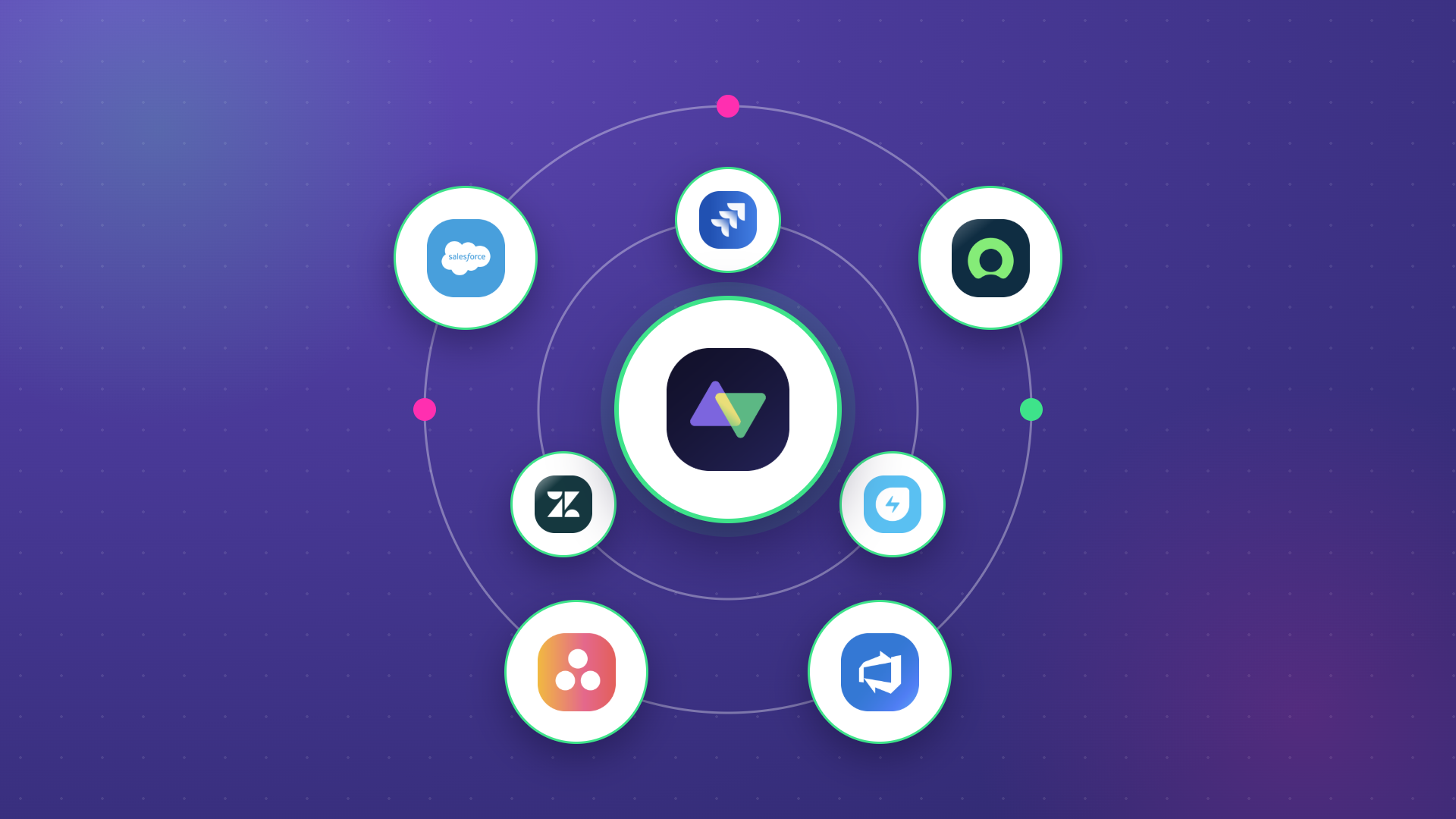
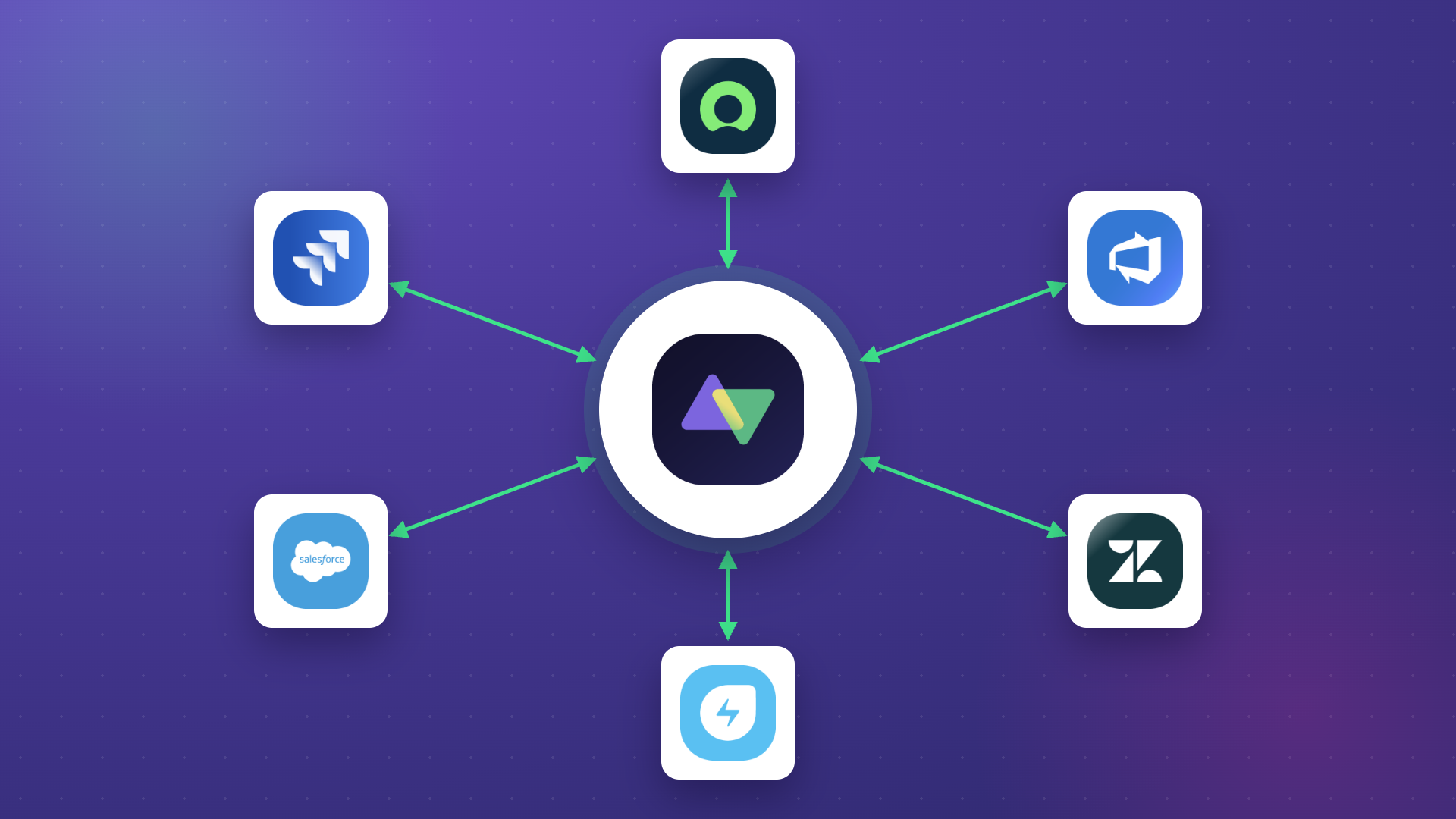
Where Exalate fits: most enterprise integration platforms are designed to handle broad data pipeline or API orchestration use cases. Exalate is purpose-built for cross-system work item sync, specifically for teams that need deep, bidirectional synchronization between platforms like Jira, ServiceNow, Salesforce, Zendesk, and Azure DevOps.
If your integration problem involves connecting ITSM, project management, or CRM tools across company boundaries, Exalate handles that with significantly less configuration overhead than a general-purpose platform.
Low-Code vs. No-Code vs. Code-Based Integration
One of the most common questions when choosing an iPaaS or enterprise integration platform is how much technical expertise it requires. Here’s a plain comparison:
| Approach | Who uses it | How it works | Trade-offs |
| No-code | Business users, ops teams | Point-and-click UI, pre-built templates, drag-and-drop workflows | Fast to set up, but limited when requirements get complex |
| Low-code | Admins, power users, semi-technical teams | Visual builders with some scripting for edge cases | Covers most standard use cases, with flexibility for custom logic |
| Code-based | Developers, integration engineers | Full scripting access (Groovy, JavaScript, custom APIs) | Maximum control, but requires developer time |
Most enterprise teams don’t need to pick just one. The better iPaaS platforms give you all 3 modes and let you choose based on the complexity of the specific integration.
Exalate does this well. Teams can set up basic syncs through a guided no-code wizard, handle more nuanced field mappings with a low-code editor, and drop into Groovy scripting for edge cases where the standard approach doesn’t fit.
Aida, Exalate’s AI assistant, helps across all 3 modes by generating and explaining scripts, so the gap between no-code and code-based is smaller than it sounds.
The low-code integration category is growing fast because it hits the right trade-off for most teams. You get flexibility without requiring a full developer to manage every change.
iPaaS Use Cases for Enterprises
Misaligned information leads to data loss, security gaps, and duplicated effort. Here’s how enterprises actually use iPaaS:
Building Integrations for Incompatible Systems
iPaaS lets you build integration flows between applications that weren’t designed to work together. This includes on-premise systems, cloud platforms, and hybrid environments.
Some iPaaS solutions use AI-assisted configuration that generates connection logic based on natural language descriptions. Others provide drag-and-drop visual editors with pre-built connectors. Advanced platforms support custom scripting when standard approaches don’t fit.
Case: A financial services company needs to connect its legacy accounting system with a modern cloud-based ERP.
Solution: iPaaS bridges the gap with data transformation capabilities that handle format differences between systems. The platform maps fields, converts data types, and maintains referential integrity.
Real-world application: POSaBIT, a fintech startup, used iPaaS to share data from GitHub work items without manually replicating them in Salesforce. Their developers and sales support team now collaborate without context-switching between platforms.
Connecting Applications for Data Sharing
iPaaS provides integration between third-party applications, databases, CRMs, ERPs, ITSM platforms, and project management tools. This includes filtering, querying, and blending data across systems.
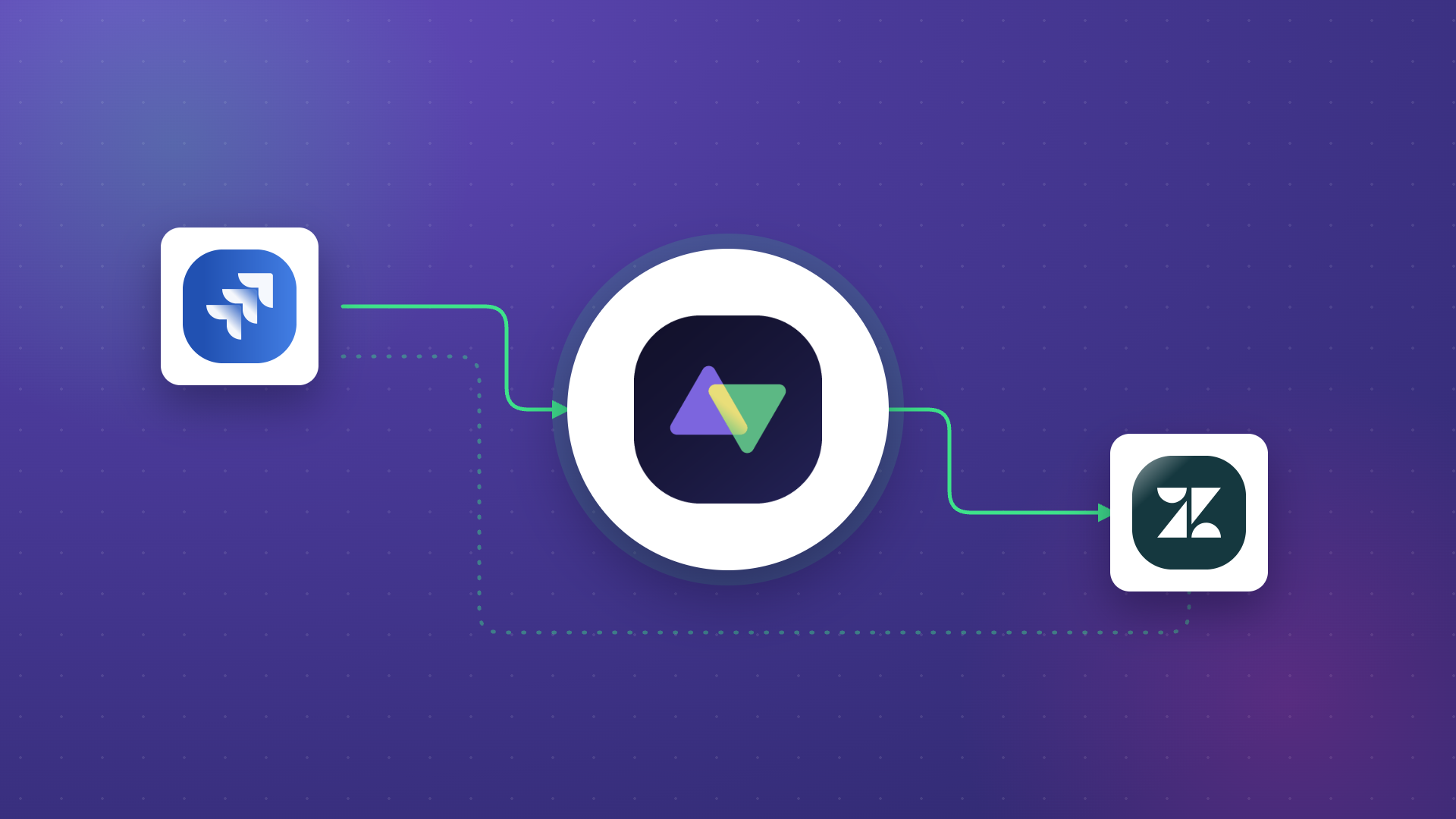
A Jira ServiceNow Integration, for example, keeps support tickets and development work items synchronized. When a ServiceNow incident escalates to engineering, the corresponding Jira work item reflects current status, comments, and attachments without manual updates.
Case: A healthcare technology company runs customer support on Zendesk, but development happens in Azure DevOps.
Solution: iPaaS synchronizes tickets and work items bidirectionally. When support creates an escalation, engineering sees it immediately. When developers update status or add comments, support has visibility without logging into a different system.
Syncing Internal Workflows
Teams within the same organization often work in different systems. iPaaS reduces data silos and fragmentation through data mapping and point-to-point integration.
Case: Marketing uses Asana for campaign management while product development tracks work in Jira.
Solution: iPaaS connects both platforms so launch dates, blockers, and dependencies stay synchronized. Product delays automatically update marketing timelines. Campaign requirements flow to product backlogs.
Cross-Company Collaboration
iPaaS provides B2B integration capabilities with options for custom, code-based solutions when standard connectors don’t fit. These self-service capabilities let data flow between an organization and its partners, vendors, and clients.
With iPaaS, you can trigger and execute events based on business data: dispatching invoices when projects pass approval, creating vendor work items when internal tasks require external support, or synchronizing customer data across partner systems.
Real-world application: Turkiye Sigorta, an insurance company, uses a customizable iPaaS solution to connect with external web development teams and suppliers without exposing internal systems directly.
Coordinating Mergers and Acquisitions
Highly regulated industries like healthcare, pharma, and finance require secure communication between systems with strict compliance requirements. iPaaS provides cost-effective integration that meets regulatory standards.
During M&A activity, companies must maintain data consistency while systems remain separate. iPaaS bridges the gap during transition periods and can scale as integration requirements evolve post-merger.
Case: A pharmaceutical company acquires a biotech firm with incompatible R&D tracking systems.
Solution: iPaaS synchronizes project data, regulatory submissions, and clinical trial information between platforms during the integration period. Security controls ensure compliance requirements.
Automated iPaaS Integration: What It Is and Where It Fits
Automation integration is what happens when you connect the trigger-and-action logic of your tools, so that one system’s activity automatically drives a response in another, without anyone manually moving data in between.
The difference between basic integration and automation integration is intent. Basic integration moves data. Automation integration acts on it.
Here are a few concrete use cases:
- IT automation: A P1 incident is created in ServiceNow. Automation integration creates a corresponding work item in Jira, assigns it to the on-call engineering team, and sends a Slack notification, all without a human touching it. The sync isn’t just data movement. It’s a full workflow trigger across 3 systems.
- Cross-platform triggers: When a Salesforce opportunity closes as “Won,” automation integration can create an onboarding project in Jira, assign a CSM task in Asana, and update the customer record in Zendesk. One event in one system sets off a chain across your entire stack.
- Escalation routing: A Zendesk ticket breaches SLA. Automation integration promotes it to a Jira work item, sets the priority based on the SLA tier, and notifies the account manager in Salesforce. The customer-facing team and the engineering team both act on the same event without needing to coordinate manually.
Most modern iPaaS platforms support automation integration through event-driven architecture, meaning integrations fire in response to real-time changes rather than scheduled batch syncs. Exalate, for instance, supports both trigger-based sync and scheduled sync depending on what your workflow requires.
Features to Evaluate When Choosing an iPaaS Solution
Not all iPaaS platforms are equal. Here’s what matters when you’re picking one:
- Bidirectional synchronization. Many use cases require data flowing in both directions. Look for platforms that handle true bidirectional sync with conflict resolution, not just one-way data pushes.
- Connector breadth and depth. Evaluate whether connectors support the specific fields and workflows you need. Platforms like Exalate support Jira, ServiceNow, Salesforce, Zendesk, Azure DevOps (Server and Service), GitHub, Freshservice, Freshdesk, Asana, and custom connectors for non-standard systems.
- AI-assisted configuration. Modern iPaaS solutions use AI to simplify setup. Aida, for instance, is a documentation assistant that helps users configure integrations faster. AI-assisted integration reduces the scripting expertise required while maintaining flexibility for complex scenarios.
- Field mapping granularity. Consider platforms that map individual fields, handle data transformations, and support conditional logic based on field values.
- Security certifications. Enterprise integration requires enterprise security. Evaluate ISO 27001 certification, encryption standards, and access controls. Exalate maintains comprehensive security documentation through its Trust Center.
- Error handling and recovery. Choose platforms with clear error logging, automatic retry logic, and manual intervention capabilities when needed.
What’s the Difference Between PaaS, iPaaS, SaaS, and IaaS?
Cloud services come in several configurations, each with different responsibilities split between the provider and the customer.
- SaaS (Software as a Service) is the most common cloud model. Customers access applications through subscriptions: email, CRM, and project management tools. Everything runs on provider infrastructure.
- PaaS (Platform as a Service) provides development environments. Providers deliver tools for building, hosting, deploying, and running customer-facing applications. Teams use PaaS to create software without managing the underlying infrastructure.
- IaaS (Infrastructure as a Service) gives you the most control. You get fundamental compute, network, storage, and server resources on demand. Unlike PaaS, IaaS customers manage operating systems and have greater administrative access.
- iPaaS (Integration Platform as a Service) specifically addresses connectivity. Rather than providing development platforms or raw infrastructure, iPaaS links interfaces, websites, apps, and data sources.
The key distinction: PaaS suits development-focused organizations with resources to build custom data integration tools. iPaaS targets companies juggling multiple off-the-shelf applications from various vendors. iPaaS also makes fewer technical demands since teams without coding experience can configure integrations using visual tools or AI-assisted workflows.
Benefits of Integrating Through iPaaS
Organizations use dozens of applications daily. Critical business processes are fragmented across these tools, creating operational overhead and data inconsistency.
Manually moving data between systems wastes resources and introduces errors. iPaaS provides a sustainable alternative.
Managing and Monitoring Integrations
Most iPaaS solutions provide a unified console for administering integration processes. This lets you deploy, execute, and manage integrations from a single location.
A global view of integrations lets operations teams check status, plan maintenance windows, and control sync behavior with granularity. Teams see what’s working, what’s failing, and what needs attention, without logging into multiple systems.
Automating Integration Workflows
iPaaS lets organizations automate business processes while connecting applications and enabling data sharing.
Integration isn’t new. Custom integration and traditional vendor-built point-to-point integration have existed for decades. But these approaches lack flexibility, require intensive manual effort, and can’t keep pace with the volume of new applications and data requests enterprises face today.
iPaaS addresses these limitations through automation that adapts as systems and requirements change.
Reducing Total Cost of Integration
iPaaS platforms deliver cost and time savings compared to traditional integration methods. Built-in automation, on-demand scalability, and integration-focused features give better value than building and maintaining custom solutions.
Calculate time and money savings from automated bidirectional sync.

Calculate time and money savings from automated bidirectional sync.
Moving Data Between Applications
Before iPaaS, moving data between incompatible systems was a nightmare, especially between relational databases and unstructured data from social media, IoT devices, or document stores. Teams resorted to manual workarounds and custom scripts.
This proves especially valuable for cross-company integration, giving businesses access to networks of interconnected partners.
iPaaS applications include user-friendly features for exporting and importing data. These interfaces hide the underlying complexity while making data integration accessible to non-technical users.
Your team can create integrations with minimal overhead, reduced coding requirements, and less specialized expertise. For example, setting up a Jira Salesforce Integration without deep API knowledge.
Improving Data Accessibility and Customer Experience
Beyond integration services, iPaaS improves data accessibility by giving you a unified repository for accessing integrated data.
This improved accessibility enhances productivity through real-time data processing and sharing. Reduced latency in accessing data improves customer experience since support teams see relevant information immediately rather than waiting for manual updates.
By standardizing data access rules, iPaaS solutions make platforms more predictable. This reliability enables better planning and more accurate forecasting of product and customer behavior.
Types of iPaaS Providers
iPaaS providers fall into three broad categories: cloud integration specialists, Enterprise Service Bus (ESB) and Service-Oriented Architecture (SOA) infrastructure providers, and e-commerce/B2B integration platforms.
ESB and SOA deserve clarification. Both are software architectures central to enterprise integration. ESB distributes work among connected application components. As businesses became more service-driven, SOA emerged as the leading paradigm for optimizing service delivery.
ESB effectively implements and manages SOA-based systems. SOA defines the goal while ESB provides the tooling for software integration and agile service delivery.
Unlike traditional ESB investments, iPaaS is less costly and scales more easily. This scalability benefits organizations by improving both security and reliability without single points of failure.
Some providers target startups and small businesses. Others attempt broad appeal across all segments; these typically include well-known iPaaS vendors and major IT service providers.
Companies with short-term integration needs often benefit from iPaaS products focused on cloud integration and e-commerce/B2B scenarios. Organizations thinking long-term typically favor hybrid cloud computing models.
These companies lean toward iPaaS vendors with ESB and SOA expertise, given the shift to hybrid environments and the need for systematic cloud integration.
Most provide enterprise iPaaS services. As the market matures, expect more domain-specific providers with integration solutions for specific industries or niche use cases.
Enterprise iPaaS Solutions
Various iPaaS solutions offer unique capabilities for different requirements:
Exalate
Exalate is a bidirectional iPaaS solution for connecting applications, databases, and work management systems with secure data sharing.
Teams configure connections using AI-assisted integration with Aida, Exalate’s scripting assistant that simplifies setup and troubleshooting. For complex requirements, Exalate’s Groovy scripting engine provides full customization.
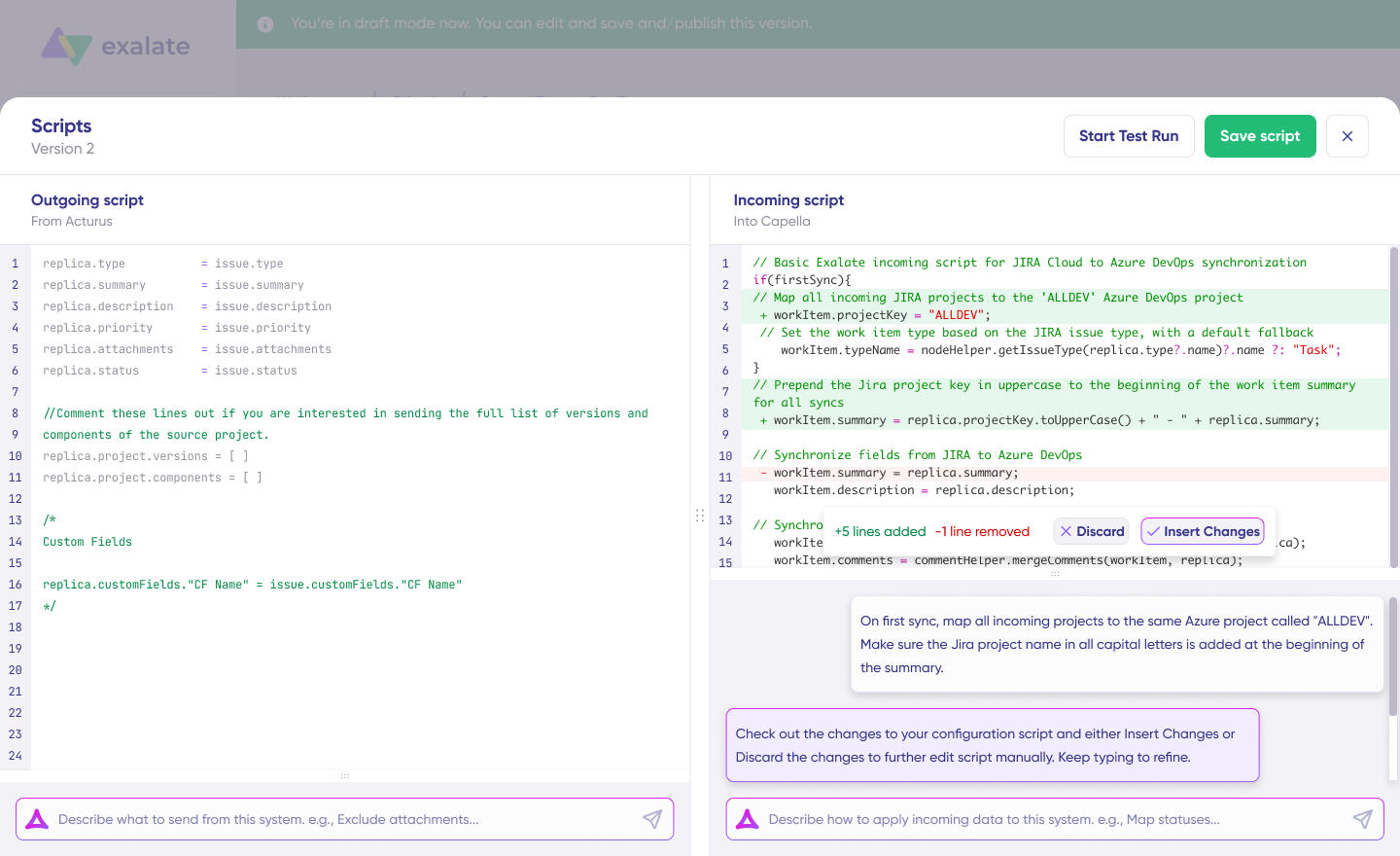
Best for: Organizations needing deep, bidirectional synchronization across ITSM, project management, and CRM platforms, especially for cross-company collaboration scenarios.
Supported platforms include: Jira, ServiceNow, Salesforce, Zendesk, Azure DevOps (Server and Service), GitHub, Freshservice, Freshdesk, Asana, and custom connectors for additional systems.
Security: ISO 27001 certified with comprehensive documentation available through the Trust Center.
Zapier
Zapier connects over 6,000 applications, cloud services, CRMs, databases, marketing platforms, and communication tools. The platform centers on “Zaps,” automated workflows triggered by events in connected applications.
Best for: Teams needing quick, straightforward automation between popular SaaS applications without deep customization.
Capabilities include: Tables for data storage, Canvas for visual workflow building, Chatbots, Interfaces, plus filters, formatters, and webhook connections for more advanced scenarios.
Workato
Workato uses “recipes” (pre-made instruction sets) to define integration rules between systems and applications. Beyond basic integration, Workato handles API governance, management, and security.
Best for: Enterprises requiring sophisticated workflow automation with strong governance controls.
Capabilities include: Workflow building, API creation, trigger-action logic for connector behavior.
Oracle Integration Cloud
Oracle Integration Cloud is a lightweight iPaaS solution connecting on-premise and cloud applications with enterprise-grade security across all connections.
Best for: Organizations heavily invested in the Oracle ecosystem.
Key advantage: Dashboard for monitoring runtime performance and environment status across active connections. Native integration with Oracle SaaS applications, including Sales Cloud and RightNow Cloud.
Dell Boomi
Boomi connects business processes through default connectors and custom scripts via a centralized hub. Owned by Dell, it’s one of the original iPaaS platforms.
Best for: Enterprises needing comprehensive integration across legacy and modern systems with strong data management capabilities.
Capabilities include: API management, ETL (Extract, Transform, Load), B2B/EDI management, and Master Data Hub for data visualization.
Informatica
Informatica is an AI-powered, cloud-based data management platform that automates workflows and business processes. While best known for data integration and management, it also provides an iPaaS framework.
Best for: Data-intensive organizations prioritizing data quality, governance, and master data management alongside integration.
Capabilities include: Master Data Management (MDM), data catalog, and native API integration.
Mulesoft
Mulesoft, a Salesforce product, connects organizations with third-party platforms through its Anypoint Platform. It supports both on-premise and cloud connections with full API governance and monitoring.
Best for: Salesforce-centric organizations needing comprehensive API management alongside integration.
Capabilities include: Composer, intelligent document processing (IDP), AI features, and API Manager. Both no-code setup and low-code scripting options are available.
SnapLogic
SnapLogic integrates, automates, and orchestrates data and application flows across organizations using pre-built connectors called Snaps.
Best for: Teams wanting AI-assisted integration creation with pre-packaged data pipelines.
Capabilities include: No-code integration through Snaps, AutoSync for automated data pipelines, SnapGPT for translating user intent into integration use cases, and GenAI Builder for LLM-powered integration development.
What’s Next?
iPaaS consumers range from SMBs providing integrated solutions and system integrators offering IT-managed services to large enterprises managing legacy and disconnected systems.
Organizations increasingly want integration strategies that holistically address cloud complexity. Features like governance, integration lifecycle management, multitenancy, and self-provisioning will become standard expectations rather than differentiators.
Building a connected enterprise where business processes flow automatically requires a reliable integration partner with experience in system and cross-platform integration.
Among iPaaS solutions, Exalate is designed for seamless communication through bidirectional syncs, letting teams collaborate beyond company borders through effective cross-company integration.
Sign up for your Exalate free trial to set up your own integration. You can also book a demo to see how it works or book a call with one of our experts.
Frequently Asked Questions
What does iPaaS stand for?
iPaaS stands for integration platform as a service. It’s a cloud-based framework that lets organizations build, manage, and govern integrations between on-premise and cloud applications without maintaining their own integration infrastructure.
How is iPaaS different from traditional middleware?
Traditional middleware like ESB requires on-premise infrastructure, significant IT resources, and ongoing maintenance. iPaaS is cloud-hosted, provider-managed, and scales on demand. iPaaS also typically provides better support for connecting with external SaaS applications and third-party systems.
What types of applications can iPaaS connect?
iPaaS connects virtually any application with an API or data export capability. Common categories include CRMs (Salesforce, HubSpot), ITSM platforms (ServiceNow, Freshservice, Freshdesk, Zendesk), project management tools (Jira, Asana, Azure DevOps), ERPs, databases, and custom applications.
Is iPaaS suitable for small businesses or just enterprises?
iPaaS works for organizations of all sizes. Small businesses get simplified integration without IT overhead. Enterprises get scalability, governance, and cross-company collaboration capabilities. Different iPaaS providers target different segments, so evaluate options based on your specific requirements and budget.
How does AI-assisted integration work in iPaaS?
AI-assisted iPaaS features analyze your integration requirements and generate configuration suggestions or connection logic. Tools like Aida help users understand available options and configure integrations faster, reducing the technical expertise required while maintaining flexibility for complex scenarios.
What security features should I look for in an iPaaS solution?
Prioritize ISO 27001 certification, end-to-end encryption, role-based access controls, and detailed logging. For cross-company integrations, evaluate how the platform handles data residency, tenant isolation, and compliance with industry-specific regulations like GDPR.
Can Exalate iPaaS handle bidirectional synchronization?
Yes, Exalate supports bidirectional synchronization. Changes in either connected system propagate to the other. It also comes with conflict resolution logic, field-level mapping, and conditional sync rules.
How long does it take to set up an iPaaS integration?
With Exalate, you can set up simple integrations between supported platforms within hours. Complex scenarios involving custom field mappings, conditional logic, or unsupported systems may take a little longer. AI-assisted configuration significantly reduces setup time for standard use cases.
Recommended Reads:
- Top 13 iPaaS Solutions
- eBonding Integration: The Ultimate Guide to Flexible Data Sync
- B2B Integration: The Comprehensive Guide
- CISCO Smart Bonding: An Introduction
- SaaS Integration Challenges and Benefits
- The Definitive Guide to Cross-Company Integrations for IT Professionals
- ITIL 4 and Service Management: The Right Choice for Your Service Management Approach