
Businesses need to automate, optimize, and integrate their processes to collaborate effectively with customers, partners, and suppliers. Making this work requires a solid B2B integration strategy.
This guide covers how B2B integration works, the different types you’ll encounter, implementation patterns, and how it can improve your revenue-driving business processes. We’ll also explore Service Integration and Management (SIAM) in the context of B2B integration and how it helps organizations deliver value to their customers.
Key Takeaways
- B2B integration connects disparate business systems (ERP, CRM, ITSM) to enable automatic, real-time information exchange between organizations.
- EDI laid the foundation, but modern approaches use APIs, web services, and cloud-based platforms for faster, more affordable integration.
- Five core steps drive implementation: identifying integration partners, extracting data, defining exchange formats, agreeing on protocols, and ensuring target system interpretation.
- Integration types overlap but include data, system, process, application, and cross-company integration, each serving different business needs.
- Connection models range from simple to complex: point-to-point for basic needs, hub-and-spoke for complex routing, and iPaaS/HIP for cloud-native flexibility.
- SIAM principles enhance B2B integration by providing governance frameworks for multi-vendor environments.
- Outsourcing integration to specialists often delivers better ROI than building in-house solutions.

What is B2B Integration?
B2B integration (business-to-business integration) is the process of connecting two or more businesses to create a symbiotic relationship between them.
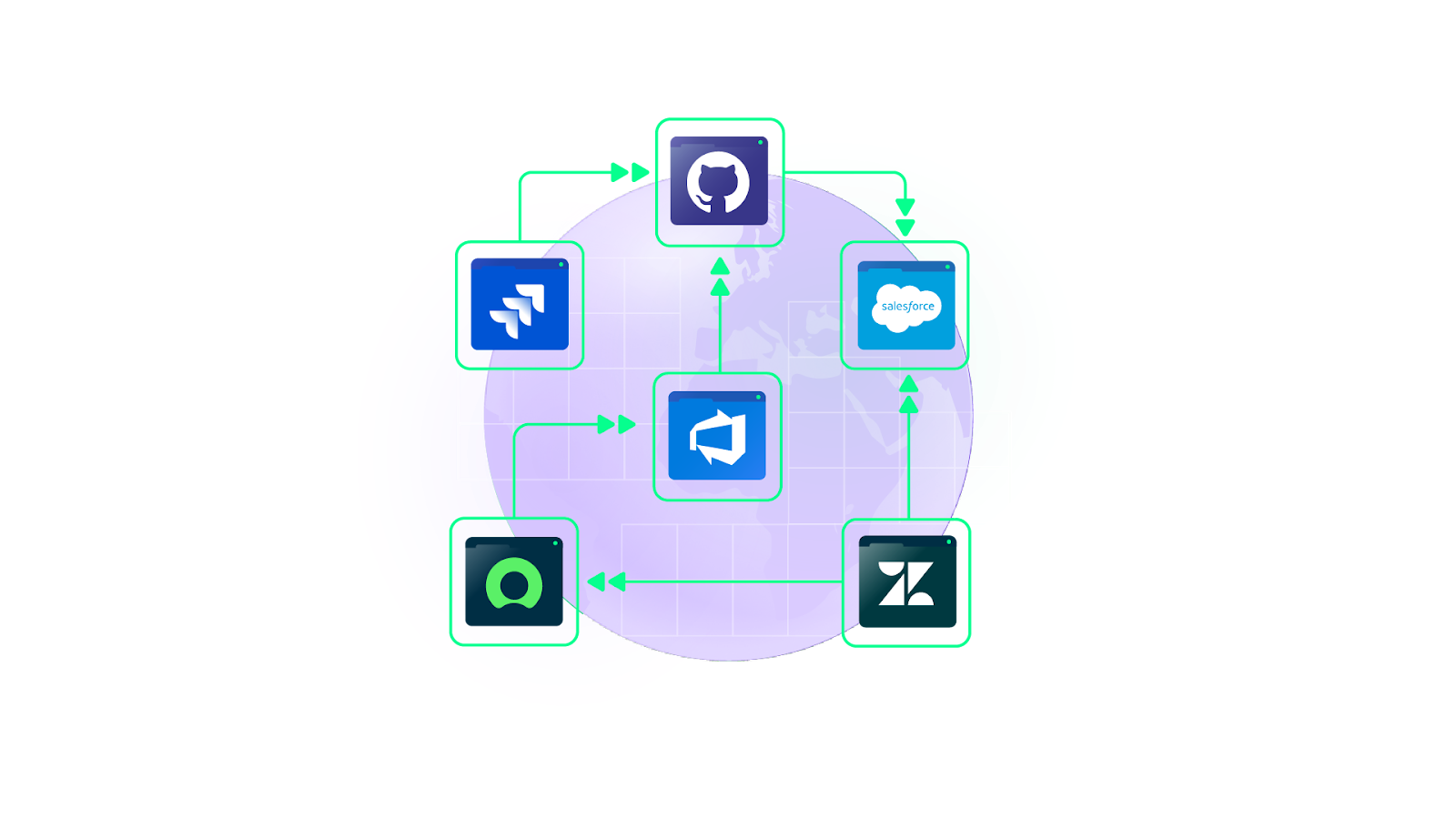
These organizations could be suppliers, partners, vendors, or customers. Each one has its own set of applications and systems: ERP, CRM, SCM, ITSM platforms, and so on.
The problem? These systems aren’t designed to cooperate with one another.
When different systems play different roles in a business ecosystem, they struggle to exchange information. Different formats, protocols, technologies, and deployment models prevent seamless data sharing.
B2B integration bridges this gap. It enables companies to exchange business-critical information within and across organizational borders, automatically and in real-time.
Business-to-business integration also involves automating and optimizing business processes to improve external relationships with suppliers, trading partners, and customers while supporting the processes that maintain those relationships.
Put simply, B2B is a cross-company or cross-platform integration strategy that enables organizations to collaborate, communicate, and trade more effectively with third parties.
The Evolution of B2B Technologies
The first B2B integration attempt traces back to EDI (electronic data interchange) in the 1960s.
EDI is used to enable businesses to exchange files electronically. Instead of mailing paper documents, companies could send them using EDI software in standardized formats, reducing manual processes and human errors.
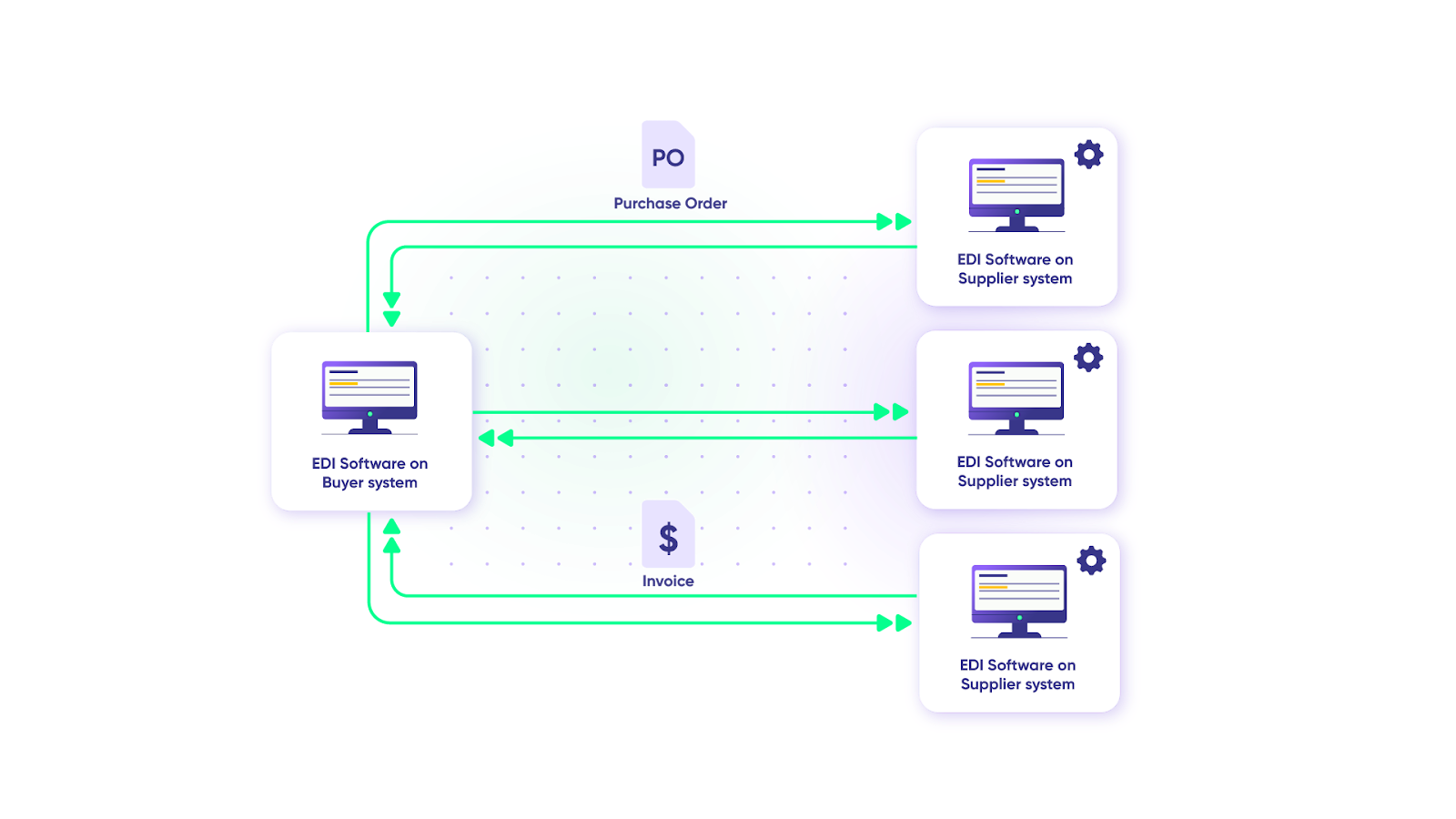
The catch? EDI was expensive to implement. Small and medium-sized businesses couldn’t afford it.
The internet’s rise in the 1990s changed everything. E-marketplaces and e-hubs emerged as low-cost alternatives, enabling businesses of all sizes to communicate electronically. Interoperability increased, and companies began collaborating more widely.
As the internet matured, protocols like HTTP, FTP, and SMTP opened new integration possibilities.
XML became the universal standard for representing and exchanging structured data independent of programming language, software platform, or hardware. Its popularity grew until it became common in EDI exchanges as well.
XML also sparked the emergence of web services: methods for integrating programs through standard XML technologies using unified, open interfaces called application programming interfaces (APIs).
Web services enabled communication across company intranets, extranets, and the internet. Their platform independence significantly reduced integration problems between different systems.
Today, modern integration platforms combine these technologies with AI-assisted configuration, cloud-native architectures, and pre-built connectors, making B2B integration accessible to organizations of all sizes.
How Does B2B Integration Work?
B2B integration pulls information from source systems or applications and transfers/transforms it onto target systems. These systems can be internal (within the company) or external (belonging to trading partners, customers, or suppliers).
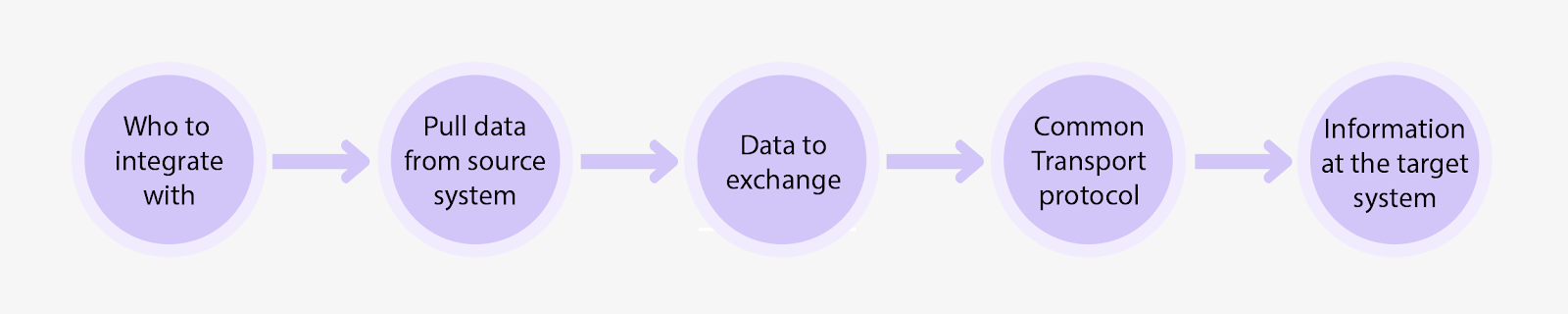
Here’s how the integration process works:
Step 1: Decide Who to Integrate With
Identify which trading partners, suppliers, vendors, or customers you need to integrate with.
This means:
- Identifying the systems or applications these companies use
- Understanding their network layouts and available APIs
- Deciding on communication types (synchronous vs. asynchronous)
For synchronous communications (like payment gateways), the sender application waits for a response before proceeding. Communication timeouts become a significant consideration.
For asynchronous communication, the sender proceeds without waiting for a response. This works well for simpler transactions like purchase order receipts, where there’s no dependency between systems.
Step 2: Pull Data From The Source System
Extract data from source applications using APIs or web services.
The extraction method depends on the deployment model of integrating systems. The data might be as simple as customer ticket information or as complex as monthly sales figures.
Step 3: Decide on The Data You Want to Exchange
Choose which documents to exchange and their formats in terms of B2B specifications like EDI, EDIFACT, or custom formats.
Beyond documents, consider data format requirements. Companies often use proprietary formats (like iDoc, flat files, etc.), which need conversion to standard formats like CSV, JSON, or XML.
Step 4: Agree on a Common Transport Protocol
Both parties must agree on the transportation medium and messaging protocols (FTP, HTTP, HTTPS, etc.) for effective integration.
Key considerations include:
- File sizes to be transferred
- Whether real-time synchronization is required
- Sensitivity of the business data
- Communication type (synchronous vs. asynchronous)
Security is critical. Proper encryption mechanisms must be in place. HTTPS for secure file transfers is essential. For unencrypted transfers between systems, VPN encryption adds a necessary security layer.
Step 5: Make Sense of The Information in The Target System
Convert incoming data so the target system can read it and absorb it into end-to-end business processes.
Web portals often simplify the extraction, transformation, and ingestion of data. How data is interpreted in the target system determines the integration’s success.
Positive indicators include improved SLAs, happier customers, faster trading partner onboarding, and faster business approvals.
Types of B2B Integration
B2B integration types often overlap because they share underlying components and features.
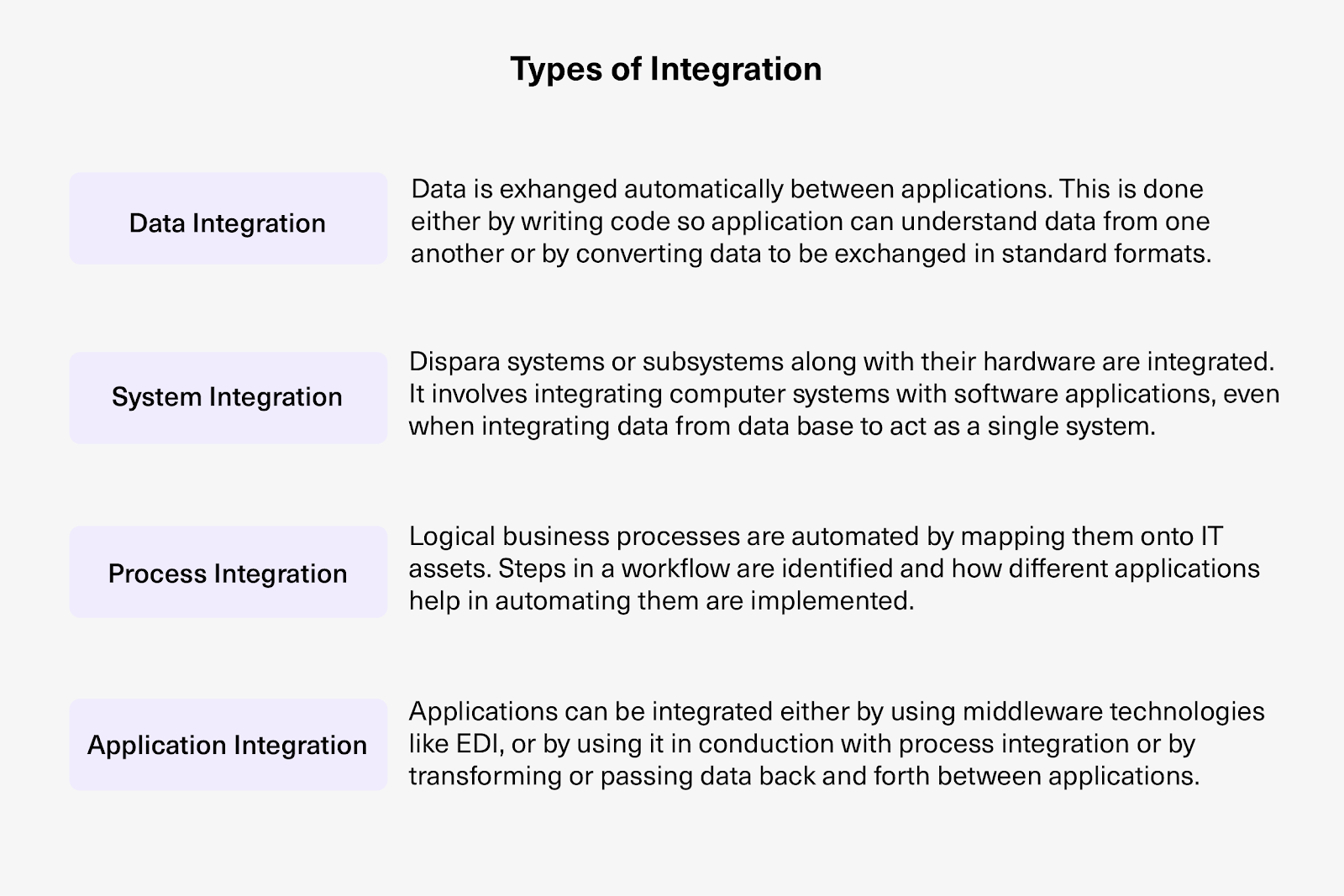
Data Integration
Different applications in B2B ecosystems can’t read and exchange data natively. Special solutions bridge this gap.
Depending on your needs, you’ll want cross-compatible solutions. For instance, Salesforce data integration tools connect Salesforce with other applications, enabling automatic data exchange for transactions like order-to-cash, quote generation, and status updates.
Two approaches exist:
- Custom code with transformers to interpret data between applications
- Standardized formats (like XML) so each application can read and interpret data easily
System Integration
System integration connects computer systems with software applications and databases.
The goal is to make different components function as a single system. Organizations integrate these systems to execute business tasks smoothly and reduce operational silos.
Process Integration
Process integration automates logical business processes by mapping them onto IT assets.
Workflow steps are identified, and applications are configured to interact with and automate these steps. The result: faster delivery of goods or services with fewer manual errors.
Application Integration (Enterprise Application Integration)
Companies and their trading partners use CRM, ERP, and ITSM systems (hosted on-premise or as cloud apps) that weren’t designed to communicate with each other.
Enterprise application integration (EAI) presents different applications as a single application with a common UI.
Implementation approaches include:
- Middleware technologies for collecting data from web pages/UI
- Point-to-point integrations
- APIs and web services
Integrating applications provides a unified view of business-critical processes and data, supporting use cases like dispute resolution and trading partner onboarding.
Cross-Company Integration
Cross-company integration is a specialized form of application integration focused on connecting different applications (work management systems, CRM, ITSM tools) to exchange business-critical information.
This exchange is bidirectional, real-time, and automatic.
Exalate, for example, is a cross-company integration solution that synchronizes data bidirectionally between work management systems like Jira, ServiceNow, Azure DevOps (Cloud and Server), Zendesk, Salesforce, Freshservice, Freshdesk, Asana, GitHub, and more.
The right integration type depends entirely on your use case. Different businesses have different demands and processes, so choosing one type or a combination requires input from industry experts based on your specific needs.
What are the Connection Models for B2B Integration?
Systems can connect using different connection models depending on complexity and scale requirements.
Point-to-Point Connection
Ideal for companies without complex business logic. Point-to-point represents direct, individual connections between systems.
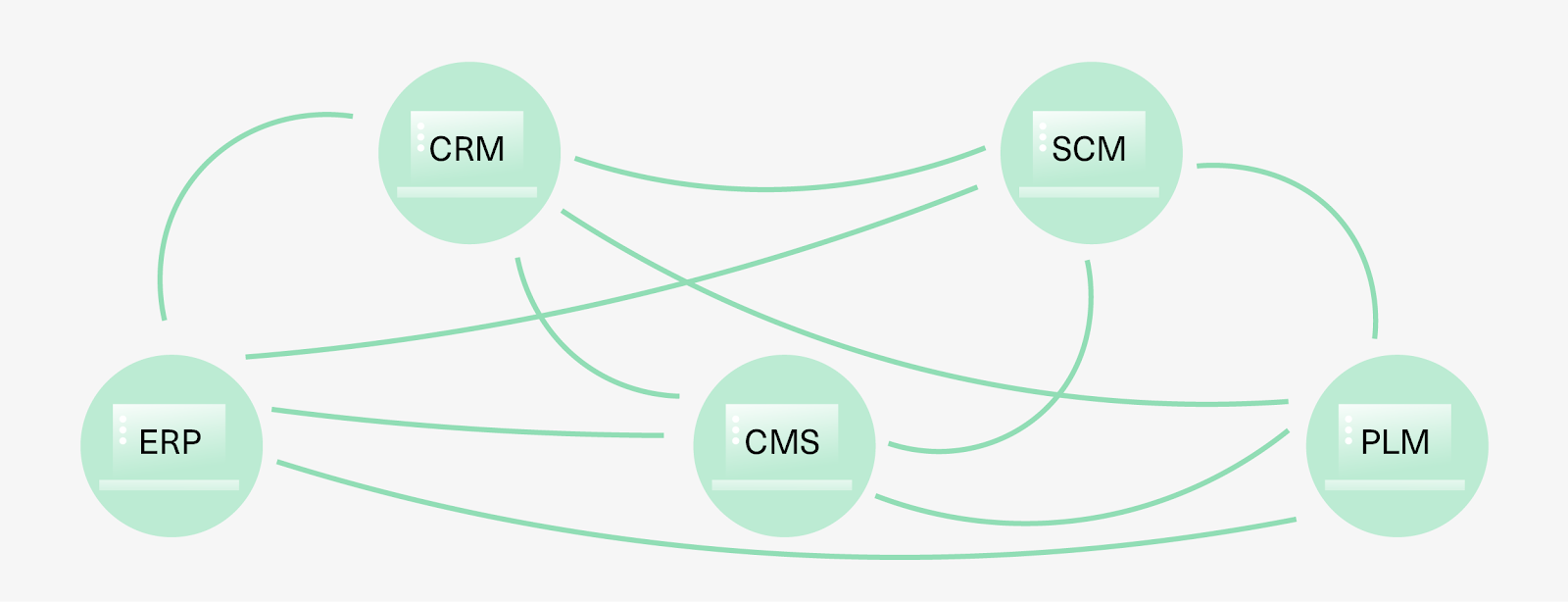
Point-to-point integration is traditionally EDI-based: data is extracted from one system, modified into another format, and sent to the target system.
Its simplicity makes it easy to adopt. But systems are tightly coupled, creating dependencies. Scaling becomes difficult, and too many point-to-point connections create a spaghetti integration mess.
One-to-Many Connection
This multi-platform integration format uses a central entity (often an ESB—Enterprise Service Bus) as a common interface layer connecting subsystems.
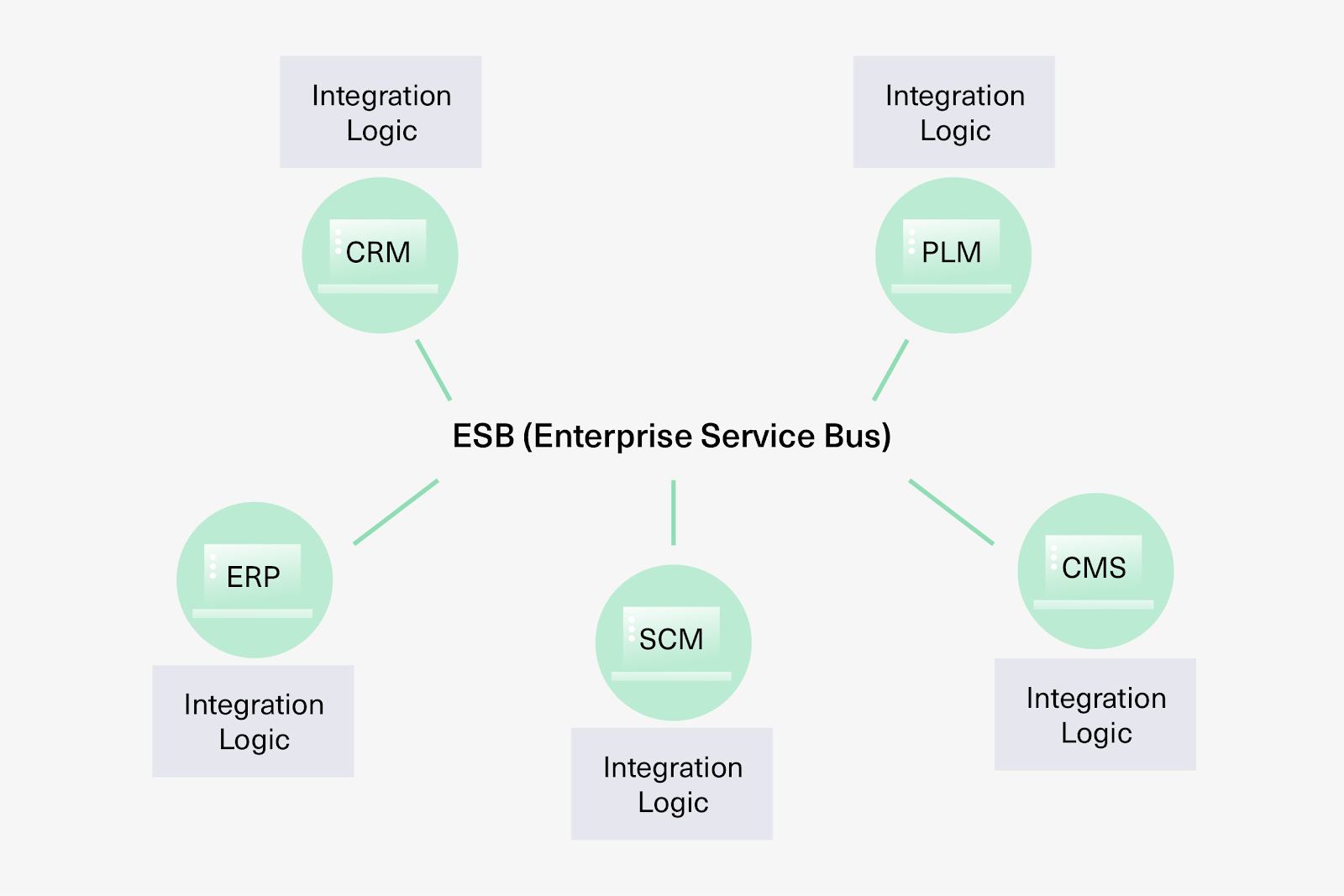
The ESB works as middleware that glues multiple subsystems together and acts as a messaging backbone. This model handles complex internal systems for large companies and works well in cloud environments.
The main advantage: the ESB or middleware can be replaced without affecting other subsystems.
Ideagen, a GRC (governance, risk, and compliance) company, used Exalate to connect with multiple businesses and partners, increasing efficiency by automating the handover process between support and development.
Hub and Spoke Connection
The central hub acts as a message broker through which all requests pass. The hub’s integration engine translates messages for its spokes (subsystems), enabling communication between them.
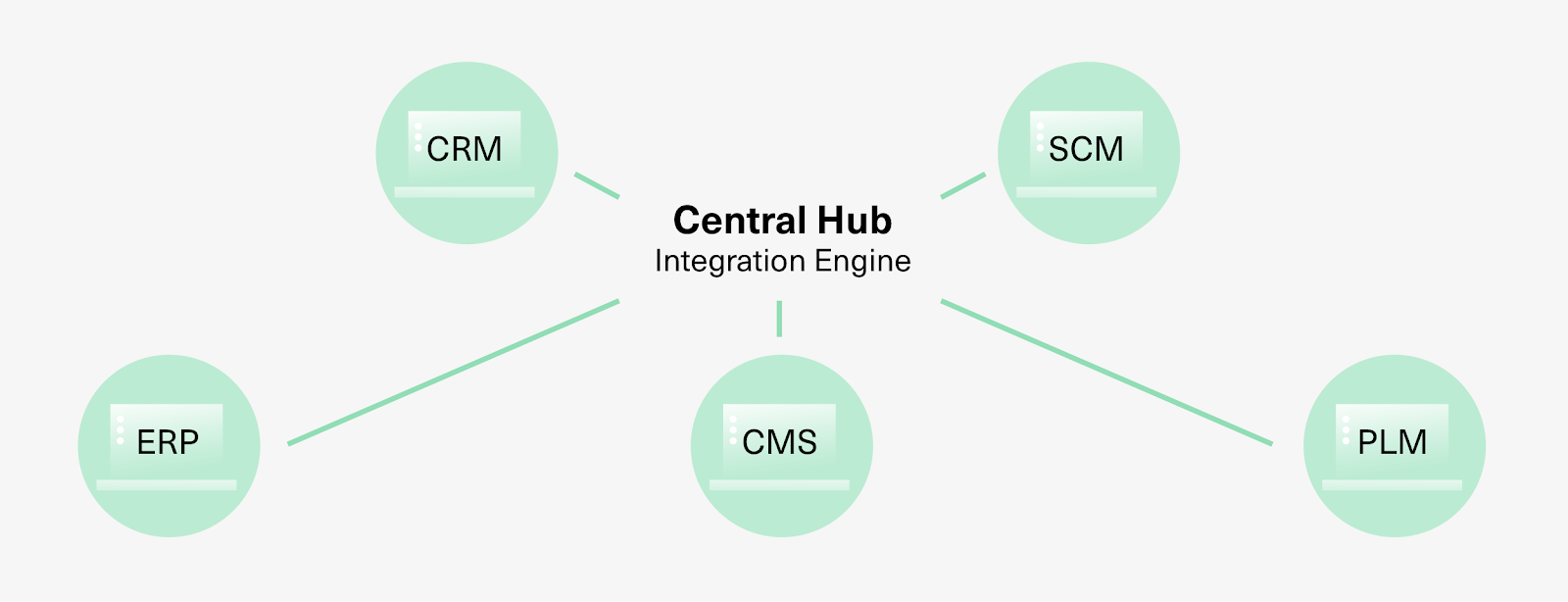
Spokes can be added without disturbing the architecture. The downside: an additional hop increases latency. This model is widely used in e-commerce and financial services.
iPaaS (Integration Platform as a Service)
iPaaS, or integration-as-a-service, is a set of cloud-based integration solutions for building and deploying integrations. You can integrate systems, data, and processes as an all-inclusive package accessible through common interfaces.
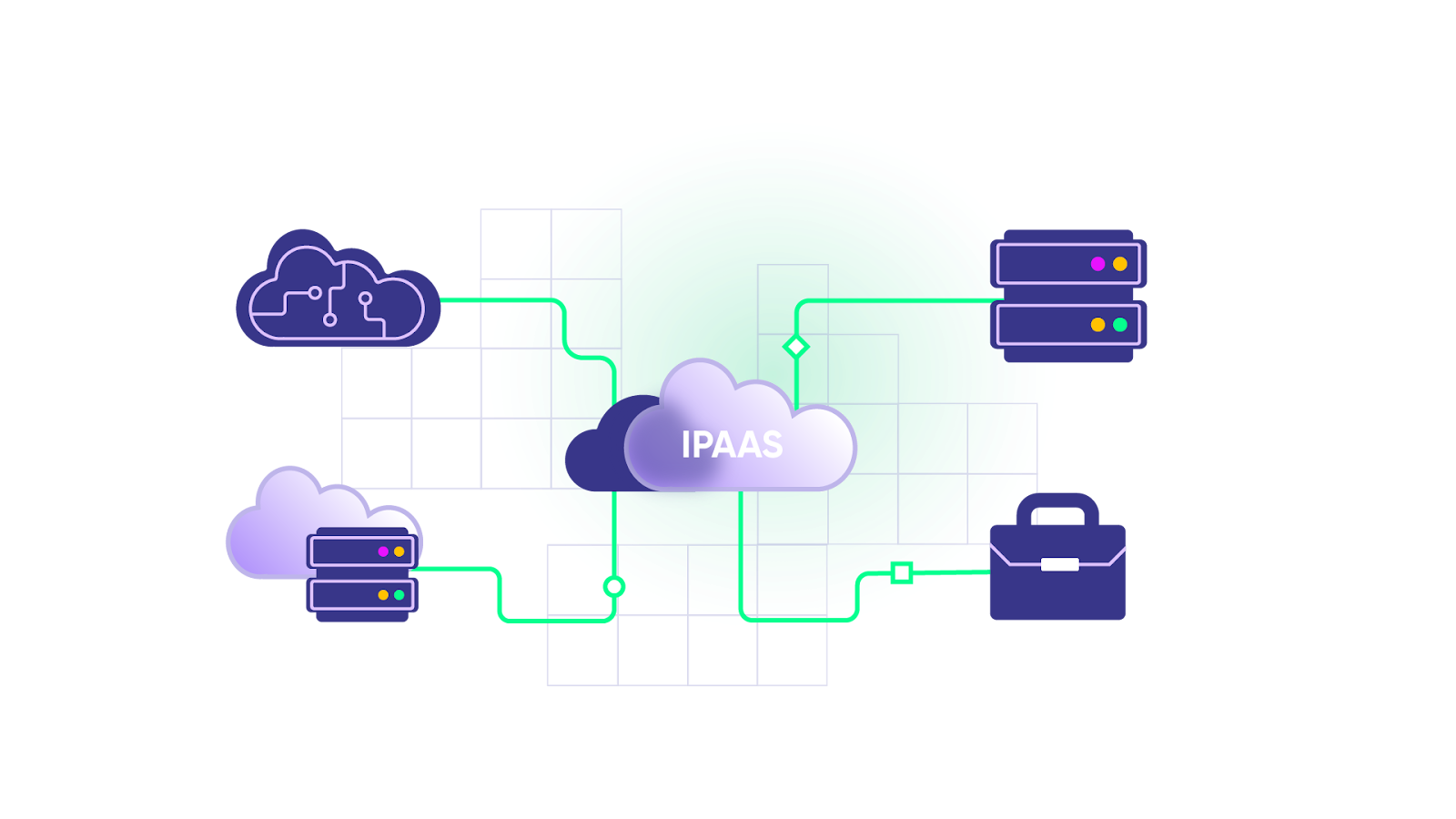
iPaaS offers pre-built connectors that help disparate applications connect and communicate regardless of the hosting model (on-premise or cloud).
Hybrid Integration Platform (HIP)
HIP is a more generic version of iPaaS. It enables cloud-based solutions (public/private) or on-premise systems to integrate and work as a single unit.
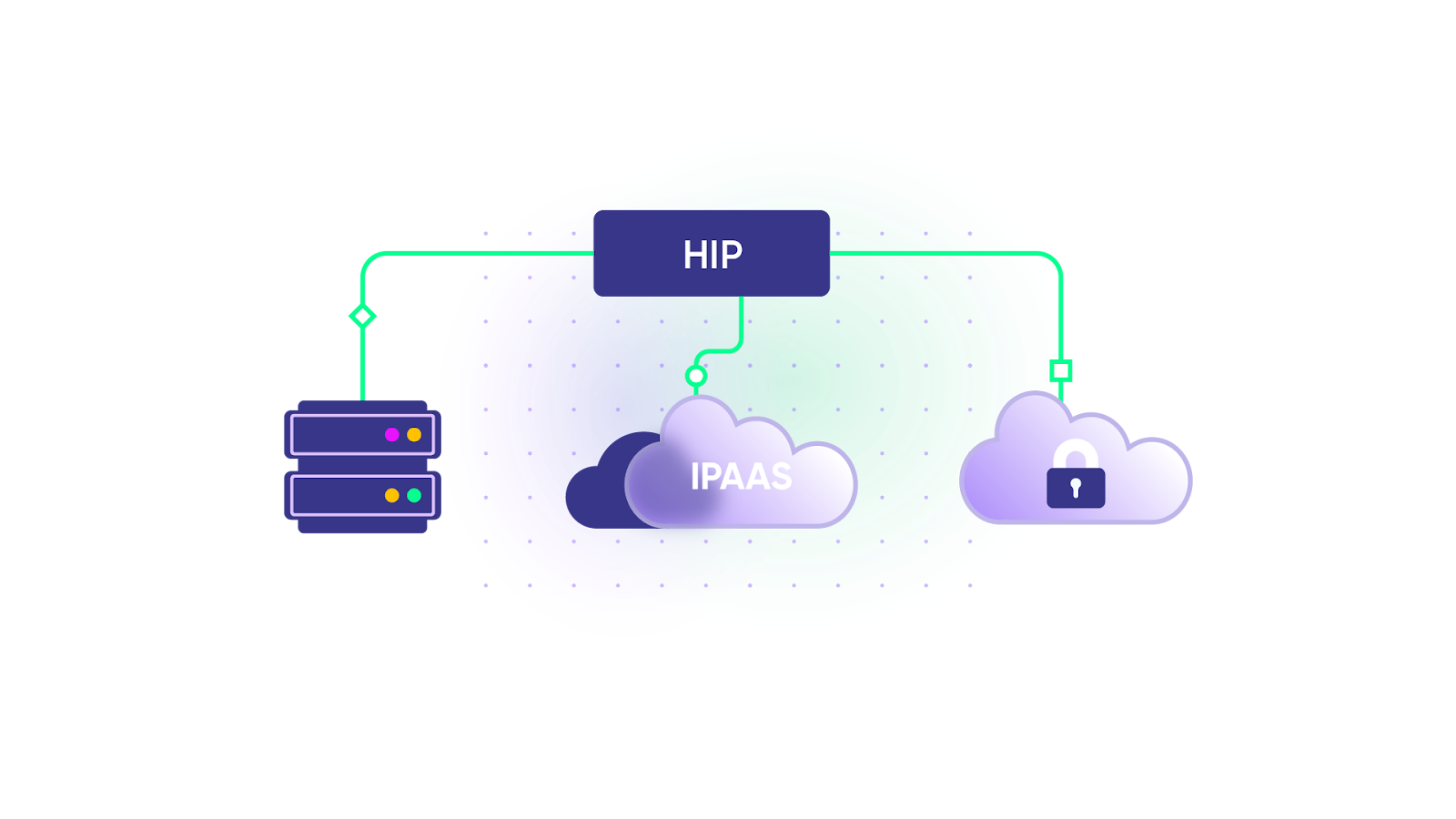
HIPs comprise two basic components:
- Protocol connectors for handling various protocols (HTTP, TCP, etc.)
- Standard data formatters for handling various data formats (XML, JSON, etc.)
Exalate overlaps with both HIP and iPaaS, helping integrate different work management systems to synchronize information and data flow bidirectionally.
Why Do You Need B2B Integration?
Here’s what B2B integration delivers:
- Reduced time, cost, and errors. Automating information exchange eliminates manual processing overhead. This is critical for time-sensitive industries like logistics: LF Logistics achieved faster delivery and improved field management through integration.
- Increased productivity and efficiency. Automating key business processes orchestrates workflows end-to-end for smooth collaboration. Turkiye Sigorta maintained streamlined communication with suppliers using this approach.
- Automated movement of business-critical information. Less rework means increased cash flow. Organizations gain a unified view of revenue-driven processes, enabling faster decision-making.
- Compliance and governance support. Modern B2B integration tools incorporate stringent government and industry compliance requirements through secure data integrations. Managers and stakeholders can track, report, and monitor information flow throughout the business ecosystem.
- Global transformation. B2B system integration synchronizes disparate systems, data, and applications, delivering holistic organizational change.

Calculate time and money savings from automated bidirectional sync.
How Companies Handle B2B Integrations
Companies take various approaches to B2B integration. The choice often comes down to building or buying the integration.
Build it In-House
The most obvious approach, but building integration solutions requires immense technical expertise, resources, time, and budget.
In-house solutions can be robust, but often aren’t scalable. Maintenance and updates drain technical resources that could focus on core business work.
Peer-to-Peer Connections
A simpler approach: establish point-to-point connections with specific suppliers or trading partners.
Simple and cost-effective upfront. But as businesses or applications multiply, maintenance becomes a nightmare.
Using Native App Integrations
Modern apps include native integrations that they already support. Marketing automation tools typically connect directly with Salesforce. ServiceNow integrations and IntegrationHub options work similarly.
Convenient for popular use cases. But native integrations become static and lack flexibility for additional customization.
Integration Solution Providers
The logical outcome: leverage integration solution providers who deliver purpose-built integration capabilities. These solutions provide architecture for digitizing information and routing it through trading ecosystems.
B2B integration platforms integrate critical business workflows across partners, suppliers, and vendor systems using a single gateway.
They extract information from source applications, process it into appropriate formats, and send it to destination applications using the right transport protocols.
You can also outsource your entire integration to these providers if you’d rather not manage integration complexity yourself.
B2B Integration Use Cases
Use Case 1: Connect Manufacturers to Suppliers
An automobile manufacturer needs to procure raw materials from multiple suppliers.
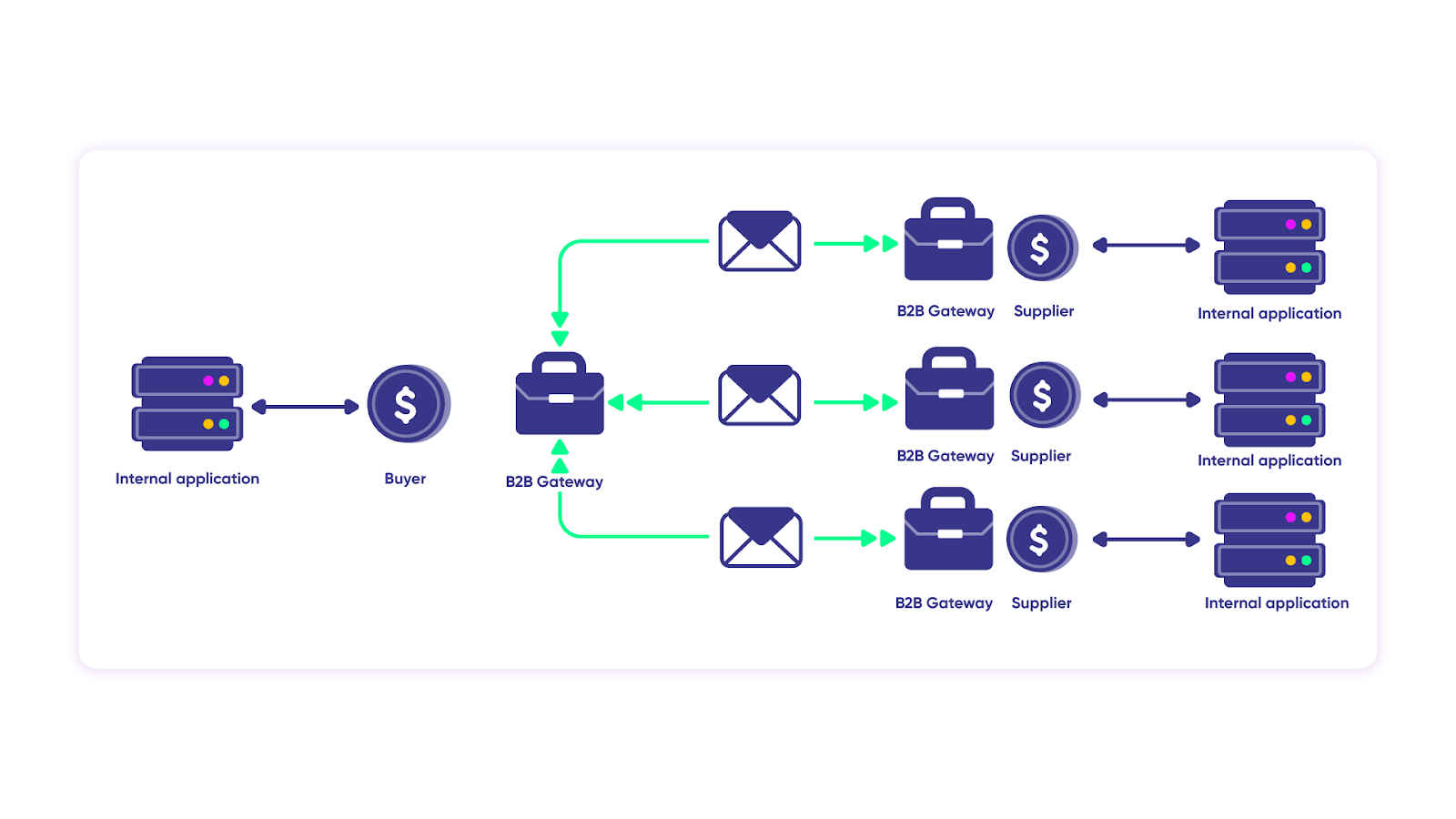
The challenge:
- Request pricing and availability (QPA—Query for Pricing and Availability)
- Get quotations
- Compare quotes and choose a supplier
- Send the purchase order (PO)
- Make payment and receive purchase receipt (PR)
Without integration, this takes months with significant manual intervention, delays, and costly errors.
The integrated solution:
- The manufacturer broadcasts a QPA to suppliers through their B2B gateway
- When sent, an entry is created in their backend ERP
- Suppliers check inventory databases and respond with pricing/availability via their B2B gateways
- B2B gateways interpret information across different company systems
- After shortlisting, a PO is sent to the selected supplier
- The supplier confirms and requests payment (synchronous message)
- After payment, the buyer receives a PR acknowledgment
B2B Gateways are applications enabling secure, reliable, real-time data interchange between internal and external systems of trading partners.
Use Case 2: Inter-Company E-Commerce Enablement
Case: An e-commerce company (Company A) outsources website development to Company B. Company A uses Jira; Company B uses Azure DevOps.
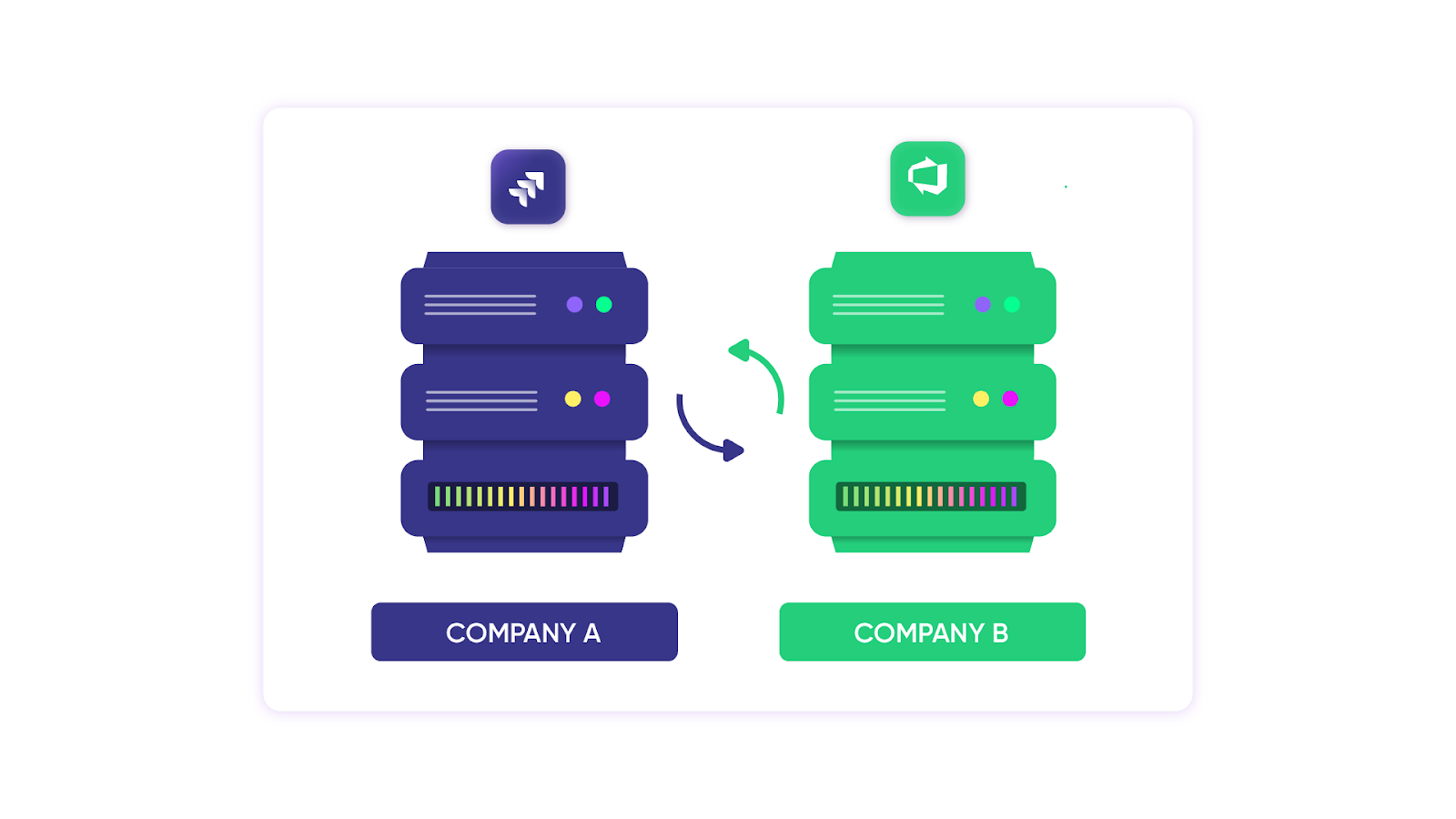
The problem: Work item information passed between them through phone calls or emails required manual updates on both trackers (Jira/Azure DevOps). This increased friction caused data loss and errors, slowed customer complaint resolution, and hurt Company A’s SLA.
Solution > An integration that:
- Passes information bidirectionally between trackers using pre-defined mappings (Jira work items mapped to Azure DevOps work items)
- Provides Company A with a unified view of information across trackers
- Triggers automatic status updates on both Jira and Azure DevOps
- Gives both companies autonomous control over what information passes and how incoming information is interpreted
- Secures data exchange with encryption and automatic recovery for data lost during transitions
Real-world application: Company A’s SLA improved with happier customers. Manual data entry errors dropped, and both companies enjoyed seamless, frictionless communication.
Use Case 3: MSP Integration
Managed services providers (MSPs) benefit significantly from B2B integration because it provides a seamless platform to connect with partners and other MSPs.
Case: A cybersecurity MSP needed deep ticket integration to help customers prevent, detect, and respond to security issues—achieving what they call a “stronger security posture.”
Solution: Using Exalate, when customers create incidents, problems, or other entities in ServiceNow, field contents map to the MSP’s internal Jira Service Management instance.
Real-world application: When the MSP updates the Jira work item, customers receive instant updates in the entity they created. The MSP gained a competitive advantage through faster response times and seamless customer communication.
Use Case 4: Support-to-Development Escalation
Case: Support teams using Freshservice receive complex technical work items requiring developer involvement. Developers work in Jira and don’t have access to the service management platform.
Solution: Exalate automatically syncs escalated Freshservice tickets to Jira as work items, including all customer context, priority information, and attachments.
Real-world application: Developers see complete context in their backlog without switching tools. When they resolve the work item, the Freshservice ticket updates automatically—keeping customers informed without manual intervention.
Use Case 5: Multi-Vendor Project Coordination
Case: A large enterprise manages multiple vendors, each using different project management tools (Asana, Azure DevOps, Jira). Coordinating deliverables and status updates across vendors creates communication overhead.
Solution: Exalate creates a hub-and-spoke integration where the enterprise’s central system syncs relevant project data with each vendor’s platform.
Real-world application: Project managers see unified status updates without chasing individual vendors. Each vendor maintains their preferred tooling while the enterprise gets consolidated visibility across all projects.
B2B integration benefits virtually any industry regardless of location, size, or domain. But implementation comes with challenges.
The Challenges of B2B Integration
Whether using in-house or cloud-hosted integration services, implementation challenges exist:
- Technology evolution: The vast number of evolving technologies, protocols, and standards creates ongoing adaptation requirements.
- Data visibility: Achieving a comprehensive, unified view of critical business data remains challenging.
- Regulatory compliance: Ever-shifting regulatory and governance concerns complicate integration design.
- Data volume: Large volumes of business documents in initial stages create big data challenges due to sheer volume.
- Resource constraints: Smaller companies often lack budget and resources for end-to-end business integration solutions.
How to Pick The Right B2B Integration Solution
Key considerations when choosing an integration solution:
Deployment Model
Options include on-premise, cloud, or hybrid. On-premise means the integration solution is deployed and managed on your servers. Cloud delivers the solution “as-a-service.” Hybrid combines both.
Cloud models typically offer faster implementation than on-premise solutions, but organizations requiring enhanced security control often prefer on-premise deployments.
Cost of the Integration Solution
A major driver for adoption decisions. Consider:
- Maintenance costs
- Upgrades and IT support costs
- Upfront costs
- Training costs for staff
Perform due diligence on how your integration approach impacts the organization from a human capital perspective.
To estimate potential returns, use Exalate’s ROI calculator to understand how integration investment translates to time and cost savings.
Security Features
Data is currency—security is paramount. Look for solutions with:
- Private VPNs
- HTTPS
- Advanced authentication tools
- Secure file transfers
- Role-based access mechanisms
- ISO 27001:2022 certification
Security concerns also relate to industry regulation. Account for compliance, regulatory, and GDPR considerations. For comprehensive security documentation, visit Exalate’s Trust Center.
System Flexibility
Look for:
- Flexible customizations
- Control over what information passes between systems
- Control over how incoming information is interpreted
- Support for unique business cases and specialized integration scenarios
The B2B integration solution you choose should allow creating complex integrations with help from AI-assisted configuration tools, chatbots, copilots, and virtual assistants.
B2B Integration Best Practices
Choose newer technologies and solutions for integrating business data, applications, or systems.
Sometimes, vendors who previously supported legacy systems like older EDIs no longer maintain or support them.
Different applications don’t support built-in mechanisms to interact—they require technology bridges. But technology becomes obsolete quickly. Modern technologies like APIs evolve fast, so businesses must support integration between these modern application designs.
Cloud-based B2B integration solutions are gaining popularity because they’re more affordable than on-premise options. This holds true when scaling; multi-tenant architecture ensures true scalability and supports growth.
- Understand your business needs by involving stakeholders and devising a strategy. Take a step back and think about how B2B integration helps your company and what value it adds.
- Evaluate your business processes and find a solution that complements them. You don’t want an integration solution that forces you to overhaul processes and workflows entirely.
- Think about future scalability. Understand how the solution will scale as your business grows; you don’t want a rigid solution.
- Choose an adaptable solution. It must be easy to use and intuitive for all users. It shouldn’t require extensive setup time to get running.
The Future of B2B Integration
Businesses are increasingly offloading B2B integration to seasoned experts. Organizations will no longer struggle with frictionless partner communication.
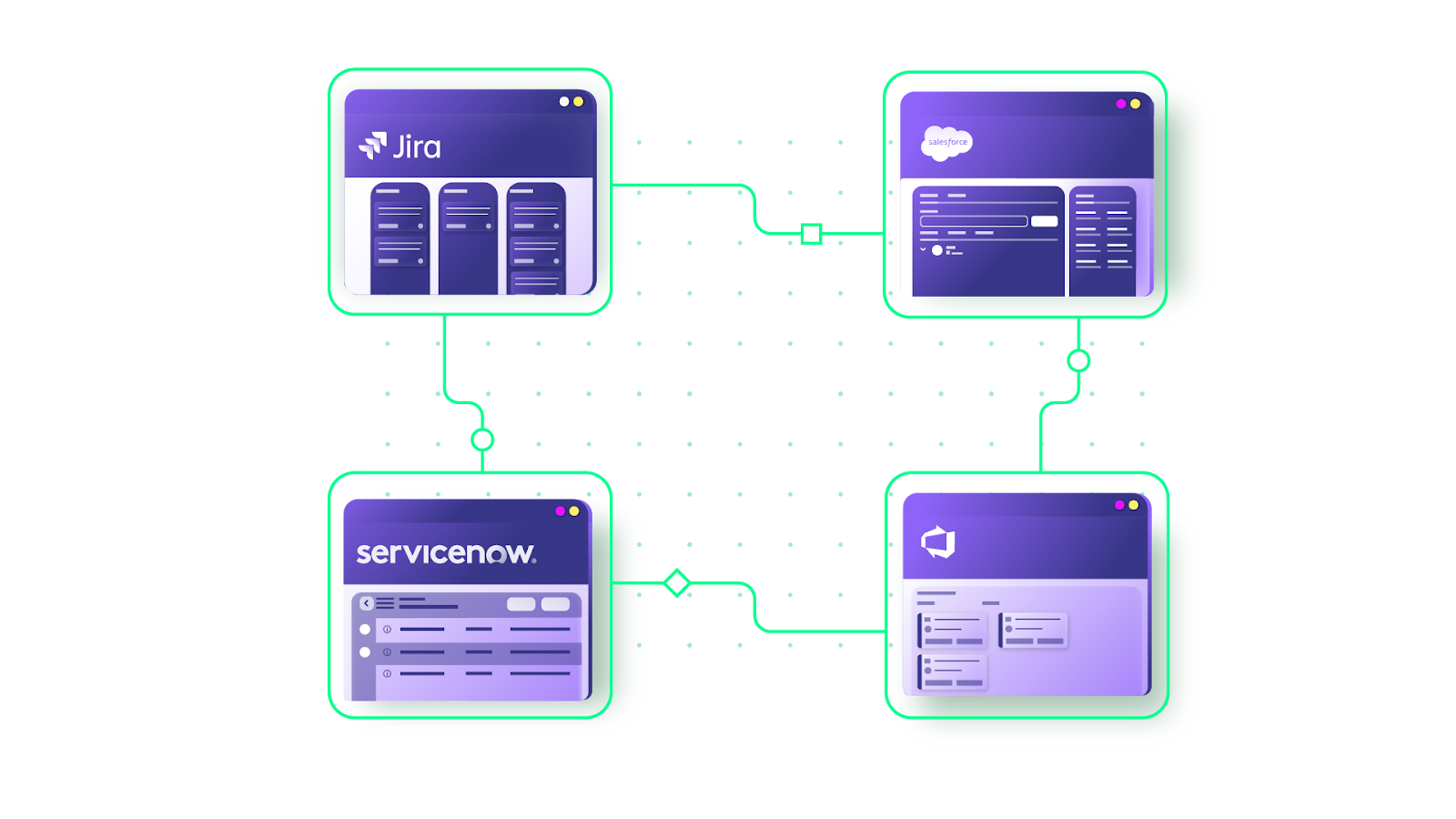
B2B integration services are evolving in response to business needs:
- Expanded scope: Integration platforms now support entire supplier ecosystems, including IoT devices connected to their networks—not just data exchange and transformation.
- Outsourcing trend: More organizations outsource B2B integration services to third-party providers with specialized expertise.
- Deployment flexibility: Services are delivered over cloud, on-premise, or hybrid deployment models. Cloud-based services growth has blurred boundaries between integration disciplines (B2B, A2A, ETL). Single integration platforms can now serve almost all integration needs.
SIAM in The Context of B2B Integration
SIAM (Service Integration and Management) provides management and governance of services in multi-sourced environments.
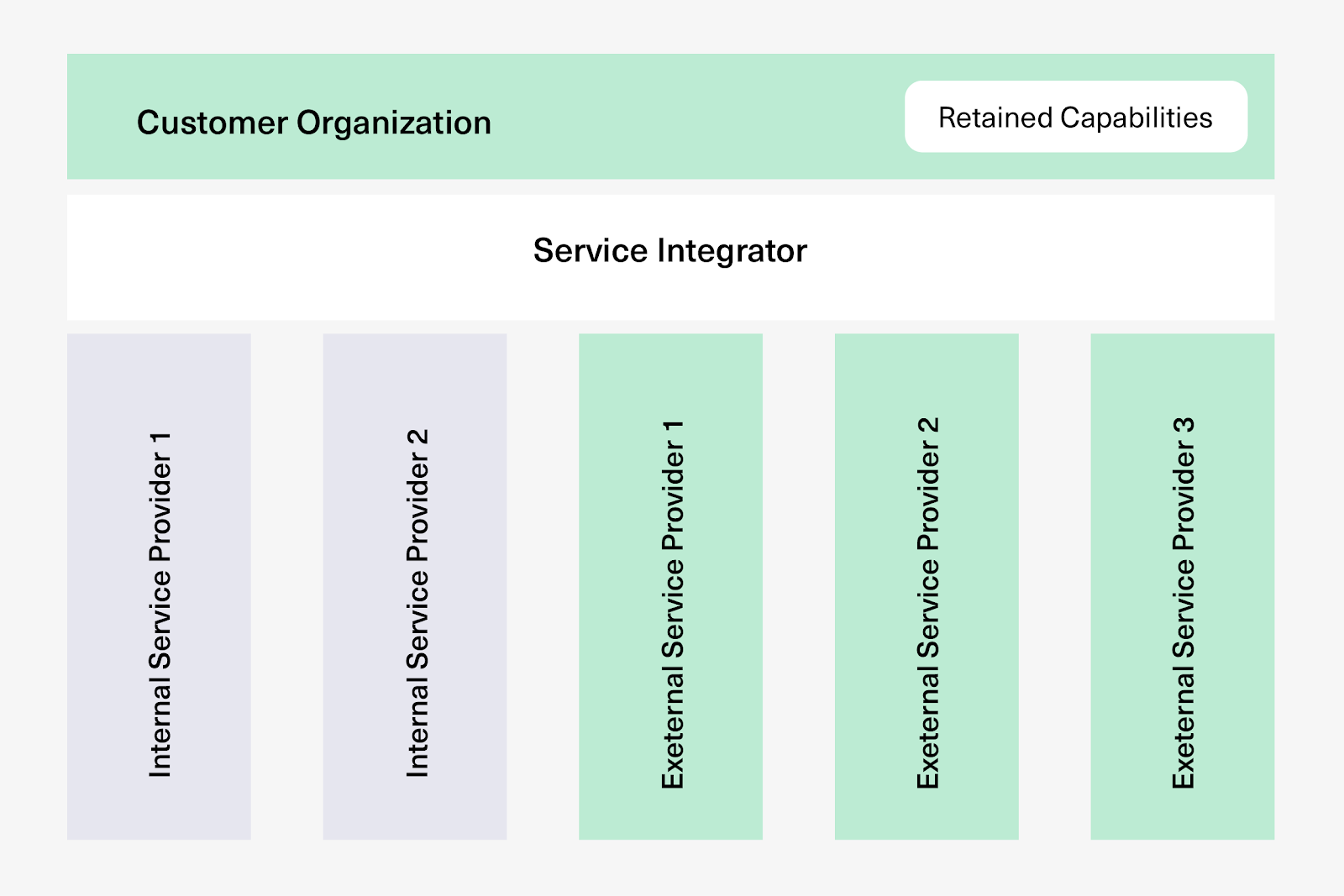
It introduces the “service integrator” role, working to aggregate and consolidate services from service providers to deliver value to customers. It’s a single logical entity responsible for end-to-end service delivery.
Many companies have widely adopted SIAM, gaining a stronghold due to the value it brings to multi-sourced environments.
Using SIAM methodology in B2B integrations means delivering the same standards and values SIAM sets for your integration effort. Integration solution providers should strive to adopt SIAM methodologies and best practices to deliver increased value to customers.
As SIAM demand increases in multi-vendor outsourcing ecosystems, players already adopting SIAM continuously enhance their solutions by including B2B integrations.
Increased awareness of ITIL 4 (Information Technology Infrastructure Library)—because of its benefits for end-to-end IT service delivery and value co-creation—has boosted SIAM adoption and, in turn, B2B integration adoption. SIAM creates the same value as ITIL in multi-sourced environments.
Exalate as a B2B Integration Solution
Exalate connects businesses through an integration-as-a-service option for connecting with MSPs and external customers.
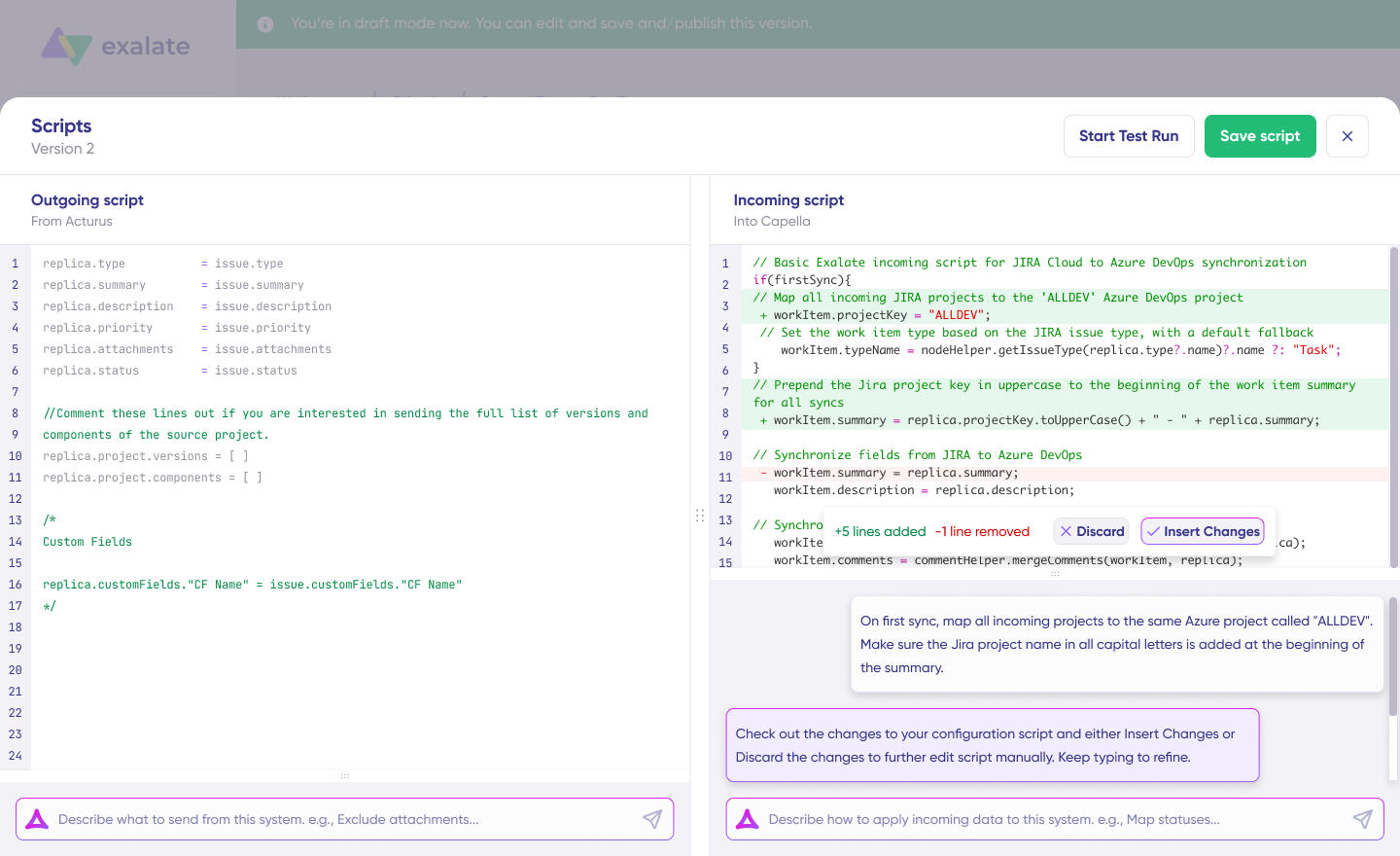
Exalate supports unidirectional and bidirectional integration between systems, including Salesforce, Zendesk, Freshdesk, Freshservice, Jira, GitHub, Azure DevOps (Cloud and Server), ServiceNow, Asana, and more.
It provides an AI-assisted integration scripting console for customizing mappings. The engine (Groovy-based) uses embedded AI tools—Aida for AI-assisted configuration for generating sync scripts from natural language prompts.
With Exalate, you can establish a network of partners by connecting applications and systems to share and obtain necessary resources while maintaining autonomous control of your systems.
Ready to connect your business tools with partners? Book a short call with our team to discuss your requirements, and we’ll take it from there.
Frequently Asked Questions
What’s the difference between B2B integration and API integration?
API integration is a subset of B2B integration. APIs are the technical mechanism for connecting systems, while B2B integration encompasses the entire strategy, including business processes, data formats, protocols, and governance, for exchanging information between organizations.
What systems does Exalate support for B2B integration?
Exalate supports Jira (Cloud), ServiceNow, Azure DevOps (Cloud and Server), Zendesk, Salesforce, Freshservice, Freshdesk, GitHub, Asana, Service Desk Plus, and custom integrations through REST API support.
What security certifications should I look for in a B2B integration solution?
Look for ISO 27001 certification, GDPR compliance, TLS 1.3 encryption, and OAuth2 authentication. These certifications indicate the provider maintains rigorous security practices for protecting business-critical data.
Can B2B integration work with legacy systems?
Yes, but with considerations. Modern integration platforms can connect to legacy systems using appropriate adapters and protocols. However, vendors may no longer support older systems, so evaluate whether legacy connectivity fits your long-term strategy.
What’s the difference between iPaaS and HIP for B2B integration?
iPaaS (Integration Platform as a Service) focuses on cloud-based integration solutions with pre-built connectors. HIP (Hybrid Integration Platform) is broader, enabling both cloud-based and on-premise systems to integrate seamlessly. Many modern solutions overlap both categories.
Recommended Reads:
- Service Integration and Management (SIAM)
- eBonding Integration: The Ultimate Guide to Flexible Data Sync
- How to Build an Effective SIAM Operating Model
- ITIL 4 and Service Management: The Right Choice for Your Service Management Approach
- ServiceNow eBonding: The Complete Guide
- The Complete Blueprint for Aligning Your Service Desk and Development Teams (Process Integration and Best Practices)


