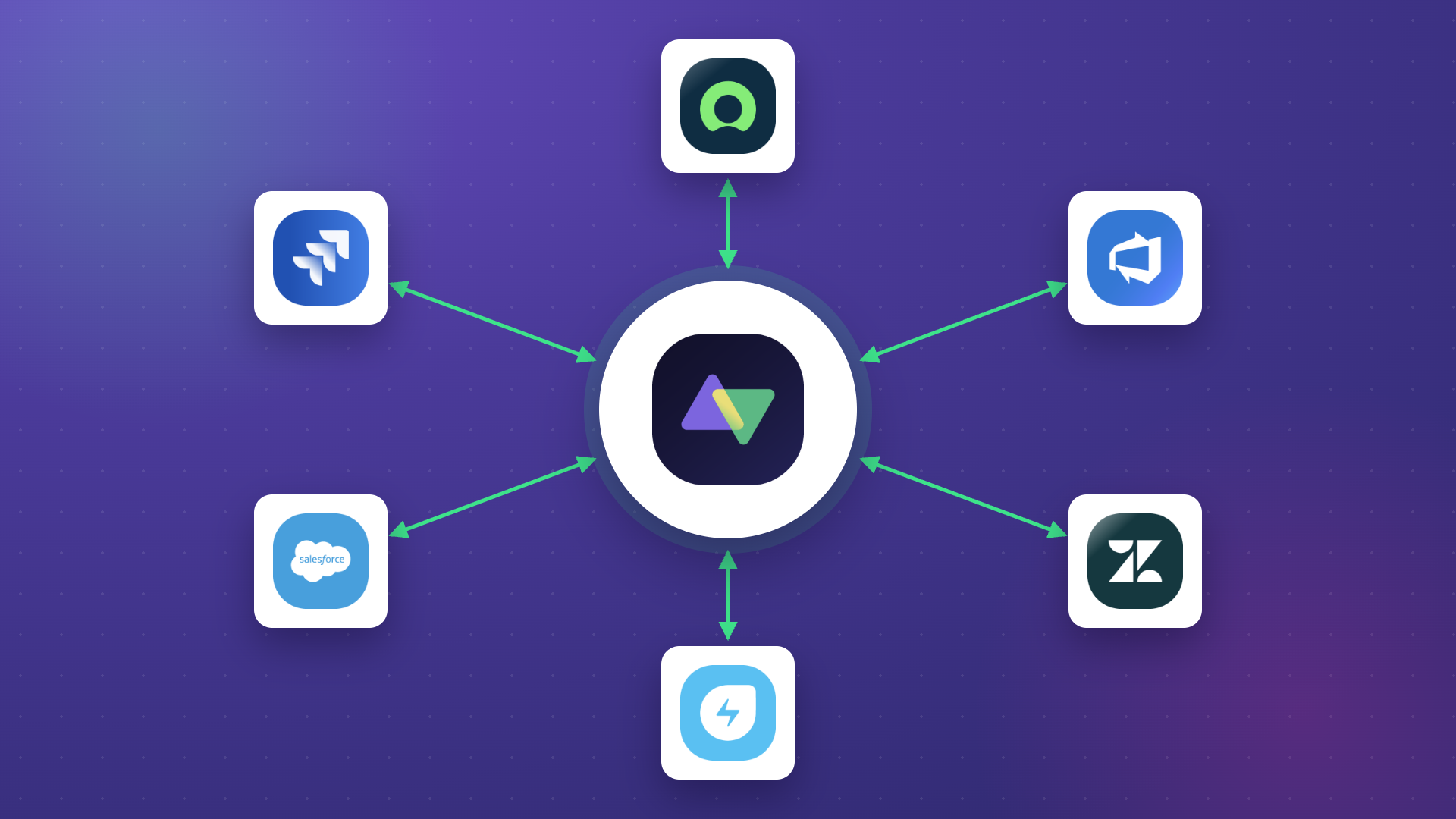
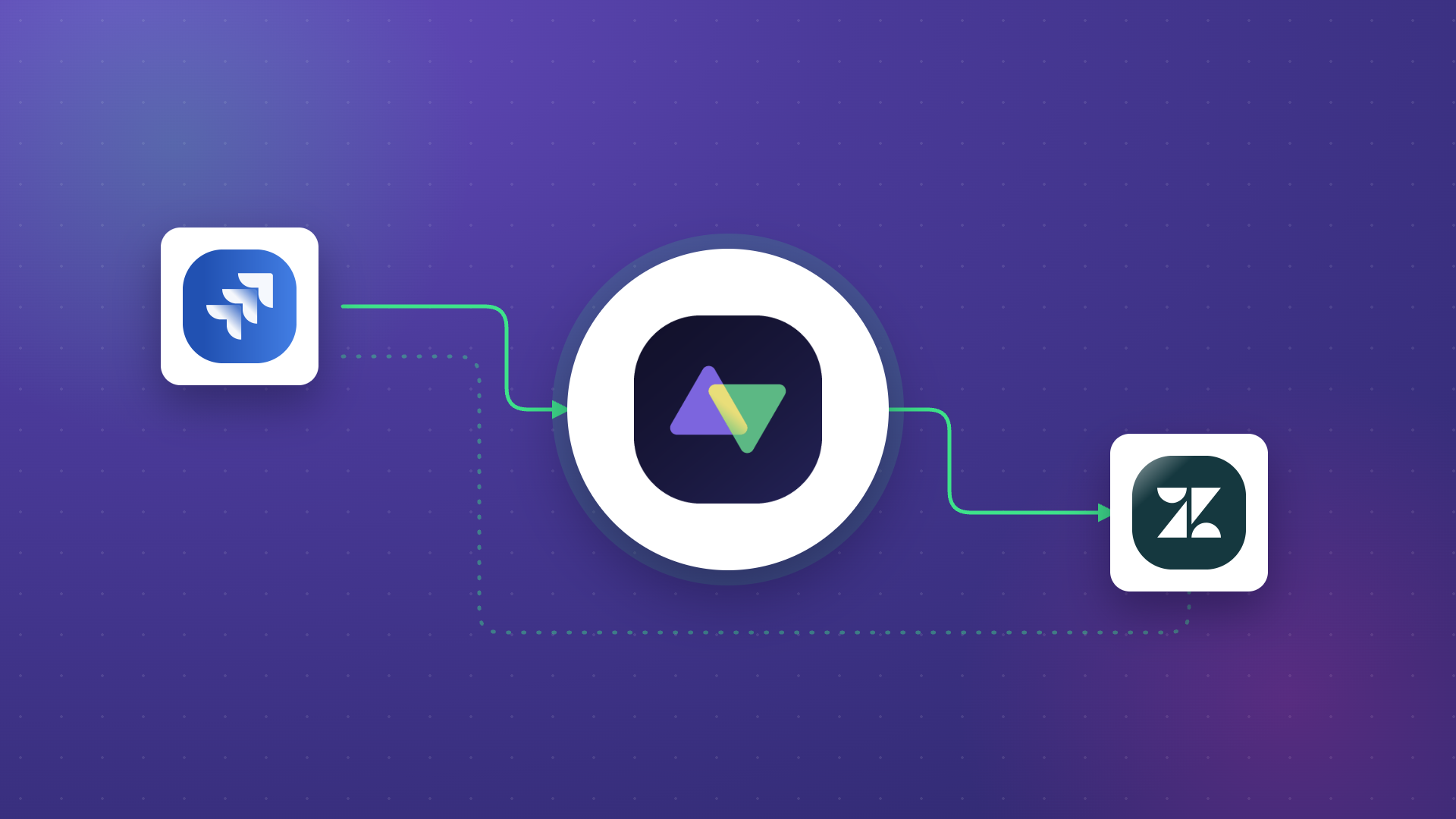
Bidirectional sync is very important for teams within an enterprise when sharing data back and forth. The usual flow is that your engineering team works in Jira, IT runs ServiceNow, and sales lives in Salesforce. So the same incident ends up in three places with three different statuses, and someone has to keep them all on track.
That manual handling takes a lot of time, and important data often slips through the cracks. MSPs often report spending hours to move tickets between their helpdesk and their clients’ systems.
Bidirectional sync is the only viable solution to all these headaches. First you update a record on one side, and the other side reflects it automatically, both ways. So here are the tools for bidirectional sync, what each one is actually built for, and where each one fails.
Key Takeaways
- Bidirectional sync keeps records consistent across two or more systems by reflecting changes made on either side, automatically and in both directions.
- The three categories that matter: work-item sync tools, data-layer sync tools, and general iPaaS.
- Conflict resolution, sync loop prevention, and control over what crosses the connection matter more than raw connector count.
- Cross-company sync, where each side controls its own data without sharing system access, is a separate requirement that few tools handle well.
- Exalate is built specifically for bidirectional sync of tickets and work items across platforms and company boundaries, with per-field control through scripting.

What is Bidirectional Sync?
Bidirectional sync, also called two-way sync, keeps a record consistent across two connected systems. Change it on one side, and the change flows to the other. Change it on the other side, and it flows back.
Example: a sev-1 incident logged in ServiceNow shows up as a work item in the engineering team’s Jira within seconds. When a developer marks it resolved in Jira, the ServiceNow incident updates to match, with nobody needing to copy anything.
That’s different from one-way sync, which only pushes changes in a single direction. If you want the full breakdown of one-way versus two-way, real-time versus scheduled, and how conflict resolution works under the hood, we cover it in depth in our two-way synchronization guide.
How We Picked These Tools
Here are the features and capabilities we actually weighed:
- Connector coverage across ITSM, DevOps, CRM, and service desks, not just databases.
- True two-way sync, meaning one connection that runs both directions, not two separate one-way flows stitched together.
- Conflict resolution and loop prevention, because both come up the moment two people edit the same record.
- Field-level control over exactly what syncs and what stays put.
- Cross-company support, where each side controls its own data without handing over system access.
- Security, compliance, and deployment options, including data residency and self-hosting.
- Setup effort and maintenance load, because a sync you can’t maintain is a sync you’ll eventually rip out.
We’re showing the criteria so you can weigh the tools against your stack, not ours.
How to Choose the Right Bidirectional Sync Tool
The decision algorithm is as follows: Match the category first, then compare within it.
- Syncing tickets or work items across teams or companies? Prioritize field-level control and independent sync rules. This is where a purpose-built work-item sync tool shines.
- Syncing CRM, ERP, or database records? A data-layer tool built for record consistency fits better than a ticket-focused one.
- Automating workflows across a wide range of SaaS apps? An iPaaS gives you the range, as long as you accept it’s not specialized for deep two-way sync.
The 10 Best Bidirectional Sync Tools
Each entry follows the same shape: what it is, who it’s best for, where it’s strong, and where it isn’t.
1. Exalate
What it is: A cross-platform integration tool built specifically for bidirectional sync of work items, tickets, cases, and service requests. It connects Jira, ServiceNow, Salesforce, Zendesk, Azure DevOps (Cloud and Server), Freshservice, Freshdesk, GitHub, Asana, and Jira Service Management, plus custom connectors for anything with a REST API.
Best for: Teams syncing tickets or work items across platforms, especially across company boundaries where each side controls its own data. Common in automotive, financial services, software development, and manufacturing, where cross-company ticket flow meets strict data-sharing rules.
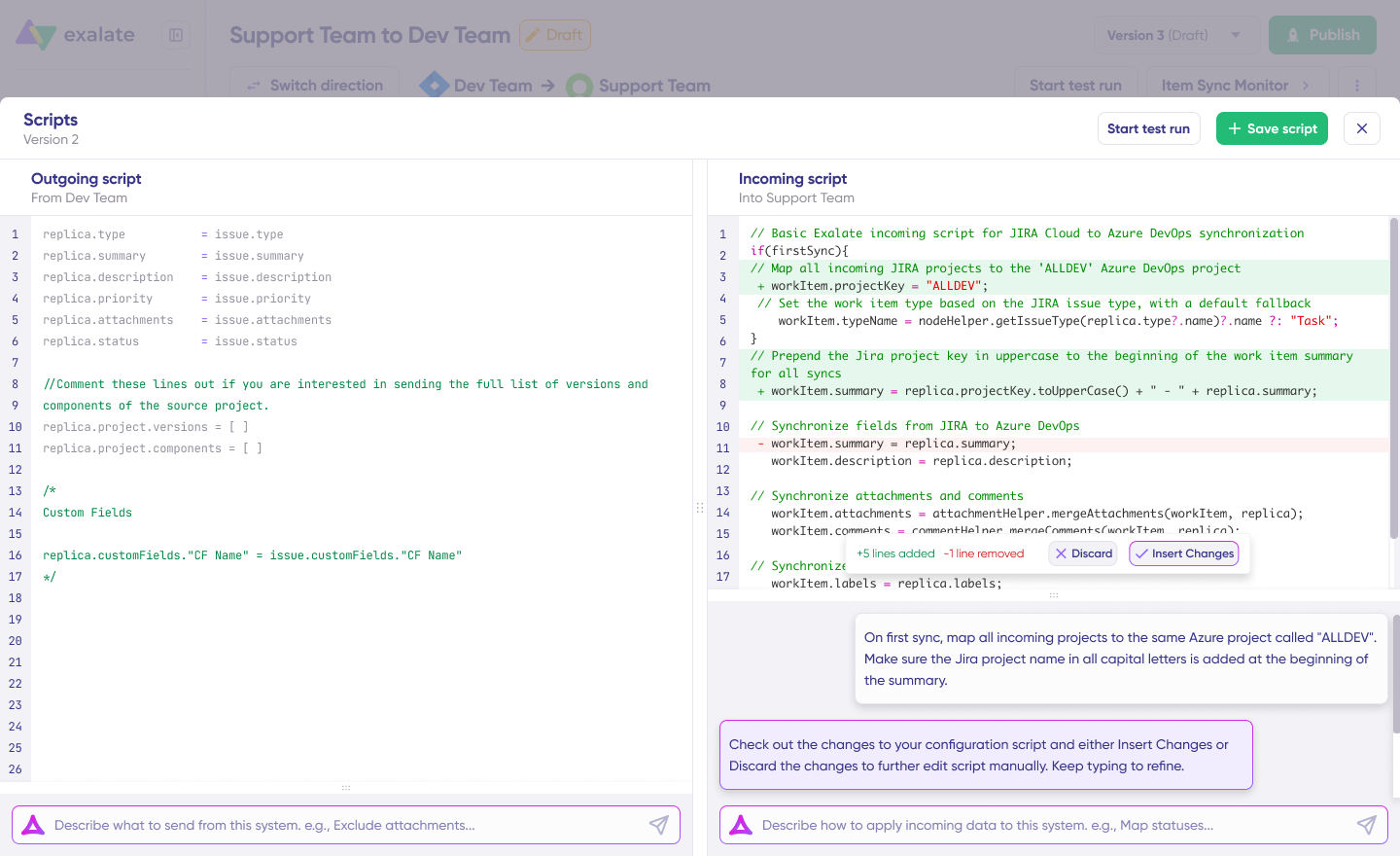
Strengths: Exalate runs on a Groovy scripting engine that covers both conflict resolution and loop prevention. You set source-of-truth rules field by field, decide which side wins for each field, and build conditional logic like “if the ticket is closed, don’t overwrite it.” Loop prevention works the same way, through scripting that checks whether incoming data is actually different before writing it.
Exalate also excels at keeping connections independent. Each side of the connection manages its own sync rules, so you control what you send and how you process what comes in without coordinating configs with the other side. That’s why it fits MSP setups, vendor collaborations, and any cross-company scenario where you can’t hand out system access.
Aida (Exalate’s AI-assisted config) also lets you describe what you want in plain language and generates the scripts for you. Script versioning gives you a full audit trail of configuration changes, which matters in regulated industries where you need to show what the sync looked like at any point in time.
Test Run lets you validate a configuration against real work items, so you catch mapping errors before it syncs anything. Triggers decide which items sync automatically, based on a search query like a project key, label, or status.
The Sync Panel is a browser extension that shows real-time sync status and gives you Sync Now and Unlink actions without logging into the app.
The Dashboard lets you track the number of items under sync over time. You can monitor all the connections you have access to or focus on a specific integration or connection.
Limitations: The scripting flexibility requires a learning curve. Exalate isn’t a fixed no-code toggle for every scenario. If all you need is a light one-off connection between two SaaS apps, then Exalate offers more than the job requires.
Deployment and data residency: You can self-host the node, and data stays entirely in your own infrastructure, or use the Exalate Cloud in EU data centers with a US hosting option for US residency requirements. That flexibility is the direct answer to the data-residency questions enterprise security teams raise.
Security posture: Holds ISO 27001 certification. Sync runs node-to-node over outbound HTTPS. Exalate uses TLS 1.2+ encryption, role-based access controls, and tokenized authentication (OAuth, JWT tokens, and API keys) to secure your sync. Read more in the Trust Center.
Use cases:
- Customer support escalating to engineering: L1 support in Zendesk or Jira Service Management escalates to L2 and the dev team in Jira, with comments, status, and attachments flowing both ways.
- MSP multi-client ticket sync: One helpdesk or ServiceNow instance connected to each client’s platform (Jira, Freshservice, Freshdesk, Zendesk), where every client sees only their own tickets and SLA data and the MSP works from a single view.
- Cross-company vendor collaboration: A client on ServiceNow syncing with vendors on Salesforce or Jira, where each side controls what it shares and neither grants the other system access.
- B2B ticket automation: Syncing tickets between external partners, like a supplier running Jira and enterprise clients on Zendesk.
- DevOps work-item sync: Azure DevOps work items kept aligned with Jira issues, including pull requests, comments, and status transitions across the dev/ops boundary.
- Jira-to-Jira after mergers or acquisitions: Consolidating separate Jira (or Jira and Zendesk) environments that arrive with an acquisition, including bulk migration of existing issues.
- CMDB and asset sync: Syncing ServiceNow CMDB records and business-application data with Jira, beyond standard incident tables.
2. Workato
What it is: Workato is an enterprise iPaaS built around “recipes,” its term for automation workflows.
Best for: Business teams automating processes across many SaaS apps without heavy developer involvement.
Strengths: Broad connector library, low-code recipe builder, and enterprise governance features. Good when your problem is workflow automation across a wide stack, not deep sync between two systems.
Limitations: Bidirectional sync isn’t Workato’s strong point. To sync both directions, you’d typically need to build a separate recipe per direction, then maintain both. For teams whose core need is genuine two-way ticket sync, that’s more moving parts than a purpose-built connection.
Security posture: Enterprise-grade security with SOC 2, ISO 27001, and role-based access controls. Data is processed in Workato’s cloud, so residency options depend on your plan and region.
Use cases: Internal process automation across ServiceNow, Salesforce, and Oracle; multi-step workflows tying SaaS apps together.
3. Unito
What it is: Unito is a no-code two-way sync tool focused on task and project management platforms.
Best for: Syncing work between tools like Trello, Asana, Jira, and similar project trackers.
Strengths: Fast to set up, visual, and genuinely two-way for the tools it supports. For straightforward task-sync between project management apps, it does the job with little effort.
Limitations: The gap lies in lighter field-level scripting, less control over complex conflict logic, and no real model for cross-company sync where each side stays independent. Fine for internal task-sync, thinner once the requirements get specific.
Security posture: SOC 2 Type II compliant, with encryption in transit and at rest. It’s a hosted service, so data passes through Unito’s cloud during sync.
Use cases: Syncing tasks between project trackers like Trello, Asana, and Jira for internal team coordination.
4. ServiceNow IntegrationHub
What it is: IntegrationHub is ServiceNow’s native integration layer for connecting ServiceNow to other systems.
Best for: Internal automation and outbound integrations inside a ServiceNow-centric ecosystem.
Strengths: It is a native connector. If you live in ServiceNow and want to trigger actions or push data out, IntegrationHub is right there with no third-party tool to add.
Limitations: Too expensive for what it is, and mainly built for simple outbound integrations. IntegrationHub handles internal ServiceNow automation well, but for true cross-platform, two-way integration between ServiceNow and Jira or Azure DevOps, you have to pair it with a dedicated sync tool.
Security posture: Inherits ServiceNow’s platform security, including its compliance certifications and access model. Since it’s native, data stays inside your ServiceNow instance for internal flows.
Use cases: Outbound actions from ServiceNow and internal ServiceNow automation.
5. Stacksync
What it is: A real-time, two-way sync engine for operational data, built around CRMs, ERPs, and databases.
Best for: Keeping data records consistent across systems like Salesforce, NetSuite, PostgreSQL, and Snowflake with sub-second latency.
Strengths: Purpose-built for data-layer sync, with change-data-capture and conflict resolution aimed at record consistency. If your problem is Salesforce and a Postgres database drifting out of alignment, this is the right tool for you.
Limitations: It’s built for data records, not tickets and work items. Syncing a support-to-dev escalation between Zendesk and Jira, with comments, attachments, and status transitions, is a different problem than replicating rows between a CRM and a warehouse, and Stacksync is built for the second one.
Security posture: SOC 2 Type II compliant, with encryption in transit and at rest. Built to sync sensitive operational data, so review its data-handling terms for regulated records.
Use cases: Real-time record sync between CRMs, ERPs, and databases (Salesforce to Postgres, NetSuite to Snowflake).
6. Zapier
What it is: Zapier is a no-code automation tool connecting thousands of apps through trigger-action “Zaps.”
Best for: Simple, trigger-based automations between SaaS tools.
Strengths: Broad app coverage and the lowest barrier to entry of anything on this list. When you want a simple automation, Zapier is hard to beat.
Limitations: A Zap is an automation, not an integration. It fires once, and the relationship ends. It doesn’t maintain an ongoing two-way link between synced records, so it won’t keep a Jira issue and a ServiceNow incident aligned as both change over time.
Security posture: SOC 2 Type II compliant with encryption and access controls. Data moves through Zapier’s cloud on every Zap run, worth noting for sensitive fields.
Use cases: Lightweight triggers like posting to Slack when a new row hits a Google Sheet.
7. MuleSoft Anypoint Platform
What it is: MuleSoft is an enterprise integration and API management platform from Salesforce.
Best for: Large organizations that need full API governance and complex integration architectures.
Strengths: Deep API management, strong for building and governing integrations at scale across cloud and on-prem. Powerful when integration itself is a core engineering discipline in your org.
Limitations: Heavy-duty and developer-led. For a focused two-way ticket sync between a couple of platforms, it’s a large investment in both cost and expertise.
Security posture: Strong enterprise security and governance, with a range of compliance certifications and fine-grained API access control. Deployment can be cloud, on-prem, or hybrid.
Use cases: Enterprise API governance and complex integration architectures at scale.
8. Dell Boomi
What it is: A cloud iPaaS with drag-and-drop integration and master data management.
Best for: Organizations that need MDM alongside integration.
Strengths: Solid connector set, visual builder, and MDM capabilities in one platform. Good when keeping a clean master record across systems is part of the brief.
Limitations: Like other iPaaS options here, it’s broad rather than specialized. Two-way sync of tickets and work items, with the field-level control those workflows need, isn’t its focus.
Security posture: Enterprise security with SOC 2, ISO 27001, and HIPAA options, plus flexible deployment across cloud and on-prem.
Use cases: Master data management, keeping one clean record across CRM, ERP, and billing.
9. Jitterbit
What it is: An integration platform with a strong data transformation layer.
Best for: Teams whose main challenge is transforming data between systems with mismatched formats.
Strengths: Real-time data exchange and strong transformation tools. When the hard part of your integration is reshaping data on the way through, Jitterbit handles it well.
Limitations: The transformation strength doesn’t translate into purpose-built work item sync. For cross-company ticket collaboration where each side stays independent, it’s not the natural pick.
Security posture: SOC 2 and other enterprise certifications, with encryption and access controls. Cloud-hosted, with some deployment flexibility.
10. Azure Logic Apps
What it is: Microsoft’s cloud service for building automated workflows across Azure and connected apps.
Best for: Microsoft-centric stacks, especially teams already running Azure DevOps.
Strengths: Native fit within the Microsoft ecosystem, with a large set of connectors and tight Azure integration.
Limitations: Building genuine two-way sync means building and maintaining the logic yourself, in both directions. We see plenty of Salesforce to Azure DevOps and Jira to Azure DevOps bidirectional requests, and teams often find the build-and-maintain overhead higher than a purpose-built connector would carry.
Security posture: Inherits Azure’s compliance and security stack, including data residency controls tied to your Azure region. Strong fit when you’re already governed under an Azure tenancy.
Use cases: Automating workflows across Azure DevOps and other Microsoft services in an Azure-native stack.
| Tool | Best for | Sync type | Cross-company support | Conflict resolution | Setup effort |
| Exalate | Flexible bidirectional sync for ITSM tools, CRMs, DevOps, across teams and companies | Entities & records (tickets, incidents, cases, work items, etc.) | Yes, each side independent | Scriptable, per field | Moderate |
| Workato | Broad SaaS workflow automation | General automation | Limited | Recipe logic | Moderate |
| Unito | Task and project tool sync | Work items | No | Preset rules | Low |
| IntegrationHub | Internal ServiceNow automation | General automation | No | Preset rules | Moderate |
| Stacksync | CRM, ERP, and database records | Data records | Limited | Configurable rules | Low to moderate |
| Zapier | Simple trigger-based automations | General automation | No | Not persistent | Low |
| MuleSoft | Enterprise API management | General integration | Partial | Custom build | High |
| Dell Boomi | Integration plus MDM | Data records | Partial | Configurable rules | Moderate to high |
| Jitterbit | Data transformation-heavy integration | Data records | Partial | Custom build | Moderate |
| Azure Logic Apps | Microsoft-centric stacks | General automation | No | Custom build | Moderate to high |
What Next?
Most teams pick a sync tool by counting connectors. Then they go live and discover the real work was never the connectors. It’s conflict resolution when two people edit the same record, loop prevention so the sync doesn’t flood both systems, and tight control over what actually crosses the connection.
Sort those three out, and the tool choice gets a lot clearer. Ignore them and even a long connector list won’t save the integration.
If you’d rather see Exalate in action, start for free or book a call with our sync experts to walk through your specific use case.
Frequently Asked Questions
What is bidirectional sync?
Bidirectional sync keeps a record consistent across two connected systems by reflecting changes in both directions. Update it on one side, and the change flows to the other, and vice versa. The result is one current version of the record everywhere, with no manual copying.
What’s the difference between one-way and two-way sync?
One-way sync pushes data in a single direction, from system A to system B, and changes in B don’t flow back. Two-way sync maintains an ongoing relationship where updates in either system propagate to the other. Two-way sync is the right fit when both teams actively work on the same records.
What’s the best bidirectional sync tool for Jira and ServiceNow?
For a true two-way connection between Jira and ServiceNow, with per-field conflict resolution, flexibility for advanced use cases, and control over what crosses, a purpose-built work-item sync tool like Exalate is the strongest fit. IntegrationHub can handle internal ServiceNow automation, but cross-platform two-way sync is a different workflow.
Can bidirectional sync work between two different companies?
Yes, bidirectional sync can work between two different companies. Cross-company sync means each organization controls what it sends and how it processes what it receives, without giving the other side access to its system. Tools where each side manages its own rules independently handle this well.
How does conflict resolution work in two-way sync?
Conflict resolution decides which change wins when both systems update the same record at once. Common strategies are last-write-wins, source-of-truth rules per field, field-level merging, and manual review. In Exalate, you define these in scripts, so you can apply different rules to different fields inside one connection.
How do you prevent sync loops?
A sync loop happens when a change in A triggers an update in B, which triggers another update back in A, on and on. The standard fix is to check, before writing, whether the incoming value is actually different from what’s already there. If it’s the same, the write is skipped. A marker flag on sync-originated changes is another common approach.
Is bidirectional sync the same as an iPaaS?
No. An iPaaS is a broad platform for automating workflows and connecting many apps. Bidirectional sync is a specific pattern for keeping records aligned in both directions. Some iPaaS tools can be configured to do it, but they’re not built for it, and it usually means maintaining separate logic per direction.
Can you sync tickets bidirectionally without giving external partners system access?
Yes. With a tool like Exalate where each side controls its own connection, you share only the fields you choose and process incoming data on your own terms. The partner sees updates in their tool without touching your system. This is how MSPs and vendor collaborations run cross-company sync safely.
How long does a bidirectional sync take to set up?
It depends on complexity. A simple two-system connection can be running quickly, while cross-company setups with custom field mappings, conflict rules, and filtering take longer. AI-assisted config, like Exalate’s Aida, cuts setup time for teams without a dedicated integration engineer.
What data can you sync bidirectionally?
Work items, tickets, cases, service requests, comments, attachments, status changes, priorities, custom fields, labels, third-party plugin fields, and any data available via REST APIs. The exact fields depend on the connected platforms and your configuration. You control which data points sync and how they map.
Does bidirectional sync support data residency or on-prem deployment?
With Exalate, it depends on where you deploy the node. Self-host it and your data stays in your own infrastructure. Use the Exalate Cloud, and data sits in EU datacenters; other hosting options are available based on your requirements.
Recommended Reading
- How to Implement a Two-Way Integration Between Platforms
- The Comprehensive Guide to Enterprise Integration Platforms
- Why Two-way Sync is Essential for Modern Teams
- Why Real-time Data Synchronization Matters More Than Ever
- Leveraging the Power of Workflow Automation
- ESM Integration: How to Connect ESM Platforms