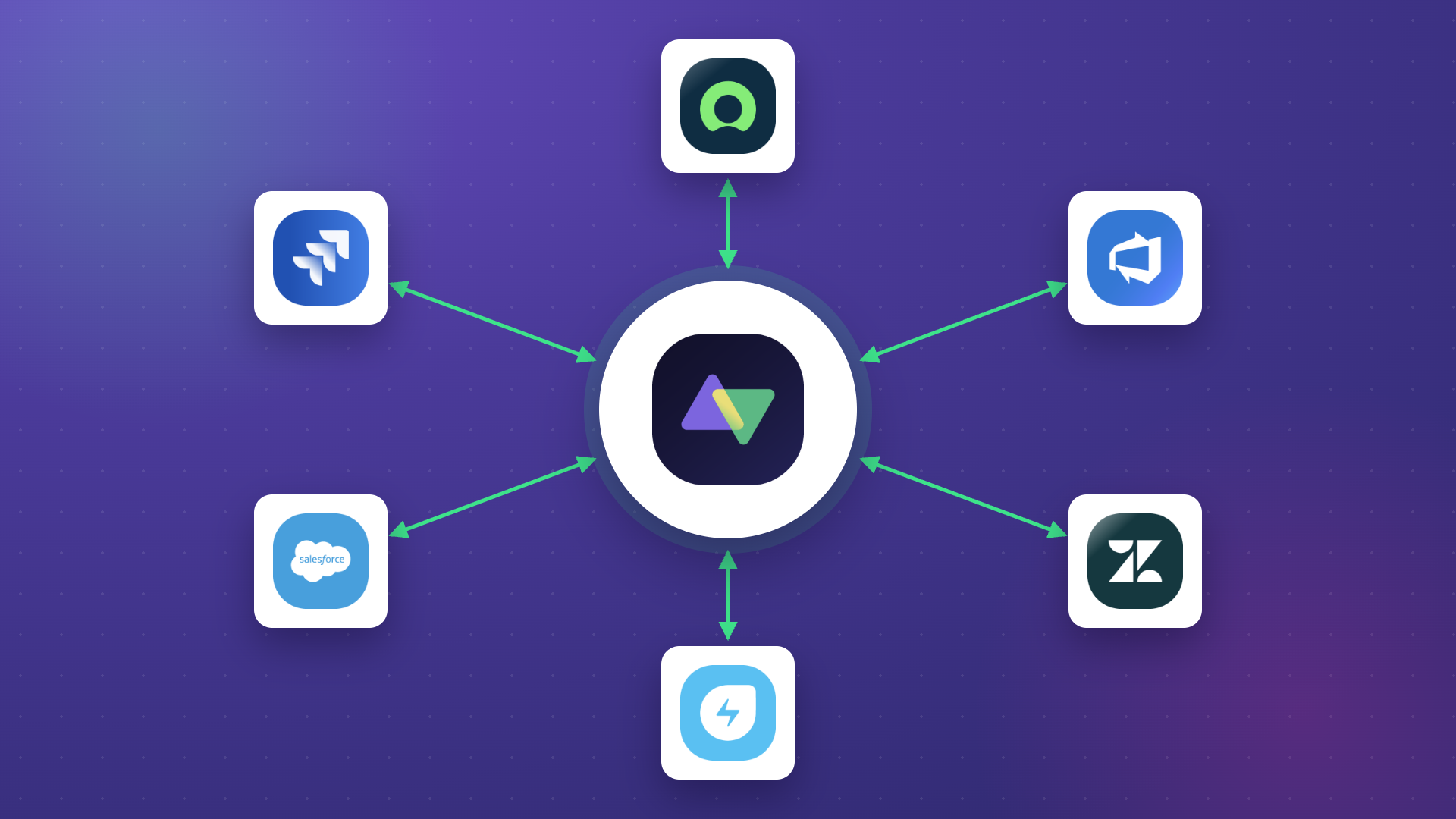
Your account manager says the ticket is resolved. Your dashboard says it’s still open. And the MSP who handled it can’t tell you what happened, because their ServiceNow instance never synced the update back to your Jira.
That’s the most common failure point in MSP integration: data lives in two places, and nobody owns the gap between them.
This guide covers MSP integration from both sides. If you’re an organization working with managed service providers, you’ll find the tool comparison, use case patterns, and best practices you need.
If you’re an MSP managing multiple clients, you’ll find the sections on multi-tenant setup, per-client sync rules, and how other MSPs package integration as a service line.
Key Takeaways
- MSP integration syncs data between your internal systems and a managed service provider’s systems in real time, covering tickets, status updates, comments, and attachments in both directions.
- For MSPs, the right architecture is one integration instance with a separate connection per client, each with its own Groovy sync rules. This scales to dozens of clients without configuration sprawl.
- You can sync with clients running Jira, ServiceNow, or Azure DevOps on-premises over outbound HTTPS only. No VPN, no inbound firewall exceptions.
- General iPaaS solutions handle internal integrations well. They fall short for cross-company MSP scenarios where each party needs independent control over their own sync rules.
- The most common reason MSP integrations fail isn’t technical. It’s that nobody agreed beforehand on which system owns which fields.
- Integration can be packaged as a billable MSP service line. Several MSPs have shifted from absorbing the friction to charging for managed bidirectional sync.
- Security isolation is built into the connection model: each client’s data is scoped to their connection, and clients can’t see or modify your sync configuration.

What is MSP Integration?
MSP integration is the process of syncing data between your internal systems and a managed service provider’s systems, so both sides see the same information in real time without manually copying it.
It covers both directions: tickets your MSP creates in response to your alerts, and status updates your MSP closes that need to reflect in your internal tools. When either direction breaks, you get duplicate work, stale dashboards, and missed SLAs.
To understand how it works, consider a software company that outsources IT to two MSPs: one for infrastructure and one for customer support. Both use different systems. Without integration, the company can’t get a real-time view of service status without logging into each portal separately. With integration, data from both MSPs feeds into the company’s internal tools automatically. Status updates flow back whenever something changes.
A third-party integration service provider can handle this setup if your team lacks the technical bandwidth. But the tools themselves have gotten easier to configure, and many MSPs now set up and manage integrations directly.
How MSPs Use Integration as a Billable Service Line
Most integration content focuses on companies buying managed services. This section is for the MSPs themselves.
SPK & Associates, a managed services provider for engineering and product teams, uses Exalate to deliver integrations as part of their service offering. Before standardizing on a sync tool, their engineers spent roughly 5 hours per week, per engineer, manually keeping client tickets aligned across systems. That’s not billable time. It’s the overhead that limits how many clients they can serve.
After setting up Exalate connections for each client, they cut that manual work out of their process entirely. More importantly, they repackaged integration as a service line: clients pay for a managed, bidirectional sync between their tools and SPK’s systems, rather than treating it as an assumption baked into the base price.
If you’re an MSP, this is worth thinking about seriously. Every client you onboard has a systems mismatch. They use Freshservice; you use Jira. They’re on ServiceNow; your team works in Zendesk. Right now, you probably absorb the friction. A dedicated sync tool lets you surface that as a feature instead.
Multi-Tenant MSP Integration: One Instance, Many Clients
Running a separate integration instance per client doesn’t scale. You end up managing dozens of configurations, each slightly different, with no consistent way to audit or update them.
The better model is one Exalate interface on your side, with a separate connection per client. Each connection has its own sync rules, its own field mappings, and its own data scope. A ticket from Client A never touches Client B’s queue, even though they’re running through the same instance on your end.
This also means client changes don’t cascade. When Client A updates their Freshservice priority schema, you update that one connection’s rules. Nothing else breaks.
Quorum Cyber, a managed security service provider, uses this model to handle 500+ tickets per month across multiple client environments. Each client sees only their data. Quorum Cyber’s team has a unified view across all of them.
Per-Client Sync Rules Without Multiple Instances
The separation in multi-tenant setups isn’t just structural. You can write different Groovy sync rules per connection.
One client might need priority mapped as: their “Critical” becomes your “P1.” Another client might use a custom urgency field that doesn’t exist in standard ServiceNow schemas. A third might have a data residency requirement that means certain fields can’t leave their environment.
You handle all three from Exalate’s script engine: one connection, one set of Groovy rules, one client. The logic sits on your side of the connection, so clients can’t see or modify your configuration. Their admins control what leaves their system; you control what enters yours.
This is what full operational control in an integration means in practice. Each party configures its own side. Neither side needs to trust the other’s admin with rule access.
How to Sync With On-Premises Clients Without a VPN
A common blocker for MSPs is clients who run Jira, ServiceNow, or Azure DevOps on-premises. The assumption is that you need a VPN tunnel or some kind of network-level access to connect.
You don’t. Exalate runs on outbound HTTPS only. It polls for updates over the same port their team uses to browse the web. Nothing inbound, no firewall exceptions on their side, no VPN provisioning on yours.
For clients in regulated industries who can’t open inbound connections to external systems, this is often the only option that clears their security review. Several enterprise security teams have approved Exalate specifically because there’s nothing to open on their network perimeter.
MSP Integration Solutions
Not every integration tool suits MSP use cases. Here’s how the main options compare when you’re syncing tickets across company boundaries.
| Tool | Best for | Limitation for MSPs |
|---|---|---|
| Exalate | Bidirectional ITSM/DevOps sync, multi-tenant setups, cross-company control | Focused on work item sync, not general data pipelines |
| Zapier | Simple app-to-app automation | One-way dominant, no per-connection rule logic |
| SnapLogic | Large-scale data pipelines, ETL | Real-time ITSM sync isn’t the primary use case |
| Boomi | Mid-market internal integration | Complex for cross-company scenarios with independent control |
| MuleSoft | Enterprise API management | Significant implementation overhead, not designed for ticket sync |
| Informatica | Data governance at scale | Enterprise pricing is overkill for ITSM sync |
For MSP-specific use cases, where each client relationship needs independent sync rules and bidirectional flow, purpose-built tools outperform general iPaaS solutions on every dimension that matters: setup time, per-connection control, and maintenance overhead when client schemas change.
Zapier
Zapier lets you automate connections using pre-built “Zaps.” It has a wide app library and low barrier to entry, but its sync model is predominantly one-way. Building a genuine bidirectional ticket sync with Zapier requires workarounds that don’t hold up at volume, and there’s no concept of per-connection Groovy-level customization.
Best for: small teams needing simple, unidirectional data pushes between common apps.
SnapLogic
SnapLogic uses pre-built “Snaps” to connect enterprise systems. It handles data pipelines well and supports both cloud and on-premises deployments. Real-time sync between ITSM platforms isn’t its primary strength, and the learning curve is steep for service desk admins.
Best for: organizations moving large data volumes between cloud and on-premises systems.
Boomi
Boomi offers a drag-and-drop interface with a reasonable balance of ease and flexibility. It works well for internal integrations within a single organization. Cross-company workflows where each party needs independent control over their configuration get complex quickly.
Best for: mid-market organizations integrating internal business applications.
Exalate
Exalate is an AI-powered integration solution purpose-built for cross-company and cross-platform work synchronization. It supports true bidirectional sync, independent per-connection rule control via Groovy scripting, and AI-assisted configuration through Aida for describing sync requirements in plain language.
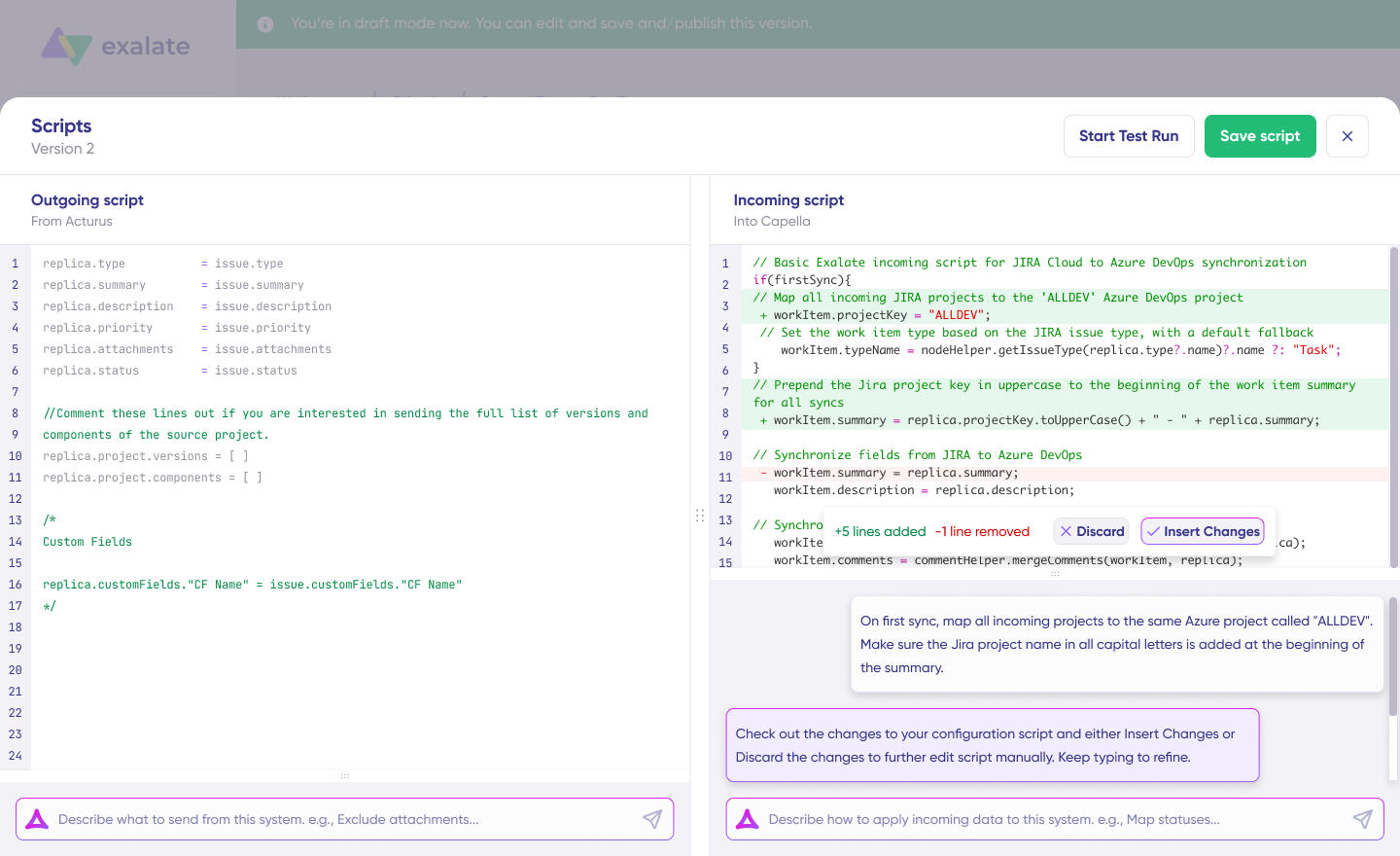
For MSPs, the key capabilities are: multi-tenant support (one instance, many client connections), per-client Groovy rules, on-prem client support over outbound HTTPS, and decentralized control where your client configures their side and you configure yours.
Platforms supported: Jira, ServiceNow, Salesforce, Azure DevOps (Cloud and Server), Freshdesk, Freshservice, Zendesk, Asana, GitHub, Ivanti, and custom connectors for proprietary systems.
Exalate maintains ISO 27001:2022 certification. For detailed security documentation, visit the Trust Center.
Best for: MSPs managing multi-tenant client environments, and organizations that need true bidirectional ITSM or DevOps sync with independent per-connection rule control.
IBM App Connect
IBM App Connect is IBM’s enterprise integration platform for connecting applications and data across hybrid environments. It includes pre-built connectors for hundreds of SaaS and on-premises applications, a visual flow editor for low-code integration, and strong governance and audit capabilities. It works best in organizations where IBM infrastructure is already central to the technology stack, and can require significant IBM ecosystem investment to implement.
Best for: organizations already running IBM infrastructure that need to governed and enterprise-scale application integration.
Choosing the Right Solution
| Requirement | Best Options |
| Simple app-to-app automation | Zapier |
| Large-scale data pipelines | SnapLogic, Talend, Informatica |
| Bidirectional ITSM/DevOps sync | Exalate |
| Oracle ecosystem integration | Oracle Data Integrator, Boomi |
| IBM ecosystem integration | IBM App Connect |
| Cross-company workflows with independent control | Exalate |
| Low-code mid-market integration | Boomi |
For MSP integration specifically, where you need real-time ticket synchronization, bidirectional data flow, and independent control for each party, purpose-built ITSM integration tools like Exalate typically outperform general-purpose iPaaS solutions.
Why is MSP Integration Important for Your Organization?
Organizations that rely on managed IT services can expect these benefits when integration is set up correctly.
A Unified Ecosystem
For companies using more than one MSP, integration gathers every key piece of data into a unified ecosystem. This keeps your internal teams and MSP representatives aligned on the same information without anyone having to manually pull status reports.
A manufacturing company that uses one MSP for ERP management and another for cybersecurity monitoring is a common example. Without integration, production delays caused by security incidents go unreported to the operations team. With integration, security alerts automatically create tickets in the ERP system, and the production team sees real-time status updates without switching between platforms.
Workflow Automation
Integrating data with an MSP enables workflow automation. Your team no longer needs to manually request reports and updates from the MSP. Data flows back and forth automatically with minimal human interference. This is also a form of automated integration that reduces ticket handling overhead on both sides.
A healthcare provider integrating their patient management system with their IT support MSP benefits from this directly. When critical system alerts trigger, tickets escalate automatically to the appropriate specialist team, and resolution updates sync back to internal dashboards.
Better Flexibility and Scalability
A key consideration when integrating with a managed services provider is compatibility. Both parties must find ways to make their systems work together. This compatibility work pays off when you need to scale up or bring on additional MSPs without restructuring existing integrations from scratch.
NVISO relies on Exalate to integrate deep tickets with clients. This automatically generates tickets and syncs comments, attachments, statuses, and other critical data across the client relationship lifecycle.
Higher Profits and Savings
MSP integration boosts ROI by improving the quality of services your MSPs provide. Integrating data with a cybersecurity MSSP gives you up-to-date information about network outages, bugs, and other customer-facing issues. You can target spending to address specific problems instead of relying on weekly email reports.
MSP Security Isolation: Why Per-Connection Rules Matter
Security-conscious clients ask a reasonable question when they evaluate MSP integration: what data does the MSP see?
The answer depends entirely on your sync rule configuration. With Exalate, you define exactly which fields sync, in which direction, and under what conditions. A client whose tickets contain PII fields can write rules that strip those fields before data leaves their environment. You never receive them; there’s nothing to protect on your side.
This matters especially for MSSPs handling security incidents. Quorum Cyber handles incidents across client environments that contain sensitive investigation data. The per-connection rule model lets them sync what needs to be shared (status, priority, resolution notes) without exposing confidential investigation content to client-side visibility.
The decentralized architecture also means a security incident at one client doesn’t expose other clients’ data. Connections are isolated. Each client’s configuration is independent.

Calculate time and money savings from automated bidirectional sync.
MSP Integration Use Cases
Integration scenarios vary widely depending on your industry and MSP relationships. Here are patterns that work across different contexts.
Multi-Tier Support Escalation
Case: Your internal help desk handles L1 support, but complex issues escalate to an MSP for L2/L3 resolution.
Solution: Configure automatic escalation rules based on ticket attributes (priority, category, time in queue). Sync bidirectionally so your team sees progress without logging into the MSP’s system.
Application: A SaaS company routes infrastructure issues to their cloud MSP while keeping application bugs internal. Status updates flow back automatically, so customer-facing staff can provide accurate ETAs.
MSP Client Management
Case: You’re an MSP managing multiple clients who each use different ITSM tools.
Solution: Create integration connections for each client, routing tickets to appropriate queues based on client, priority, and issue type.
Application: An MSSP connects Jira Service Management to client Freshservice instances, ServiceNow deployments, and Zendesk accounts. Each client sees only their tickets, but the MSSP has unified visibility across all clients.
Development-Operations Coordination
Case: Customer-reported bugs need to reach developers, but support and development use different tools.
Solution: Sync customer tickets from your ITSM to your development platform. Map customer priority to development priority. Push the fix status back to support.
Application: Support uses Freshdesk, development uses Azure DevOps. When support identifies a software bug, a linked work item appears in Azure DevOps with customer context. When developers mark the item resolved, Freshdesk updates automatically.
Merger and Acquisition Integration
Case: After acquiring a company, you need to unify ticketing systems without forcing immediate platform migration.
Solution: Connect both platforms bidirectionally, allowing each team to continue using familiar tools while sharing ticket data.
Application: A technology company acquires a smaller firm. The parent uses ServiceNow; the acquisition uses Jira Service Management. Integration allows joint escalations while teams gradually align on processes.
What are the Challenges of Integrating With MSPs?
Choosing the Right Tool for Cross-Company Sync
Most integration tools are built for internal integrations. They assume both systems belong to the same org, share authentication, and have compatible schemas. MSP integration adds the cross-company layer: different admins, different schemas, different security requirements, and the need for independent control on each side.
Evaluate tools against your actual MSP systems before committing. Free trials with realistic data volumes reveal problems that demos don’t.
Managing Costs
Integration tools add a layer of cost on top of your MSP contracts. Some charge per sync, per connection, or per user. Model your expected usage before signing. For MSPs running 30+ client connections, per-connection pricing can add up, but it often still beats the engineer hours required to maintain custom scripts.
Calculate time and money savings from automated bidirectional sync.
Communication and Process Alignment
The most common reason MSP integrations fail isn’t technical. It’s that nobody agreed beforehand on which system is authoritative for which fields. When both systems allow updates, you need a rule for conflict resolution. Define data ownership before you configure the sync.
Preventing Security Risks
Every new connection is a potential attack surface. Vet MSP security practices before integration. ISO 27001 certification is a reasonable baseline requirement. Confirm encryption in transit (TLS 1.2/1.3 minimum) and confirm that access controls prevent your MSP from modifying your sync configuration.
Avoiding Vendor Lock-In
Working closely with an MSP means aligning processes to create streamlined workflows. But this creates challenges when you need to switch providers and decouple systems that have become tightly integrated. Choose integration approaches that don’t hard-code MSP-specific logic into core systems. Keep data portable and document integration dependencies.
Technical Complexity
Each platform has its own APIs, custom fields, and workflows. Integrating disparate ITSM platforms requires understanding nuances across multiple systems. For organizations with limited technical staff, keeping up with these differences can stretch capabilities thin. Consider managed integration services (Integration-as-a-Service) where vendors handle setup and maintenance. This shifts complexity to specialists.
Best Practices For Integrating MSPs
Use a SIAM model for multi-MSP management. The Service Integration and Management approach adds an accountability layer that helps when you’re coordinating multiple providers. The SIAM model clarifies who resolves conflicts, who monitors integration health, and who owns escalation paths when something breaks. It increases accountability and improves service desk integration quality across providers.
Create detailed SLAs. As the foundation of your agreement with the MSP, ensure the SLA contains all deliverables, key metrics, and expected milestones. Include sync expectations specifically: if your MSP’s system should reflect status changes within 5 minutes of resolution, put that in the contract. Review and update SLAs based on your company’s needs and market changes.
Define roles and responsibilities. Ensure a clear understanding of who does what and the level of access they have. Create distinct definitions of roles and responsibilities for internal teams and the MSP’s representatives. This establishes a proper hierarchy for access and permissions, which supports security and transparency.
Start small and expand gradually. Begin with a limited scope, perhaps a single ticket type or one MSP connection. Validate that sync works correctly before scaling to more complex scenarios.
Document your sync rules. When the admin who set up the connection leaves, undocumented Groovy rules become unmaintainable. Keep a plain-language description of what each rule does alongside the script.
Keep an internal governance structure. Even when an MSP handles your IT service, your internal team needs to monitor performance metrics and maintain control over your system. Ensure MSPs abide by privacy and compliance requirements.
What Features Should You Look for in an MSP Integration Tool?
True bidirectional sync. One-way data pushes break the moment the MSP needs to update something. Confirm the tool syncs changes from either direction, not just from your system to theirs. Look for tools that handle genuine two-way sync without creating duplicate records or sync conflicts.
Per-connection rule control. For MSPs managing multiple clients, this is the deciding factor. You need different field mappings, priority translations, and data filters per client. Tools that offer only global configuration don’t scale to multi-tenant setups.
On-premises support. Clients on Jira Server, ServiceNow on-prem, or Azure DevOps Server need a sync approach that doesn’t require opening inbound ports or provisioning VPNs. Outbound HTTPS-only installation is the only model that clears most enterprise security reviews.
AI-assisted configuration. Setting up Groovy sync rules from scratch takes time. Tools like Exalate’s Aida let you describe your requirements in plain language and generate working configurations you refine from there. This cuts implementation time while still supporting enterprise-level customization.
Enterprise security certifications. ISO 27001, GDPR compliance, and clear data residency documentation are table stakes for enterprise MSP relationships. Check the vendor’s Trust Center before signing.
Scalability. Your integration needs will grow. Confirm how pricing scales with volume, whether you can add new MSP connections without architectural changes, and whether performance degrades at higher sync volumes.
FAQs
What Are Managed Services Providers?
Managed services providers (MSPs) are companies that offer outsourcing services to other organizations. They handle various aspects of business operations, including IT, communication, marketing, HR, and cybersecurity.
Managed security services providers (MSSPs) are companies that outsource cybersecurity services to businesses, government agencies, and public service companies. Cisco is a well-known example of an MSSP.
What Is MSP Integration?
MSP integration is the process of syncing data between your internal systems and a managed service provider’s systems in real time. It covers tickets, status updates, comments, and other work items flowing bidirectionally, so both sides see the same state without manual copying.
What Integration Tools Do MSPs Use?
MSPs commonly use Exalate for ITSM and DevOps ticket sync, particularly for multi-tenant setups where they manage many clients from one installation. General iPaaS tools like Zapier, Boomi, or MuleSoft are also used for simpler automation, but lack the per-connection rule control that MSP multi-client environments require.
How Does Multi-Tenant MSP Integration Work?
With Exalate, you install one instance on your MSP platform and create a separate connection per client. Each connection has independent sync rules you configure in Groovy. Client data is fully isolated: Client A’s tickets never appear in Client B’s queue. You manage rules and monitor sync health centrally.
Can You Sync With Clients Who Run Jira or ServiceNow On-Premises?
Yes. Exalate installs as a JAR or Docker container on the client’s server. It connects outbound over HTTPS (port 443) to the Exalate network. No inbound connections, no VPN, no firewall changes required on the client’s side. Most enterprise security teams approve this deployment model without issues.
How Do MSPs Control What Data Clients Can See?
Each Exalate connection has independent sync rules on both sides. You configure your rules; your client configures theirs. You control exactly which fields sync from your system to the client, and you can filter or transform any field before it leaves your environment. Clients can’t see or modify your configuration.
How Can I Integrate MSPs Using Exalate?
Install Exalate on your platform, create a connection to your MSP’s system, and configure sync rules using Aida (plain-language AI configuration) or Groovy scripting. Once configured, tickets, comments, status updates, and attachments sync automatically. For multi-client MSP setups, create one connection per client from the same Exalate installation.
What Platforms Does Exalate Support for MSP Integration?
Exalate supports connections to Jira, ServiceNow, Salesforce, Azure DevOps (Cloud and Server), Freshdesk, Freshservice, Asana, GitHub, Zendesk, Ivanti, and more. You can also build custom connectors for proprietary or specialized systems using Exalate’s Script Engine.
Does Exalate Require Technical Expertise to Configure?
Exalate offers flexibility for different skill levels. Aida, the AI-assisted configuration tool, lets you describe sync requirements in plain language and generates working configurations. For advanced customization, Exalate uses Groovy scripting that gives you complete control over data transformation and sync logic. Most organizations start with Aida-generated configurations and refine with scripts as needed.
What’s Next
The fastest way to find out if your current MSP integration setup is working is to pick 5 recent tickets that crossed systems and compare the field values on both sides. Check priority, status, and assignee. If they don’t match, you have a sync gap. If your MSP can’t tell you the last time those fields synced, that’s a process gap.
For MSPs evaluating a switch to managed bidirectional sync:
- Pick your highest-friction client relationship, the one where your engineers spend the most time manually aligning tickets.
- Calculate the actual hours per week spent on that one client. Multiply by your internal rate.
- Compare that cost against the pricing for a dedicated sync tool. For most MSPs, the math resolves quickly.
- Run a proof of concept on that one client connection before expanding to the rest.
For organizations evaluating MSP integration tools:
- List every system your MSPs use and confirm your candidate tool has a native connector for each one.
- Ask specifically whether the tool supports bidirectional sync or only one-directional pushes. Get this confirmed in writing before signing.
- If any of your clients or MSPs run on-premises systems, confirm the tool works over outbound HTTPS without VPN before committing.
- Check whether your MSP can modify your sync configuration. If the answer is yes, that’s a security concern worth raising.
The SPK & Associates case study covers how one MSP made the shift from absorbing integration overhead to charging for it as a service. The NVISO case study covers the security operations version. And the Quorum Cyber case study shows the 500+ ticket/month multi-client scale.
If you want to see the setup in action before committing, book a demo or start for free and connect your first system in under 15 minutes.
Recommended Reading:
- How to Get the Most out of Your Workflow Integration
- How Integration Service Providers Can Help Simplify Data Integration
- Exploring Ways To Implement Managed Services Integration
- Integration as a Service (IaaS): Everything Explained
- An Overview of Integrated Service Management (ISM)
- ITSM Integration: Simplify Your IT Services Like Never Before