Enterprises are transforming how they work, favoring cloud-based solutions over traditional on-premise setups. This shift is driving digital transformation efforts across industries, pushing organizations to find better ways to connect their everyday systems. The result? A growing demand for Integration Software as a Service (iSaaS).
iSaaS addresses this need by providing cloud-based solutions to integration challenges. With pre-built connectors, AI-assisted configuration, and a pay-as-you-go model, iSaaS platforms are redefining how organizations handle integrations between disparate tools.
This guide explores iSaaS in depth, what it is, how it works, practical applications, leading providers, and what the future holds for this approach to enterprise integration.
Note: Jira now refers to issues as “work items.” Throughout this guide, we use “work items” when discussing Jira-specific functionality.
Key Takeaways
- iSaaS connects siloed applications through cloud-based infrastructure, eliminating the need for on-premise integration servers.
- Pre-built connectors enable rapid deployment, allowing organizations to integrate popular platforms like Jira, ServiceNow, Salesforce, and Zendesk without extensive coding.
- The pay-as-you-go model reduces upfront costs, making enterprise-grade integration accessible to small and medium businesses.
- iSaaS differs from iPaaS primarily in implementation approach: iSaaS emphasizes configuration over code, while iPaaS provides broader development flexibility.
- AI-assisted features accelerate implementation, reducing configuration time and making complex integrations accessible without deep technical expertise.
- Cross-company integrations are a key iSaaS strength, enabling secure data exchange between separate organizations without sharing full system access.

What is iSaaS?
Integration Software as a Service (iSaaS) is a cloud-based solution that enables software applications to share and exchange data without manual intervention.
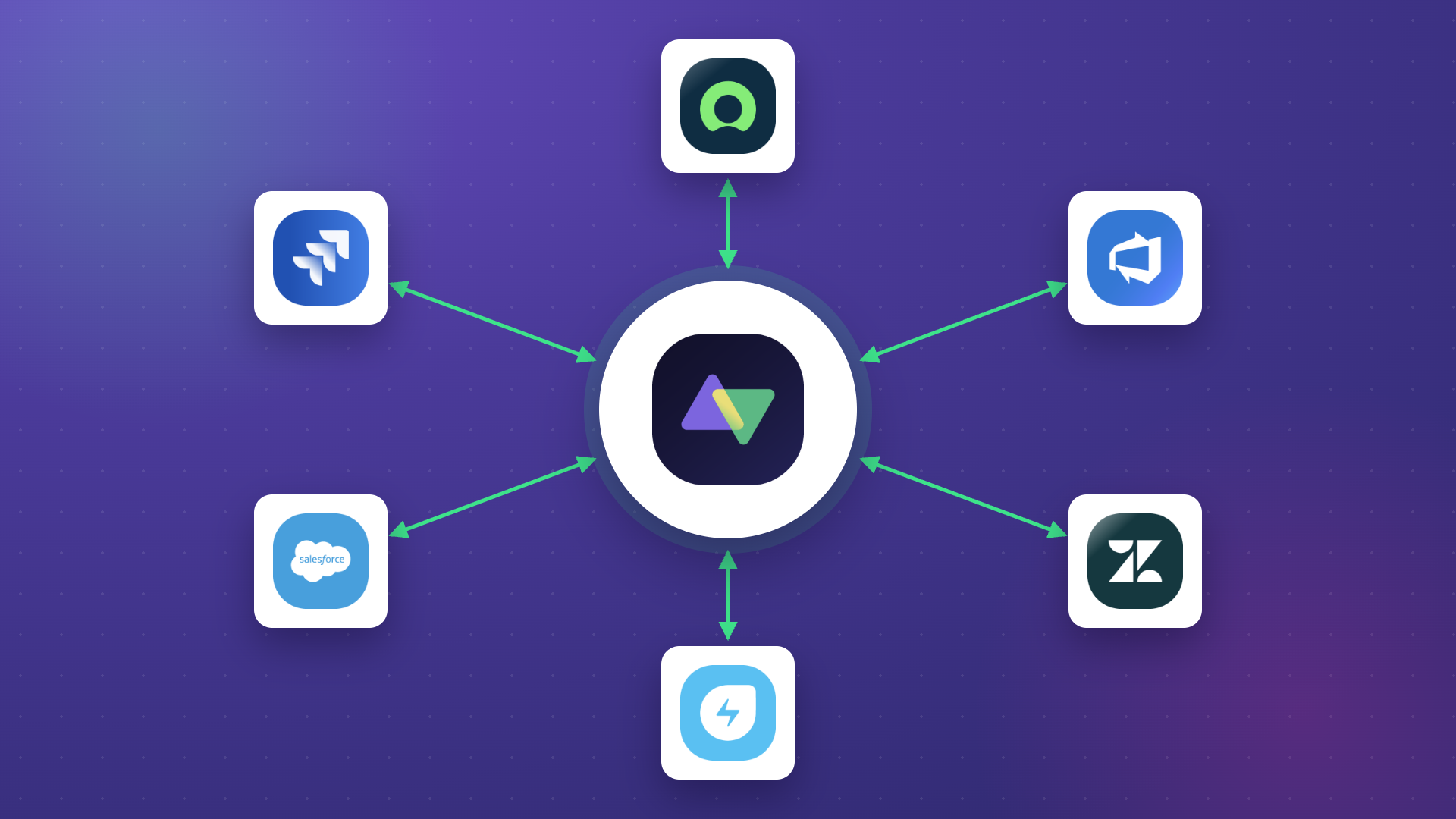
Consider a typical enterprise scenario: your business uses separate software for sales (Salesforce), customer support (Zendesk or Freshdesk), and development tracking (Jira or Azure DevOps).
Without integration, these systems operate in silos, leading to duplicate data entry, information gaps, and delays when teams need visibility into each other’s work.
iSaaS bridges these gaps by connecting applications and allowing them to communicate automatically.
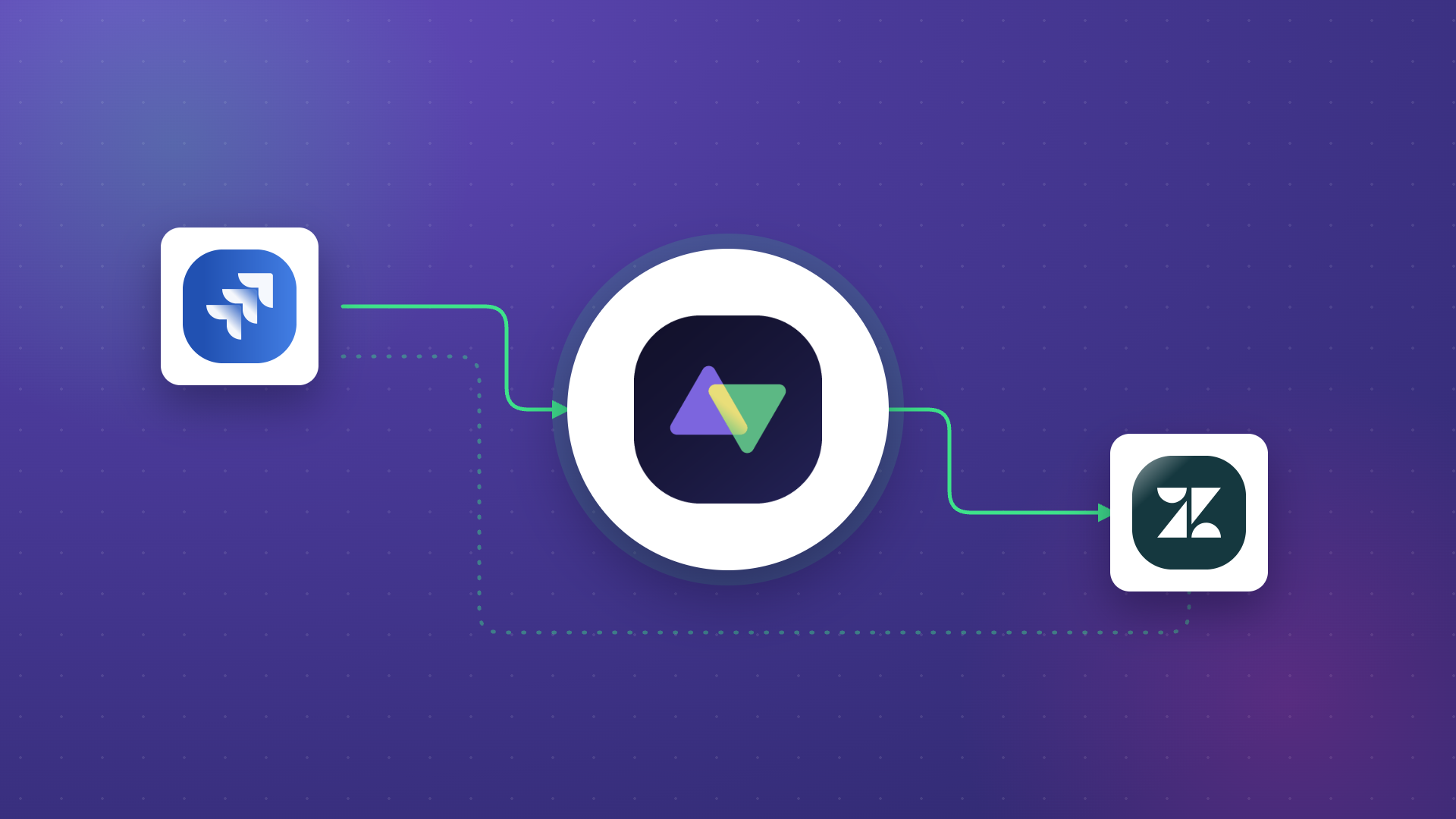
Example: When a critical customer ticket arrives in an ITSM tool like ServiceNow, iSaaS ensures the development team receives the relevant information in their system, whether that’s Jira, Azure DevOps, or GitHub. Status updates flow back to the support team, so agents always have current information when customers ask about progress. This automation keeps every team member informed about work that matters to them without manual updates.
Key Features of iSaaS
Cloud-Based Architecture
Unlike on-premise solutions that require dedicated infrastructure, iSaaS runs entirely in the cloud. Third-party providers host and manage the integration infrastructure, eliminating hardware maintenance and reducing IT overhead. This architecture also means integrations are accessible from anywhere and scale automatically based on demand.
Scalability
iSaaS grows with your organization. When you add new tools to your tech stack or integrate additional teams, the integration capabilities expand proportionally without infrastructure changes.
Adding new applications—whether it’s Freshservice for IT service management, Asana for project coordination, or a custom system via REST API—becomes straightforward rather than a major project.
Flexibility and AI-Assisted Configuration
Modern iSaaS platforms adapt to changing business needs without requiring significant reconfiguration. Need to modify sync rules, add new field mappings, or adjust which data flows between systems? Changes happen through configuration rather than custom development.
AI-powered assistants further simplify this process. For example, Aida helps users understand platform capabilities and troubleshoot issues through conversational queries.
AI-assisted configuration tools can generate integration logic from natural language descriptions, reducing implementation time by up to 50% compared to manual scripting.
Cost-Effectiveness
The pay-as-you-go pricing model significantly reduces upfront costs compared to traditional integration approaches. You’re not purchasing hardware, hiring specialized integration developers, or maintaining infrastructure. This makes enterprise-grade integration accessible to small and medium-sized enterprises (SMEs) that previously couldn’t justify the investment.

Calculate time and money savings from automated bidirectional sync.
Pre-Built Connectors
One hallmark of iSaaS is the provision of ready-to-use connectors for popular applications. These connectors provide automatic bridges between platforms like Salesforce, Jira, ServiceNow, Zendesk, Freshservice, Freshdesk, Azure DevOps, GitHub, Asana, and HubSpot.
Out-of-the-box functionality enables quick setup without extensive coding. An iSaaS solution might provide a connector that links Salesforce with Jira in hours rather than weeks, syncing accounts, opportunities, and custom objects with work items bidirectionally.
Bidirectional Synchronization
Unlike basic one-way data exports, quality iSaaS solutions sync data in both directions. When a work item updates in Jira, the corresponding ticket in ServiceNow updates automatically, and vice versa. This eliminates the “which system has the latest version?” problem and keeps teams aligned without manual reconciliation.
Cross-Company Integration
iSaaS platforms excel at connecting systems across organizational boundaries. Partners, vendors, and MSPs can exchange data securely without exposing their full systems to each other. Each organization maintains independent control over what data it sends and receives, preserving autonomy while enabling collaboration.
What is the Difference Between iPaaS and iSaaS?
iPaaS (Integration Platform as a Service) functions as a cloud-based integration platform that facilitates building and deploying integrations. It serves as a development environment for creating connections within cloud applications and between cloud and on-premises systems.
iSaaS operates as a cloud-based application that enables users to create integration flows primarily through configuration rather than from-scratch development.
In practice, both iPaaS and iSaaS are cloud-based and share similar capabilities:
- SaaS application connectors for platforms like Salesforce, ServiceNow, Jira, Zendesk, Freshservice, and Freshdesk
- On-premise application connectors for systems like Azure DevOps Server
- Data transformation and mapping capabilities for handling different field types and data structures
- Pre-built integration templates for common scenarios
- Multiple licensing models to fit different organizational needs
Given this overlap, choosing between them depends on organizational requirements and available resources.
For development teams comfortable writing integration code, iPaaS offers maximum flexibility. For organizations preferring configuration over code, iSaaS provides faster time-to-value. Many iSaaS vendors also offer scripting capabilities for complex scenarios, delivering the best of both approaches.
How to Evaluate iSaaS Features
When selecting an iSaaS platform, consider these capabilities:
Sync Triggers and Filtering
Define exactly what syncs and when. Advanced triggers using each platform’s native query language let you sync only specific work item types, priorities, or projects, rather than pushing everything indiscriminately. Filter expressions should support complex conditions like “sync only high-priority bugs assigned to the mobile team.”
Flexible Field Mapping
Your integration tool should map between default and custom fields without forcing rigid templates. Different systems name and structure data differently (Jira’s “Story Points” vs. Azure DevOps’s “Effort”). Flexible mapping handles these translations accurately.
Error Handling and Recovery
Integrations fail sometimes: systems go down, APIs timeout, and rate limits get hit. Quality iSaaS platforms use transactional sync queues that track changes in order. When systems recover, changes apply in sequence without data loss. Built-in retry mechanisms handle temporary failures automatically.
Security and Compliance
Data traveling between systems must remain protected. Evaluate provider certifications such as ISO 27001:2022. Check for TLS 1.2/1.3 encryption for data in transit, OAuth 2.0 or JWT-based authentication, and role-based access controls. Review their security documentation thoroughly: platforms like Exalate publish detailed security information at their Trust Center.
Multi-Platform Connectivity
Your platform should cover your current tech stack plus room for growth. Look for support across ITSM platforms (ServiceNow, Freshservice, Freshdesk, Zendesk), development tools (Jira, Azure DevOps, GitHub, Asana), CRM systems (Salesforce, HubSpot), and the ability to create custom connectors for proprietary systems via REST API.
Scalability Without Performance Degradation
As data volumes grow, integration performance shouldn’t suffer. Ask about rate limiting, sync queue management, and how the platform handles large backlogs of changes.
Applications of iSaaS
Consolidating Services in an MSP Setup
Case: Managed Service Providers (MSPs) work with multiple customers, each using different ITSM and development tools. Manual information exchange between customer systems and MSP platforms creates delays and errors.
Solution: iSaaS enables MSP integration by connecting customer systems (ServiceNow, Zendesk, Freshdesk) with MSP platforms automatically. Each customer connection maintains independent sync rules, ensuring data flows only where needed.
Real-world application: An MSP manages IT support for 50 clients using different ticketing systems. When a client submits a critical ticket, relevant details automatically sync to the MSP’s internal system. Resolution updates flow back to the client’s platform in real-time. Neither party switches between systems or waits for email updates; information stays current across both sides.
Connecting Support and Development Teams
Case: Customer support tickets in Zendesk or Freshdesk often require development attention. Manually copying ticket details into Jira or Azure DevOps wastes time and risks information loss.
Solution: iSaaS ensures critical ticket information flows to development systems automatically. Status changes sync bidirectionally, so support agents always know whether a fix is in progress, deployed, or blocked, without leaving their primary tool.
Real-world application: A SaaS company receives a critical bug report through Zendesk. The ticket automatically creates a work item in Jira with full context (customer impact, reproduction steps, urgency). When developers update the work item status or add comments, those changes appear in Zendesk instantly. The support agent answers customer follow-ups without chasing developers for updates.
Sometimes multiple tickets need mapping to a single dev work item when several customers report the same problem. iSaaS handles this gracefully, linking related tickets to one development effort while keeping each customer informed of progress.
Optimizing CRM and Marketing Operations
Case: Sales and marketing teams use different platforms (Salesforce, HubSpot) that contain overlapping customer information. Without integration, data discrepancies lead to embarrassing customer interactions and missed opportunities.
Solution: iSaaS integrations create a unified view of customer interactions. When sales updates customer information in Salesforce, those changes reflect in HubSpot’s marketing campaigns automatically, and vice versa.
Real-world application: A B2B software company runs marketing campaigns in HubSpot targeting accounts stored in Salesforce. When a sales rep updates an account’s industry classification or decision-maker contact, HubSpot’s segmentation adjusts automatically. Marketing no longer sends irrelevant content to accounts that have changed focus areas.
Multi-Vendor Project Coordination
Case: Large enterprises work with multiple vendors simultaneously—each using their preferred project management tools. Coordinating deliverables across Jira, Asana, Azure DevOps, and other platforms requires constant manual synchronization.
Solution: iSaaS connects each vendor’s system to a central project hub. Status updates, milestones, and blockers sync across all parties while each vendor maintains autonomy over their internal processes.
Real-world application: A retail company coordinates a store renovation involving contractors (using Asana), an IT vendor (using Azure DevOps), and internal teams (using Jira). Work items flow between systems based on defined triggers. When the contractor marks electrical work complete, the IT vendor receives notification to begin equipment installation. Project managers see consolidated status without logging into four separate systems.
Challenges and Considerations in iSaaS
Data Security
As data travels between multiple systems—potentially across organizational boundaries—security becomes paramount. iSaaS platforms address these concerns using encryption, authentication protocols, and access controls.
However, due diligence matters. Verify that providers maintain relevant certifications and review their security architecture. Understand how they handle data residency requirements if you operate in regulated industries. Platforms like Exalate provide comprehensive security documentation at their Trust Center.
Customization Requirements
Every organization has unique processes and requirements. While iSaaS provides pre-defined connectors for popular applications, you might need customization for specialized scenarios.
Customization for complex needs is possible on most platforms; the question is how accessible it is. Some platforms require developer involvement for any customization. Others, like those offering AI-assisted configuration, make complex sync rules accessible to technical teams without specialized integration development skills.
Integration with Legacy Systems
Many organizations still rely on legacy systems that weren’t designed for modern cloud integrations. iSaaS can bridge this gap through custom connectors and API wrappers, but challenges may arise in adapting older technologies.
Plan carefully when integrating legacy systems. Understand their API capabilities (or limitations), data formats, and rate limits. Some scenarios may require on-premise connector components that communicate with the cloud-based iSaaS platform.
Managing Growing Complexity
Simple integrations are straightforward. As you add more connected systems, more complex sync rules, and more edge cases, complexity compounds. Establish governance practices early: document your integrations, standardize naming conventions, and plan for testing changes before production deployment.
Best Practices for iSaaS Implementation
- Start with Clear Requirements: Define exactly what data needs to flow between systems, in which direction, and under what conditions. Vague requirements lead to integrations that don’t quite solve the problem.
- Monitor and Govern: Though iSaaS offers built-in monitoring capabilities, establish proper governance practices. Define who owns each integration, how changes get approved, and how you’ll respond when things go wrong.
- Manage Costs Proactively: The pay-as-you-go model can become expensive if not monitored. Understand your pricing tier, track usage patterns, and regularly assess ROI. Quantify potential savings and validate that your investment delivers expected returns.
- Invest in User Training: Introducing iSaaS changes how teams work. Even though modern platforms are user-friendly, teams need to understand what’s syncing, why, and how to troubleshoot when something looks wrong.
- Test Before Production: Always test integration changes in a sandbox or staging environment before applying them to production systems. An integration mistake can affect thousands of records instantly.
Leading iSaaS Providers
MuleSoft
MuleSoft, a Salesforce company, offers the Anypoint Platform for API management and integration. The platform provides a unified integration approach, enabling businesses to connect applications, data, and devices. MuleSoft excels in enterprise scenarios requiring extensive API governance and developer tooling.
Strengths: Comprehensive API management, strong enterprise features, deep Salesforce integration
Considerations: Higher complexity, requires developer resources, premium pricing
Dell Boomi
Dell Boomi stands out for its cloud-based integration platform that connects applications and data across various environments. Known for its visual interface, Boomi makes designing integration processes accessible to both technical and non-technical users.
Strengths: User-friendly interface, broad connector library, good documentation
Considerations: Can be costly at scale, some features require additional modules
Exalate
Exalate specializes in ongoing, bidirectional synchronization between work management platforms. It connects tools like Jira, ServiceNow, GitHub, Azure DevOps, Zendesk, Salesforce, Freshservice, Freshdesk, Asana, and HubSpot—plus supports custom connectors for proprietary systems via REST API.
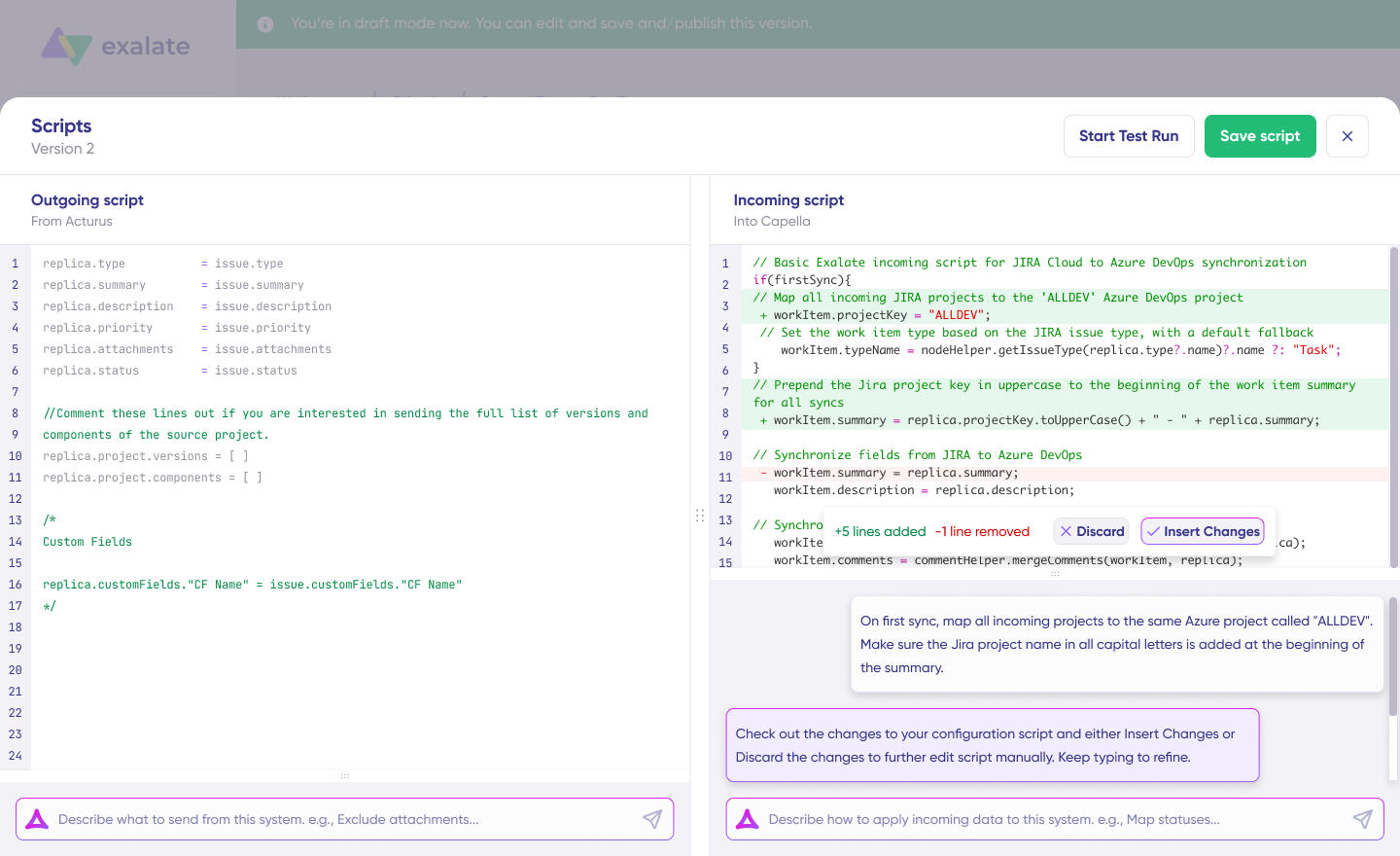
Exalate differentiates through its approach to cross-company integrations, where each side maintains independent control over what data they send and receive. The platform also embraces AI-assisted integration through Aida (documentation assistant) and AI-assisted configuration tools that convert natural language into sync logic.
Security is built in with ISO 27001:2022 certification—details available at the Trust Center.
Strengths: Strong bidirectional sync, excellent cross-company support, AI-assisted configuration, ITSM, and DevOps specialization
Considerations: Focused on work management platforms rather than general ETL/data pipelines
Informatica
Informatica leads in cloud data integration and provides a versatile iSaaS solution. The Intelligent Cloud Services platform integrates data across cloud and on-premises environments, supporting use cases from data migration to real-time data synchronization.
Strengths: Comprehensive data integration, strong analytics integration, enterprise scalability
Considerations: Complexity for simpler use cases, pricing can be significant
Future Trends in iSaaS
Artificial Intelligence and Machine Learning
iSaaS platforms are incorporating AI and ML to enhance automation, data mapping, and predictive capabilities. AI-assisted configuration (like Exalate’s approach) reduces the technical barrier to complex integrations. Looking forward, expect AI to handle more aspects of integration design, anomaly detection, and automatic remediation.
Composable Integration Architectures
Organizations increasingly adopt composable approaches, building integrations from modular, reusable components rather than monolithic solutions. This enables faster adaptation as business needs change and technology stacks evolve.
Enhanced Cross-Company Capabilities
As supply chains, partnerships, and ecosystems become more interconnected, cross-company integration becomes more critical. Expect iSaaS platforms to invest heavily in features that enable secure, governed data exchange across organizational boundaries.
Industry-Specific Solutions
Generic integration capabilities are giving way to industry-specific templates and workflows. Healthcare, financial services, manufacturing, and other verticals have unique compliance requirements and common integration patterns. iSaaS providers are building specialized solutions that address these needs out of the box.
API-First Everything
As more applications adopt API-first design principles, iSaaS platforms become central to enterprise architecture. The ability to connect any system with an API—whether SaaS or custom-built—makes iSaaS increasingly strategic rather than tactical.
Conclusion
Integration Software as a Service (iSaaS) reshapes how organizations connect systems, automate workflows, and collaborate across boundaries. It offers a streamlined path to unified data exchange without the infrastructure overhead of traditional integration approaches.
As businesses prioritize scalability, cost-effectiveness, and agility, the right iSaaS provider becomes a strategic partner. Look for platforms that combine pre-built connectors with AI-assisted configuration and the flexibility to handle complex, custom scenarios.
Frequently Asked Questions
What sets iSaaS apart from traditional integration solutions?
iSaaS operates in the cloud, offering scalability, flexibility, and accessibility that on-premise solutions can’t match. Unlike traditional approaches requiring dedicated infrastructure and specialized developers, iSaaS provides pre-built connectors and a configuration-based setup. This reduces upfront costs and implementation time significantly, making enterprise-grade integration accessible to organizations of all sizes.
How does iSaaS differ from iPaaS?
Both are cloud-based integration approaches with overlapping capabilities. The primary difference is implementation philosophy: iSaaS emphasizes configuration over coding, with pre-built connectors and templates for rapid deployment. iPaaS provides broader development flexibility for teams comfortable building integrations from scratch. Many platforms blur this line by offering both configuration-based and code-based approaches.
How do iSaaS providers ensure data security during integration?
Reputable iSaaS providers implement multiple security layers: TLS 1.2/1.3 encryption for data in transit, OAuth 2.0 or JWT-based authentication, role-based access controls, and regular security audits. Look for providers with certifications. Review their security documentation—platforms like Exalate publish comprehensive details at their Trust Center, to verify alignment with your organization’s requirements.
Which platforms can iSaaS solutions typically connect?
Leading iSaaS providers support connections across ITSM platforms (ServiceNow, Freshservice, Freshdesk, Zendesk), development tools (Jira, Azure DevOps, GitHub, Asana), CRM systems (Salesforce, HubSpot), and many other enterprise applications. Most also support custom connectors for proprietary systems with available REST APIs, extending integration reach beyond standard offerings.
How long does it take to implement an iSaaS solution?
Implementation time varies based on complexity. Simple, pre-configured integrations using standard connectors can be operational within hours. More complex scenarios involving custom field mappings, conditional logic, or cross-company connections may take days to weeks. AI-assisted configuration tools can reduce implementation time by up to 50%, making even complex integrations accessible without specialized development effort.
Can iSaaS support integrations between separate companies?
Yes. Cross-company integration is a key iSaaS strength. Modern platforms enable secure data exchange between partners, vendors, MSPs, and suppliers without sharing full system access. Each organization maintains independent control over what data it sends and receives, preserving autonomy while enabling collaboration. This is particularly valuable for MSPs managing multiple clients or enterprises coordinating with external vendors.
Recommended Reading:
- Integration as a Service (IaaS): Everything Explained
- ITSM Integration: Simplify Your IT Services Like Never Before
- How to Implement a Two-Way Integration Between Platforms
- Enterprise Integration Platforms: Making Your Business Systems Click
- Exploring the Working Principles of Service Desk Integration
- MSP Integration: Why It Matters for Your Business