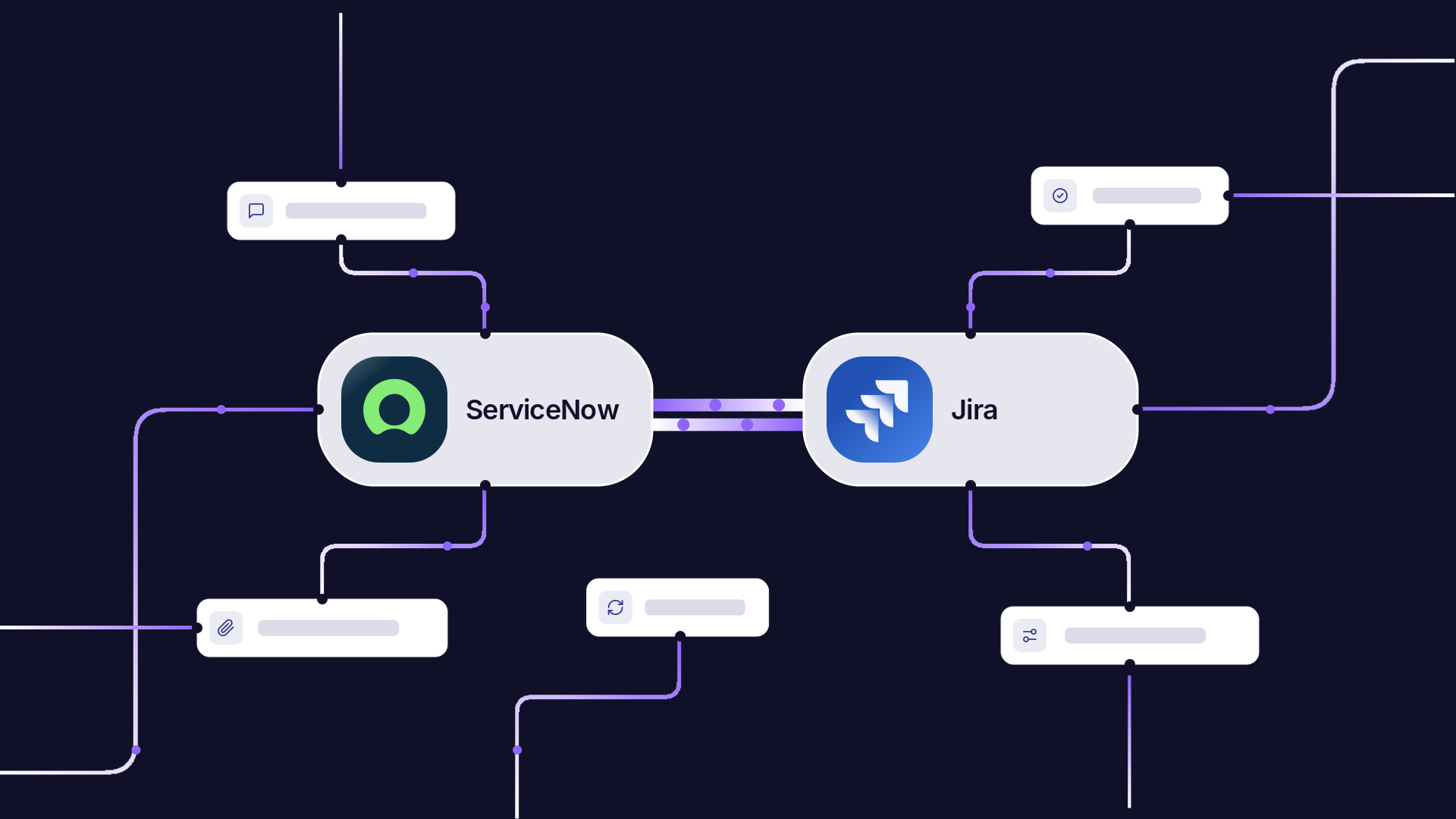
Plenty of companies take requests in ServiceNow and do the work in Jira. When the two systems aren’t connected, someone has to escalate each catalog request or incident as a Jira work item, keep it updated, and then go back to ServiceNow to close the original.
In this particular scenario, a third-party provider runs the company’s domain-separated ServiceNow instance, and the company runs its own Jira Cloud. Both teams use Exalate to connect the two sides with sync rules each party controls, so eligible records become Jira work items and progress flows back to the requester.
We’ll go through record selection, per-team routing, status return, and how to split ownership with your provider.
Key Takeaways
- ServiceNow triggers decide which catalog requests and incidents sync, so only eligible records reach Jira.
- The Jira incoming script pulls the project and work item type from the assignment group and record type, eliminating manual retyping.
- Each Jira team keeps its own workflow, and a per-project status map translates those statuses into ServiceNow states.
- Resolving a work item in Jira sets the incident state, resolution code, and resolution notes in ServiceNow, so requesters see progress where they raised the request.
- The provider owns the ServiceNow-side rules, and the company owns the Jira side, and neither needs admin access to the other’s system.
Discuss your integration setup with our experts
Get free, expert advice on your setup. We’ll reach out via email to discuss your use case.
The Current Setup
ServiceNow is the intake system where employees raise catalog requests, report incidents, and submit a few service requests, and they expect to see updates there.
At the same time, a third-party provider administers that ServiceNow instance, and it’s domain-separated, so the company’s records sit in their own domain. The company has no admin rights there and can’t install or configure an integration on its own.
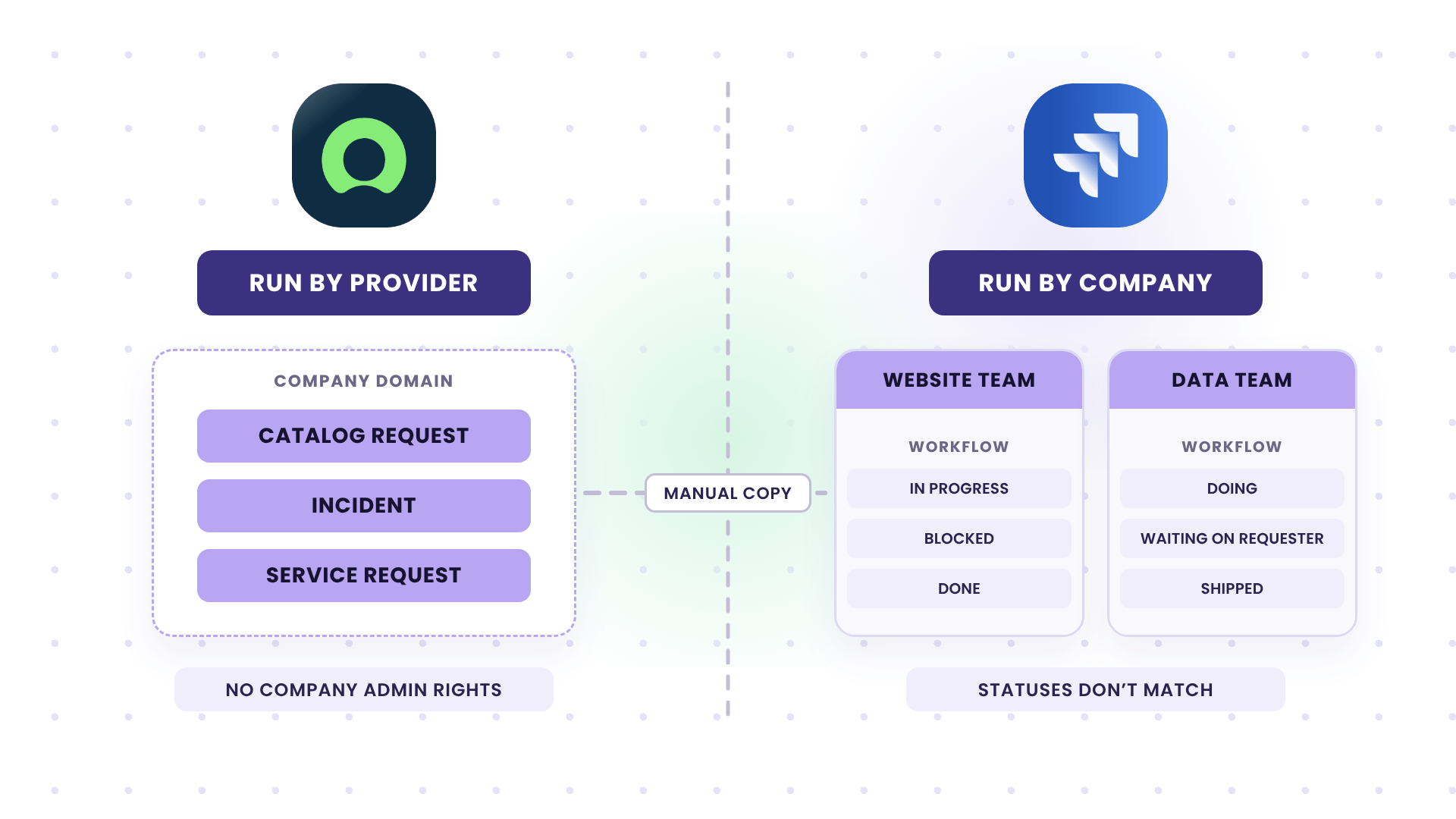
Jira Cloud is where the work happens, and the company administers it directly. Several teams work in their own projects, each with its own routing rules and workflow.
The main challenge is that the website team’s statuses don’t match those used by the data team, and neither wants a shared workflow forced on them.
Where the Setup Breaks Down
Under this current setup, every eligible request gets handled twice. First, someone reads the ServiceNow record, creates a Jira work item, copies the details, and later returns to update and close the original.
Other pain points include:
- Lost product owner capacity: Product owners spend several hours per week transferring and maintaining tickets instead of working on other priorities.
- Disconnected requester updates: Jira progress and completion do not automatically flow back to ServiceNow unless someone updates both systems manually.
- Dependence on an external provider: The organization administers Jira Cloud, but a third party controls its domain-separated ServiceNow environment. So the organization cannot control the integration implementation.
- Different workflows across teams: Jira teams use different routing and workflow rules. So, the integration must accommodate those differences rather than force everyone into one process.
How Exalate Handles It
Exalate runs on both ServiceNow and Jira Cloud. Each side has an outgoing sync script (what leaves that system), an incoming sync script (how it applies data from the other side), and triggers that decide which records sync. The scripts are written in Groovy, so the rules can change by table, assignment group, and Jira project.
Note
The code snippets have been generated with Aida AI, so make sure to review the output before publishing.
Pick Which ServiceNow Records Sync
Triggers live on the ServiceNow side and use ServiceNow’s filter query syntax. You set one per table, so catalog requests and incidents get separate conditions.
For example, a trigger on the Requested Item (sc_req_item) table could pick up only website change requests:
active=true^cat_item.name=Website Change Request
A trigger on the Incident table could pick up only records assigned to delivery teams that work in Jira:
active=true^assignment_group.nameINWebsite Support,Data Platform
Everything else stays in ServiceNow. Adding a new catalog item or assignment group later means editing a trigger, and the scripts stay untouched.
Send the Right Details Out of ServiceNow
The ServiceNow outgoing script decides what goes into the replica (the payload Exalate sends to the other side). It also passes the table name and assignment group, so the Jira side can route the record:
// ServiceNow outgoing sync

replica.key         = entity.key

replica.summary     = entity.short_description

replica.description = entity.description

replica.priority    = entity.priority

replica.attachments = entity.attachments

replica.customKeys."tableName"       = entity.tableName

replica.customKeys."assignmentGroup" = entity.assignment_group?.display_valueCode language: JavaScript (javascript)
Catalog requests usually carry their details in catalog variables, which sit on related tables. The outgoing script can query them through the ServiceNow REST API and add them to the replica, so the Jira team gets the form answers along with the summary.
Since this script runs on the provider’s side, the provider decides what leaves the company’s domain. Fields the Jira teams don’t need will never get added to the replica.
Create the Work Item in the Right Jira Project
On the Jira side, the incoming script creates the work item on the first sync and picks the project and work item type:
// Jira incoming sync (from ServiceNow)

if (firstSync) {

    def projectByGroup = [

        "Website Support": "WEB",

        "Data Platform"  : "DATA",

        "Field Apps"     : "APPS"

    ]

    def group = replica.customKeys."assignmentGroup"

    issue.projectKey = projectByGroup[group] ?: "INTAKE"

    issue.typeName   = replica.customKeys."tableName" == "incident" ? "Bug" : "Task"

}

issue.summary     = replica.summary

issue.description = replica.description ?: "No description"

issue.attachments = attachmentHelper.mergeAttachments(issue, replica)

issue.customFields."ServiceNow number".value = replica.keyCode language: JavaScript (javascript)Note: Project keys, work item types, and the “ServiceNow number” field are placeholders, so swap in your own. The INTAKE fallback catches records from a group that hasn’t been mapped yet, so nothing gets lost while the mapping catches up.
Each team’s project keeps its own workflow, screens, and automation. The sync only creates and updates the work item, and it doesn’t change how the project is configured.
Send Progress and Completion Back to ServiceNow
For requesters, the ServiceNow incoming script reads the Jira status and the project it came from, then sets the matching ServiceNow state:
// ServiceNow incoming sync (from Jira)

def statusByProject = [

    "WEB" : ["In Progress": "In Progress", "Blocked": "On Hold", "Done": "Resolved"],

    "DATA": ["Doing": "In Progress", "Waiting on Requester": "On Hold", "Shipped": "Resolved"]

]

def newState = statusByProject[replica.project?.key]?.get(replica.status?.name)

if (newState && entity.tableName == "incident") {

    entity.state = newState

    if (newState == "Resolved") {

        entity.close_code  = "Solution provided"

        entity.close_notes = replica.comments ? replica.comments.last().body : "Resolved in Jira"

    }

}

if (newState && entity.tableName == "sc_req_item") {

    entity.state = newState == "Resolved" ? "Closed Complete" : "Work in Progress"

}Code language: JavaScript (javascript)
ServiceNow usually requires a resolution code and resolution notes before an incident can move to Resolved, so the script fills both. Here, the notes come from the last Jira comment, which works when the team writes a closing comment before moving the work item to done.
Each Jira project gets its own map, and a team that adds a status only needs one new entry. Statuses that aren’t in the map leave the ServiceNow state as it is.
| Jira status (website team) | Incident state | Requested item state | What the requester sees |
| In Progress | In Progress | Work in Progress | Someone’s working on it |
| Blocked | On Hold | Work in Progress | The request is paused |
| Done | Resolved | Closed Complete | The work is finished, with resolution notes |
Whether a requested item closes automatically or waits for the requester to confirm is a business decision. Agree on it with the provider before you write the requested item branch, since closing the last requested item on a request can also close the parent request.
Discuss your integration setup with our experts
Get free, expert advice on your setup. We’ll reach out via email to discuss your use case.
Before Syncing ServiceNow Requests and Incidents With Jira
List the exact tables and catalog items that should sync, and the assignment groups behind them. This list drives your triggers and your routing map, so confirm it with each team.
Ask every Jira team to share its workflow statuses and say what each one should mean in ServiceNow. Then decide how resolution works: who writes the resolution notes, which resolution code to use, and whether requested items close automatically.
Next, scope comments and attachments separately. Requesters may need some Jira comments as additional comments, while engineering discussion should stay as work notes or not sync at all.
Settle the operational side with the provider early: ticket volume, their security review, who watches for sync errors, and who fixes them. After that, run the first version between a ServiceNow test instance and a Jira sandbox, and use Test Run to check each script before you publish.
If your admins don’t want to write Groovy scripts every day, they can use Aida AI, Exalate’s AI scripting and troubleshooting assistant, to create a draft version from a natural language prompt.
When three parties share one integration (you, your ServiceNow provider, and the integration vendor), the commercial setup matters as much as the scripts. Talk to our team to sort out how to set up your connection.

FAQs
Can Exalate sync ServiceNow catalog requests with Jira?
Yes, Exalate syncs requested items from the sc_req_item table, along with incidents, problems, change requests, and other tables. The outgoing script can read catalog variables through the ServiceNow REST API and add them to the sync.
Does Exalate work with domain-separated ServiceNow instances?
Yes, the Exalate proxy user gets access to the domain whose records should sync, and triggers and scripts limit the sync to those records.
Can different Jira teams keep their own workflows?
Yes, teams can keep their own Jira workflows. The incoming script routes each record to the right project, and a per-project status map translates each team’s statuses into ServiceNow states, so no team has to change its workflow.
Do we need to sync every ServiceNow record?
No, you can filter out what syncs using triggered escalation. Exalate triggers use ServiceNow filter queries, so only records that match your conditions reach Jira. On the Jira side, the triggers are configured using JQL.
Who controls the integration when a provider runs ServiceNow?
Each side controls its own scripts. The provider manages the ServiceNow rules and the proxy user’s access, and you manage the Jira rules, so neither party needs admin access to the other’s system.
Recommended Reads
- How to Sync SLA Records and Maintain State Updates From ServiceNow Incident to Jira Issue
- How to Sync Jira Issue Fields as Work Notes in ServiceNow
- Jira ServiceNow Integration: Native Options vs Exalate
- Practical Jira ServiceNow Integration Use Cases
- Top AI-Powered Jira ServiceNow Integration with Exalate