
Integration for Healthcare
Connect Support, Engineering, and Partner Systems, Without Exposing Patient Data
Exalate syncs your support, engineering, CRM, and partner systems in real time. No one switches tools. No one hands over admin access. Each side keeps full control over what's shared.
Zero manual re-entry
between support, engineering, and partner systems
Days, not months
to connect a first integration or vendor relationship
Limitless connections
from a single or multiple instances
Full audit trail
on every synced change
The healthcare integration reality
Your Support and Engineering Teams Are Doing Work That Shouldn't Exist
Manual escalation
Tickets get re-typed by hand between your support platform and engineering’s tracking system, and status never flows back.
No shared visibility
Support can’t see engineering’s progress. Engineering can’t see the support platform. Everyone tracks the same ticket twice.
M&A and consolidation backlog
An acquisition means inheriting a different tool, a different instance, or years of history that has to move without breaking IDs or attachments.
Vendor and multi-tenant complexity
MSSPs, health-tech vendors, and multi-client platforms need each partner to keep working in their own system.
Security review as a hard gate
Any integration asking for full admin access stalls in security and TPRM review, sometimes for months.
PHI and data-residency constraints
Patient data can’t cross a boundary it isn’t cleared for, and that has to be designed in from the start.
common use cases
How Healthcare and Life Sciences Teams Use Exalate
Support-to-Engineering Escalation
Support tickets automatically create and update linked work items in your engineering tracking system. Status, comments, attachments, etc. sync both ways.
Vendor and Multi-Tenant Integration
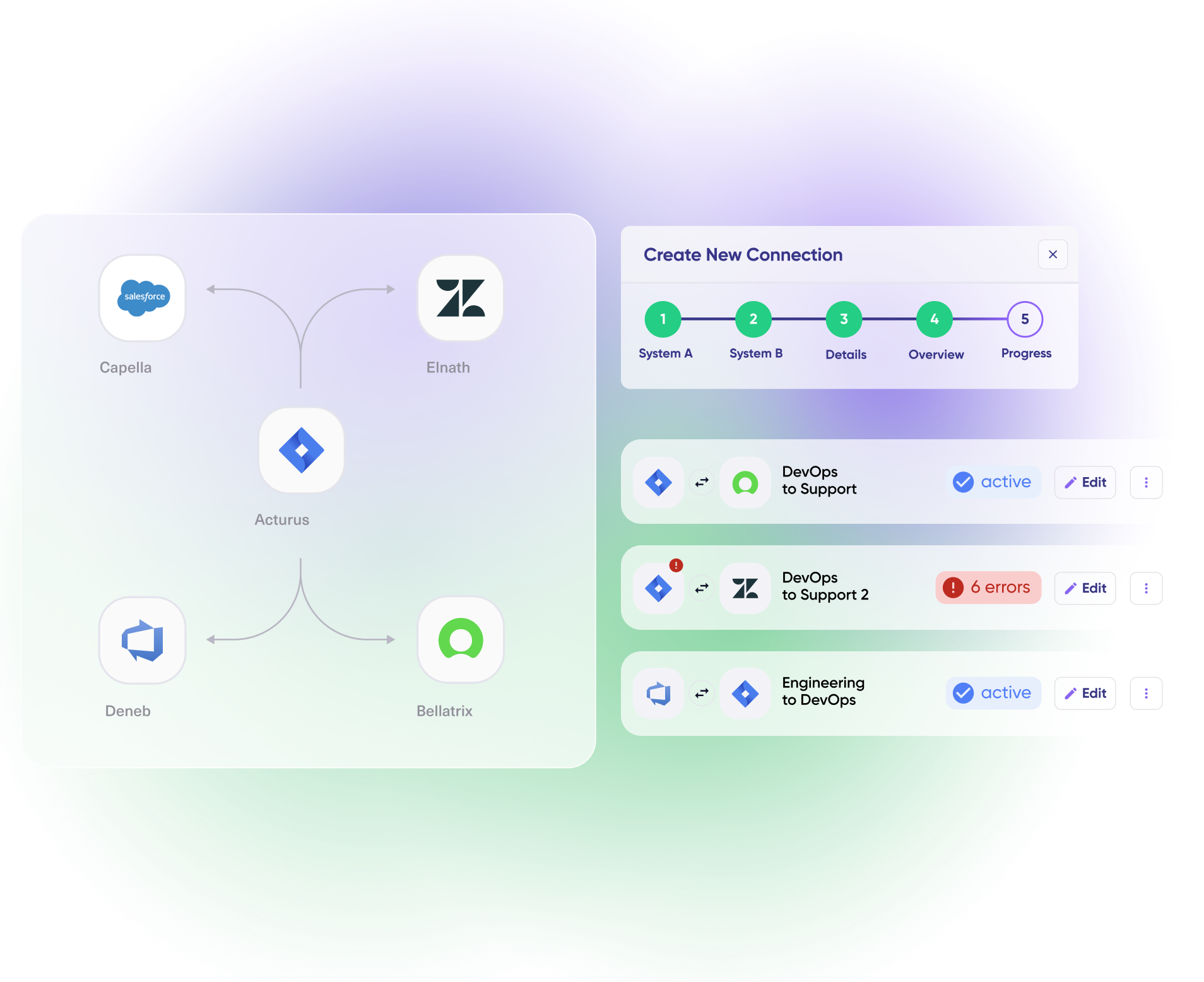
A central instance connects to each vendor’s or client’s own instance individually, each with its own rules and configuration.
One-Time Migration with Full History
Move tickets between instances, including after an acquisition, with IDs, comments, and attachments preserved. Often paired with an ongoing sync afterward.

Flexibility along with autonomy is for sure the most outstanding feature in Exalate. We are integrating with our supplier's Jira, and in the meantime, I can manage some internal tickets in the same project. It's now our decision which ticket needs to be handled internally or should go out to our supplier.
Onuralp Öznalbant | Information security officer







Why Exalate is
Secure by Design
- Single-tenant architecture – no shared infrastructure
- Encryption in transit and at rest
- Automatic recovery from outages
- ISO 27001:2022 certified
- 24/7 threat monitoring with SentinelOne

Get the Most Out of Your Integration
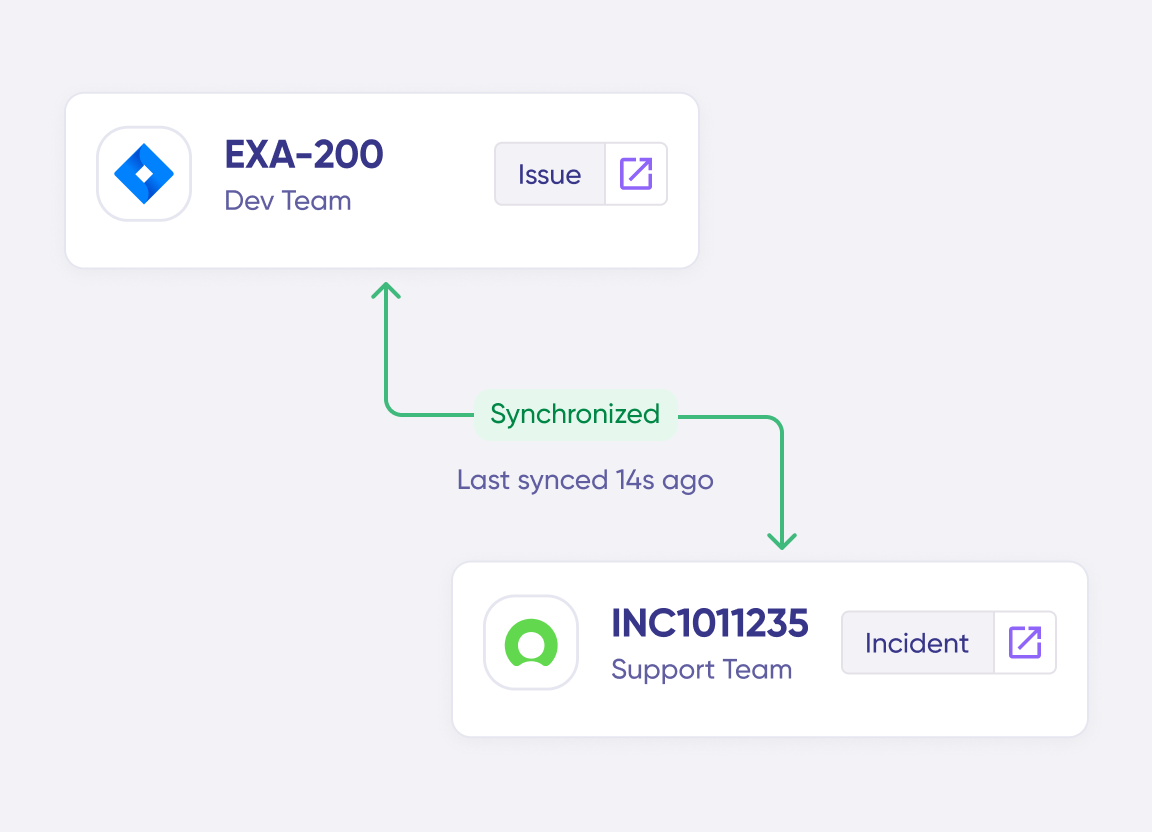
Sync in Real-Time
Two-way, real-time sync between platforms. Updates flow automatically. No manual exports, no delays.
Connect Any Number of Instances
Connect multiple projects, instances, and platforms. Use different rules for each connection.
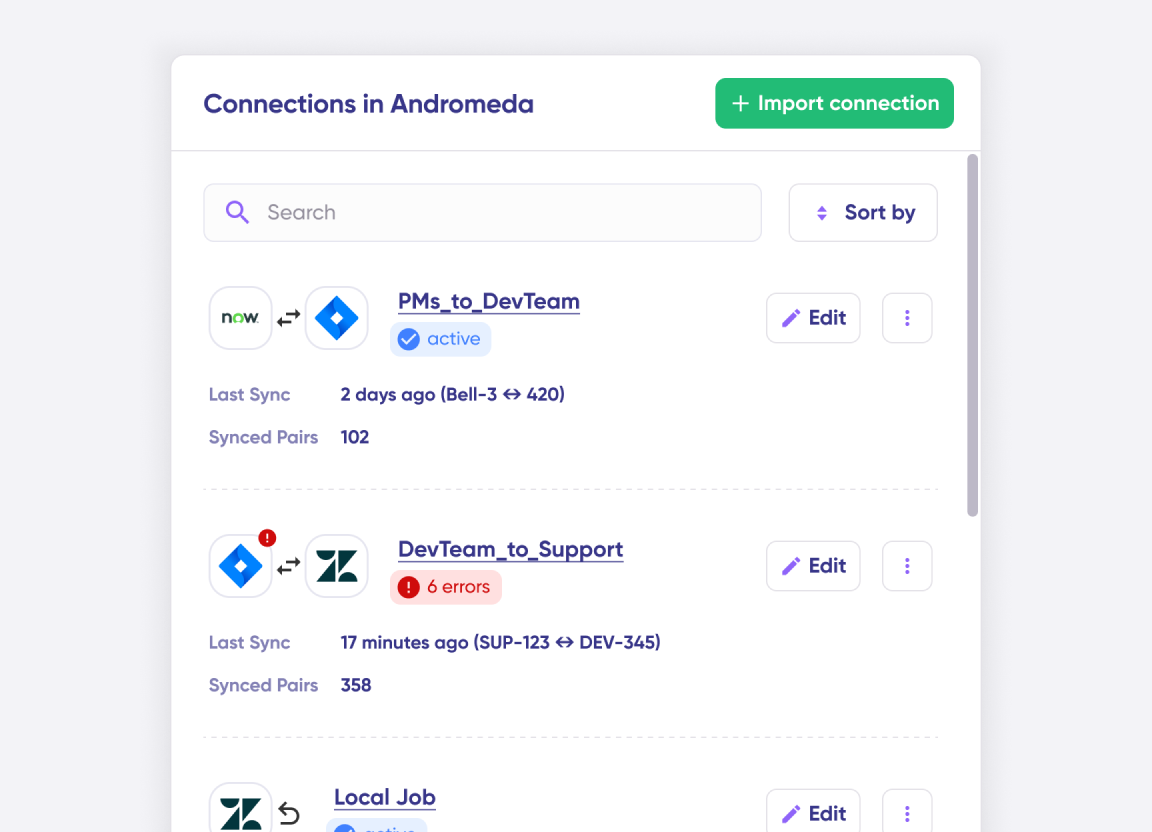
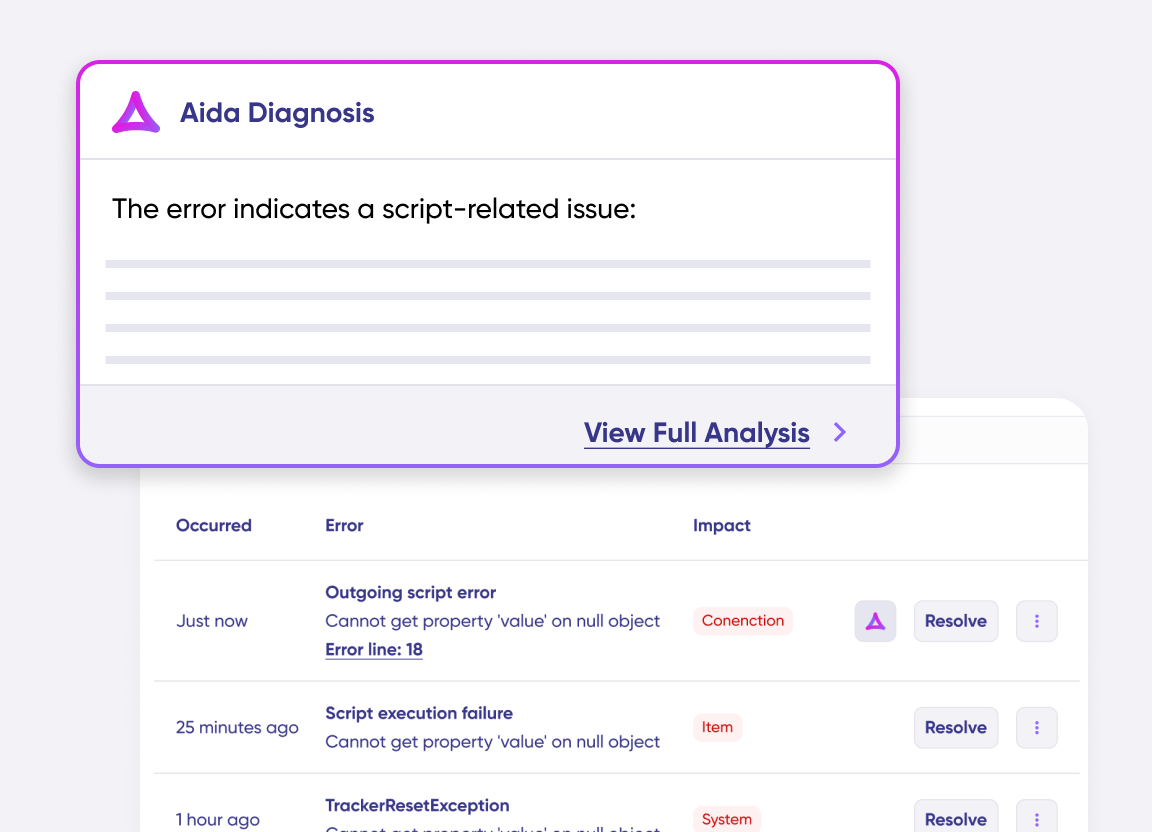
Know What Failed and Why
Get AI-powered recommendations for resolving the issue, including possible fixes and next steps.
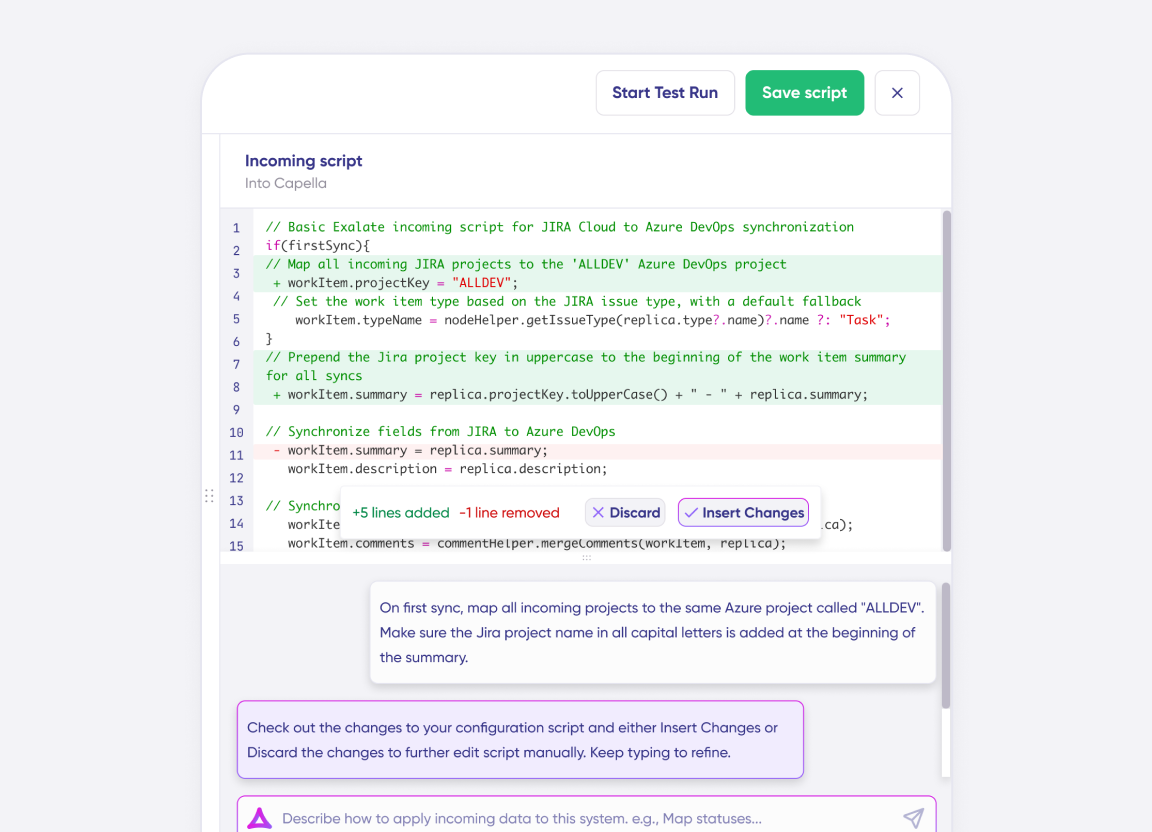
AI Assisted SetUp
Describe your integration goal. Aida reviews your sync rules and connector type, then suggests script changes
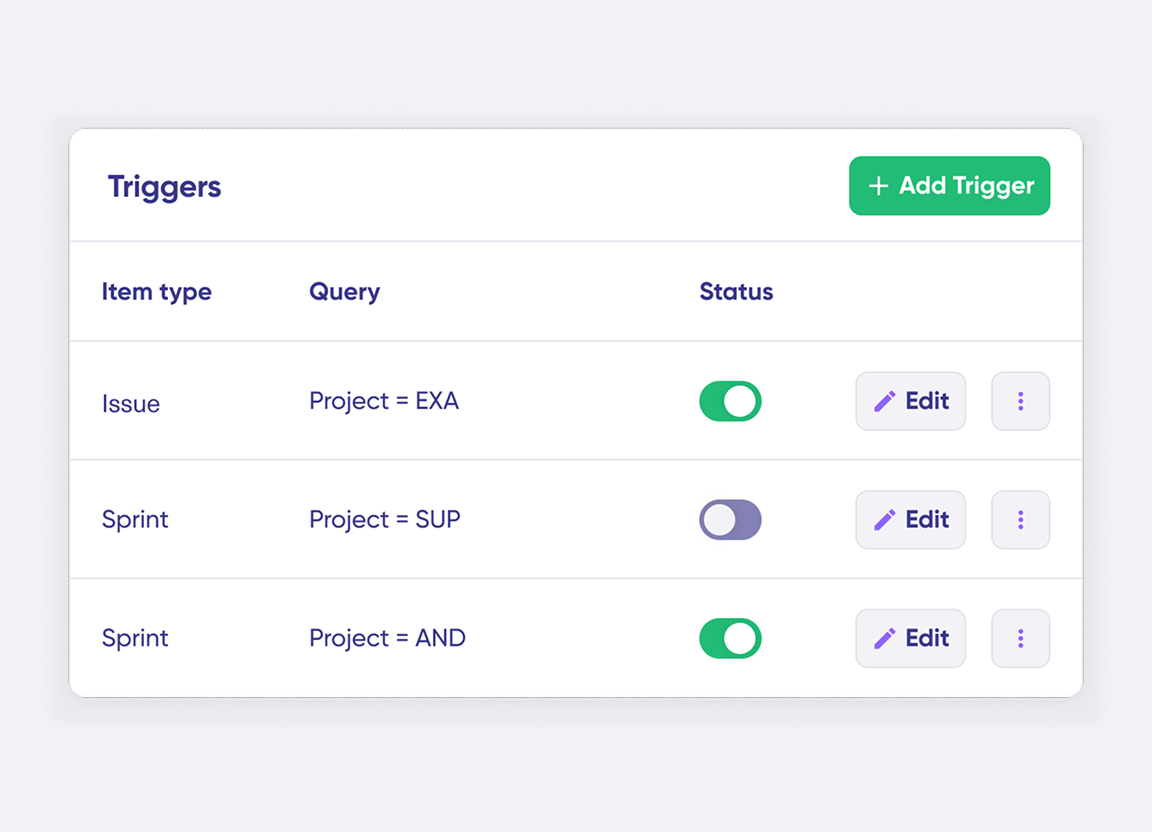
Only Sync What Matches
Set various conditions for automatic synchronization.
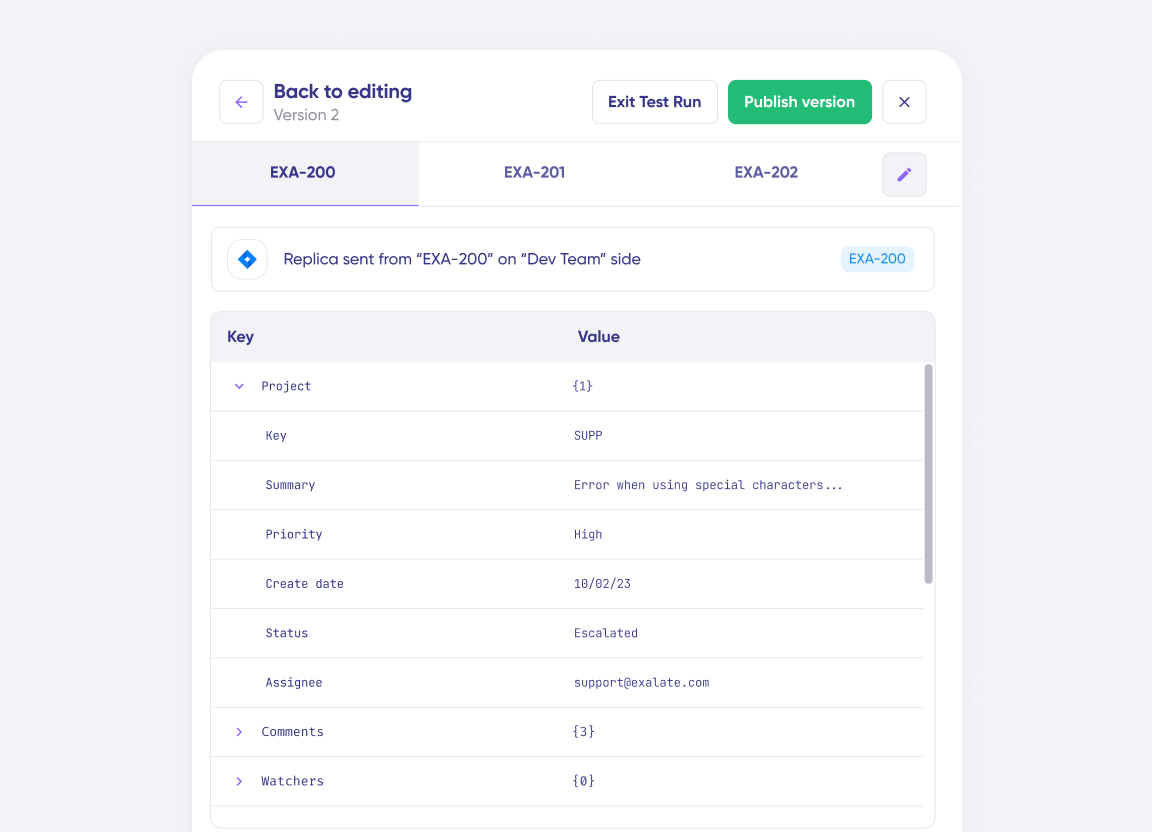
Sync Visibility, Right Where You Work
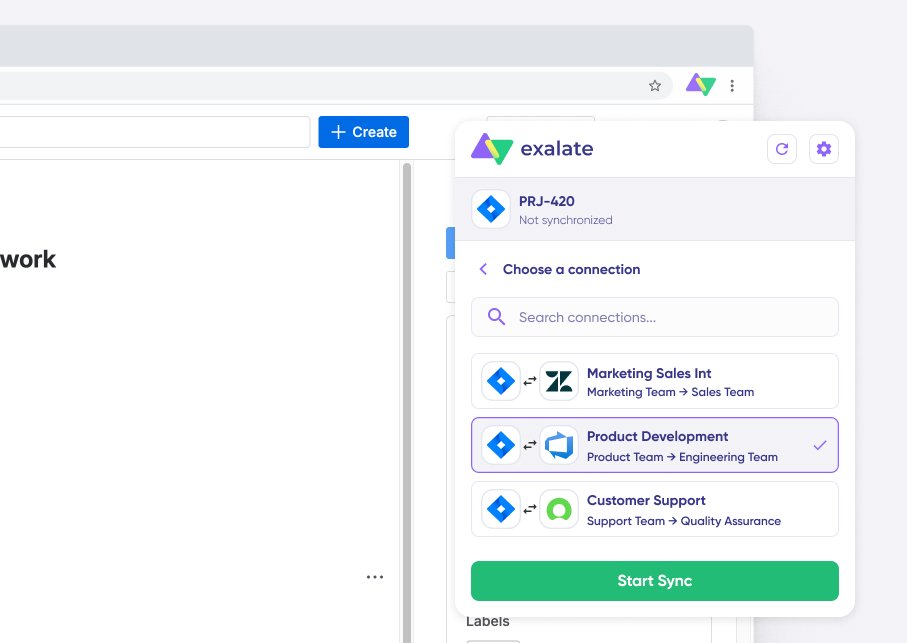
Check the real-time status of your active syncs, spot failures, and trigger a manual push. All from a browser extension, without opening the Exalate console.
the build vs buy decision
Making the Right Choice
DIY webhooks and API integrations seem cheap at first. But they don’t stay cheap:
- Race conditions causing data inconsistencies
- No bidirectional sync without significant engineering
- Breaks every time an API changes
- You become integration support, not client support
- Each new client = another custom build
Free tools work for basic one-way syncs. But when you need bidirectional sync, advanced field mapping, or to scale across multiple clients; they hit limits fast.
| Exalate | Generic iPaaS | Native Connectors | Custom-Built | |
|---|---|---|---|---|
| Real-time, bidirectional | Yes | Varies | Rarely, one-way Limited | Varies |
| Independent control per side | Yes | Limited | Limited | Depends |
| Handles PHI and data residency | Yes | Heavy config needed High effort | Rarely designed for this Not built for this | Depends |
| Admin access required | No Not required | Often | Sometimes | N/A |
| Maintenance burden | Low | Moderate to high | Low, limited scope Scope-capped | Grows with each partner High |
| Pricing | Per-integration, outcome-based Predictable | Seat or task-based Scales with usage | Varies | Hidden internal cost Unpredictable |
See Exalate in Action
Let us show you how Exalate can fit your unique business needs.
trusted by clients worldwide






FAQ
Answers to the most frequent questions.
Didn't find what you were looking for? Ask Aida
Yes. Each side syncs with its own instance and its own sync rules. A connection does not grant platform-level or admin access to the other party’s system.
Field-level rules let you control exactly what data is shared and what stays out of the sync entirely. On top of that, Exalate’s scripting engine lets you build a PHI-filtering setup that blocks PHI matching defined patterns before it syncs. Deployment options, including self-hosted setups, support keeping sensitive traffic off shared infrastructure where your architecture requires it.
Yes. Migrations preserve IDs, comments, and attachments, and can be paired with an ongoing sync if the two teams need to keep working together after the move.
Typically 2 to 5 days for a single, simple connection. Multi-site, multi-vendor, or migration-heavy setups run 2 to 3 weeks including testing.
Native connectors are usually one-way and limited to a single project. iPaaS platforms need heavy configuration to reach the same depth of custom logic and don’t natively account for keeping sensitive fields out of a shared sync. Exalate’s script-based engine handles deep, cross-system logic without either side changing how it already works.
Each integration is priced and licensed on its own, based on active items in sync rather than seat count. Check the full pricing here, or calculate estimated costs upfront.
Point-to-point integrations that drop comments or need a full-time developer get replaced with a script-based pattern that scales past a handful of projects.