Having a legacy application in your tech stack can be a problem when you want to integrate it with modern tools. The application might be too valuable to abandon and too old to connect with newer technologies. This is where legacy system integration comes in.
You need technologies that can connect to endpoints of older and newer systems without requiring massive changes to either side. But what challenges do legacy systems pose, and what integration patterns actually work?
In this article, I’ll cover everything you need to know about legacy system integration, from the available approaches and their trade-offs to the challenges you’ll face and how to solve them. You’ll also find practical use cases and guidance on choosing the right tool for the job.
Key Takeaways
- Legacy system integration connects outdated infrastructure with modern databases, ERPs, CRMs, and SaaS applications so organizations can keep using critical systems without full-scale modernization.
- Common integration approaches include middleware (ESB), point-to-point connections, API integration, RPA, and iPaaS, each suited to different complexity levels and budgets.
- The biggest challenges are outdated documentation, shrinking talent pools, security vulnerabilities, compliance constraints, and proprietary architecture lock-in.
- Choosing the right integration tool depends on compatibility with the legacy system, reliability under downtime, scalability, security posture, and total cost of ownership.
- Platforms like Exalate offer integration as a service with AI-assisted configuration, bidirectional sync, and support for connectors across Jira, ServiceNow, Salesforce, Azure DevOps, Freshservice, Freshdesk, Zendesk, GitHub, Asana, and custom REST API endpoints.

What is Legacy System Integration?
Legacy system integration is the process of connecting legacy infrastructure with modern databases, ERPs, CRMs, and SaaS applications.
Organizations across industries still rely on legacy systems.
- Healthcare providers run critical workflows on outdated Oracle or custom-built patient management platforms.
- Banks and financial institutions still depend on IBM mainframe systems for core transaction processing.
- Aerospace and defense contractors operate systems built on COBOL and FORTRAN.
- Government agencies run decades-old case management systems that can’t be easily replaced due to regulatory and budgetary constraints.
The process of connecting these outdated systems with modern platforms like ServiceNow, Jira, Salesforce, or Azure DevOps is what legacy system integration is all about. The goal is to make old and new systems exchange data reliably without requiring either side to be rebuilt from scratch.
Why Legacy Systems Still Exist in Enterprise Environments
Before diving into how to integrate legacy systems, it helps to understand why they persist. It’s rarely because organizations don’t want to modernize. More often, it comes down to a combination of factors that make replacement impractical.
- Replacement costs are prohibitive. Migrating a core banking system or a hospital’s patient records platform to a modern alternative can cost millions. When the legacy system still performs its core function, the business case for a complete overhaul is hard to justify.
- Regulatory compliance creates friction. In healthcare, finance, and government, data migration to a new platform introduces compliance risks. Regulatory bodies require audit-ready processes, and switching platforms mid-cycle can trigger costly re-certification.
- Institutional knowledge is embedded in the system. Years of customizations, business rules, and operational workflows live inside legacy platforms. Replacing the system means re-engineering those processes, often without complete documentation.
- The system runs mission-critical operations. If the legacy platform handles core business functions like transaction processing, claims management, or supply chain coordination, the risk of downtime during migration is simply too high.
- Vendor lock-in limits your options. Proprietary architecture means the original vendor controls what you can and can’t do with the system. Even if you have the technical expertise to modernize, you may not be able to without contractual permission.
Understanding these constraints is essential for choosing the right integration approach. The goal isn’t always to replace the legacy system. Sometimes the smarter move is to extend its usefulness by connecting it to your modern stack.
When is the Right Time to Integrate Legacy Systems?
If a legacy system is running critical processes in your workflow, these are the signs that integration should move up the priority list:
- Migrating to a modern alternative will cost too much. When the price of full replacement exceeds what the organization can absorb, integration becomes the more economical path. You preserve the existing investment while gaining modern capabilities through connectivity.
- Compliance constraints block migration. Healthcare, finance, and government organizations face regulatory requirements that make mid-cycle platform changes risky. Integration lets you keep the legacy system as the system of record while connecting it to modern reporting and analytics tools.
- Teams need data in modern interfaces. When your staff spends time manually pulling data from an outdated interface and re-entering it into a modern system, that’s a workflow bottleneck waiting to be automated.
- Business continuity depends on the legacy platform. If the processes running under the legacy system are too important to risk disrupting, integration lets you extend functionality without touching the core system.
- The platform lacks interoperability with modern applications. Legacy systems that don’t support modern APIs, webhooks, or standard data formats need specialized integration approaches rather than off-the-shelf connectors.
- Security gaps are growing. A lack of updates and support for the legacy infrastructure creates vulnerabilities. Rather than leaving the system exposed, integration can route data through secure middleware or platforms with ISO-certified security protocols and encrypted data exchange, like Exalate, reducing the attack surface.
Once you spot any of these telltale signs, start evaluating the available integration options based on your technical constraints and budget.
The Best Options for Integrating Legacy Systems
There’s no universal approach to legacy system integration. The right pattern depends on the legacy system’s capabilities, the number of systems involved, and your long-term integration strategy. Here are the most common approaches:
Middleware (Enterprise Service Bus)
Middleware sits between two systems and manages bidirectional data exchange. An enterprise service bus (ESB) or API gateway serves as the intermediary that handles message routing, data transformation, and protocol translation.
This approach works well when you’re connecting a legacy system that uses older protocols (SOAP, XML-RPC) with modern REST-based applications. The middleware handles the translation so neither system needs to change its native communication format.
The downside is complexity. ESBs require dedicated infrastructure, and maintaining them adds ongoing operational overhead. For organizations with large, diverse integration landscapes, this can be the right trade-off. For smaller shops, it’s often overkill.
Point-to-Point Integration (P2P)
P2P integration creates direct connections between two systems without middleware or a third-party intermediary. This works when both systems have compatible interfaces, and you only need to connect a small number of endpoints.
The connector could be a custom script, a direct API call, or a database-level integration. P2P is fast to set up and performs well because there are no extra network hops between systems.
However, P2P doesn’t scale. If you go from two connected systems to five or ten, you end up with a tangled web of individual connections that are difficult to maintain, monitor, and troubleshoot.
API Integration
API integration involves connecting to the APIs of both systems using webhooks, REST calls, or other protocols to enable real-time data exchange. APIs commonly used for legacy system integration include REST, SOAP, RPC, and open APIs. This approach is also known as embedded integration.
For legacy systems that expose even a basic API, this is often the most practical approach. You can use the API to extract data from the legacy system and push it into modern platforms without modifying the legacy system’s core architecture.
The challenge is that many legacy systems have limited, poorly documented, or non-standard APIs. Rate limits and authentication mechanisms may also differ significantly from what modern integration tools expect.
Robotic Process Automation (RPA)
RPA uses software bots to mimic human interactions with system interfaces. When a legacy system has no API at all but does have a user interface, RPA bots can log in, navigate screens, extract data, and enter it into modern systems. This is also known as automated integration.
RPA is a practical workaround for systems that were never designed for programmatic access. It’s commonly used in banking, insurance, and government, where mainframe systems have terminal-based interfaces.
The trade-off is fragility. RPA bots break when the UI changes, and they’re slower than API-based integrations. They also require maintenance whenever either system updates its interface.
iPaaS (Integration Platform as a Service)
iPaaS bundles delivery, maintenance, updates, support, and testing into a single cloud-based service. iPaaS solutions for legacy system integration include platforms like Zapier and Informatica.
iPaaS works well when you need to connect multiple cloud and on-premise systems with pre-built connectors. Many iPaaS vendors offer legacy-specific connectors that handle the heavy lifting of protocol translation and data mapping.
The limitation is flexibility. Pre-built connectors may not cover every field or workflow you need to sync, and customization options vary widely between vendors. For complex, multi-system integration scenarios, you may outgrow a standard iPaaS offering.
Integration as a Service (IaaS)
Some platforms go beyond providing just the tool. Exalate, for example, offers integration as a service, where their engineering team designs, implements, and maintains the integration on your behalf. This includes scripting custom sync rules, mapping fields between legacy and modern systems, and handling ongoing optimization.
This approach is particularly useful when you lack in-house integration expertise or when the legacy system requires custom connectors that don’t exist off the shelf. Exalate engineers can write scripts that connect to legacy API endpoints and translate data formats to match what the modern target system expects.
Before choosing an integration pattern for your legacy systems, weigh the cost, technical debt, time to value, and whether you need the integration to scale beyond the initial connection.

Calculate time and money savings from automated bidirectional sync.
What are the Challenges of Legacy System Integration?
Legacy system integration isn’t your standard integration scenario. Here’s what you’ll run into and how to approach each challenge:
Lack of Proper Documentation
Once updates stop coming for a legacy system, the documentation stalls. The developers who built the system may have moved on, and whatever documentation exists may describe an earlier version that no longer reflects the current state of the system.
This leaves your team needing to reverse-engineer how the technology works before they can build or buy an integration. The practical solution is to pair discovery work with integration platforms that offer AI-assisted configuration, so you can iterate on sync rules without needing exhaustive upfront documentation.
Exalate’s Aida, for instance, acts as a scripting assistant that helps teams navigate setup and scripting even when the source system’s documentation is incomplete.
Shrinking Talent Pool
As systems and technologies age, developers move on. This shrinks the pool of qualified technicians who can work with technologies like COBOL, FORTRAN, or older versions of SAP and Oracle.
Unless your team already has someone with deep infrastructure knowledge of the legacy platform, you’ll be searching for a specialist in a very small talent market. This is another reason to consider integration platforms that reduce the need for legacy-specific expertise by handling the connection logic through scripting engines and pre-built connectors.
Organizational Resistance
Sometimes the legacy system is so deeply embedded in the organization’s workflows that any integration effort would cause significant disruption. Employees, particularly those with non-technical backgrounds, may prefer the familiar system over learning a new interface. This is common in healthcare, logistics, and manufacturing.
The counter to this is incremental integration. Instead of forcing a wholesale workflow change, connect the legacy system to modern tools behind the scenes. Users keep working in their familiar environment while data flows automatically to the modern platform, where other teams need it.
Security Vulnerabilities and Compliance Risks
In highly regulated industries, integrating sensitive data with a new platform could trigger compliance concerns. Beyond that, a lack of updates leaves the legacy system with unpatched vulnerabilities that attackers can exploit.
Integrating through a platform with a strong security posture mitigates this risk. Look for solutions with ISO certification, encrypted data exchange (HTTPS), tokenization, and role-based access control (RBAC).
Exalate, for example, provides these protections and publishes its security posture via the dedicated Trust Center, so you can verify compliance before connecting sensitive systems.
Modernization Cost Overruns
Some legacy systems are so outdated that they need partial modernization before they’re fit for integration. If the cost of that prep work exceeds the expected value of the integration, organizations often abandon the effort entirely.
This is where a total cost of ownership analysis matters. Compare the cost of incremental modernization plus integration against the cost of full replacement. In many cases, integration with selective modernization is significantly cheaper and delivers value faster.
Calculate time and money savings from automated bidirectional sync.
Proprietary Architecture and Vendor Lock-in
Legacy systems often use proprietary architecture, meaning you can’t alter or extend them without written permission from the original vendor. Even if you have the technical capability to build an integration, contractual restrictions may block you.
The workaround is to integrate at the boundary rather than inside the system. Instead of modifying the legacy platform, use its available interfaces (API endpoints, file exports, database views) as the integration surface. Platforms like Exalate specialize in connecting to whatever endpoints a system exposes, including custom REST API connectors for proprietary systems.
Data Format Incompatibility
Legacy systems often store data in formats that modern applications don’t understand natively. Flat files, fixed-width records, proprietary binary formats, and legacy database schemas all need transformation before they can map to modern data structures.
Your integration tool needs a data transformation layer that can convert legacy formats into something the target system accepts. Script-based platforms give you the flexibility to write custom transformation logic for each field and entity.
What are the Benefits of Legacy System Integration?
Reduces Manual Workloads
Integrating legacy systems with your modern stack eliminates the manual effort your team spends transferring data between platforms. Instead of copying data from a mainframe terminal into a cloud application, automated triggers and sync rules move the data in real time. Teams on both sides of the integration receive what they need without anyone touching a spreadsheet or re-keying information.
Introduces New Functionalities
Legacy system integration expands what users can do with their data. For instance, integrating your legacy infrastructure with a cloud CRM like Salesforce gives you access to reporting, dashboards, and analytics tools that the legacy system never offered. The legacy system keeps doing what it does well, and the modern platform adds the capabilities it was missing.
Provides Access to Better Data for Decision-Making
Connecting two systems gives stakeholders access to a more complete picture. Say you connect your legacy system with a service desk application like ServiceNow or Freshservice. You now have access to customer concerns, support ticket trends, and feedback alongside your core business data. This unified view helps teams make informed decisions instead of working with partial information from isolated systems.
Saves Money Compared to Full-Scale Modernization
Integration is almost always cheaper than ripping and replacing the entire legacy infrastructure. Even if you need to update some components to get the connection working, the cost is a fraction of what a full modernization project would require. And you start seeing value from the integration much sooner than you would from a multi-year replacement project.
Improves Customer and Employee Experience
For employees, less manual data entry means fewer errors and more time for higher-value work. For customers, the improvement shows up as faster response times, more accurate information, and fewer situations where they’re asked to provide the same data twice. When your service desk team has real-time access to customer data synced from a legacy billing system, they can resolve problems faster without asking the customer to wait while they look things up in another system.
Extends the Useful Life of Critical Systems
Rather than forcing a premature end-of-life for a system that still performs its core function, integration lets you keep that system running while connecting it to modern tools. This is particularly valuable for systems that handle specialized processes no modern platform fully replicates.
How to Evaluate Integration Tools for Legacy Systems
Choosing the right tool for legacy system integration requires evaluating several factors. Rather than listing them in isolation, here’s how each factor plays out in practice:
- Compatibility with the legacy system is the first filter. If the tool doesn’t support the protocols, data formats, or API versions your legacy system uses, nothing else matters. Confirm this before evaluating anything else. Platforms with custom connector capabilities, like Exalate’s support for REST API-based custom connectors, give you more flexibility when dealing with non-standard legacy interfaces.
- Reliability under real-world conditions matters more than peak performance. Your integration will face API timeouts, network interruptions, and system outages. The tool should handle these gracefully with retry mechanisms, queue management, and error logging that doesn’t require constant babysitting.
- Scalability beyond the initial use case is easy to overlook when you’re focused on getting the first connection working. But integration needs grow. A tool that handles one connection well but can’t support ten without degrading performance will create problems down the road.
- Security and compliance posture is non-negotiable for regulated industries. Look for ISO certification, end-to-end encryption, RBAC, and transparent security documentation.
- Ease of configuration and maintenance determines how much ongoing effort the integration will demand. AI-assisted configuration, like Exalate’s Aida documentation assistant and AI-assisted scripting, reduces the learning curve and gets integrations running faster, especially for teams without dedicated integration engineers.
- Total cost of ownership goes beyond the license fee. Factor in setup time, configuration effort, ongoing maintenance, and the cost of the team members who will manage the integration. Outcome-based pricing models, where you pay based on items actively syncing rather than user seats, tend to scale more predictably with actual usage.
Legacy System Integration: Practical Use Cases
Here are real-world scenarios where legacy system integration delivers measurable value:
Healthcare: Connecting Legacy Patient Records with Modern Monitoring Systems
Case: A hospital chain runs its core patient records on an outdated Oracle-based system. Clinicians need access to this data alongside real-time inputs from a modern remote patient monitoring (RPM) platform, but the two systems don’t communicate.
Solution: An integration platform connects the legacy Oracle system to the RPM platform, syncing patient demographics, medical history, and treatment plans. The integration uses the Oracle system’s available API endpoints or database views as the data source, with transformation rules mapping legacy data structures to the RPM platform’s format.
Real-world application: Clinicians see a unified view of patient data across both systems without switching interfaces. Alert data from the RPM platform can trigger updates in the legacy records, ensuring both systems stay in sync without manual re-entry.
Financial Services: Mainframe-to-Cloud Integration for Reporting
Case: A mid-size bank processes transactions on an IBM mainframe but needs to feed that data into a cloud-based analytics platform for regulatory reporting and business intelligence. The mainframe has no REST API and communicates through batch file exports.
Solution: An integration layer picks up the mainframe’s batch exports, transforms the fixed-width records into structured JSON, and pushes them into the cloud analytics platform via its API. Scheduled triggers run the sync at intervals that match the bank’s reporting cadence.
Real-world application: The compliance team accesses real-time transaction analytics without anyone manually exporting and reformatting mainframe data. The bank meets regulatory reporting deadlines with less manual effort and fewer data entry errors.
E-Commerce: Legacy CRM Integration with Modern Sales Platforms
Case: An e-commerce retailer has years of customer data in a legacy CRM that predates their move to Shopify and Salesforce. Abandoning the legacy CRM means losing historical purchase patterns, customer preferences, and segmentation data that drives marketing campaigns.
Solution: Exalate connects the legacy CRM to Salesforce, syncing customer records, purchase history, and segmentation tags. The scripting engine maps legacy field structures to Salesforce objects, and bidirectional sync keeps both systems current as new transactions come in.
Real-world application: The marketing team uses Salesforce’s analytics tools on the combined historical and current customer data. Sales reps see a customer’s full history, including pre-migration data, without accessing the legacy system directly.
Cross-Company Collaboration: Connecting a Partner’s Legacy System to Your Modern Stack
Case: A managed services provider (MSP) supports clients using Jira and Freshservice, but one key enterprise client still runs its internal ticketing on a proprietary legacy system. The MSP wastes hours manually copying ticket updates between platforms.
Solution: Exalate connects the partner’s legacy system to the MSP’s Jira instance using a custom REST API connector. Each side controls what data they share independently, so the MSP’s internal workflows and the partner’s proprietary data remain separate.
Real-world application: Ticket status, priority changes, and comments sync automatically between systems. The MSP reduces resolution times, and the enterprise client sees updates in their own environment without needing access to the MSP’s tools.
Manufacturing: CNC Data Integration with Cloud Analytics
Case: A manufacturing firm collects production data from outdated CNC machines that store data in proprietary flat-file formats. Engineers need this data in a modern cloud-based platform for predictive maintenance and quality analytics.
Solution: An integration layer reads the CNC machine’s file outputs, transforms the proprietary format into structured data, and pushes it to the cloud analytics platform. Automated triggers run the sync on a schedule that matches production cycles.
Real-world application: Engineers spot quality trends and maintenance needs in real time instead of waiting for end-of-shift manual reports. The CNC machines keep running as they always have, while the modern analytics platform adds visibility that the legacy systems never provided.
How Exalate Handles Legacy System Integration
Exalate is a bidirectional integration platform that gives each side of an integration independent control over what data enters and leaves their system.
With Exalate’s integration as a service offering, you can integrate legacy systems with modern CRMs, ERPs, and ITSM platforms. This works for internal team connections and cross-company collaborations with partners, clients, or vendors.
What Exalate Brings to Legacy Integration
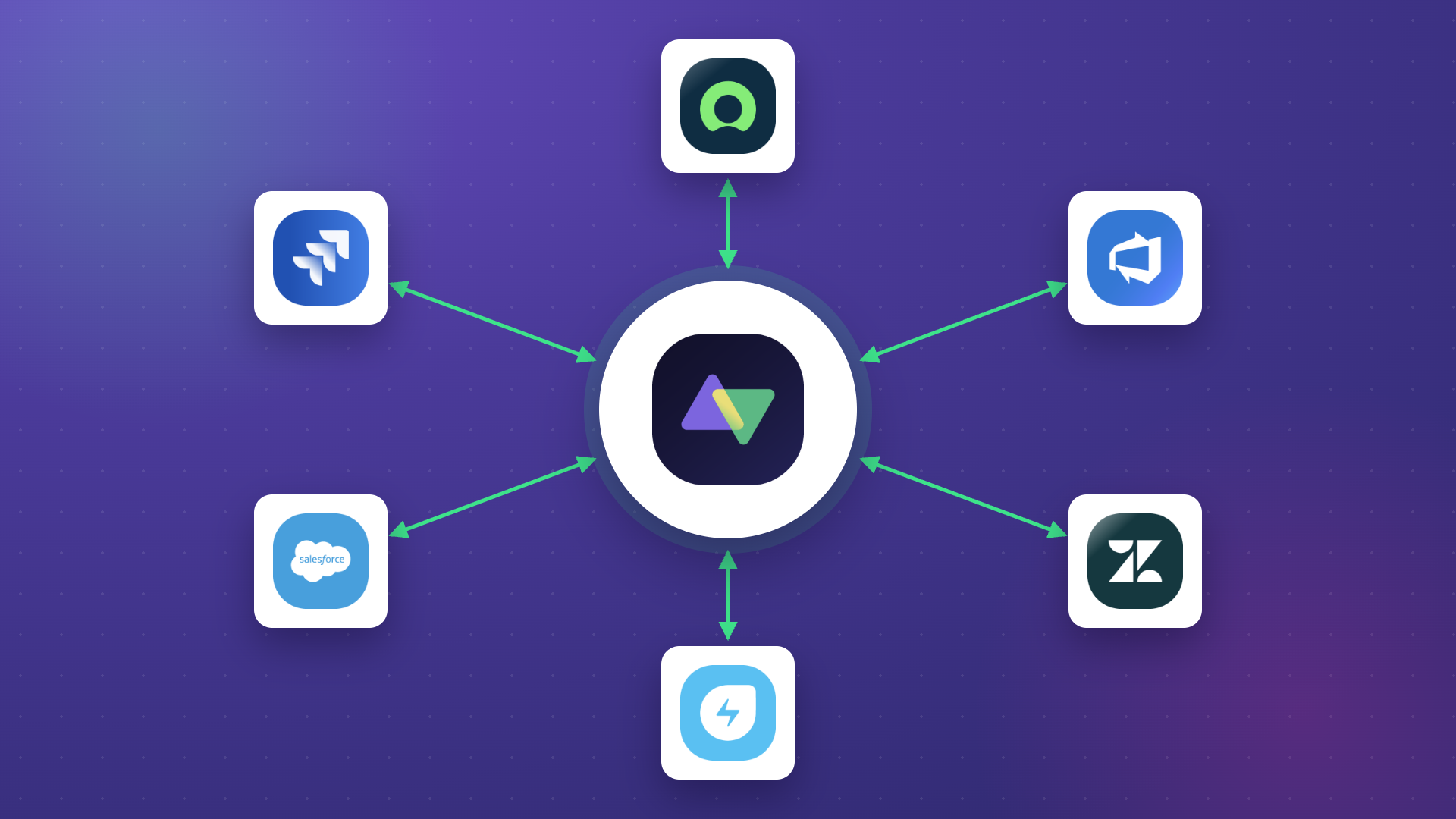
Broad connector coverage. Exalate supports Jira, ServiceNow, Salesforce, Azure DevOps (Cloud and Server), Zendesk, GitHub, Freshservice, Freshdesk, Asana, and custom connectors for any system with a REST API. This means if your legacy system exposes even a basic API, Exalate can likely connect to it.
- AI-assisted configuration. Aida, Exalate’s scripting assistant, helps teams navigate setup and generate sync rules. AI-assisted scripting accelerates the creation of custom sync rules, which is especially valuable when working with poorly documented legacy systems.
- Independent data control. Each side of the integration defines its own sync rules. Your team decides what fields, entities, and work items to share without being dependent on what the other side configures. This is critical for cross-company integrations where both parties need to protect internal data.
- Scripting engine for custom transformations. The scripting engine lets you write custom logic to transform legacy data formats into structures that modern systems understand. This handles the data format incompatibility that makes legacy integration difficult.
- Security built for regulated industries. Exalate is ISO-certified and uses HTTPS encryption, tokenization, role-based access control, and JWT-based authentication
- Managed implementation and maintenance. Exalate’s engineering team can design, implement, and maintain your integration end-to-end. This eliminates the need to find and retain specialists with legacy system expertise.
Want to find out how Exalate can help you integrate legacy systems? Book a call with our integration engineers.
Frequently Asked Questions
What is legacy system integration?
Legacy system integration is the process of connecting outdated software, databases, or infrastructure with modern applications like CRMs, ERPs, ITSM platforms, and cloud services. The goal is to enable data exchange between old and new systems without requiring full-scale replacement of the legacy platform.
What are the most common approaches to legacy system integration?
The five most common approaches are middleware (ESB), point-to-point integration, API integration, robotic process automation (RPA), and iPaaS. Some vendors also offer integration as a service, where their team handles the design, implementation, and maintenance of the integration on your behalf.
Can you integrate a legacy system that has no API?
Yes, but the options are more limited. RPA bots can interact with legacy systems through their user interface, extracting data by mimicking human actions. File-based integration reads the system’s data exports and transforms them for the target platform. Direct database integration is another option if you have read access to the legacy system’s database.
What industries rely most on legacy system integration?
Healthcare, banking and financial services, government, manufacturing, aerospace, and logistics are the most common. These industries run mission-critical operations on systems that are too risky or expensive to replace outright.
How does Exalate handle legacy system integration?
Exalate connects legacy systems to modern platforms through its scripting engine and custom REST API connectors. Each side of the integration controls its own sync rules independently. Exalate also offers integration as a service through its managed services team, which handles the full lifecycle from design to ongoing maintenance.
What platforms does Exalate support for integration?
Exalate has native connectors for Jira, ServiceNow, Salesforce, Azure DevOps (Cloud and Server), Zendesk, GitHub, Freshservice, Freshdesk, and Asana. It also supports custom connectors for any system with a REST API, which extends its reach to proprietary and legacy platforms.
How does AI-assisted configuration help with legacy integration?
Exalate’s Aida acts as a documentation assistant that helps teams navigate setup and scripting. AI-assisted scripting generates sync rules from descriptions, reducing the need for deep familiarity with the legacy system’s technical documentation. This is particularly useful when working with poorly documented or non-standard systems.
Is legacy system integration secure?
It depends entirely on the tools and practices you use. Look for platforms with ISO 27001:2022 certification, end-to-end encryption, role-based access control, and transparent security documentation.
What’s the difference between legacy system integration and legacy system modernization?
Integration connects the legacy system to modern platforms so data can flow between them, while the legacy system itself remains unchanged. Modernization involves updating or replacing the legacy system’s core architecture, which is significantly more expensive and disruptive. Many organizations choose integration as a faster, lower-risk path to gaining modern capabilities.
How long does a typical legacy system integration take?
Timelines vary based on the complexity of the legacy system, the number of data points being synced, and the integration approach. Simple API-based integrations can be running within days. Complex scenarios involving proprietary systems, custom transformations, and compliance requirements can take several weeks. Using a managed services approach, like Exalate’s IaaS offering, typically accelerates the timeline because the vendor’s engineering team handles the heavy lifting.
Recommended Reading: