
exalate for Support Leads
Support Engineers Stay in the Loop. Customers Only See What's Meant for Them.
Escalated tickets stay in sync automatically, no manual re-checking, and nothing internal slips into the customer's view.
4.3/5

ISO-27001-2022

4.7/5

When support escalates a problem, they recreate a ticket by hand in the other team's system. Then check back manually for updates, because the ticket has no way to report back on its own.

paste

export

script

paste

export

script

paste

export

the problem
Escalating Means Retyping. Updates Mean Chasing.
When support escalates a problem, they recreate a ticket by hand in the other team’s system.
Then check back manually for updates, because the ticket has no way to report back on its own.

Retype
- Copy the ticket into the other team's tool by hand
- Logs, screenshots and context get lost on the way
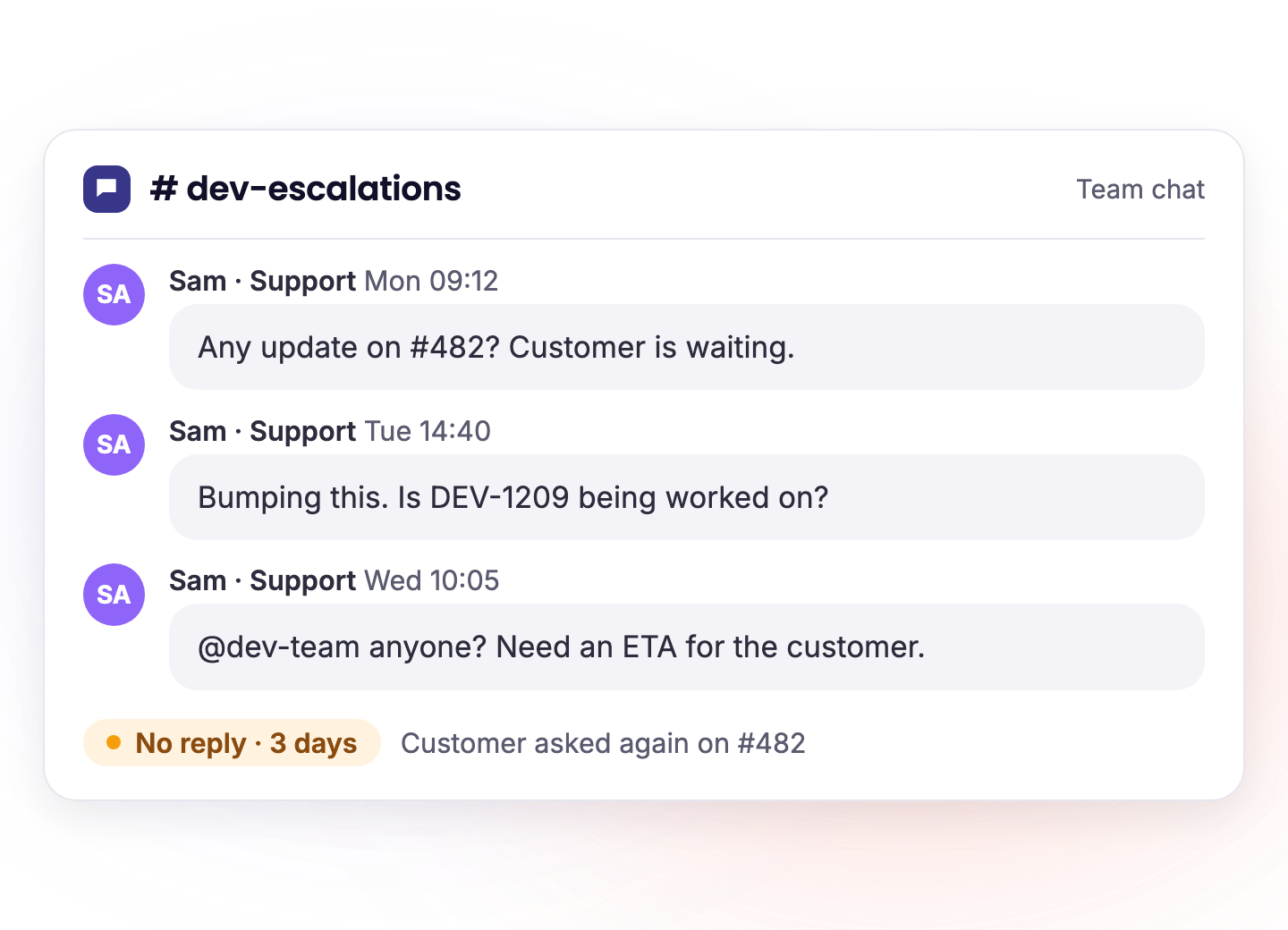
Chase
- Ask for updates in chat or email
- Wait days for someone to reply

Filter
- Pick what is safe to share, one comment at a time
- One wrong paste exposes internal notes to the customer

Wait
- Find out it's fixed days after the fact
- The customer asks before you know

Start over
- Repeat it all for every ticket about the same problem
- Duplicate issues pile up for one bug
the solution
No More Chasing Status
Escalated tickets sync automatically the moment the remote side updates.
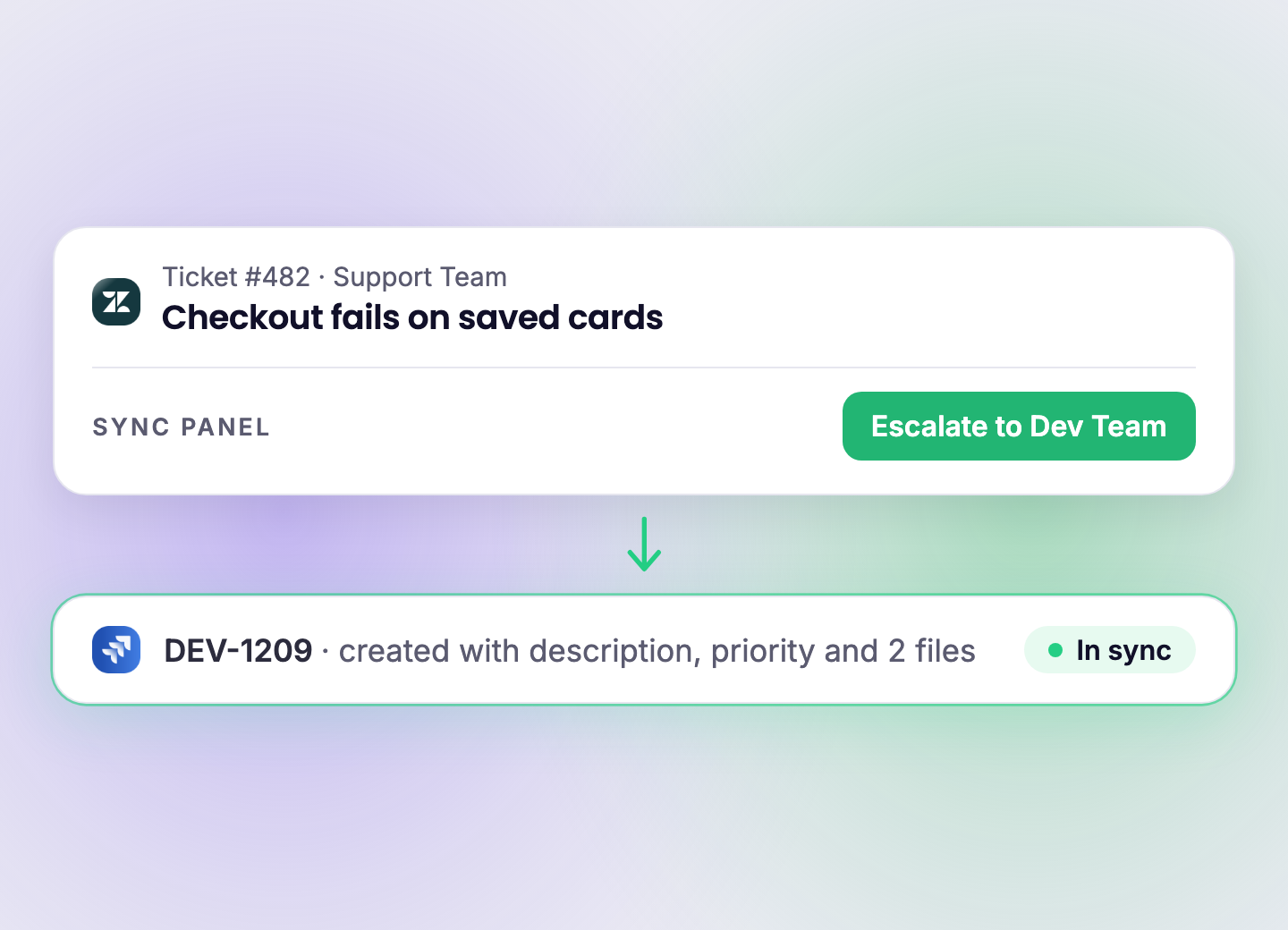
Escalate
- From your tool
- Automate sync to by using triggers like status change or custom field populated; or escalate manually using Sync Panel
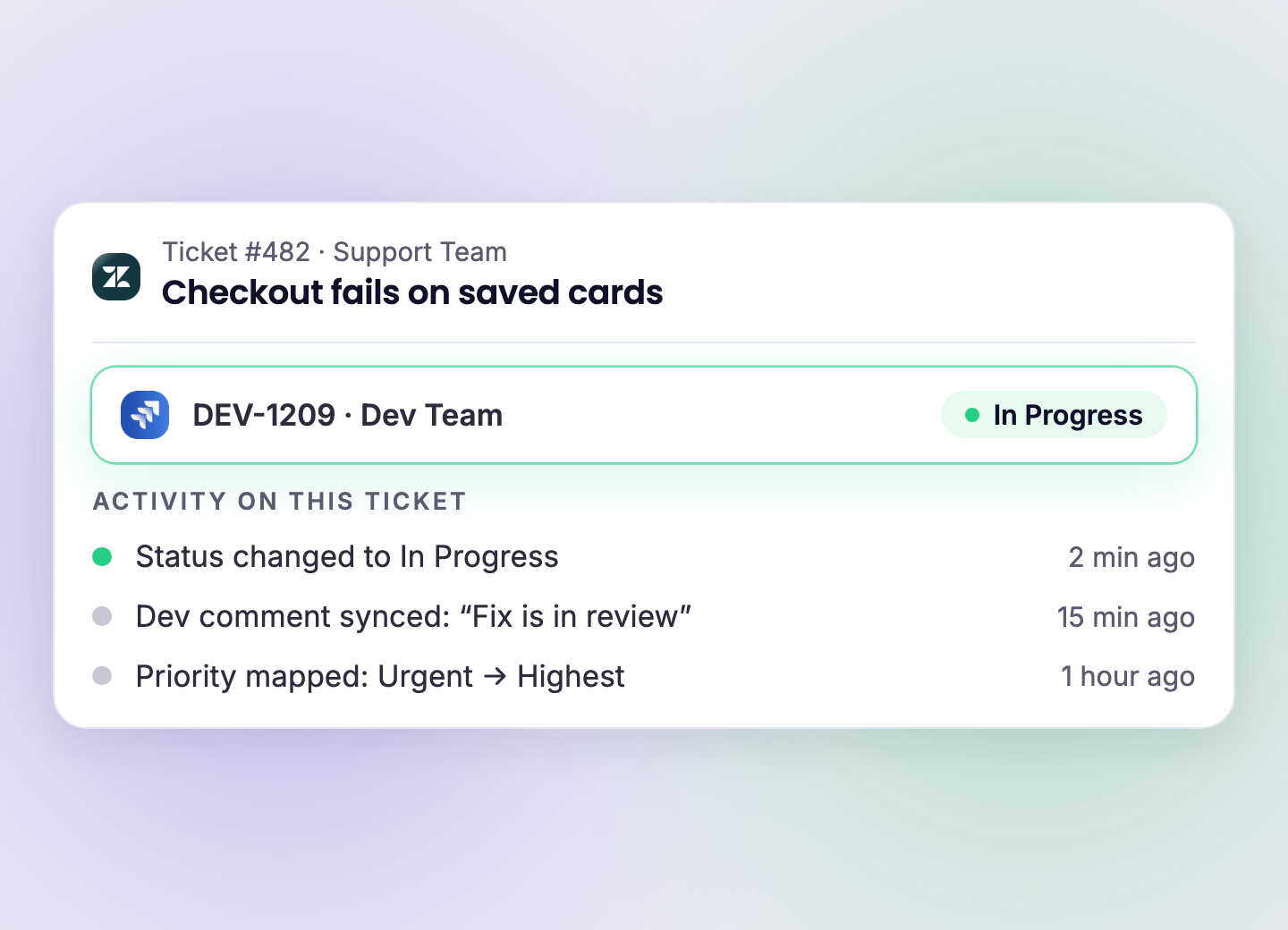
Track
- Keep the trail intact
- See automatic real-time updates on the ticket
- No manual follow-ups
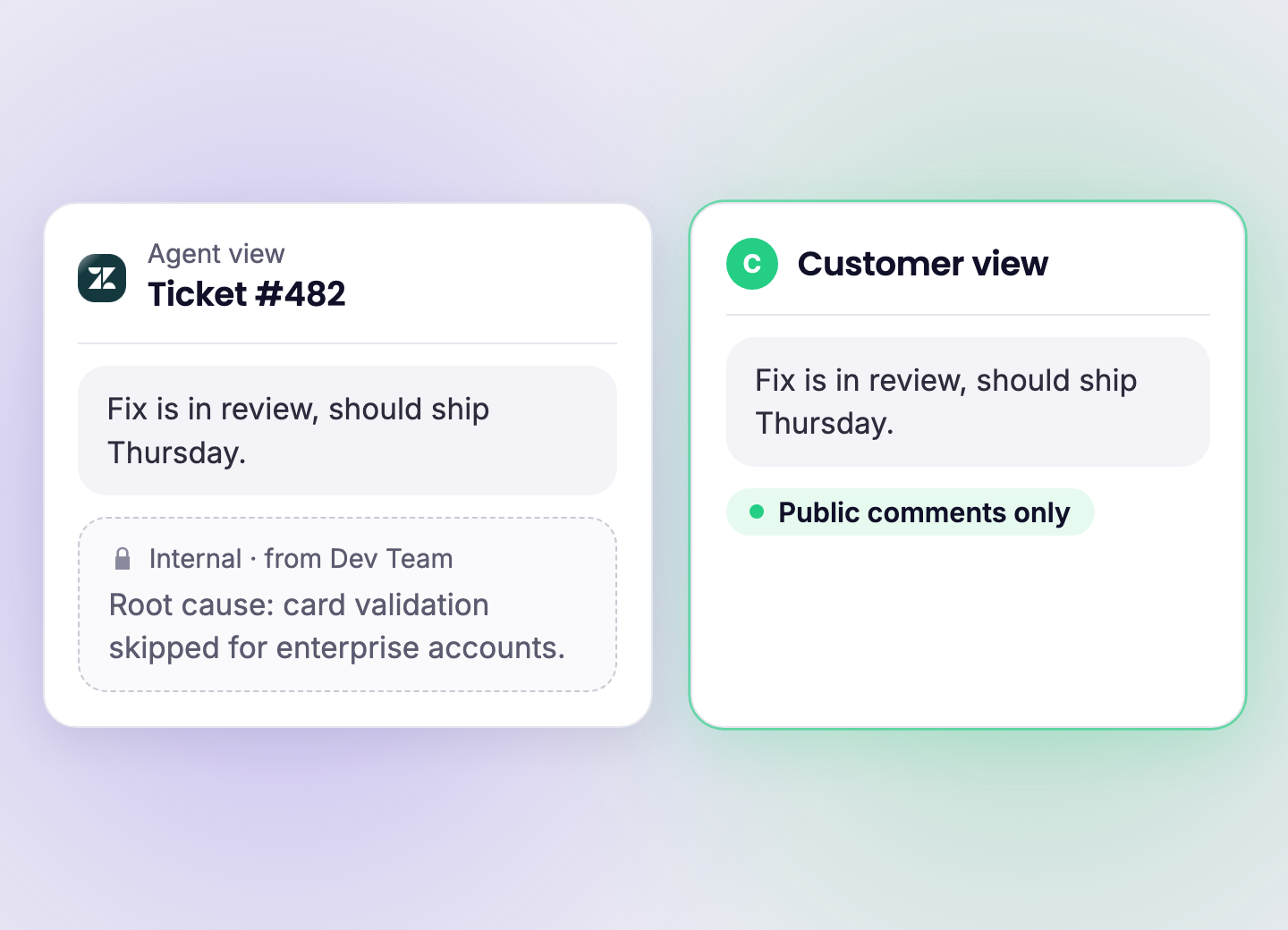
Control
- Customer see public comments only
- Your conversations with development stay internal
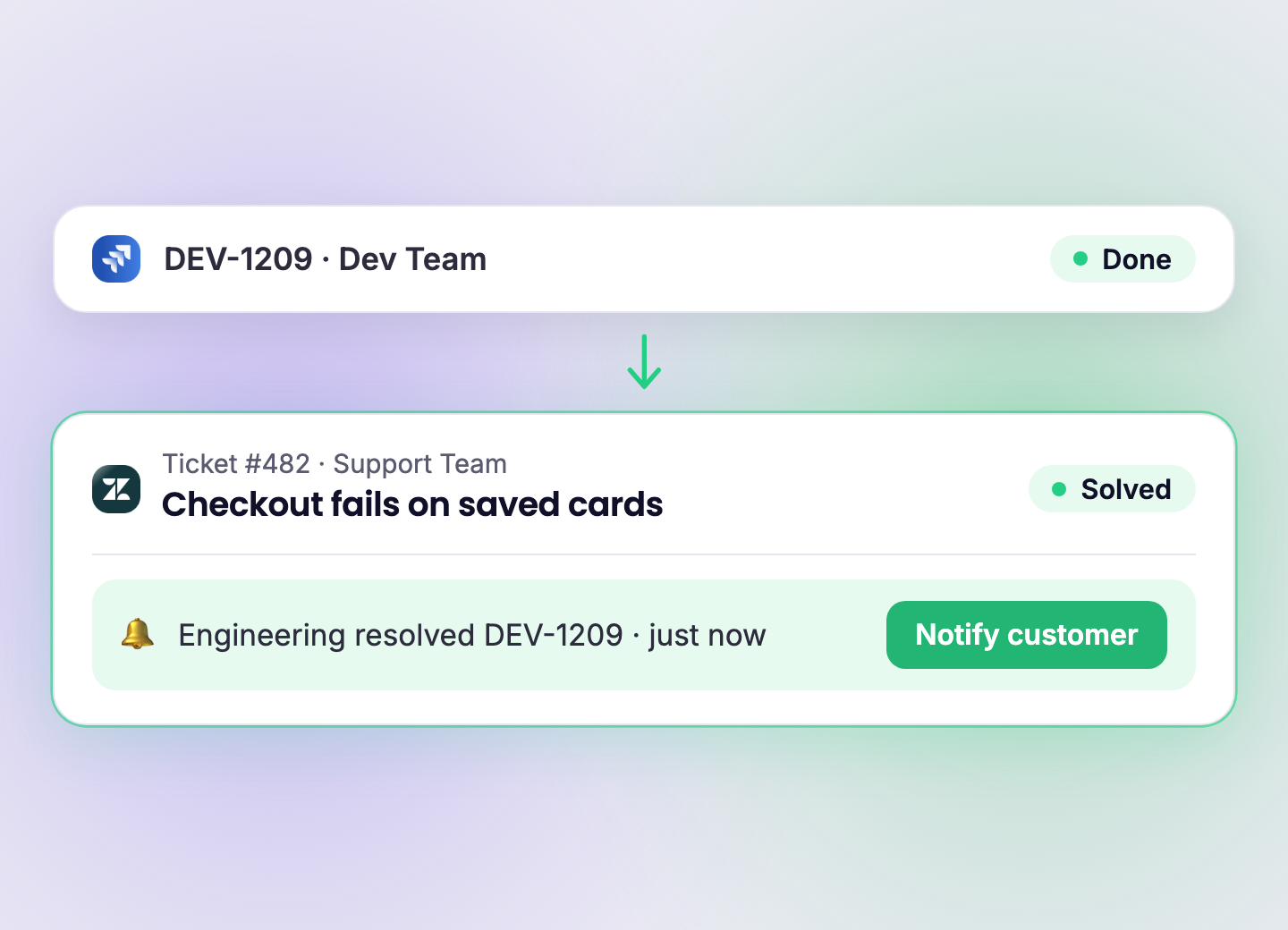
Close
- When the problem is resolved, you get notified
- Update customer yourself or have an automation setup
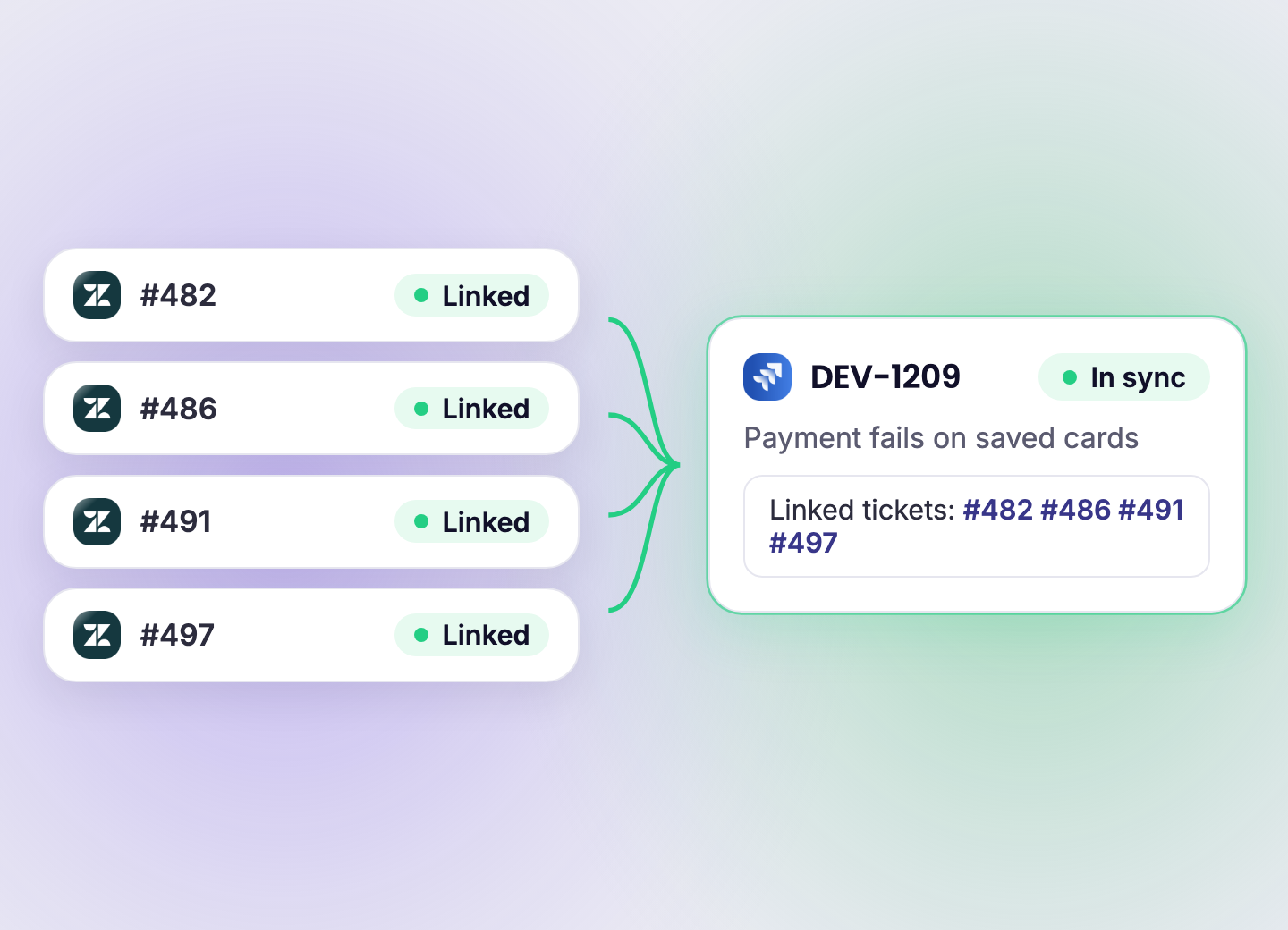
Repeat
- Connect Service Desk with multiple systems to escalate to the right teams
- Send multiple tickets describing same problem to a single corresponding work item
who it's for
Whatever your Title Says, Escalations Just Work
Customer Support
Support agents don’t leave their tool to chase an update. They raise it, they see it move, they close it themselves and report to the customer.
Customer Success & Ops
When an escalation crosses into another system, process keeps its shape. Status updates automatically, nothing falls through & customer gets one clear answer.
Service Management
Escalations don’t have to skip your change process to get resolved fast.
Same approvals, same audit trail, just without the manual re-entry.
Program Management
One view of every escalation in flight, across every tool pair, instead of chasing status thread.

"Our Jira Zendesk integration has driven global cohesion. The ticket holds the entire story, from support to engineering and back, which gives us a clean audit trail and protects customers from impact."
Ellesh Miyangar | Head of Support Enablement and Operations
Challenges Solved
15-20 min of manual work saved per escalation
Seconds, not minutesfor bidirectional sync
Full ticket journey visible in Zendesk, no second login
Clean audit trail from support to engineering and back
cross-company collaboration
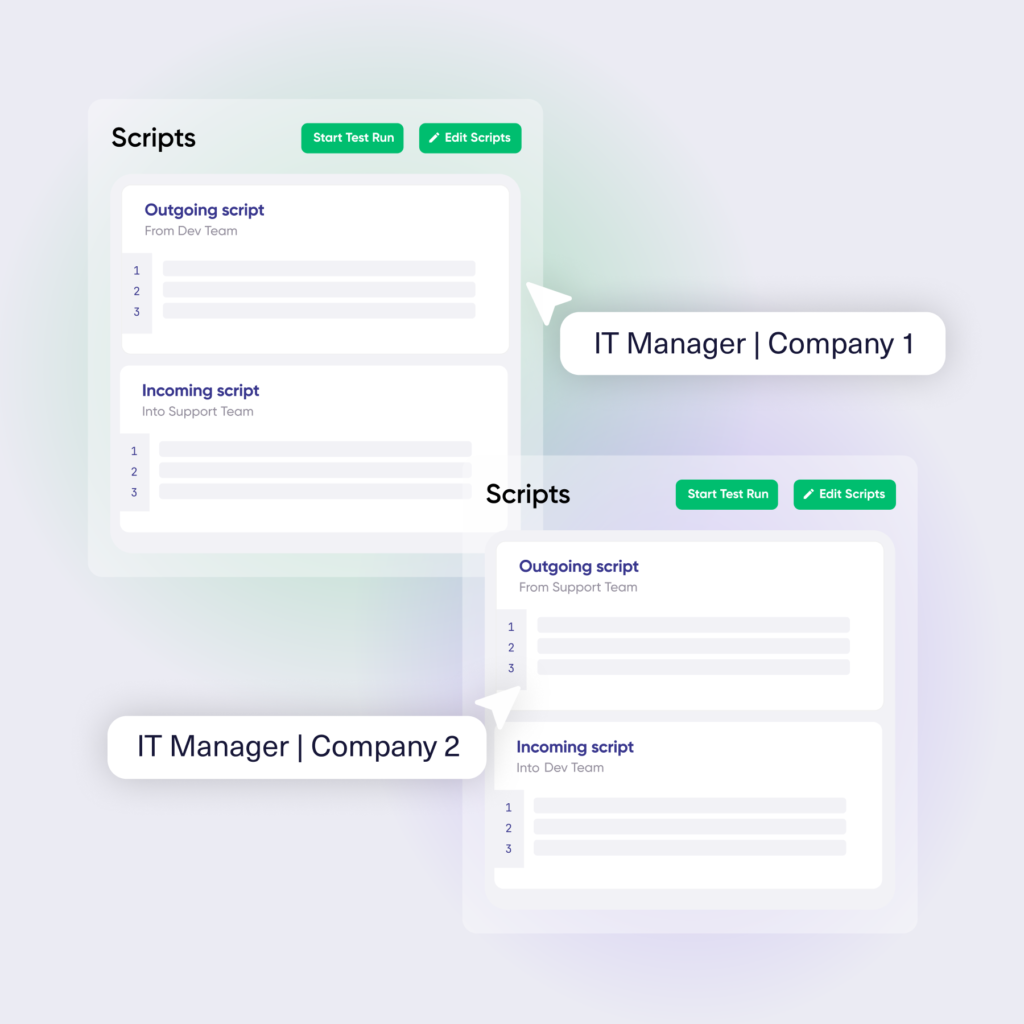
When the other team is not your team
Escalating to a partner, a vendor, a customer, or another business unit. Each side can set up their own sync rules. At Exalate, we don’t pretend this is the same as an internal handoff.

Why Exalate is
Secure by Design
- Single-tenant architecture – no shared infrastructure
- Encryption in transit and at rest
- Automatic recovery from outages
- ISO 27001:2022 certified
- 24/7 threat monitoring with SentinelOne

"Exalate works well for us. It's very much a set-and-forget solution. We get it going and it just looks after itself."
KYLE TAYLOR | OPERATIONS AND ANALYTICS SPECIALIST
Challenges Solved
No Jira login needed for support to raise and track dev tickets
Auto-reopened Zendesk tickets when Jira updates come back
Multiple Jira instances into one Zendesk, each with its own sync rules
6-8 acquisitions a year onboarded with a new connection and sync rules

support - dev escalation
One bug. Every linked ticket updated.
No chasing developers for status. No extra seats for devs in your support tool. You control which fields and comments get shared, so customer data stays protected.

See Exalate in Action
Let us show you how Exalate can fit your unique business needs.
trusted by clients worldwide






FAQ
Answers to the most frequent questions.
Didn't find what you were looking for? Ask Aida
Native integrations are built for their own ecosystem and don’t flex much beyond that. Automation tools like Zapier are cheap and easy to set up, but they push data one way, triggered by an event, fine for simple tasks, not built for keeping two systems continuously in sync. Exalate is built for the harder version of the problem: real-time, two-way synchronization between systems that have different data structures, workflows, and rules. The scripting engine underneath means you can shape the sync logic to match exactly how your teams work, instead of bending your process to fit a fixed template.
Jira, ServiceNow, Azure DevOps, Salesforce, GitHub, Zendesk, Freshdesk, Freshservice, and Asana, TopDesk, Ivanti, Xurrent, ServiceDesk Plus, ConnectWise, Solar Winds, HaloITSM (all bi-directionally and in real time). You can also request a new connector if you don’t your system listed here.
No. Most connections run between two different tools, that’s the main use case, like Jira to ServiceNow, or Zendesk to Salesforce. It also works within the same tool, like syncing two Jira projects or a service desk project with a dev project. Same tool or different tools, the setup works the same way.
Yes. This isn’t an edge case, it’s core to how Exalate was built. It covers internal team-to-team syncing and cross-company scenarios alike: support handoffs to an MSP, vendor-client ticket sharing, agency collaboration. Each side only shares what it configures to share, and every customer’s environment stays fully separate from every other’s.
You don’t need to be a developer, but you (or someone on your team) need to be technical enough to work with your own systems: know what should map to what, be comfortable looking at a script and checking it matches your business logic, and be OK troubleshooting when something needs adjusting. Exalate isn’t a no-code tool. It has AI tools that help — they’ll support someone who can review and trust what’s being built, but they’re not a replacement for that person. If you’re not sure anyone on your team fits that profile, Exalate might not be the right fit for you to set up yourselves right now, but that’s what Exalate’s managed services is for: our team handles the integration build, configuration, and maintenance, while you keep control over the business outcomes and approvals.
Yes. A support ticket becoming a dev bug, a request becoming a formal change record, a case escalating to a specialist team elsewhere. Exalate creates the linked item in the target system and keeps both sides in sync as the work progresses, without anyone copying details by hand.
No. If you only want a linked view or consolidated reporting rather than two systems staying in step, this is the wrong tool.