
flexible two-way sync
Jira Salesforce Integration
Still copying case numbers out of Salesforce and pasting them into Jira? Still requesting status updates over Slack?
Keep one set of customer facts that both teams can trust. Sync Jira work items with Salesforce objects, push updates back the moment they happen, and decide for yourself which data crosses over.
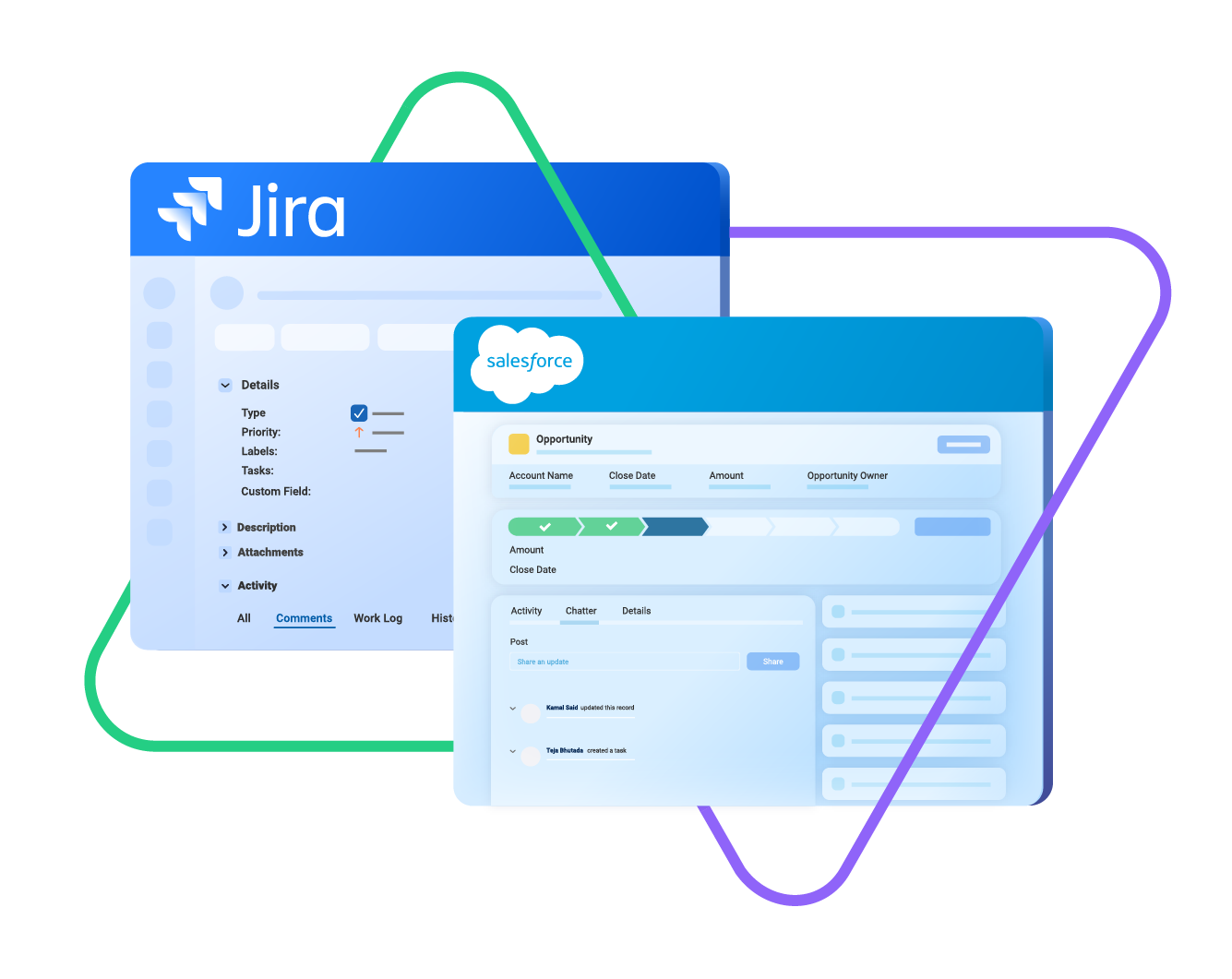
sync issue types, labels, priority, status...
sync any custom fields, attachments...
sync comments, worklogs, history...
sync opportunity, case, taks, account, product...
sync owner, status, number, priority...
sync contact details, internal comments...
4.3/5
Highest Rated Integration App on the Atlassian Marketplace







Jira Salesforce Sync: Make Customer Data Your Source of Truth
Strengthen the bond between your sales and development teams through Salesforce integration with Jira. Improve customer acquisition, retention, and revenue. Automate and orchestrate cross-functional workflows and cross-company collaborations.
Cut out the manual re-typing that eats into your team’s productive time.
Let each team stay in the tool they already know without switching to another one.
See which feature requests sit behind which open deals in your pipeline.
Read the full customer history from whichever system you're already in.
Turn a Salesforce case or a closed-won opportunity into a Jira work item automatically.
Shape the sync around your process instead of bending your process around a connector.
Sync Any Data Between Jira and Salesforce
Map standard and custom Salesforce objects any way you want with Jira work items.
Use sync rules to define which data should be synced in your Salesforce to Jira integration.

Salesforce
Case
All fields are supported, including:
- Custom fields
- Account Name
- Asset
- Business Hours
- Case Owner
- Contact Email
- Escalated
- Priority
- Product
- SLA Violantion
- Type
Problems
All fields are supported, including:
- Close Date
- Contract
- Delivery/Installation Status
- Description
- Lead Source
- Order Number
- Opportunity Score
- Price Book
- Probability
- Tracking Number
Change Requests
All fields are supported, incuding:
- Account Owner
- Annual Revenue
- Billing Address
- Customer Priority
- Parent Account
- SIC Code
- Tradestyle
- Upsell
- Year Started
Sync any Salesforce entity
Exalate for Salesforce allows syncing all the available objects and their fields within the Script connection. This page only shows the most popular and widely used objects and their fields.

Jira
Jira Software (Cloud and Data Center)
Jira Service Management
Jira Product Discovery
Work Items (Issues)
(Bugs, Tasks, Stories…)
+40 fields are supported, including:
- Custom fields
- Summary
- Status
- Description
- Key
- Comment
- Attachment
- Priority
- Third-party plugin fields (e.g Insights)
Sprints
All fields are supported, incuding:
- Name
- State
- Start date
- End date
- Complete goal
- Origin board ID
- Goal
Check the full list of supported fields for Salesforce and for Jira

The fact that Exalate is a very extensible and flexible product is quite an impressive feature for us. We can even build our own integration on top of it, and it actually shows that the developers and the engineers behind the product do really know what they are doing. Plus we have had an excellent customer experience.
Alexander Sinno | Head of Managed Security Services
Get the Most Out of Your Integration
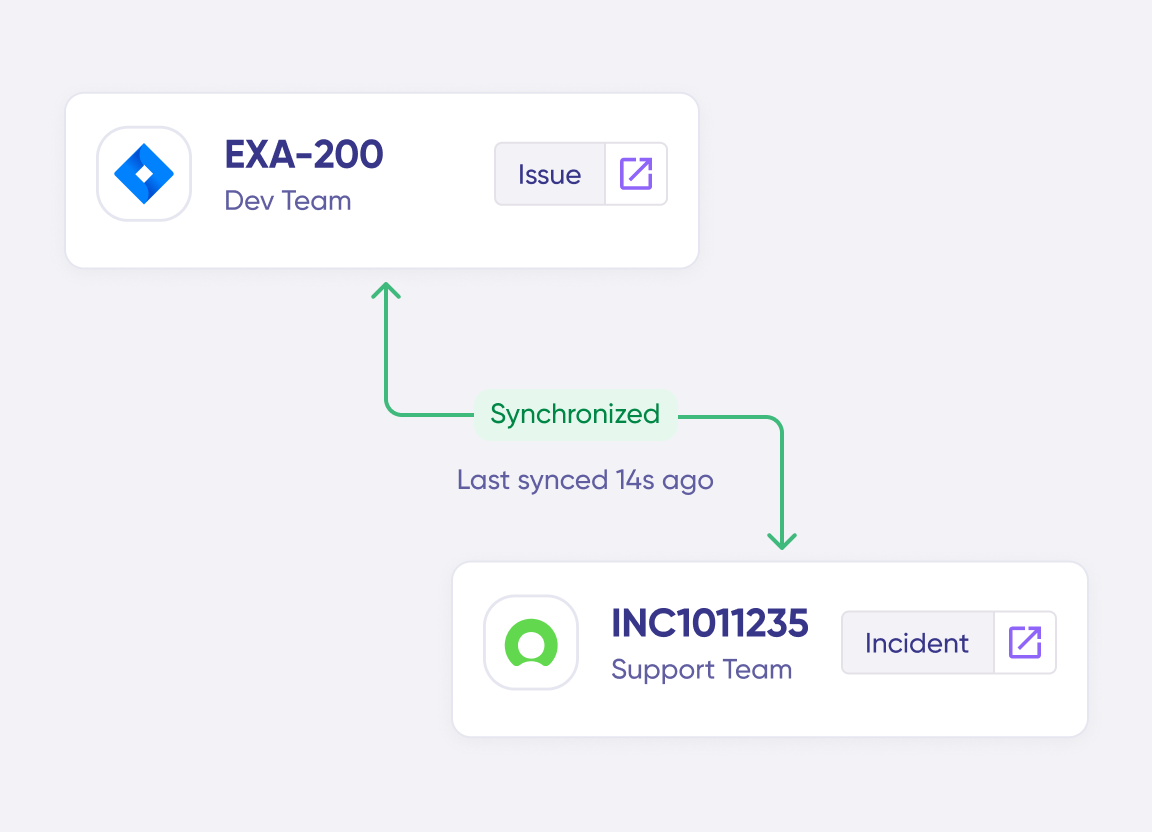
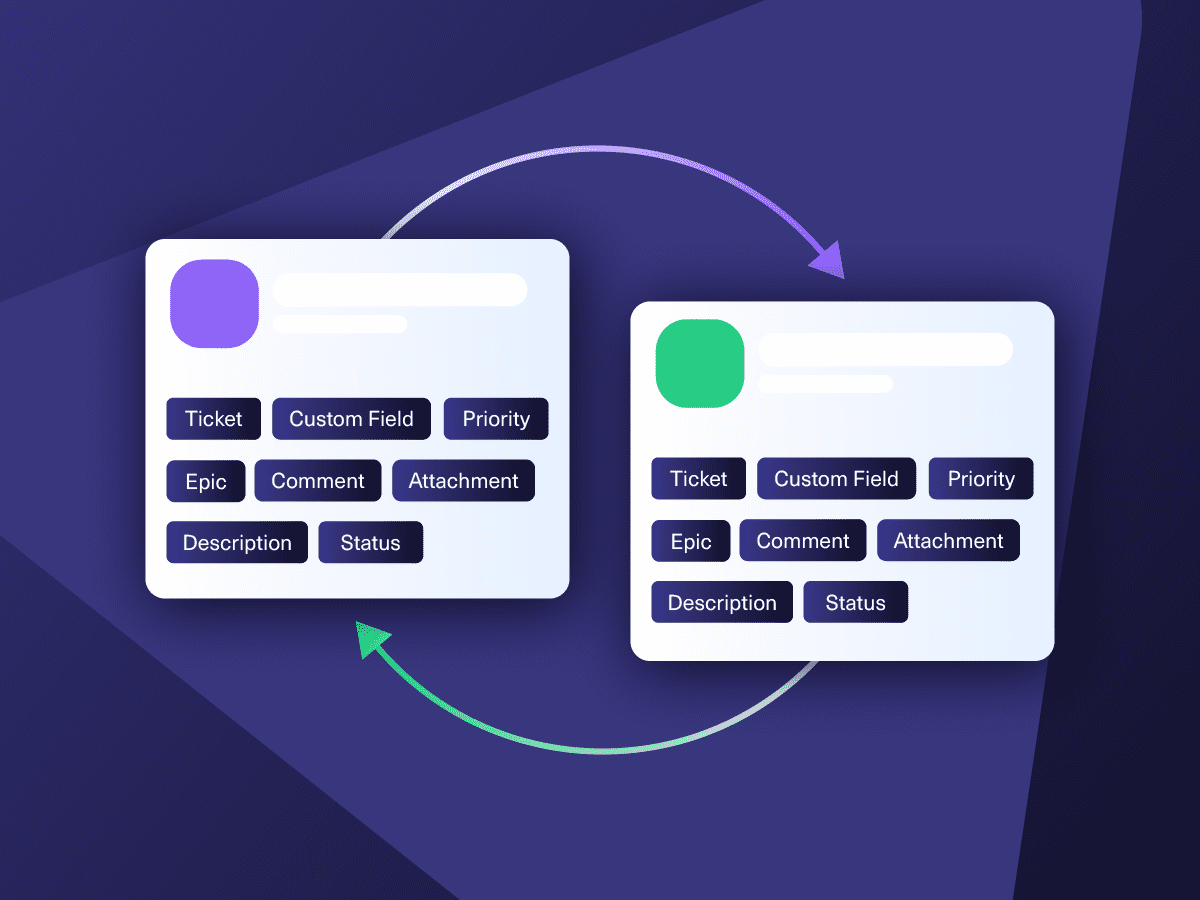
Sync in Real-Time
Two-way, real-time sync between platforms. Updates flow automatically. No manual exports, no delays.
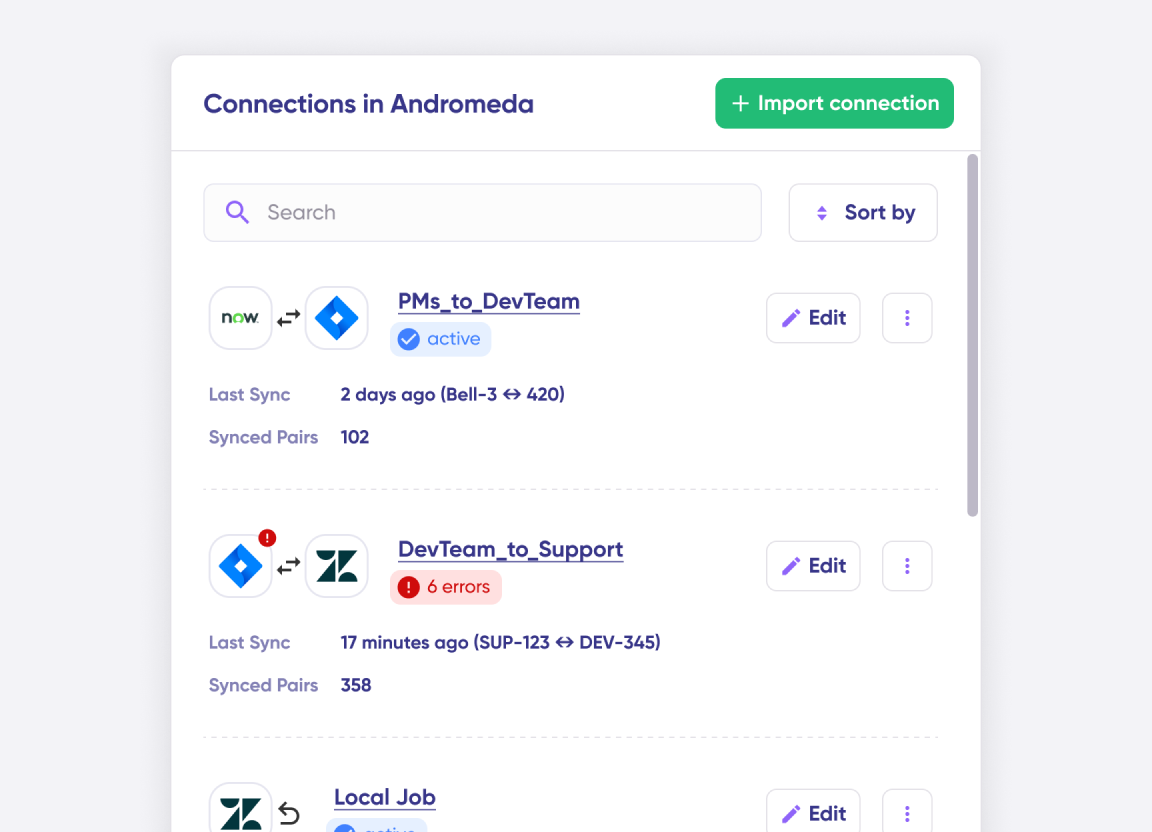
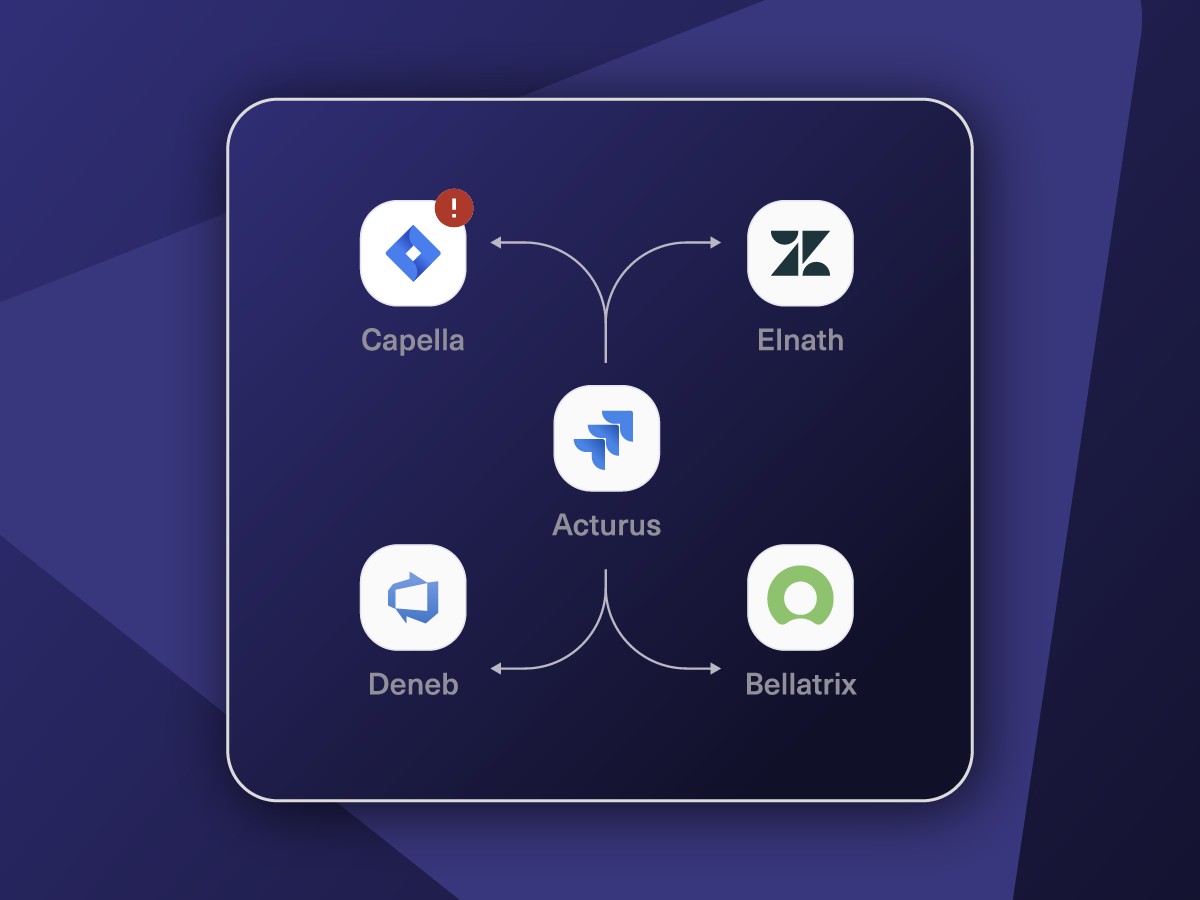
Connect Any Number of Instances
Connect multiple projects, instances, and platforms. Use different rules for each connection.
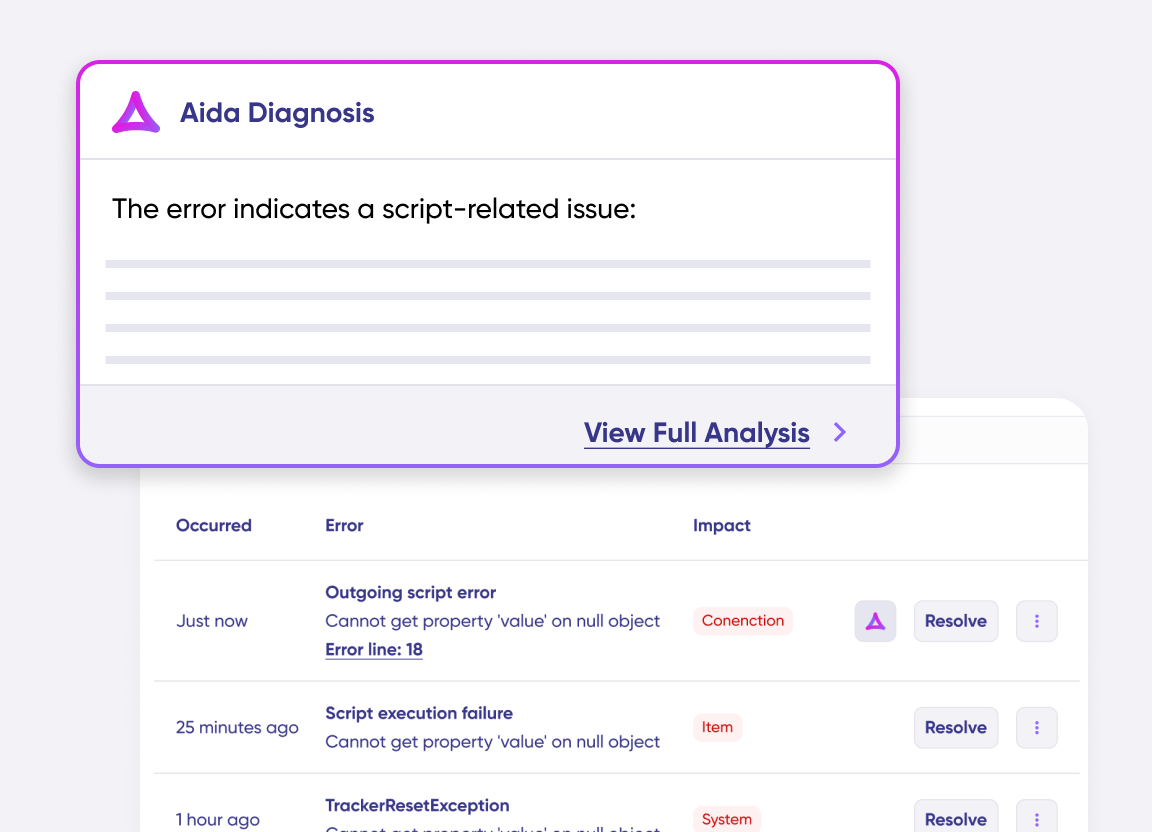
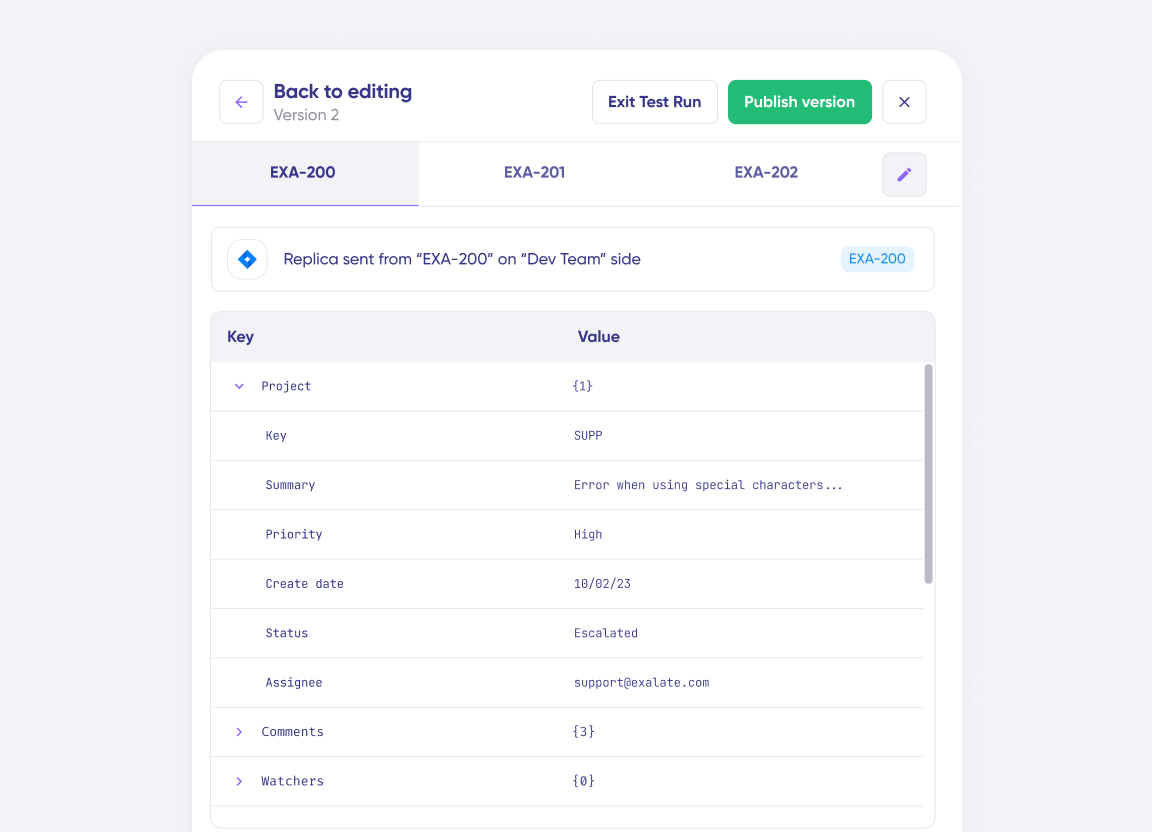
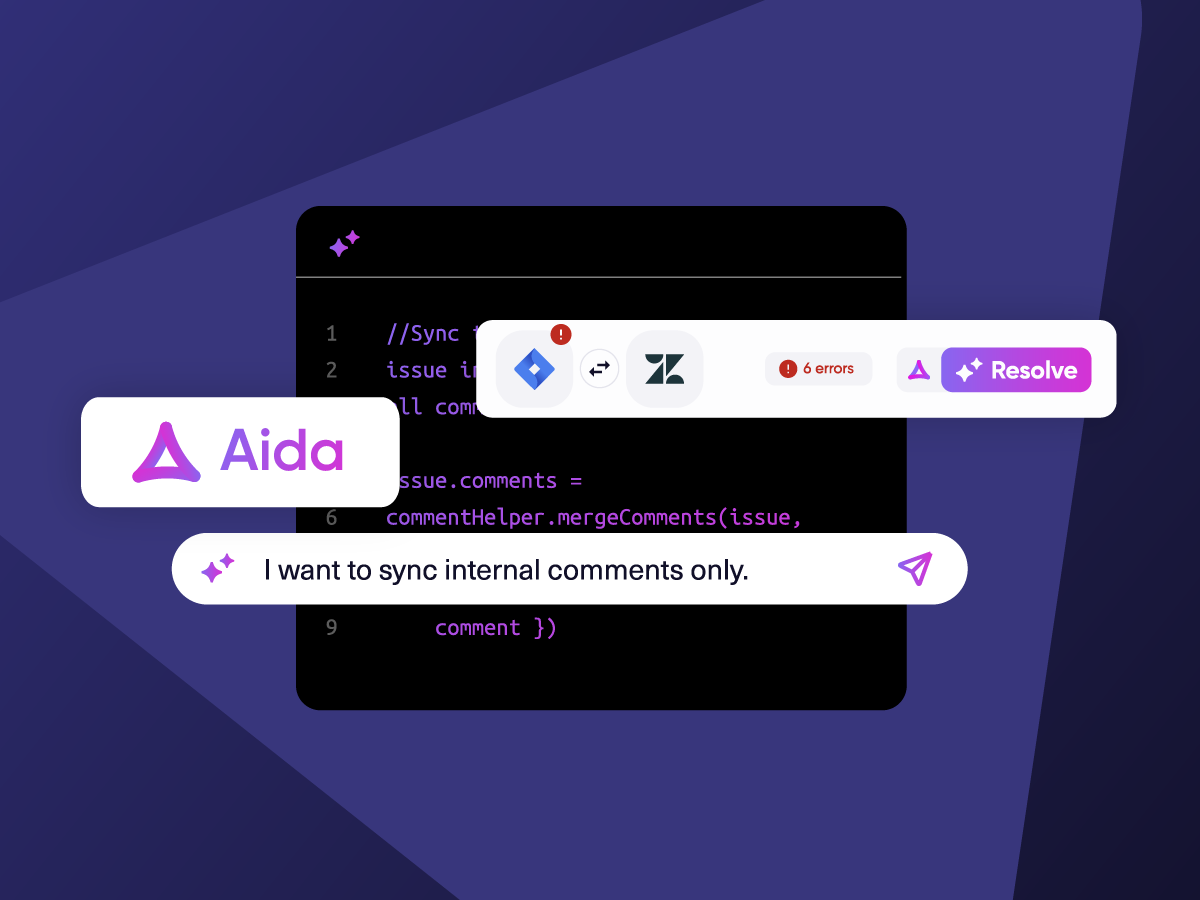
Know What Failed and Why
Get AI-powered recommendations for resolving the issue, including possible fixes and next steps.
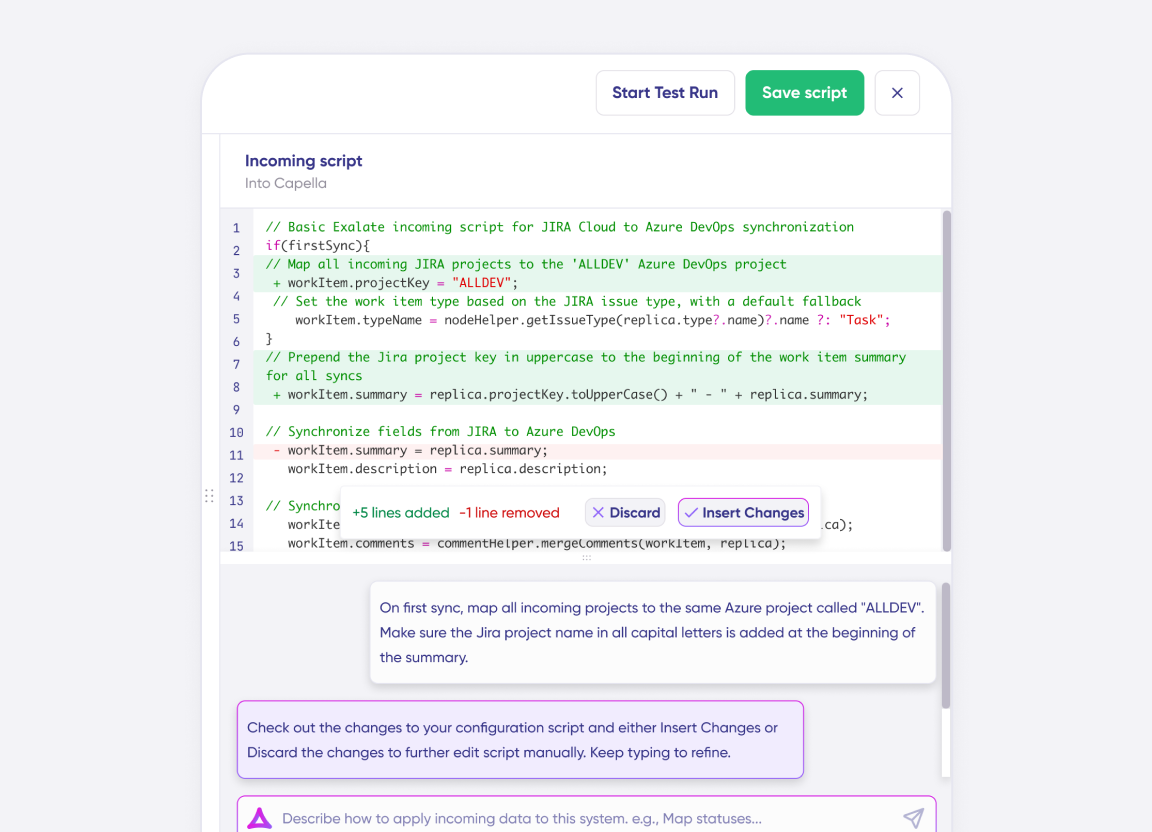
AI Assisted SetUp
Describe your integration goal. Aida reviews your sync rules and connector type, then suggests script changes
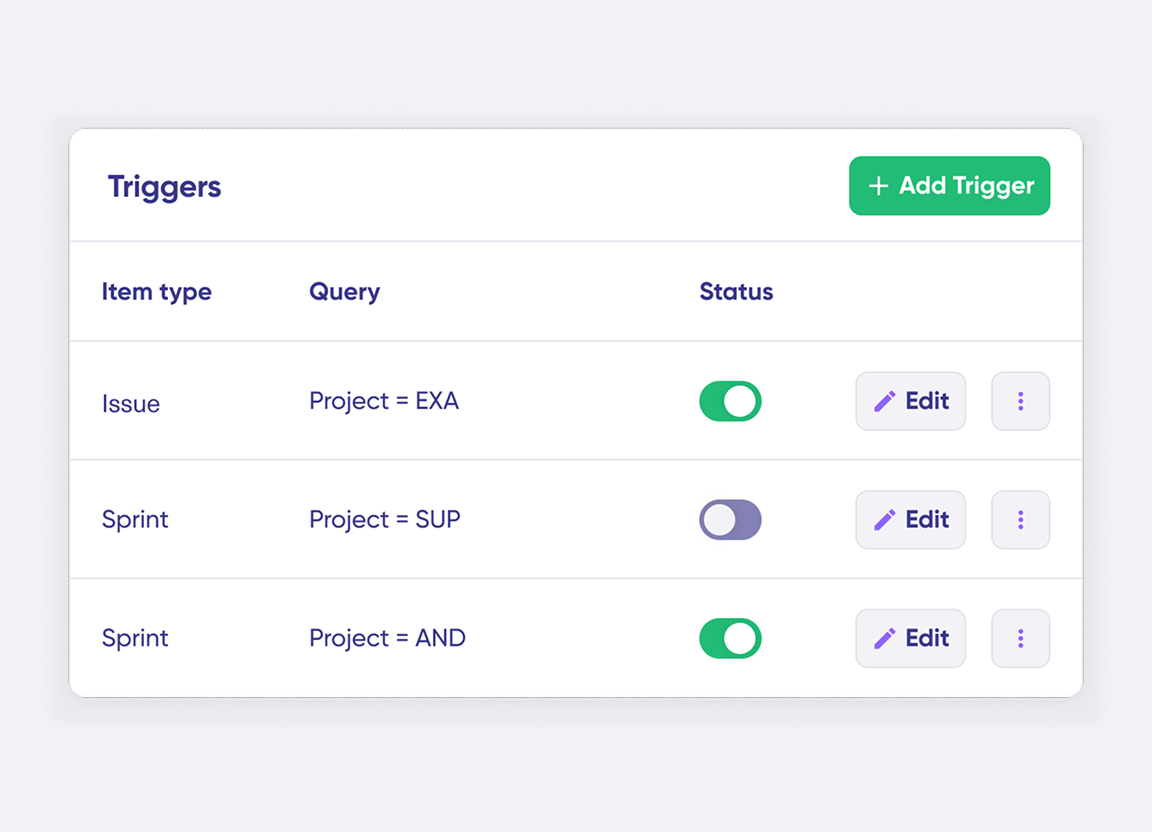
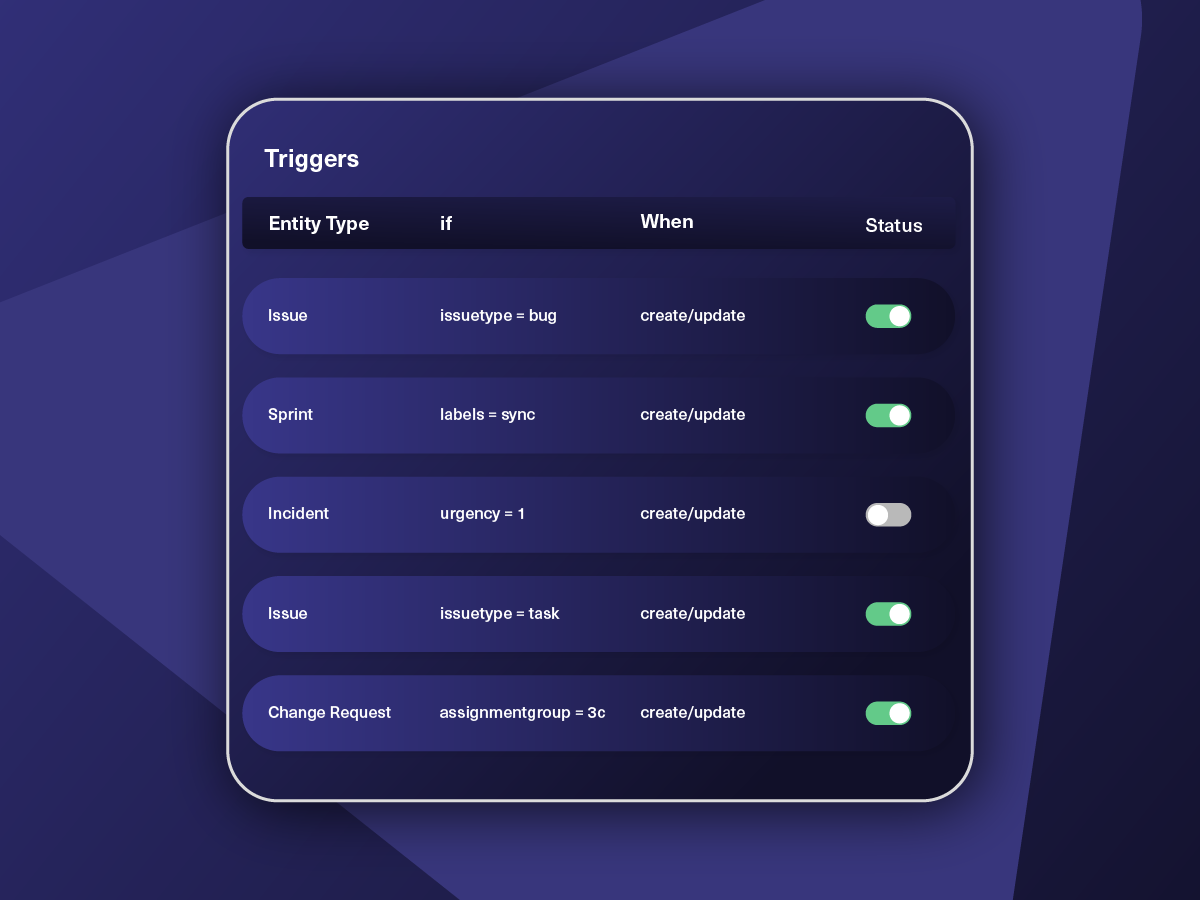
Only Sync What Matches
Set various conditions for automatic synchronization.
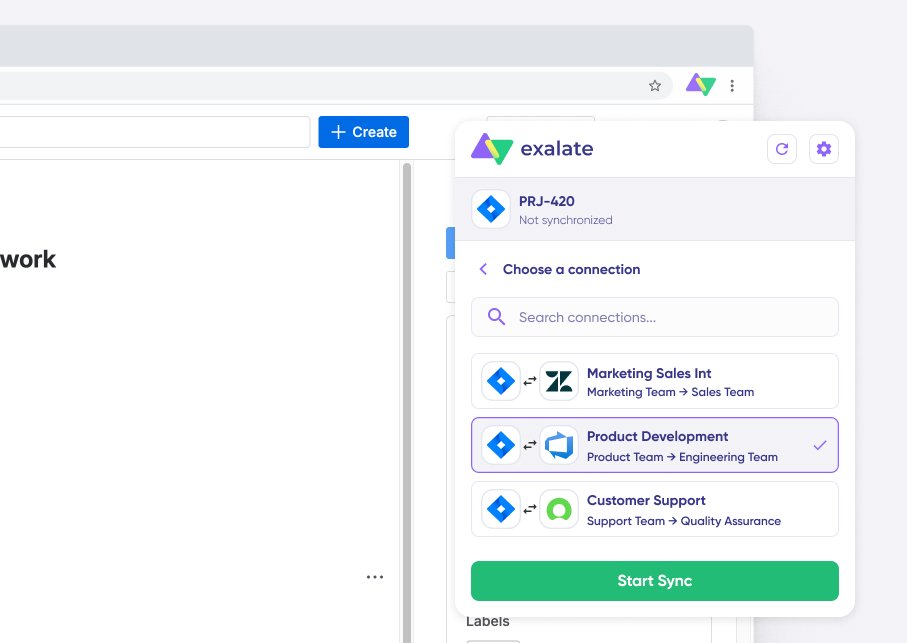
Sync Visibility, Right Where You Work
Check the real-time status of your active syncs, spot failures, and trigger a manual push. All from a browser extension, without opening the Exalate console.
Simple or Advanced, We Got you Covered
Work with simple integration templates. Or, completely customize your sync.
Sync Any Data
Set up one-way or two-way syncs between new or existing Jira and Salesforce entities. Sync issues, epics, sprints, etc in Jira. Sync any Salesforce entity such as cases, accounts, opportunities, contacts, custom objects, etc. Map fields by configuring the sync rules. Start automatic sync with triggers.
Control your Jira Salesforce sync at a granular level.
Sync Custom Objects and Fields
Sync standard and custom Salesforce objects with custom Jira fields. Update the connected Salesforce Account details from the corresponding custom field in Jira.
In practice:

...Or simply write a few lines of code
entity.entityType == “Custom Object Name”
replica.customFields.”CF Name” = issue.customFields.”CF Name”
Update the Linked Salesforce Account From a Jira Field
Let a Jira user pick an account name from a dropdown and have Salesforce attach that account to the case. Query the account ID over the REST API, then patch the case record with it.
In practice:
...Or simply write a few lines of code
// Salesforce incoming sync
if (!firstSync) {
def response = httpClient.get(“/services/data/v54.0/query/?q=SELECT+id+from+Account+where+name=%27${replica.customFields.’SF Account’.value}%27”)
if (response) {
def accId = response.records.Id[0]
httpClient.patch(“/services/data/v54.0/sobjects/Case/${entity.Id}”, “””
{
“AccountId” : “${accId}”
}”””)
}
}
In practice:
...Or simply write a few lines of code
// Jira incoming sync
def statusMapping = [“New”: “To Do”, “Working”: “In Progress”, “Escalated”: “Done”]
def remoteStatusName = replica.Status.value
issue.setStatus(statusMapping[remoteStatusName] ?: remoteStatusName)
Elevate Comment Sync Capabilities
Sync comment threads and user mentions between Jira and Salesforce. Also, personalize the comment sync based on use case.
In practice:
...Or simply write a few lines of code
replica.comments = issue.comments.collect {
comment ->
def matcher = comment.body =~ /\[~accountid:([\w:-]+)\]/
def newCommentBody = comment.body
matcher.each {
target = nodeHelper.getUser(it[1])?.email
newCommentBody = newCommentBody.replace(it[0],target)
}
comment.body = newCommentBody
comment
}
Unify Data Formatting Between Jira and Salesforce
Jira work item names and Salesforce campaign names employ different logic and syntax for storing values. Exalate uses transformers to convert these values into a readable format for each system, ensuring the correct information is sent. Sync custom fields in Salesforce, such as Date or Date/Time, by converting them to a common format for Jira.
Sync Jira Insights to Salesforce Opportunities
Insights in Jira will prompt our Jira to Salesforce integration REST API to sync work items/tickets to Salesforce opportunities.
If you add an insight to a Jira ticket, it will automatically populate a field in the Salesforce opportunity with the number and status of that Jira ticket.
Sync Picklist and Picklist Multi-select Fields
Select an item from a picklist field in the Salesforce case and sync it to a Jira work item’s custom field.
In practice:
...Or simply write a few lines of code
//Jira outgoing sync
issue.customFields.“Hobby”.value = replica.priority?.value ?: “Running”
//Running will be set as a default option if Priority has no selected option
//Salesforce incoming sync
entity.SuppliedCompany = replica.customFields.“text”.value

We can now handle around 500 customer incidents per week, thanks to Exalate, which is a very good result regarding the number of products we’re dealing with. It synchronizes 45x faster than our previous solution.
Christof Cuyper
“
We can now handle around 500 customer incidents per week, thanks to Exalate, which is a very good result regarding the number of products we’re dealing with. It synchronizes 45x faster than our previous solution.
Christof Cuyper |
How it Works
Connect
Easily connect multiple projects, instances, and platforms. With local, or external partners.
Customize
Set your sync rules to make sure the right data is shared.
Prompt Exalate’s AI to generate rules, or fine-tune with Groovy-based custom mappings and logic for complete control.
Automate
Set triggers to automate your sync based on specific conditions.
Synchronize
Now your connected instances will exchange information automatically. Happy syncing!
See the New Exalate in Action
Let us show you how Exalate can fit your unique business needs.
+2,500 clients worldwide


FAQ
Answers to the most frequent questions.
Didn't find what you were looking for? Ask Aida
Exalate syncs any Jira work item (bugs, tasks, stories, epics, sprints) with any Salesforce object (cases, opportunities, accounts, contacts, products, or custom objects). You can map and transform entity fields, including summaries, descriptions, comments, attachments, statuses, priorities, and custom fields. Third-party plugin fields like Elements Connect or Insight are also supported.
Exalate isolates your data at the infrastructure level. Security features include JWT access tokens, role-based access controls, HTTPS with TLS 1.2/1.3 encryption, and more. Each side of your integration maintains independent control, so there is no need to share credentials or admin access with integration partners.
Visit Exalate’s Trust Center for more details.
Exalate uses outcome-based pricing where you pay for active items in sync, not per user or transaction. All plans start with a 30-day free trial. Pricing scales with actual business value: you’re charged for items currently syncing, not historical volume or API calls.
Check out the pricing models or estimate the costs here.
Yes, Exalate supports multi-node setups connecting multiple Jira instances, multiple Salesforce orgs, or combinations of both. From a unified console, you can manage all your connections and integrations in one place. Exalate also connects to Azure DevOps, ServiceNow, Zendesk, GitHub, and more, enabling company-wide and cross-company integration networks.
MuleSoft is Salesforce’s native iPaaS solution designed for enterprise API management across many systems. Exalate specializes in real-time, bidirectional sync between work management platforms like Jira and Salesforce. Key differences: Exalate offers granular field mapping with Groovy scripting, requires no API expertise to configure, and supports cross-company integrations where each party maintains independent control of their data and rules.
Yes, Exalate supports full bidirectional synchronization between Jira and Salesforce. Changes made in either system automatically reflect in the other in real time. You control the sync direction for each field: sync comments both ways, sync status one way, or any combination. Each side maintains independent rules, so adjustments on one side don’t affect the other’s configuration.
Exalate uses each platform’s native query language for triggers. In Jira, you write JQL queries (e.g., project = "Support" AND priority = High). In Salesforce, you use SOQL queries. Triggers can be based on any field conditions, like issue type, status, priority, custom field values, or any combination. This gives you precise control over which items sync and when.
Yes, Exalate fully supports Jira Service Management (JSM) alongside Jira Software, Jira Product Discovery and Jira Work Management. You can sync Salesforce Cases to JSM service requests, incidents, or problems. Field mappings include case number, priority, SLA status, customer details, and any custom fields. Status updates flow both ways, so support teams stay aligned without switching between platforms.
Yes, Exalate syncs both standard and custom fields. You can map Jira custom fields (checkboxes, dropdowns, user pickers, date fields, etc.) to Salesforce custom fields and vice versa. Sync scripts let you transform values between different field types, for example, mapping a Jira dropdown to a Salesforce picklist with different option names.
Set up a trigger using SOQL in Salesforce, for example, when an Opportunity reaches “Closed Won” stage. Exalate automatically creates a Jira issue with mapped fields like account name, deal value, and expected close date. Configure field mappings in your sync rules to determine which Salesforce fields populate which Jira fields. Updates flow back to Salesforce as the Jira work progresses.
How useful was this content?
Click on a star to rate it!
Average rating 4.9 / 5. Vote count: 256
No votes so far! Be the first to rate this post.
We are sorry that this post was not useful for you!
Let us improve this post!
Tell us how we can improve this post?