

Project collaboration is synonymous with successful teamwork. Yet, when teams operate on different tools and platforms, collaboration becomes a challenge.
This blog explores the critical role of integration solutions like Exalate in overcoming these challenges and ensuring project collaboration that drives business success.
Key Takeaways
- Project collaboration enables teams using different tools and platforms to communicate, share knowledge, and work toward shared goals without manual handoffs.
- Integration between project collaboration tools eliminates data silos, reduces context switching, and keeps every stakeholder working with up-to-date information.
- Cross-functional and cross-company collaboration introduces unique challenges around data visibility, access control, and process alignment that only proper integration can solve.
- Measuring collaboration effectiveness through concrete metrics helps teams identify bottlenecks and continuously improve their workflows.

Challenges of Project Collaboration in Modern Workspaces
The nature of teams today has changed. They are no longer confined to office spaces but are often dispersed across the globe, working remotely or in hybrid setups.
In the past, sticky notes, face-to-face conversations, and whiteboards served physically colocated teams well. However, as teams became more distributed, exchanging information and collaborating effectively turned into a significant challenge. Manual methods simply couldn’t keep up.
Beyond geography, there’s a tool fragmentation problem. Development teams work in Jira. Customer support lives in Zendesk or Freshdesk. Sales runs on Salesforce. IT service management operates in ServiceNow or Freshservice.
Each team picks the tool that fits their workflow best, but this creates data silos where critical project information gets trapped in one platform and never reaches the people who need it.
So, how do global, remote, or hybrid teams stay aligned and collaborate on shared project goals when they’re spread across different tools, time zones, and departments?
This is where project collaboration comes into play.
What is Project Collaboration?
Project collaboration is the process of enabling teams to communicate, share knowledge, and work together on various projects, regardless of the tools or platforms each team uses.
These projects are handled by diverse teams like IT, HR, software development, or customer support. They also span different departments of the same company or even include external partners, like outsourced vendors or customers.
For truly global teams to collaborate effectively on shared project goals, it’s essential to understand a few key concepts.
Often, when talking about project collaboration, you might have come across the term project management and assume it means the same thing. While the two are closely connected and complement each other, they have a few subtle differences.
How Can Collaboration Between Teams Improve Project Management?
Project management is the process of organizing, planning, executing, and successfully completing projects from start to finish. The nature of a project can vary widely depending on your business. It can be developing a mobile application, building an e-commerce inventory management system, or launching a software product.
Project collaboration can be seen as the heart of project management. Since a project is as good as the team executing it, it’s essential to ensure these teams collaborate effectively.
But it is equally important to have a reliable way for teams to collaborate. It allows team members to be more aware of each other’s needs and ideas, and to align their workflows towards common project management goals.
Project collaboration is invaluable for teams that rely on data and input from others to complete their daily tasks. When done iteratively, it helps keep every team member in the loop and contributes towards achieving the project’s overarching goals.
When collaboration between teams is on point, the benefits are both tangible and far-reaching.
Benefits of Project Collaboration
Teams become siloed if they work on their own system without effective ways to communicate with others. This hampers the overall project management goals.
So, why is effective collaboration between teams so important, and how does it make a difference?
Align Your Teams
When team members work together, they develop a better understanding of the project’s objectives and their individual roles in achieving them. This helps align them with others and creates a more motivated and cohesive work environment. Workflows are always coordinated, and duplication of efforts doesn’t happen anymore.
For teams operating across tools like Jira, ServiceNow, and Salesforce, alignment also means that status updates, priority changes, and task assignments are visible to everyone who needs them, without someone manually copying information between platforms.
Improve Data Visibility
Collaborating between multiple platforms improves data visibility across your teams. They have access to real-time information and updates and can track projects more efficiently. This also helps them identify any potential bottlenecks before they get out of hand.
When evaluating how to improve visibility, look for integration tools that support granular field-level control. This lets you sync exactly the data each team needs (work item statuses, comments, attachments, custom fields) without flooding them with irrelevant information.
Value Everyone on the Team
It’s important for team members to feel their contributions are valued. This is the end result of good collaboration. With diverse perspectives and views on the table, companies can tap into the full potential of their workforce and create a more inclusive environment.
Brainstorm and Come Up With New Ideas
Project collaborations are the key to innovations and new ideas. When team members from different backgrounds and expertise brainstorm together, they can challenge assumptions and think outside the box.
Many teams also rely on tools like an AI presentation maker, helping them turn concepts into clear, shareable visuals during the early stages of collaboration.
Communicate Effectively
Poor communication often leads to misunderstandings and conflicts. With an automated and consistent process to collaborate on projects, you can set clear expectations and build stronger relationships among team members.
This is especially true for cross-company collaboration, where miscommunication between your team and an external vendor can derail timelines. Automated synchronization between your project tools ensures both sides are always looking at the same information, even when they use different platforms.
Make Better Decisions
Collaborative decisions often result in better outcomes. With multiple stakeholders involved in the process, you can reduce the risk of biased or short-sighted decisions. You get to analyze the problems from all angles and increase your buy-in for the final decision.
Don’t Forget It’s All About Teamwork!
At its core, project collaboration is all about the power of teamwork and shared responsibility.
Project Collaboration Examples You Can Relate To
You often do not realize you need project collaboration until you see your teams looking for information from each other.
- Marketing and Design teams: When the marketing team creates campaigns in their system, the design team needs to work on those deliverables in their own environment. All the campaign-related information, along with guidelines and deadlines, needs to flow between systems automatically. Without integration, this becomes an email chain of attachments and version conflicts.
- Product and Engineering teams: Product teams define user stories and new features in tools like Asana or Jira, while engineering teams develop them in their own Jira instance or Azure DevOps. Keeping both sides updated on status, blockers, and scope changes requires real-time synchronization, not manual copy-paste.
- Support and Development teams: Customer-reported bugs logged in Zendesk, Freshdesk, or Freshservice need to be escalated to development teams, often working in Jira or GitHub. The support agent needs to track resolution progress without switching tools, and the developer needs the original customer context without digging through support tickets.
- IT Service Management and Engineering: When an incident in ServiceNow requires a code fix, the engineering team working in Jira needs to see the incident details, priority, and affected services. Once the fix is deployed, the ServiceNow ticket should update automatically with the resolution.
- Cross-company collaboration: When your outsourcing partner needs to reach out to you and collaborate, it needs to be thorough and accurate. Mistakes or manual errors are unacceptable. This is where integration tools that give each side independent control over their sync rules become critical, so your partner sees only what you choose to share and vice versa.
So, how to make sure you collaborate between project teams efficiently? The answer lies in project collaboration tools.
Popular Project Collaboration Tools: An Overview
Project collaboration tools, also known as task management tools, are platforms designed to help teams plan, track, and manage tasks to execute a project to completion.
They help everyone to follow a central workflow, making it easy to share updates, assign responsibilities, and align everyone with project goals.
You can find various types of project management tools used for different purposes, like video conferencing, real-time streaming, task management, instant messaging, and more.
Ultimately, the project collaboration software you choose depends on your needs, the problems you currently face, and how it fits your budget.
When comparing options, also consider how well the tool integrates with the rest of your tech stack. A platform that connects natively or through third-party integrations with your existing tools will save you significant manual effort down the line.
Also, certain teams prefer working with specific collaboration software. For instance, project managers love working with Jira, customer support teams prefer Zendesk or Freshdesk, and IT teams gravitate toward ServiceNow or Freshservice.
Let’s look at a few project collaboration tools:
Jira
A favorite among software development teams, Jira focuses on work item tracking, project management, and agile workflows. It’s ideal for managing sprints, tracking bugs, and ensuring product releases stay on schedule.
Jira’s flexibility makes it a central hub for engineering teams, but its real power shows when it’s connected to the tools other teams use, like Salesforce for customer data or ServiceNow for IT operations.
ServiceNow
ServiceNow is the go-to platform for IT service management (ITSM), but it extends well beyond IT. Teams use it for HR service delivery, security operations, and enterprise workflows. For project collaboration, ServiceNow becomes especially valuable when incident resolution requires input from development teams working in Jira or Azure DevOps.
Salesforce
Salesforce dominates the CRM space and serves as the single source of truth for sales, account management, and customer success teams. When customer feedback or feature requests from Salesforce need to reach product or engineering teams, integration bridges that gap and keeps every team aligned on customer priorities.
Zendesk
Zendesk is built for customer support and helpdesk operations. Support agents handle tickets, track customer interactions, and manage SLAs all in one place. The collaboration challenge surfaces when a support ticket reveals a bug that needs engineering attention or a feature gap that product teams should know about.
Azure DevOps
Azure DevOps provides a suite of development tools covering version control, CI/CD pipelines, work item tracking, and test management. Teams using Azure DevOps (both Cloud and Server) often need to collaborate with stakeholders who work in Jira, ServiceNow, or Salesforce, making cross-platform integration essential.
Freshservice and Freshdesk
Freshservice handles IT service management while Freshdesk focuses on customer support. Both are popular among mid-market and growing companies.
When support tickets in Freshdesk need developer attention, or when Freshservice incidents require escalation to engineering teams, integration keeps the workflow moving without manual intervention.
Asana
A project collaboration tool for task and project management, Asana provides an intuitive interface to organize projects, set priorities, and monitor progress. Teams can visualize tasks in lists, boards, or timelines. Asana works well for cross-functional teams managing marketing campaigns, product launches, or operational projects.
GitHub
GitHub is the standard for source code management and version control. Development teams live in GitHub for code reviews, pull requests, and CI/CD workflows. When work items from Jira or bugs from Zendesk need to become GitHub issues (or vice versa), integration ensures developers have full context without leaving their preferred environment.
Notion
Notion acts as a workspace for notes, tasks, databases, and project documentation. It’s great for teams who value a blend of structure and creativity in their collaboration.
At this point, it’s important to explore another key aspect of project collaborations. While teams often use different tools for various purposes, it’s crucial to understand how these tools can connect and communicate with each other in order to finish a project.
The Role of Integration in Collaboration Success
Certain teams, like the development teams, prefer to work, manage, and collaborate on the development workflow within Jira. However, the customer support agents use Jira Service Management (JSM). These independent project collaboration tools, if connected, can be beneficial for common business goals.
When we talk about true collaboration in this context, it means finding an efficient way to share information between these multiple Jira instances. Without proper integration, teams are forced to rely on manual processes like sending data through emails or duplicating work items in another instance. This defeats the whole essence of project collaboration.
With an integration in place, all of this becomes automated and happens in real time. For instance, imagine a customer raising a ticket in Jira Service Management (JSM), which then automatically creates a work item in the development team’s Jira instance based on predefined rules.
But integration goes well beyond connecting two Jira instances. Consider teams where ServiceNow handles IT operations, Salesforce manages customer relationships, and Jira powers the development workflow.
Without integration, a critical customer escalation logged in Salesforce might take hours (or days) to reach the engineering team in Jira. With integration, that escalation flows automatically, carrying all the context, priority information, and customer details the developer needs to act on it immediately.
When evaluating integration tools, pay attention to how they handle data mapping and transformation. The way a “priority” field works in Salesforce may be completely different from how Jira defines it. A good integration tool lets you map and transform these values so both teams interpret the data consistently.

Calculate time and money savings from automated bidirectional sync.
Common Project Collaboration Challenges and How to Solve Them
Even with the right tools in place, project collaboration comes with its own set of challenges. Understanding these obstacles upfront helps teams plan for them rather than react to them.
Tool Fragmentation and Data Silos
The problem: Each team picks the tool that fits their workflow, which is the right approach. But without integration, these tools become islands. A bug reported in Zendesk, a feature request logged in Salesforce, and a sprint task in Jira might all relate to the same customer need, yet no one sees the full picture.
The fix: Connect your tools through bidirectional integration so that relevant data flows between platforms automatically. Look for solutions that support real-time or near-real-time synchronization, so teams aren’t working with stale information.
Misaligned Workflows Across Teams
The problem: Different teams have different processes, terminologies, and definitions of “done.” A support team’s “resolved” status might not mean the same thing as engineering’s “closed.” When these misalignments go unchecked, work items fall through the cracks.
The fix: Map your fields and values carefully during integration setup. Ensure that statuses, priorities, and work item types translate accurately between platforms. Aida, Exalate’s AI-powered scripting assistant, can help generate the sync logic needed for complex mappings, reducing setup time and configuration errors.
Lack of Visibility Into Cross-Team Progress
The problem: Project managers and stakeholders often struggle to get a unified view of project progress when data lives in multiple tools. They end up scheduling status meetings just to gather information that should already be accessible.
The fix: Integration creates a unified view of project data across platforms. When a work item’s status changes in Jira, the corresponding record in ServiceNow or Salesforce updates automatically. This eliminates the need for manual status collection and gives stakeholders real-time visibility without switching tools.
Security and Access Control in Cross-Company Projects
The problem: Collaborating with external partners, vendors, or clients introduces data exposure risks. Sharing access to your internal tools is not always feasible or safe, especially when sensitive project data is involved.
The fix: Use integration tools that give each side independent control over their sync configuration. With this approach, your organization defines exactly what data to share and what to keep internal, and the external party does the same on their end. This model, combined with encryption and role-based access controls, ensures collaboration happens without compromising data security.
Scaling Collaboration as Teams Grow
The problem: What works for a 20-person team often breaks at 200. As teams grow and new tools get introduced, maintaining consistent collaboration processes becomes exponentially harder.
The fix: Choose integration platforms that scale with your organization. Solutions that support multiple connectors (Jira, ServiceNow, Salesforce, Zendesk, Azure DevOps, Freshservice, Freshdesk, Asana, GitHub, and custom REST API connectors) and allow you to add new connections without rebuilding existing ones will grow with you.
Introducing Exalate: An Integration Tool for Efficient Project Collaboration
Integration solutions like Exalate are a turning point for project collaborations. Using Exalate, you can set up one-way or two-way integrations between multiple project collaboration tools like Jira, Salesforce, ServiceNow, Zendesk, Azure DevOps (Cloud and Server), GitHub, Freshservice, Freshdesk, Asana, and more. For platforms not on that list, Exalate supports custom connector development via REST API capabilities.
Each side of an Exalate connection manages its own sync configuration independently. Your organization controls exactly what data it sends and receives, and the other party does the same. This is particularly valuable for cross-company integrations where data governance matters.
Exalate’s AI-powered scripting assistant, Aida, helps users generate synchronization logic from natural language descriptions. Describe your integration scenario, and Aida produces the corresponding sync rules, cutting setup time significantly for complex field mappings and multi-step workflows.
Here’s what makes Exalate particularly effective for project collaboration:
- Granular sync control. You decide what fields, statuses, comments, attachments, and custom data to synchronize. This means development teams can receive bug reports from support without getting flooded with internal support notes, and support agents can track resolution progress without needing access to the engineering backlog.
- Real-time synchronization. Changes made on either side of a connection are reflected on the other side in real time or near real time. A priority change in Salesforce shows up in Jira immediately, and a status update in Jira flows back to Salesforce without delay.
- Cross-company ready. Exalate is built for scenarios where organizations need to collaborate across company boundaries. Whether you’re working with an outsourcing partner, a managed service provider, or a customer’s IT team, each side maintains full control over its data and configuration.
- Integration security. Exalate holds ISO 27001:2022 certification and uses TLS encryption, JWT tokens, and role-based access controls. For detailed security documentation, visit the Exalate Trust Center.
Let’s see how it works in practice.
Real-Life Scenarios of Using Integration for Project Collaborations
Jira to Jira Integration
Case: A company and its external development partner both use Jira Cloud. To collaborate across projects, they have to invite every external developer to their Jira instance, which means paying for additional user licenses, even though the external team already has their own Jira setup.
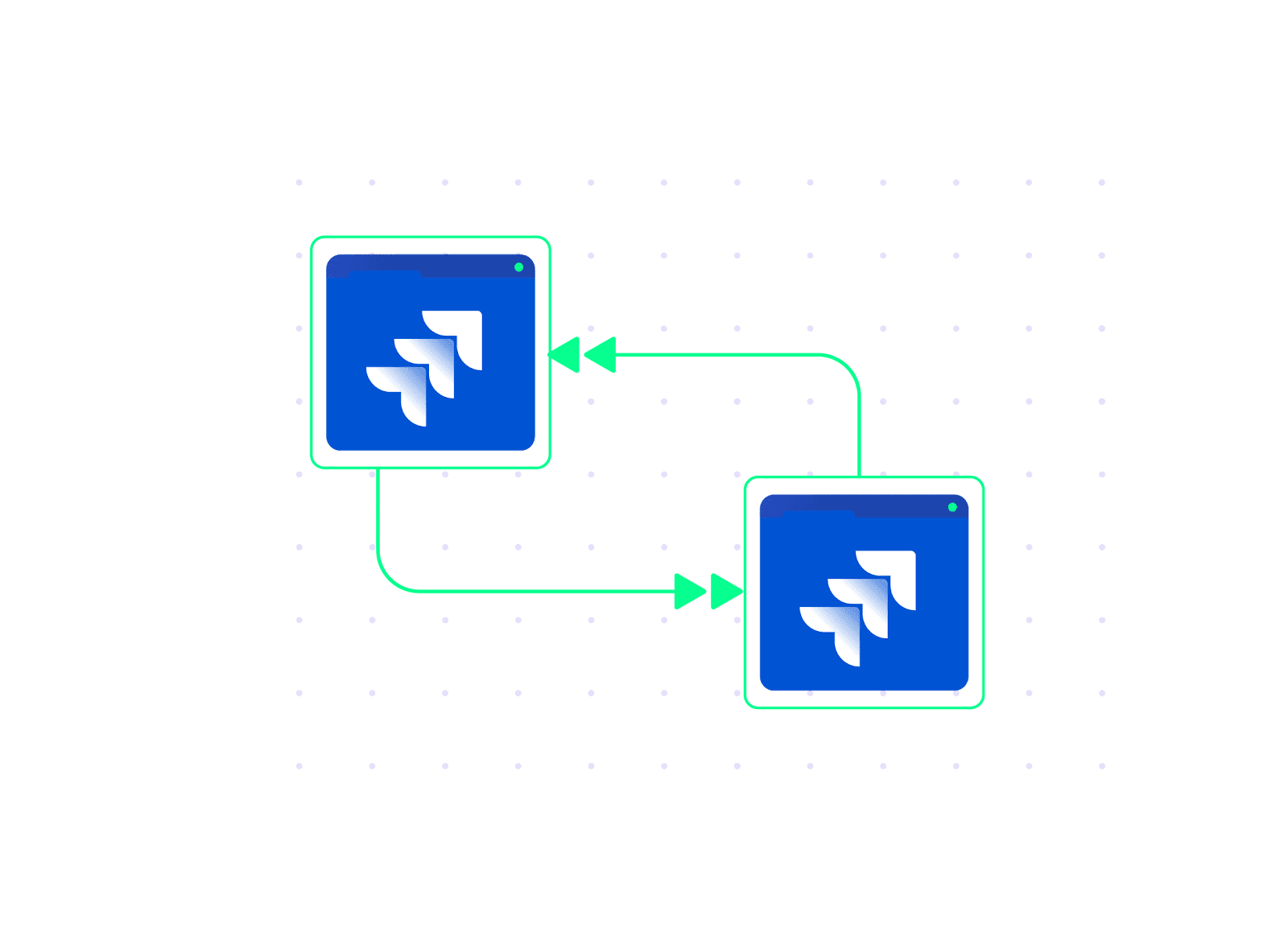
Solution: By integrating the two Jira instances with Exalate, product owners can manage work items on their side while developers contribute on their end, without requiring extra licenses for the external teams. Work items, comments, and status updates sync automatically between both instances.
Real-world application: This approach is common in companies that work with multiple development vendors simultaneously. Each vendor operates in their own Jira environment, and Exalate connects all of them to the company’s central Jira instance without the overhead of shared licenses or the security risks of direct access.
Jira Salesforce Integration
Case: When managing workflows between Salesforce and Jira, one challenge many teams face is categorizing Salesforce cases into the right Jira work item types.
Solution: Your Jira setup might include three work item types: Support, Bugs, and Feature Requests. By setting up filters or mapping rules in Exalate, you can define which Salesforce cases should sync to specific Jira work item types based on criteria like case type, priority, or custom fields.
For example:
- Support Cases: Sync cases tagged as “Support” to the Support work item type.
- Bug Reports: Map cases labeled “Bug” to Bugs.
- Feature Requests: Route cases marked “Feature Request” directly to Jira as such.
Real-world application: SaaS companies frequently use this pattern to ensure customer feedback from Salesforce reaches the right engineering team in Jira without manual triage. The support team continues working in Salesforce, the engineering team stays in Jira, and the integration handles the routing automatically.
ServiceNow to Jira Integration
Case: An enterprise IT team manages incidents and change requests in ServiceNow. When an incident requires a code fix, the engineering team needs visibility into the incident details, but they work exclusively in Jira.
Solution: Exalate syncs incidents from ServiceNow to Jira as work items, carrying over all relevant context: severity, affected services, customer impact, and related change requests. When the engineering team resolves the work item in Jira, the ServiceNow incident updates automatically with the fix details.
Real-world application: Large organizations with separate IT operations and engineering teams use this integration to eliminate the back-and-forth between ServiceNow administrators and Jira-based developers. Incident resolution times drop because engineers get the full context upfront instead of waiting for someone to manually copy it over.
Zendesk/Freshdesk to Jira Integration
Case: A customer support team handles tickets in Zendesk or Freshdesk. When a ticket turns out to be a bug or a product gap, the support agent needs to escalate it to the development team in Jira without losing customer context.
Solution: With Exalate, the support agent escalates the ticket, and a corresponding work item is created in Jira with all the relevant customer details, reproduction steps, and priority information. As the development team works on the fix, status updates flow back to the support ticket so the agent can keep the customer informed.
Real-world application: This is one of the most common integration patterns. It keeps support agents in their preferred tool while giving developers the information they need in theirs. The customer gets faster updates, and neither team wastes time switching between platforms.
How to Measure Project Collaboration Effectiveness
Setting up collaboration tools and integrations is only half the equation. You also need to know whether your collaboration efforts are actually working. Here are some practical ways to measure effectiveness:
- Cross-team cycle time. Track how long it takes for a work item to move from one team to another and back. If a bug escalated from Zendesk to Jira takes three days to reach the development team, that’s a collaboration bottleneck worth investigating.
- Context switching frequency. Monitor how often team members need to leave their primary tool to find information elsewhere. If your developers are logging into Salesforce to check customer details, the integration isn’t capturing enough context.
- Duplicate work items. Count how many times the same task or bug gets logged in multiple systems independently. High duplication rates indicate poor visibility across teams.
- Time to resolution for cross-team requests. Measure the end-to-end time for requests that involve multiple teams, from the moment a request is created to when it’s fully resolved. Compare this before and after implementing integration.
- Stakeholder satisfaction. Run periodic surveys with team leads and project managers. Ask whether they have the visibility they need, whether handoffs between teams are smooth, and where they still experience friction.
These metrics won’t give you a single “collaboration score,” but tracking them over time reveals whether your integration setup is delivering real value or just adding complexity.
Tips For Using Integration Tools For Better Project Collaborations
- Define clear collaboration goals. Before integrating project collaboration tools, identify the key objectives of your collaboration. Are you aiming to share work item updates, align workflows, reduce manual effort, or all of them? Clear goals will help you configure the integration effectively and ensure all teams benefit from the setup.
- Involve all stakeholders early on. Integration affects multiple teams and workflows, so make sure every team is involved in planning for it. This will help you uncover unique requirements and gain consensus on the integration’s scope and rules.
- Start with a Proof of Concept (PoC). Begin with a small-scale project collaboration workflow. Then, test and refine the setup. You can save time and resources if you take an iterative approach. For example, start by syncing work items between one Jira project and one ServiceNow assignment group. Once that works reliably, expand to additional projects and platforms.
- Strictly control what you share. Not all information needs to be shared. Use your integration tool’s filtering and scripting capabilities to control what data is exchanged. Sync the fields each team actually needs and filter out internal notes, sensitive data, or low-priority updates. This minimizes unnecessary noise and ensures your integration remains secure.
- Map data fields and values thoughtfully. Make sure every field in your project collaboration software aligns logically with others when shared. For instance, sync priority levels, statuses, or work item types accurately so that teams across tools interpret the data consistently and avoid confusion. Aida can help generate field mapping scripts from plain-language descriptions, which is especially useful for complex mappings involving custom fields.
- Monitor and train your teams for the integration. Periodically review if your integration still makes sense and how it performs. Are the right work items in sync? Are updates reaching the correct teams? Train all your team members on how the integration works and how it impacts their workflows. Make sure they understand the benefits and minimize the resistance to change.
- Prioritize scalability. Your integration setup should adapt to growing teams and new project collaboration tools. Opt for solutions that can scale with your business needs, supporting more workflows and users as required. Exalate’s support for multiple connectors, including Jira, ServiceNow, Salesforce, Zendesk, Azure DevOps, Freshservice, Freshdesk, GitHub, Asana, and custom REST API connectors, means you can add new integrations as your tech stack evolves.
Conclusion
In a world where teams use different tools for their daily tasks, project collaboration can no longer rely on manual methods or disjointed workflows. Integration solutions like Exalate ensure information flows seamlessly between these tools, allowing teams to stay aligned and productive.
The key is to start with clear goals, involve stakeholders early, and choose integration tools that give you granular control over what data flows between platforms. Whether your teams work across Jira, ServiceNow, Salesforce, Zendesk, or any combination of platforms, the right integration setup turns project collaboration from a challenge into a competitive advantage.
Ready to connect your project collaboration tools? Book a demo with Exalate’s integration experts to see how it works for your specific use case.
Frequently Asked Questions
What platforms does Exalate support for project collaboration?
Exalate supports integrations across Jira Cloud, ServiceNow, Salesforce, Azure DevOps (Cloud and Server), Zendesk, GitHub, Freshdesk, Freshservice, and Asana. For platforms not covered by existing connectors, Exalate offers custom connector development via REST API capabilities to connect proprietary or niche tools.
Can Exalate sync data bidirectionally between project collaboration tools?
Yes. Exalate supports true bidirectional (two-way) synchronization between connected platforms. Changes made on either side of the connection, including status updates, comments, attachments, and custom field changes, are reflected on the other side in real time or near real time based on your configuration.
How does Exalate handle cross-company project collaboration?
Each side of an Exalate connection manages its own sync configuration independently. Your organization controls exactly what data it shares and how it processes incoming data, without relying on a shared setup with the other party. This makes it ideal for B2B scenarios involving outsourcing partners, MSPs, vendors, and cross-organizational collaboration.
How is project collaboration different from project management?
Project management is the process of organizing, planning, executing, and completing projects from start to finish. Project collaboration is the process of enabling the teams executing those projects to communicate, share data, and coordinate their work effectively. Collaboration is what makes project management work, especially when multiple teams use different tools.
Can Exalate integrate on-premises tools with cloud platforms?
Yes. Exalate supports on-premises deployments, including Azure DevOps Server. This makes it suitable for hybrid environments where some systems run in the cloud, and others remain on-premises due to compliance, security, or infrastructure requirements.
What should I look for in an integration tool for project collaboration?
Key factors include the range of supported connectors, bidirectional sync capabilities, granular field-level control over what data gets synchronized, AI-assisted configuration to simplify setup, strong security practices (encryption, role-based access, compliance certifications), and the ability to scale as your team and tool stack grow.
How does Exalate ensure data security during synchronization?
Exalate uses TLS encryption for data in transit, JWT tokens with automatic rotation for authentication, and role-based access controls. Each side of a connection independently manages what data they share, so there’s no risk of unintended data exposure. For full details, visit the Exalate Trust Center.
Can I control exactly what data syncs between my project collaboration tools?
Yes. Exalate allows granular field-level control over what data gets synchronized. You can sync work item statuses, comments, and attachments while excluding internal notes or sensitive information. You can also apply data transformations that modify or filter information before it leaves your environment.
How do I measure if my project collaboration integration is working?
Track cross-team cycle times, duplicate work item rates, time to resolution for cross-team requests, and how often team members switch between tools to find information. These metrics reveal whether your integration is delivering real value or if there are bottlenecks that need attention.
Recommended Reads:


