Exalate vs OpsHub
Which Integration Platform Is Right for Your Team?
Both tools deliver bidirectional sync between tools. But they take different approaches. See below which one fits your team best.
Quick Comparison Table
| Feature | Exalate | OpsHub Integration Manager |
|---|---|---|
| Platform Focus | Jira, ServiceNow, Salesforce, Azure DevOps, Zendesk, GitHub, Freshdesk, Freshservice, Asana, and more ITSM and DevOps | 70+ tools including ALM and PLM systems: IBM DOORS NG, Jama, Codebeamer, PTC Integrity, plus Jira, ServiceNow, Azure DevOps ALM and PLM focused |
| Architecture | Each side runs and controls its own instance independently No shared access | One admin, one standalone VM deployment, credentials for both systems in one place Single point of control |
| Cross-Company Sync | Each party sees only its own configuration. No admin access to the other side required. Purpose-built | One admin needs access to both connected systems. Not designed for cross-org governance. Not built for this |
| Setup | Groovy scripting with Aida AI generating scripts from plain English. Script versioning and Test Run included. | No-code GUI field mapping for common cases. XML or Java-based scripts for advanced ones. |
| Sync Frequency | Continuous, real-time on all plans No tier restriction | Community: 5 minutes or slower. Professional and Ultimate: marketed as continuous Plan-dependent |
| Conflict Handling | Script-configurable resolution rules. Set precedence based on your specific needs. | UI selector: pick which system wins, or generate an error |
| Error Visibility | Persistent event queue. Failed syncs stay for retry. Aida-assisted troubleshooting in plain English. Nothing gets dropped | Central sync health dashboard with one-click retry |
| AI Assistance | Aida: generates scripts, explains scripts line by line, troubleshoots errors with context-aware suggestions. Unlimited. User-facing | AI: validates mappings and flags issues. Vendor-side only |
| Deployment | Cloud, on-premise, and Docker. Configurable data residency. Flexible | Standalone Windows or Linux VM. Logs and config stored in customer-specified location. |
| Security Certifications | ISO 27001:2022, GDPR compliant, Atlassian Cloud Fortified, active bug bounty, SentinelOne monitoring | SOC 2 Type II (since June 2024), DoDI 5000 compliance positioning for defense customers Defense-ready |
| Migration | Live migration via the same sync engine. Zero downtime. Data remapped and cleaned in-flight. Reversible up to cutover. | Separate Migration Manager (OMM) product. GUI-based, zero downtime, full history migration. 500+ enterprise migrations cited. |
| Pricing | Published tiers from $85/month. Outcome-based: pay per active items in sync. Transparent | Community edition free with real limits. Professional and Ultimate: contact sales, no public pricing. Sales-gated |
| Free Trial | 30-day free trial, all features included Self-serve | Community edition free: 10-project limit, 5-min sync, no SSO Feature-capped |
| Independent Reviews | Active independent presence. Users post real configuration questions and issues publicly. | Thin third-party validation. A couple of G2 reviews. Community activity is mostly self-promotional. Limited coverage |
| Best For | Cross-company and cross-team sync with independent control per side. Jira, ServiceNow, Azure DevOps collaboration. MSPs and teams that want published pricing before booking a call. | Full product lifecycle traceability across ALM, PLM, and ITSM. Regulated industries (defense, aerospace). Central IT that wants one admin owning everything. |
Architecture: The Core Difference

Exalate: Cross-company & Intra-Company
Each organization runs its own side and configures its own rules. No shared admin access. No single point of failure.
Matters most when:
- A vendor and a customer sync tickets without either side entering the other's system
- Two organizations mid-merger sync separately, without merging admin access
- A supplier network needs cross-org visibility without handing over credentials
For integrations inside one company, a single admin can run everything from one console. The model adapts. No need to switch tools if cross-company needs come up later.

OpsHub: Intra-company
One admin configures both sides from a Windows or Linux VM. That deployment becomes the hub everything routes through.
Works well when:
- Central IT wants one admin owning the whole integration footprint
- All connected systems are inside a single enterprise
Important limitation: The admin needs credentials for both systems. In a cross-company scenario, that means one party grants the other access. Exalate's architecture avoids that structural issue.
Customization
Exalate: Script-First (AI-Assisted)
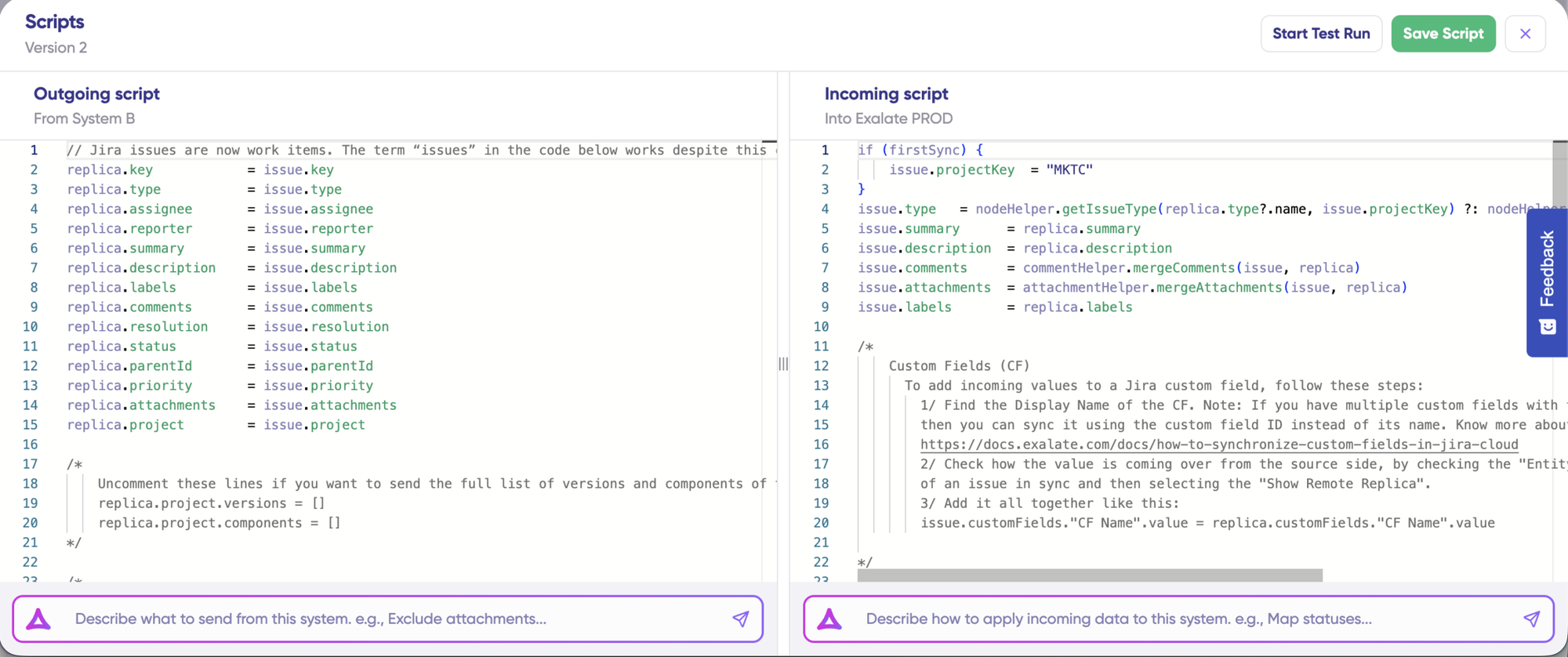
Use Aida AI to generate scripts from plain language, or write Groovy yourself. Logic stays in your hands. For precise control over sync behavior.
- Conditional sync, unlimited rules
- Different sync rules per direction
- Advanced field mappings and validation
- AI-assisted scripting with Aida
- Update scripts on your own timeline.
OpsHub: GUI Field Mapping with XML Fallback
Visual by default: drag-and-drop field mapping through a no-code GUI, with pre-built connectors for each supported system.
- Pre-built templates across 70+ connectors
- GUI-based field mapping for standard use cases
- XML mapping or Java-based scripts for advanced transformations
- Custom connectors for systems outside the existing list
Important limitation: The GUI handles common cases well. The moment a mapping gets specific, you're writing XML by hand. Scripting is the fallback in OpsHub. In Exalate, it's the primary interface.
Real-Time Sync & Perfomance
Exalate: Real-Time, Across All Plans
- Continuous, real-time sync on all plans
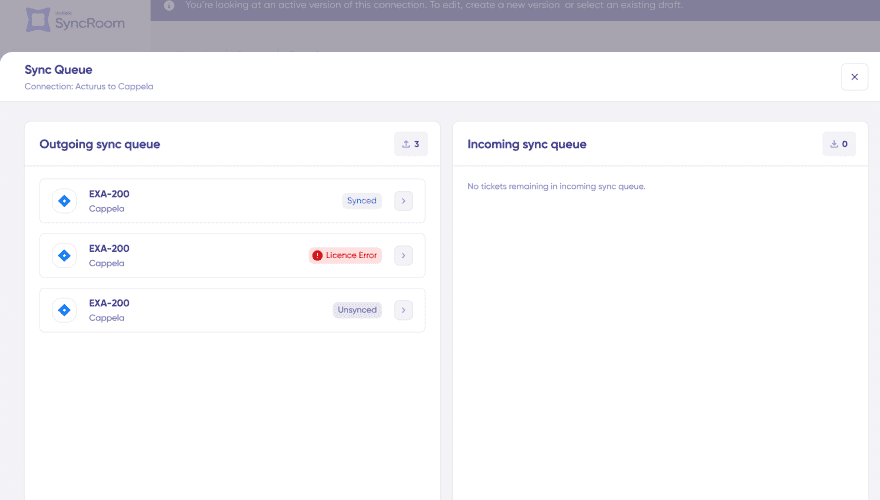
- Persistent event queues: failed syncs stay in the error queue for retry, not skipped
- Conflict resolution is script-configurable. Set precedence rules based on your specific needs.
- Bulk Exalate for mass transfer using platform-native triggers and filters
- Sync fields, comments, attachments, links, sub-tasks, and more out of the box
OpsHub: Continuous on Paid Tiers, Slower on Free
- Community edition syncs at 5min intervals or slower
- Professional and Ultimate: marketed as continuous sync
- Conflict handling is a UI selector: pick which system wins, or generate an error
- Syncs fields, comments, attachments, links, audit history, IDs, hierarchy, and worklogs out of the box
Operational Control
Exalate: Built for Safe, Independent Operations
- Your team defines what syncs and how
- Your partner configures their side, their rules, their data
- Fits cross-company setups: MSPs, enterprise-to-vendor, regulated environments
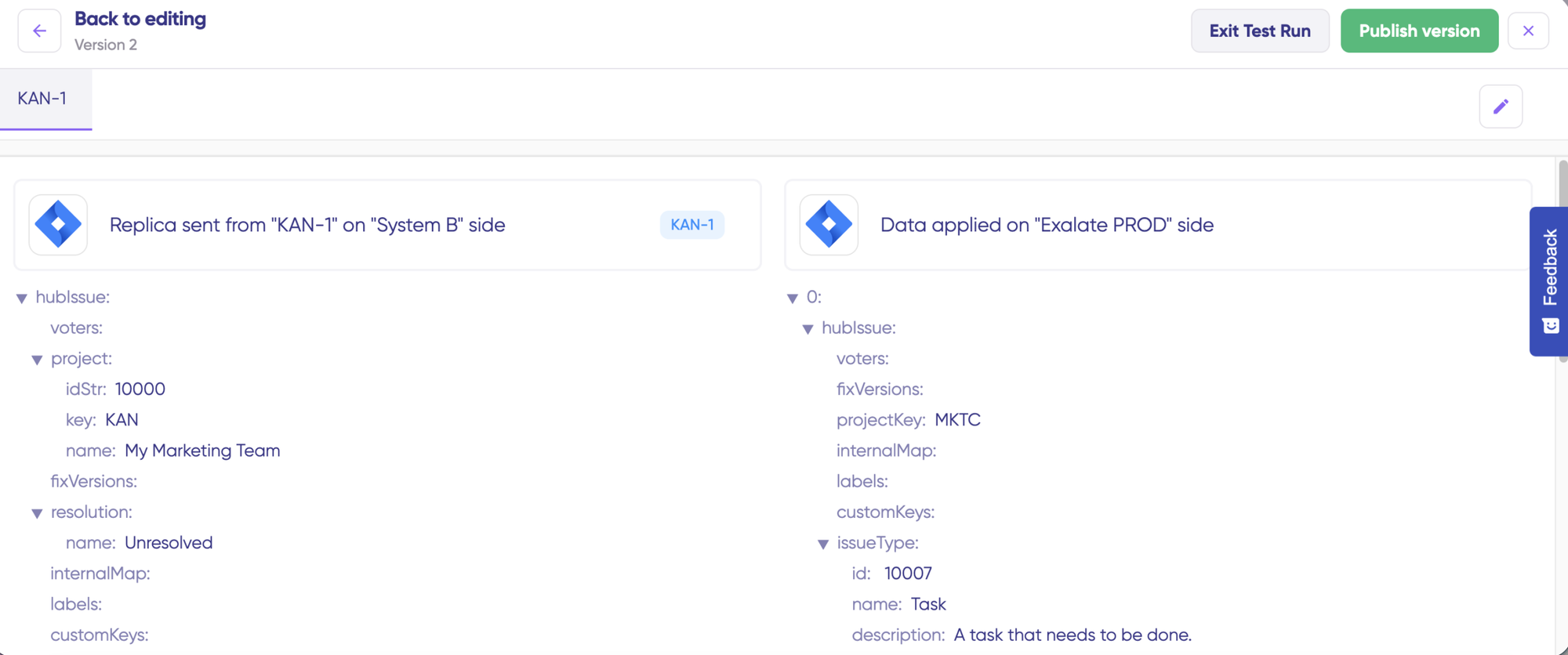
- Test Run validates changes before production
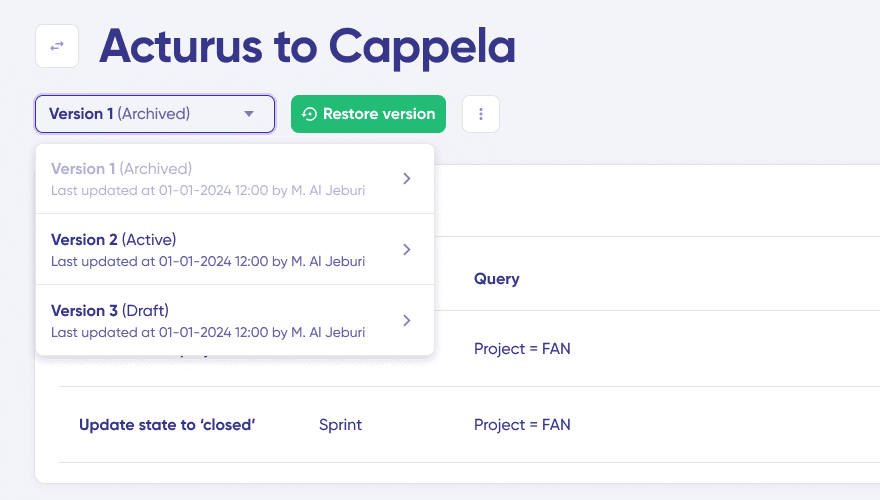
- Script versioning with rollback prevents breaking changes
OpsHub: Centralized Dashboard
- Central sync health dashboard with one-click retry
- IDE-style debugging with logs and error timestamps
- One admin manages all connections from a single deployment
Important limitation: Because OpsHub's logs and configuration are stored on a customer-specified VM, disk space can fill up over time and requires manual cleanup. Left unmanaged, the system stops running efficiently. That's an ongoing operational cost a decentralized architecture doesn't carry in the same way.
Security and Compliance
- ISO 27001 certified
- GDPR compliant
- Cloud Fortified by Atlassian
- Bug Bounty program participation
- Regular security assessments and penetration testing
- Encryption in transit (TLS 1.2+) and at rest (AES-256)
- Threat detection with SentinelOne monitoring
- Decoupled authentication: API keys, OAuth, and PAT support without exposing credentials
- Data residency options
The distributed architecture model means no central store holding both parties' data. Each side processes and stores its own data, and customers choose where their own data lives. For regulated industries requiring proof that sensitive data never leaves the source system, the metadata-only architecture handles that directly.
- SOC 2 Type II compliant
- HTTPS deployment, on-prem deployment option
- DoDI 5000 compliance positioning for defense customers
- Logs and configuration stored in a customer-specified location (on-prem or hosted)
- Deployment: Standalone Windows or Linux VM
AI Capabilities
Exalate: AI Embedded Throughout
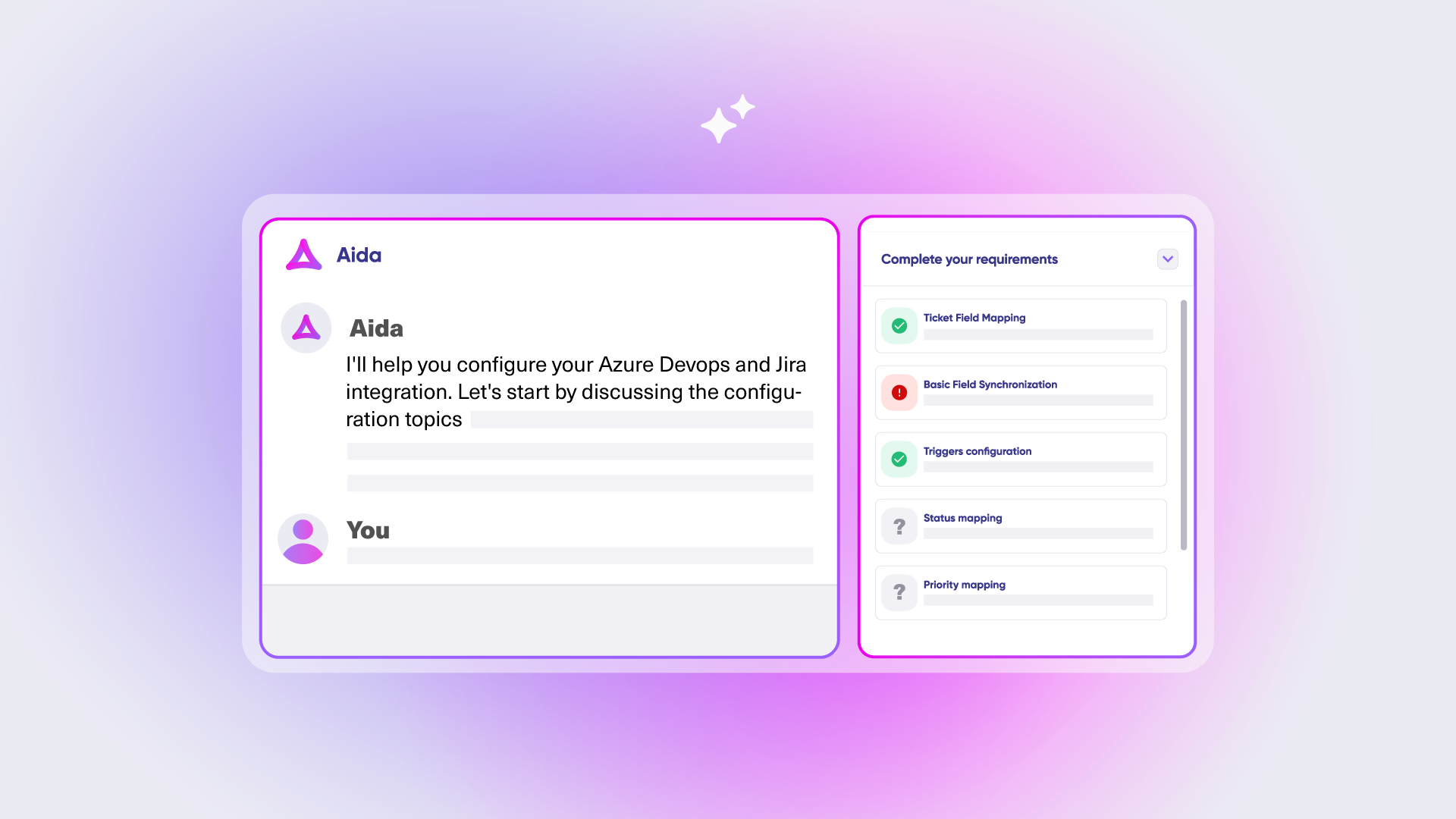
Aida is embedded in the Exalate console and available whenever you are working on a connection.
- Plans and scopes integrations based on your requirements
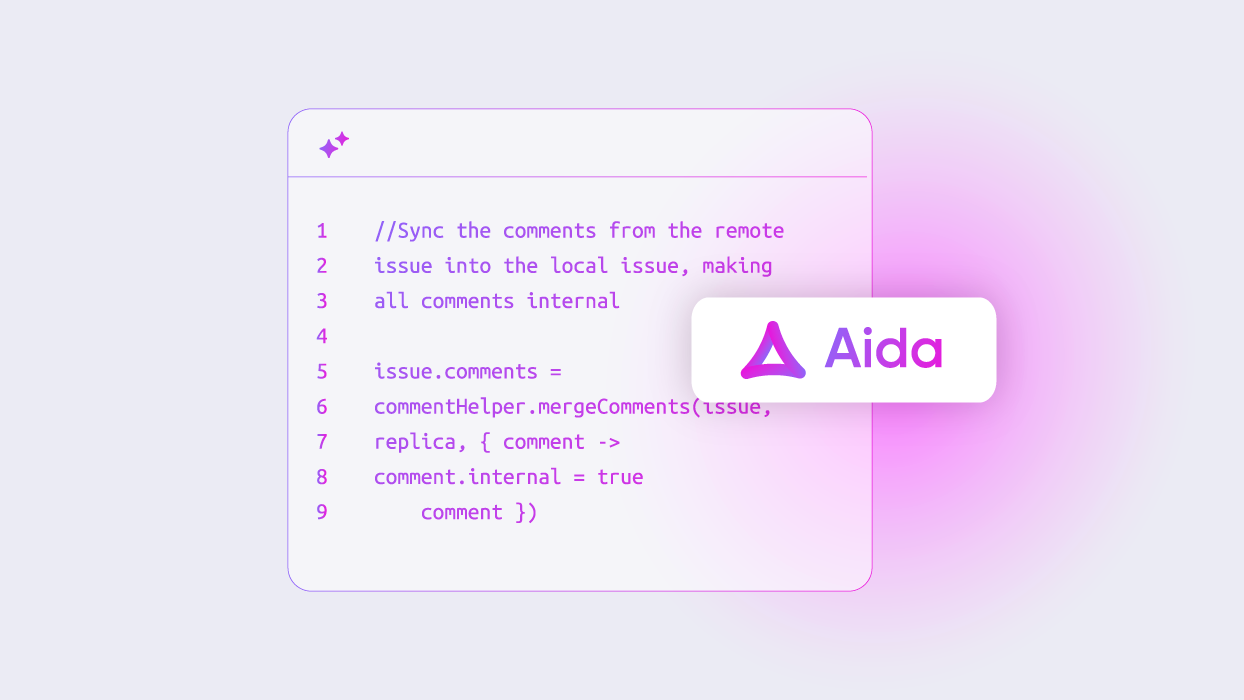
- Generates sync scripts from plain-language descriptions
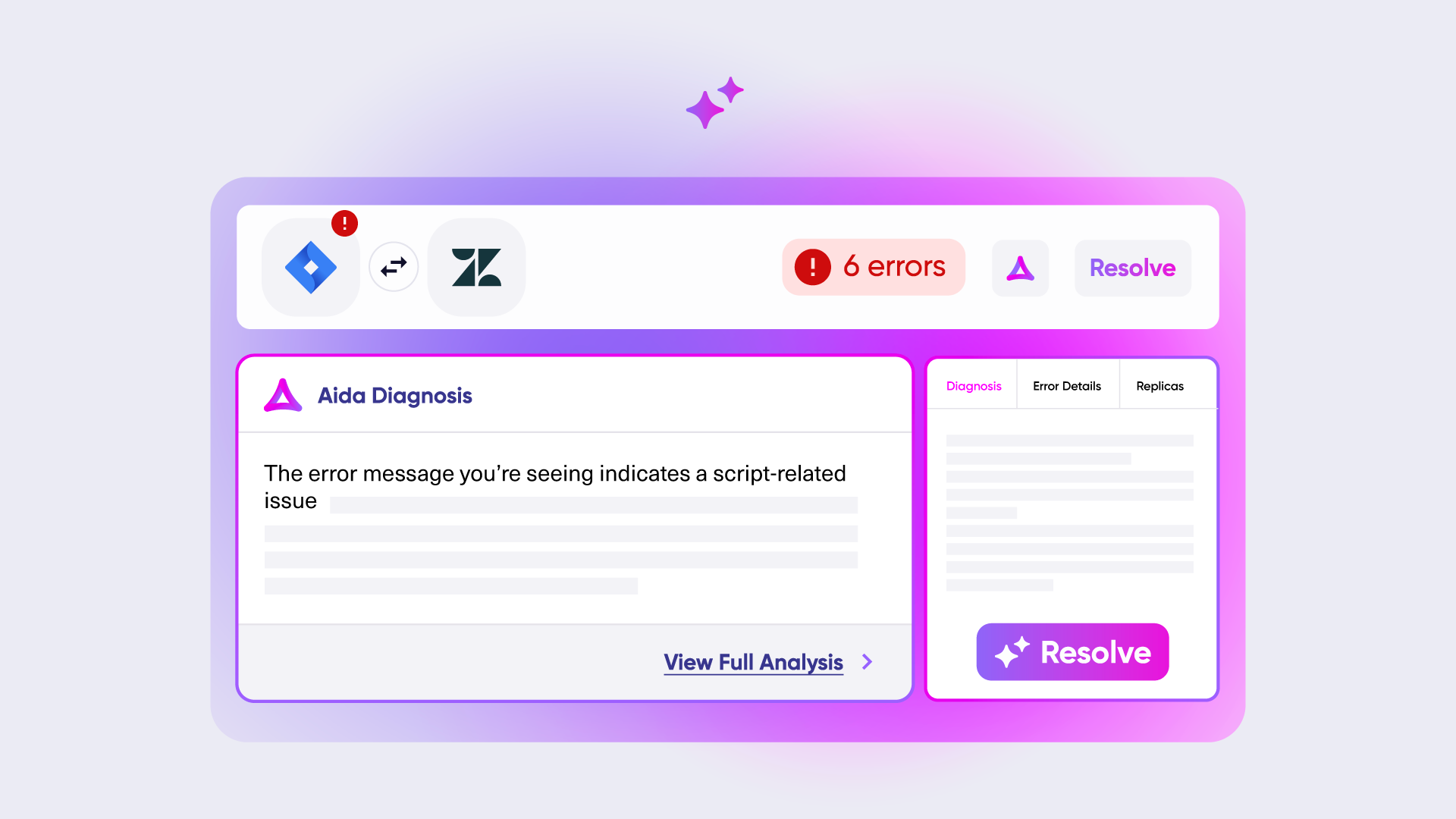
- Explains errors in plain language and recommends fixes
OpsHub: AI Validation
- AI assistance for validating mappings and flagging issues
- Audit trail for AI operations is logged and reviewable
- Scoped to configuration validation, not script generation or troubleshooting in plain language
The distinction: Aida AI is a tool for your team, available every session. ONEAi is a tool for ONEiO's team. You benefit from ONEAi indirectly through faster delivery. You benefit from Aida directly every time you configure or troubleshoot.
Pricing: How Much Will It Cost?
Exalate: Transparent, Outcome-Based
You pay based on how many work items you actively sync, not per user, per seat, or per transaction.
- Predictable costs. Starts at $100/mo
- Scales with integration complexity, not headcount
- 30-day free trial, full features
- No credit card required
“We managed to reduce Service Desk costs by around 95% using Exalate.” — Piotr Radtke, Netguru
OpsHub: Contact Sales
The free plan has a 10-project limit, 4min sync, no SSO.
There’s no public pricing for Professional or Ultimate on OpsHub’s own Plans page.
Common Objections Addressed
"Exalate is not suited for enterprise"
Exalate runs in enterprise environments with hundreds of thousands of synchronized entities, including Vodafone, UberFreight, and SPK. The two products target different enterprise use cases, not different company sizes.
"Sync reliability depends on Groovy scripts"
Exalate uses persistent event queues. A failed sync stays in the error queue for retry rather than getting skipped. Reliability doesn’t depend on scripting. Scripts define the sync logic, not whether an event gets delivered.
"Basic comment and attachment sync requires scripting."
"Exalate has no centralized error management"
"Building our own is more cost-effective."
Rarely true: 3 to 6 months build time, 20 to 30% annual maintenance, and hidden costs from API changes and security updates.
Frequently Asked Questions
"Is OpsHub or Exalate better for Jira and Azure DevOps sync?"
Both support it. OpsHub centralizes setup under one admin. Exalate lets each side control its own configuration independently, which matters more when syncing across multiple teams or organizations rather than a single internal project.
"Does OpsHub support real-time sync?"
"Is Exalate SOC 2 or ISO certified?"
Exalate holds ISO 27001:2022 certification. OpsHub holds SOC 2 Type II, since June 2024.
"Can OpsHub connect systems Exalate doesn't support, like DOORS, Jama, or Codebeamer?"
Yes. That’s a genuine strength of OpsHub’s connector list. It covers a different market (ALM, PLM, requirements management) than the Jira, ServiceNow, and Azure DevOps space Exalate focuses on.
"Does OpsHub publish pricing?"
No. Its Community edition is free with real limits. Professional and Ultimate both require contacting sales, with no public numbers on OpsHub’s own Plans page.
"Does Exalate require installation on both sides?"
No. You register, connect your systems by entering and verifying each URL, name your connection, and start configuring sync rules, all from within a single console.
Making Your Decision
Choose Exalate If
You're syncing tools across teams or companies, and each side needs to control its own configuration without handing over admin access. It's also the right fit for MSPs managing multiple client environments, teams with data residency requirements, and anyone who wants to check pricing and run a self-serve trial before talking to sales.

Choose ONEiO if
You're in a regulated industry (defense, aerospace) where OpsHub's compliance positioning and audit trail depth are named requirements. It's also the stronger fit when central IT wants one admin owning the entire integration from a single deployment.
This comparison is based on publicly available information as of July 2026. Verify current details with each platform.
See Exalate in Action
Let us show you how Exalate can fit your unique business needs.
trusted by clients worldwide