
The average IT team wastes 15 hours per week manually copying tickets between systems, updating status fields, and chasing down information trapped in disconnected ITSM tools.
But here’s the reality: your teams don’t need to abandon their preferred platforms to work together effectively. Freshservice connectors bridge the gap between your ITSM platform and the rest of your tech stack, automatically syncing tickets, incidents, and service requests across Jira, ServiceNow, Zendesk, and dozens of other systems.
Whether you’re a small IT team struggling with basic automations or an enterprise managing complex multi-vendor integrations, the right connector eliminates manual work, protects your SLAs, and transforms Freshservice into a collaborative hub that orchestrates work across your entire organization.
A quick note on Jira terminology: Jira now refers to “issues” as “work items.” Throughout this guide, we use the updated terminology.
Key Takeaways
- Freshservice connectors use APIs, webhooks, and automation workflows to automatically exchange data between your ITSM platform and connected systems, eliminating manual ticket copying and status updates.
- Choosing the right connector depends on your integration complexity, sync direction, custom field requirements, and whether you need cross-company capabilities or simple one-directional automations.
- Script-based connectors like Exalate offer the most control for enterprise use cases, while no-code platforms like Zapier and Unito work well for straightforward workflows with limited customization needs.
- Common implementation pitfalls include task consumption overruns, field mapping mismatches, sync delays, and duplicate records, all of which are preventable with proper planning and testing.
- Real-world use cases range from IT-to-dev escalation and MSP multi-vendor management to employee onboarding automation and cross-departmental service request routing.
- The most overlooked factor in connector selection is cross-company integration support, which matters as soon as you need to sync with external vendors, clients, or acquired organizations using different platforms.

What Is a Freshservice Connector?
A Freshservice connector is an integration tool that enables your IT service management platform to communicate and exchange data with other business systems.
Think of it as a bridge that connects Freshservice to the rest of your tech stack, whether that’s your development tools, HR systems, customer support platforms, or monitoring solutions.
Here’s how it works:
When an event happens in one system, the connector automatically triggers an action in Freshservice (such as creating a ticket with all the necessary context and details). No manual data entry, no copying and pasting between tabs, no tickets falling through the cracks.
Freshservice connectors rely on a few key technologies to make integration happen:
- APIs (Application Programming Interfaces): Connectors use Freshservice’s REST API to read, create, update, and delete data. When a ticket status changes in Freshservice, the API sends that information to the connector, which then updates the connected system accordingly. The depth of API coverage determines how much data you can actually sync. Some connectors only support basic fields like ticket ID and status, while others can handle custom fields, attachments, inline images, and even private comment filtering.
- Webhooks: These are event-driven triggers that notify the connector immediately when something happens. For example, when a high-priority incident is created in Freshservice, a webhook can instantly alert your development team’s project management tool. Webhooks are what make real-time sync possible. Without them, connectors rely on polling (checking for updates at intervals), which introduces delays.
- Workflow Automators: Some connectors include built-in workflow engines that go beyond simple field mapping. These let you add conditional logic (sync only if priority equals “Critical”), apply data transformations (convert Freshservice priority levels to Jira equivalents), and route tickets to different systems based on categories or tags.
Types of Freshservice Connectors
A typical Freshservice connector can take any of the following forms:
- Native Connector Apps: These are Freshservice’s official pre-built integrations available in the Freshworks Marketplace. They come with out-of-the-box recipes for common workflows like employee onboarding or ticket escalation. They’re fast to set up, but customization options are moderate compared to dedicated integration platforms.
- Template-Based Connectors: Third-party platforms like Workato, Make, and Tray.io offer Freshservice connectors as part of their broader integration ecosystems. These work well when you need to connect Freshservice with multiple other systems and manage all your integrations from one central platform. The trade-off is that they’re typically priced on task-based or recipe-based models, which can become unpredictable at scale.
- Script-Based Connectors: Solutions like Exalate give you complete control over your integration logic through Groovy-based scripting. Instead of being limited to pre-built templates, you write custom rules for exactly what data syncs, when it syncs, and how it’s transformed between systems. Aida, Exalate’s AI-powered scripting assistant, helps generate sync scripts from natural language descriptions, reducing the learning curve for teams new to scripting. This approach is particularly valuable for cross-company integrations where each organization needs independent control over their sync configuration.
- RPA (Robotic Process Automation) Connectors: Tools like UiPath offer connectors that can automate Freshservice interactions alongside other desktop applications. These are particularly useful when you need to integrate with legacy systems that don’t have modern APIs. RPA bots mimic human interactions with the UI, so they can work with virtually any application, but they’re more fragile than API-based integrations and break when interfaces change.
- Custom API Integrations: For organizations with development resources, Freshservice’s REST API allows you to build completely custom connectors tailored to your specific needs. This gives you unlimited flexibility but requires ongoing maintenance, error handling, retry logic, and monitoring, all of which you build and support yourself.
How Freshservice Connectors Work Under the Hood
Understanding the mechanics behind Freshservice connectors helps you choose the right one and troubleshoot problems when they arise.
Event Detection
Every connector starts by detecting changes. This happens in one of two ways. Webhook-based connectors receive instant notifications from Freshservice when a ticket is created, updated, or deleted.
Polling-based connectors check Freshservice at regular intervals (every 1, 5, or 15 minutes) to see if anything has changed. Webhook-based detection is faster and uses fewer API calls, but polling is more reliable when webhook delivery fails.
Data Mapping and Transformation
Once a change is detected, the connector maps data from Freshservice’s data model to the target system’s model. This is where things get interesting. A “ticket” in Freshservice might be a “work item” in Jira, an “incident” in ServiceNow, or a “case” in Salesforce. Each has different required fields, different field types, and different value options.
Simple connectors handle this with pre-built mappings that cover standard fields. Script-based connectors like Exalate let you write transformation rules that handle complex scenarios: splitting a single Freshservice field into multiple Jira fields, concatenating values, applying conditional logic, or filtering out data that shouldn’t cross organizational boundaries.
Sync Direction and Conflict Resolution
Connectors operate in one of three sync directions. One-way sync pushes data from Freshservice to the target system (or vice versa). Two-way sync keeps both systems updated when changes happen on either side. Selective two-way sync allows different fields to sync in different directions.
Two-way sync introduces the challenge of conflict resolution. If someone updates the priority in Freshservice at the same time someone changes it in Jira, which update wins? Connectors handle this with “last write wins” rules, timestamp-based resolution, or by designating one system as the source of truth for specific fields.
Error Handling and Recovery
When a sync fails (API timeout, missing required field, rate limit exceeded), the connector needs a recovery strategy. Basic connectors simply drop the failed sync and move on. Enterprise-grade connectors queue failed operations, retry automatically with exponential backoff, and notify administrators when manual intervention is needed.
Why Freshservice Connectors Matter for Your ITSM Operations
Break Down Tool Silos
Most organizations have different ITSM systems spread across departments. Your IT team uses Freshservice for incident management, developers work in Jira or Azure DevOps, and the support staff uses Freshdesk.
Without connectors, these systems operate as isolated islands. Data gets trapped, updates require manual copying between platforms, and teams waste time going back and forth across chat channels.
Freshservice connectors eliminate these silos by automatically syncing information where it needs to go. A managed service provider using Freshservice internally, for instance, can sync tickets with a client’s ServiceNow environment without either side giving up their preferred tool.
Eliminate Manual Work and Human Error
Every time someone manually copies a ticket from Freshservice to Jira, there’s a chance for mistakes. Wrong priority levels, missing details, typos in descriptions. These minor errors compound into bigger problems.
Manual updates also mean delays. If a developer closes a Jira work item but forgets to update the Freshservice ticket, your service desk is left in the dark.
Connectors automate these handoffs entirely, ensuring data flows accurately and instantly between systems without human intervention.
Protect Your SLAs
Service level agreements live or die by response times. When an urgent incident needs developer attention, every minute counts. Manual processes, such as logging into multiple systems, copying information, and notifying teams, eat up precious time.
With a real-time Freshservice connector, you can automatically escalate tickets to the right system the moment specific conditions are met. Your SLAs stay intact because automation moves faster than manual workflows ever could.
Enable Real-Time Visibility Across Teams
IT managers need a complete picture of what’s happening across their infrastructure. But when information lives in disconnected systems, getting that view means jumping between tabs, running reports from multiple tools, and manually piecing together the story.
When a ticket status changes in Freshservice, the connected Jira Service Management work item updates immediately. Everyone sees the same information at the same time, regardless of which tool they’re using.
Support Multi-Tool Enterprise Environments
Large organizations often have good reasons for using multiple ITSM or project management tools.
Different departments have different needs. Acquired companies bring their own systems. Service providers work with clients who use different platforms.
When you have a multi-platform Freshservice connector like Exalate, you can keep different systems in sync. A managed service provider can sync their internal Freshservice instance with a client’s ServiceNow environment, maintaining separate systems while ensuring seamless communication.
This extends beyond ITSM. Exalate connects Freshservice with Jira, Azure DevOps (Cloud and Server), Salesforce, Zendesk, GitHub, Freshdesk, Asana, and custom platforms via REST API connectors.
Improve Customer and Employee Experience
When someone submits a support ticket, they don’t care about your internal tooling. They just want their problem solved quickly. Connectors speed up resolution by eliminating delays between teams. Faster resolutions mean happier customers and employees.
It usually goes something like this: A customer reports a bug through Freshservice. The connector automatically creates a Jira work item for the dev team. Developers fix it and mark the work item resolved. The Freshservice ticket updates instantly, and the customer gets notified, all without a single manual handoff.
Reduce Operational Costs
Every hour your team spends copying information between systems is an hour they’re not solving problems or improving services.
Freshservice connectors automate these repetitive tasks, freeing your team to focus on work that actually requires human intelligence. The payoff is fewer hours wasted, fewer errors to fix, and better resource allocation.

Calculate time and money savings from automated bidirectional sync.
Enable Scalability Without Added Overhead
As your organization grows, manual processes break down. What worked when you had 50 employees becomes impossible with 500.
Freshservice connectors scale with your ticket volumes. Whether you’re syncing 10 tickets per day or 1,000, the integration handles it without additional overhead. You can add new systems to your integration network without rebuilding everything from scratch.
When evaluating connectors for scalability, look for platforms that support integration networks (multiple connected systems managed together) rather than just peer-to-peer connections.
8 Best Freshservice Connectors
1. Freshservice Connector Apps (Official Freshworks Solution)
Freshservice Connector Apps are Freshworks’ native pre-built integration solution available exclusively for Pro and Enterprise plan customers.
These official connectors provide out-of-the-box workflows (recipes) that automate data sync and workflow processes between Freshservice and popular third-party applications like Jira, ServiceNow, BambooHR, monday.com, and ClickUp.
Key Features
- Pre-built recipes with customizable workflows for common use cases like employee onboarding, ticket escalation, and incident routing. Each recipe defines triggers and actions that execute automatically when conditions are met.
- Task-based execution where a “task” is any single operation performed by the recipe. This includes checking for updates, creating tickets, syncing fields, and sending notifications. A single workflow can consume multiple tasks per execution.
- Auto-recharge capability to avoid running out of tasks mid-workflow. When your task balance drops below a threshold, additional packs are purchased automatically (configurable with daily and monthly limits to prevent runaway costs).
Pricing
- 500 free tasks as a one-time trial credit
- Additional tasks: $80 for 5,000 tasks (valid for billing cycle)
- Auto-recharge available (default limits: 4 packs/day, 15 packs/month)
Pros
- Official Freshworks support for integration issues
- Fast setup with pre-configured recipes
- No separate licensing on connected systems
- Included in Pro/Enterprise plans (task add-ons only)
Cons
- Limited to Pro and Enterprise Freshservice plans only
- Task-based pricing can become expensive with high-volume syncs (a single workflow syncing 5 fields consumes 5+ tasks)
- Moderate customization compared to script-based solutions
- Freshworks only supports Freshservice-side issues (not third-party app problems)
- Recipes may not cover complex or unique use cases
2. Freshservice REST API (Custom Development)
The Freshservice REST API (v2) provides developers with complete programmatic access to Freshservice objects, enabling fully custom integrations tailored to specific business requirements.
This solution requires development resources but offers unlimited flexibility for organizations with unique integration needs that pre-built connectors can’t address.
Key Features
- Full CRUD operations (Create, Read, Update, Delete) on all Freshservice objects, including tickets, problems, changes, assets, requesters, agents, and service catalog items.
- Webhook support for event-driven integrations that react to changes in real-time rather than polling at intervals. You define which events trigger notifications and where they’re sent.
- Complete control over field mapping and data transformations. You decide exactly what data moves, how it’s formatted, and what validation rules apply. This is particularly useful for organizations with non-standard field structures.
- Integration with any system that supports REST APIs, including legacy platforms, proprietary internal tools, and niche industry applications that no pre-built connector covers.
Pricing
- Free to use (included with all Freshservice plans)
- Costs limited to development resources and maintenance
Pros
- Unlimited customization and flexibility
- No ongoing subscription costs for the API itself
- Build exactly what your business needs
- Full control over security and data handling
- Can integrate with any system, including legacy or proprietary tools
Cons
- Requires significant development expertise
- Ongoing maintenance responsibility (API changes, error handling, monitoring)
- Time-consuming initial development (weeks to months for complex integrations)
- No pre-built templates or shortcuts
- Development costs can be substantial
- You handle error handling, retry logic, and monitoring yourself
3. Exalate for Freshservice
Exalate is a script-based integration platform that enables real-time, bidirectional synchronization between Freshservice and other ITSM, DevOps, and CRM systems.
It supports native connectors for Jira, ServiceNow, Salesforce, Azure DevOps (Cloud and Server), Zendesk, GitHub, Freshdesk, Asana, and custom platforms via REST API connectors. This means it covers both common ITSM-to-ITSM integrations and less typical scenarios like syncing Freshservice tickets with Salesforce cases or GitHub work items.
Key Features
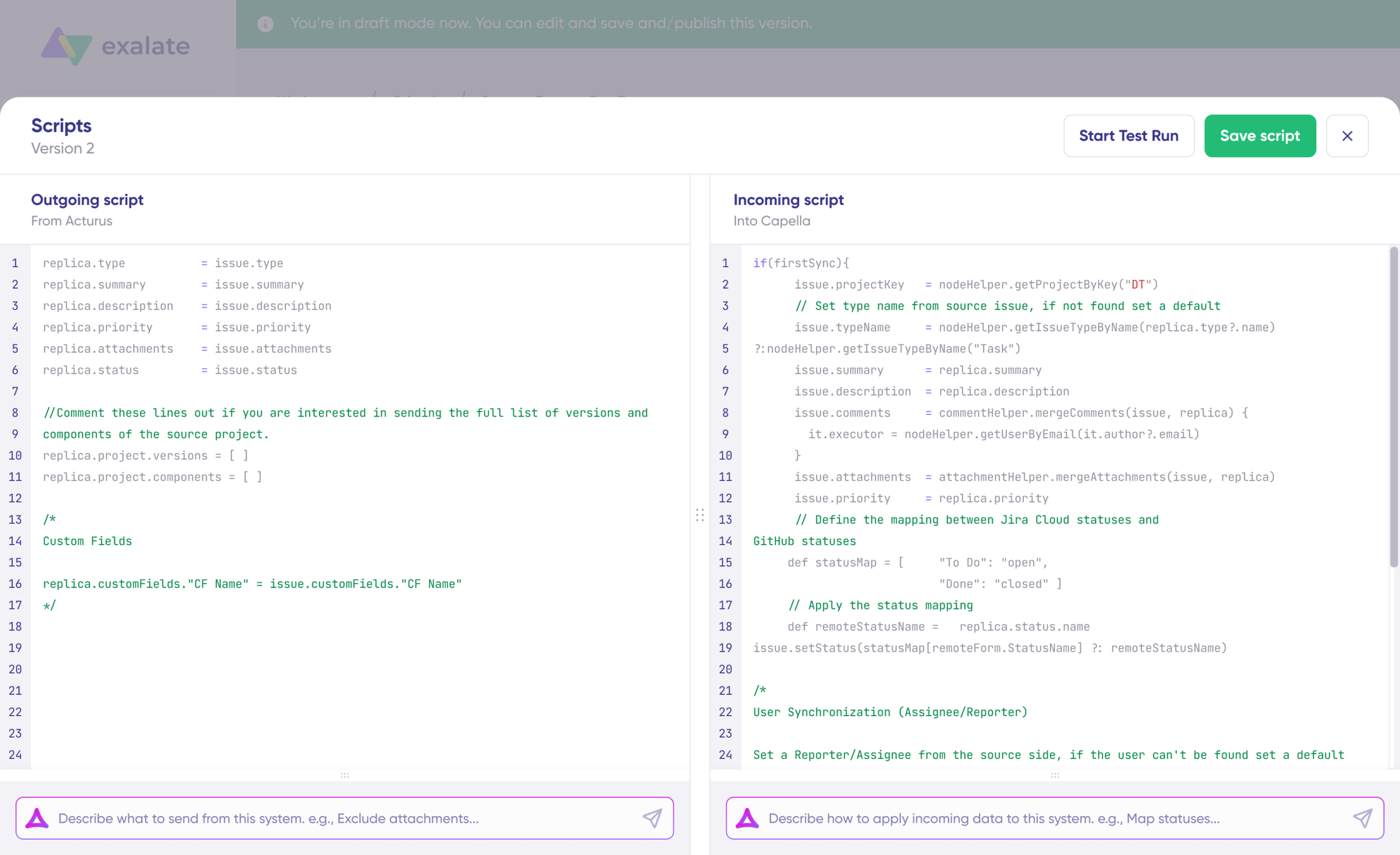
- Granular script-based customization using Groovy, giving you full control over what data syncs, when it syncs, and how it’s transformed. You can write conditional logic (sync only tickets with “Critical” priority), apply field transformations (convert Freshservice “Urgent” to Jira “Blocker”), and filter data at a field level (exclude internal comments from cross-company syncs).
- Aida, Exalate’s AI-powered scripting assistant, generates sync scripts from natural language descriptions. Describe your integration scenario, and Aida produces the corresponding Groovy configuration. This significantly reduces setup time for teams new to scripting while still giving experienced users full manual control.
- Bidirectional real-time sync with unlimited connections and triggers. Changes on either side of the connection are reflected on the other side in near real-time, with each organization maintaining independent control over their own sync rules.
- Support for inline images, attachments, comments (with private comment filtering), tags, custom fields, and complex field types. This depth of entity support is critical for enterprise scenarios where losing context during sync defeats the purpose of the integration.
- ISO 27001:2022 certified security architecture with TLS encryption, JWT-based authentication, and role-based access controls.
Pricing
- Unlimited syncs, pricing depends several factors
- You get priority support, proactive monitoring, and a dedicated customer success manager
- Find out more from the Exalate pricing and licensing page.
Pros
- Complete control over sync logic and field transformations
- Handles complex, unique enterprise requirements
- AI-assisted configuration through Aida reduces scripting complexity
- Scales from peer-to-peer to full integration networks connecting multiple platforms
- Supports cross-company integrations with independent control for each organization
- Supports on-premise, cloud, and Docker deployment options
Cons
- Scripting introduces a learning curve, though Aida makes it significantly easier
- Best suited for teams with enterprise-level, complex workflow requirements
- Might not be used to its full potential for very simple, single-direction use cases
4. Unito
Unito is a two-way sync platform that connects Freshservice with 60+ tools, including Jira, Azure DevOps, Salesforce, ServiceNow, GitHub, monday.com, and more.
This integration solution offers both pre-built workflows and customizable field mappings through an intuitive visual interface.
Key Features
- Real-time bidirectional sync across 60+ pre-built connectors. Changes in either system reflect in the other, with filtering rules to control which items sync based on conditions you define.
- No-code setup with an intuitive interface that guides you through selecting triggers, mapping fields, and defining sync rules without writing a single line of code.
- Custom field mapping and transformation rules that let you control how data translates between systems, including support for multi-select fields, dropdown menus, and text-based custom fields.
- Historical data sync option that can bring over open, completed, and archived items from before the integration was set up.
Pricing
- Pricing based on “items in sync” (individual work items kept aligned)
- Free trial available (no credit card required)
- Custom enterprise pricing available
- Contact sales for a detailed quote based on usage
Pros
- No coding or technical skills required
- Strong customer support with dedicated integration consultants
- Scales well for multiple integrations
- Clean, user-friendly interface
- Free trial to test before committing
Cons
- Pricing based on item count can be hard to predict at scale
- May become expensive with high ticket volumes
- Less customization than script-based platforms
- Limited to pre-built connectors (60+ supported, but niche platforms may not be covered)
- Complex multi-system workflows may hit limitations with conditional logic
5. Integrately
Integrately is an automation platform that connects Freshservice with 1,000+ apps through pre-built automation templates called “integrations.”
Integrately focuses on simplicity and speed, making it ideal for small to mid-sized teams that need straightforward Freshservice integrations without deep technical complexity.
Key Features
- 1,000+ app connections with pre-built automation templates that cover common workflows like “Create Freshservice ticket from new Slack message” or “Add Freshservice requester to HubSpot.”
- One-click automation setup for common workflows where you select a template, authenticate your accounts, and the integration runs. No drag-and-drop configuration needed for basic use cases.
- Multi-step workflows with conditional logic that let you chain multiple actions together (create ticket, assign agent, send notification) with branching based on field values.
- Webhook support for custom triggers that aren’t covered by pre-built templates.
Pricing
- Free plan available
- Paid plans range from $0 to $239/month
- Pricing based on the number of tasks and active integrations
- Free trial for paid plans
Pros
- Extremely user-friendly, no-code interface
- Fast setup with one-click automation templates
- Responsive customer support
- Affordable pricing for small teams
- Good for teams with straightforward use cases
Cons
- Less advanced than enterprise iPaaS solutions
- Some interface elements can be confusing initially
- Limited customization for complex use cases
- Fewer enterprise-grade features (no cross-company integration support, limited error recovery)
- May not handle high-volume, mission-critical integrations reliably
6. ZigiOps
ZigiOps is a flexible, no-code integration platform specializing in enterprise-grade connections between ITSM, DevOps, monitoring, cloud, and CRM systems.
It excels at deep integrations with advanced data mapping capabilities, making it ideal for organizations with complex integration requirements who want to avoid scripting.
Key Features
No-code integration platform with a drag-and-drop interface for building integrations visually. You select source and target systems, define triggers, and map fields without writing code.
Bidirectional and unidirectional sync options with support for both webhook-based and polling-based event detection, giving you flexibility based on your platform’s capabilities.
Advanced field mapping and data filtering with support for nested objects, array fields, and complex data structures that simpler connectors can’t handle.
On-premise and cloud deployment options for organizations with strict data residency requirements or security policies that prohibit cloud-only solutions.
Pricing
- Starting at $300/month
- Pricing based on number of syncs
- Contact the vendor for a detailed pricing quote
Pros
- Strong support for complex data relationships
- Fast setup with templates
- Excellent customer support and onboarding
- On-premise deployment option for data sovereignty
Cons
- Higher starting price than some competitors
- Less extensive app marketplace than major iPaaS platforms
- May be overkill for simple integration needs
7. Workato
Workato is a low-code integration and automation platform with a Freshservice connector alongside 1,200+ other pre-built connectors and customizable “recipes.”
Workato enables organizations to build sophisticated, multi-step workflows across ITSM, CRM, HR, finance, and other business systems. The platform is designed for both technical and non-technical users.
Key Features
- Low-code recipe builder with a visual interface that lets you construct multi-step workflows by chaining triggers, actions, and conditions. Each step can include data transformations, error handling, and branching logic.
- Freshservice connector with comprehensive triggers (new ticket, updated ticket, new change) and actions (create ticket, update ticket, create requester, add note) that cover most standard ITSM workflows.
- Embedded platform capabilities for building customer-facing integrations. If you’re a SaaS vendor or MSP, Workato lets you embed integration capabilities directly into your product for your customers.
- Industry-specific templates and workflows for IT operations, HR, finance, and sales that reduce implementation time for common scenarios.
Pricing
- Workspace plan required (base subscription)
- Task-based pricing: Starting at 1 million tasks
- Annual subscription typically ranges from $15,000 to $50,000+
- Enterprise pricing available with custom requirements
Pros
- Can handle complex, multi-system workflows
- Scales well for enterprise environments
- Strong security and compliance features
- Pre-built recipes reduce implementation time
- Excellent for organizations managing multiple integrations
- Industry-specific templates available
Cons
- Expensive, especially for smaller teams
- High minimum task commitment (1 million tasks)
- Steep learning curve for advanced features
- Pricing not transparent (requires sales contact)
- Task consumption can grow quickly with complex workflows
8. Zapier
Zapier is one of the most popular no-code automation platforms, connecting 7,000+ apps through simple “if this, then that” workflows called Zaps.
The Freshservice-Zapier integration enables teams to automate ticket creation, user management, and notifications across hundreds of business applications without writing code.
Key Features
- 7,000+ app integrations covering virtually every SaaS platform in the market. If a tool has an API, Zapier probably has a connector for it.
- Simple trigger-action workflow automation with Freshservice triggers (new ticket, updated ticket, new user, updated user) and actions (create ticket, create requester, add notes, create problem).
- Multi-step Zaps with filters and formatting that let you chain multiple actions and add conditional logic to control when actions fire.
- Built-in error handling and auto-replay on higher plans that automatically retry failed Zaps and notify you when manual intervention is needed.
Pricing
- Free plan: 100 tasks/month, 2-step Zaps, 15-minute updates
- Starter: $19.99/month (750 tasks), 3 premium apps
- Professional: $49+/month (2,000-2M tasks), unlimited Zaps, 2-minute updates
- Team: $69+/month (2,000+ tasks), collaboration features, 1-minute updates
- Enterprise: Custom pricing, advanced admin controls
- Annual billing offers ~20% discount
Pros
- Easy to learn and use (very user-friendly)
- Massive app library (7,000+ integrations)
- Free plan available for testing
- Fast setup with pre-built templates
- Great for simple, straightforward automations
- No technical skills required
Cons
- Pricing escalates quickly with task volume
- Limited customization for complex workflows
- Each step in a Zap consumes a task (costs add up fast with multi-step workflows)
- Not ideal for enterprise-grade integrations
- Support limited on lower-tier plans
- No support for cross-company integrations or independent sync control
- Task overage charges can surprise users
Freshservice Connector Comparison: How to Choose
| Feature | Exalate | Unito | ZigiOps | Workato | Zapier |
| Setup complexity | Medium | Low | Medium | Medium | Low |
| Customization depth | High (scripting) | Moderate | Moderate | High | Low |
| Sync direction | Two-way | Two-way | Both | Both | One-way |
| Real-time sync | Yes | Yes | Yes | Yes | No (polling) |
| Cross-company support | Yes | No | Limited | No | No |
| Custom field support | Full | Partial | Good | Good | Limited |
| Pricing model | Per platform | Per item | Per sync | Per task | Per task |
| Best for | Enterprise, multi-vendor, cross-company | Fast no-code two-way sync | Complex no-code ITSM | Multi-department workflows | Simple triggers |
- Choose Freshservice Connector Apps when you’re already on a Pro/Enterprise plan, need standard Freshworks integrations, and want official support. Task-based pricing works if your sync volumes are predictable.
- Choose the REST API when you have in-house development capacity, need integrations with proprietary or legacy systems, and can commit to ongoing maintenance. The API is free, but development time is not.
- Choose Exalate when you need cross-company integration, complex field transformations, independent sync control for each organization, or integration networks connecting more than two platforms. Exalate’s scripting approach handles edge cases that template-based connectors can’t. If your scenario involves MSP-client relationships, M&A platform consolidation, or multi-vendor service delivery, this is where Exalate’s architecture pays off.
- Choose Unito when you need fast, no-code two-way sync between Freshservice and well-known platforms. Best for mid-sized teams that want visual field mapping without scripting.
- Choose Integrately when you’re a small team with simple automation needs and a limited budget. One-click templates get you running fast, but complex workflows will hit limitations.
- Choose ZigiOps when you need enterprise-grade no-code integration with on-premise deployment. Strong for complex data mapping without scripting, but priced above simpler tools.
- Choose Workato when you’re managing integrations across many departments and need a platform that handles ITSM, HR, finance, and CRM workflows from a single environment. Budget needs to support the $15K+ annual minimum.
- Choose Zapier when you need quick, simple automations between Freshservice and any of 7,000+ apps. Great for one-directional triggers and notifications, but not designed for complex ITSM workflows or bidirectional sync.
Common Freshservice Connector Use Cases
1. ITSM to Dev Escalation: Freshservice to Jira for Production Incidents
Case: When production incidents require development work, service desk teams need to escalate tickets to development teams working in Jira. Manual escalation introduces delays, loses context, and puts SLAs at risk.
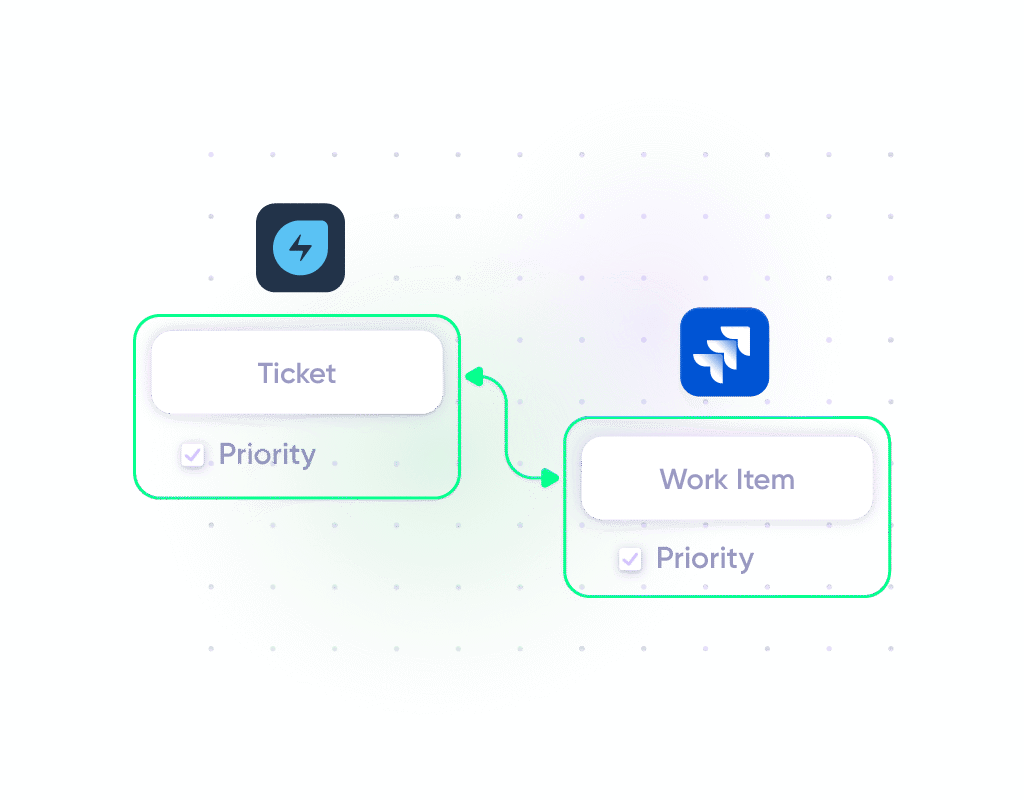
Solution: A connector automatically converts high-priority Freshservice incidents into linked Jira work items when specific conditions are met (like “Needs Development” status or “Critical” priority). Priorities are mapped accordingly across both platforms. As developers work on the fix, status updates, comments, and resolution notes sync back to Freshservice in real-time.
Real-world application: An e-commerce company’s IT team receives a P1 incident about checkout failures. The Freshservice ticket automatically creates a Jira work item for the payments team with full incident context, severity mapping, and customer impact data. The developer updates progress in Jira, and the service desk sees every update in Freshservice without switching tools. Resolution time drops from 4 hours to 90 minutes because there’s no handoff delay.
2. Multi-Vendor Ticket Management: Freshservice to ServiceNow to Jira Service Management for MSP Scenarios
Case: Managed service providers (MSPs) use Freshservice internally while their clients use ServiceNow, Jira Service Management, Zendesk, or other ITSM platforms. Maintaining duplicate tickets manually across organizations is unsustainable at scale.
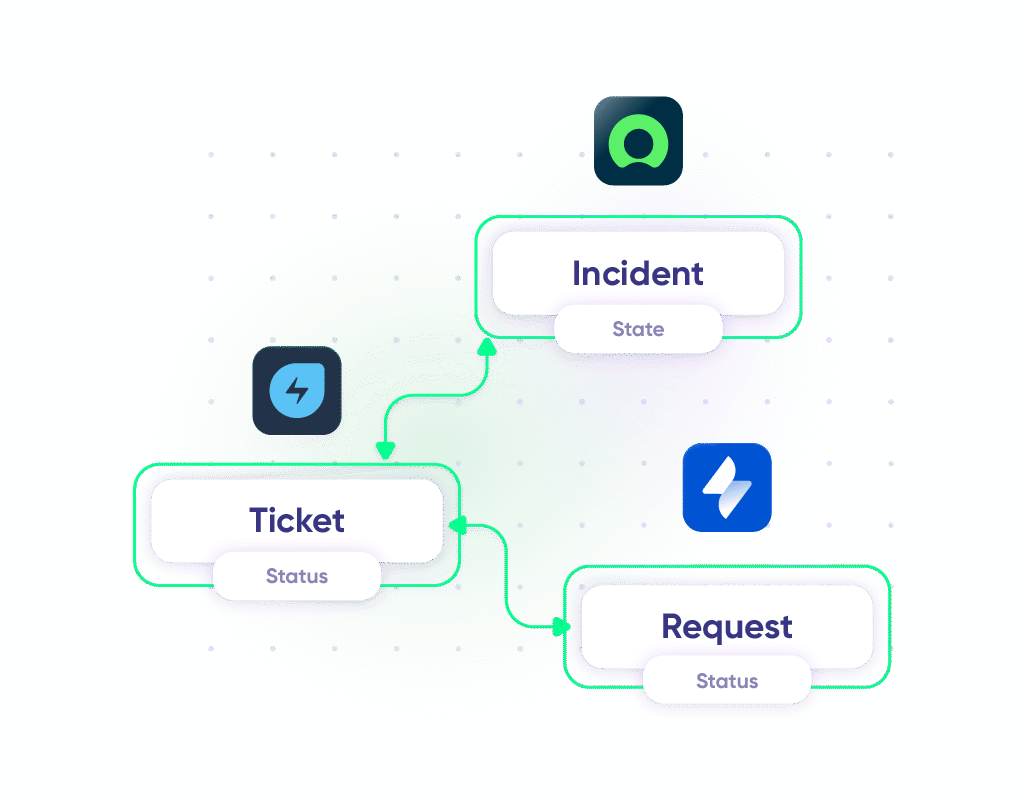
Solution: Connectors enable seamless collaboration across multiple ITSM tools without forcing any organization to switch platforms. When a client creates an incident in ServiceNow, it automatically appears as a ticket in the MSP’s Freshservice instance with all relevant details. If that ticket requires escalation to another client using Jira Service Management, the connector creates a linked request there as well.
Real-world application: An MSP managing IT infrastructure for 15 clients uses Exalate to connect their Freshservice instance with each client’s preferred ITSM platform. Client A uses ServiceNow. Client B uses Jira Service Management. Client C uses Zendesk. Each connection has independent sync rules, so Client A’s data never touches Client B’s environment. The MSP manages everything from Freshservice while each client works exclusively in their own system. Ticket status, priority changes, and resolution notes flow automatically across organizational boundaries.
3. Customer-to-IT Service Request Routing: Freshservice to Freshdesk/Zendesk for Support Escalation
Case: Customer support teams using Freshdesk or Zendesk handle general inquiries, but technical issues need IT attention in Freshservice. Without automation, support agents manually create Freshservice tickets and then check both systems for updates.
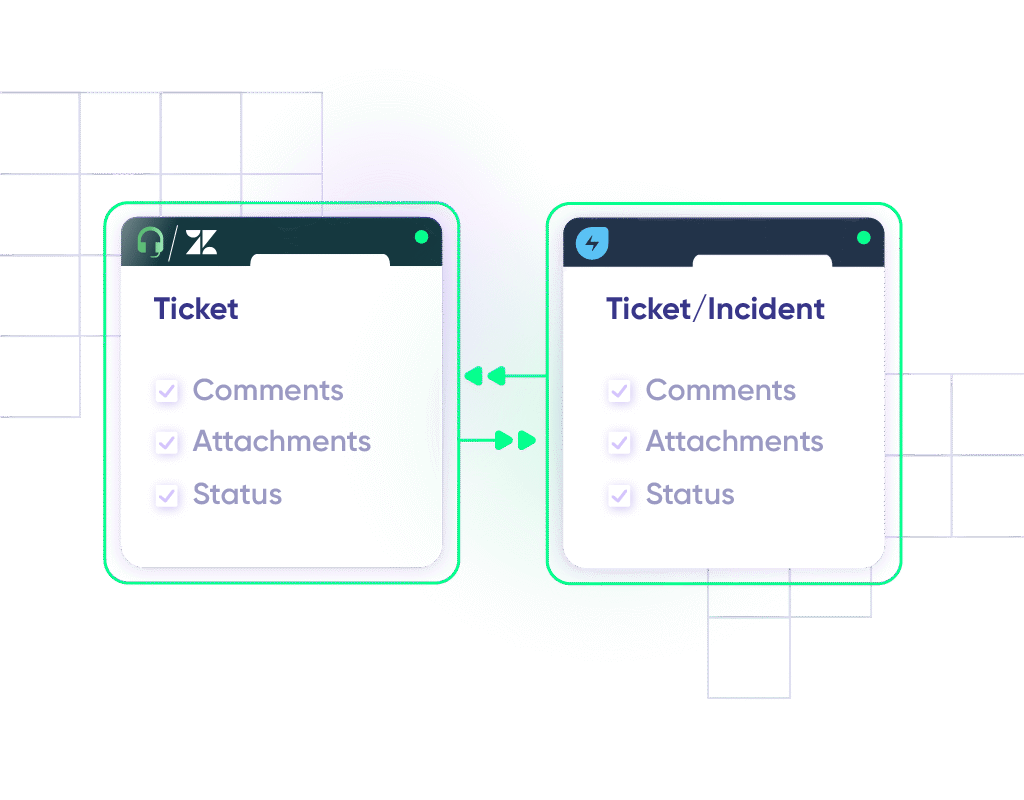
Solution: Connectors automatically route technical tickets from customer support platforms to IT teams. When a customer reports a software bug or infrastructure problem, the support agent categorizes it appropriately, and the connector creates a linked Freshservice incident with all context (customer details, conversation history, attachments).
Real-world application: A SaaS company’s support team in Zendesk handles 200 tickets per day. About 30% require engineering investigation. The connector automatically creates Freshservice incidents for tickets tagged as “bug” or “infrastructure,” carrying over the full customer conversation. Once IT resolves the issue, status updates and public comments flow back to the Zendesk ticket automatically, so the support agent can notify the customer without logging into Freshservice.
4. Service Request Routing: Freshservice to Jira Service Management for Multi-Department Support
Case: Organizations using Freshservice for IT and Jira Service Management for other departments (HR, Facilities, Legal) need seamless handoffs when a service request touches multiple teams.
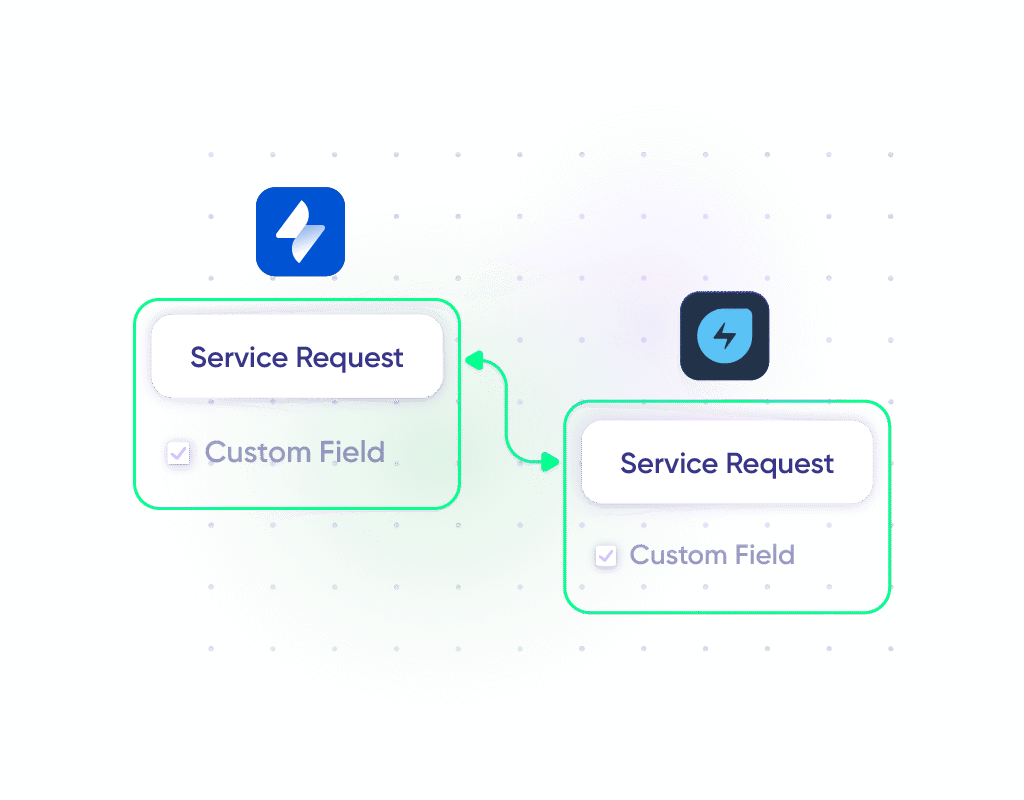
Solution: The connector is configured so that when an IT service request requires action from another department, it automatically creates corresponding requests in Jira Service Management. Fields from the service request, including custom fields, are mapped to the appropriate fields in Jira Service Management.
Real-world application: A new employee onboarding request in Freshservice triggers a Jira Service Management request for the facilities team to prepare a workstation and another for HR to set up payroll. Each department works in their preferred tool while the IT team tracks overall onboarding progress in Freshservice. Custom fields like “start date,” “department,” and “required equipment” are mapped across all systems so no team has to ask for information that already exists.
5. Problem Management Integration: Freshservice to Jira for Root Cause Analysis
Case: When multiple related incidents occur, IT teams need to identify underlying problems and coordinate long-term fixes with development teams working in Jira.
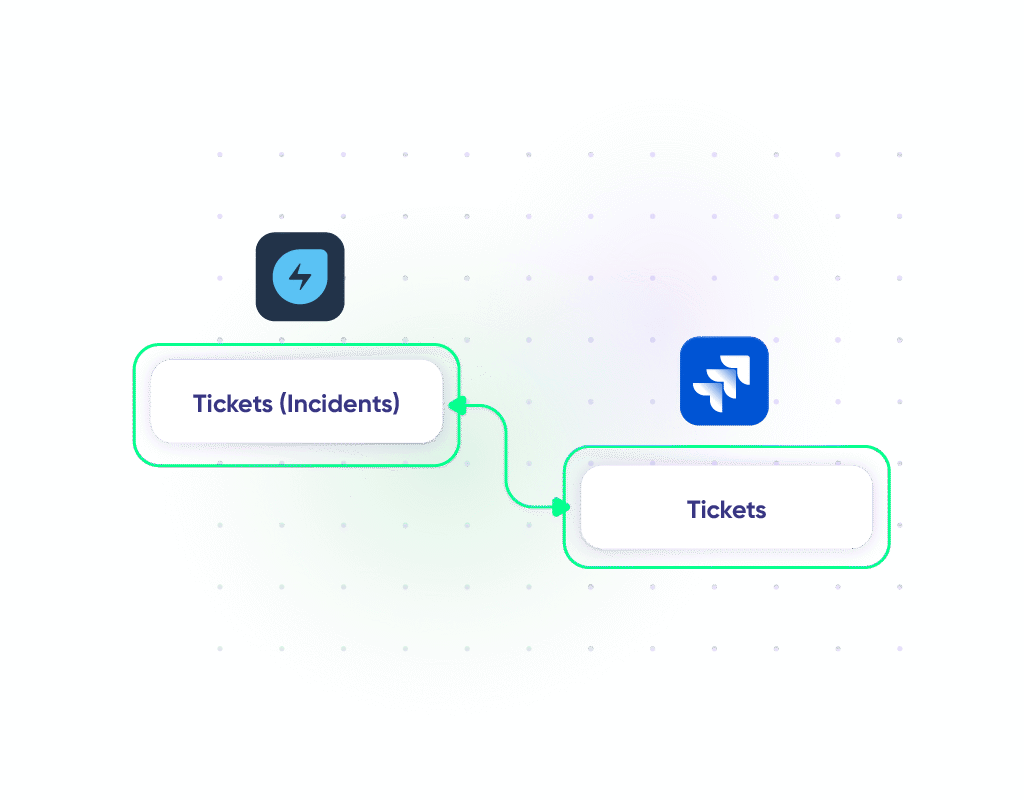
Solution: Freshservice problem records are synced with Jira work items for coordinated root cause analysis and resolution. Development teams work on permanent fixes in Jira while IT operations track problem resolution in Freshservice, with both teams maintaining visibility into progress.
Real-world application: A financial services company notices recurring incidents around their payment gateway every Friday at 5 PM. The IT team creates a problem record in Freshservice linking 12 related incidents. This problem record syncs to Jira as a work item, where the development team traces the root cause to a scheduled database maintenance job conflicting with peak transaction processing. The fix is deployed, verified, and the Freshservice problem record closes automatically when the Jira work item is resolved.
6. Asset Lifecycle Management: Freshservice to ServiceNow for CMDB Population
Case: IT managers use ServiceNow to manage hardware, software, and cloud assets but need accurate data in Freshservice’s Configuration Management Database (CMDB) for incident management and change impact analysis.
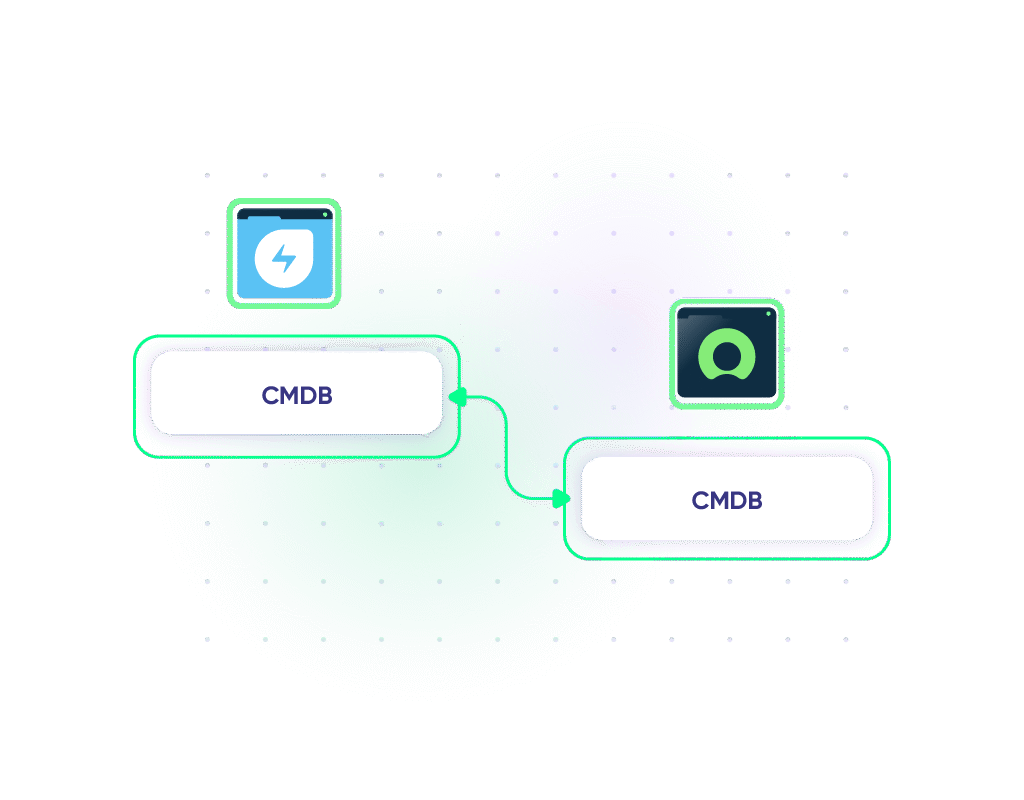
Solution: A connector keeps Freshservice’s CMDB populated with discovered configuration items from ServiceNow. When assets are provisioned, modified, or decommissioned, updates flow to Freshservice in real-time.
Real-world application: A healthcare organization with 5,000 endpoints uses ServiceNow for asset discovery and Freshservice for IT service management. The connector keeps Freshservice’s CMDB current with the latest asset data, so when an incident is reported on a specific server, the service desk agent immediately sees all related configuration items, dependencies, and recent changes without switching to ServiceNow.
7. DevOps Collaboration: Freshservice to Azure DevOps for Change Management
Case: Change management in Freshservice needs to be coordinated with development sprints in Azure DevOps. Without integration, change requests exist in isolation from the actual development work they authorize.
Solution: Freshservice change requests are linked to Azure DevOps work items. When a change request is approved in Freshservice, the corresponding Azure DevOps work items are unblocked or created. Development progress updates flow back to Freshservice, giving change advisory boards real-time visibility into implementation status.
Real-world application: A logistics company requires change approval before any production deployment. The release engineer creates a change request in Freshservice with deployment details. Once the change advisory board approves it, the connector creates corresponding work items in Azure DevOps for the deployment pipeline. As each deployment step completes, Freshservice reflects the progress. If a rollback is needed, the Freshservice change record updates immediately, triggering the incident management process.
8. Cross-Platform Incident Swarming: Freshservice to Multiple Systems for Major Incident Response
Case: Major incidents require coordination across multiple teams using different tools. The network team is in ServiceNow, the application team is in Jira, and the service desk manages communications in Freshservice. During a P1 outage, coordinating across these platforms manually wastes critical response time.
Solution: A connector like Exalate creates linked records across all involved platforms simultaneously. The Freshservice major incident record connects to a ServiceNow incident for the network team and a Jira work item for the application team. Updates from any system flow to all connected records in near real-time.
Real-world application: An airline’s booking system goes down during peak season. The Freshservice P1 incident automatically creates linked records in ServiceNow (for infrastructure investigation) and Jira (for application debugging). Each team works in their own tool while the incident commander in Freshservice sees a unified view of all investigation threads. When the network team identifies a DNS issue and the app team finds a cascading timeout, both updates appear in Freshservice within seconds, enabling faster diagnosis and coordinated recovery.
Freshservice Connector Implementation Best Practices
- Understand integration vs. automation. Clarify whether you need ongoing bidirectional sync (integration) or one-time triggered actions (automation). Integration maintains a continuous data flow between systems. Tickets created in Freshservice automatically appear in Jira, and updates sync both ways. Automation triggers specific actions based on events, like sending a Slack alert when a high-priority ticket is created. This distinction determines which connector type you need.
- Involve the right stakeholders from the beginning. Get buy-in and input from everyone affected by the integration before you start building. Include IT/service desk teams who use Freshservice daily, IT leadership for budget and ROI alignment, and security/compliance teams to review data flows and API access. Skipping this step leads to integrations that technically work but don’t fit how people actually do their jobs.
- Start with high-impact workflows. Focus on integrations that deliver immediate value and build momentum for broader initiatives. Prioritize incident escalation, customer-to-IT routing, and asset provisioning workflows. Choose workflows that save the most time or protect critical SLAs. A single well-executed integration that saves 10 hours per week builds more confidence than five half-finished ones.
- Define clear field mapping and data governance rules. Document exactly how data translates between systems before you start syncing. Map standard fields first (ticket ID, status, priority, assignee, description), then tackle custom fields. Create transformation rules for fields with different formats between systems. Set conditional triggers that determine when syncs should fire. For cross-company scenarios, define what data each organization is allowed to see, which becomes especially important when working with external vendors or clients.
- Create an integration requirements document. Build comprehensive documentation that captures your entire integration plan. Include business objectives, systems inventory with versions, data flow diagrams, complete field mappings, sync specifications, error handling procedures, user permission definitions, and success metrics. Treat this as a living document that evolves with your requirements. This documentation becomes critical for troubleshooting, training new team members, and scaling your integrations.
- Dry run important integration use cases. Walk through complete workflows from start to finish before going live. Test incident escalation from Freshservice ticket creation through Jira work item to resolution. Document each step and verify data accuracy at every stage. Involve actual end-users in dry runs to catch usability issues, then fix all problems before launch.
- Plan for platform updates and version compatibility. Stay ahead of changes that could break your integrations. Subscribe to release notes for Freshservice and all connected systems. Maintain a compatibility matrix showing which connector versions work with which platform versions. Schedule connector updates during maintenance windows with user notification. Keep rollback plans and previous configurations ready.
Common Connector Challenges and Solutions
Task Consumption Management (For Freshservice Connector Apps)
Challenge: Task-based pricing can spiral out of control quickly. Each operation the connector performs (checking for updates, creating tickets, syncing fields) consumes a task. A single workflow might burn through dozens of tasks, and before you know it, you’ve exhausted your monthly allocation.
Solution: Monitor your task consumption closely. Enable auto-recharge to avoid workflow interruptions, but set monthly limits to prevent runaway costs. Optimize your recipes by consolidating multiple checks into single operations where possible. For high-volume scenarios, consider flat-rate connectors like Exalate instead of task-based pricing.
Field Mapping Conflicts
Challenge: Freshservice uses different field names, data types, or value formats than your connected system. For example, Freshservice might use “Low/Medium/High/Urgent” for priority, while Jira uses “Minor/Major/Critical/Blocker.”
Solution: Use transformation rules to convert data between formats. Most connectors support field mapping with transformation logic, for instance, mapping Freshservice “Urgent” to Jira “Blocker.” For complex transformations, script-based connectors like Exalate give you complete control. Document your field mappings in a shared wiki, so your team knows how data translates between systems.
Custom Field Support Limitations
Challenge: Your Freshservice instance has custom fields specific to your organization (cost center, business unit, affected services), but your connector only syncs standard fields. Critical context gets lost in translation.
Solution: Choose connectors that explicitly support custom fields. Exalate handles custom fields through its scripting engine, letting you map any Freshservice custom field to its equivalent in the connected system. During setup, use Aida to generate the field mapping configuration and test thoroughly with sample data before going live.
Sync Delays and Performance Issues
Challenge: Updates take too long to sync between systems. Tickets created in Freshservice don’t appear in Jira for 15 minutes. Real-time collaboration breaks down when data isn’t truly real-time.
Solution: Check your connector’s sync frequency settings. Polling-based connectors introduce inherent delays based on their check interval. Webhook-based connectors like Exalate support real-time (or near real-time) sync, meaning the team on the other side receives updates as fast as possible, assuming there are no errors blocking the sync. If you’re experiencing delays with a webhook-based connector, check for API rate limits, network latency, or error queues that might be slowing things down.
Handling Attachments and Rich Text
Challenge: Attachments don’t sync between systems, or they sync but break. Rich text formatting (bold, italics, tables) gets stripped out, leaving plain text that’s hard to read.
Solution: Verify your connector supports attachment sync, as not all do. Exalate explicitly supports attachments, inline images, and rich text formatting preservation. For connectors that strip formatting, consider adding a link back to the original ticket in the synced record so users can access the full context when needed.
Error Handling and Failed Syncs
Challenge: A sync fails (maybe the API timed out, or a required field was missing) and you don’t notice for days. Tickets pile up without syncing, creating a massive backlog that’s hard to recover.
Solution: Configure error notifications immediately. Most connectors can email or Slack you when syncs fail. For critical integrations, use connectors with automatic retry logic (available in tools like Exalate and ZigiOps) that retry failed operations with exponential backoff before escalating to manual intervention.
Scaling Issues with High Volumes
Challenge: Your connector handles 50 tickets per day fine, but when a major incident creates 500 tickets, syncs slow to a crawl or fail entirely.
Solution: Load-test your integration before peak periods. Understand your connector’s rate limits and throughput capacity. For high-volume scenarios, use connectors specifically designed for enterprise-scale synchronizations, like Exalate, which handles throttling and queue management internally. Implement alert thresholds so you know when sync queues are growing faster than they’re being processed.
Complex Multi-System Workflows
Challenge: You need to sync Freshservice with Jira Service Management, ServiceNow, and Freshdesk simultaneously. Each pair requires different logic. Managing three separate integrations becomes a nightmare.
Solution: Use an integration platform that handles multi-system workflows natively. Exalate supports integration networks, not just peer-to-peer connections, so you can manage multiple integrations from one environment with different sync rules for each connection.
Duplicate Records
Challenge: The same ticket gets created multiple times in the target system because the connector doesn’t properly track which items have already been synced. This clutters the target system and confuses teams working on the duplicates.
Solution: Ensure your connector uses unique identifiers to track synced records. Most mature connectors maintain an internal mapping table that links source and target records. If duplicates are appearing, check whether your trigger conditions are too broad (firing on updates when they should only fire on creation) or whether retry logic is creating new records instead of updating existing ones.
Frequently Asked Questions
What is a Freshservice connector?
A Freshservice connector is an integration tool that enables automatic data exchange between Freshservice and other business systems. It works by using APIs, webhooks, and automation workflows to sync tickets, incidents, service requests, and other data across platforms like Jira, ServiceNow, Zendesk, and HR systems without manual intervention.
What’s the difference between Freshservice Connector Apps and third-party connectors?
Freshservice Connector Apps are official pre-built integrations from Freshworks available exclusively for Pro and Enterprise plan customers. They offer out-of-the-box recipes with official support but moderate customization. Third-party connectors like Exalate provide more flexibility, support broader integration scenarios (including cross-company sync), and work independently of your Freshservice plan tier.
Which Freshservice connector is best for Jira integration?
It depends on your complexity. For standard workflows with quick setup, use Freshservice Connector Apps (if you have Pro/Enterprise) or Zapier for simple automations. For enterprise scenarios requiring custom field mappings, bidirectional sync, and advanced transformation logic, Exalate offers the most control through Groovy-based scripting with Aida assisting the configuration process.
Can Freshservice connectors handle cross-company integrations?
Most Freshservice connectors are designed for internal integrations within a single organization. For cross-company scenarios (MSP-client relationships, vendor integrations, M&A consolidation), you need a connector that gives each organization independent control over their sync rules. Exalate is built specifically for this, allowing each side of the connection to manage what data they send and receive without relying on a shared configuration.
How much do Freshservice connectors cost?
Pricing varies significantly. Freshservice Connector Apps charge $80 per 5,000 tasks. Zapier ranges from free to enterprise pricing. Exalate’s pricing depends on several factors. For Exalate’s full pricing breakdown, visit the Exalate pricing and licensing page.
Can Exalate handle attachments and comments in Freshservice integrations?
Yes. Exalate syncs file attachments bidirectionally between Freshservice and connected platforms, handles inline attachments like images embedded within comments, syncs Freshservice notes with corresponding comment fields in other systems, and preserves rich text formatting during the sync process. You can also configure which types of comments sync (public only, private only, or both) and apply transformation rules to handle formatting differences between platforms.
What’s the difference between one-way and two-way sync?
One-way sync sends data in a single direction (like Freshservice to Jira only), useful when one system is the source of truth. Two-way sync updates both systems bidirectionally, so changes in either system are reflected in the other. Two-way sync is more complex and requires conflict resolution rules for simultaneous updates. Choose one-way for reporting or escalation, and two-way for collaborative work across teams.
Does Exalate support integration with on-premise systems?
Yes. Exalate supports on-premise deployments, including Azure DevOps Server. This makes it suitable for organizations running hybrid environments where some systems are cloud-based and others remain on-premise due to compliance, security, or infrastructure requirements. Exalate offers cloud, on-premise, and Docker deployment options.
Can I migrate historical data using Freshservice connectors?
Yes. Exalate supports data migration beyond ongoing sync. The platform handles transfers of historical data, including incidents, service requests, comments, attachments, and custom fields. Exalate’s scripting engine gives you control over how historical data is transformed and mapped during migration. For large-scale migrations, the Enterprise plan includes dedicated customer success managers and integration engineers to assist with planning and execution.
What platforms does Exalate support for Freshservice integration?
Exalate connects Freshservice with Jira, ServiceNow, Salesforce, Azure DevOps (Cloud and Server), Zendesk, GitHub, Freshdesk, Asana, and custom platforms via REST API connectors. This covers ITSM-to-ITSM, ITSM-to-DevOps, and ITSM-to-CRM integration scenarios, as well as niche or legacy platforms that expose a REST API.
How does Aida help with Freshservice connector setup in Exalate?
Aida is Exalate’s AI-powered scripting assistant. It generates Groovy sync scripts from natural language descriptions. Instead of manually writing field mappings and transformation rules, you describe your integration scenario (for example, “sync Critical Freshservice incidents to Jira with priority mapped to Blocker”), and Aida produces the corresponding configuration. You can review and refine the generated scripts for full control, which significantly reduces setup time for complex integrations.
Is Exalate secure enough for enterprise Freshservice integrations?
Exalate holds ISO 27001:2022 certification and uses TLS encryption, JWT-based authentication, and role-based access controls for every connection. Each side of an integration manages its own sync configuration independently, meaning your organization controls what data it shares without relying on a shared setup with the other party. For full security documentation, visit our Trust Center.
Recommended Reading:


