
flexible two-way sync
Jira ServiceNow Integration
Sync Jira work items with ServiceNow incidents, problems, change requests, and more in both directions. Your ITSM, support, and engineering teams stay in the tool they already use and still see the same record.
You decide what leaves your instance, what comes in, and when it moves. Each side writes its own sync rules.
4.3/5
Highest Rated Integration App on the Atlassian Marketplace







Real-Time ServiceNow Jira Sync
Boost your team’s productivity by getting rid of context switching between Jira and ServiceNow
Status changes on incidents and work items land on the other side in seconds
Automatic syncs remove the copy-paste hassle, along with the typos
One-way or two-way flow, set per field and per connection
Both systems report the same numbers for consistency
Syncs and queued updates resume on their own after downtime
Whole business workflows run end to end from intake to release
Connected Workflows for Smooth Service Delivery
ServiceNow usually runs the service desk and the ITSM process. Jira runs the engineering backlog. Teams get lost in the gap between them.

Jira
Jira Software (Cloud and Data Center)
Jira Service Management
Jira Product Discovery
Work Items (Issues)
(Bugs, Tasks, Stories…)
+40 fields are supported, including:
- Custom fields
- Summary
- Status
- Description
- Key
- Comment
- Attachment
- Priority
- Third-party plugin fields (e.g Insights)
Sprints
All fields are supported, incuding:
- Name
- State
- Start date
- End date
- Complete goal
- Origin board ID
- Goal

ServiceNow
Incidents
All fields are supported, including:
- Custom fields
- Short description
- Description
- Assigned to
- Assignment group
- Priority
- Urgency
- State
- Work notes
Problems
All fields are supported, including:
- Problem statement
- Description
- Assigned to
- Priority
- Urgency
- Impact
- State
Change Requests
All fields are supported, incuding:
- Short description
- Description
- Assigned to
- State
- Type
- Impact
- Risk
- Requested by
Sync any Servicenow Entity
Sync all ServiceNow entities available via REST APIs.
Simply look for the field names in ServiceNow tables, choose what you want to sync, and add it to your script.
Check the full list of supported fields for Jira and for ServiceNow
“
Its hard to talk about supported fields, because with Exalate you can support a lot. And it is impossible to capture on a single page. We have done cases with very weird things - certainly not limited to the ones listed on the documentation.
Majid Hassan | Exalate Support Engineer
discover if we cover your integration requirements
Book a demo to see Exalate in action

The moment the ticket enters the help desk in ServiceNow, Exalate routes it to my team working in Jira. My team then provides feedback, which is immediately reflected in ServiceNow.
Ms Teo | Team Lead
Get the Most Out of Your Integration
Sync in Real-Time
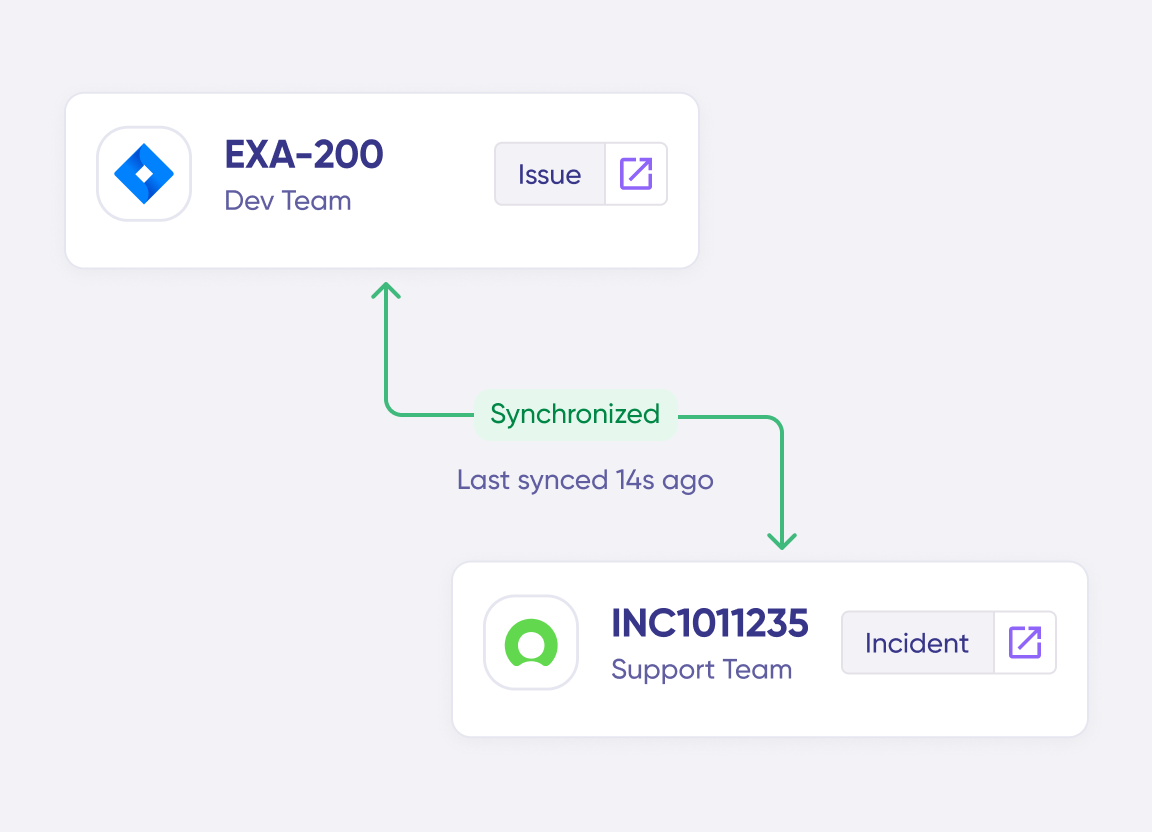
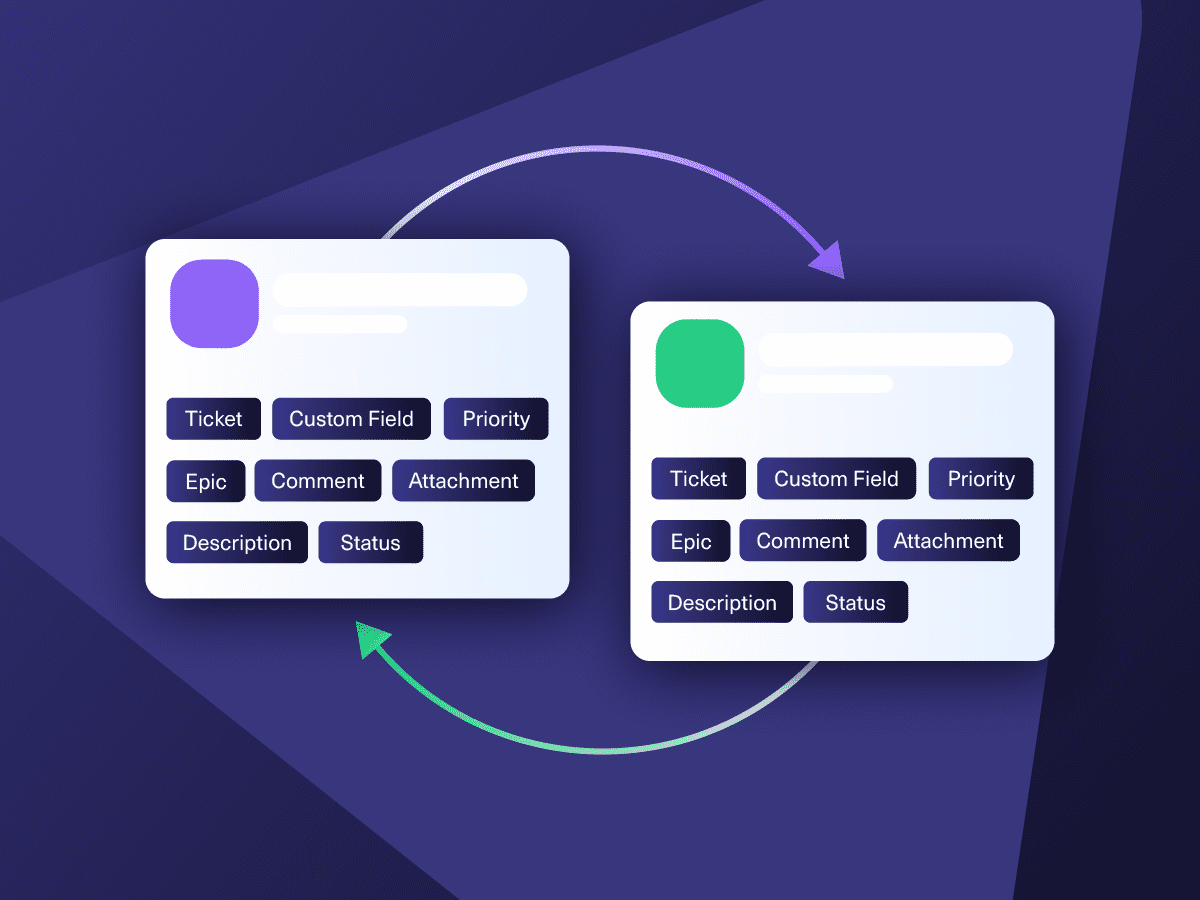
Two-way, real-time sync between platforms. Updates flow automatically. No manual exports, no delays.
Connect Any Number of Instances
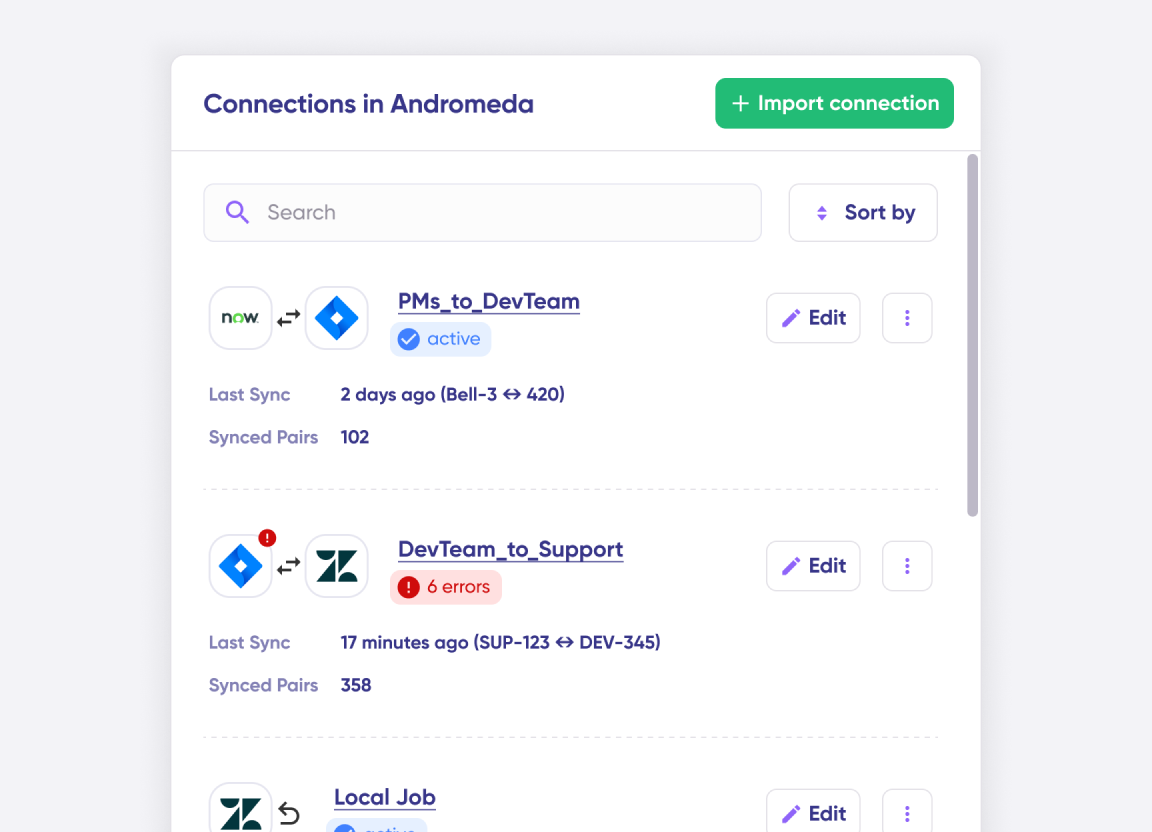
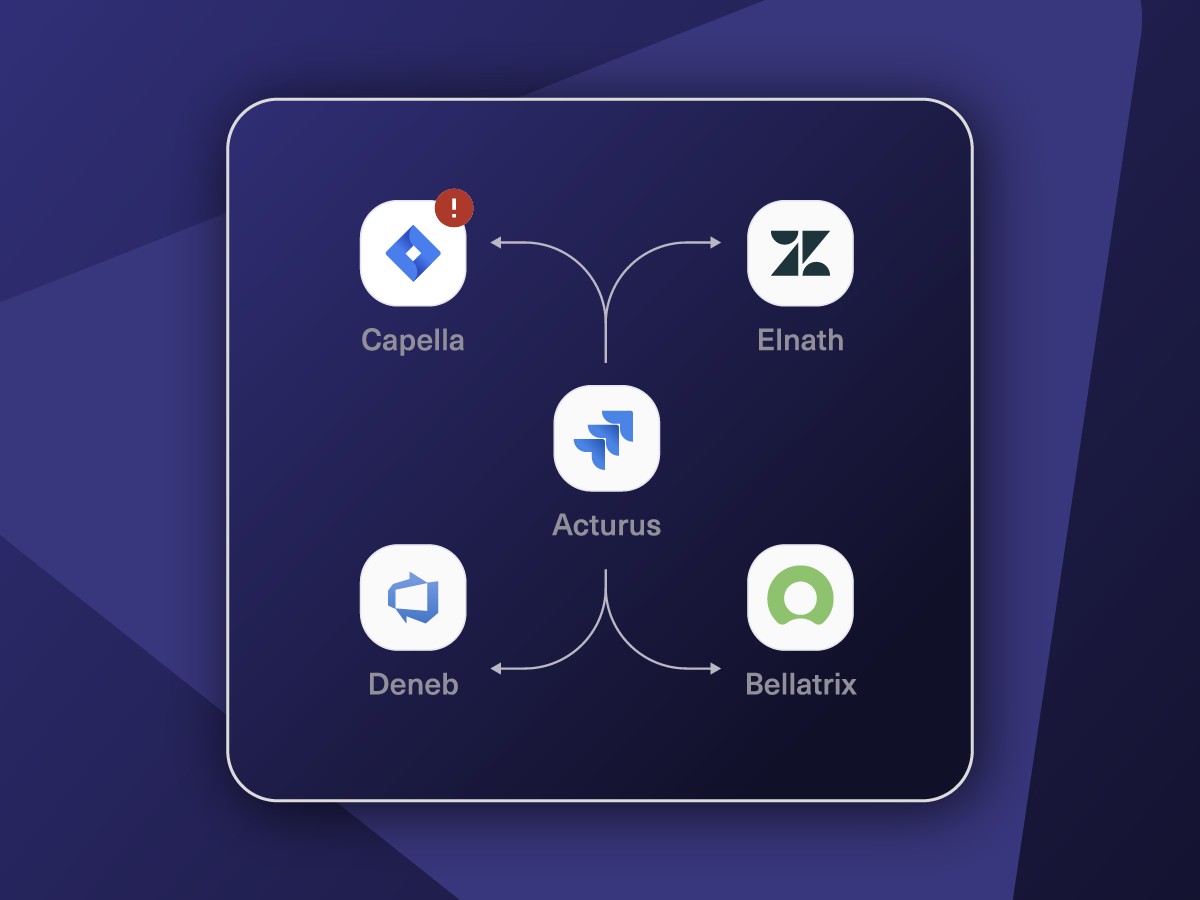
Connect multiple projects, instances, and platforms. Use different rules for each connection.
Know What Failed and Why
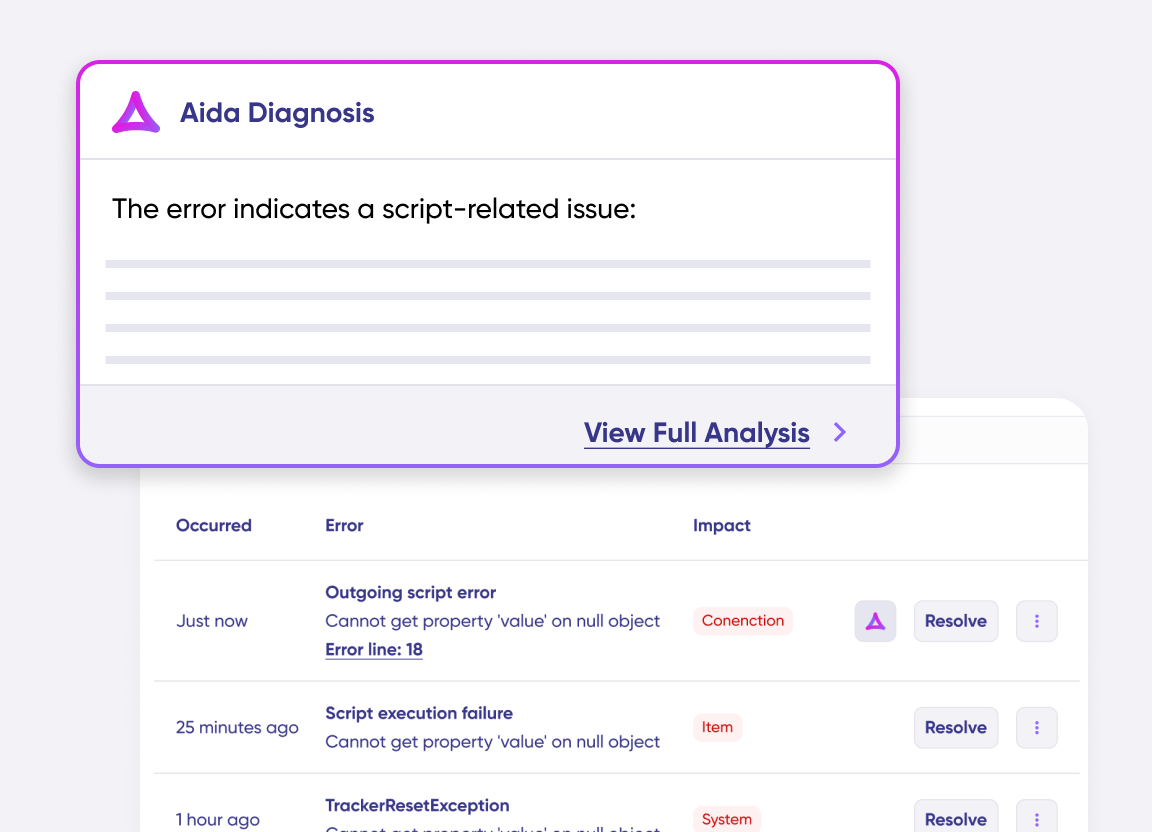
Get AI-powered recommendations for resolving the issue, including possible fixes and next steps.
AI Assisted SetUp
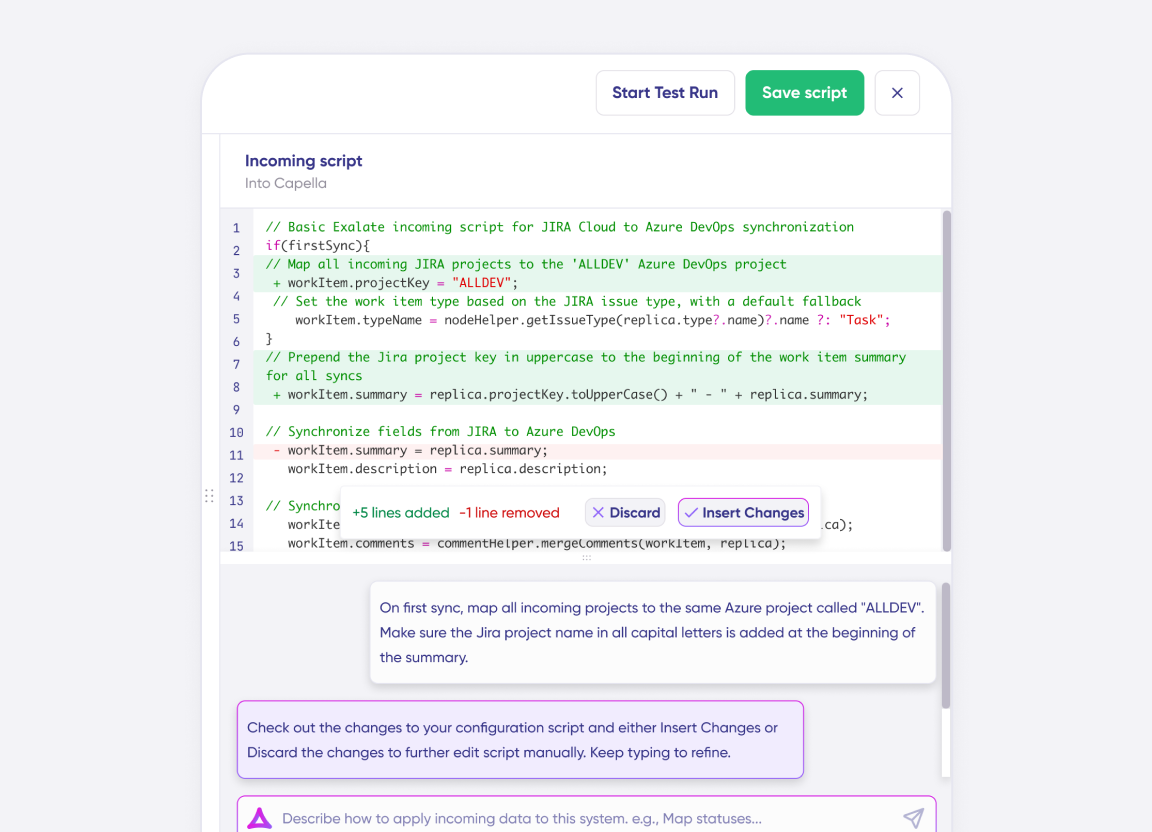
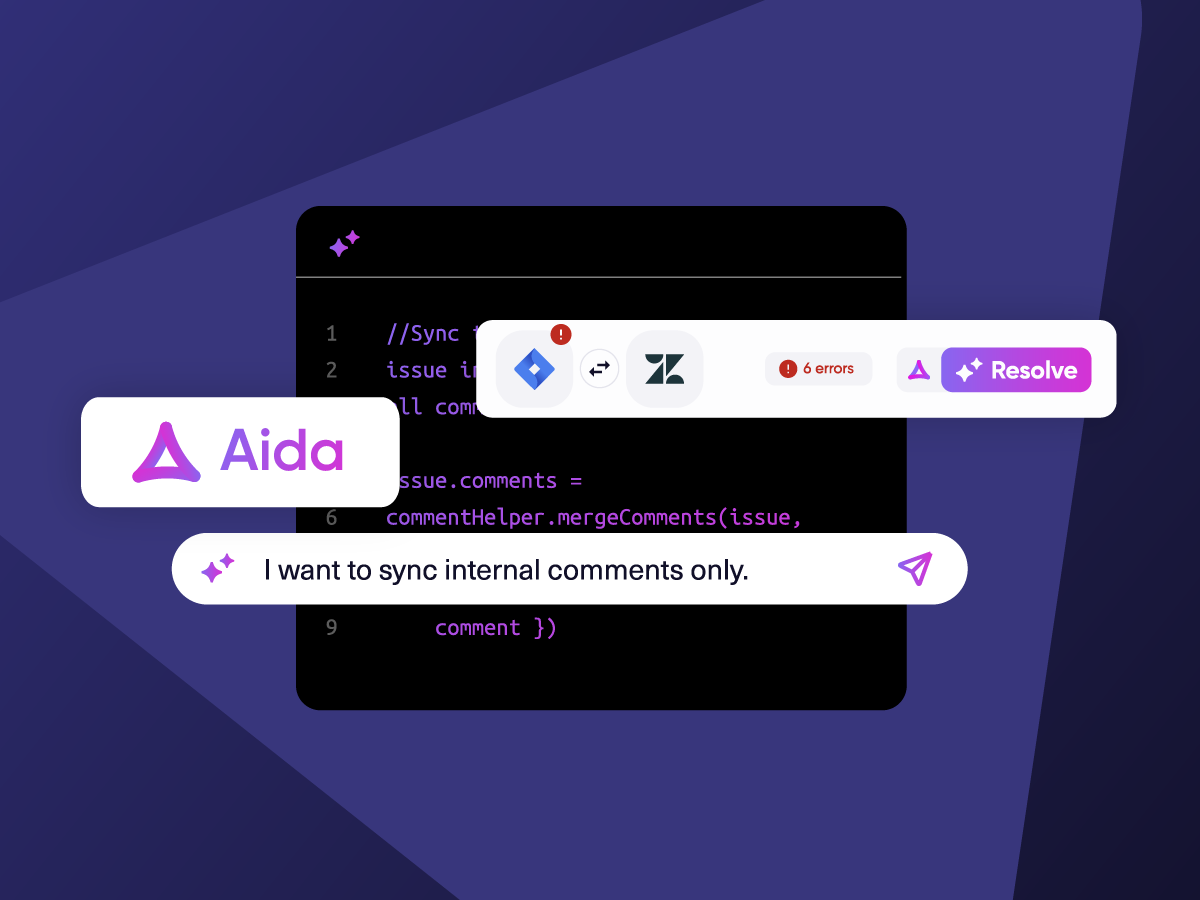
Describe your integration goal. Aida reviews your sync rules and connector type, then suggests script changes
Only Sync What Matches
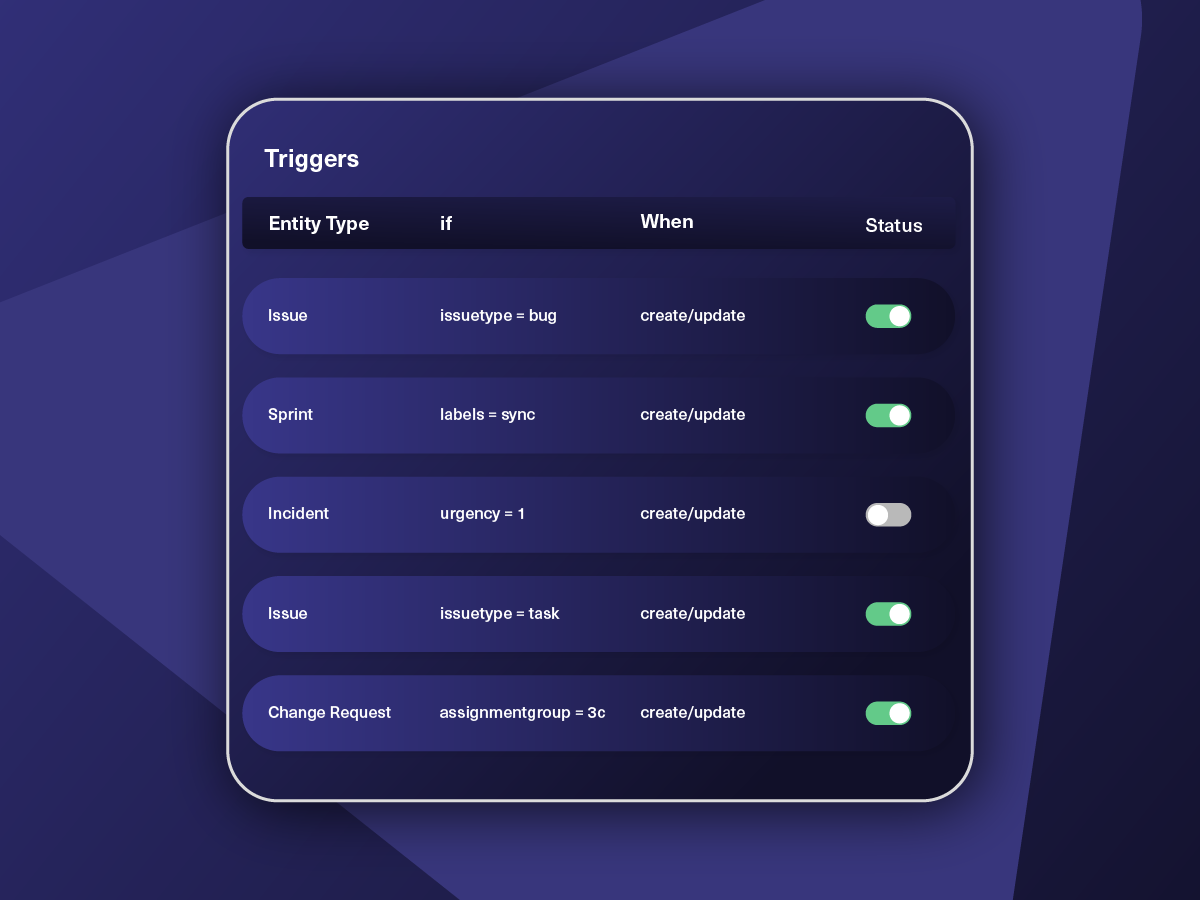
Set various conditions for automatic synchronization.
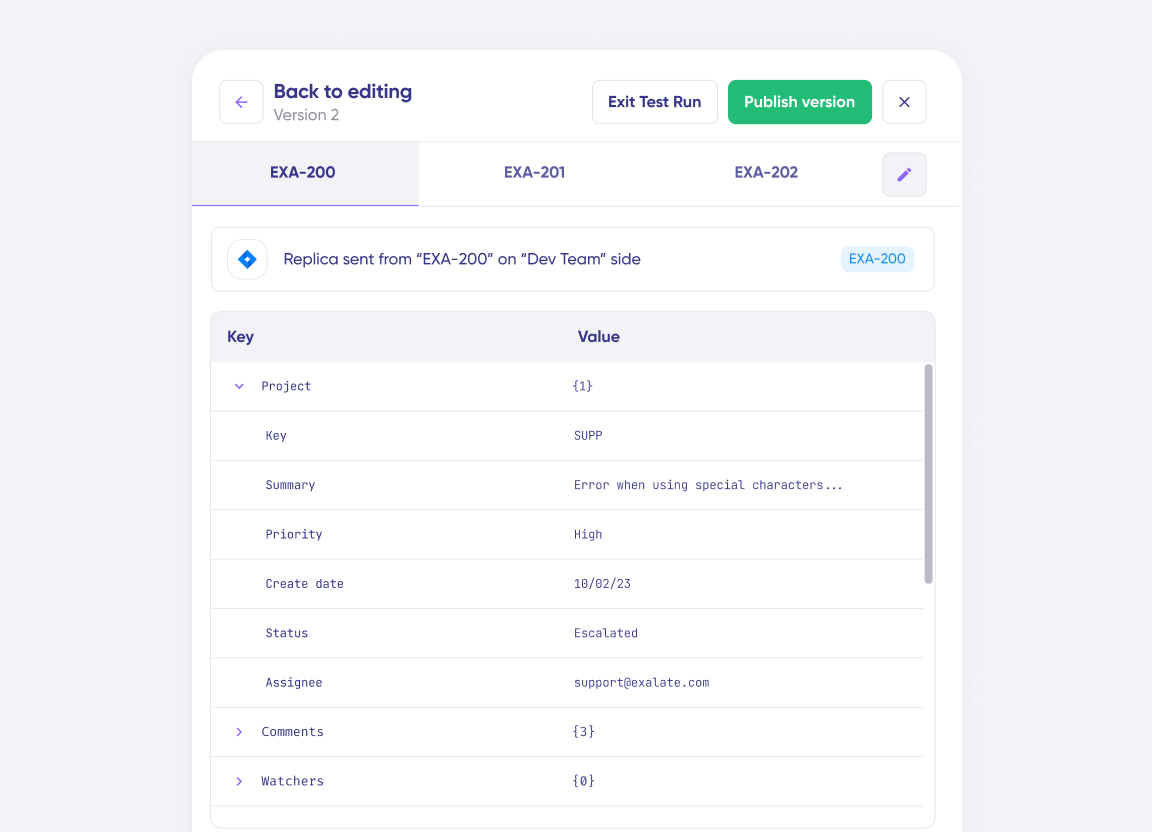
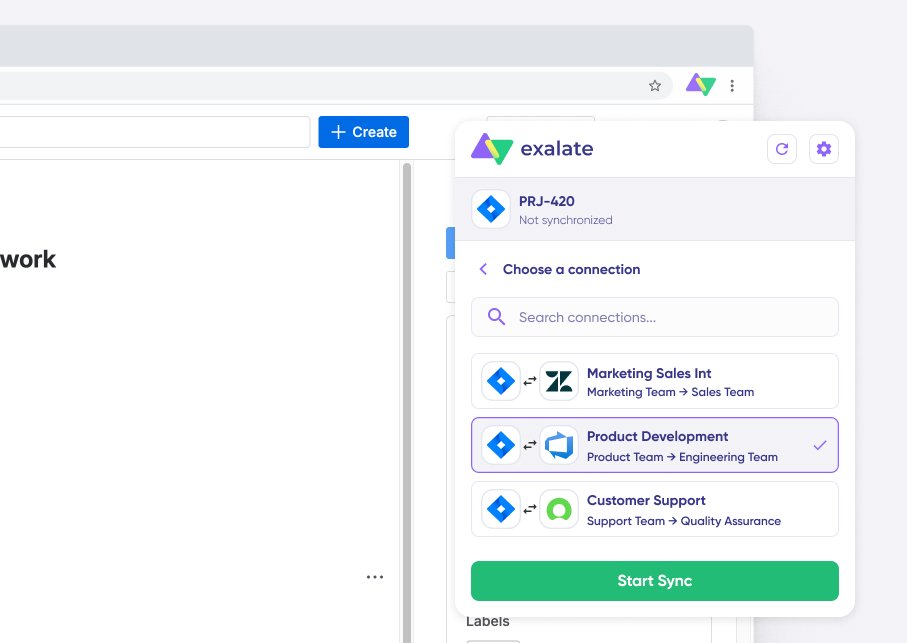
Sync Visibility, Right Where You Work
Check the real-time status of your active syncs, spot failures, and trigger a manual push. All from a browser extension, without opening the Exalate console.
How it Works
Connect
Easily connect multiple projects, instances, and platforms. With local, or external partners.
Customize
Set your sync rules to make sure the right data is shared.
Prompt Exalate’s AI to generate rules, or fine-tune with Groovy-based custom mappings and logic for complete control.
Automate
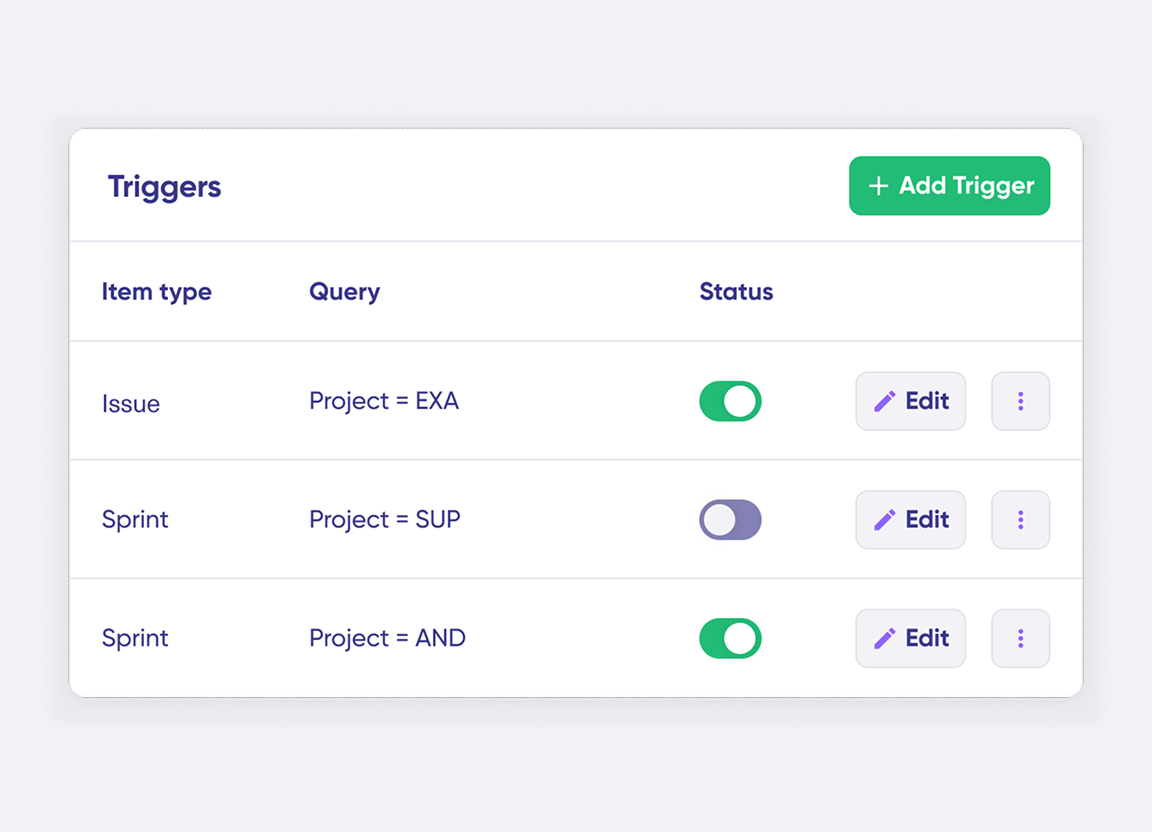
Set triggers to automate your sync based on specific conditions.
Synchronize
Now your connected instances will exchange information automatically. Happy syncing!

The result was quite impressive and positive on both sides, especially for the ServiceNow side as they could remove the email process and work in the same environment without the need to use any other means of communication.
Daniel Miks | Atlassian Solution Expert
Simple or Advanced, We Got you Covered
Work with simple integration templates. Or, completely customize your sync.
Default Sync
Bi-directionally map and sync comments, descriptions, attachments, statuses, priorities, urgencies, work logs, existing work items, and much more between Jira and ServiceNow. Use triggers to exert granular control over how the sync works.

Sync ServiceNow Change Request with Jira Issues
Create a ServiceNow change request the moment a Jira work is cut, with every work item in that release rolling into one. The Jira status feeds the ServiceNow approval process, and the fix version shows on the change record as a link back to Jira.
In practice:

...Or simply write a few lines of code
if(entityType == “changeRequest”) {
replica.summary = changeRequest.short_description replica.description = changeRequest.description replica.comments = changeRequest.comments replica.attachments = changeRequest.attachments
///other fields supported by the Change request entity

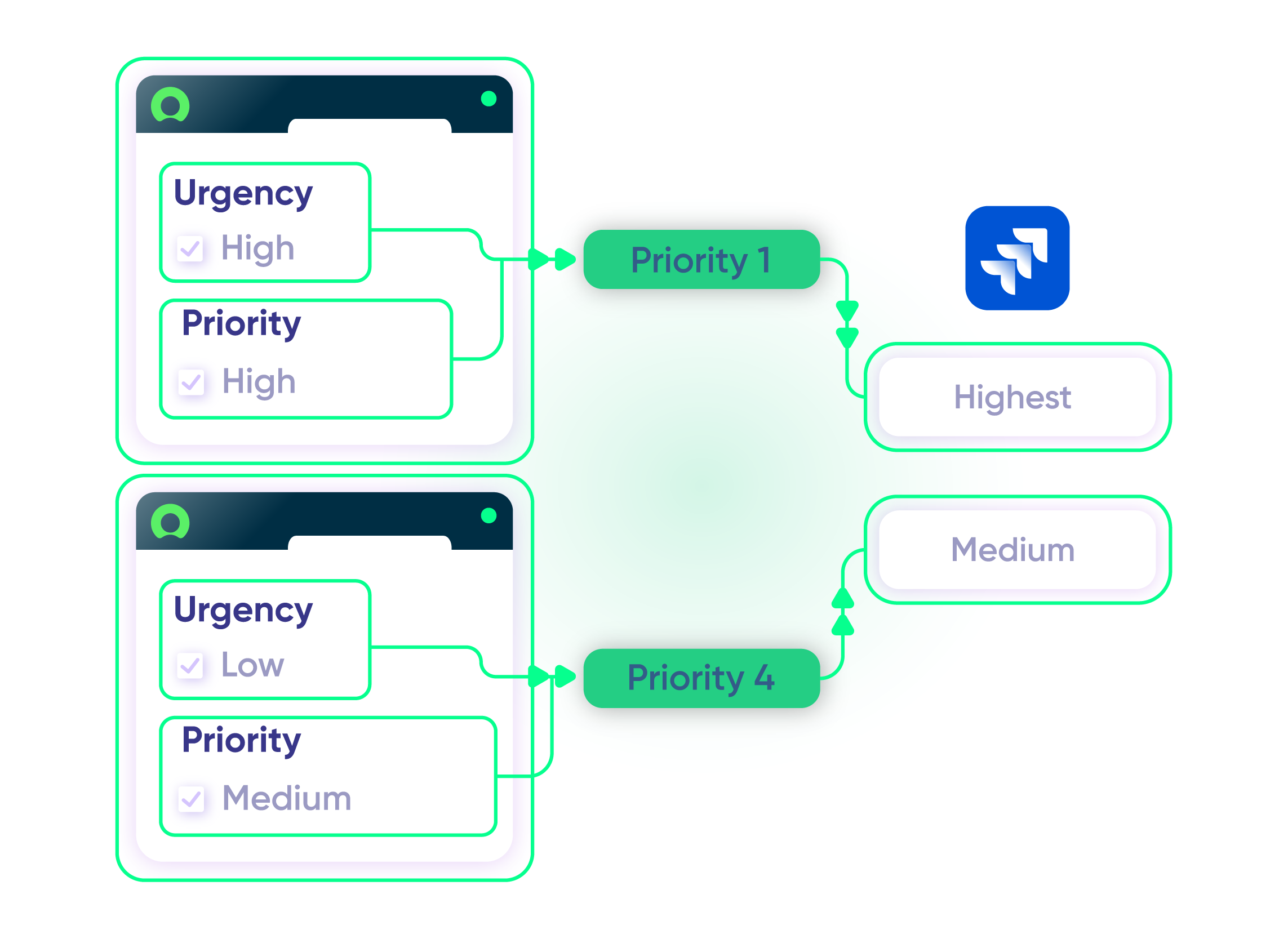
Show SLA Names, Breach Times, and States on the Jira Item
Query the ServiceNow task_sla table for every SLA attached to an incident and write the name, breach time, priority, and state into a Jira custom field. Tally time spent and estimates across every story under a Jira epic and write the totals to custom fields on the originating incident.
In practice:
...Or simply write a few lines of code
…
def response = httpClient.get(“/api/now/table/task_sla?sysparm_query=task.number=${entity.key}”)
replica.slaResults = response.result.collect {
[name: it.sla?.display_value, breach_time: it.planned_end_time, stage: it.stage]
}
Store Correlation Details for Remote Entity
Use correlation fields to establish a relationship between local and remote systems. Store unique entity IDs, URLs, or other remote records in Jira and ServiceNow.
In practice:
...Or simply write a few lines of code
// retrieve the twin url from the incoming message
import groovy.json.JsonSlurper
def issueUrl = new JsonSlurper().parseText(syncRequest.replica.payload).get(“issueUrl”)
// setting the fields correlation_id and u_issue_key
entity.correlation_id = replica.key
entity.correlation_display = issueUrl

Roll Jira Time Tracking Up into the ServiceNow Incident
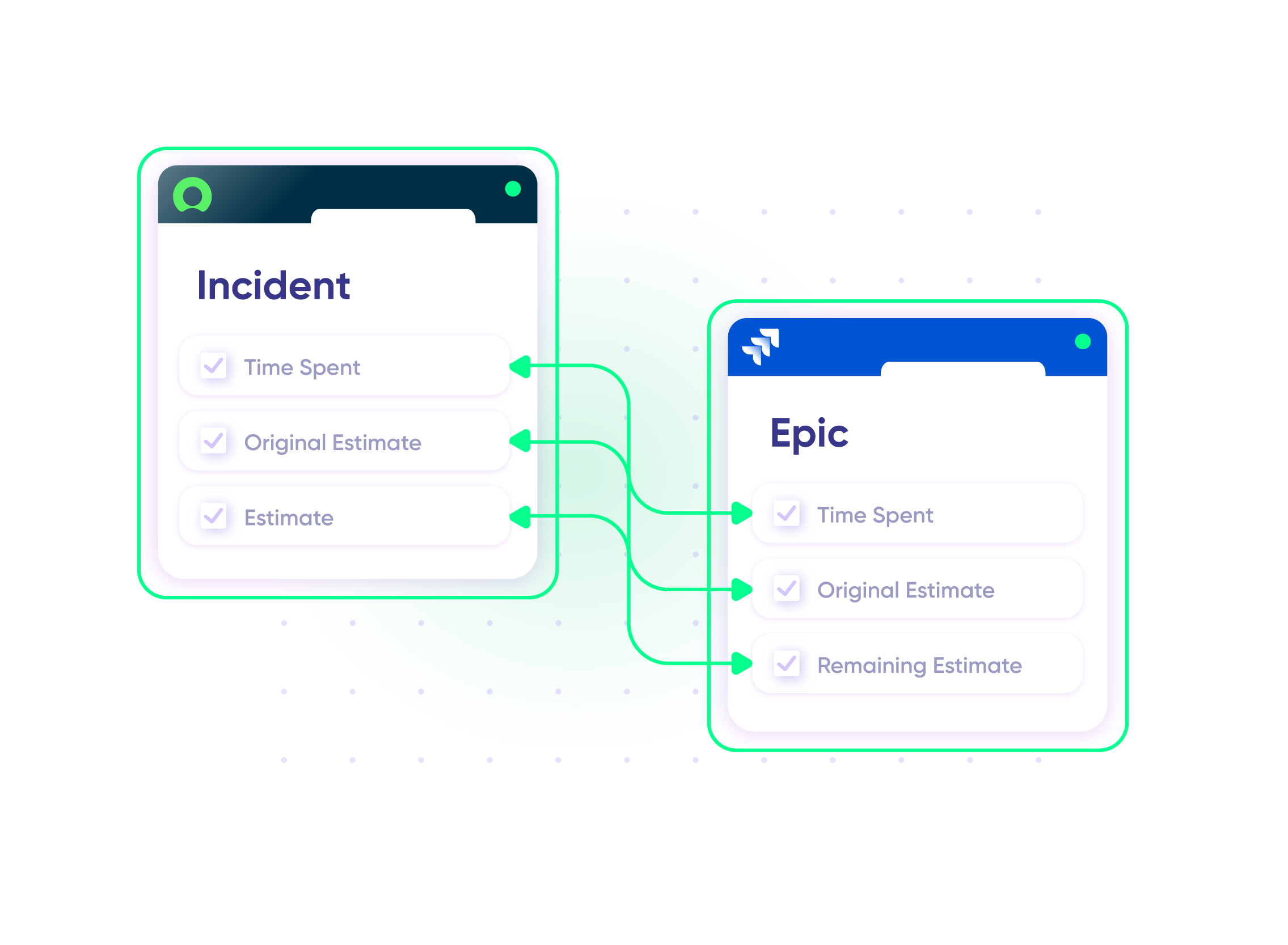
Tally time spent and estimates across every story under a Jira epic and write the totals to custom fields on the originating incident. Your IT operations team sees the development budget consumed by that incident without asking anyone for a number.
In practice:
...Or simply write a few lines of code
def ced = new CollectEpicData(issue.key)
replica.customKeys.totalTimeSpent = ced.storyTotalTimeSpent
replica.customKeys.totalOriginalEstimate = ced.storyTotalOriginalEstimate
replica.customKeys.totalEstimate = ced.storyTotalRemainingEstimate
Map Incidents, Problems, CMDB Records, RITMs and More
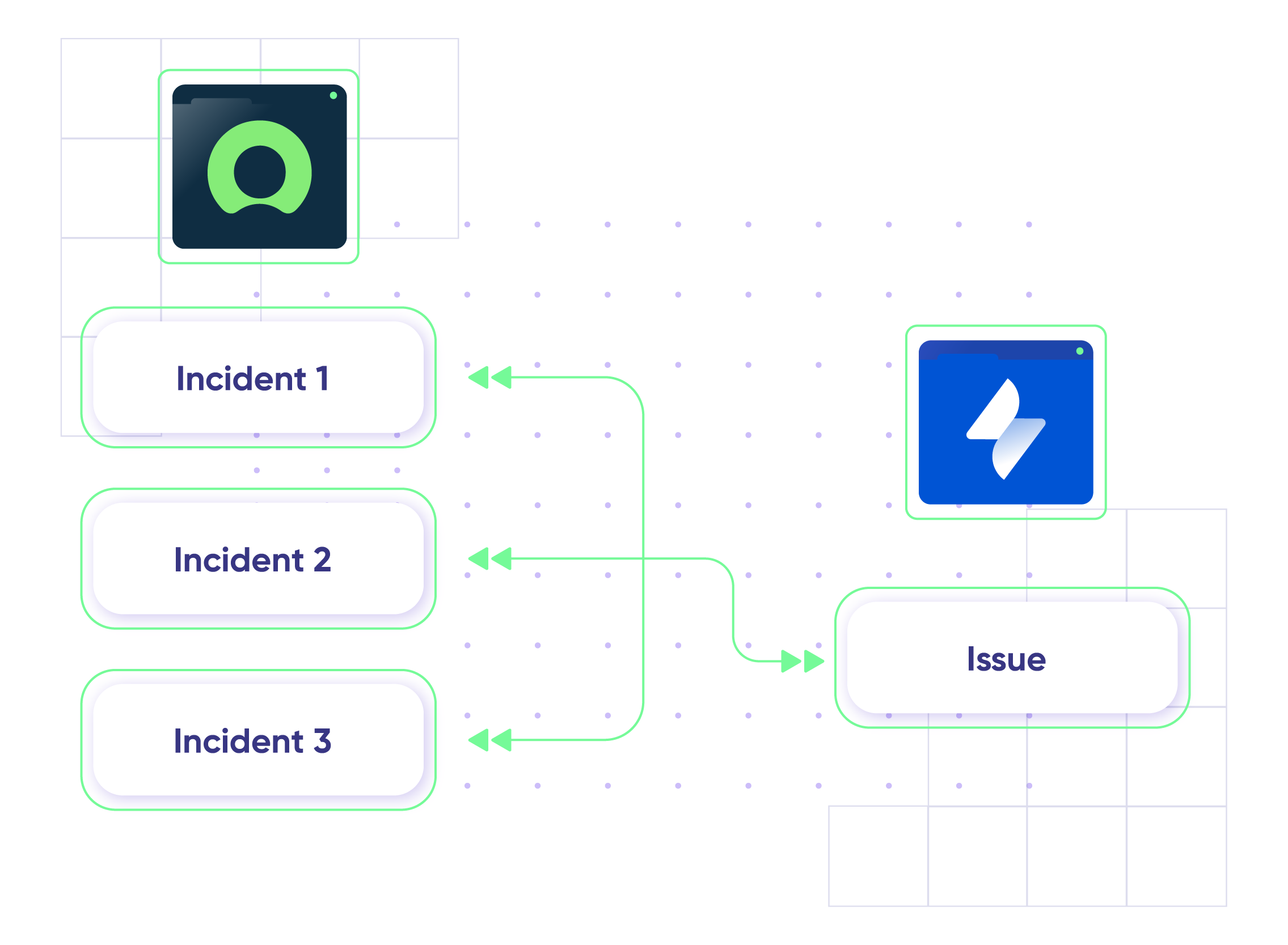
Send more than one ServiceNow entity down the same connection and decide what each becomes in Jira. Incidents, problems, change requests, CMDB configuration items, and catalog tasks each map to the work item type that fits, with custom field transformations on the way through.
In practice:
No need to code, simply add a trigger.
Run Change Management Across Both Systems
Sync change requests from ServiceNow to Jira so approval status, implementation progress, attachments, comments, and post-change notes stay current on both records. Map tasks to Jira subtasks, and closing the subtask in Jira updates the change task in ServiceNow.
In practice:
No need to code, simply add a trigger.
Jira Service Management and ServiceNow: Migrate or Sync
Migrate data from ServiceNow to a Jira Service Management instance or choose to sync instead. Transition smoothly with live migrations and context-relevant data transformation.
In practice:
No need to code, simply add a trigger.
Route Catalog Requests to the Right Jira Project
Create a Jira story from a ServiceNow catalog request and let the catalog item decide which project it lands in. Comments, state changes, and assignments flow back to the child task rather than the parent, so the request keeps its shape on the ServiceNow side.
In practice:
No need to code, simply add a trigger.
Work a ServiceNow Backlog in Jira
Keep tracking every incident, defect, and enhancement request in ServiceNow while another team pulls the ones they own into a Jira backlog. Work is split across assignment groups, so each Jira board only sees its own queue instead of the whole intake.
In practice:
No need to code, simply add a trigger.
Send Vulnerability Findings From ServiceNow to the Team on Jira
Route security and vulnerability tickets from ServiceNow to the Jira team that owns the affected system, with remediation status going back. ServiceNow stays authoritative on the fields that matter for the audit, and only the filtered subset crosses over, not every Jira ticket.
In practice:
No need to code, simply add a trigger.
Create ServiceNow Incidents from a Jira Label
Add a label to a Jira work item and raise the matching ServiceNow incident from it. Teams under a contract that requires tickets in ServiceNow meet the obligation without asking hundreds of agents to work in a second system.
In practice:
No need to code, simply add a trigger.
priority support
Hands-On Assistance When The Sync Breaks
Priority Support includes dedicated support with faster SLAs, direct escalation paths, and people who already know your environment before an issue ever surfaces.
A dedicated support engineer
24/7 support for critical issues
Direct contact via Slack/Teams
Faster response times
FAQ
Answers to the most frequent questions.
Didn't find what you were looking for? Ask Aida
Exalate is a flexible integration solution that connects Jira (Cloud and Data Center) with ServiceNow for real-time, bidirectional synchronization. It lets you sync incidents, issues, change requests, description (including images added to it), short description, summary, comments, attachments, and custom fields between platforms while maintaining independent control over each side of the integration. Unlike template-based tools, Exalate uses a script-based engine that handles any custom workflow your teams require.
You can sync virtually any data between Jira and ServiceNow, including incidents, problems, change requests, service requests (RITMs), comments, attachments, custom fields, priorities, statuses, work notes, and assignment groups. Exalate supports all ServiceNow tables available via REST APIs and over 40 Jira fields, including third-party plugin fields. Use Aida, the AI assistant, to help configure complex field mappings or write sync rules from scratch using Groovy scripts.
Setting up your Jira ServiceNow integration takes four steps: First, register your account and connect both your Jira and ServiceNow instances by adding their URLs. Next, configure your sync rules to define which data flows between systems. You can use Aida to generate scripts based on plain-language prompts or write custom Groovy scripts. Finally, set up triggers using JQL for Jira or ServiceNow advanced search syntax to automate when syncs occur. Start with a 30-day free trial to test your integration.
Exalate uses outcome-based pricing where you pay based on active items in sync, not arbitrary user counts. Plans include Starter, Scale, Pro, and Enterprise tiers with different features and sync capacities. Each integration (for example, Jira to ServiceNow) requires its own plan, and you can mix plan types based on complexity. Use the pricing calculator to estimate costs for your specific setup, or visit the pricing page for detailed plan comparisons.
Exalate protects your integration with enterprise-grade security including JWT access tokens, HTTPS with TLS 1.2 and 1.3, role-based access controls, and multi-factor authentication. The platform is ISO 27001 certified and supports single-tenancy deployment where each node runs in an isolated Kubernetes pod. For organizations with strict compliance requirements, you can choose your data residency location. Visit the Exalate Trust Center for complete security documentation and compliance certifications.
Yes, Exalate supports multi-instance setups where you can connect multiple ServiceNow instances to a single Jira instance or vice versa. This is useful for managed service providers (MSPs) serving multiple clients, enterprises with regional ServiceNow instances, or organizations managing separate development and production environments. Each connection can have unique sync rules and field mappings. Exalate also integrates with Azure DevOps, Zendesk, Salesforce, GitHub, and other platforms.
Unlike ServiceNow IntegrationHub (Jira Spoke), Exalate offers true bidirectional synchronization where both Jira and ServiceNow teams maintain independent control over their data. IntegrationHub is ServiceNow-led, meaning ServiceNow controls the integration scope. Exalate’s script-based engine handles complex custom workflows that template-based solutions cannot, and its outcome-based pricing is often more cost-effective than IntegrationHub’s additional licensing fees. Both sides can configure their sync rules independently without sharing admin credentials.
Common use cases include escalating ServiceNow incidents to Jira for development teams, syncing change requests between IT operations and engineering, tracking customer-reported bugs across support and development systems, and maintaining SLA compliance with real-time status updates. Enterprises also use it for cross-company collaboration with partners or clients who use different platforms. MSPs benefit from connecting multiple client ServiceNow instances to their internal Jira environment.
Yes, Exalate supports both one-way and two-way synchronization. You configure the direction of data flow in your sync rules, with separate incoming and outgoing scripts for each side. This means you can send incidents from ServiceNow to Jira without syncing updates back, or create fully bidirectional workflows where changes in either system update the other in real-time. You can also set different sync directions for different fields within the same connection.
Exalate supports all ServiceNow entities available through REST APIs, including Incidents, Problems, Change Requests, Service Requests (RITMs), Tasks, and custom tables. You can sync any field within these entities, from standard fields like short description, state, priority, and assignment group to custom fields specific to your ServiceNow configuration. Simply reference the field names from your ServiceNow tables in your sync scripts.
How useful was this content?
Click on a star to rate it!
Average rating 4.9 / 5. Vote count: 223
No votes so far! Be the first to rate this post.
We are sorry that this post was not useful for you!
Let us improve this post!
Tell us how we can improve this post?