Exalate vs Getint
Which Integration Platform Is Right for Your Team?
Both platforms offer two-way (bidirectional) synchronization, but they differ in sync time, customization and pricing.
This guide helps you understand which platform fits your specific use case.
Quick Comparison Table
| Feature | Exalate | Getint |
|---|---|---|
| Flexibility | Highly customizable via AI-assisted Groovy scripting | Template-based (UI-first approach) |
| Management Console | One unified console for all integrations | One centralized dashboard |
| Setup Process | Web-based rampup flow with URL-based connection setup | Template-based setup, best for simple use cases |
| AI Capabilities | Aida for building scripts, troubleshooting, and fixing errors | AI-powered field mapping in development |
| Security | ISO 27001, GDPR, SentinelOne monitoring, Bug Bounty | ISO 27001, ISO 27018, SOC 2 Type II, GDPR, Bug Bounty |
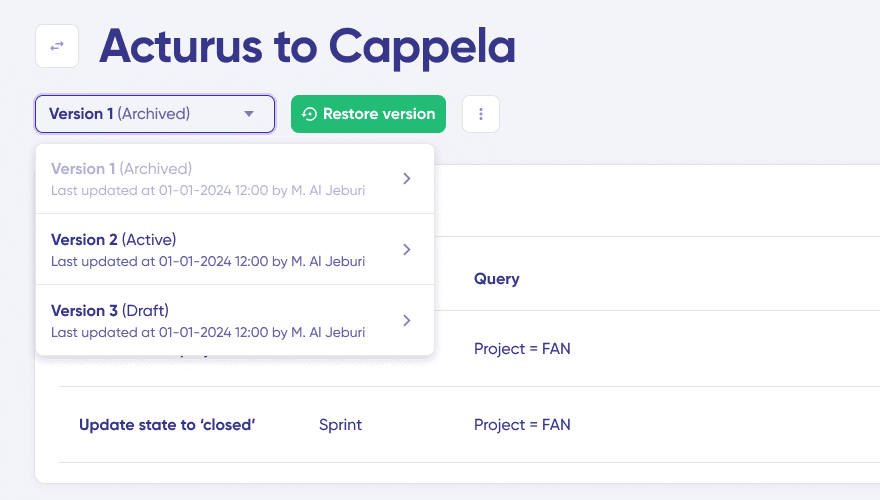
| Script Versioning | Full version history plus rollback | Not specified |
| Test Run capability | Test sync scripts before production | Not specified |
| Pricing Model | Integration-based (pay by active items in sync) | User-based (Jira) plus connection-based (non-Jira) |
| Supported Connectors | Jira, Azure DevOps (Cloud and Server), ServiceNow, Salesforce, Zendesk, GitHub, Asana, Freshservice, Freshdesk, and more | Jira, Azure DevOps, ServiceNow, Salesforce, Monday, Asana, GitHub, GitLab, Zendesk, and more |
| Documentation, Community & Partner Network | Extensive documentation with step-by-step tutorials YouTube video guides Community presence A worldwide partner network | Limited documentation No community No substantial information is available on their partner network |
| Best For | Teams needing deep control, complex workflows, and regulated environments | Teams needing faster deployment and simpler UI setup |
| Best Fit | Teams requiring granular control, complex workflows, and regulated environments | Teams seeking faster deployment with simplified UI-first setup |
YouTube video guides
Community presence
A worldwide partner network
No community
No substantial information is available on their partner network
The Core Difference: Customization

Getint: Template-First
Getint focuses on fast deployment with pre-built templates and visual field mapping.
Exalate: Script-First with AI Assistance
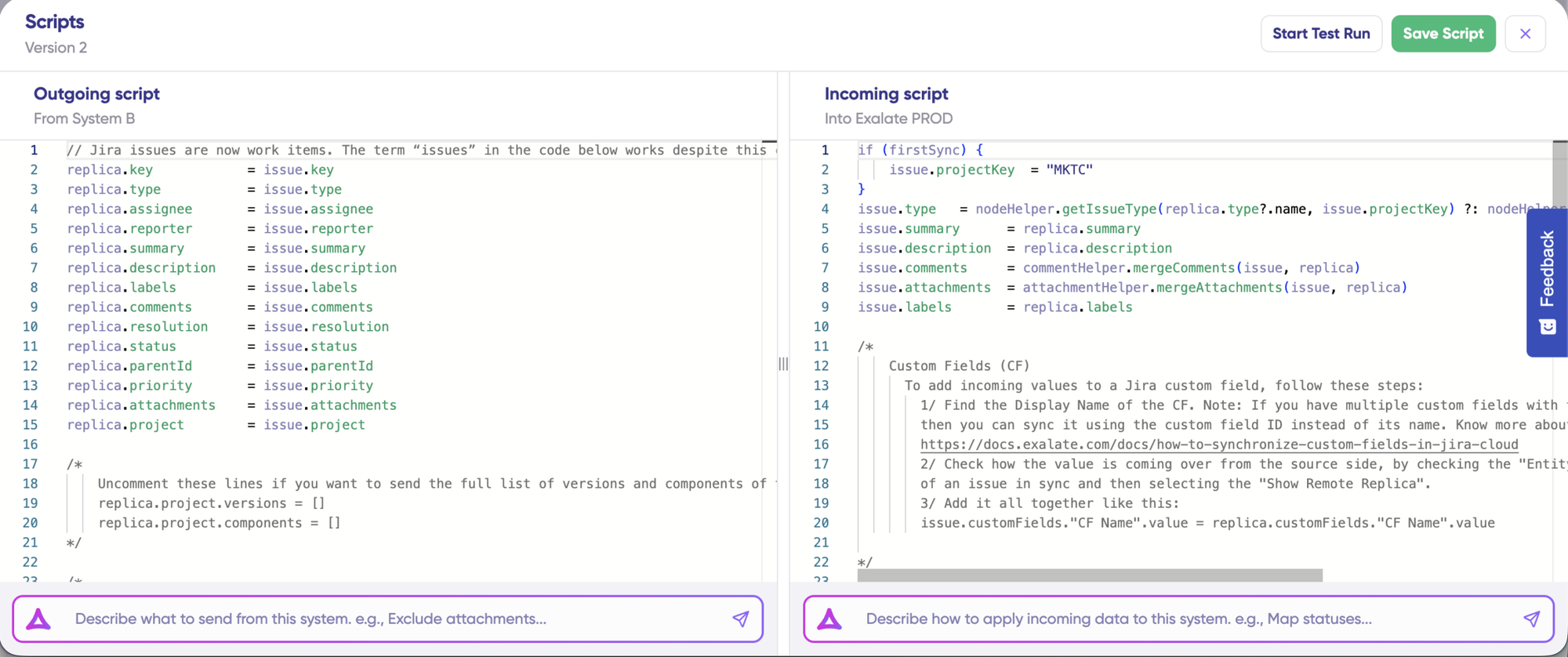
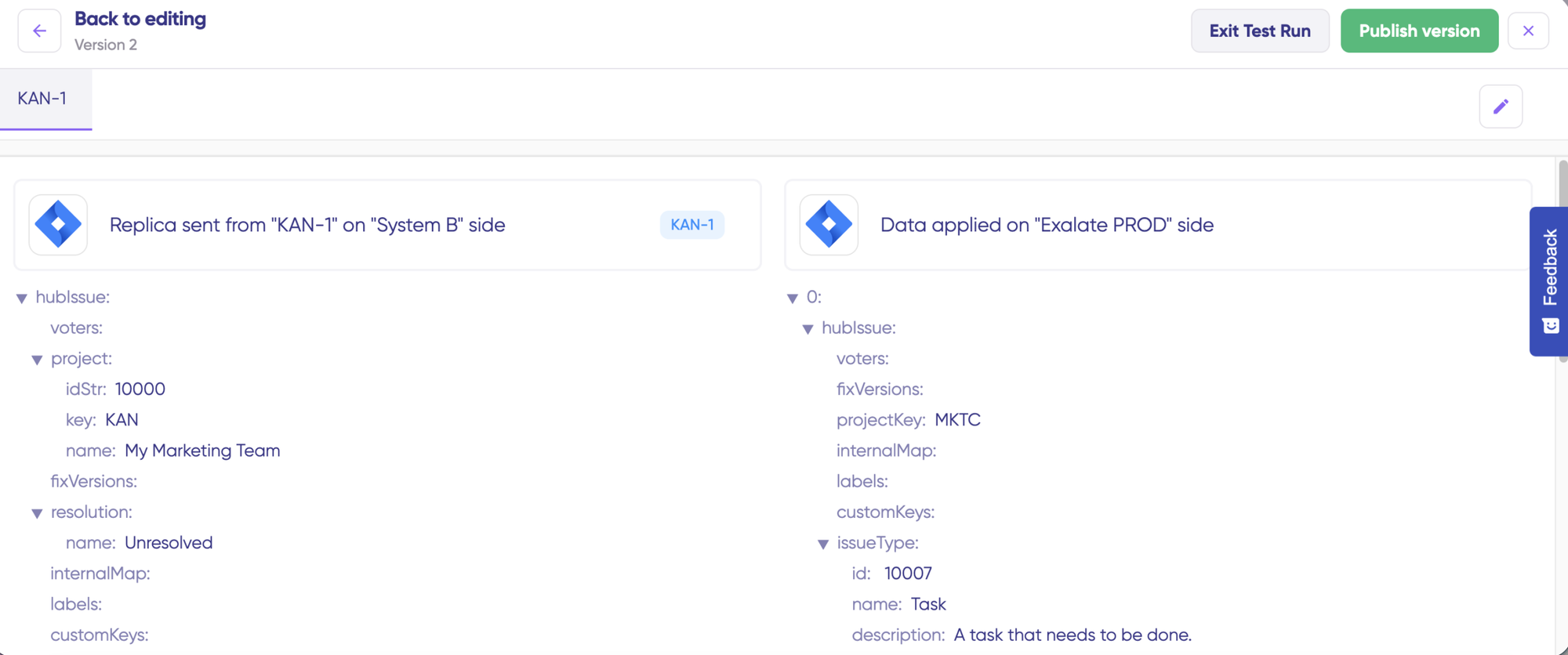
Exalate gives you unlimited customization through Groovy scripting.
After this, the GIF from the Exalate section above.
Exalate is better when:
Advanced field mappings (title -> description + remote item link)
Custom data transformations with business logic.
Advanced conditional mapping and validation rules.
AI-assisted sync script generation
Deep integrations between tools like Jira, ServiceNow, Salesforce, etc.
Getint's scripting: "Advanced Scripting" or Actual Scripting?
- With Getint's "Advanced Scripting," you're working within a limited set of event hooks and a narrow API surface. You can write JavaScript snippets that modify request data before API calls are sent, which is not the same as having a full scripting engine .

Getint is better if you have the following needs:
- Basic field mappings (title → title, description → description)
- No conditional logic needed
- Visual configuration preferred over code
- Need to integrate platforms like Monday.com, ClickUp, or Wrike

Exalate: Script-First with AI Assistance
Exalate gives you unlimited customization through Groovy scripting.
When Exalate's approach wins:
- Different transformation rules for each direction
- Advanced conditional logic and field mappings (title -> description + remote item link)
- Custom data transformations with business logic.
- Intricate workflow orchestration and validation rules.
- AI-assisted sync script generation
- Deep integrations between tools like Jira, ServiceNow, Salesforce, etc.
Getint: Template-First
Getint focuses on pre-built templates and visual field mapping.
Getint's Scripting: "Advanced" Scripting or Actual Scripting
-
Getint's "advanced" scripting is limited to event hooks and a narrow API. You can tweak request data with JavaScript snippets before calls are sent.
Not the same as having a full scripting engine.
When Getint approach wins:
- Basic field mappings (title → title, description → description)
- Visual configuration preferred over code
- Need to integrate platforms like Monday.com, ClickUp, or Wrike
What You Can Actually Sync
Exalate: Handles Advanced Sync Scenarios
There’s a lot you can build using scripts, including advanced computing and mapping logic.
Granular Comment Control
Configure user mentions differently between Jira Cloud/DC
Complex Hierarchies
Define multi-level hierarchy sync between different platforms
Advanced Conditional Logic
Unlimited computing and mapping logic
“The fact that Exalate is a very extensible and flexible product is quite an impressive feature for us. We can even build our own integration on top of it, and it actually shows that the developers and the engineers behind the product really know what they are doing.” — Alexander Sinno, NVISO
When Exalate’s approach wins:
- Different transformation rules for each direction
- Any data available via REST APIs, hierarchical syncs, or third-party plugin data.
- Requirements that will evolve over time
Getint: Handles Simple Sync Scenarios
Getint’s UI looks extensive at the onset, but its functionality is very basic if compared with Exalate’s scripting engine.
Getint supports 16 platforms vs Exalate’s 9+ (with custom connector capability).
Getint’s additional platforms: Monday.com, ClickUp, Wrike, Trello, Notion, HubSpot, GitLab, Airtable
Trade off: Getint's broader platform support comes with less deep customization. Once requirements get complex, it's template approach may hit limitations.
Exalate: Handles Advanced Sync Scenarios
Tailor your sync scripts to match your exact requirements:
- Granular Comment Control: Configure user mentions differently between tools
- Complex Hierarchies: Define multi-level hierarchy sync between different platforms
- Any data available via REST APIs, hierarchical syncs, or third-party plugin data.
- Requirements that evolve over time
“The fact that Exalate is a very extensible and flexible product is quite an impressive feature for us. We can even build our own integration on top of it” — Alexander Sinno, NVISO
Getint: Handles Simple Sync Scenarios
Getint’s UI looks extensive at the onset, but its functionality is very basic if compared with Exalate’s scripting engine.
Getint supports 16 platforms vs Exalate’s 9+ (with custom connector capability).
Getint’s additional platforms: Monday.com, ClickUp, Wrike, Trello, Notion, HubSpot, GitLab, Airtable
Trade off: Getint's broader platform support comes with less deep customization. Once requirements get complex, it's template approach will hit limitations.
Trade off: Getint's broader platform support comes with less deep customization. Once requirements get complex, it's template approach will hit limitations.
Real-Time Sync and Performance
Exalate: Real-time Sync and Robust Monitoring
Exalate’s sync is in real-time for every plan, and handles failures automatically.
- Real-time sync in all pricing plans
- Queue-based architecture handles large data volumes without degradation
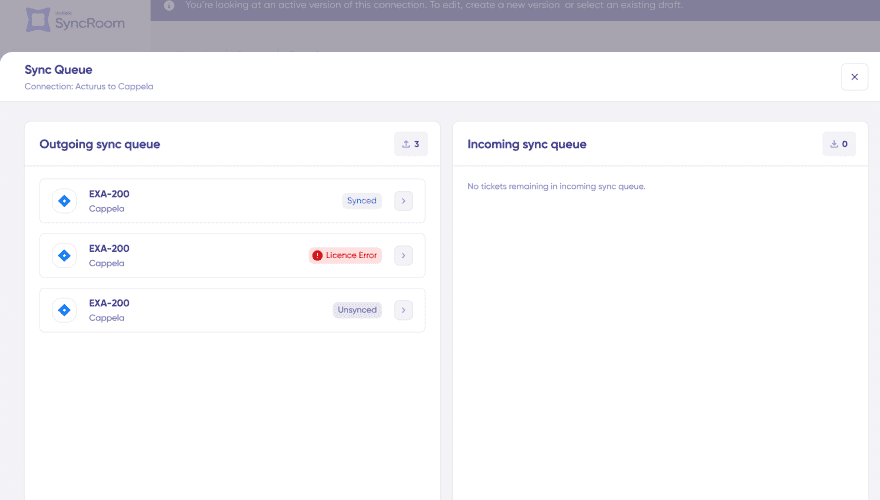
- Automatic retry resumes from point of failure
- Sync queue visibility with detailed status
- Script versioning & rollback for audit trails
- Aida AI-powered error diagnosis: plain-language explanations with context-aware suggestions
Getitnt: Longer Sync Intervals with Simpler Monitoring
Getint does not offer real-time sync for all users, and some manual work might be required for fixing transient errors.
- 3-minute update intervals on standard plans
- Manual intervention required for sync errors
- Access detailed logs for troubleshooting
- Get error notifications via email, Slack, or webhooks
Operational Control: Who Controls What?
Exalate: Multi Admin Control
Each side controls their own sync rules independently. Ideal for multiple admin scenarios, MSPs, consulting firms or software vendors working with external clients.
Getint: Single Admin Control
One administrator configures sync rules for both sides from a single dashboard.
- Single organization controlling both platforms
- Basic internal integration scenarios
- Simpler management when autonomous control isn't needed
Security and Compliance
- ISO 27001 certified
- GDPR compliant
- Cloud Fortified by Atlassian
- Bug Bounty program participation
- Regular security assessments and penetration testing
- Encryption in transit (TLS 1.2+) and at rest (AES-256)
- Threat detection with SentinelOne monitoring
- Role-based access control
- Decoupled authentication: API keys, OAuth, and PAT support without exposing credentials
- Data residency options
- ISO 27001 and ISO 27018 certified
- GDPR compliant
- Cloud Fortified by Atlassian
- Bug Bounty program participation
- Data encryption for transmission and storage
- Log encryption to support audit trails
- Compliance support, including security and procurement calls
AI Capabilities
Exalate: Aida AI Assistant
Aida helps you build sync scripts using prompts and troubleshoot issues by understanding your specific configuration context.
in documentation
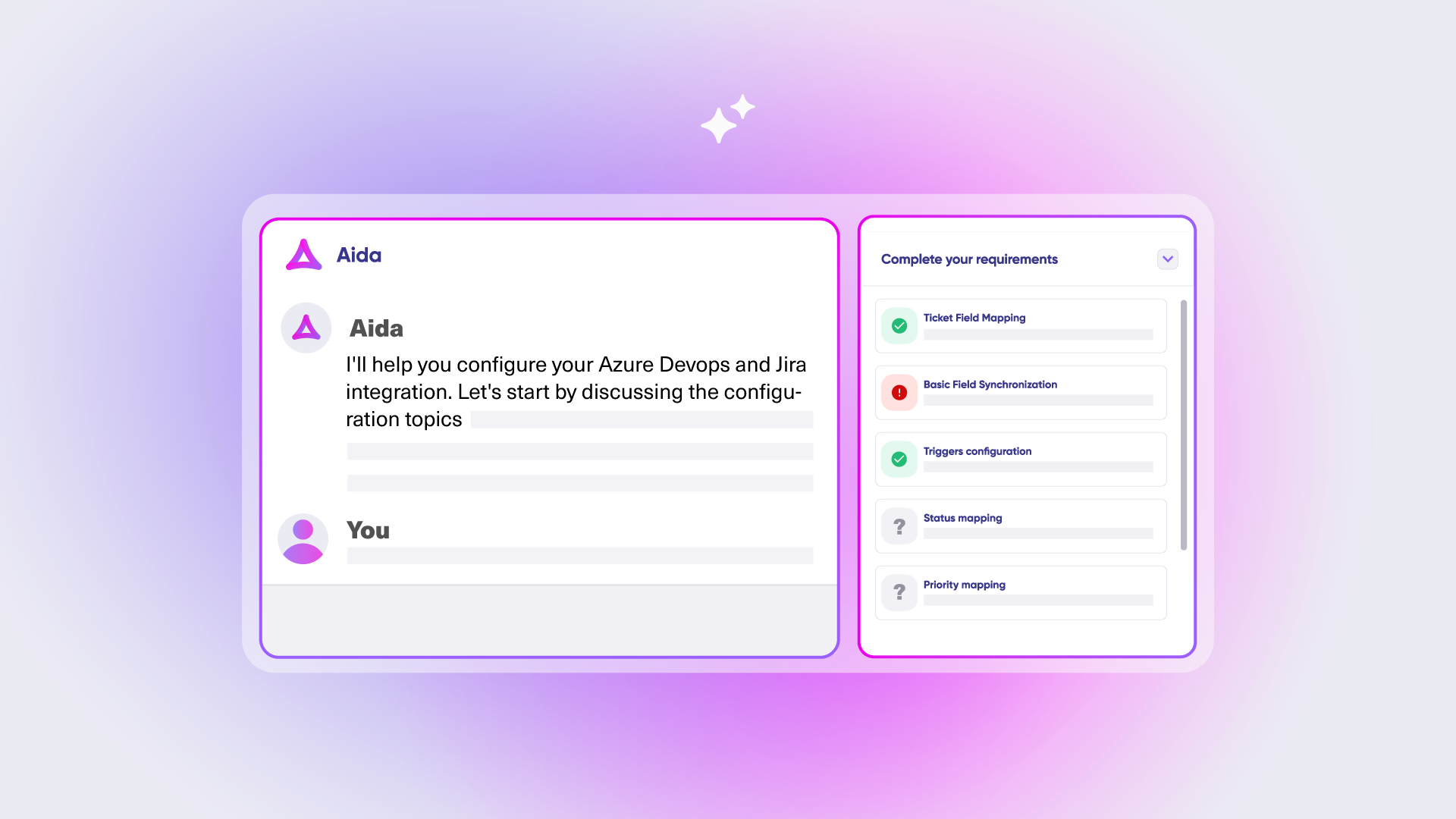
Help you plan and scope your integrations
in product
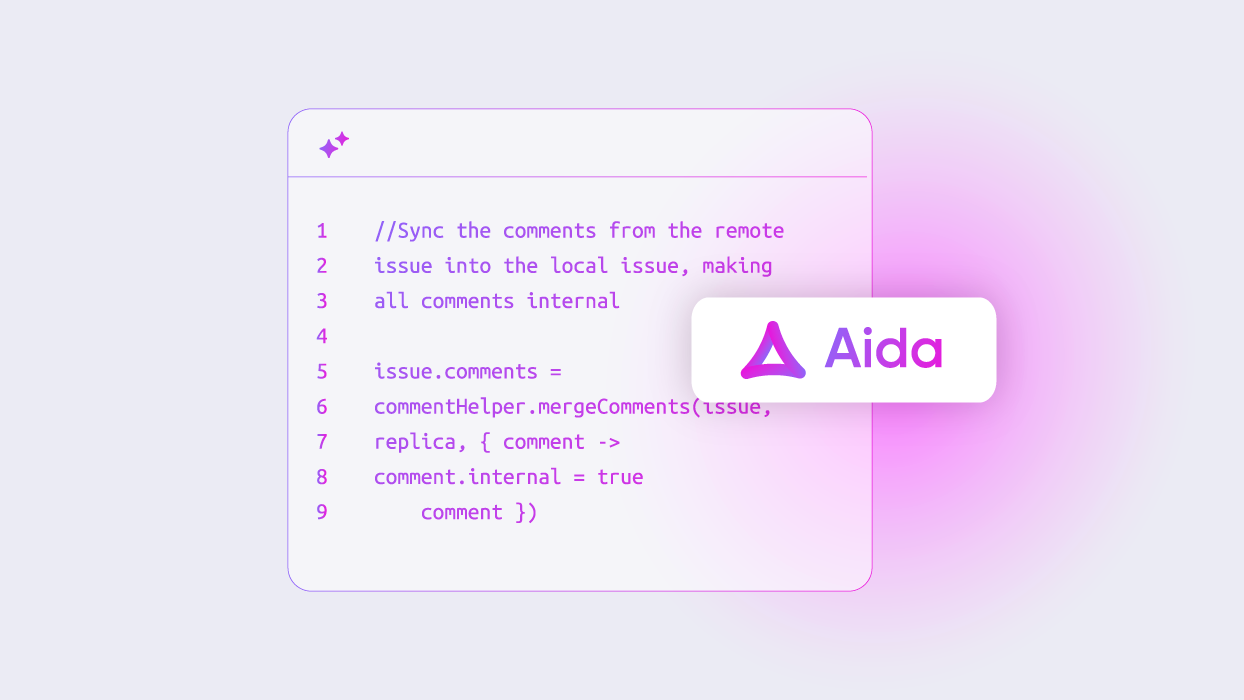
Generates script code based on your requirements.
in product
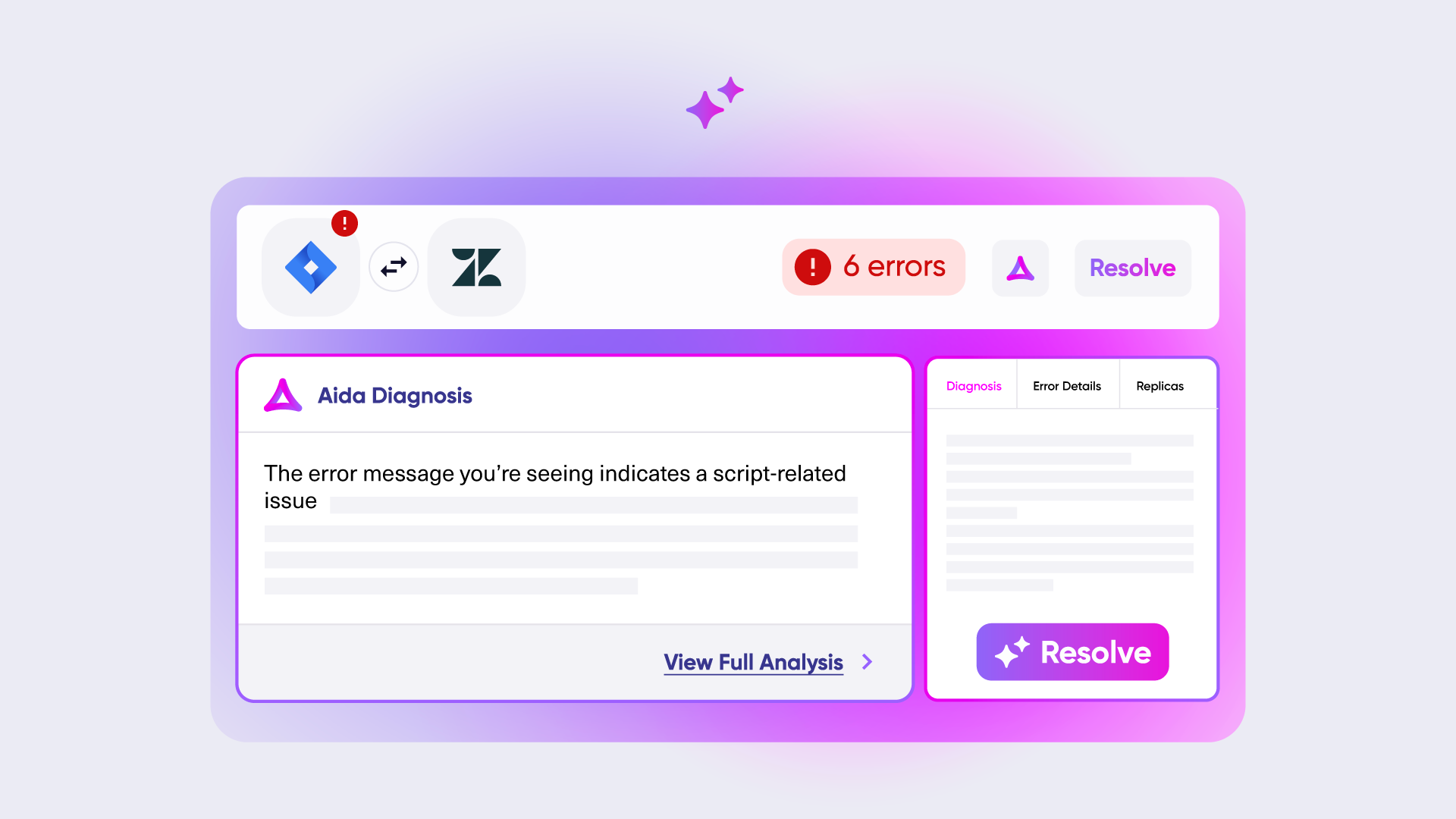
Explains errors in plain language and recommends fixes
Getint: No AI Capabilities
As of February 2026, Getint has AI-powered field mapping in development but doesn’t yet offer the same level of AI assistance as Aida. Getint focuses primarily on UI-driven configuration.
Exalate: Aida AI Assistant
Aida helps you build sync scripts using prompts and troubleshoot issues by understanding your specific configuration context.
Getint: No AI Capabilities
As of February 2026, Getint has AI-powered field mapping in development but doesn’t yet offer the same level of AI assistance as Aida. Getint focuses primarily on UI-driven configuration.
Pricing: How Much Will It Cost?
Exalate: Outcome-Based Pricing
Exalate’s pricing is outcome-based. Instead of paying for seats, user counts, or transactions, you pay for integration and for active items currently in sync.
Predictable costs
No surprise bills from usage spikes
Fair scaling
Costs grow with actual integration complexity, not headcount
Value-aligned
You pay for sync relationships that are active and contributing to your workflow
“We managed to reduce Service Desk costs by around 95% using Exalate.” — Piotr Radtke, Netguru
Exalate: Outcome-Based Pricing
Exalate’s pricing is outcome-based. Instead of paying for seats, user counts, or transactions, you pay for integration and active items currently in sync.
- Predictable costs: No surprise bills from usage spikes
- Fair scaling: Costs grow with actual integration complexity, not headcount
- Value-aligned: You pay for sync relationships that are active and contributing to your workflow
“We managed to reduce Service Desk costs by around 95% using Exalate.” — Piotr Radtke, Netguru
Getint: User & Connection-Based
Getint offers a user-based pricing structure that depends heavily on the Atlassian marketplace structure. This can be attractive at the entry level, but it may become costly when your integration needs expand across multiple systems and workflows.
Common Objections Addressed
"Exalate is too expensive."
Outcome-based pricing often results in lower total cost for complex integrations.
Customer: “We evaluated different products, and Exalate was the one. It was also the most cost-effective overall.
"Getint is easier, so why pay more?"
Getint is quicker for simple templates. But as requirements evolve, template platforms hit limits.
Consider: will requirements stay simple forever?
"We don't need scripting."
Many teams don’t at first. But workflows change. Starting with Exalate ensures you don’t need to switch platforms later. Plus, many admins prefer the flexibility of scripting anyway 😉
"Building our own is more cost-effective."
Rarely true: 3-6 month build time, 20-30% maintenance annually, hidden costs (API changes, security updates).
Frequently Asked Questions
"Can both handle real-time bidirectional sync?"
Exalate: Yes, all plans. Getint: Real-time on enterprise; 3-minute intervals on standard.
"Which is easier to set up?"
Getint is quicker for simple templates. But as requirements evolve, template platforms hit limits. Consider: will requirements stay simple forever?
"Do I need coding knowledge?"
Getint: No-code for most cases. Exalate: Groovy scripting (Aida AI helps) or use managed services.
"How does Exalate's pricing work?"
Pay for active items currently in sync. Example: 150 Jira work items syncing = 150 active items.
"Can I sync custom fields and hierarchies?
Both: Yes. Exalate adds: granular custom control, third-party plugin data, and custom hierarchy definitions.
"Which handles complex conditional logic better?"
Exalate’s Groovy scripting offers unlimited flexibility. Getint’s JavaScript customization is limited to field-level modifications.
"Which is better for integrations with external parties?"
Exalate, as it gives independent operational control per side. Getint works for when one org controls both sides.
Making Your Decision
With Exalate
Simple to complex workflows, deep customization, internal and cross-company integrations, regulated industries, granular control.
With Getint
Simple integrations, quick deployment, UI-first preference, specific platform connectors (Monday.com, ClickUp).
This comparison is based on publicly available information as of February 2026. Read the full comparison article here. Verify current details with each platform.
See Exalate in Action
Let us show you how Exalate can fit your unique business needs.
trusted by clients worldwide