Exalate vs Integration Hub
Which Integration Platform Is Right for Your Team?
We compare bidirectional sync, customization depth, pricing, and setup complexity, and more.
Quick Comparison Table
| Feature | Exalate | ServiceNow IntegrationHub |
|---|---|---|
| Primary Purpose | Bidirectional cross-platform, cross-team, and cross-company sync | Workflow automation within the ServiceNow ecosystem |
| Sync Direction | True real-time bidirectional sync Core capability | Primarily one-way; bidirectional needs extra config |
| Customization | AI-assisted Groovy scripting. Full control over any field or rule | Low-code Spokes; custom Spokes require JavaScript dev resources |
| Pricing Model | Outcome-based. Pay for items in sync, not transactions Predictable | Transaction-based — every API call counts toward your limit Can spike |
| Setup Complexity | Unified console; connection live in minutes | Requires ServiceNow expertise; steep learning curve |
| AI Capabilities | Aida AI for scripting, troubleshooting, and error resolution | Spoke Generator (GenAI for building Spokes only) |
| Maintenance Overhead | Script versioning, rollback, Test Run built-in | Custom Spokes require ongoing maintenance as systems evolve |
| Transaction / Rate Limits | Standalone. No inherited constraints | 1M free/year on Starter; paid tiers above that |
| Cross-Company Sync | Built for vendors, MSPs, partners, and customers | Not designed for external, cross-org collaboration |
| Supported Platforms | Jira, ServiceNow, Salesforce, Azure DevOps, Zendesk, GitHub, Freshservice, and more | 175+ Spokes; ServiceNow-centric; some actions limited by tier |
The Core Difference: Customization

Getint: Template-First
Getint focuses on fast deployment with pre-built templates and visual field mapping.
Exalate: Script-First with AI Assistance
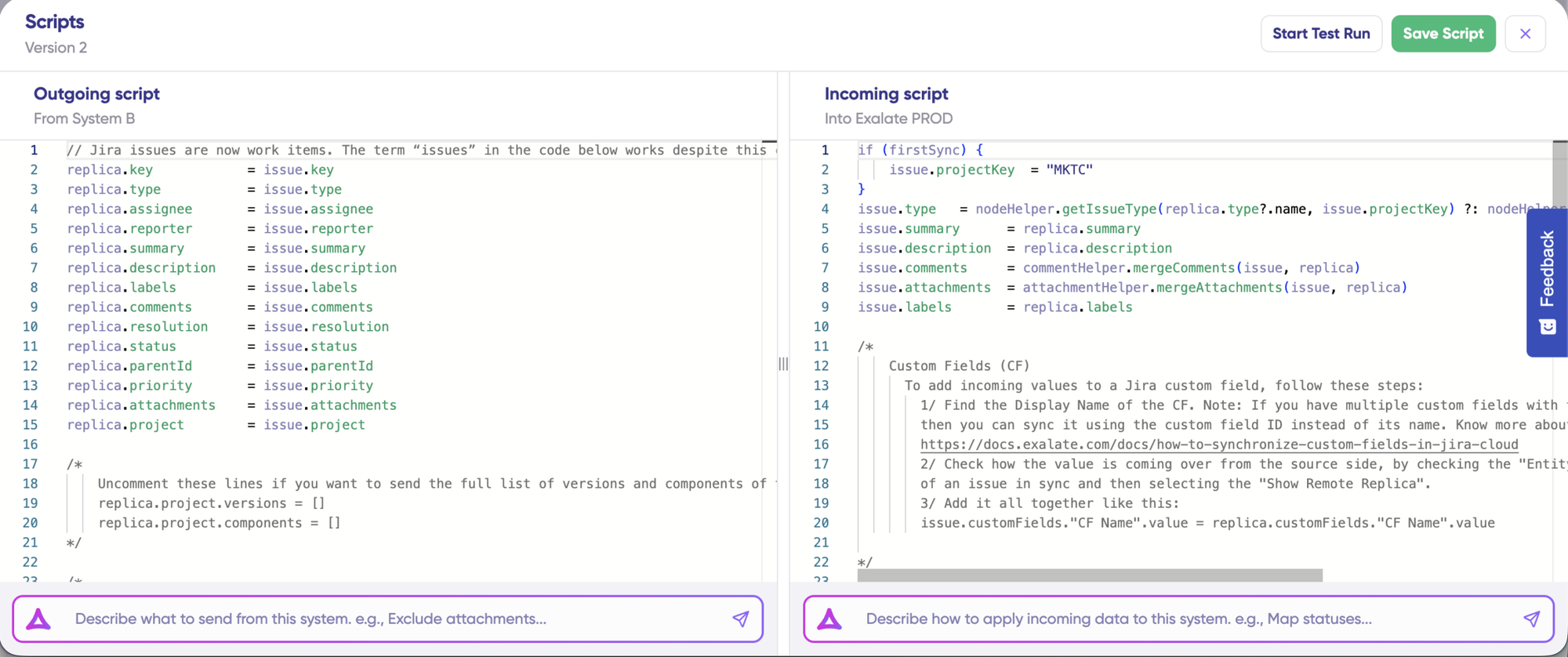
Exalate gives you unlimited customization through Groovy scripting.
After this, the GIF from the Exalate section above.
Exalate is better when:
Advanced field mappings (title -> description + remote item link)
Custom data transformations with business logic.
Advanced conditional mapping and validation rules.
AI-assisted sync script generation
Deep integrations between tools like Jira, ServiceNow, Salesforce, etc.
Getint's scripting: "Advanced Scripting" or Actual Scripting?
- With Getint's "Advanced Scripting," you're working within a limited set of event hooks and a narrow API surface. You can write JavaScript snippets that modify request data before API calls are sent, which is not the same as having a full scripting engine .

Getint is better if you have the following needs:
- Basic field mappings (title → title, description → description)
- No conditional logic needed
- Visual configuration preferred over code
- Need to integrate platforms like Monday.com, ClickUp, or Wrike

Exalate: Script-First with AI Assistance
Exalate gives you unlimited customization through Groovy scripting. If you can write it in Groovy, Exalate can sync it.
- Conditional logic ("sync this field only if status = 'In Review'")
- Different transformation rules for each direction
- Advanced field mappings (title -> description + remote item link)
- Custom data transformations with business logic.
- Advanced conditional mapping and validation rules.
- Aida AI generates scripts from plain-language descriptions
- No ServiceNow developer required for most configurations

Integration Hub: Low-Code Builder
IntegrationHub provides pre-built Spokes for standard automations via Flow Designer
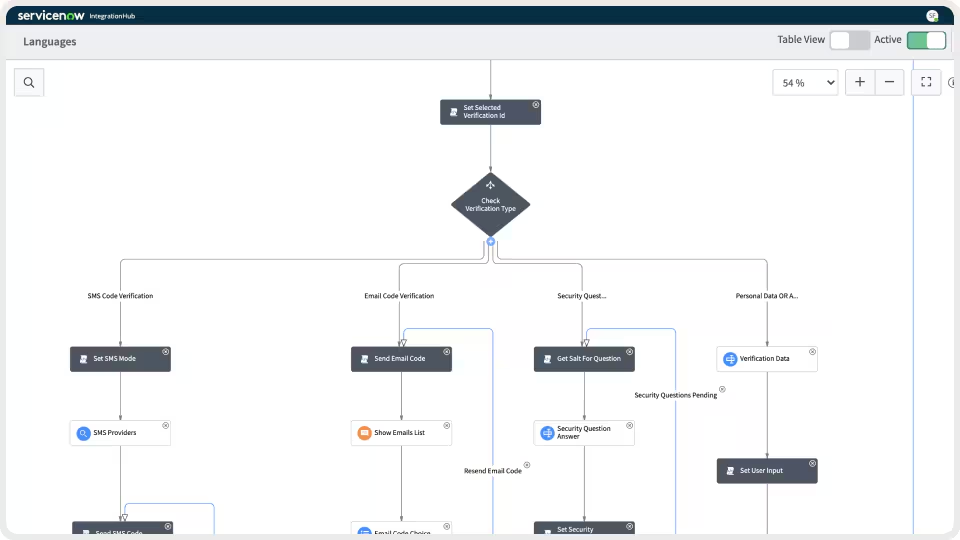
- Quick setup for common platforms like Slack, Salesforce, and Jira
- Spoke Generator (GenAI) helps build new Spokes visually
- For advanced requirements, organizations can build custom Spokes using JavaScript, REST APIs, SOAP, JDBC, or PowerShell.
- Custom Spokes require ongoing maintenance
- Complex scenarios require platform expertise to troubleshoot
Important limitation: IntegrationHub is primarily designed for one-way integrations. For anything beyond the basics, you'll need to build and maintain custom Spokes. ServiceNow recommends only for teams with dedicated development resources.
What You Can Actually Sync
Exalate: Handles Advanced Sync Scenarios
There’s a lot you can build using scripts, including advanced computing and mapping logic.
- True real-time bidirectional sync
- Granular Comment Control: Configure user mentions differently between tools
- Complex Hierarchies: Define multi-level hierarchy sync between different platforms
- Advanced Conditional Logic: Unlimited computing and mapping logic
- Different transformation rules for each direction
- Any data available via REST APIs, hierarchical syncs, or third-party plugin data.
- Requirements that will evolve over time
“The fact that Exalate is a very extensible and flexible product is quite an impressive feature for us. We can even build our own integration on top of it” — Alexander Sinno, NVISO
Integration Hub: Handles Simpler, ServiceNow-Out Scenarios
IntegrationHub excels at one-way automations where ServiceNow triggers actions in external systems.
- Primarily one-way sync; bidirectional requires additional configuration
- Custom Spokes require JavaScript and ongoing maintenance
- Plug-and-play for standard ServiceNow-out workflows
- Spoke availability depends on your subscription tier
- Limited to platforms within ServiceNow's Spoke library
Real-Time Sync and Performance
Exalate: Real-time Sync and Robust Monitoring
Exalate’s sync is in real-time for every plan, and handles failures automatically.
- Real-time sync in all pricing plans
- Queue-based architecture handles large data volumes without degradation
- Automatic retry with resume from point of failure
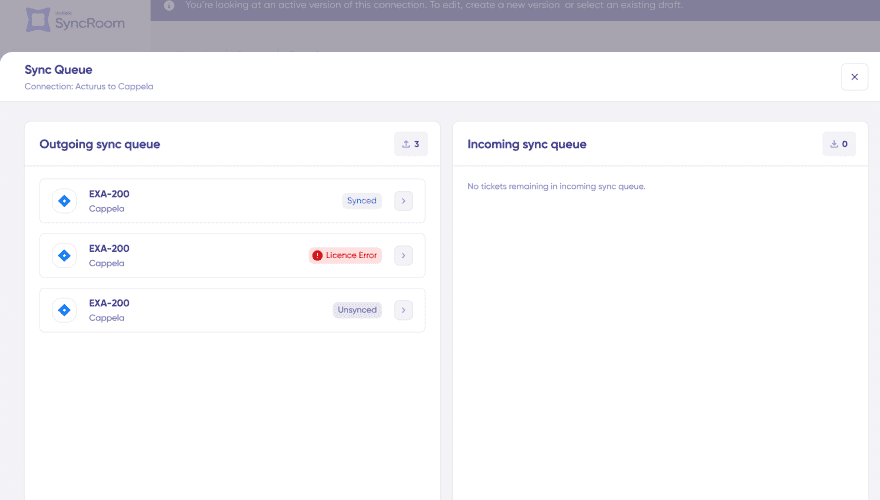
- Sync queue visibility with detailed status
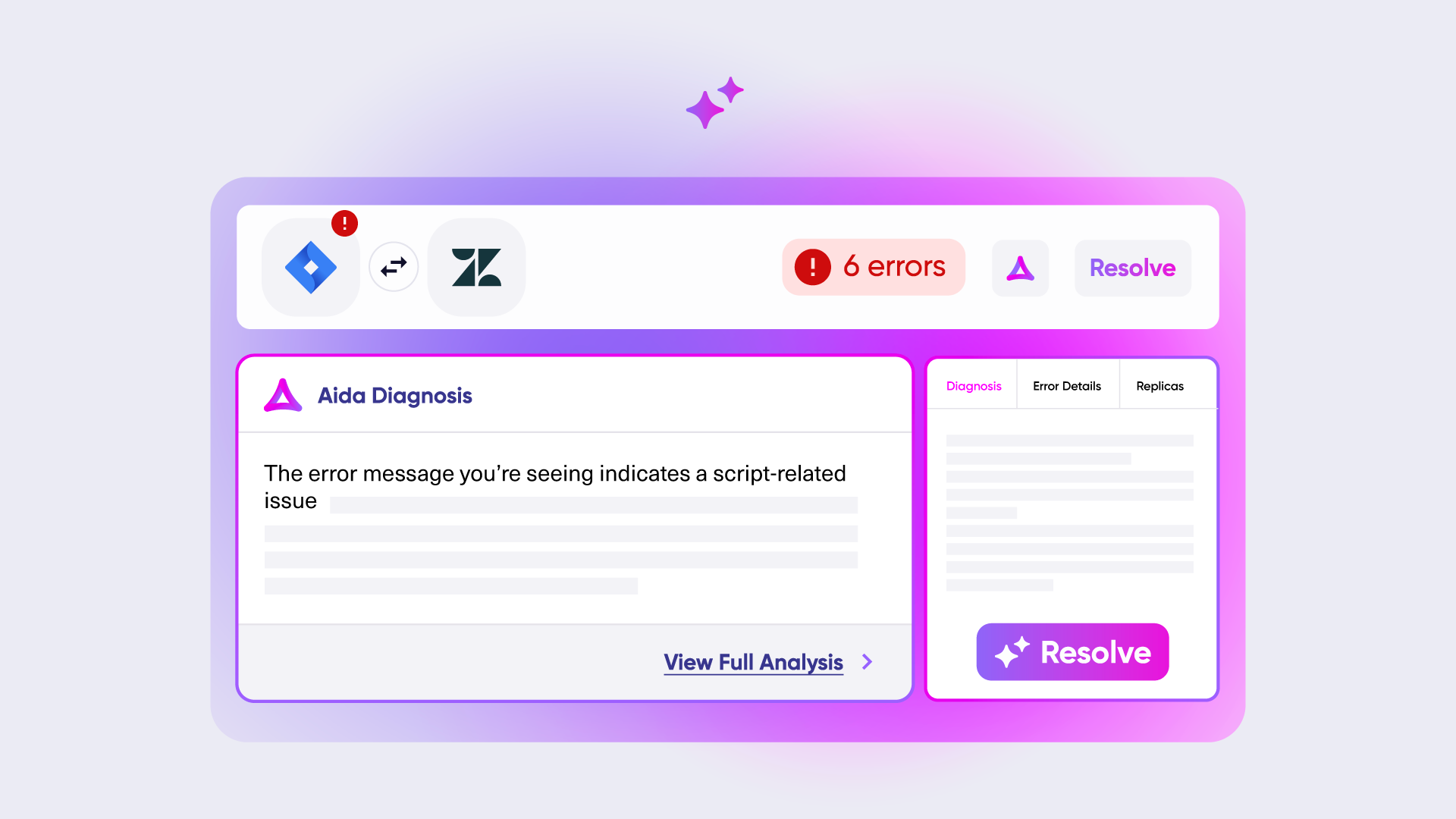
- Aida AI-powered error diagnosis: plain-language explanations with context-aware suggestions
Integration Hub: Event-Driven Workflows Within ServiceNow
- 5-15 minute sync intervals on Basic/Pro plans
- Real-time sync available on Enterprise plans only
- Event-driven, not continuous. Data flows only when specific actions trigger it
- Real-time sync works reliably on two endpoints only
- Complex mappings not supported in real time
Operational Control: Who Controls What?
Exalate: Multi Admin Control
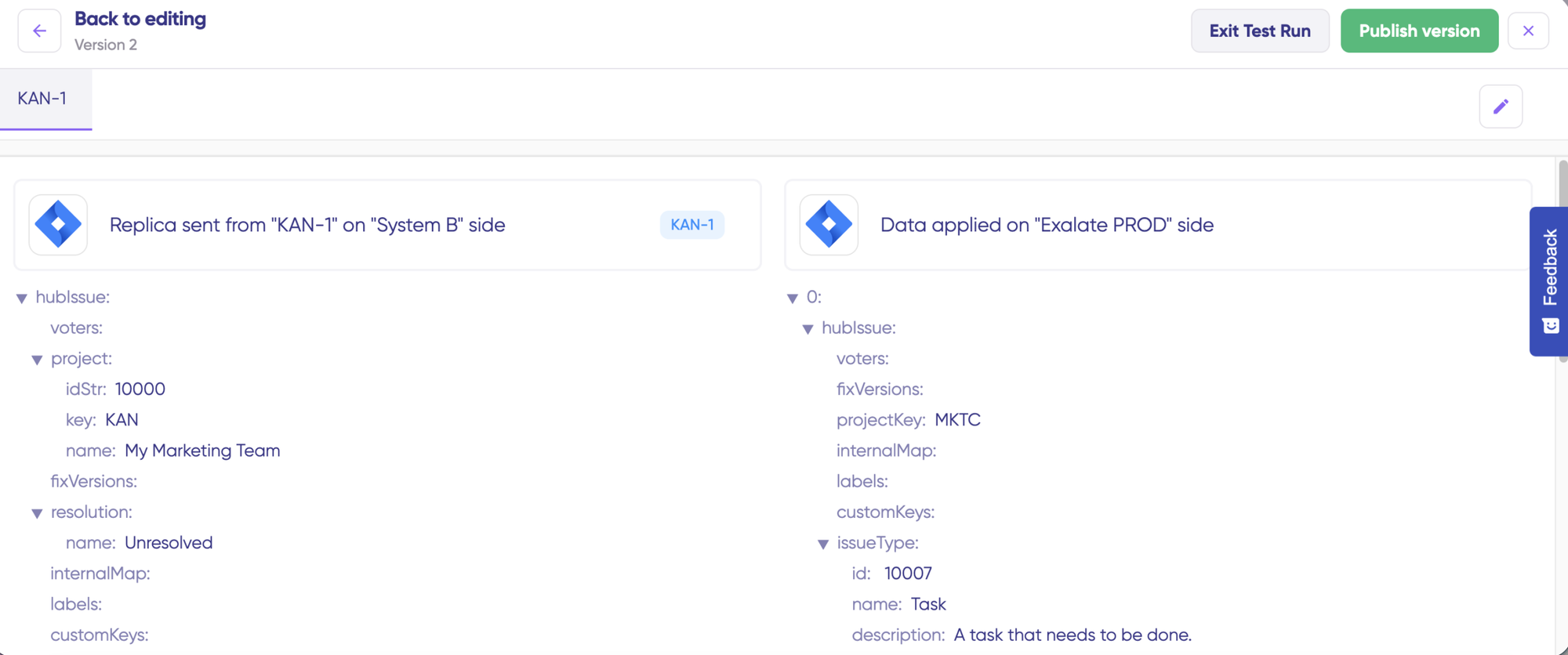
Each side controls their own sync rules independently. Ideal for multiple admin scenarios, MSPs, consulting firms or software vendors working with external clients.
Integration Hub: Role-Based Access
IntegrationHub control lives within the ServiceNow instance
- Managed within the ServiceNow instance and role hierarchy
- Flow Designer for building and editing automations
- Changes to custom Spokes require developer involvement
- Limited external partner access control options
Security and Compliance
- ISO 27001 certified
- GDPR compliant
- Cloud Fortified by Atlassian
- Bug Bounty program participation
- Regular security assessments and penetration testing
- Encryption in transit (TLS 1.2+) and at rest (AES-256)
- Threat detection with SentinelOne monitoring
- Role-based access control
- Decoupled authentication: API keys, OAuth, and PAT support without exposing credentials
- Data residency options
- SOC 2 and ISO 27001 (ServiceNow platform)
- Inherits ServiceNow instance security model
- ServiceNow role-based access control
- Data residency options
AI Capabilities
Exalate: Aida AI Assistant
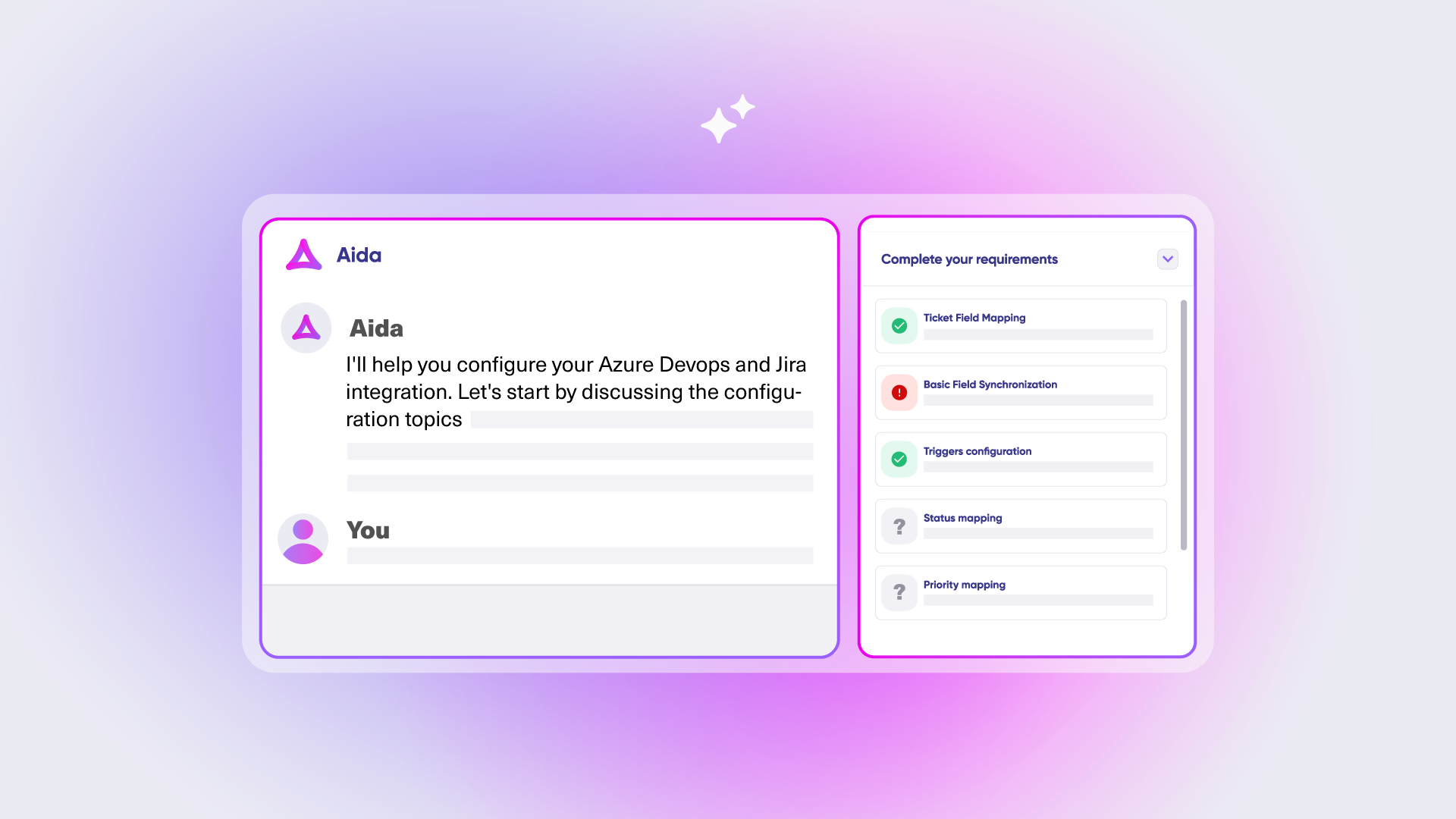
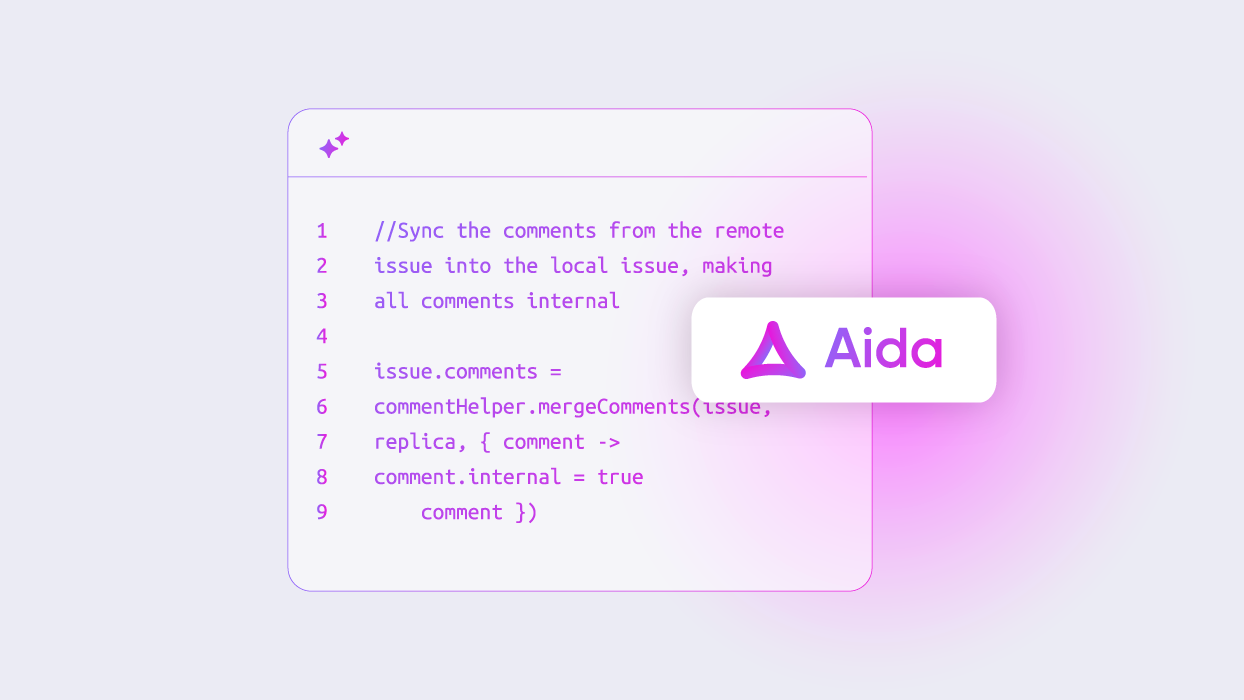
Aida helps you build sync scripts using prompts and troubleshoot issues by understanding your specific configuration context.
Integration Hub: Spoke Generator
Spoke Generator uses GenAI to help users create new Spokes through a visual interface.
- Visual Spoke Generator reduces custom Spoke build time
- Scoped to Spoke creation — not available for troubleshooting
- No AI-assisted error resolution for live integrations
Important limitation: IntegrationHub's AI is scoped to Spoke creation only, which means teams are on their own when something breaks in production. Exalate's Aida is active across the full integration lifecycle.
Pricing: How Much Will It Cost?
Exalate: Outcome-Based Pricing
Exalate’s pricing is outcome-based. Instead of paying for seats, user counts, or transactions, you pay for integration and for active items currently in sync.
Predictable costs
No surprise bills from usage spikes
Fair scaling
Costs grow with actual integration complexity, not headcount
Value-aligned
You pay for sync relationships that are active and contributing to your workflow
“We managed to reduce Service Desk costs by around 95% using Exalate.” — Piotr Radtke, Netguru
Exalate: Outcome-Based Pricing
Pay based on active items currently in sync, per integration. It doesn’t matter how many times items update, how many users work with them, or how many back-and-forth syncs happen.
- Predictable costs: No surprise bills from usage spikes
- Fair scaling: Costs grow with actual integration complexity, not headcount
- Value-aligned: You pay for sync relationships that are active and contributing to your workflow
“We managed to reduce Service Desk costs by around 95% using Exalate.” — Piotr Radtke, Netguru
Integration Hub: Transaction-Based Pricing
Pay based on transactions; how many items update. Each API call counts toward your transaction limit. Pricing is not publicly listed; organizations must contact ServiceNow for custom quotes.
- Paid tiers based on volume and Spoke access
- Custom Spoke dev and maintenance add to total cost
Common Objections Addressed
"IntegrationHub is already included with our ServiceNow license"
The Starter Pack is free, but the 1M transaction limit is reached quickly with active integrations. Many useful Spokes require higher-tier subscriptions. Custom Spoke development adds developer time and ongoing maintenance cost.
"We already have IntegrationHub in place "
"Exalate requires scripting skills"
"We need enterprise-grade security"
"Building our own integration is more cost-effective."
Rarely true: 3-6 month build time, 20-30% maintenance annually, hidden costs (API changes, security updates).
Frequently Asked Questions
"Does Exalate use IntegrationHub or inherit its transaction limits?"
No. Exalate is a standalone solution — it doesn’t consume IntegrationHub transactions, isn’t subject to its rate limits, and runs alongside an existing IntegrationHub implementation without conflicts.
" Can Exalate handle bidirectional sync between ServiceNow and Jira?"
Yes, that’s Exalate’s core capability. Both systems can create and update items that sync in real time, with separate incoming and outgoing rules giving you full control over what flows in each direction.
"How does Exalate's pricing compare to IntegrationHub?"
IntegrationHub charges per transaction (each API call counts). Exalate charges per active item in sync, regardless of update frequency — making costs more predictable, especially at scale.
"What platforms does Exalate support besides ServiceNow?"
Jira, Azure DevOps, Salesforce, Zendesk, GitHub, Freshservice, Freshdesk, and Asana. Early access connectors include TOPdesk, Xurrent, Ivanti, ConnectWise, SolarWinds, and HaloITSM. Enterprise customers can also request custom connector development.
"Can Exalate reduce maintenance overhead from custom integrations?"
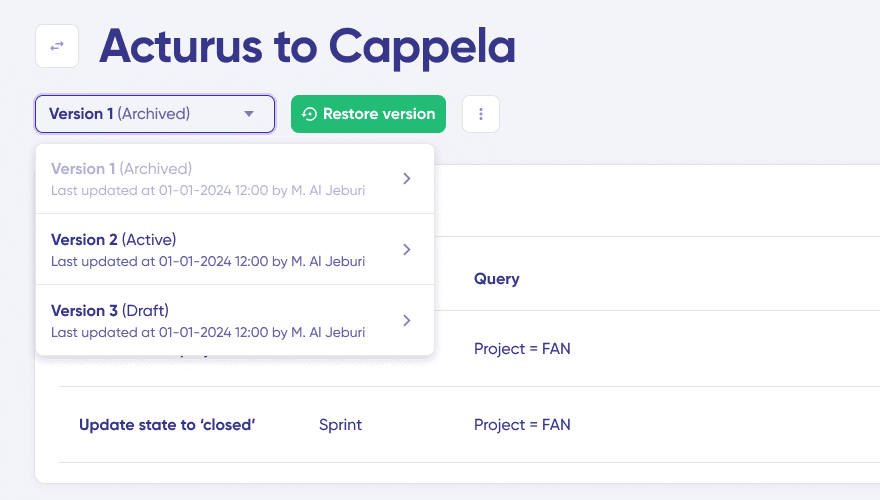
Yes. Script versioning, rollback, and Test Run are built in — so you’re not manually managing technical debt the way you would with custom Spokes that need updating every time an external system changes.
"Is Exalate secure enough for enterprise use?"
Yes. Exalate is ISO 27001 certified, GDPR compliant, and encrypts data in transit and at rest. Full documentation is at trust.exalate.com.
"Can I use Exalate for cross-company integrations with external partners?"
Cross-company integrations is one of Exalate’s primary use cases. You have control over what data external collaborators can access or modify.
Making Your Decision
With Exalate
Simple to complex workflows, deep customization, internal and cross-company integrations, regulated industries, granular control.
With Integration Hub
Simple one-way automations within the ServiceNow ecosystem, standard workflows covered by pre-built Spokes, teams with dedicated ServiceNow developers on staff.
This comparison is based on publicly available information as of February 2026. Read the full comparison article here. Verify current details with each platform.
See Exalate in Action
Let us show you how Exalate can fit your unique business needs.
trusted by clients worldwide